1
Image to 3D conversion
Frequently praised for turning 2D art or photos into detailed, printable or game ready 3D meshes.
3D AI Studio is an AI-driven 3D creation platform for game devs, 3D printers, designers, and hobbyists, praised for fast image or text to 3D workflows, strong model quality, and unusually responsive support.
Independent review — we test tools ourselves and analyze public user reviews. How we test.
3D AI Studio delivers high quality, game ready and print ready models with fast generation and an interface that beginners and pros manage quickly. Support, especially via Discord and direct contact with the founder, is consistently described as outstanding. The main weaknesses raised are confusing subscription or credit handling, occasional missing features or bugs, and specific gaps such as non humanoid animation coverage. It fits best for indie developers, small teams, and hobby creators who value speed, hands on support, and an all in one 3D asset pipeline.
3D AI Studio is a browser-based platform that turns a text prompt or an uploaded image into a textured 3D model. What separates it from a single generator is how it works underneath. Rather than tying you to one engine, it routes your request to a choice of well-known models such as Meshy, Tripo, Rodin, Hunyuan, and PRISM, all from one login. You pick the engine per generation and pay in credits.
The output is built to leave the browser. Models export to formats that open in Blender, Unity, Unreal, and slicers for 3D printing, and the platform layers on extras like AI texturing, remeshing, UV unwrapping, and a node-based workspace called Flow.
The target user wants a usable asset in minutes instead of hours at a modeling desk. Indie game developers, hobbyists printing miniatures, product designers building quick AR previews, and educators demoing concepts are the clearest fit. Anyone chasing fully hand-crafted detail will still reach for traditional software.
Frequently praised for turning 2D art or photos into detailed, printable or game ready 3D meshes.
Users like rapid idea exploration, though some mention room for improvement in certain prompts.
PRISM engine repeatedly highlighted for realistic details and strong translation to physical prints.
Auto rigging widely applauded as best found online, especially for quick game character setup.
Flow pipeline appreciated for connecting prompts to game ready assets in a single continuous workflow.
Platform offers several AI generators and users value being able to choose between different engines.
Discord community and direct founder involvement repeatedly cited as fast, friendly, and practical.
API mentioned positively for integrating asset generation directly into custom projects.
Credits and pause function liked by some, while others criticize expiries and perceived value.
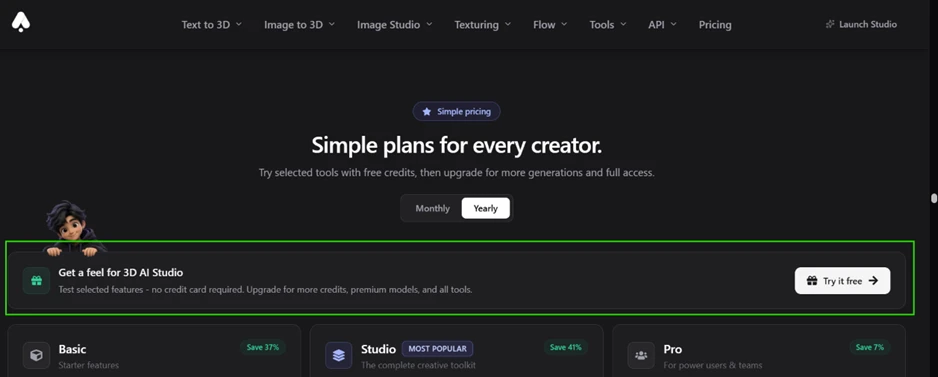
The reason I created an account was the line sitting on the pricing page. It reads “try it free,” with a note that no credit card is required.
I signed in with Google, so my email arrived already verified and there was no confirmation link to chase. The dashboard loaded, and the balance in the corner read “No credits available.” Where I expected a starter allowance, I found an “Unlock All Tools” button instead.
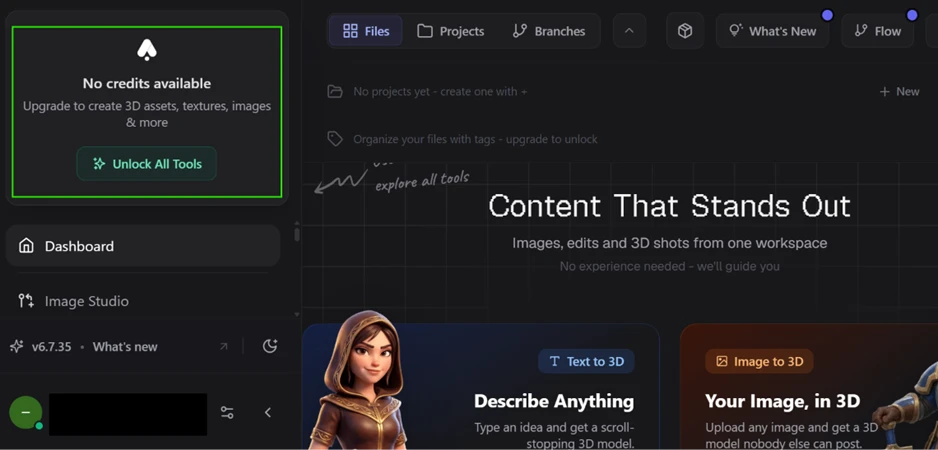
Their documentation promises new users enough free credits for several generations. My verified account started with zero.
I still wanted to test text-to-3D, the feature the product is named after. I opened it and typed a plain prompt: a classic red American fire hydrant. The panel marked the request as ready and displayed the engine it planned to use.
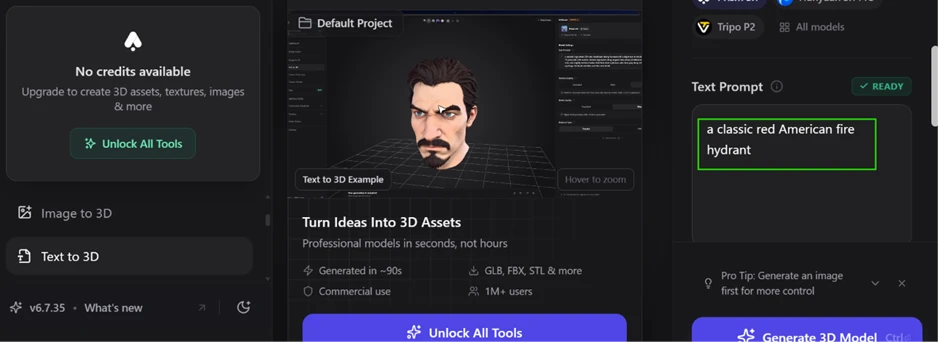
Then I pressed generate.
A full-screen upgrade prompt dropped over the workspace before any model appeared. It laid out the paid options in US dollars. Basic runs $19 a month. Studio sits at $29, and Pro reaches $149.
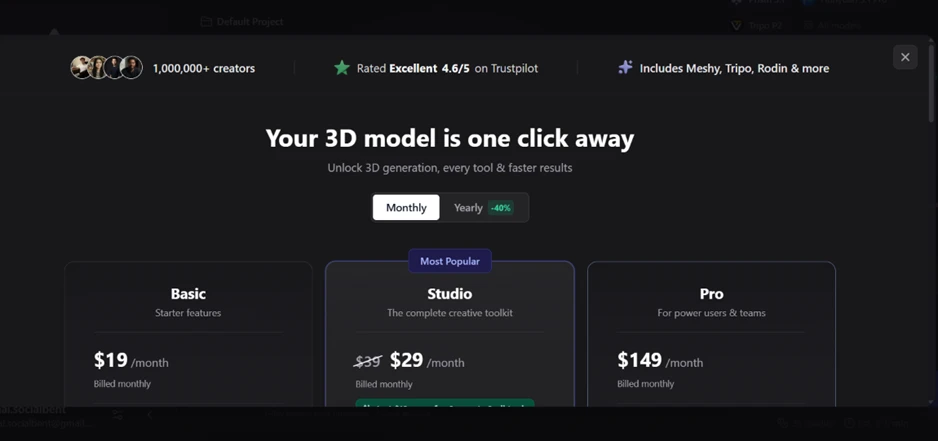
The core action, the one the tool exists to perform, was closed off before I saw a single output.
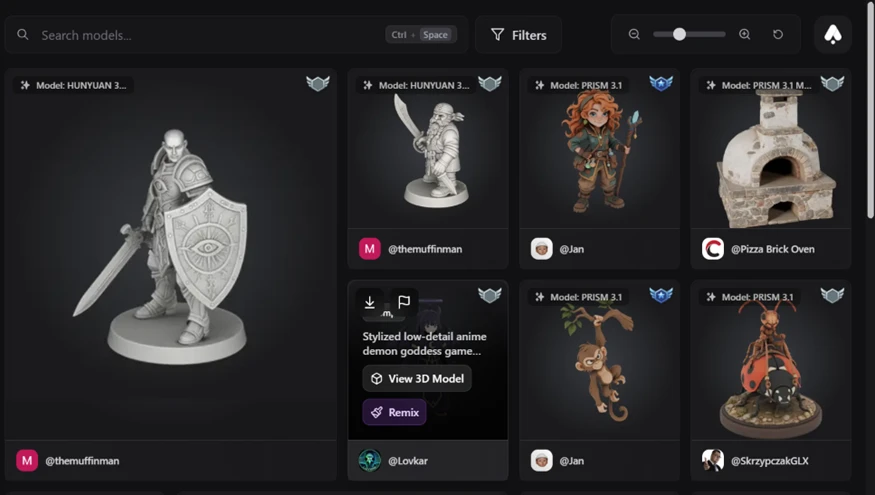
The free account was far from useless once I stopped trying to generate. The community feed loaded instantly and was full of work from named users like @themuffinman and @Jan. Every card tags the engine behind the piece, so I could tell whether something came from HUNYUAN 3, PRISM 3.1, MESHY 6, or the GPT IMAGE 2 EDIT model used on the 2D art.
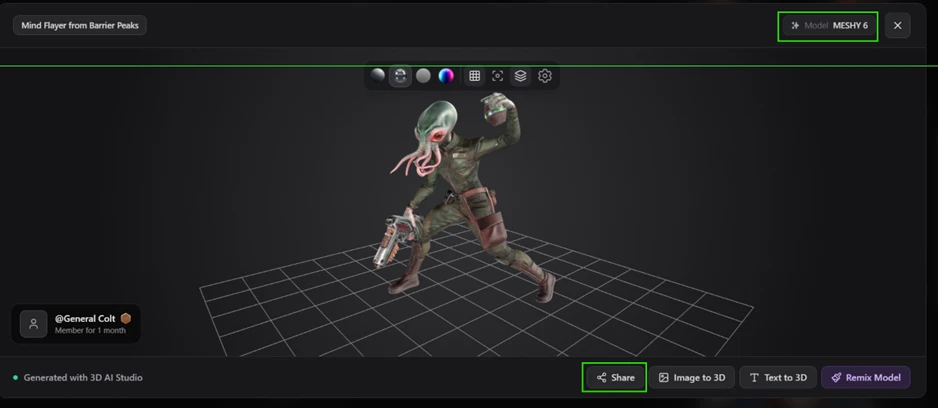
Opening a model put me inside a viewer I could steer. I rotated a Mind Flayer figure built with MESHY 6, studied it from behind and below, and found its controls sitting along the bottom edge: Share, Image to 3D, Text to 3D, and Remix.
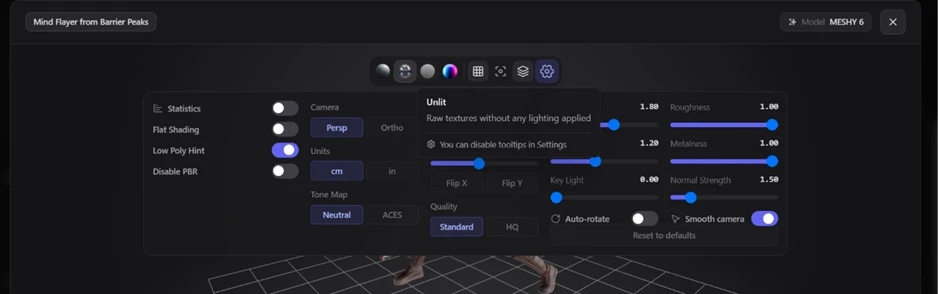
The settings panel was more generous than I expected from a no-credit account. Free users get Flat Shading, a Low Poly Hint, PBR toggling, and separate sliders for roughness and metalness, backed by a Statistics readout for checking the mesh.
This is where the free tier drew its line.
On every 3D community model, the Share button only copies a link. No download control appears anywhere in that viewer, so I could inspect and remix a mesh yet had no way to pull it onto my computer.
The single place a Download button showed up was on community 2D images, such as a “Mad scientist” render made with GPT IMAGE 2 EDIT.
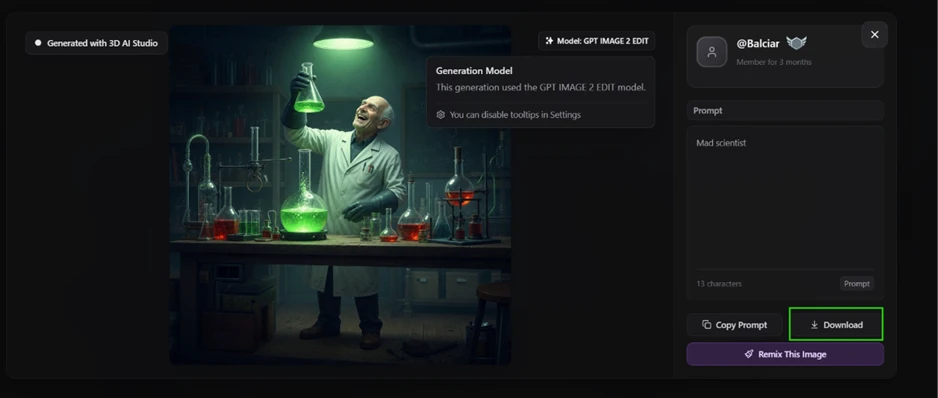
So the free plan splits along one seam. Viewing and remixing cost nothing, while the 2D images offer a download. The 3D mesh export, which is what draws most people to a tool like this, stays locked behind a credit balance my account never received.
| Dimension | Our test | User signal | Verdict | Composite |
|---|---|---|---|---|
| Model Quality Mesh cleanliness and realism | 9.5 | 9.6 | Excellent | |
| Ease of Use Learning curve and workflow | 9 | 9.2 | Excellent | |
| Speed and Throughput Generation speed and volume | 9.2 | 9.3 | Excellent | |
| Customer Support Responsiveness and resolution | 9.4 | 9.7 | Excellent | |
| Value for Money Credits, pricing, and utility | 8.2 | 8 | Good | |
| Feature Completeness Toolset breadth and reliability | 8.5 | 8.3 | Good |
Toolscopia uses cookies to keep you signed in, remember your preferences, and understand how our reviews get read. Analytics are anonymous. See our privacy policy for the full detail.
Comments 0
Join the discussion and share your perspective.
Sign in to post a comment and reply to other readers.
No comments yet
Be the first to share your perspective on this tool.