1
Text generation
Praised for coherent, engaging responses that match prompts well.
Character focused AI chat service that delivers consistent in character responses and strong text generation, but recently frustrated loyal users with a crypto only payment shift and subscription removal.
Independent review — we test tools ourselves and analyze public user reviews. How we test.
Text quality and character consistency receive strong praise, especially compared with some competing character chat platforms. However, a recent shift to crypto only payments and removal of the low cost subscription has clearly alienated at least part of the user base. Friction around the new payment model risks overshadowing the strengths of the conversational experience. Best suited to users comfortable with crypto payments who prioritize in character AI roleplay.
Chub AI is a character chat platform for AI roleplay and long-form interactive storytelling, formed when Venus AI and CharacterHub merged into a single site in May 2024. It hosts a library of more than 60,000 community-created characters and is built for users who want deep control: its Lorebook system injects worldbuilding details into conversations via keyword triggers, and users can run Chub's own models or bring their own OpenAI, Anthropic, or Mistral API keys and switch backends mid-conversation.
Pricing is aggressive for the category: a free tier, a $5 per month Mercury plan, and a $20 Mars plan with unlimited generation and larger models, undercutting rivals like SpicyChat and Character.AI. The platform allows unfiltered mature content, making it strictly an 18+ product, and since the library is entirely user-generated, character quality and moderation are inconsistent. Add a steep learning curve, reported server instability, and the loss of its iOS app in 2025, and Chub AI fits experienced roleplay writers far better than casual users.
Praised for coherent, engaging responses that match prompts well.
Frequently highlighted for staying in character and remembering details.
Previously described as a space to be creative without limits.
Criticized as difficult and off putting compared with earlier options.
Loss of 5 dollar monthly plan angered cost conscious users.
Perceived as worsening due to access and pricing changes, not output.
Seen as more consistent than a named rival character AI platform.
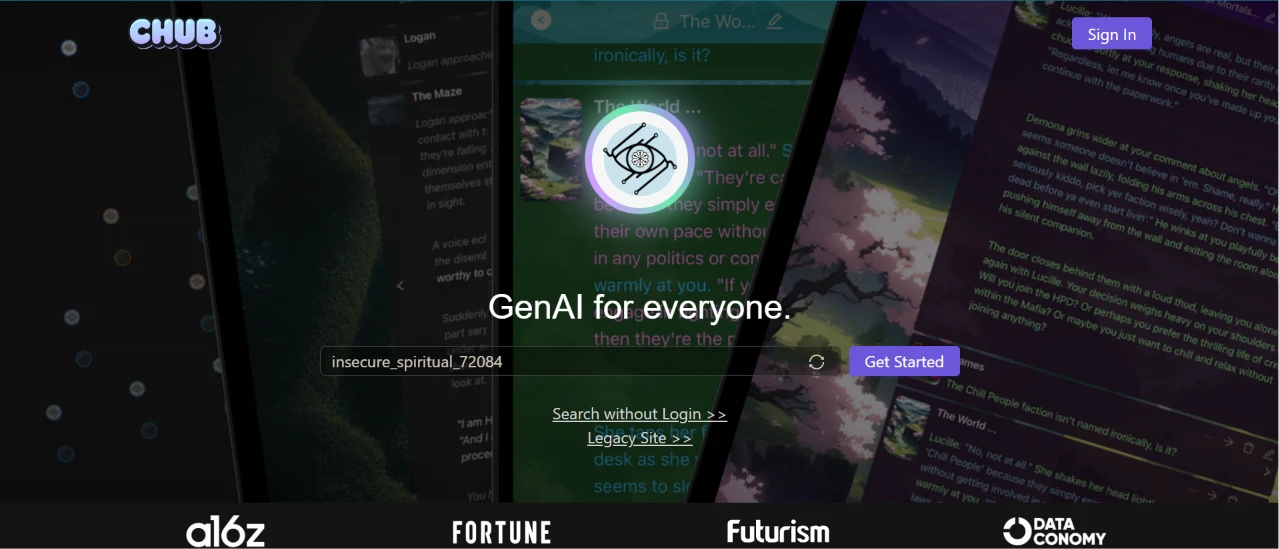
I started at the homepage without signing in, to see how far I could get before anything asked me for an account.
The page loaded with “GenAI for everyone.” set across the middle and a purple Get Started button underneath. Behind that headline, a wall of character cards and chat panels drifted past in a loop. The detail I noticed first was a username field already filled in with insecure_spiritual_72084 and a refresh icon next to it, so an identity had been handed to me before I typed a single character. Two small links sat below the button: Search without Login, and Legacy Site. A row of press logos ran along the bottom edge.
The auto-generated handle was a smart piece of onboarding. I did not have to invent a name or hand over an email to start poking around, and the refresh icon meant I could reroll it if I hated it.
The animation behind the headline worked against the page. It kept moving while I was trying to find the one thing I was supposed to click, and the purple button had to compete with it. The Legacy Site link raised a question the homepage never answered, since nothing on the screen told me what the legacy version does differently or why I would want it.
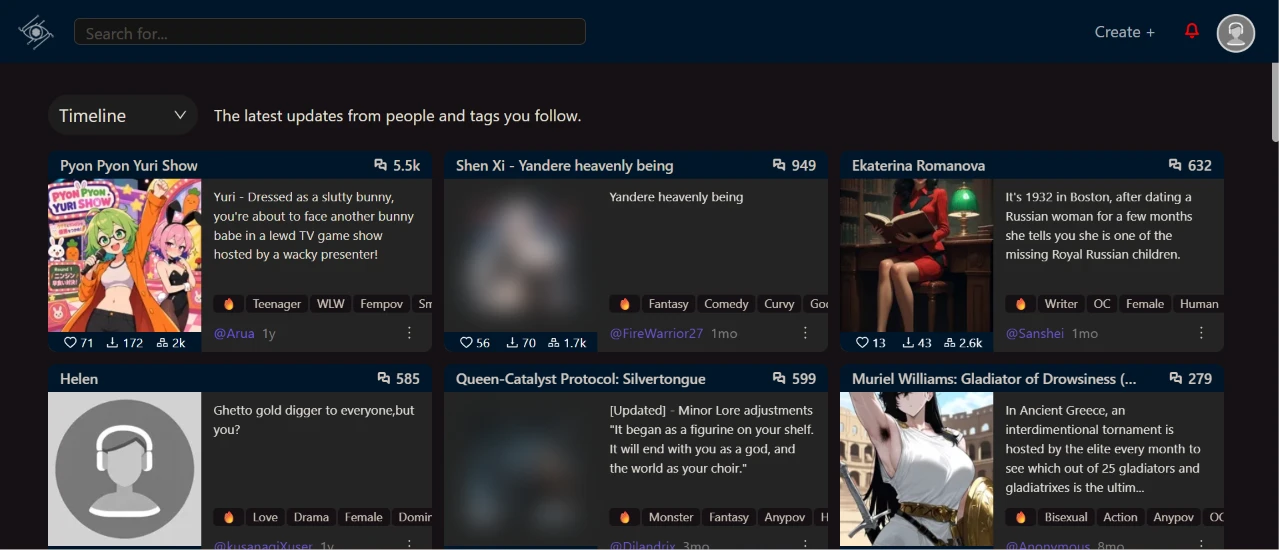
Next I went to Explore to see what other people had built.
The page defaulted to a Timeline view, with a dropdown at the top left and the line “The latest updates from people and tags you follow.” Under it sat a grid of character cards. Pyon Pyon Yuri Show showed 5.5k, Shen Xi sat at 949, Ekaterina Romanova at 632, Helen at 585. Each card carried a description snippet, a tag row, a creator handle, and an age stamp like 1y or 1mo. Several thumbnails came through blurred.
The density works. I could read a card's description and scan its tags without opening anything, and the like counts under each one gave me a quick read on what the community rates.
The Timeline default is the wrong first impression. I was following nobody, so a feed built on people and tags I follow had nothing personal to show me and filled itself with whatever was recent instead. I wanted a popular-right-now view and had to spot the dropdown to go hunting for one. The blurred thumbnails told me the content filter runs by default, which I would rather have on than off.
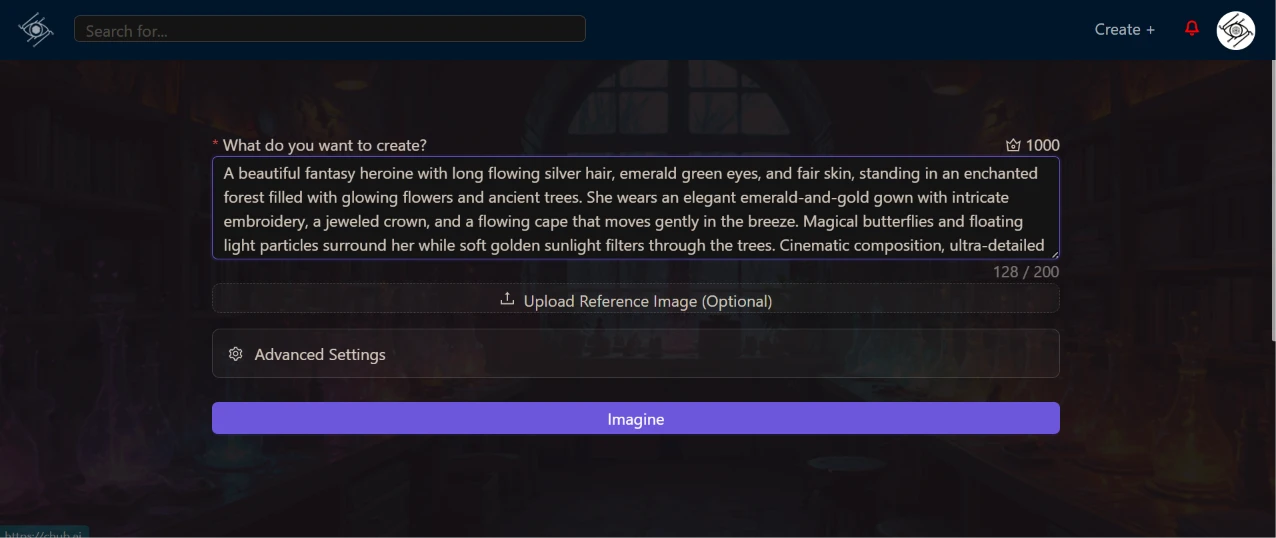
I opened the image generator and pasted in a long prompt for a fantasy heroine, wanting to see how the screen coped with detail rather than a two-word idea.
The field was labelled “What do you want to create?” with 1000 sitting beside a small icon in the top corner of the box. As my text went in, a counter in the bottom corner climbed to 128 / 200. Below the box sat an optional reference image upload and a collapsed Advanced Settings row. The purple Imagine button ran the full width underneath both.
That counter is the part I kept staring at. My prompt hit 128 against a ceiling of 200 and I had written what I consider a normal amount of detail for an image model. Anyone who writes the way prompt guides tell you to write, stacking quality tags on the end of a description, will run into that ceiling fast.
The box itself showed about four lines at a time, so I was scrolling inside a small window to reread my own prompt. Keeping Advanced Settings collapsed was the right call. It left one decision on the screen and I never felt the need to open it.
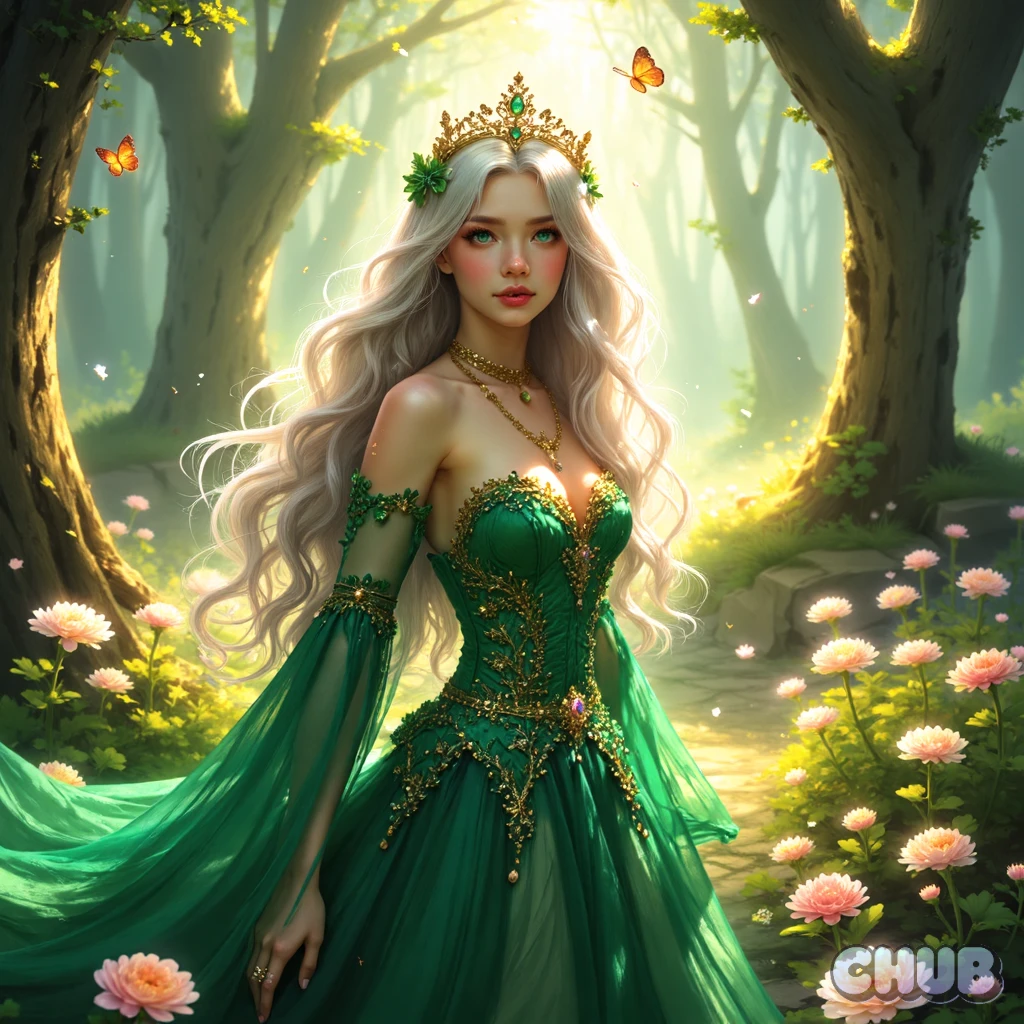
I pressed Imagine and waited.
What came back was a square portrait of the heroine standing on a sunlit forest path. Silver hair, green eyes, an emerald gown with gold embroidery running down the bodice, and a gold crown with a green stone set into the front. Orange butterflies floated in the upper corners and pink flowers crowded the lower edge. Light broke through the trees behind her the way I had described it. A CHUB watermark sits in the bottom right corner of the artwork.
The gown, the crown, the butterflies, and the lighting all landed. The cape did not. I asked for a flowing cape moving in the breeze and there is no cape in the frame, only gown fabric doing the moving.
The hand at the bottom left has that stretched, half-finished look that gives a generated image away at a glance. Everything from the shoulders up holds together under a zoom, so the face and the crown detail are the strongest parts of the render, which is the opposite of what I expected going in.
The watermark is what I would flag hardest. It sits over the artwork rather than in a margin, so cropping it out means cutting into the image.
With the image done, I used it as the avatar for a character and worked through the Create Character form.
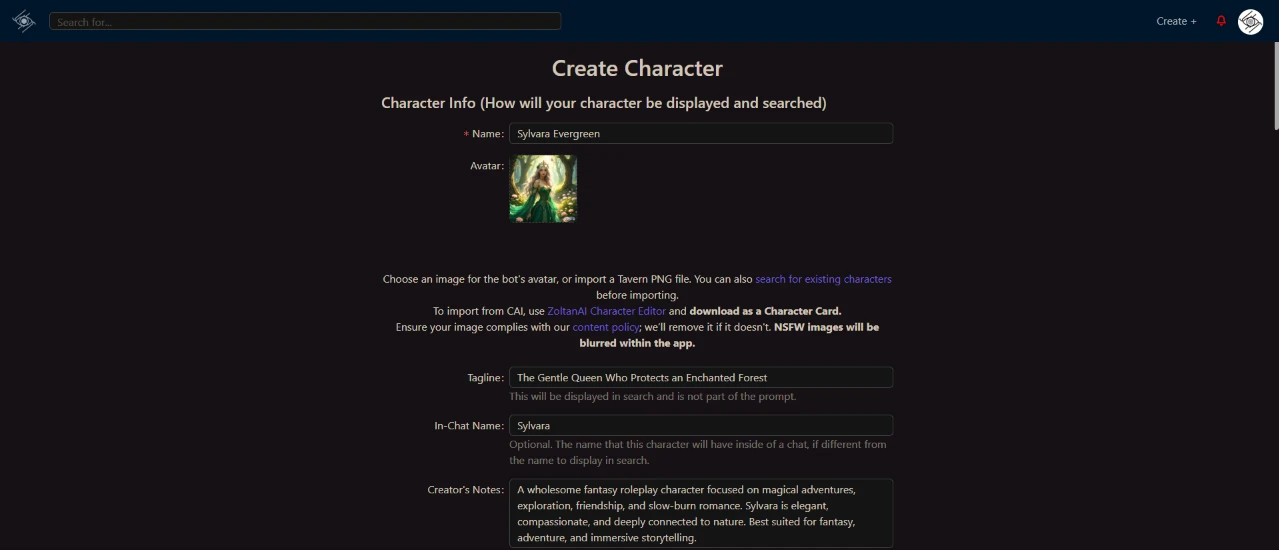
The form opened with Name at the top and my generated image already sitting in the Avatar slot as a thumbnail. Under the avatar sat a block of import instructions covering Tavern PNG files and a CAI route through something called the ZoltanAI Character Editor. A content policy warning underneath told me NSFW images get blurred inside the app. I set the Tagline to “The Gentle Queen Who Protects an Enchanted Forest” and the In-Chat Name to Sylvara, then wrote the Creator's Notes in the box below.
Every field carries a grey hint line under it and those hints do real work. The Tagline hint told me it shows in search and is not part of the prompt, which changed how I wrote it. Without that line I would have written a tagline that ate into my token budget for nothing. The In-Chat Name hint explained why a field I would otherwise have skipped exists at all.
The import block is the one part of this screen aimed at somebody else. It assumes I already know what a Tavern PNG is and what CAI stands for, and I had made exactly one thing on this site at that point.
Getting the avatar in took no work at all. The image I had generated minutes earlier was already sitting in the slot without an export or a re-upload, and that hand-off is the smoothest thing that happened all session.
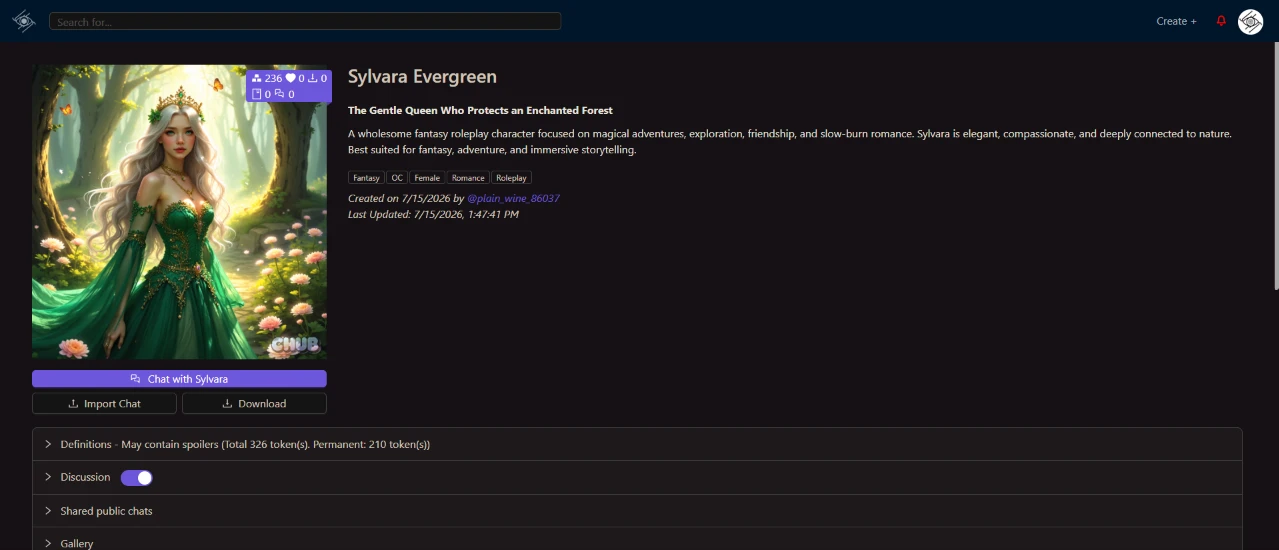
I published and landed on the character's public page.
The avatar filled the left column with counters stacked over it: 236 tokens, 0 likes, 0 chats, 0 downloads. To the right sat the name and the tagline, with my creator's notes reproduced word for word underneath. Below those ran a tag row. Under it sat a created stamp reading 7/15/2026 and a Last Updated time of 1:47:41 PM the same day. A purple Chat with Sylvara button sat under the avatar with Import Chat and Download beneath it. Four collapsed rows closed out the page: Definitions, marked as possibly containing spoilers and carrying a token count of 326 total with 210 permanent, then Discussion with its toggle switched on, Shared public chats, and Gallery.
The tag row is where this went sideways. I submitted 15 tags. The page shows five. Three of mine survived, and OC and Roleplay showed up on their own even though I never typed either one. Elf Queen, Forest Spirit, Nature Magic, Medieval Fantasy, Slow Burn, Immortal, and the rest were gone, with no message telling me a cap existed or that anything had been dropped. On a site where discovery runs through tags, quietly deleting two thirds of mine is the biggest problem I hit all session.
The token count under Definitions is the number I would want a beginner to look at first. 326 total against 210 permanent tells me what my character costs before she has said a word, and I had no sense of that while I was writing the description.
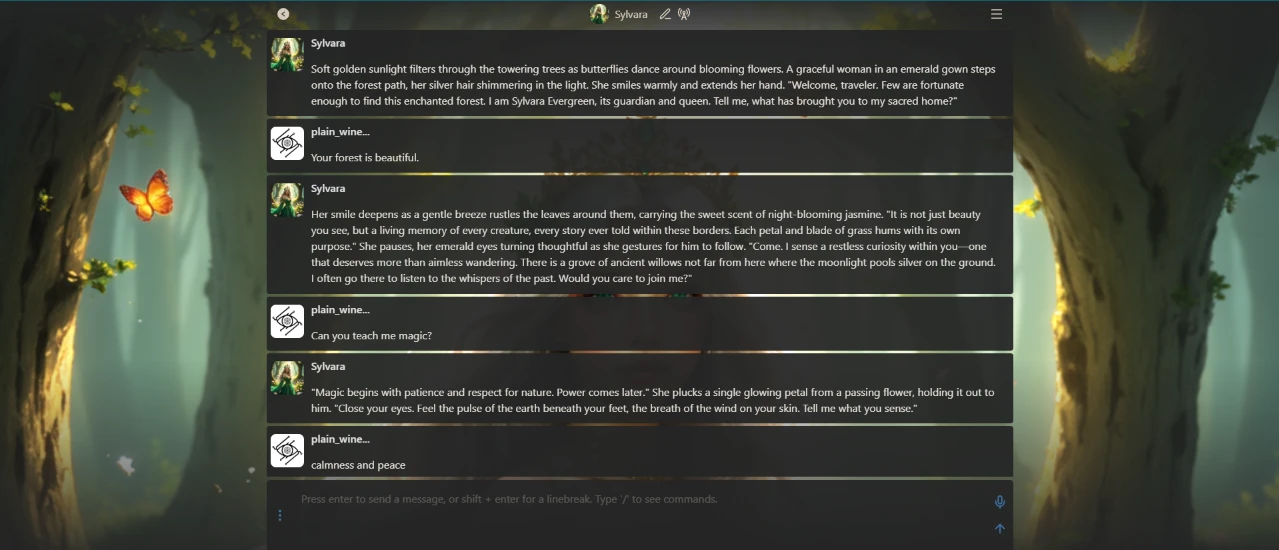
I hit Chat with Sylvara and started talking.
The chat opened on a forest background with the message column running down the middle. Her first message set the scene I had written, sunlight through the trees and butterflies over the flowers, then delivered the greeting. I answered “Your forest is beautiful.” Her reply came back longer than the opener. It worked in the scent of night-blooming jasmine and closed by inviting me to a grove of ancient willows where the moonlight pools silver on the ground. I asked “Can you teach me magic?” She answered “Magic begins with patience and respect for nature. Power comes later.” Then she plucked a glowing petal from a passing flower and asked me to close my eyes and tell her what I sensed. I typed “calmness and peace.”
The opening message is not the one I wrote. I typed “Very few find the Enchanted Forest by chance” and the chat gave me “Few are fortunate enough to find this enchanted forest.” I wrote “its queen and guardian” and got back “its guardian and queen.” The meaning survives. The sentence does not, and I had assumed that field was reproduced exactly as typed.
Her answer about magic tracks my example dialog the same loose way. I gave her “Magic begins with respect for nature. Power is simply the reward for understanding it,” and she handed back a compressed version of that idea in her own phrasing. As evidence that example dialogs steer a character's voice rather than script her lines, that is the clearest thing I got out of the session.
She called me “him” twice. I never set a gender in the character or in any message I sent, and the model picked one by the second reply and stayed with it.
My last message sits at the bottom of the frame with nothing under it.
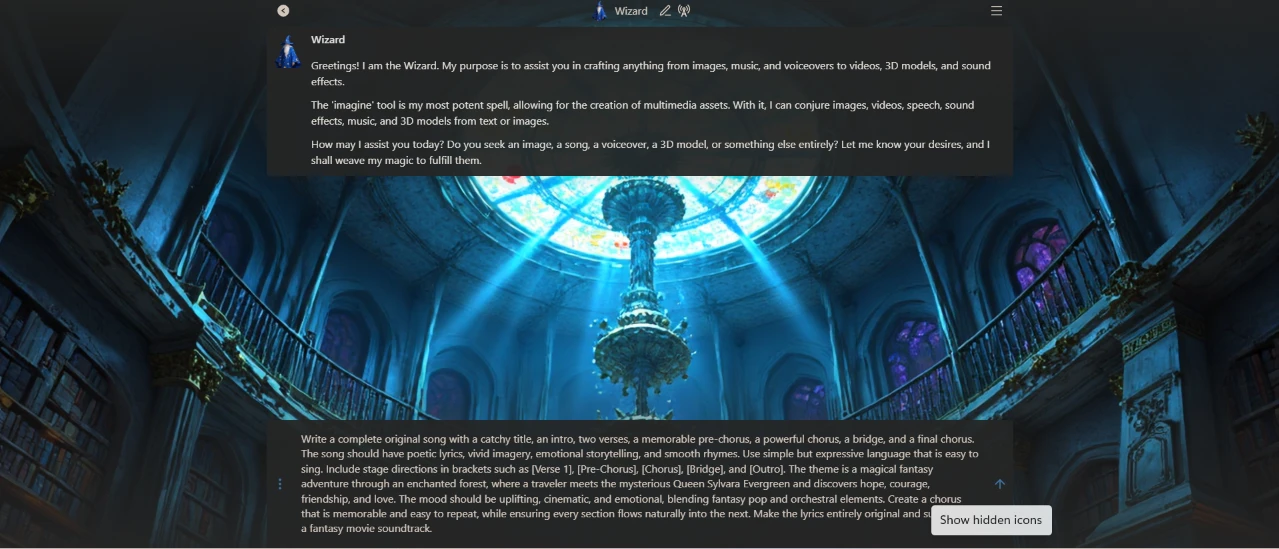
I opened the Wizard next and asked it to write me a song.
It introduced itself before I typed anything, running through what it can make and calling the imagine tool its most potent spell. I pasted in a request for a complete original song with a title, an intro, two verses, a pre-chorus, a chorus, a bridge, a final chorus, and stage directions in brackets. The theme was the character I had just built, and I asked for something that would sit in a fantasy movie soundtrack.
That greeting does more work than the image generator screen did. It told me speech, sound effects, videos, and 3D models were all on the table, which is more than I had assumed from the character side of the site.
The input box is where this gets awkward. My prompt ran to eight lines and the box swelled to fill the bottom of the screen, sitting on top of a cathedral background that fights the text for attention. I could read what I had typed, but only just.
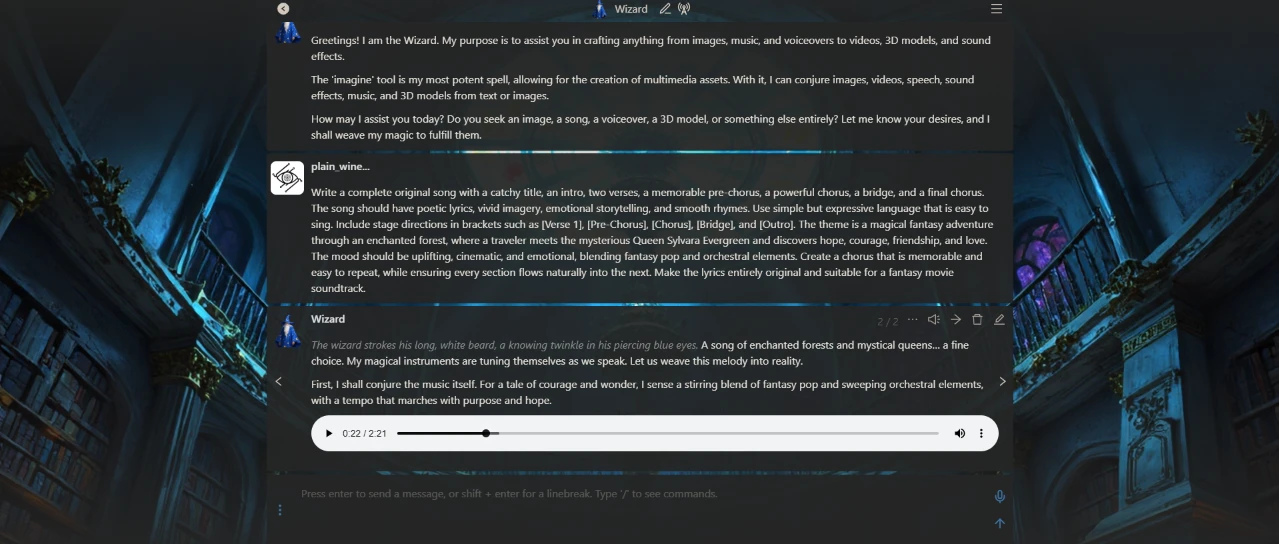
I sent it and watched the reply build.
The Wizard answered in character, stroking a white beard with a knowing twinkle in his eyes. He said he sensed a blend of fantasy pop and sweeping orchestral elements for a tale of courage and wonder. Under that sat an audio player. The track ran 2:21 and I had played 22 seconds of it by the time I took the screenshot. The message header showed 2/2, so a second variant was already sitting behind an arrow.
A finished 2:21 track out of one prompt is the result I did not see coming from a character site.
What I did not get was the thing I asked for. I wanted the lyrics written out with [Verse 1] and [Chorus] markers in brackets, and what the screen gives me is roleplay narration sitting on top of a player. The track might contain every section I listed. I cannot check that from this screen without listening through the whole thing and transcribing it myself, and the written lyric sheet was half the request.
The 2/2 counter is the detail I would have missed if I were not looking for it. It means a regeneration costs one click and my first attempt is not lost when I take it.
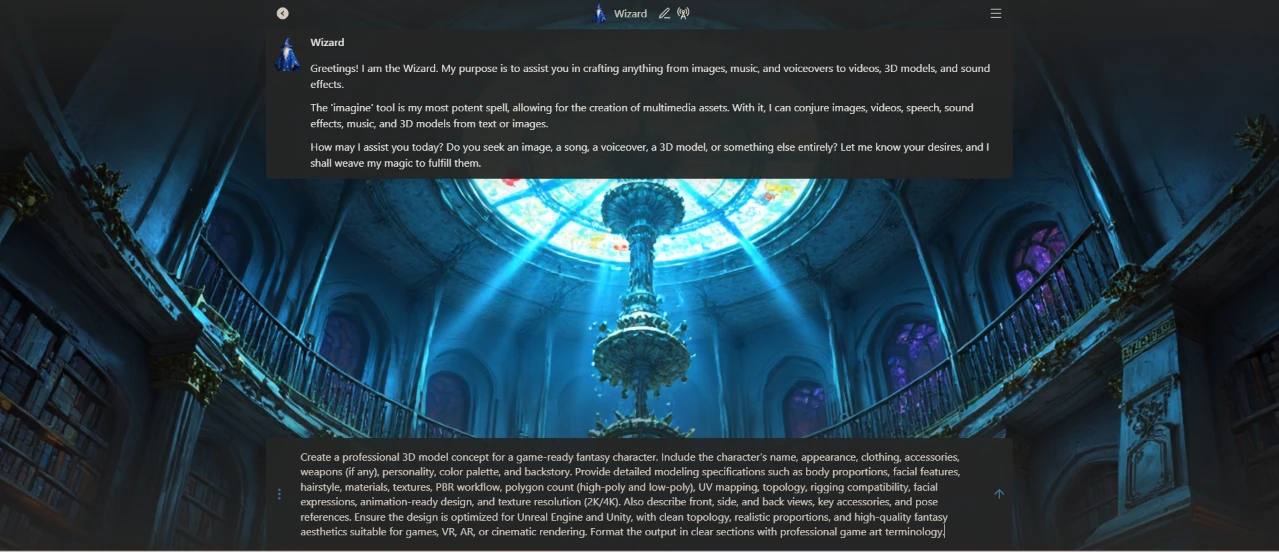
I stayed in the Wizard and typed out a request for a 3D model.
My first draft ran long. I asked for a professional 3D model concept for a game-ready fantasy character, then piled on specifications: body proportions, facial features, PBR workflow, polygon counts for high-poly and low-poly, UV mapping, rigging compatibility, texture resolution at 2K or 4K, and pose references. I wanted the output formatted in clear sections using game art terminology.
Looking at the screenshot now, the box is holding a wall of text with the cursor parked at the end of it and nothing to break the paragraph up.
I trimmed it before sending. The version that actually went through is about a third of that length, and the instinct to cut came from the box itself. Watching a paragraph that dense sit in a small dark field made me second-guess how much of it the model would pay attention to, which is a strange thing for an interface to make me feel.
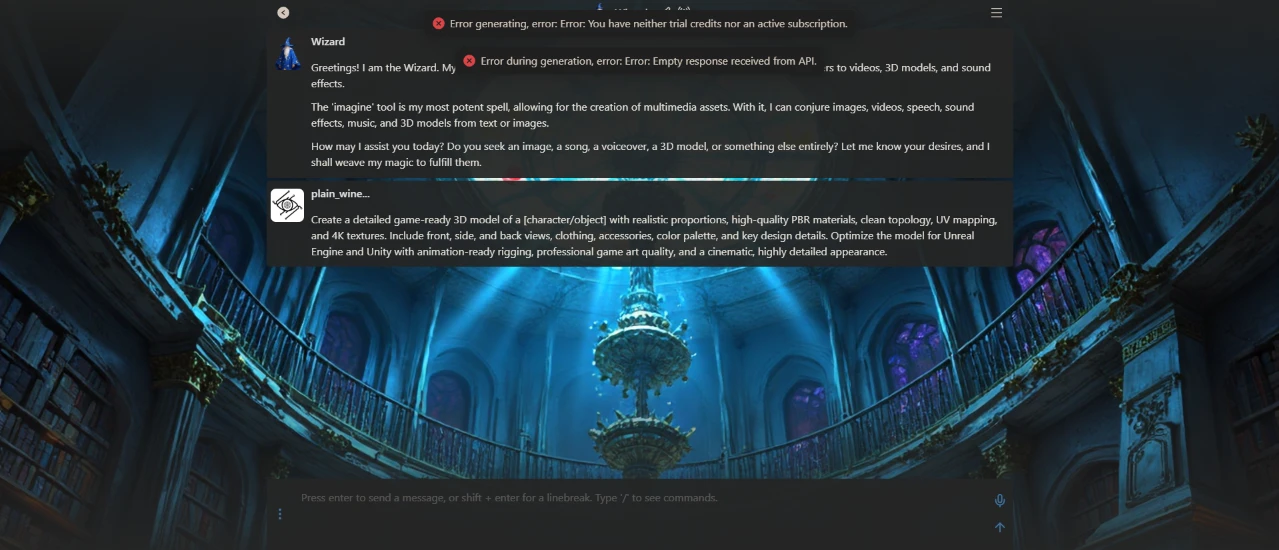
Then the run failed.
Two error banners stacked at the top of the screen. The first read “You have neither trial credits nor an active subscription.” The second read “Empty response received from API.” My prompt sits in the thread with nothing under it. No model, no concept sheet, no partial text, nothing.
Credits were fine for the image. They were fine for a 2:21 track. By the time I asked for a 3D model they were gone, and nothing warned me on the way in. The generator screen showed 1000 next to that icon at the start of the session and I finished it with no idea what any single generation had cost against that number.
The second error makes it worse. “Empty response received from API” reads like a system fault rather than an account limit, and stacking a technical failure on top of a billing message left me unsure whether my request had been rejected or had broken something on the way through. One sentence telling me the cost before I hit send would have prevented this entire step.
I also left the literal [character/object] placeholder in the prompt and sent it anyway. I will never know whether that mattered, because the request never reached a model.
| Dimension | Our test | User signal | Verdict | Composite |
|---|---|---|---|---|
| Conversation Quality Relevance and creativity of replies | 8.5 | 9 | Excellent | |
| Character Consistency Staying in role and memory | 9 | 9.5 | Excellent | |
| Pricing & Plans Affordability and plan structure | 4 | 3.5 | Weak | |
| Payment Experience Ease of paying and methods | 3.5 | 3 | Weak | |
| User Enjoyment Perceived fun and immersion | 8 | 7 | Good | |
| Access & Flexibility Ability to join and stay | 4.5 | 4 | Weak |
Toolscopia uses cookies to keep you signed in, remember your preferences, and understand how our reviews get read. Analytics are anonymous. See our privacy policy for the full detail.



Comments 0
Join the discussion and share your perspective.
Sign in to post a comment and reply to other readers.
No comments yet
Be the first to share your perspective on this tool.