1
Video to GIF conversion
Widely praised for quick, watermark free video to GIF workflows.
Ezgif is a free online GIF and image toolset for quickly converting, editing, and optimizing GIFs, WebP, and video clips, ideal for creators and ecommerce workers needing watermark free results.
Independent review — we test tools ourselves and analyze public user reviews. How we test.
Ezgif delivers fast, reliable GIF and image conversions with a surprisingly deep toolkit, all without watermarks or forced trials. Most reviewers describe it as easy to use and feature rich, especially for GIF creation, WebP to JPG conversion, and video to GIF workflows. However, a minority report failures with specific uploads, broken animated WebP to GIF conversion, heavy resource use, and frustration when projects are corrupted or cut short. It fits best for creators and ecommerce workers who need quick, no cost GIF and image utilities and can tolerate occasional glitches for complex tasks.
Ezgif is a free, browser-based toolkit for making and editing animated images, built around the GIF format but reaching well beyond it. The site has run since the early 2010s as a single-developer project, and it has stayed deliberately lightweight: no account, no software to install, and no paid tier gating the features.
The toolset covers the full lifecycle of an animation. A clip or a stack of images becomes a GIF, and from there the same site handles resizing, cropping, optimizing, adding captions and splitting frames. Format support stretches past GIF into WebP, APNG, AVIF and JXL, so it doubles as a converter between animation formats that most editors ignore.
What separates it from one-click GIF makers is the control it exposes. Frame rate, color count, dithering method and per-frame timing are all adjustable, which puts manual tuning in reach without a desktop editor like Photoshop.
The audience is practical: meme makers, developers compressing assets, marketers trimming clips and anyone who needs a format conversion done in the browser within a minute.
Widely praised for quick, watermark free video to GIF workflows.
Frequently highlighted by ecommerce users for rapid WebP image conversion.
Reversing, cropping, resizing, and other edits receive strong positive feedback.
Support for GIFs and APNGs appreciated, including use in online games.
Conversion of specialized tgs files to GIFs praised as uniquely reliable.
Strongly appreciated, especially versus competitors that add watermarks.
Consistently noted as entirely free without trials, seen very positively.
Ads mostly described as acceptable, though one reviewer complained harshly.
Users value quick creation of GIFs from images and screencasts.
I ran ezgif through a real job instead of reading its feature list. I converted a short clip, added a caption, and later pushed a mixed batch of files through the GIF Maker to find where the tool held up and where it tripped.
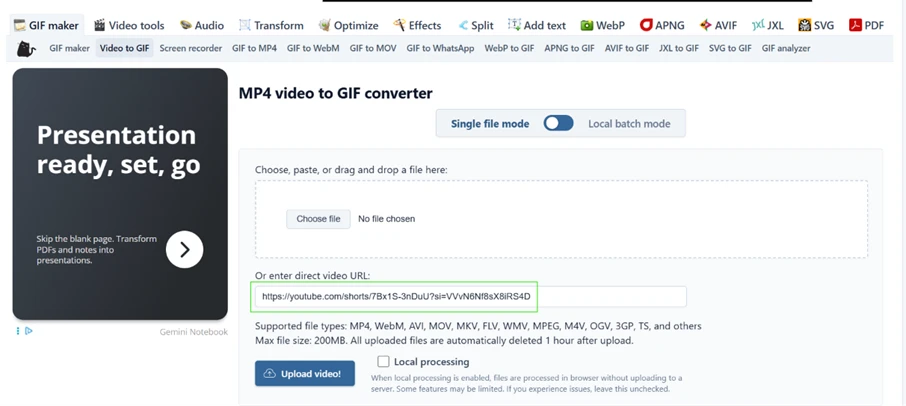
I started on the Video-to-GIF tool and dropped a YouTube Shorts link into the “enter direct video URL” box, then clicked Upload video. The link I pasted was https://youtube.com/shorts/7Bx1S-3nDuU?si=VVvN6Nf8sX8iRS4D.
Nothing loaded. The page reset to an empty upload form and the address bar quietly changed to ezgif.com/video-to-gif?err=youtube. No message appeared on screen to explain the failure. The field only takes a direct link to a video file, so a link that points at a YouTube or TikTok page gets bounced.
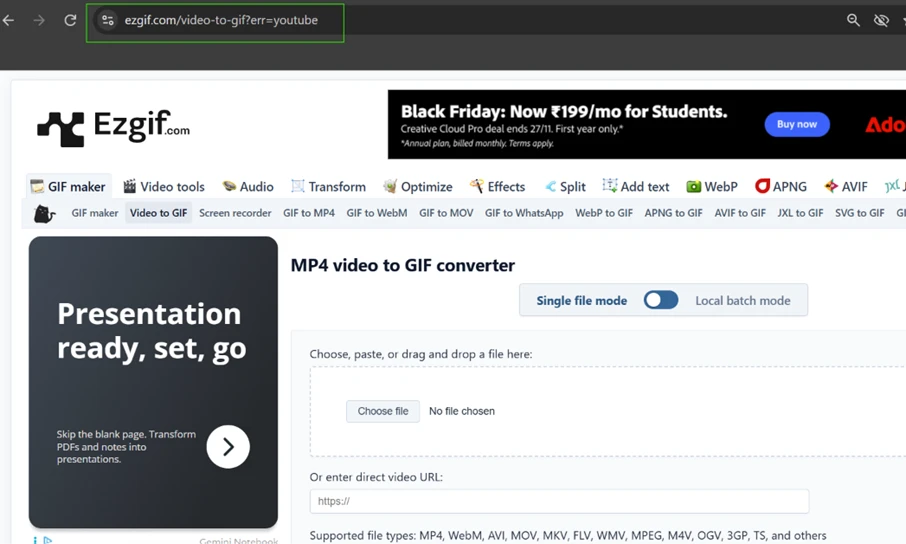
Switching to a local file worked immediately. I uploaded a 3-second MP4 at 350KB, sized 740 by 554, and the preview appeared at once with a full settings panel below it covering start and end time, size, crop, aspect ratio, frame rate and loop count.
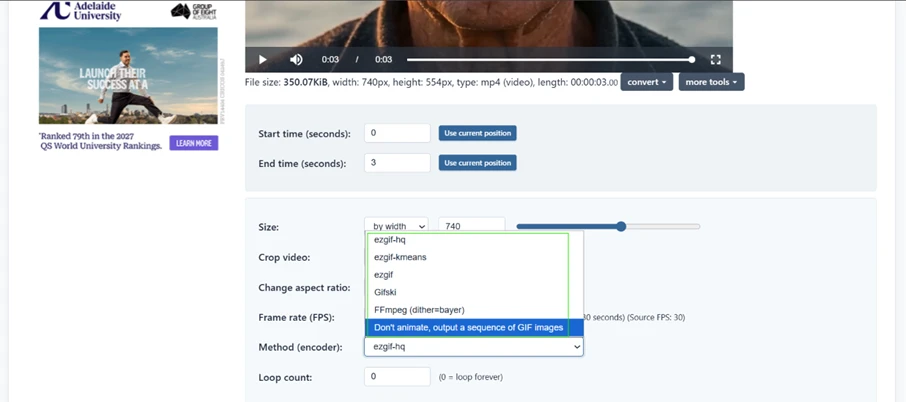
The Method dropdown is where ezgif pulls ahead of one-click converters. It listed ezgif-hq, ezgif-kmeans, Gifski and an FFmpeg option with Bayer dithering, plus a “don’t animate, output a sequence of GIF images” mode for pulling frames instead of animating.
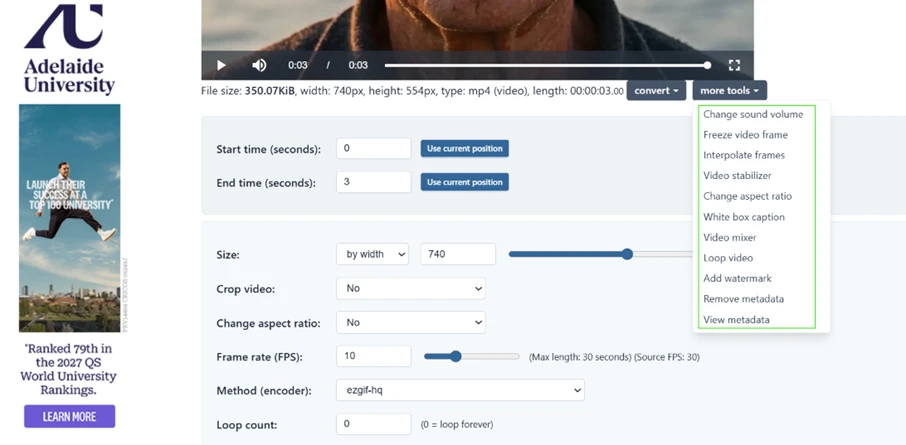
The “more tools” menu held frame interpolation, a video stabilizer, metadata removal and a White box caption option. I wanted text on the clip before turning it into a GIF, so I opened White box caption.
The caption editor gave me a text field and sliders for box height, padding, border, font size, alignment and position. I typed my caption and left the box pinned to the top. The exact text I entered was: Look at me!
My settings were 120px box height, 5% padding, a 48px font, centered, positioned at the top.
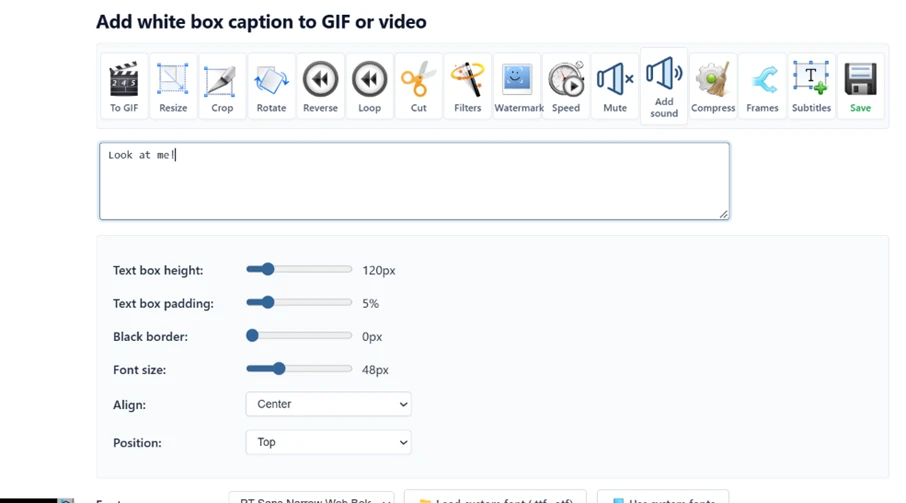
ezgif applied the caption to the video first, not to a GIF. The output still carried the MP4-to-GIF toolbar, now with my text sitting in a white bar above the footage. The caption becomes part of the source clip, so it rides through into the final GIF at the conversion step.
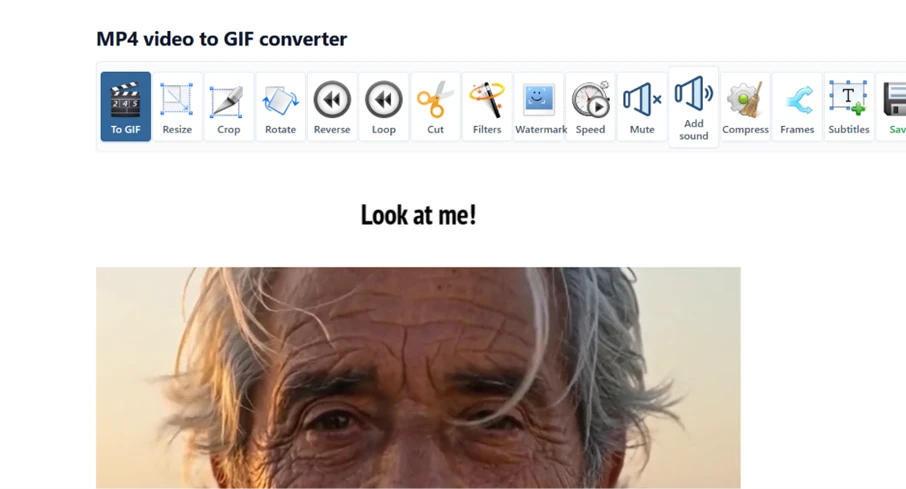
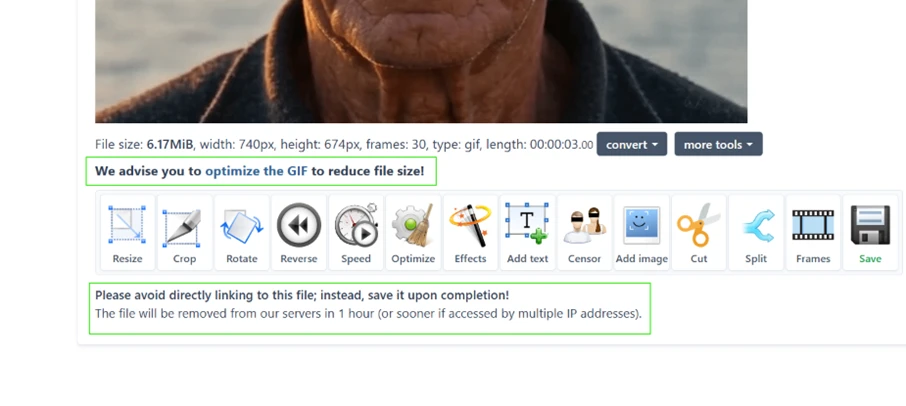
Converting the captioned clip produced a GIF at 6.17MB, 740 by 674, 30 frames across 3 seconds.
Directly under the result, ezgif flagged its own output with the line “We advise you to optimize the GIF to reduce file size.” A second notice warned against hotlinking the file and said it would be removed from the server within 1 hour. A 3-second clip climbed past 6MB, and the tool itself recommends its optimizer to bring that number down.
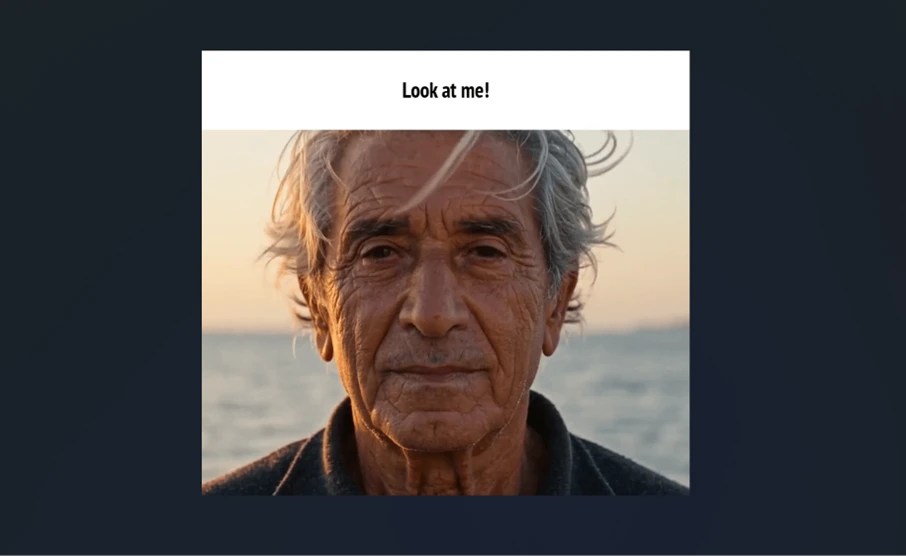
I saved the GIF and opened it away from ezgif. The file came down clean, and the only text on it was my own caption. There was no ezgif logo or corner stamp anywhere on the frame. For a free tool that asked for no account, that answers the watermark question outright.
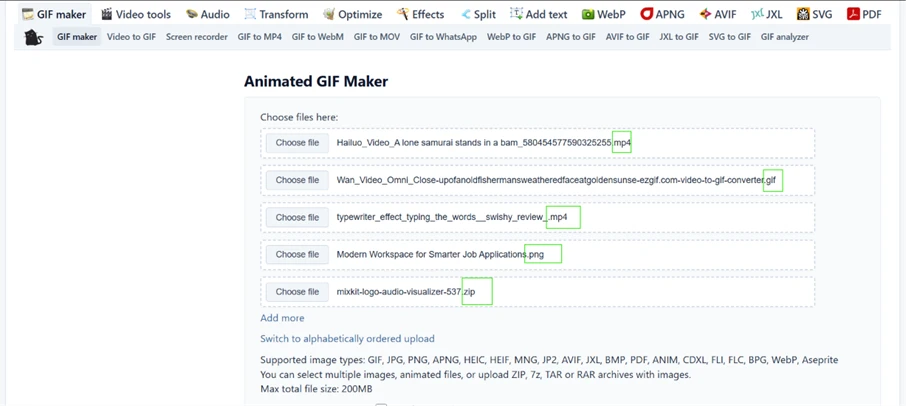
The last test was the GIF Maker. I loaded five files of different types in one go: an MP4, a GIF, a second MP4, a PNG and a ZIP archive of images. ezgif accepted the whole mix without asking me to convert anything to a common format first.
The supported list printed underneath ran well past the usual handful, covering APNG, HEIC, AVIF, JXL, BMP, PDF and archive types like 7z and RAR. One catch hides in that fine print. The 200MB ceiling is the combined total for every file at once, not a limit per file, so two or three video clips use up the budget fast.
| Dimension | Our test | User signal | Verdict | Composite |
|---|---|---|---|---|
| Conversion Reliability Success rate for key conversions | 8.5 | 8.8 | Excellent | |
| Editing Capabilities Depth of GIF and image tools | 9 | 9.2 | Excellent | |
| Ease of Use Learning curve and navigation simplicity | 8.8 | 9 | Excellent | |
| Performance & Stability Speed, crashes, and heavy usage behavior | 7.8 | 7.5 | Good | |
| Value for Money Perceived value relative to price | 9.5 | 9.6 | Excellent | |
| Ad Experience Impact of advertising on workflow | 8 | 8.2 | Good |
Toolscopia uses cookies to keep you signed in, remember your preferences, and understand how our reviews get read. Analytics are anonymous. See our privacy policy for the full detail.
Comments 0
Join the discussion and share your perspective.
Sign in to post a comment and reply to other readers.
No comments yet
Be the first to share your perspective on this tool.