1
AI image generation
Produces blog and social images, quality praised by some, heavily criticized when prompts are not followed.
AI image and video generation platform for creatives and marketers, offering multiple models, folders, teams, and resizing. Some users get solid results, others report broken features, aggressive credit usage, and misleading free claims.
Independent review — we test tools ourselves and analyze public user reviews. How we test.
Output quality can be decent, and access to multiple AI models, folders, and team features helps some users get practical work done. However, reviews heavily criticize pricing transparency, credit consumption, broken free tier expectations, and content filters that feel inconsistent. Interface choices and default settings reportedly burn credits quickly with little recourse, and support is frequently described as unhelpful or disrespectful. Best suited to technically patient experimenters who accept risk and are ready to monitor costs and outputs closely.
Getimg AI is a browser-based platform that generates and edits images, video, music and speech from text prompts, with nothing to install. Rather than running one house model, it puts a catalog of leading models behind a single interface, so you can route a prompt to names like FLUX, Seedream, Nano Banana or Google Veo depending on the job. An Auto mode goes further, picking the model for you and sharpening a weak prompt before it reaches the generator. The selling point that keeps coming up is range: one workspace covers image generation, animation, upscaling, background removal and voice.
Consistency is a theme too, with reference images and custom model training that keep a character or brand style steady across a series. Teams get shared workspaces and asset management, and developers get an API with usage tracking and rate limits. Pricing runs on monthly credits, with a small free tier and commercial rights on paid plans, so client work is covered without extra licensing.
Produces blog and social images, quality praised by some, heavily criticized when prompts are not followed.
Generates brief videos but often consumes many credits, with several users reporting poor results and prompt failures.
Offers newest models and styles, which some users appreciate for reliability and variety.
Previously valued feature, later limited and made costlier, causing strong dissatisfaction among long term users.
Folder system helps organize outputs, mentioned positively as improving workflow management.
Prompt enhancement aids creativity and is specifically praised by users who like improved prompt structuring.
Team setup simplifies collaboration for content work, regarded as a practical advantage over some alternatives.
Image resizing feature is singled out as excellent by at least one satisfied user.
Filters are widely criticized as inconsistent, censoring even dressed subjects and random restricted content.
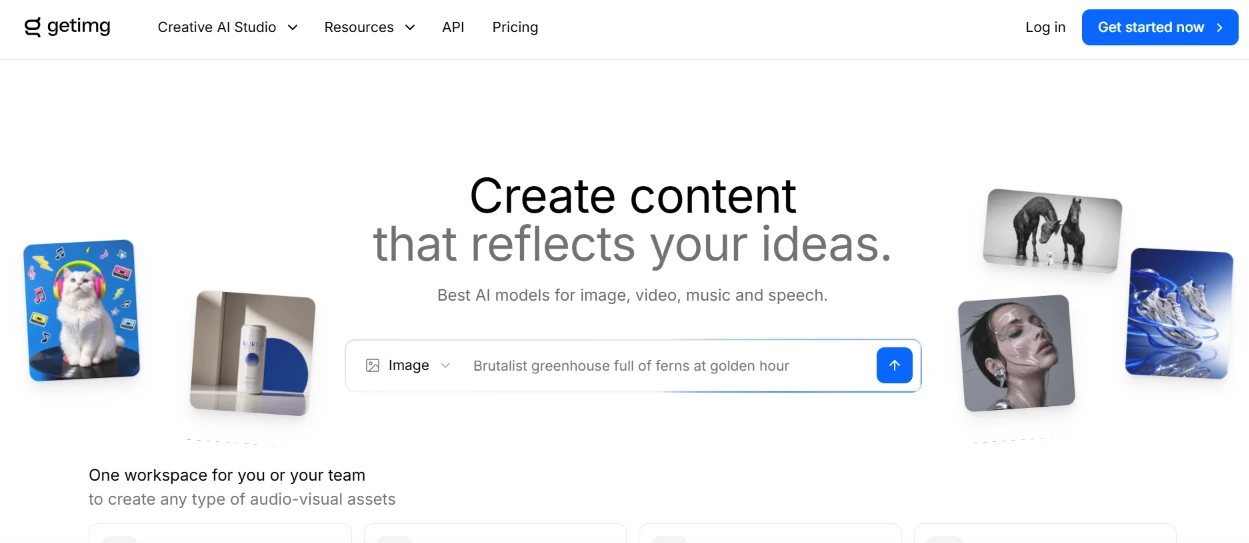
I started on the homepage before logging in. The first thing I noticed was a prompt box parked right under the headline, already filled with a sample line about a brutalist greenhouse full of ferns at golden hour. Scattered around the headline were sample generations: a cat in headphones, a pair of sneakers, some horses, a moody portrait, all setting my expectations for the kind of output the tool wants to show off. The nav kept it simple, with a login link on one side and a bright 'Get started now' button on the other. Every part of the page funneled me toward a single action, typing a prompt, so I knew exactly where to go.
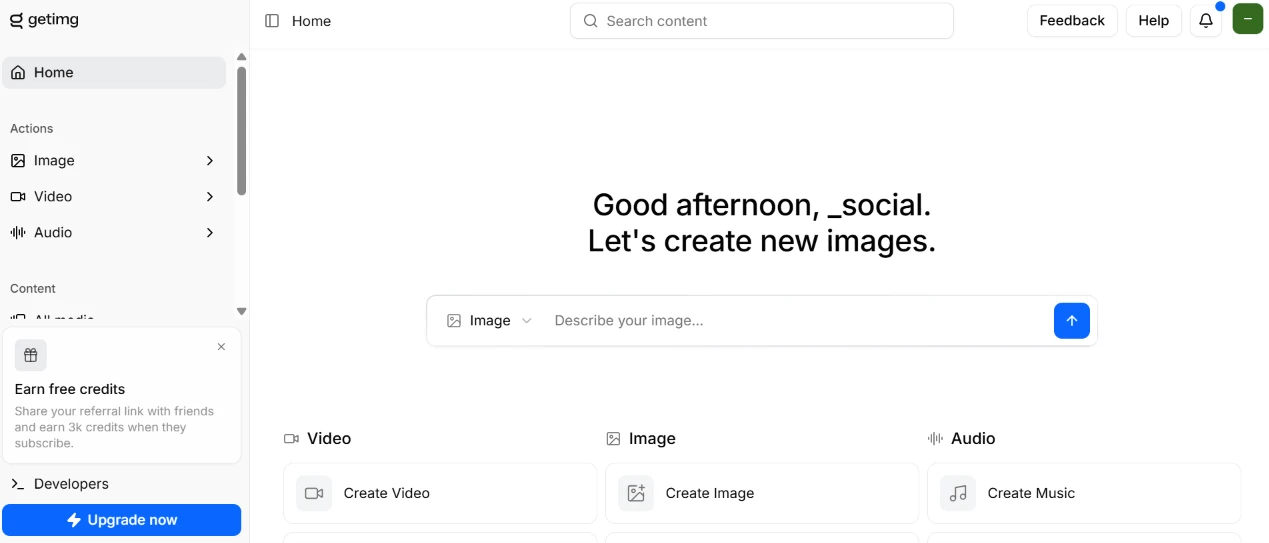
After signing in, the dashboard greeted me by name: 'Good afternoon, _social. Let's create new images.' The center carried the same describe-your-image box from the homepage, except this one was empty and waiting for input. Below it sat three quick-start cards. One kicked off a video, another an image. A third opened music creation. The left rail split into an Actions group and a Content group, and two nudges were already competing for my attention: an 'Earn free credits' referral panel and a blue 'Upgrade now' button pinned to the bottom. Getting pushed toward paid features this early set the tone for the rest of the session.
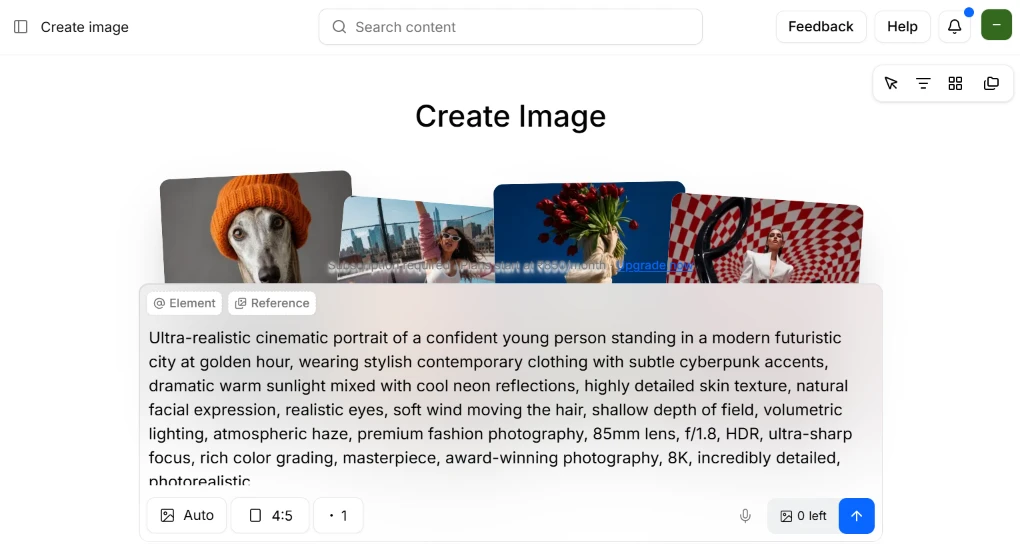
This was the step I came for. I opened Create Image and dropped in my full prompt, the ultra-realistic cinematic portrait of a confident young person in a futuristic city at golden hour, right down to the 85mm lens and f/1.8 detail. The box swallowed the entire block of text without complaint, and above it I could see Element and Reference tabs plus aspect-ratio and count controls set to 4:5 and one image. Then two things stopped me. The credit counter in the corner read '0 left,' and a banner slid across the sample strip saying a subscription was required, with plans starting at Rs550 a month. I could compose the prompt in full, but I had no way to run it on a free account. Building out a detailed prompt and then hitting a hard zero was the most deflating moment of the walkthrough.
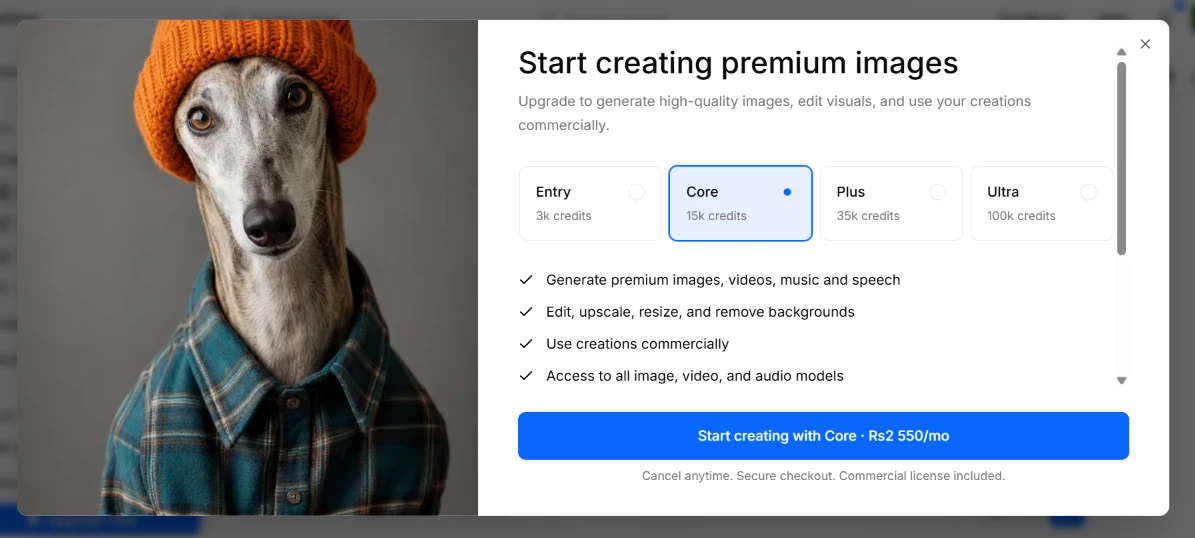
Trying to generate anyway threw up the paywall in full. A modal titled 'Start creating premium images' laid out four plans, Entry, Core, Plus and Ultra, with Core pre-selected and its credit allowance called out. Under the tiers ran a short checklist of what a subscription unlocks, covering premium media generation, editing tools, background removal and commercial rights, and a blue button offered Core at Rs2,550 a month. The pricing caught me off guard, because the earlier banner had said Rs550 while this button read Rs2,550, so the numbers didn't line up between the two screens. On a free account this modal is the wall, and nothing on the generation side moves until you pick a plan.
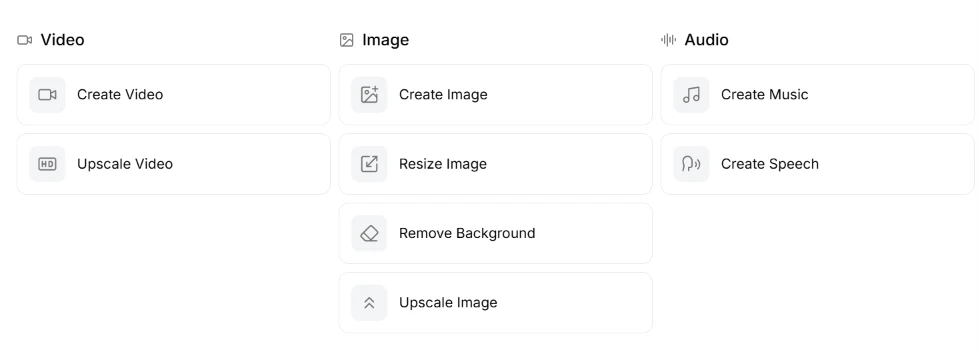
Since generating was off the table, I went to see what the toolset actually covers. The actions sat in three columns. The video side offered Create Video and Upscale Video. The image side went deeper, stacking Create Image, Resize Image, Remove Background and Upscale Image together. The audio side held Create Music and Create Speech. Having editing tools like upscaling and background removal sitting right next to the generators, rather than buried in a submenu, made the workspace feel like it wants to be a full pipeline instead of a one-off generator.

The Content area sorts everything into four tabs, splitting All media, Favorites, Uploads and Trashed, which keeps my own uploads and deleted items cleanly apart from anything I generate.
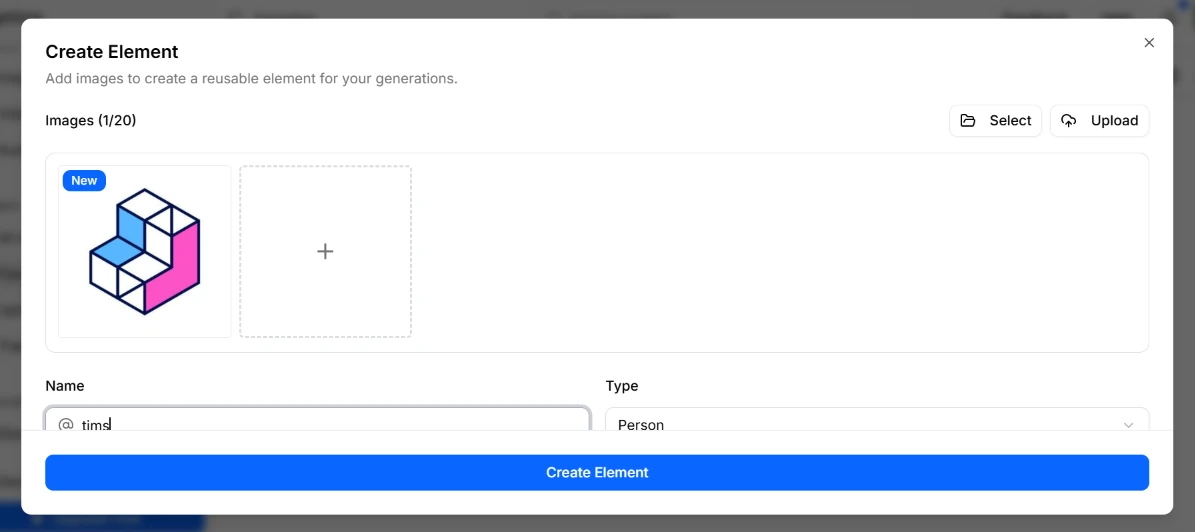
Next I tried the Create Element flow, which lets you bundle images into a reusable element for future generations. The modal let me add up to twenty images through a Select or Upload picker. I named the element 'tims' as an @ handle and left the Type set to Person. Saving a person or object as a named element you can drop into later prompts is a useful touch for keeping a character consistent across a batch. Setup was quick, and the '1 of 20' counter made it clear how much room I had left.
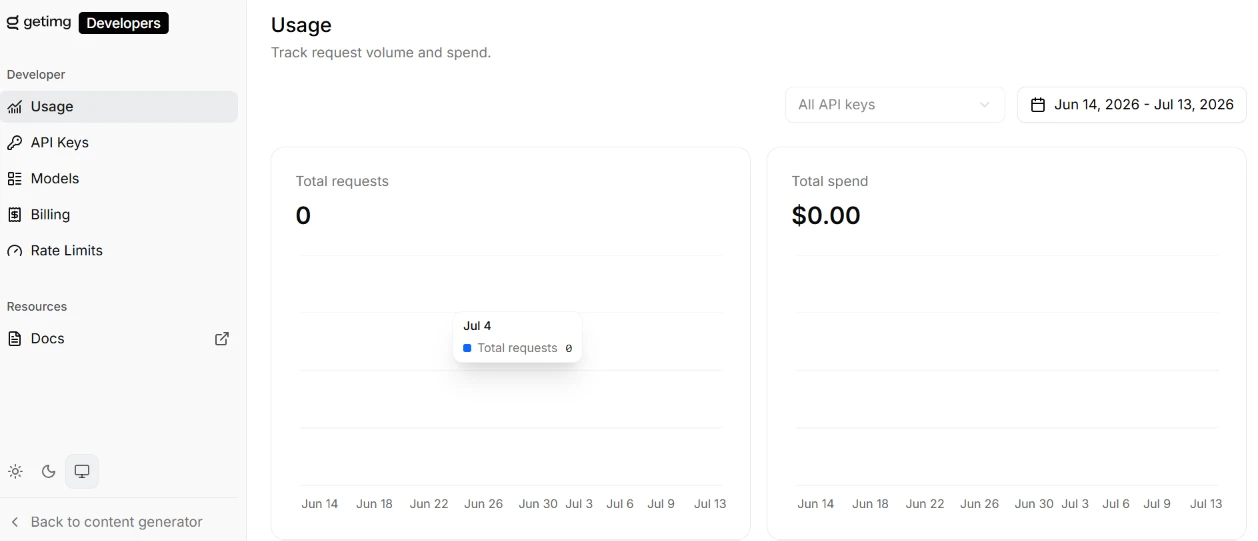
I switched to the Developers area, which is a separate console from the creator side. The Usage view sat empty for me, showing Total requests at 0 and Total spend at $0.00 across a Jun 14 to Jul 13 window, with a filter for API keys and a date picker up top. The left rail carried the rest of the developer tooling, covering API Keys, Models, Billing, Rate Limits and a link out to the Docs. Even at zero the analytics view was clean and readable, and the empty state made sense because I hadn't fired off a single API call. A 'Back to content generator' link at the bottom made it easy to hop between the two sides.
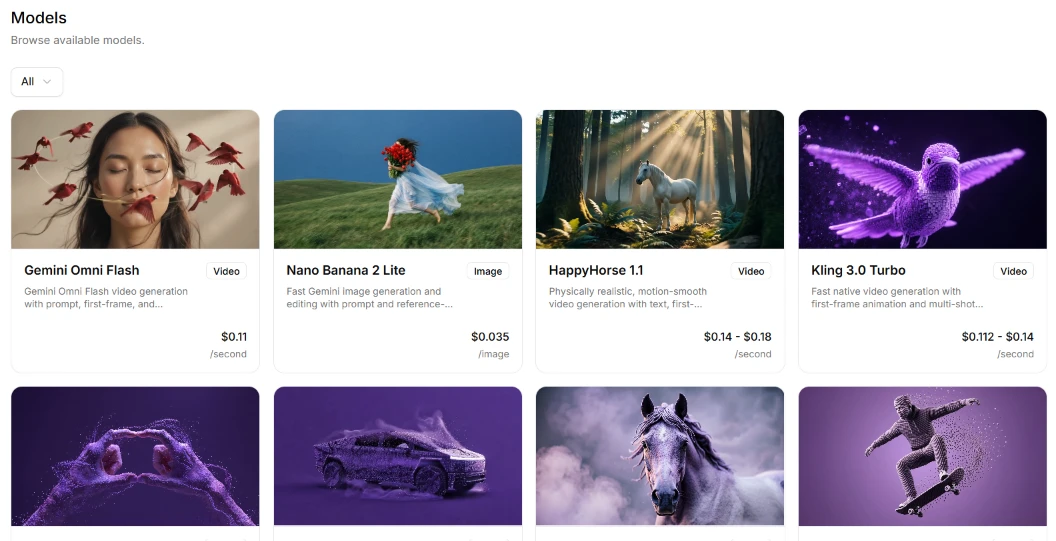
The Models page is where the breadth showed. It laid out a grid of model cards, each tagged by type and priced per unit. Gemini Omni Flash handled video at $0.11 a second, Nano Banana 2 Lite did image work at $0.035 an image, HappyHorse 1.1 ran video at $0.14 to $0.18 a second, and Kling 3.0 Turbo did fast video at $0.112 to $0.14 a second. More rows sat below the fold, and the catalog counts twenty-three models in total. Printing the per-unit price on each card is the sort of thing that makes budgeting a job far easier, and the heavy lean toward video models jumped out at me right away.
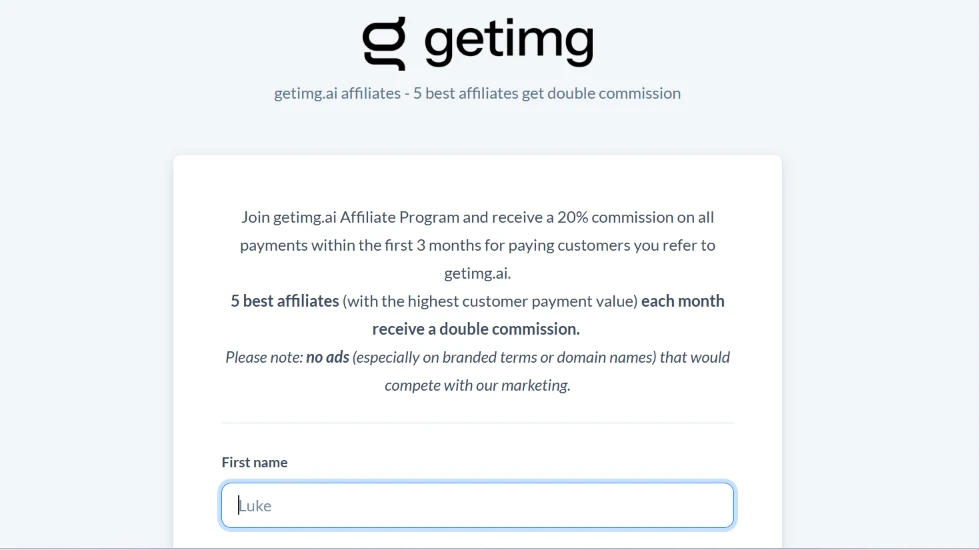
I opened the affiliate page to see how getimg handles partners. The pitch offers a 20% commission on every payment a referred customer makes in their first three months, and the five affiliates who drive the highest payment value each month earn a doubled rate. One line spelled out a rule I rarely see stated this plainly: no ads on branded terms or domain names that would compete with their own marketing. The First name field was already primed with a sample 'Luke.' This read as something aimed at people who market for a living rather than casual users passing a link to a friend.

The referral program is a different beast from the affiliate one, clearly built for regular users. The page led with 'Invite a friend. Get $10 in credits each,' and the mechanic is plain: share your personal link, and when someone you invited buys a subscription, you both land 3,000 credits. A 'Start Earning Credits' button sat under the pitch, and a small note pegged those 3,000 credits at roughly $10. I liked that the credit-to-dollar math was written out in the open instead of left for me to work out.
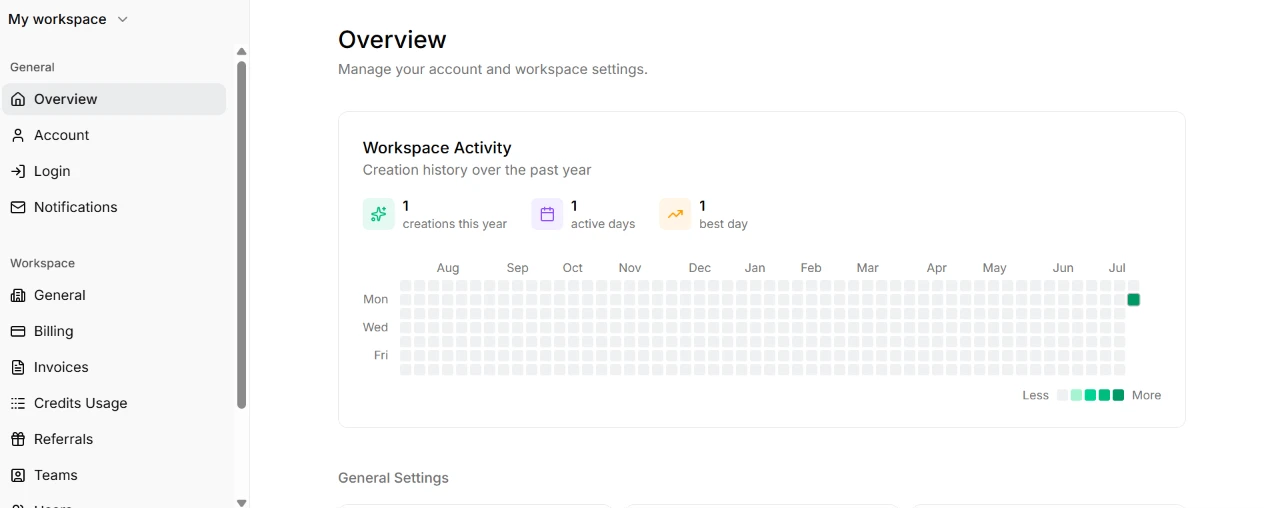
Last, I dug into the workspace settings. The Overview opened on a Workspace Activity panel with a contribution heatmap styled like the green squares on a code-hosting profile, and my stats barely registered: one creation for the whole year, logged on a single active day. Down the left rail I could reach Account, Login, Notifications, Billing, Invoices, Credits Usage, Referrals and Teams, so the management surface here is broad. That lone green square was a fitting snapshot of my whole free-tier session, one small mark of activity next to a lot of doors that only open once you pay.
| Dimension | Our test | User signal | Verdict | Composite |
|---|---|---|---|---|
| Output Quality Accuracy and usability of generations | 4 | 4 | Weak | |
| Ease of Use Interface clarity and workflow smoothness | 3.5 | 3 | Weak | |
| Value for Money Perceived fairness of pricing and credits | 2.5 | 2 | Weak | |
| Feature Set Breadth of tools and models | 6.5 | 5.5 | Moderate | |
| Content Policy Handling Consistency of filters and restrictions | 3 | 2.5 | Weak | |
| Customer Support Helpfulness and respectfulness of support | 2 | 1.5 | Weak |
Toolscopia uses cookies to keep you signed in, remember your preferences, and understand how our reviews get read. Analytics are anonymous. See our privacy policy for the full detail.



Comments 0
Join the discussion and share your perspective.
Sign in to post a comment and reply to other readers.
No comments yet
Be the first to share your perspective on this tool.