1
AI headshot generation
Generates LinkedIn style portraits, widely criticized for distorted faces and inconsistent age or gender representation.
Hotpot AI is an online AI image generator and headshot creator aimed at people wanting quick profile photos or creative images, but reviews report unreliable results, fulfillment failures, and poor account handling.
Independent review — we test tools ourselves and analyze public user reviews. How we test.
Image quality and reliability are serious weak points, especially for professional headshots or paid credit packs. Multiple reviewers report undelivered photos, upload errors consuming credits, and ongoing charges after account deletion. Support responsiveness and refund handling are consistently criticized. A minority note that specific models can produce usable results, but this appears inconsistent. Best suited to experimental users treating it as a low stakes trial tool, not for critical or client facing work.
Hotpot AI is a browser-based platform that bundles a full toolkit of AI utilities into one dashboard instead of specializing in a single task. Launched in 2021 by Clarence Hu and backed by Google Ventures and Andreessen Horowitz, it now handles more than 20 million image generations a year. The lineup covers an AI art generator, headshots, background removal, upscaling, object removal, photo restoration, and a black-and-white colorizer, plus templates for social posts and marketing graphics.
Its real strength is photo utility work rather than fine art. The restorer revives faded old prints convincingly, and the upscaler enlarges images up to 10x while preserving detail. Pricing is credit-based: a free watermarked tier for testing, paid credits from $12 for 1,000, with commercial rights included on paid plans. Image generation can be hit-or-miss, so Hotpot fits bloggers, social media managers, and small businesses best, not agencies chasing polished client work.
Generates LinkedIn style portraits, widely criticized for distorted faces and inconsistent age or gender representation.
Paid credits fund generations, with several complaints about credits consumed during failed uploads.
Uploads sometimes trigger errors while still charging credits, prompting scam accusations from reviewers.
Produces varied hair, clothing, and jewelry styles, often mismatching original appearance and reviewer expectations.
Interface described as basic but functional by one reviewer, with no significant praise elsewhere.
Specific model like Painting Black White 1 produced good results in one neutral review.
Recurring billing mentioned, with reports of continued charges after account deletion.
System promises email delivery within minutes, but several users report never receiving any photos.
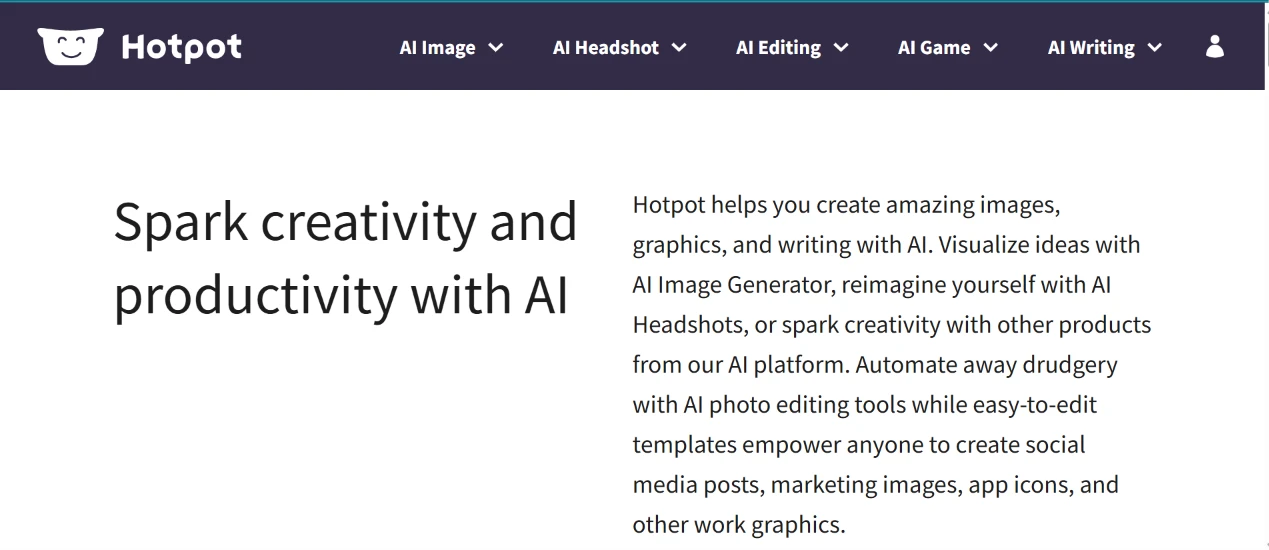
I started at the top of the homepage and worked across the navigation bar before touching a single tool. I opened each dropdown in turn (AI Image, AI Headshot, AI Editing, AI Game, AI Writing) to see how the tools had been grouped.
The page loaded instantly and the layout held at full width. Nothing shifted under me while I read.
What struck me is that the headline copy told me almost nothing about which tool to open first. Every dropdown expands into its own long menu, so I clicked through three of them before I found the image generator. The account icon sits alone on the far right, and I never signed in for anything I did afterwards, which I did not expect.
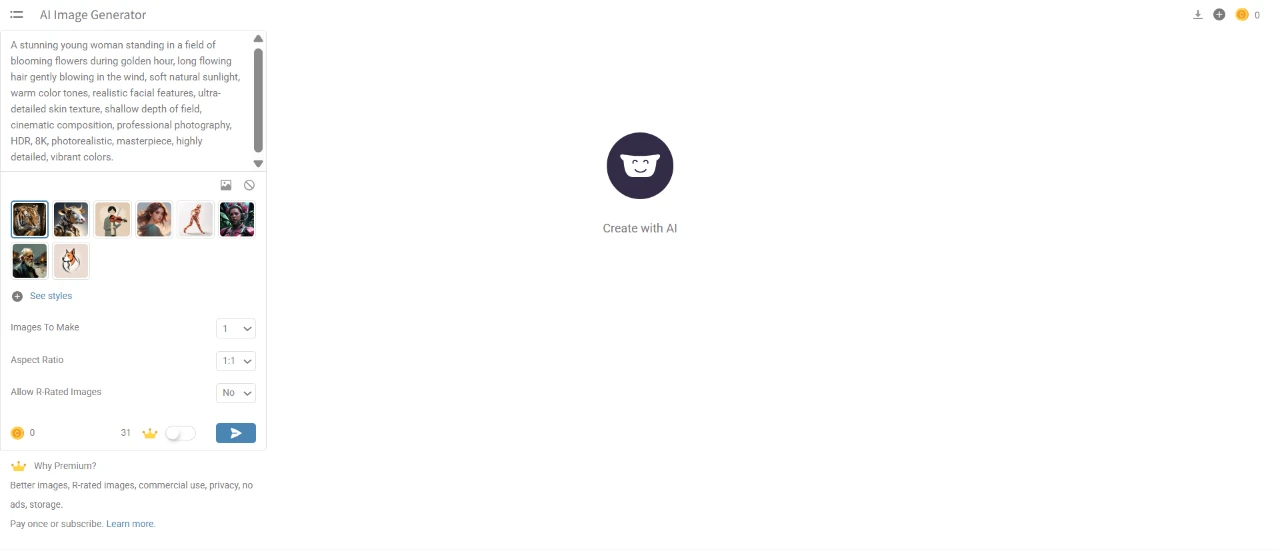
I pasted a long prompt into the box:
“a stunning young woman standing in a field of blooming flowers during golden hour, long flowing hair gently blowing in the wind, soft natural sunlight, warm color tones, realistic facial features, ultra-detailed skin texture, shallow depth of field, cinematic composition, professional photography, HDR, 8K, photorealistic, masterpiece, highly detailed, vibrant colors.”
Then I picked a style thumbnail from the strip below, left Images to Make at 1, set Aspect Ratio to 1:1, and left Allow R-Rated Images set to No.
The prompt box scrolls instead of expanding, so I could see about four lines of my own text at a time. Editing anything in the middle of the prompt meant scrolling up and losing my place.
Two things confused me at this screen. My credit balance read 0, while the counter beside the crown icon read 31, and nothing on the page told me which number decided whether my generation would run. The right half of the screen sat empty except for the logo and the words "Create with AI", so there was no preview, no history, no sample output, nothing at all to look at while I typed. For a page whose whole job is generating images, that emptiness feels like a missed opportunity.
I pressed the blue arrow anyway.
It came back faster than I expected.
The lighting is the part that holds up: backlit hair against a low sun, warm falloff across the field, a believable shallow focus behind her, and a flare landing exactly where the horizon breaks. Skin texture survives a full zoom instead of turning to plastic, which is the failure mode I was watching for.
Two things fall apart under inspection. The flowers behind her repeat along the left edge in a way that reads as wallpaper rather than plants. Her arm, the one nearest the camera, thins and bends oddly where the lace sleeve ends near the bottom of the frame. Neither problem registers at a glance. Both are obvious the moment you go looking.
I got one image for one prompt. There were no variations offered and no seed value I could save to reproduce it.
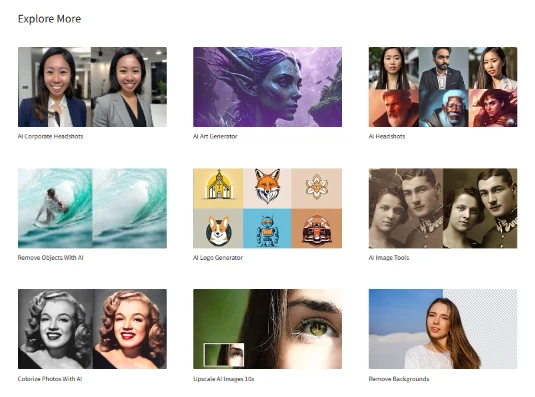
I scrolled to the bottom of the generator page and found the Explore More grid. I used it to jump straight to the Background Remover rather than climbing back up to the navigation bar.
Each tile carries a before-and-after preview, so I could tell what a tool actually did without opening it. The Colorize Photos tile uses a photograph of Marilyn Monroe as its example, which made me pause for a second.
This grid did the job the navigation bar failed at.
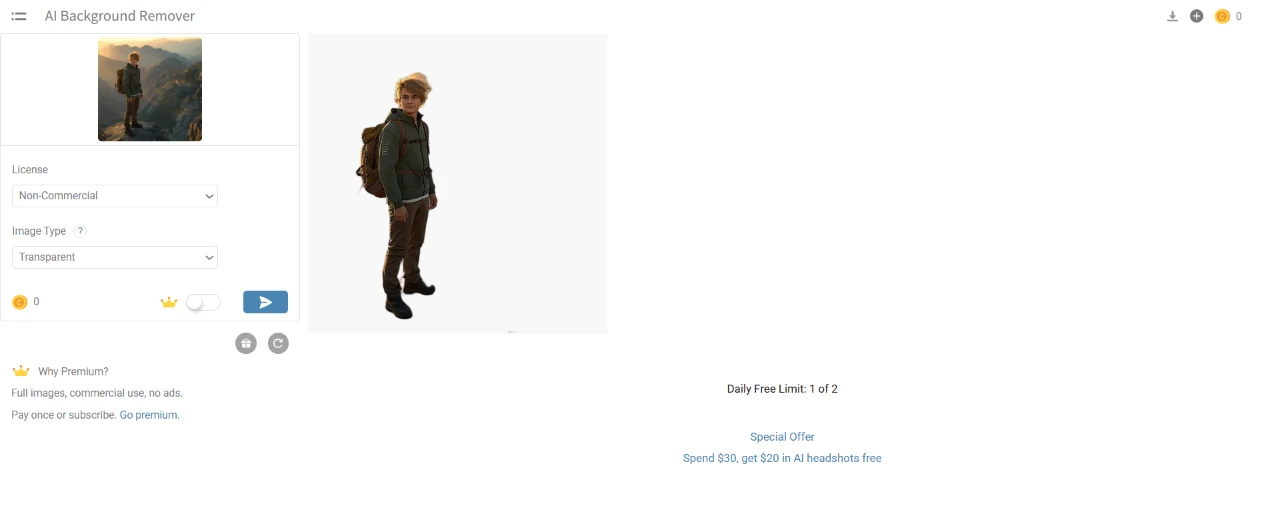
I uploaded a photo of a hiker standing against a mountain backdrop, set License to Non-Commercial, set Image Type to Transparent, and pressed the arrow.
The upload preview appears in the sidebar at thumbnail size, small enough that I could not properly check my source before processing it.
Underneath the result panel sat a line reading "Daily Free Limit: 1 of 2", along with a promotion offering $20 in AI headshots against $30 spent. The free limit is disclosed after the upload rather than before it, and I only caught it because I was reading the entire screen rather than looking at my image.
Processing took a couple of seconds.
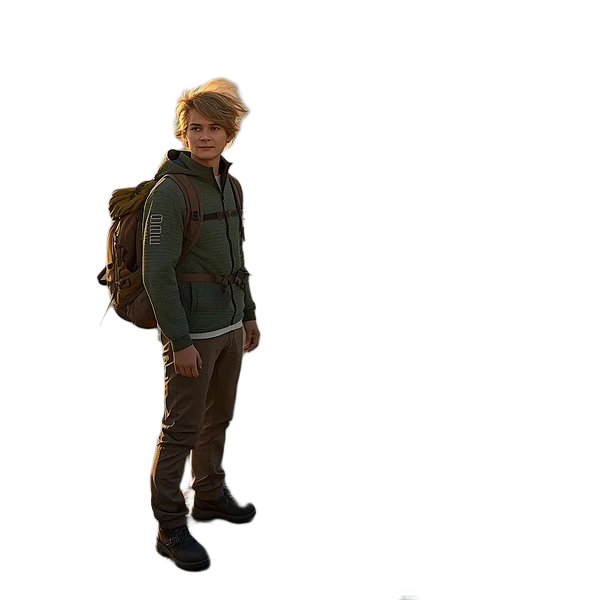
The subject came out clean. Straps, buckles, boot soles, and the daylight gap between his arm and his torso were all cut correctly.
Hair is where these tools usually collapse, and the wind-blown strands at his crown survived with soft edges rather than the hard halo I was bracing for. I zoomed to 200% and still could not find a jagged transition along the hood.
One artifact remains. A grey smudge sits at the lower right of the canvas, nowhere near the subject, left behind from the original background. It is small, and I would still have to remove it by hand before using this anywhere.
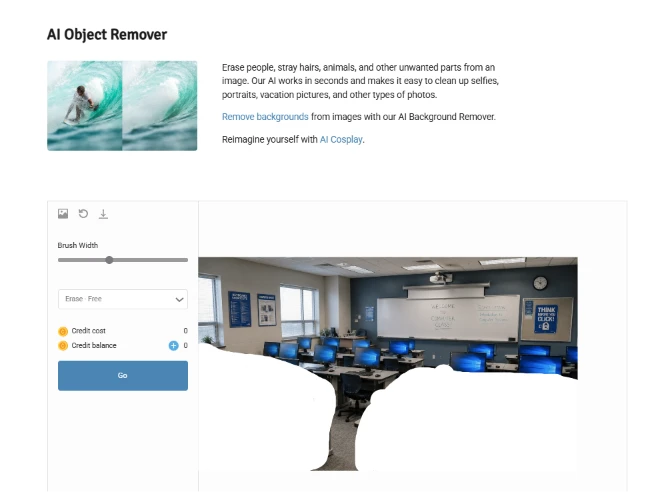
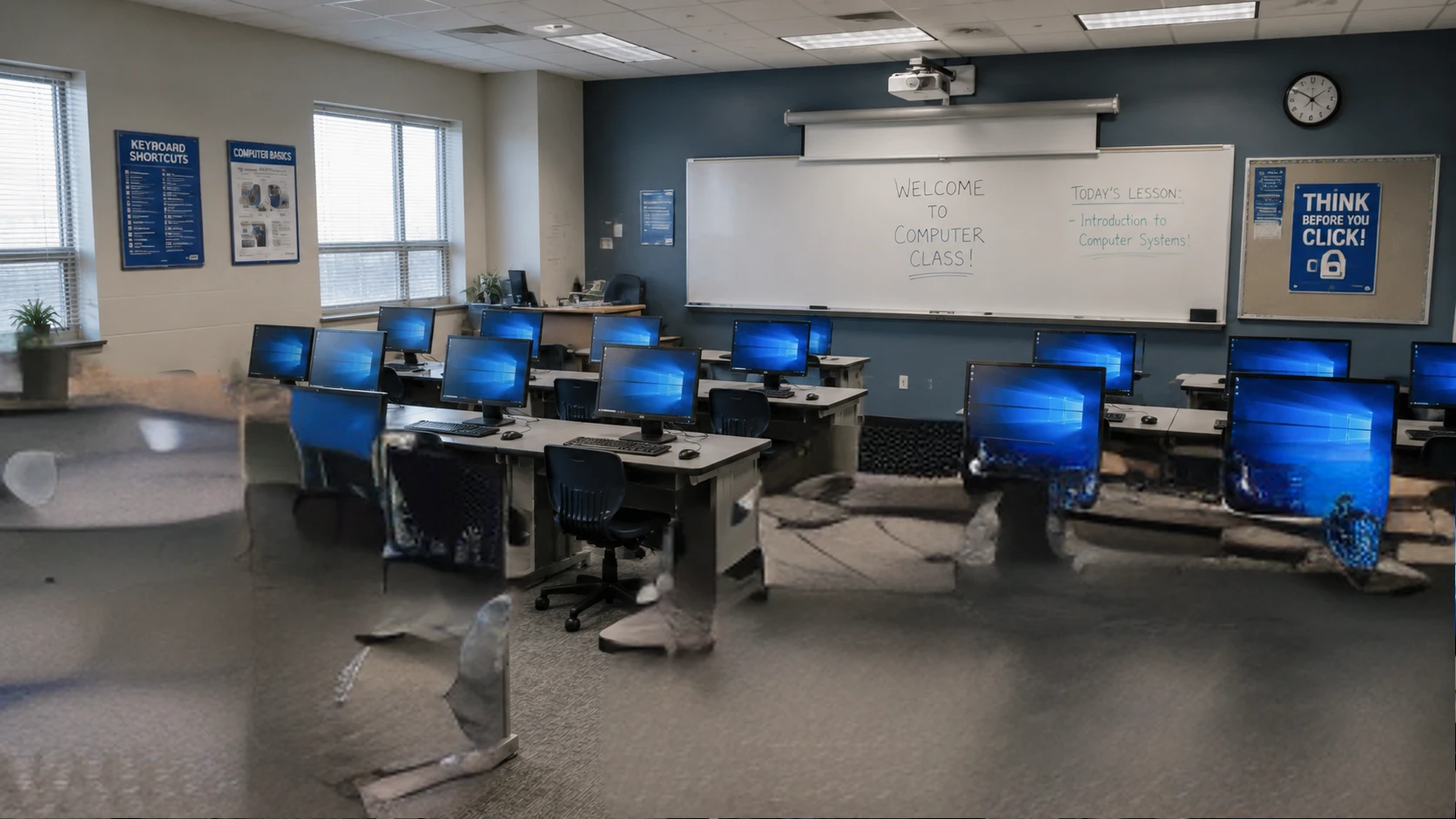
I switched to the AI Object Remover and uploaded a photo of a computer classroom. I dragged the brush width slider wide and painted over the front of the room, covering a chair, part of a desk, the floor beneath both, and a long stretch of the far wall. By the time I lifted the brush, my mask covered a serious share of the frame.
The brush paints solid white instead of a translucent overlay, so the moment I covered something I could no longer see what I was covering. The only way back is the undo arrow at the top of the panel.
Credit cost showed 0. Credit balance showed 0. I pressed Go.
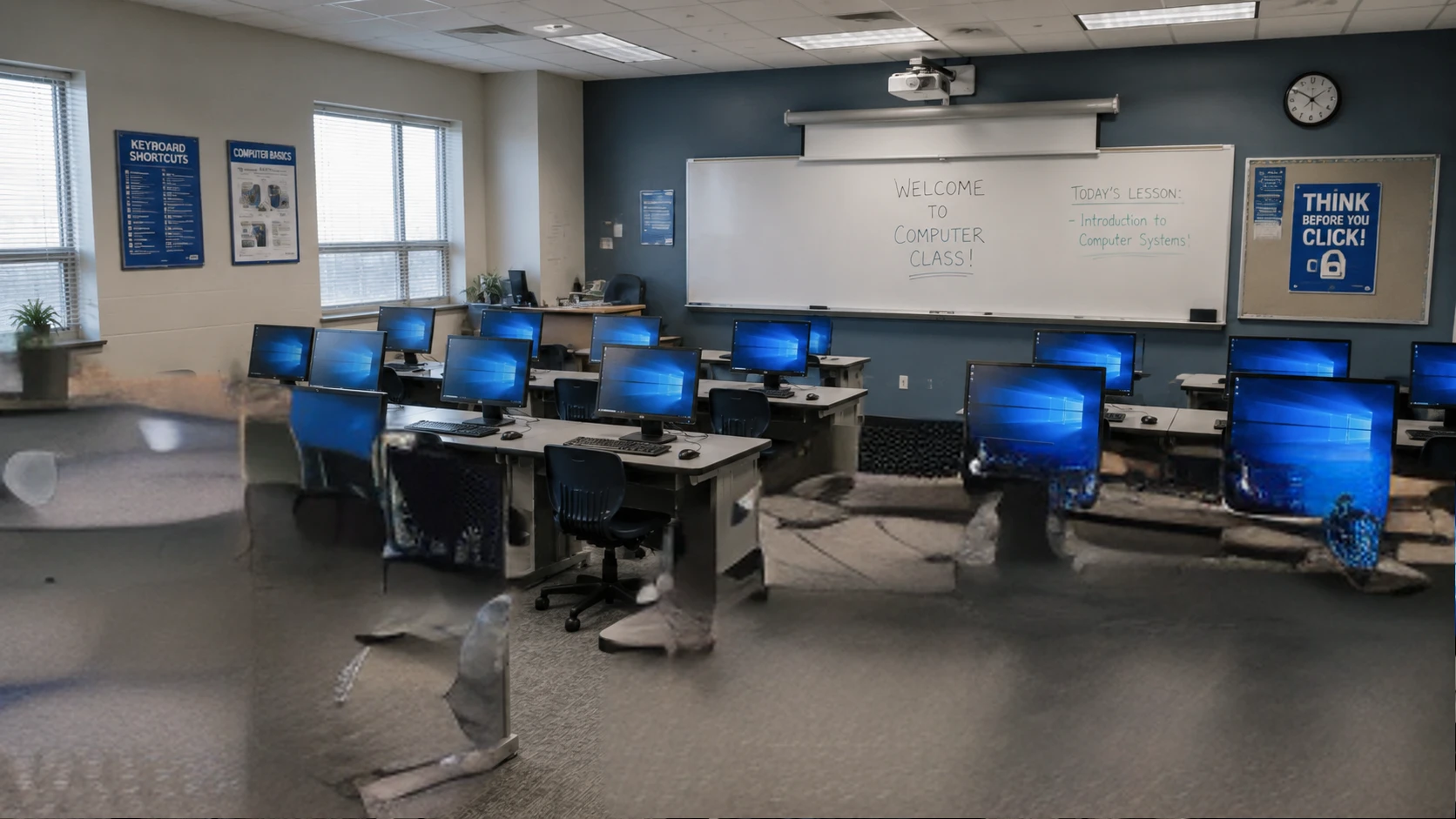
This is where the tool fell apart.
The monitors and desks I never touched came back intact. Everything inside my mask turned into smeared grey pulp. The floor now carries ghost shapes that look like melted plastic bags, one of them sitting roughly where the chair used to be. A section of the left wall dissolved into a blur matching nothing around it, and the whiteboard picked up a faint stain along its lower edge that was not in the original.
I painted a large region and I got a large mess, so some of this is on me. The tool never warned me the selection was too big. It cost nothing, ran without hesitation, and handed back something unusable instead of suggesting I work in smaller passes.
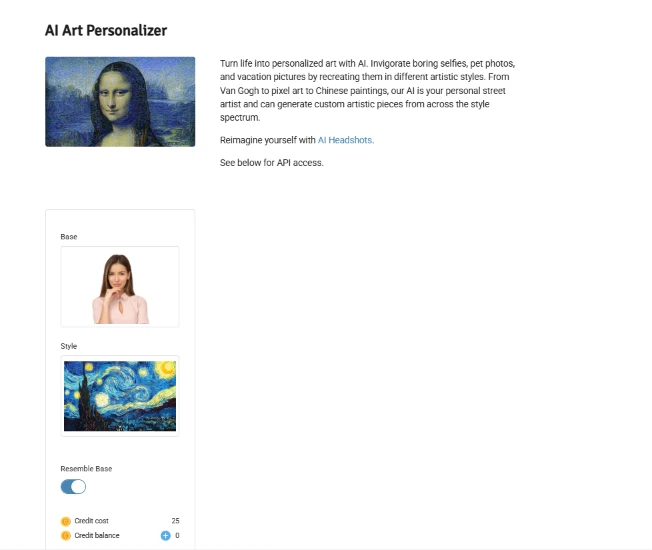
I loaded a portrait of a woman against a plain background as the Base, then chose Van Gogh's Starry Night as the Style. I left Resemble Base switched on. Credit cost jumped to 25 against a balance of 0.
That mismatch is the same one from the image generator, except now it has a real number attached to it. I still could not work out whether the run would go through, and no tooltip or note sat beside either figure to explain the relationship.
I pressed Go and it ran regardless.
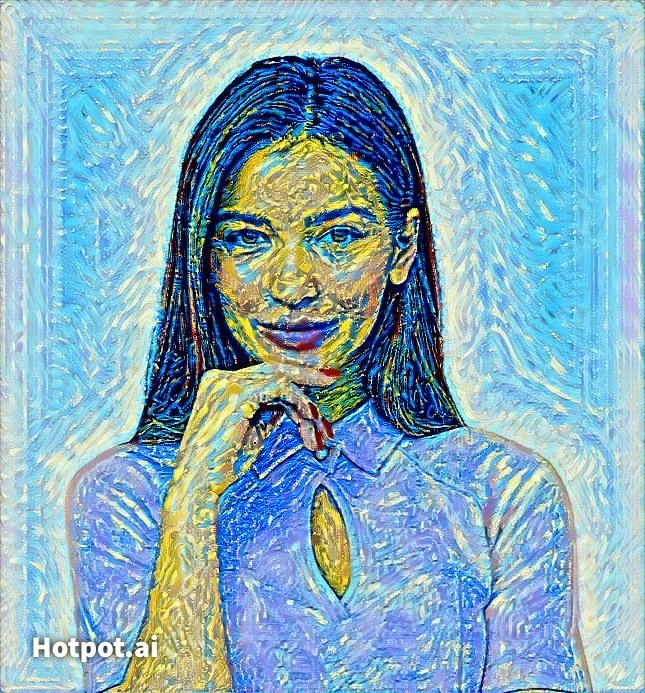
The brush texture transferred well: swirls behind her head, the blue and yellow palette pulled straight from the source painting, thick impasto ridges across her shirt, and a painted border wrapping the whole frame. As a style transfer, it did what it promised.
Her face did not survive it. The eyes sit at different heights and the mouth has picked up a red smear that reads as a smirk. Yellow patches across her cheek and forehead look like canvas damage rather than light. Her fingers, resting under her chin in the original, blur into a single shape.
A "Hotpot.ai" watermark is burned into the lower left corner in bold white type. Nothing on the input screen warned me it was coming, and it is now the largest single element in the bottom third of my image.
| Dimension | Our test | User signal | Verdict | Composite |
|---|---|---|---|---|
| Image Quality Realism, consistency, prompt adherence | 3 | 2 | Weak | |
| Reliability Delivery success and uptime | 2 | 1.5 | Weak | |
| Ease of Use Interface clarity and workflow | 5 | 4 | Weak | |
| Customer Support Response speed and resolution | 1.5 | 1 | Weak | |
| Billing Transparency Charges, refunds, cancellation clarity | 2 | 1.5 | Weak | |
| Value for Money Perceived value versus price | 2.5 | 2 | Weak |
Toolscopia uses cookies to keep you signed in, remember your preferences, and understand how our reviews get read. Analytics are anonymous. See our privacy policy for the full detail.



Comments 0
Join the discussion and share your perspective.
Sign in to post a comment and reply to other readers.
No comments yet
Be the first to share your perspective on this tool.