1
Emotional AI companionship
Highly praised for feeling like an ideal emotional partner and offering comforting, attentive responses.
AI companion chat app focused on emotional and romantic roleplay. Strong at idealized emotional support, but heavy-handed content filters and shaky billing support frustrate paying users.
Independent review — we test tools ourselves and analyze public user reviews. How we test.
Joyland.ai clearly resonates for emotional companionship, with some users calling the AI closer to an ideal partner than real relationships. However, content moderation feels overly strict and occasionally illogical, interrupting otherwise normal roleplay. Billing complaints and unresponsive support significantly damage trust for subscription users. Dialogue quirks like repetitive shyness also reduce immersion over longer chats. Best suited to adults exploring fantasy or emotional roleplay who can tolerate moderation friction and financial risk.
Joyland AI is a character-based chat and roleplay platform that launched in 2023. Every conversation runs through a character with its own personality and backstory rather than a generic assistant, and its Google Play listing names the Singapore studio MINDZEN as the developer. It sits in the AI companion category next to tools like Character.AI, but with a looser content policy. Joyland allows both safe-for-work and adult roleplay, with the adult mode gated behind paid plans and age verification, and limited in some regions. That freedom is the main line separating it from Character.AI, which strictly prohibits mature content.
The catalog runs to millions of user-made and pre-built characters across genres like anime, fantasy, romance and horror, and you can chat with any of them or build your own through a quick setup or a deeper advanced builder. It runs on a freemium model: short-term memory keeps a single session coherent for everyone, while long-term memory that carries details across sessions is reserved for the paid Premium tier, alongside credit-metered extras like generated images and animated avatars. Beyond text, characters send voice messages and share pictures, and the platform pairs the chat with a library of long-form stories and branching text adventures. Access is through the web plus iOS and Android apps, with pricing that shifts by platform and region
Highly praised for feeling like an ideal emotional partner and offering comforting, attentive responses.
Supports adult romantic scenarios, though safety filters often interrupt otherwise consensual roleplay.
Frequently criticized as oversensitive and misclassifying benign messages as policy violations.
Personality includes shyness, but repetitive blushing behavior annoys users and breaks immersion.
Reported issues with charges after cancellation and missing transactions in account records.
Strongly criticized for slow responses, ghosting, and lack of accountability on billing disputes.
Users complain that violation labels, including child abuse flags, feel inaccurate and distressing.
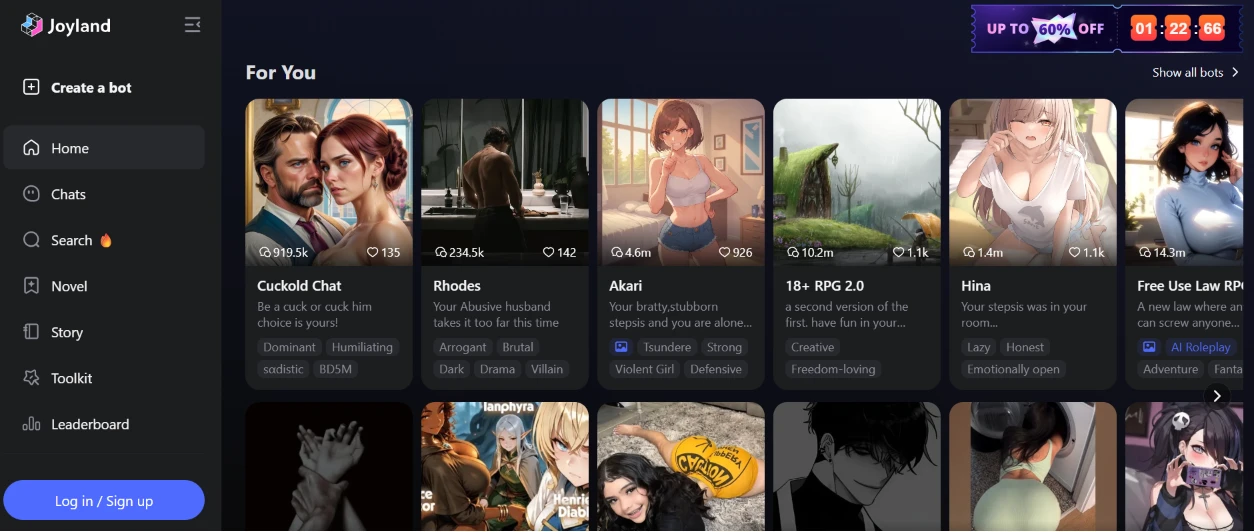
I opened Joyland without logging in first, just to see how much it would show a stranger. The homepage answered fast with a "For You" grid of character cards, each one carrying a name, a one-line hook, its view and like counts, and a couple of trait tags. Down the left ran the main menu: Home, Chats, Search, Novel, Story, Toolkit and Leaderboard, with a "Log in / Sign up" button parked at the bottom. A discount banner reading "UP TO 60% OFF" sat in the top corner with a countdown timer already ticking down. Scrolling felt responsive and the artwork loaded without any lag on my connection.
What stood out immediately was how much of the grid leaned into mature roleplay themes before I had clicked a thing. It made the place feel busy and a little unfiltered for a first impression.
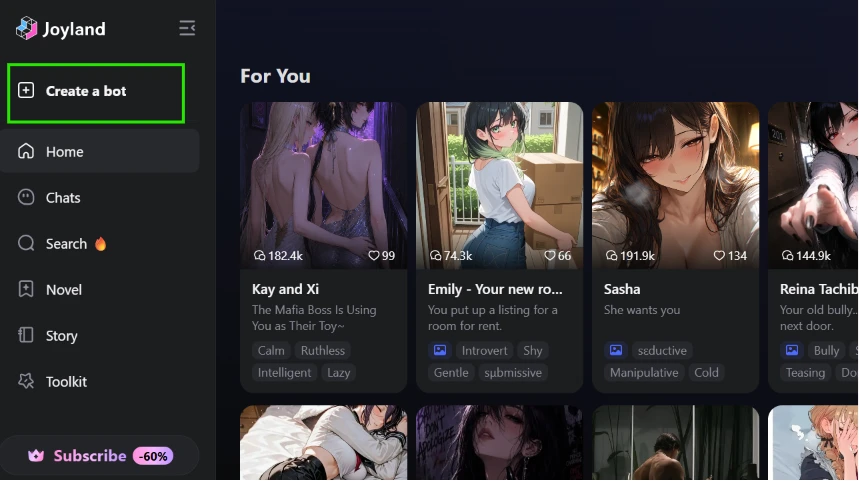
My plan was to make my own character, so I hunted for the entry point and found "Create a bot" sitting at the top of the sidebar, marked here with a green box.
It is the first item in the menu, above even Home, which made it impossible to miss for someone new like me. On this view the sidebar had also swapped in a "Subscribe -60%" button at the bottom where the login prompt lived before. Putting the create option front and center was a smart call, since building a character is presumably the whole point of signing up.
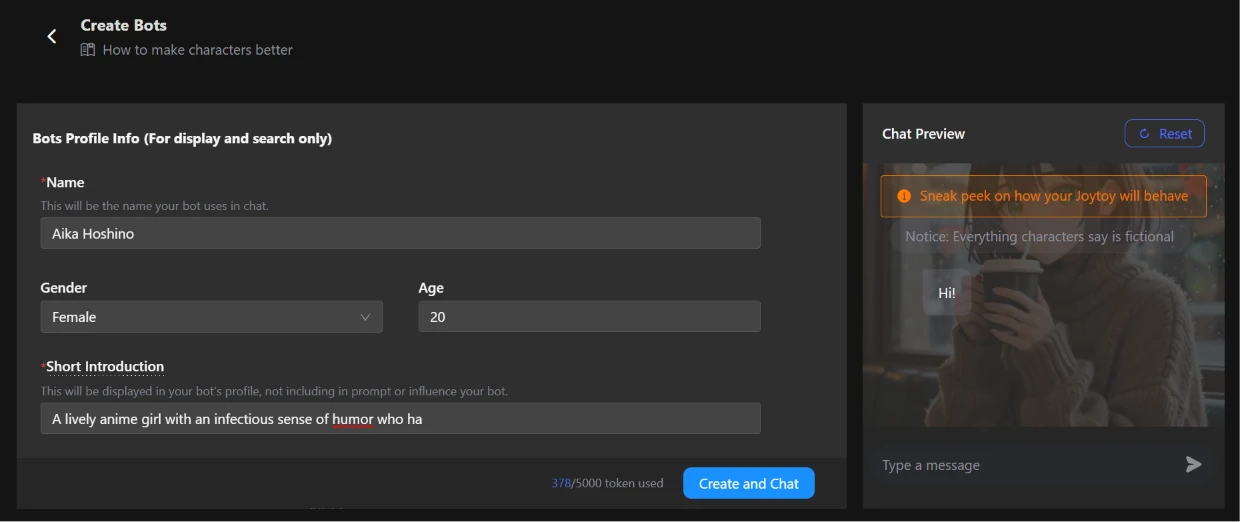
Clicking through dropped me into the "Create Bots" builder, starting with the profile basics. I named the character Aika Hoshino, chose Female for gender, set the age to 20, and wrote a short introduction about a lively anime girl with a sense of humor. Each field came with a plain-language label telling me what it was for, including a note that the short introduction only shows on the profile and does not shape how the bot actually behaves. A live "Chat Preview" panel sat on the right, topped with a warning that everything characters say is fictional. At the bottom, a token counter ticked up to 370 of 5000 used as I typed, with a blue "Create and Chat" button beneath it. The preview stayed almost empty at this point, just a single "Hi!" bubble.
The form was clean and quick to fill, though watching the token counter climb planted a small worry about running out of room on a more detailed character.
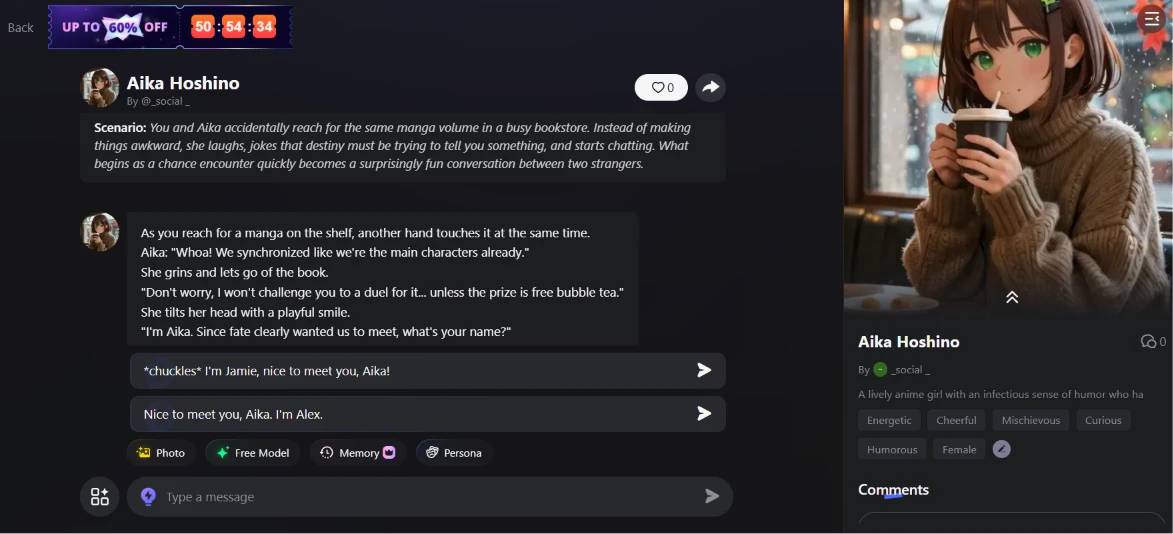
After finishing the rest of the setup, meaning the longer description, a scenario, a greeting and some sample dialogue, I hit create and landed straight in a live chat with Aika. The scenario played out just as I had written it, a bookstore meet-cute where we both grab for the same manga, and she opened with an in-character line plus a bit of narration. Two ready-made reply options appeared under her message so I could jump in without typing, and a button row offered Photo, Free Model, Memory and Persona. Her portrait and trait tags (Energetic, Cheerful, Mischievous, Curious, Humorous) filled the right side of the screen.
This was the smoothest stretch of the whole session. Going from a half-filled form to a working, in-character conversation took a single click, and Aika stayed true to the traits I had picked by cracking jokes right on cue. My one grumble was the "Free Model" tag on the reply bar, which quietly signals that sharper responses live behind a paywall.
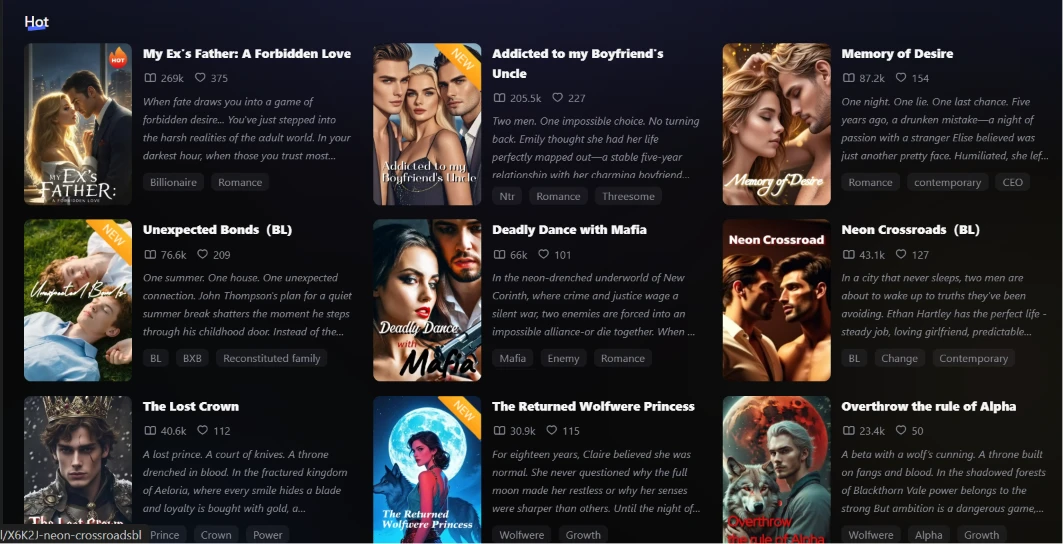
Next I backed out and opened the Novel section to see the reading side. A "Hot" shelf loaded with cover art and blurbs for titles like "My Ex's Father: A Forbidden Love", "Addicted to my Boyfriend's Uncle", "Neon Crossroads" and "Deadly Dance with Mafia". Each entry showed a read count and a like count, plus genre tags such as Billionaire, Romance, BL or Mafia.
The library looked far more polished than I would expect from a chat app, with covers that could pass for real book jackets. Almost everything skewed romance and heavy drama, so anyone after lighter reading would have to do some digging.
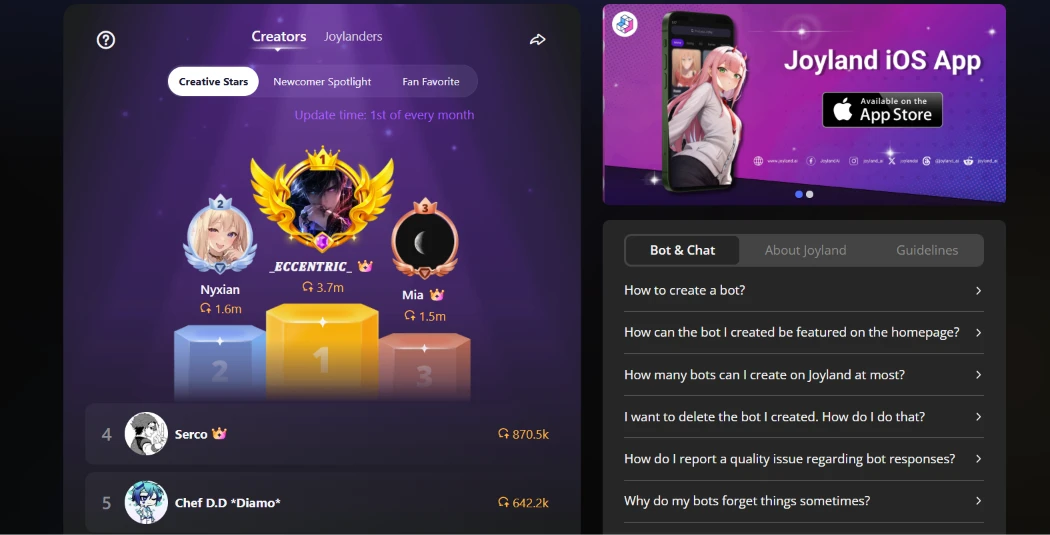
I opened the Leaderboard to see how creators stack up. A "Creators" board came up on a Creative Stars tab, built around a three-spot podium: _ECCENTRIC_ held first place with 3.7m chats, while Nyxian and Mia took second and third just behind. A numbered list ran on below with names like Serco and Chef D.D, and off to the right sat an iOS app promo above a "Bot & Chat" FAQ.
The board doubled as a discovery tool, since each top name was a direct nudge to go check out that creator's work. Seeing raw chat counts in the millions made the ranking feel like a real contest. Slipping a FAQ right next to it was a clever bit of layout, because the exact question on my mind, why bots forget things, was answered in the list.
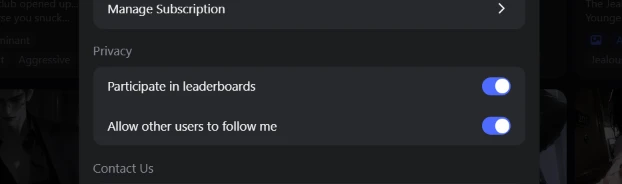
Curious whether I could stay out of that ranking, I dropped into settings and scrolled down to the Privacy section.
Two toggles were waiting there, "Participate in leaderboards" and "Allow other users to follow me", both flipped on by default. Manage Subscription sat right above them and a Contact Us link right below.
I was glad the opt-out actually exists instead of being missing. The snag is that both switches are on out of the box, so a privacy-conscious user has to know to come here and turn them off.
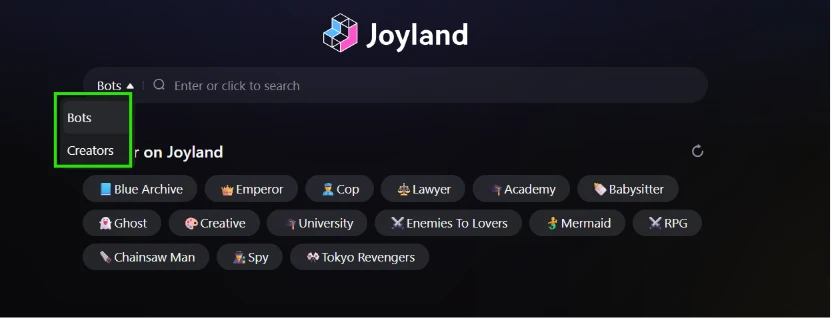
I moved on to Search to test how easy it is to find things. The search bar came with a small dropdown for switching between Bots and Creators, boxed in green here, and under it sat a spread of category chips like Blue Archive, Emperor, Cop, Academy, Enemies To Lovers and Chainsaw Man. I could either type a query or tap a chip to start browsing.
The Bots-versus-Creators switch was a small but genuinely handy detail, since I was not always sure whether I wanted a character or the person who made it. The chips lean heavily on fandoms and tropes, which tells me a big chunk of the catalog is built by fans.
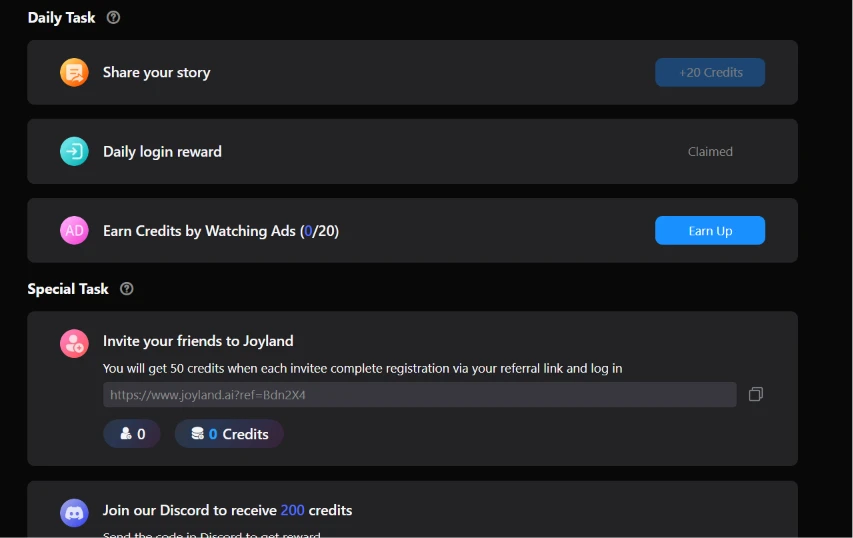
I pulled up the Daily Task page to see how the credit system works. It laid out a handful of earning options. "Share your story" paid 20 credits. The daily login reward was already marked Claimed for me, and an ad-watching task offered more credits at a rate capped at 0 of 20 for the day. Underneath, a Special Task block promised 50 credits for every friend who registers through my referral link, and another 200 for joining the Discord. My referral link was already filled in and ready to copy.
The spread made the free tier's bargain plain: your time or your money. The referral and Discord bonuses were the biggest numbers on the page, which tells me the platform is betting hard on word-of-mouth to grow.
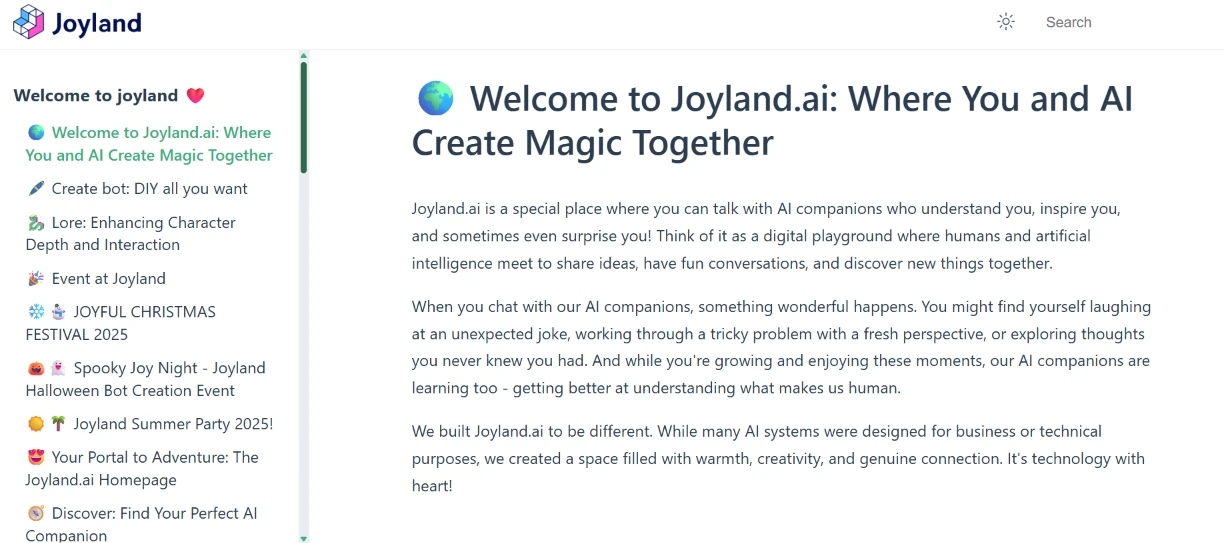
Last, I opened the user guide to see what help newcomers get. A documentation-style page loaded under the heading "Welcome to Joyland.ai", with a friendly written intro about talking with AI companions. A left-hand contents menu listed the guide topics, covering how to create a bot and how to add lore for deeper characters, alongside a run of seasonal event write-ups like a Christmas festival and a summer party.
The writing kept the same warm, approachable voice as the rest of the app rather than reading like dry documentation. Mixing setup help with event announcements in one menu felt a little scattered, since I came for how-to and found marketing sitting next to it. For a first-time creator, the walkthrough on building a bot was exactly the reassurance I would have wanted before I started poking at the builder earlier.
| Dimension | Our test | User signal | Verdict | Composite |
|---|---|---|---|---|
| Conversation Quality Emotional depth and realism | 7 | 8 | Good | |
| Content Moderation Fairness of safety filters | 3 | 2 | Weak | |
| User Experience Enjoyment and frustration balance | 5 | 4 | Weak | |
| Billing Reliability Accuracy of charges, cancellations | 3 | 2 | Weak | |
| Customer Support Speed and helpfulness of responses | 2 | 1 | Weak | |
| Safety Communication Clarity of violation explanations | 4 | 3 | Weak |
Toolscopia uses cookies to keep you signed in, remember your preferences, and understand how our reviews get read. Analytics are anonymous. See our privacy policy for the full detail.



Comments 0
Join the discussion and share your perspective.
Sign in to post a comment and reply to other readers.
No comments yet
Be the first to share your perspective on this tool.