1
Image to 3D conversion
Turns single photos into accurate 3D models, widely praised for beginners and hobby 3D printers.
AI 3D modeling platform focused on text to 3D and image to 3D generation, aimed at beginners, hobby 3D printers, and indie game developers needing fast, usable meshes.
Independent review — we test tools ourselves and analyze public user reviews. How we test.
Meshy AI consistently delivers fast, clean text and image to 3D models that many beginners and indie creators can use with minimal cleanup. Reviewers praise its intuitive interface, strong image to 3D pipeline, and time savings for printing and game assets. Complaints center on paywall friction for the latest models, unclear free versus paid limits, missing options like texture splitting, and some failures on specific shapes. It also has a learning curve for advanced workflows and occasional technical issues like remesh affecting normal maps. Best suited to hobby 3D printers, small game teams, and creators who accept some technical limits in exchange for rapid asset generation.
Meshy is a browser-based 3D generator that turns a text prompt or a photograph into a textured mesh in about a minute. The output is a working file rather than a render. You get GLB, FBX, OBJ, STL, USDZ or BLEND, along with PBR texture maps split into separate albedo, metallic, roughness and normal channels, so the asset reacts to lighting once it reaches Blender or Unreal Engine. That distinction places Meshy inside a production pipeline instead of beside one, and it explains why the output gets treated as a starting block rather than a novelty.
The company is headquartered in Silicon Valley and was founded by Yuanming Hu, who built the Taichi graphics programming language during his PhD at MIT. It has raised $52 million from backers including Sequoia and GGV, and reports more than 10 million users. Hu's own comparison is the most honest description of the product. He likens it to Photoshop, which never replaced painters. Meshy removes the hours spent blocking out props or searching an asset store for a mesh that is almost correct. It does not remove the artist who takes that block and makes it shippable.
Turns single photos into accurate 3D models, widely praised for beginners and hobby 3D printers.
Creates detailed models from prompts, useful for characters, game pieces, and decorative prints.
Interface described as intuitive and easy, even by users new to 3D modeling.
Supports specific mesh counts and low poly conversion, praised for game workflows.
Production focused retopo and texturing earn strong feedback, though baking issues appear after remesh.
API integration into custom pipelines and agents highlighted as very useful by advanced users.
Seen as good value overall, yet criticized for paywalls, unclear free limits, and renewal policy issues.
Online access enables modeling on lower power laptops, though heavy UI can strain weak systems.
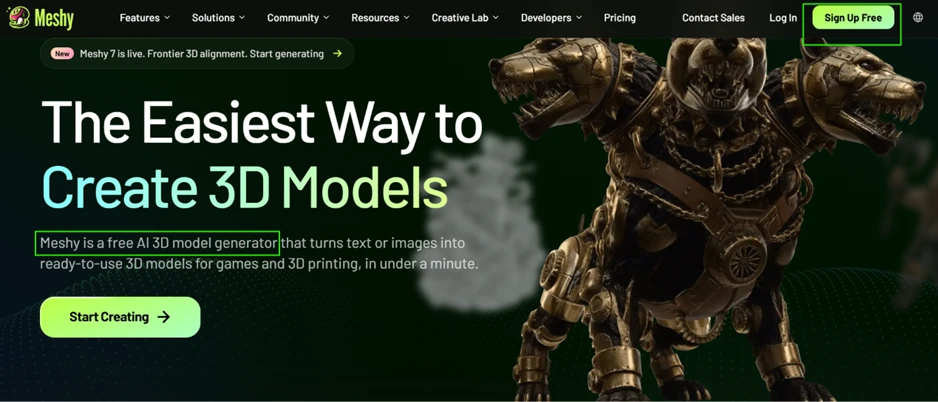
Meshy makes the pitch on the homepage without qualification. It describes itself as a free AI 3D model generator that turns text or images into ready-to-use models for games and 3D printing, in under a minute.
Signup took under a minute and asked for no payment details. The workspace opened with 100 credits showing in the top bar and a single prompt box waiting.
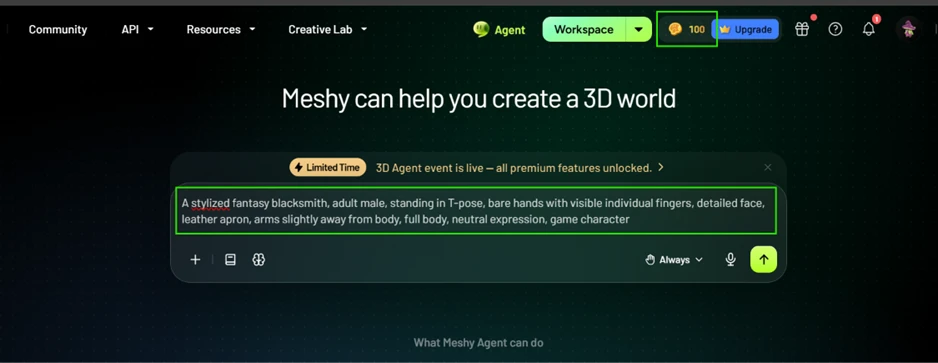
I started with a character. Hands and faces are where generative 3D usually falls apart, so a human figure returns the most information per credit spent.
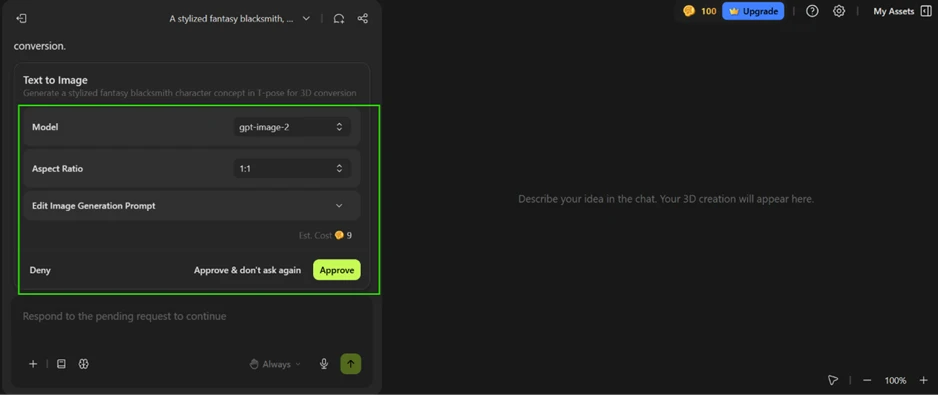
The prompt did not go straight to a mesh. Meshy proposed a Text to Image stage first, running gpt-image-2 at 9 credits, then paused for approval before spending them.
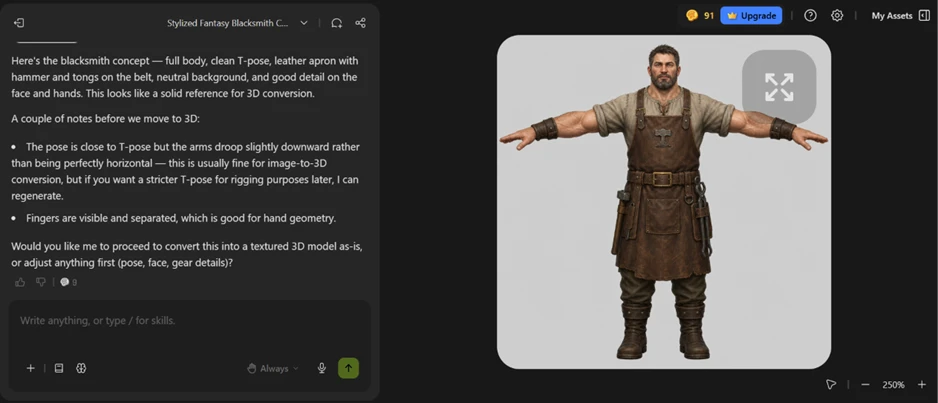
I approved it. The concept came back in about half a minute and the balance fell from 100 to 91. The reference art was good work, with fingers separated cleanly and the T-pose readable.
That image then fed the 3D stage, quoted at one minute and 20 credits.
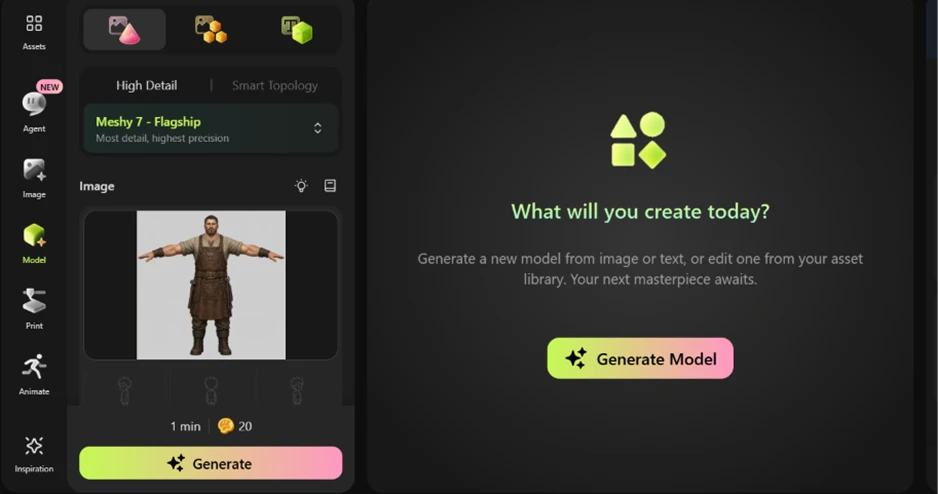
One character therefore cost 29 credits through the Agent, against the 20 that Meshy documentation quotes for a full generation. At that rate the monthly allowance buys three characters. Routing through the Model tab directly skips the image stage and holds the price at 20.
The blacksmith landed in roughly a minute and read well in the viewer. The panel sitting above it was the more useful output.
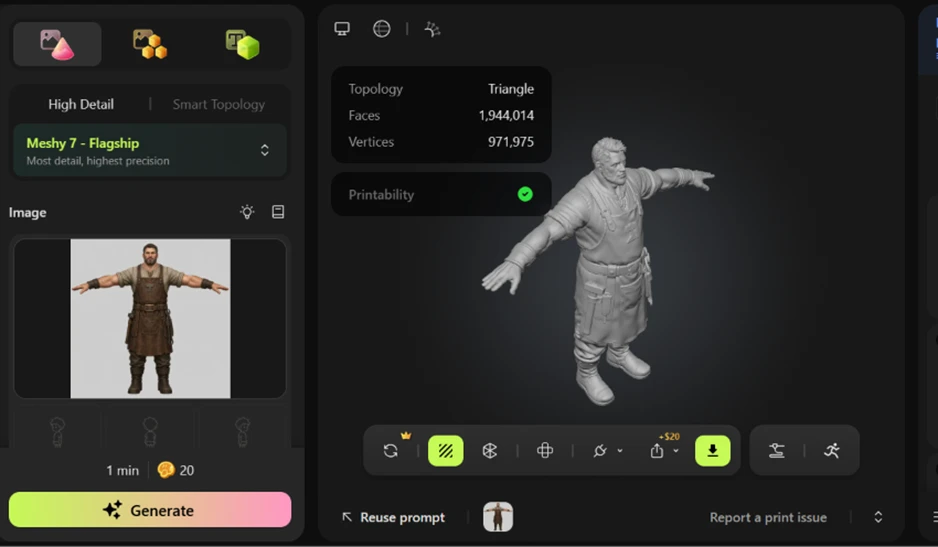
1,944,014 faces. 971,975 vertices. Topology listed as Triangle.
A game-ready character sits between 1,000 and 8,000 polygons. This model overshoots the top of that range by a factor of 240. The Triangle label carries as much weight as the count, since a triangle mesh with no edge loops pinches at the joints the moment it deforms. Meshy ships a Smart Topology mode aimed at exactly this problem. It was greyed out on my plan, sitting beside a disabled Ultra Mode.
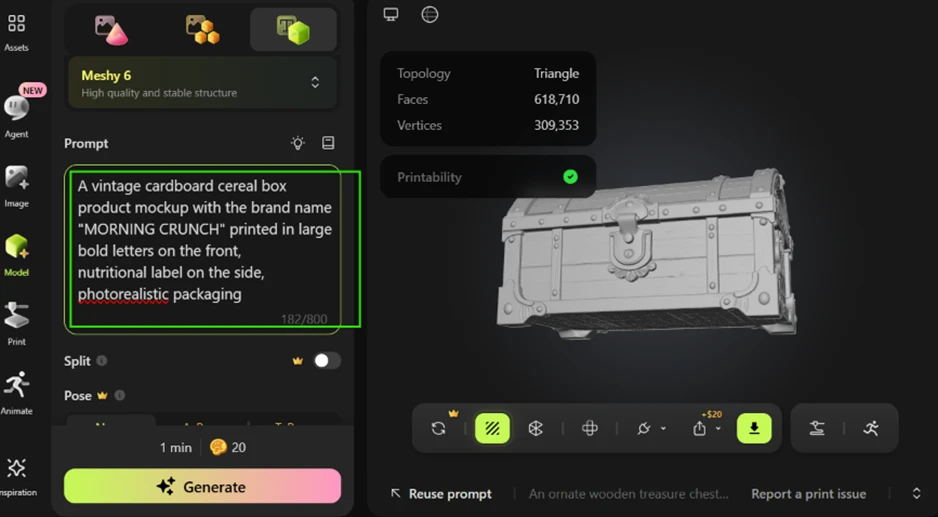
I switched to the Model tab and ran a treasure chest prompt next.
The output is the strongest of the session. Iron banding, brass lock, plank separation and weathered grain all survive into the mesh, and the silhouette needs no correction.
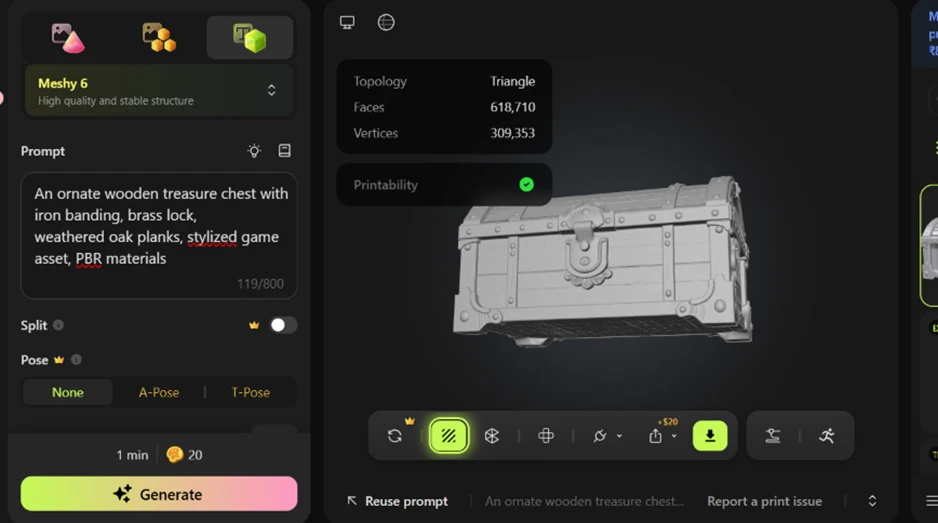
That face count remains far past any real-time budget, though the shape itself is usable as a starting point. Stylised props are where the tool earns its keep. The information panel also carries a License field reading CC BY 4.0, meaning free-plan output requires attribution anywhere it appears, and the assets are published publicly.
The next prompt asked for a vintage cereal box with the brand name MORNING CRUNCH in large bold letters and a nutritional label on the side.
What came back was a grey sack.
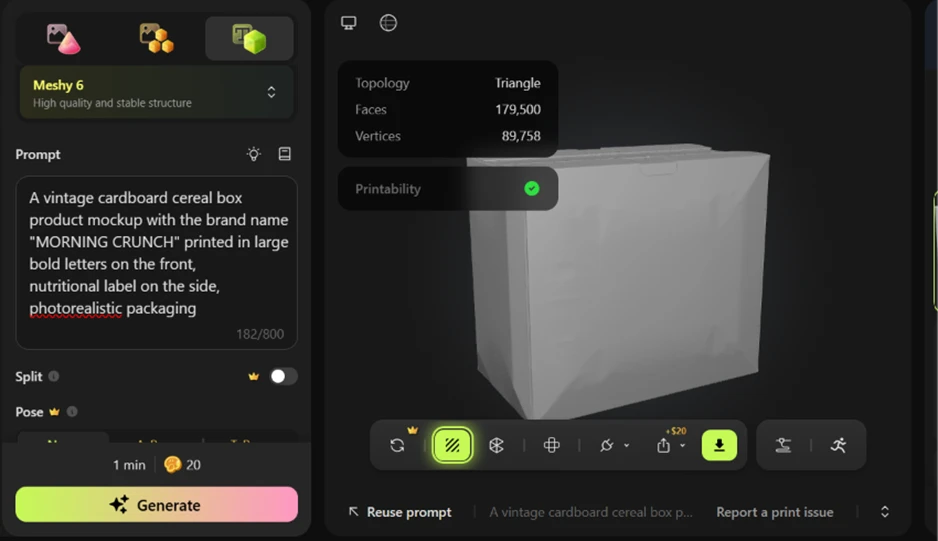
The cardboard structure collapsed into something closer to a paper bag, at a cost of 179,500 faces for a shape a modeller would build with twelve. Printability still returned a green tick. That check confirms the mesh is watertight and says nothing about whether the model matches the request.
The download dialog is where the free plan ends.
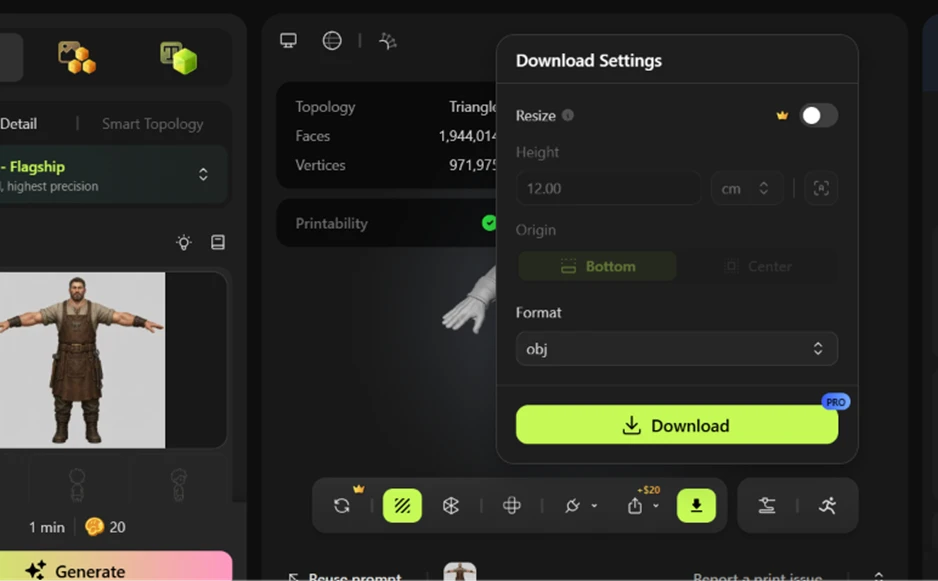
Download carries a PRO badge. Resize sits behind a crown icon. The toolbar shows a +$20 charge beside the export button. Rigging is gated the same way, which contradicts several 2026 pricing guides listing auto-rig at 0 credits.
There is one route around it.
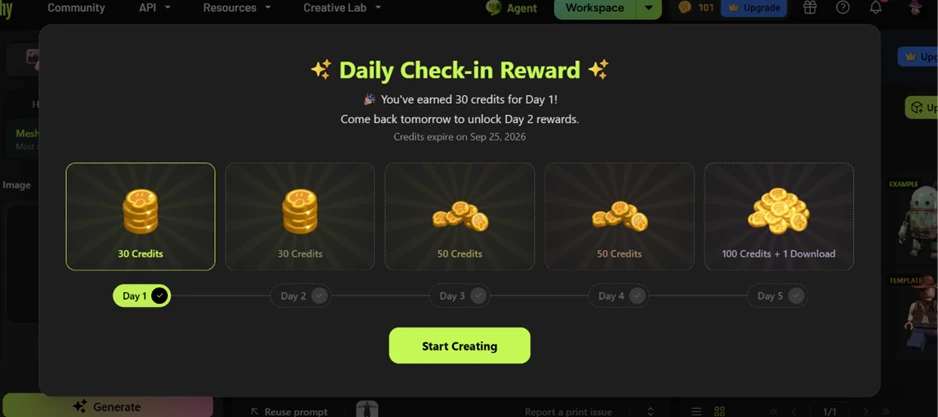
The check-in reward pays 30 credits on day one, 30 on day two, 50 on day three, 50 on day four, and a single download on day five. Five consecutive logins buy one export. The same popup notes that those credits expire on September 25, 2026.
| Dimension | Our test | User signal | Verdict | Composite |
|---|---|---|---|---|
| Model Quality Geometry, detail, print readiness | 9 | 9.2 | Excellent | |
| Ease of Use Learning curve and usability | 8.8 | 9 | Excellent | |
| Speed and Performance Generation and interface responsiveness | 8.5 | 8.6 | Excellent | |
| Value for Money Perceived fairness of pricing | 8 | 7.5 | Good | |
| Advanced Workflow Support Topology, rigging, exports | 8.3 | 8.4 | Good | |
| Reliability and Consistency Failure rates, edge cases | 7.8 | 7.6 | Good |
Toolscopia uses cookies to keep you signed in, remember your preferences, and understand how our reviews get read. Analytics are anonymous. See our privacy policy for the full detail.
Comments 0
Join the discussion and share your perspective.
Sign in to post a comment and reply to other readers.
No comments yet
Be the first to share your perspective on this tool.