1
Browser based PDF editing
Edit PDFs directly online without installing software, widely praised for convenience and simplicity.
Browser based PDF editor for quick one off or light professional work. No signup for basic tasks, generous free tier, but strict hidden limits and occasional buggy behavior mean it suits simple editing more than complex, high stakes documents.
Independent review — we test tools ourselves and analyze public user reviews. How we test.
Sejda PDF Editor delivers fast, no account required editing that genuinely works for most everyday tasks, with a free tier reviewers repeatedly describe as fair. Ease of use, clear interface, and useful tools like signing, compression, and form creation win consistent praise. The tradeoff is strict hourly limits, session timeouts, and some layout bugs that can cause lost work, along with a few reports of unhelpful support and disappointing HTML to PDF performance. Best suited for individuals and small teams that need convenient, occasional PDF work rather than heavy, continuous production workflows.
Sejda is a PDF toolkit that runs both in the browser and as a desktop app, made by a company that has focused on PDF software since 2010. It sits in the middle of the market, lighter than Adobe Acrobat and deeper than a single-purpose converter.
The catalogue covers the jobs most people actually need, from editing text and images inside an existing PDF to merging, splitting, compressing, converting to and from Office formats, OCR, form filling, redaction and signing. What separates it from most free options is the text editor, which changes words already baked into a document instead of only stamping new boxes on top.
Two design choices shape how it feels to use. The free tier needs no account, so a job starts the second a file is uploaded. Files travel over an encrypted connection and are wiped from Sejda’s servers after two hours, and the desktop edition keeps documents on your own machine when the material is sensitive.
Edit PDFs directly online without installing software, widely praised for convenience and simplicity.
Offers several free tasks per hour, appreciated, but strict limits frustrate heavier users.
Allows changing existing text and fonts; praised for accuracy but sometimes criticized for buggy layout shifts.
Supports signing and basic form creation, highly valued for occasional administrative tasks.
Compresses large scanned PDFs dramatically, repeatedly described as surprisingly effective.
Converts web pages to PDF; one reviewer reported near perfect fidelity for complex layouts.
Handles operations like watermarking many PDFs at once, praised for speed and time savings.
Desktop client exists for local processing, but some reviewers found it resource hungry.
Offers low cost week access for heavier periods, considered fair value by occasional power users.
Text editing is where I started. The moment I zoomed the page in through the browser, Sejda flagged it, saying the browser zoom was interfering with the editor and asking me to reset to 100%.
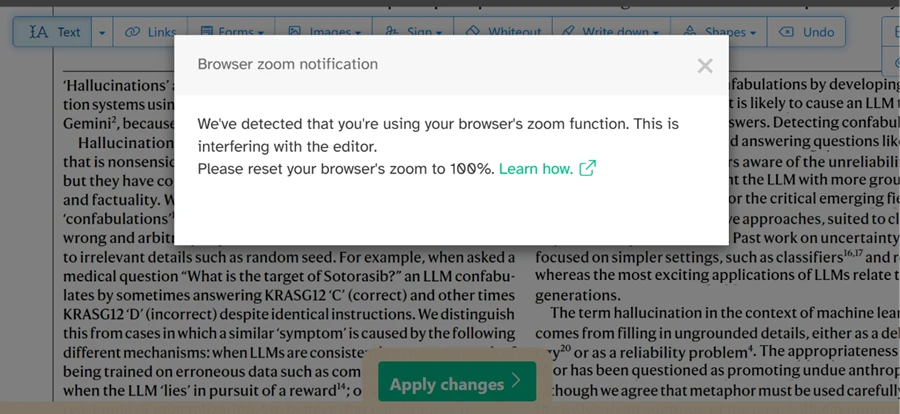
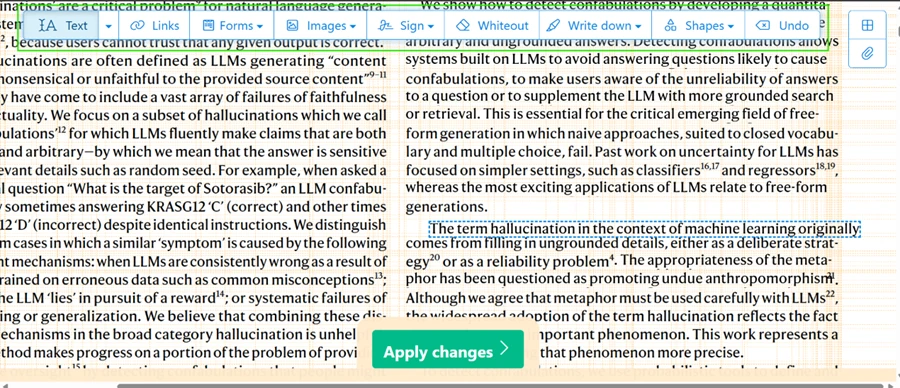
With zoom back at default, the editor held up well. I clicked straight into an existing paragraph and the cursor landed inside the original text instead of dropping a separate box on top of it. Moving blocks around behaved the same way, with each text region selectable as its own element. For a free browser tool, editing and repositioning real text is the strongest thing on offer.
The image controls told a different story. Sejda's Images menu offers to add a new image or delete an existing one, and my document had several bar charts sitting on the page, so I expected the delete option to pick them up.
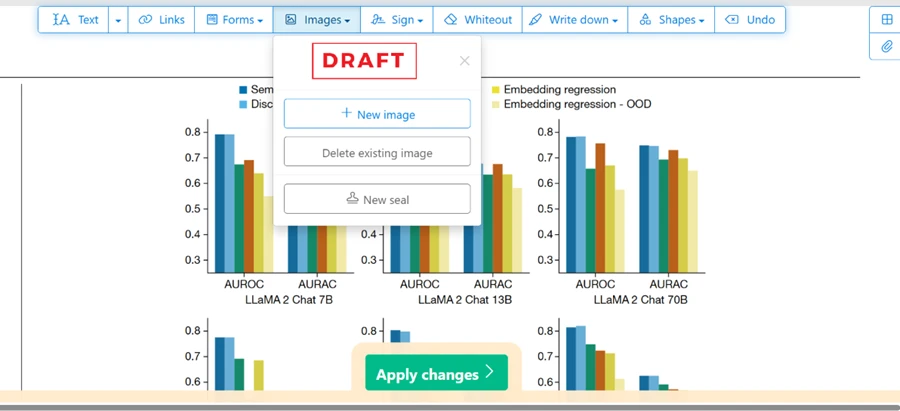
It did not. The delete-existing-image control stayed inactive and never selected the charts already embedded in the file. Adding a fresh image worked, but removing or swapping a graphic that was already in the PDF was off the table in my test.
Finishing a job is where Sejda feels generous. After I applied my edits, the result screen showed a live preview of both pages beside a column of save options. I could send the file to Dropbox, OneDrive, Google Drive or a plain download, with print and share sitting right there too.
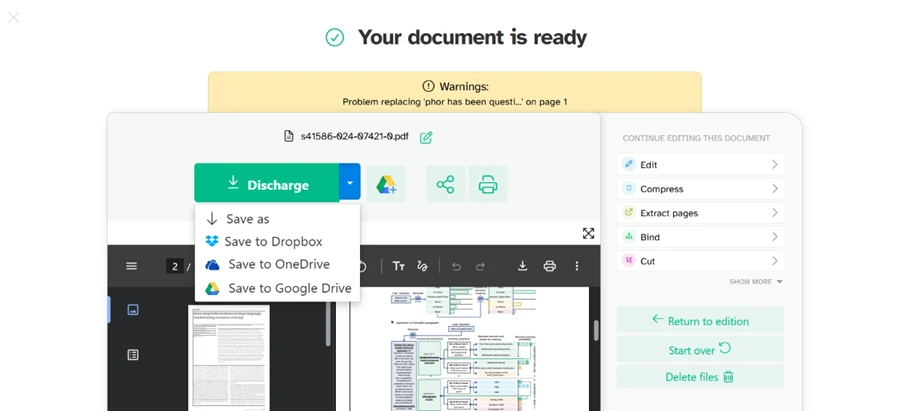
The same screen carried a quieter detail. A yellow warning above the preview read 'Problem replacing...' on page 1, which meant one of my text replacements had not fully applied even though the file was marked ready. The download button also read Discharge instead of Download, a small translation slip that leaves the file intact but shows the tool's age.
Conversions sit behind the same free gate. I tried to push two PDFs into the PDF to Word tool at once, and Sejda stopped me, saying free users are limited to one file per task before pointing me at an upgrade.
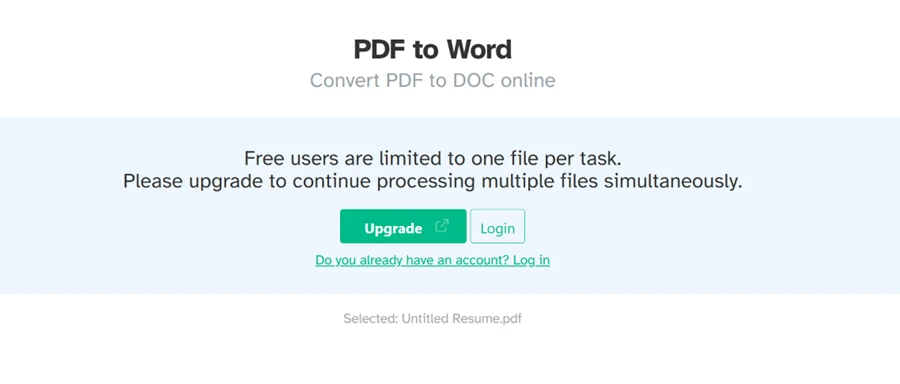
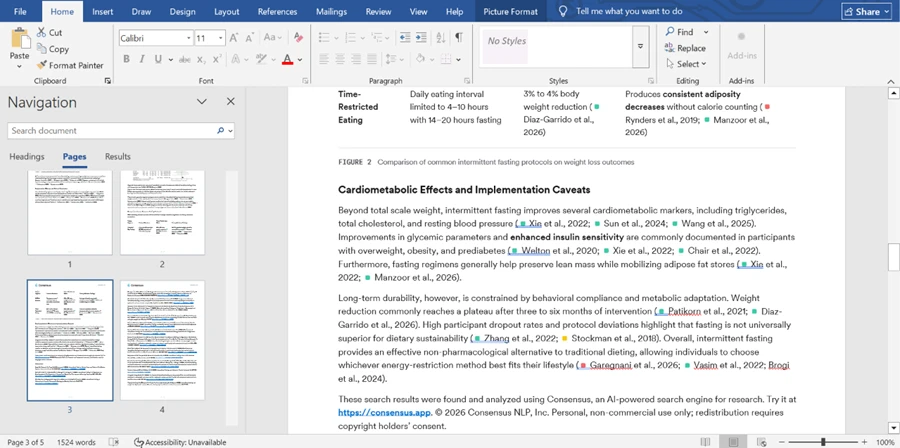
A single file ran cleanly. The Word output came back with its headings, body text and figure in place, close to the original layout rather than a flattened block of text. On conversion quality the free tool earns its keep. On volume it does not.
The PDF to JPG tool gave me control over image resolution and three output formats (JPG, PNG, TIFF), more range than I expected at this tier.
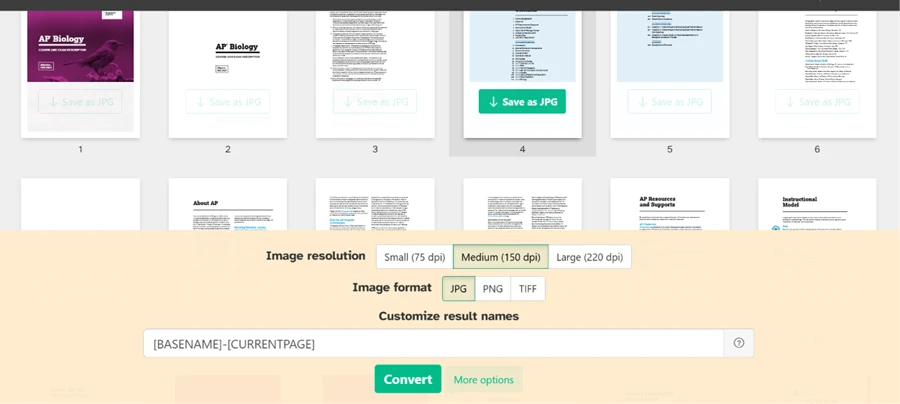
The gaps showed up in page selection. I could export a single page or one continuous range, but there was no way to choose a custom set of non-sequential pages. Pulling one embedded image out of the file was not possible either, since the tool renders whole pages into images rather than extracting the graphics inside them.
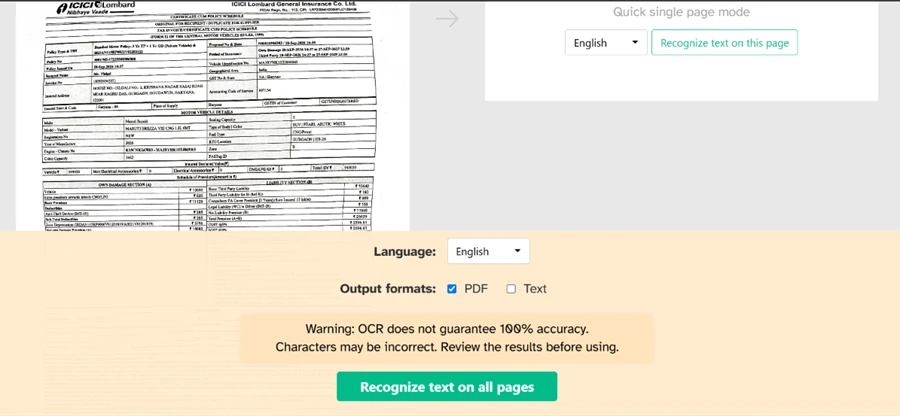
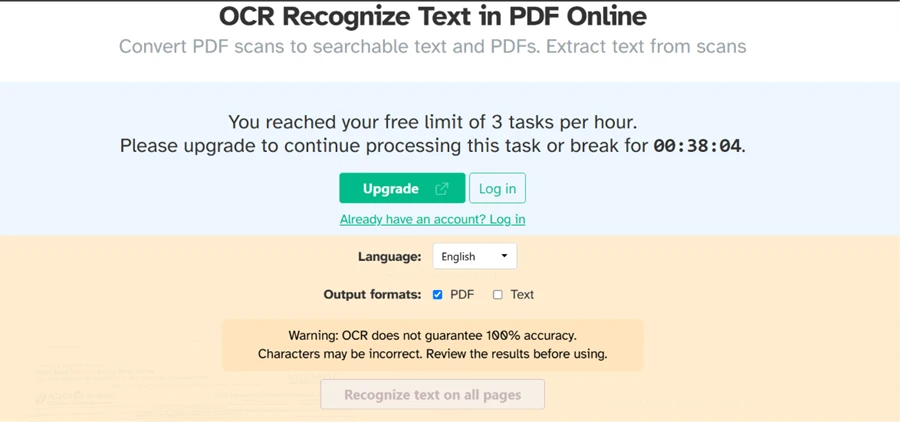
OCR is where the free limits bit hardest. Before processing anything, Sejda showed an honest warning that OCR does not guarantee 100% accuracy and that characters may be wrong, which set fair expectations going in.
Then came the wall. After three jobs, Sejda told me I had reached the free limit of 3 tasks per hour and offered either an upgrade or a wait, with a live countdown reading 38 minutes until my next free task.
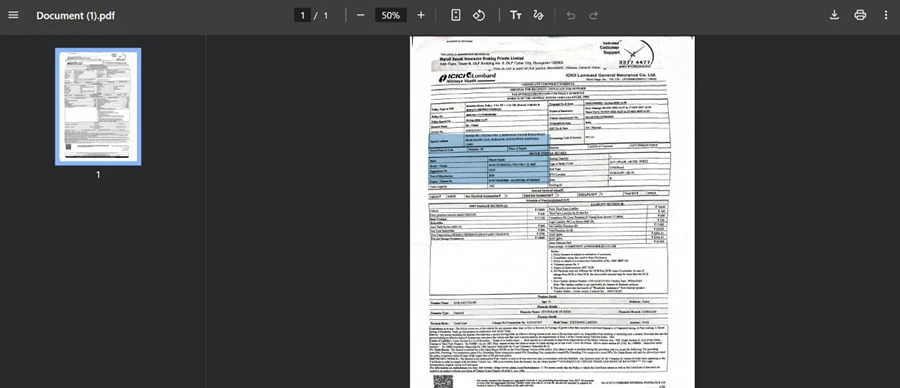
I waited it out and ran OCR on a scanned insurance document. The finished PDF downloaded with no watermark, which counts in Sejda's favour. The recognition itself was weaker. On a dense, multi-column scan, under half of the text came back as selectable, leaving the searchable layer patchy.
One more cap waited at the document level. When I fed a longer file into the editor, Sejda stopped at the free limit of 50 pages and asked me to upgrade to continue.
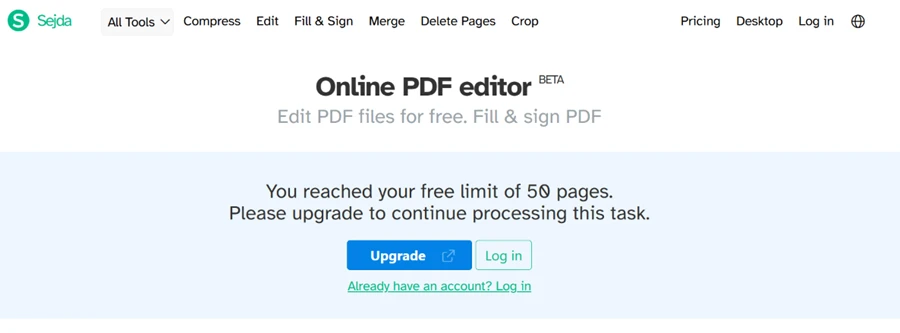
That 50-page line matters more than the hourly one for anyone handling full reports or scanned books, since a single large document gets blocked outright before any editing begins.
Every wall above lifts with a paid plan, and Sejda keeps the Personal pricing simple. The Web Week Pass runs $5 as a one-time payment for 7 days of web access. The Web Monthly plan is $7.50 per month on recurring billing. The Desktop+Web Annual plan is $63 per year, marked as 30% off the monthly rate, and it is the only option that unlocks Sejda Desktop alongside the web tools.
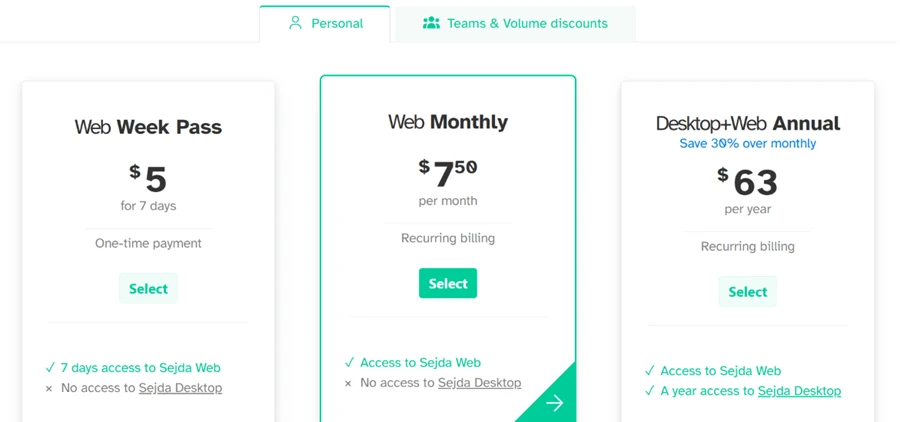
The free tier never appears as a plan on this screen, so a free user only meets these prices at the moment a tool blocks them. For anyone who wants the offline desktop app, which keeps files off Sejda's servers, the $63 annual plan is the single route to it.
| Dimension | Our test | User signal | Verdict | Composite |
|---|---|---|---|---|
| Editing Reliability Stability of edits and layout | 7.5 | 7 | Good | |
| Ease of Use Learning curve and interface clarity | 9 | 9.5 | Excellent | |
| Free Tier Value Usefulness before paying | 9 | 8.5 | Excellent | |
| Performance & Uptime Speed and session stability | 7 | 7 | Good | |
| Advanced Features Complex tasks support level | 6.5 | 6 | Moderate | |
| Customer Support Helpfulness and responsiveness | 6 | 5.5 | Weak |
Toolscopia uses cookies to keep you signed in, remember your preferences, and understand how our reviews get read. Analytics are anonymous. See our privacy policy for the full detail.
Comments 0
Join the discussion and share your perspective.
Sign in to post a comment and reply to other readers.
No comments yet
Be the first to share your perspective on this tool.