1
AI generated study notes
Summarizes uploaded material, often too minimal or incomplete according to multiple reviews.
Studley is an AI study tool for turning class materials into notes and quizzes. It helps some students learn faster, but aggressive paywalls, incomplete outputs, and reliability issues frustrate many paying users.
Independent review — we test tools ourselves and analyze public user reviews. How we test.
Studley can create diagrams, images, notes, and multiple choice questions that some students find genuinely helpful for exam revision. However, many reviews describe aggressive paywalls, feature limits after paying, incomplete or minimal notes, and quizzes or questions that fail to load. Reliability and customer treatment, including ignored support emails and a disputed creator payment, are recurring concerns. Best suited to experimental students willing to tolerate glitches and paywalls, not those needing a dependable primary study system.
Studley AI is a study tool that turns source material you already have into exam-ready practice. You feed it a lecture recording, a PDF chapter, a YouTube link, or pasted class notes, and it builds study material keyed to that content instead of pulling from the open web.
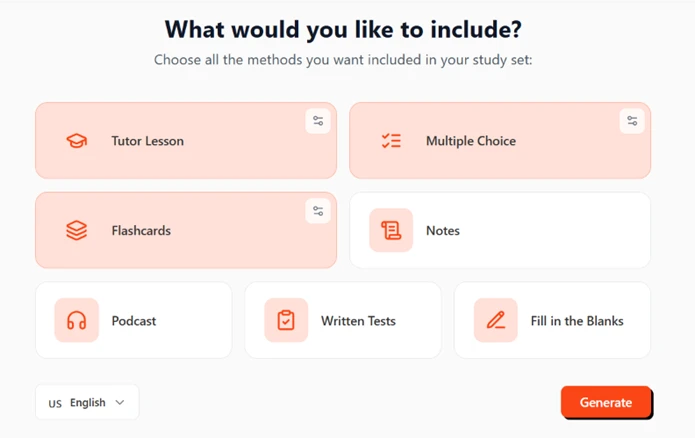
What you get from one upload depends on what you switch on. The options cover a tutor-style written lesson, flashcards, multiple choice sets, written tests, fill-in-the-blanks, AI notes, and an audio podcast version of the material. A side chat answers questions about your uploaded source, and flashcards carry a four-stage mastery tag so you can see which concepts still need work.
It runs on the web and as an iOS and Android app, with output set to US English for American students. The company positions it as a cheaper substitute for private tutoring and a direct Quizlet competitor.
Access is free to start, then moves to a paid plan for continued daily use, which makes it most practical for students actively preparing for a test rather than occasional reference.
Summarizes uploaded material, often too minimal or incomplete according to multiple reviews.
Transforms content into MCQs, praised when it works but often fails to load or generate.
Creates quizzes from selected topics, but struggles with larger subjects and sometimes outputs nothing.
Includes diagrams and images in notes, cited as a standout plus by at least one reviewer.
Offers audio style study content, but playback speed and usefulness are criticized.
Allows access through both website and app, appreciated for flexibility by a satisfied user.
Enforces strict question limits and frequent upgrade prompts, widely criticized as greedy.
Accepts course files, yet sometimes returns file not found and fails to load chapters.
Provides MCQs and fill in questions for chapters, but some chapters lack any generated questions.
The home screen opens with a prompt, "Hey Study, what do you wanna master?", and three ways in. One button handles file uploads such as images or audio. A second takes a pasted link or raw text. The third records a live lecture.
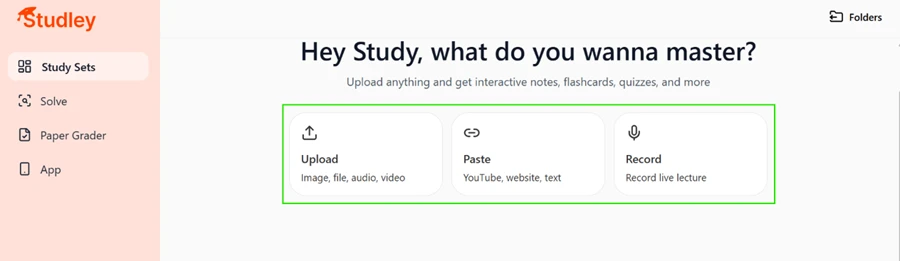
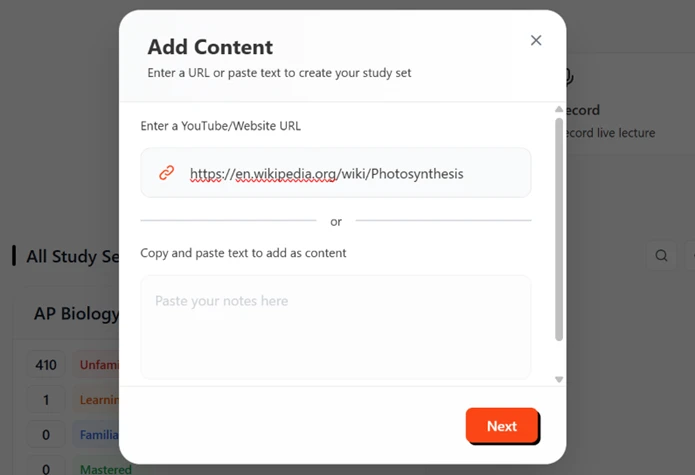
I used the paste option and dropped in the photosynthesis URL. The dialog accepts either a link or typed text in the same box, so there was no hunting for the right field.
Next came the part I liked most about the setup. Studley asks what you want built before it generates anything, so you are not stuck with formats you will never open. I switched on the tutor lesson and flashcards, added the multiple choice set, and left the podcast and written tests off. The language selector was already set to US English, which matters for spelling and phrasing if your readers sit in the States.
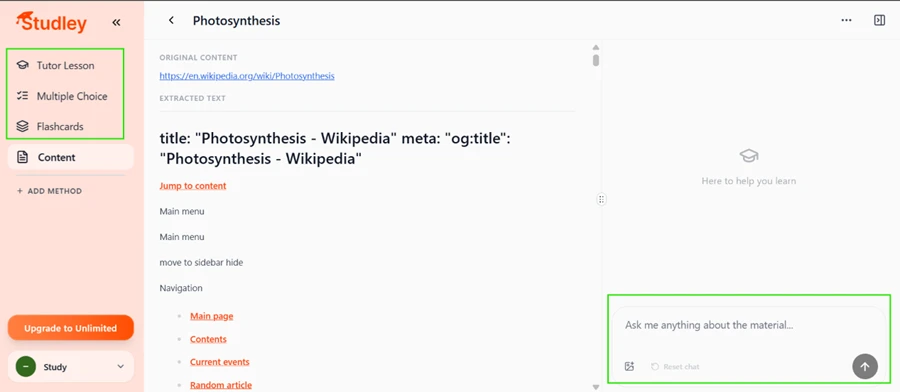
Generation took a few seconds. The left rail filled with the three methods I had chosen. The center pane showed the original link next to the text Studley pulled from it, and a chat box sat on the right waiting for questions.
Then I spotted the first real problem.
Look at the extracted text. Studley grabbed the whole web page, Wikipedia’s navigation menu included. Lines like "Main menu," "move to sidebar hide," "Navigation," and the sidebar links for the main page and random article all landed in the study material. None of that is photosynthesis. It is website furniture, and it means part of what the AI studied was noise rather than the actual article.
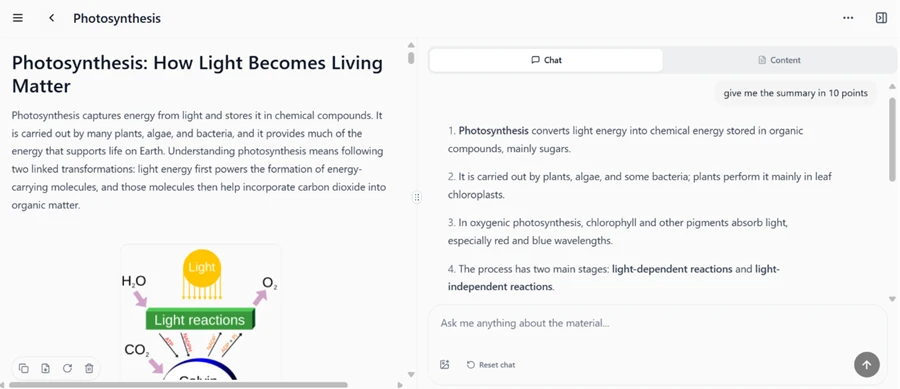
This is where the tool recovered. The tutor lesson came out clean and well-titled, "Photosynthesis: How Light Becomes Living Matter," and it kept the original diagram from the source showing water and light going in and oxygen coming out. Many study tools strip images and hand you plain text. Studley preserved the visual, which counts in its favor.
I then tested the chat on the right. I typed "give me the summary in 10 points" and it returned a tidy numbered breakdown. The first point correctly stated that photosynthesis converts light energy into chemical energy stored in sugars. The second placed the process in leaf chloroplasts. Every point I checked matched the article, so the summarizing itself was accurate even though the extraction was messy.
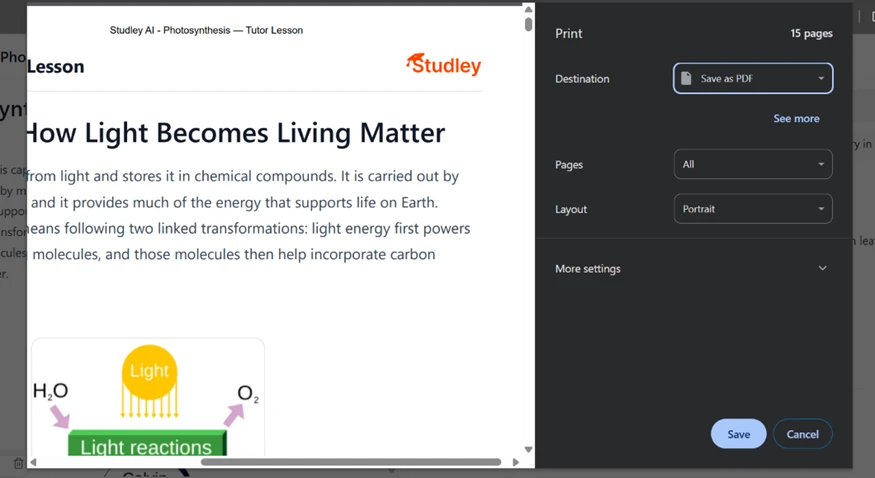
Exporting runs through the browser print dialog, and saving as a PDF worked without a problem. The catch sits on every page. My 15-page lesson carried a "Studley AI" header and the company logo at the top of each sheet. Print revision notes to share with a study group and you hand out Studley’s branding on free-plan output too.
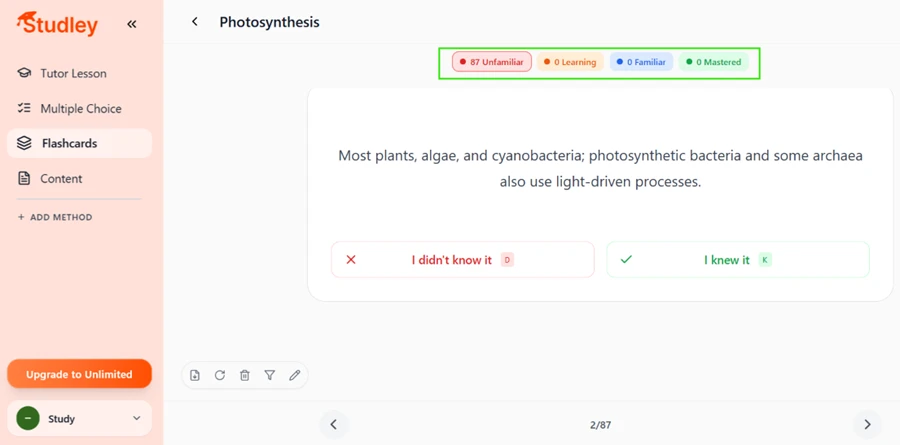
The flashcards impressed me on volume. One article produced 87 cards, each tagged by how well I knew it, with four states climbing toward mastered. Card two read, "Most plants, algae, and cyanobacteria; photosynthetic bacteria and some archaea also use light-driven processes," with simple keyboard shortcuts to mark whether I knew it.
Eighty-seven cards from a single page is a lot. For deep review that depth helps. For a quick cram before class it can feel heavier than you asked for.
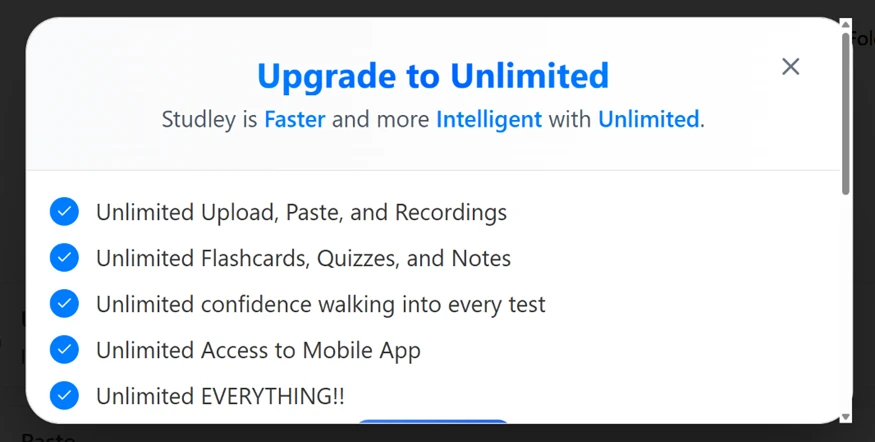
Here is the hard limit. After my first study set, trying to create a second one triggered a wall. A popup headed "Upgrade to Unlimited" appeared, promising faster and more intelligent output, with every feature labeled unlimited, uploads and mobile access included. The free plan, in practice, is a single trial run rather than an ongoing free tier.
The upgrade screen lays out two options. The annual plan bills $97.99 per year, which Studley frames as $1.88 per week and flags as its most popular choice at 45 percent off. The monthly plan runs $14.99, shown as $3.46 per week.
The per-week framing reads cheap. The real decision is the $97.99 charged up front for the year, or $14.99 every month if you want to stay flexible. A small "Ask parent to pay" link under the button signals who Studley expects to be paying, and the "4,000,000+ students" figure below it is the company’s own claim.

| Dimension | Our test | User signal | Verdict | Composite |
|---|---|---|---|---|
| Study Output Quality Depth and correctness of notes | 8 | 7.5 | Good | |
| Feature Reliability How consistently features work | 7 | 6.5 | Moderate | |
| Ease of Use Learning curve and interface clarity | 8.5 | 8.5 | Excellent | |
| Value for Money Perceived fairness of pricing | 6 | 5.5 | Weak | |
| Customer Support Responsiveness and helpfulness | 6.5 | 7 | Moderate | |
| Ethical Practices Treatment of users and creators | 7.8 | 7.8 | Good |
Toolscopia uses cookies to keep you signed in, remember your preferences, and understand how our reviews get read. Analytics are anonymous. See our privacy policy for the full detail.
Comments 0
Join the discussion and share your perspective.
Sign in to post a comment and reply to other readers.
No comments yet
Be the first to share your perspective on this tool.