1
Cloud-based editor access
Edit from Chromebooks and browsers, widely praised for convenience and avoiding heavy local installs.
Cloud-based video editor aimed at beginners, teachers, and casual creators, with simple timelines, templates, and stock media, but divisive pricing, glitches, and support leave many users frustrated once projects and expectations grow.
Independent review — we test tools ourselves and analyze public user reviews. How we test.
WeVideo delivers genuinely easy cloud editing, with many teachers and beginners praising its intuitive interface, templates, and access from any computer. For light projects, the workflow and stock media can feel straightforward and effective. Once projects get heavier, recurring complaints appear about lag, crashes, export errors, strict publish-time limits, and missing or downgraded features. Pricing clarity, billing practices, and slow or unhelpful customer support are consistent weak points. Best suited to classrooms and novice creators with modest needs, not professionals or anyone relying on it for time-critical or complex production.
WeVideo AI is the company’s name for the small set of automation tools built into its browser-based video editor, packaged under the label AI Assist. Rather than generating video from a prompt, it speeds up the parts of editing that eat the most time. The pieces a creator will actually touch are a text-to-speech voiceover tool and an automatic caption generator that transcribes your audio, plus a one-click background noise reducer for cleaner sound.
Its roots are in education, so one headline feature sits apart from the rest. AI Interactions can turn a video into auto-generated quiz questions mapped to Bloom’s Taxonomy, though that tool targets classrooms and is reached through WeVideo’s sales team rather than a free sign-up.
What it does not do is worth knowing before you commit. There is no text-to-video generator and no AI avatar presenter of the kind that define rivals like VEED and Synthesia. An AI script writer is missing too. WeVideo keeps its AI narrow and practical, built around voice and captions.
Edit from Chromebooks and browsers, widely praised for convenience and avoiding heavy local installs.
Simple timelines and controls, frequently praised by teachers and novice editors.
Templates, b roll, images, and audio appreciated, though some niches like LGBTQ imagery are missing.
Dedicated Classroom and Classes functions valued by educators for assigning and collecting student projects.
Free tier offers minimal publishing time and storage, widely criticized as restrictive and misleading.
Higher plans offer 4K and 60fps, but many users report choppy 25fps output and quality concerns.
Inactivity deletions and storage constraints repeatedly criticized for data loss and blocked workflows.
Email based support occasionally resolves issues, yet often described as slow and unhelpful.
Recurring charges, annual traps, and no refund policy are common sources of user frustration.
Signing in took seconds through Google. I dropped a short cinematic clip into the editor and waited for it to load onto the timeline.
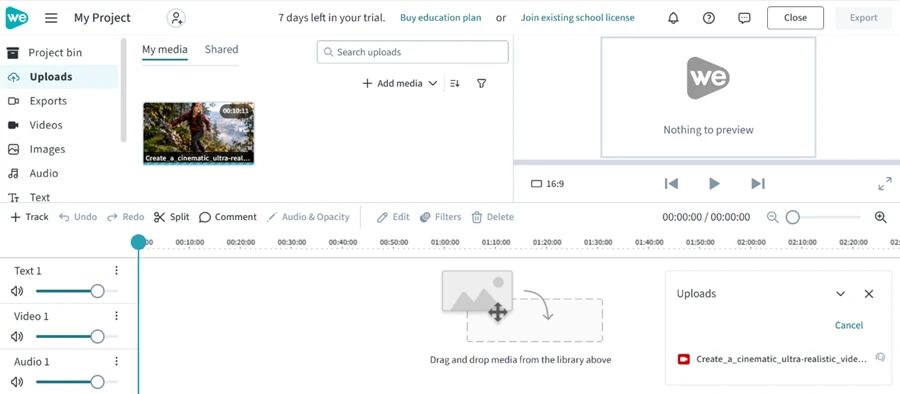
The upload worked. The catch showed up the moment my clip hit the preview window. A WeVideo logo was sitting in the top-right corner of my own footage. I had not exported anything yet, and the brand stamp was already there.
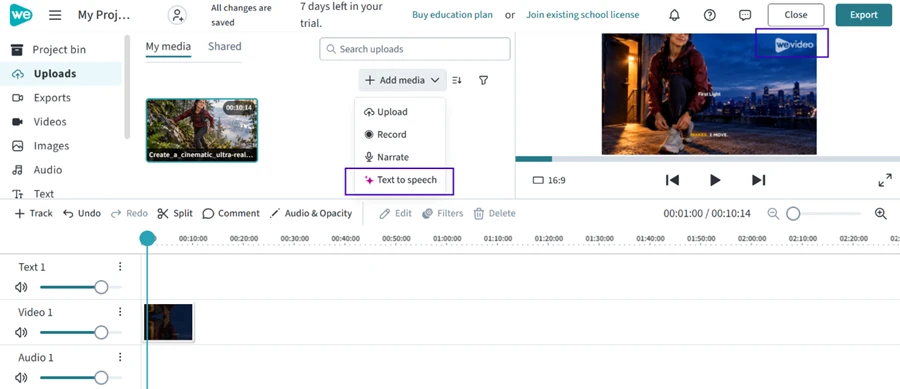
WeVideo keeps its AI inside one menu. Clicking “+ Add media” opened a short list with Upload, Record, Narrate, and Text to speech. That was the full set. There was no text-to-video generator and no AI avatar like the ones VEED and Synthesia push. An AI script writer was absent as well. WeVideo's AI starts and stops at voice and captions.
This is where WeVideo earned its keep.
I opened Text to speech and typed a line any US store might use for a seasonal promo. The prompt I entered was: “Welcome to our fall sale. Save 20% on every order over $50, now through November 1st.”
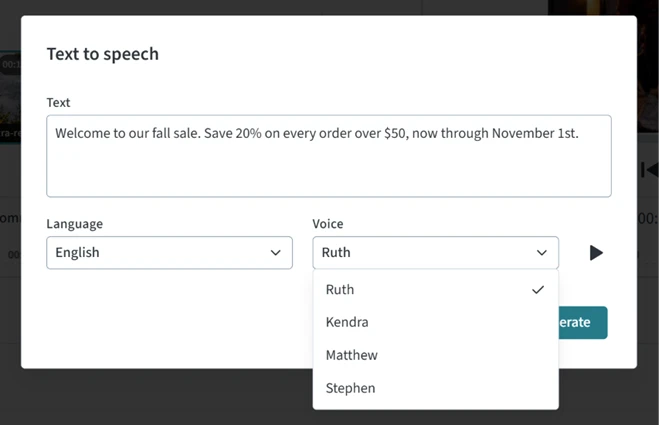
The voice list held American English options named Ruth, Kendra, Matthew, and Stephen. I picked Ruth, hit Generate, and had a clean voiceover in a few seconds. It read the 20 percent and the $50 figure correctly, and it handled the November date without slipping.
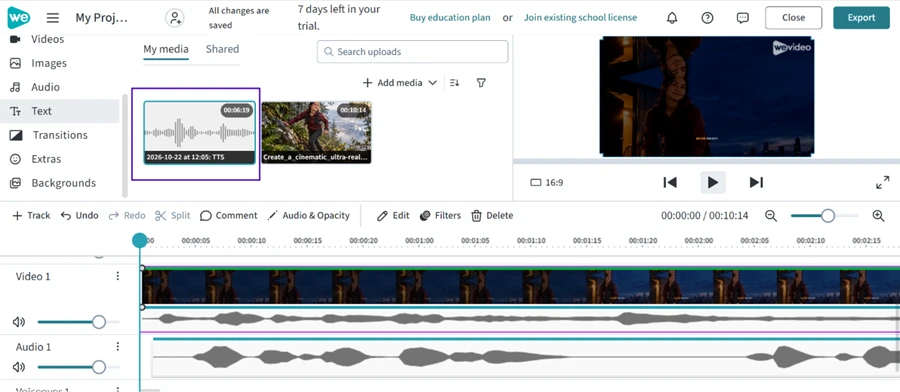
The generated clip landed in my media bin as a 6-second audio file, stamped with the time I made it, and dropped straight onto the timeline under my video. For a quick narrated promo or a classroom explainer, this one tool does real work without a single manual edit.
One limit to flag: each text-to-speech block caps at 1,000 characters. A full script means breaking it into chunks and generating each one on its own.
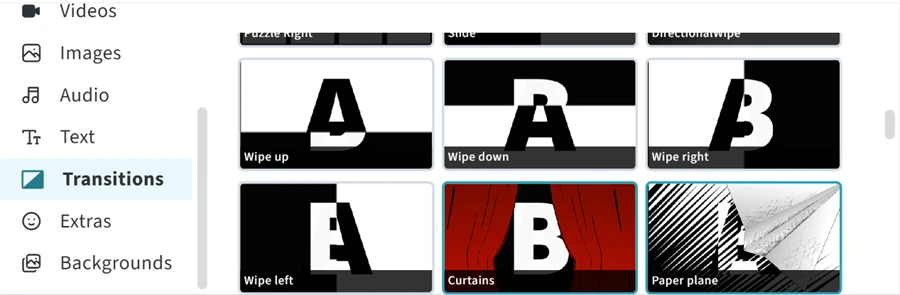
The editor ships with a transitions panel. The options looked basic and a little dated, with wipes in four directions alongside a curtain pull and a paper-plane effect.
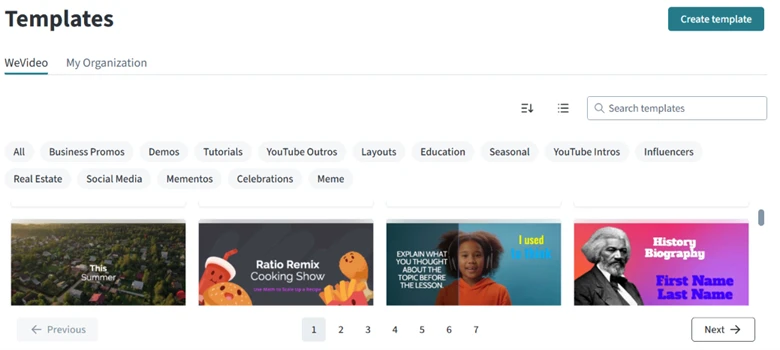
The template library was the stronger of the two. Its categories lined up with what a US creator actually searches for, including YouTube intros and outros, social media, real estate, and influencer layouts.
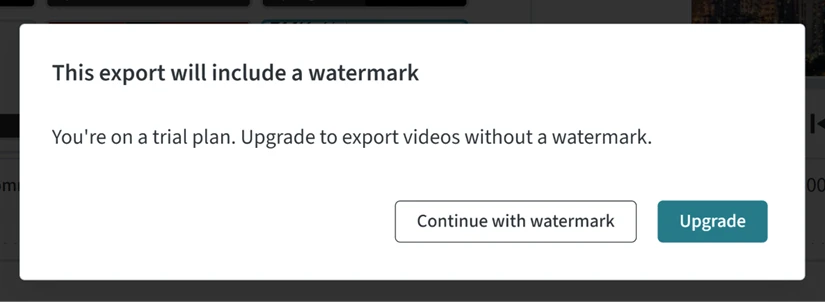
Clicking Export is where the free account showed its real shape. The first thing I met was a popup telling me my export would carry a watermark unless I upgraded.
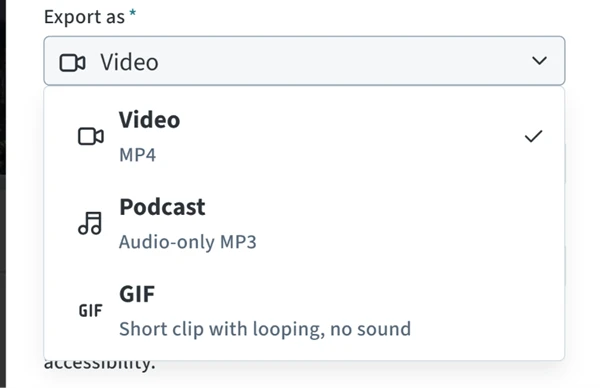
I pressed on. The export panel let me pick an output format, with MP4 video selected by default and two lighter options under it, an audio-only MP3 podcast and a silent looping GIF.
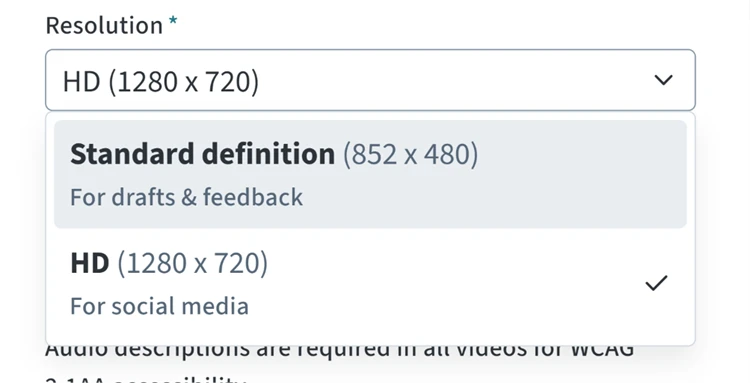
Then came the ceiling. The resolution menu topped out at HD 1280x720, which WeVideo itself labels “for social media.” The only other choice was 480p standard definition, marked for drafts. No 1080p. No 4K.
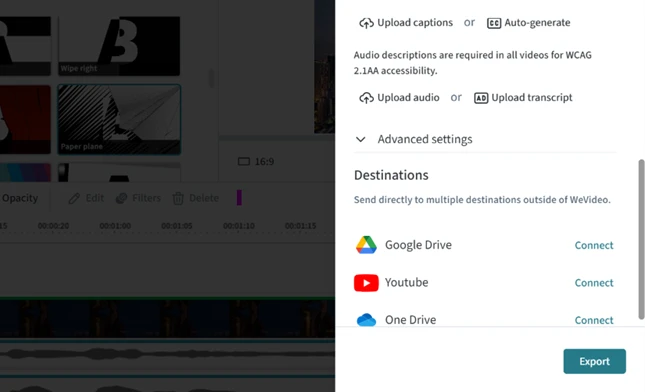
WeVideo did add one useful accessibility feature here. I could auto-generate captions right in the export flow, with a built-in note that audio descriptions are needed for WCAG accessibility. The same panel offered to push the finished file straight to outside destinations like Google Drive and YouTube, with OneDrive also on the list.
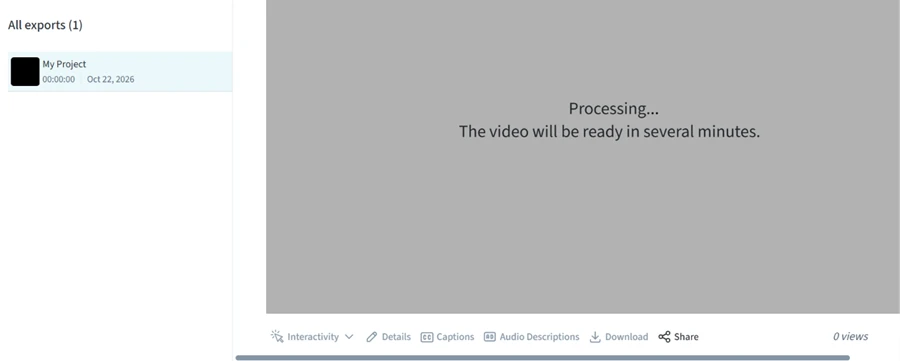
Hitting Export sent my project into a processing queue. The screen told me the video would be ready in several minutes, and it meant it. For a clip this short, the wait felt long.
My 7-day trial gave me 720p and a fuller feature set. Once it ends, the free-forever plan drops to 480p and about 5 minutes of export per month. So the genuinely free tier is tighter than what my screenshots show.
The paid step up is steep for a US creator. The Creator plan runs $240 per year billed annually, and the monthly option costs more per month.
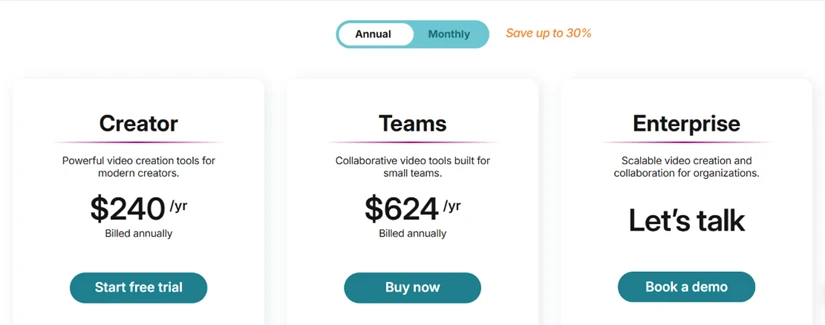
WeVideo's text-to-speech and auto-captions are good enough to use today. The free output around them stays locked to 480p with a watermark, and clearing that costs $240 a year.
| Dimension | Our test | User signal | Verdict | Composite |
|---|---|---|---|---|
| Ease of Use Learning curve and daily handling | 8 | 8.5 | Good | |
| Editing Performance Stability, lag, and responsiveness | 4.5 | 4 | Weak | |
| Export Quality Resolution, frame rate, reliability | 5.5 | 5 | Weak | |
| Value for Money Perceived fairness of pricing | 4 | 3.5 | Weak | |
| Customer Support Speed and helpfulness of support | 3 | 2.5 | Weak | |
| Education Features Classroom specific workflows | 8.5 | 8 | Good | |
| Feature Depth Advanced tools and options | 5 | 5 | Weak |
Toolscopia uses cookies to keep you signed in, remember your preferences, and understand how our reviews get read. Analytics are anonymous. See our privacy policy for the full detail.
Comments 0
Join the discussion and share your perspective.
Sign in to post a comment and reply to other readers.
No comments yet
Be the first to share your perspective on this tool.