1
Revision planning tools
Praised for helping structure exam focused revision efficiently when functioning correctly.
Student focused revision and study app with chat features and subject customization. Excellent when it works, but marred by forced phone verification, subscription cancellation issues, and reliability problems at stressful times.
Independent review — we test tools ourselves and analyze public user reviews. How we test.
Gizmo delivers strong value as a revision companion, with flexible subject setup and genuinely helpful study tools. However, serious issues around subscription cancellation, forced phone verification, and reliability undermine trust. Network and update decisions, such as disabling chat on school networks, frustrate regular users. Best suited to students who want an adaptable revision app and are comfortable managing potential billing and access friction.
Gizmo AI is a study platform that turns your own source material into flashcards and quizzes, then schedules when you review them. You feed it a PDF, a YouTube lecture, a Quizlet set, a recorded class, or plain pasted notes, and it writes the question-and-answer cards for you instead of making you build each one by hand.
The engine behind it is spaced repetition paired with active recall, two methods backed by memory research. Rather than letting you reread material, Gizmo pushes you to answer from memory and times each review for the moment you are about to forget a fact.
It also runs a social layer. Gizmo Live hosts multiplayer quiz games through a shared code, while a points system with streaks and daily rewards keeps solo study from going stale. A public library lets you pull ready-made decks across school subjects instead of starting from scratch.
Gizmo targets students who want to convert lecture content into exam practice fast, and it runs on web and mobile with a free tier.
Praised for helping structure exam focused revision efficiently when functioning correctly.
Users liked tweaking content to fit specific subjects and study needs.
Initially valued, later criticized when disabled on school networks after an update.
Heavily criticized for unclear cancellation paths and ignored support requests.
Resented mandatory step that blocks access for privacy conscious users.
Complaints about repeated breakdowns during exam season despite overall positive sentiment.
Mentioned that both web and app lacked obvious subscription cancellation options.
I ran Gizmo through a complete study cycle before writing this review, covering its live game mode and its public deck library. Every step below reflects what the tool produced for me, not its marketing copy.
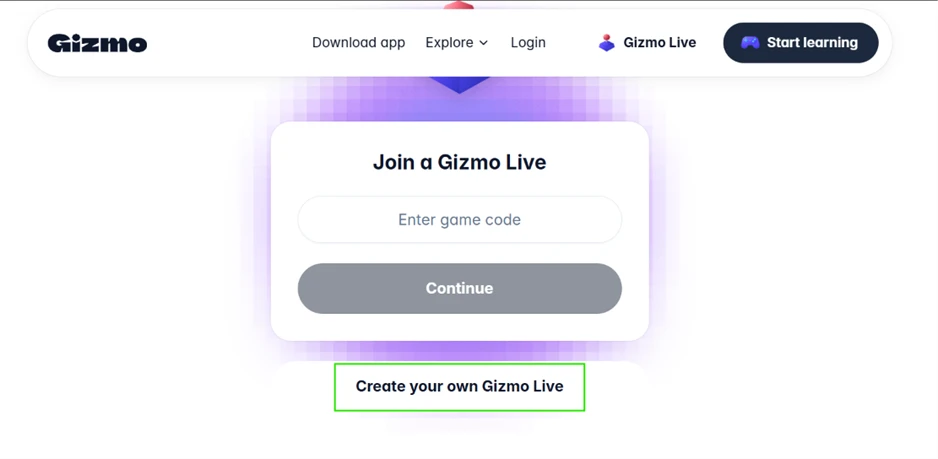
I did not have a game code, so I selected Create your own Gizmo Live from the homepage. Gizmo asked for a topic and I entered Multiplication.
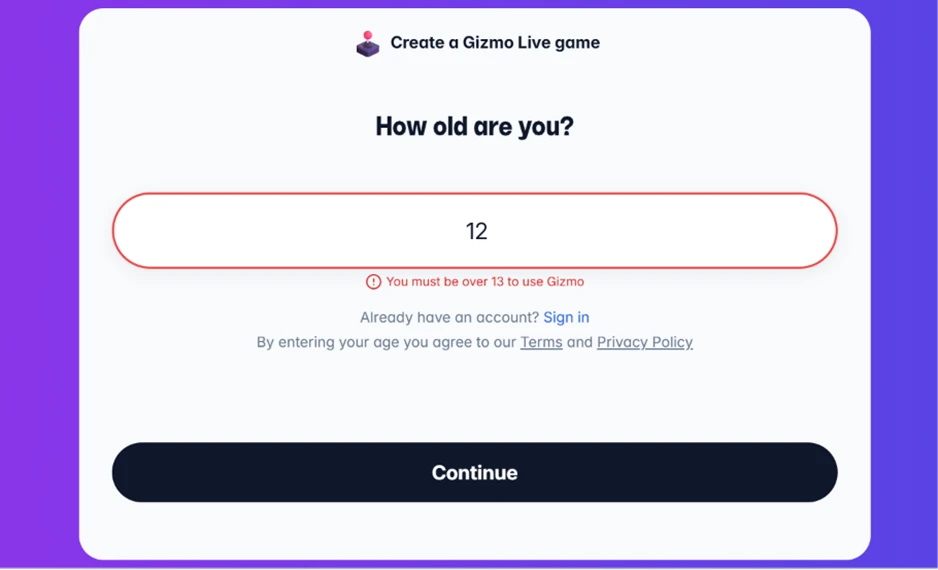
The next screen asked my age. I typed 12 and hit a block: You must be over 13 to use Gizmo. That message is the whole check. No ID, no email confirmation, nothing beyond the number I type, which means any value of 13 or higher walks straight through.
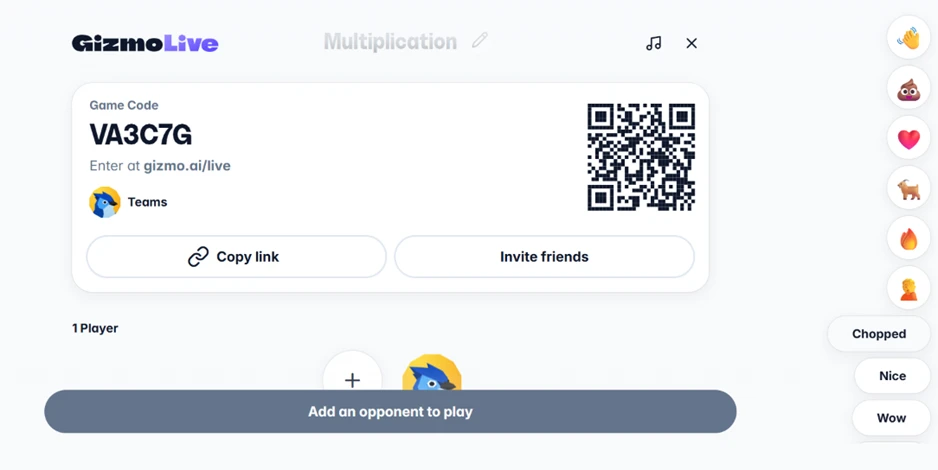
After I added a name, Gizmo produced the game code VA3C7G with a matching QR code and a join link. I opened the session, added a second player, and watched both players’ answers appear on screen as each round played.
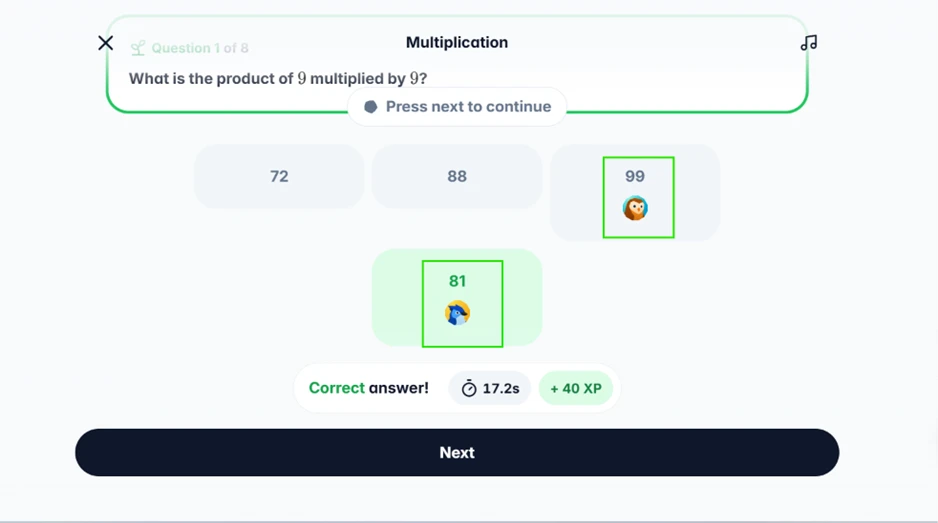
The questions generated on their own. One read, What is the product of 9 multiplied by 9? I picked 81, Gizmo marked it correct, clocked my response at 17.2 seconds, and added 40 XP.
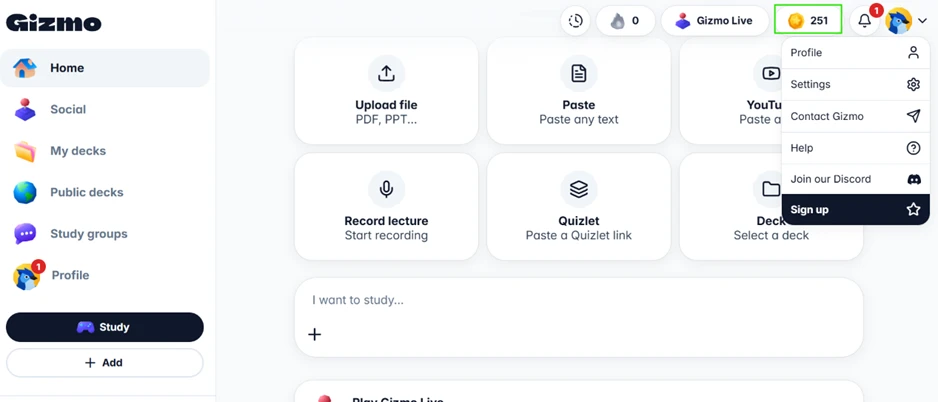
I reached the main dashboard without logging in, and it already showed 251 coins in my balance.
Gizmo laid out six ways to build study material: PDF or PowerPoint uploads, pasted text, YouTube links, recorded lectures, a Quizlet importer, and saved decks. The coins were sitting there before Gizmo had an email address for me.
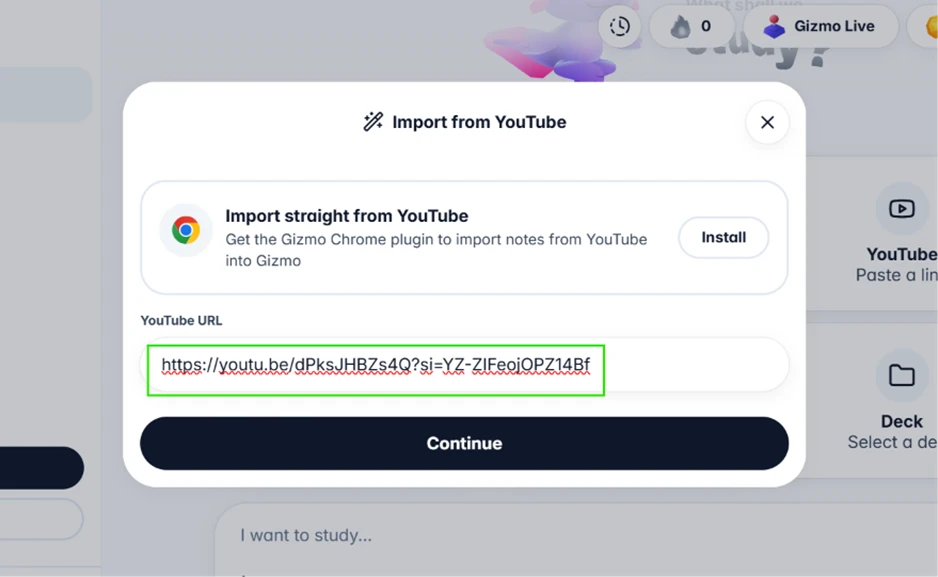
I tested the video route with this exact link: https://youtu.be/dPksJHBZs4Q?si=YZ-ZIFeojOPZ14Bf
Gizmo fetched the video and named the deck Multiplication Basics. It then offered three build modes and let me run only one per import. Memorise generates flashcards. Note writes a summary. The Step-by-step lesson talks through the concept.
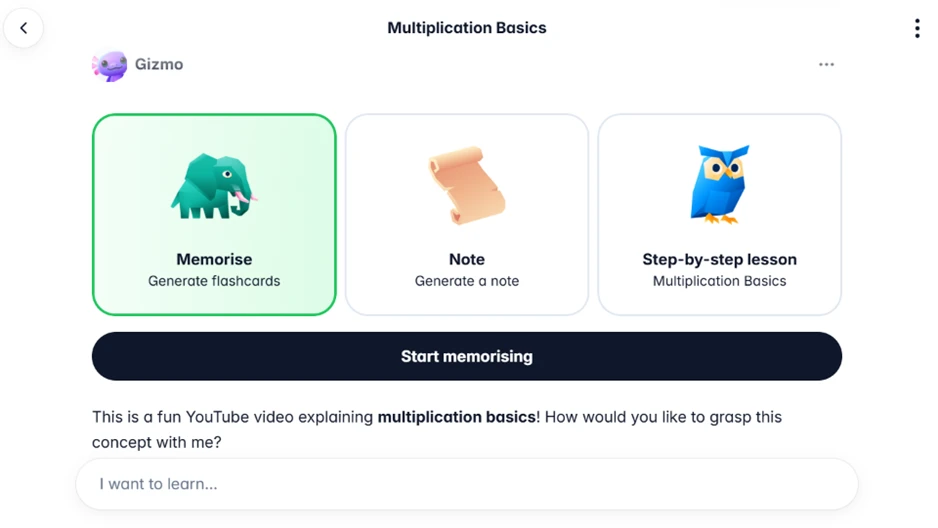
I chose Memorise. From that one video, Gizmo built 44 cards and flagged the import complete.
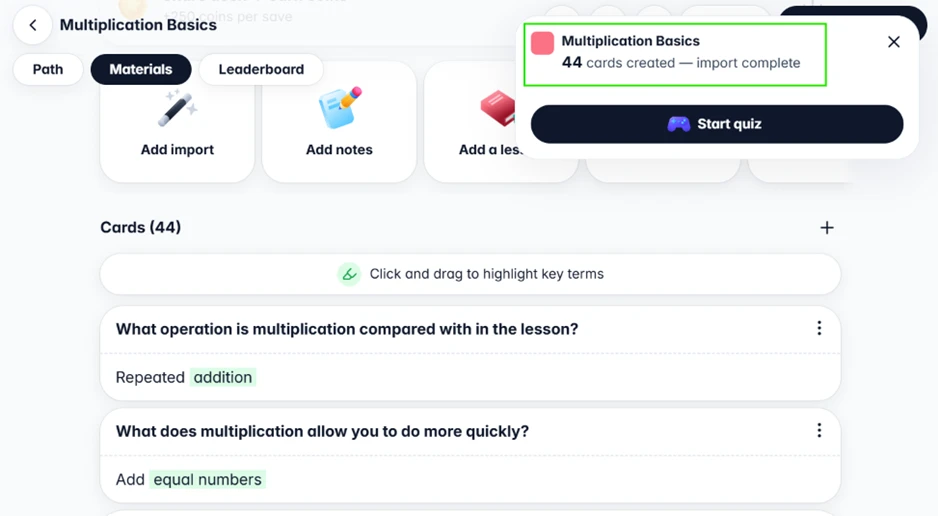
The card count looked strong until I read them. Several were written around the video instead of the subject.
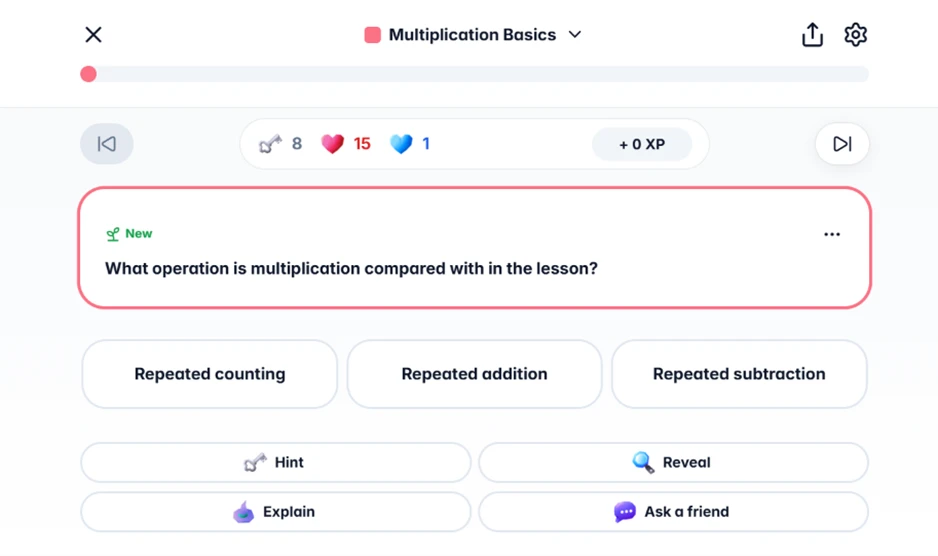
One card asked, What operation is multiplication compared with in the lesson? The answer it wanted was repeated addition. The phrasing checks whether I remember how the lesson framed the idea, not whether I understand multiplication. Another asked what multiplication lets you do more quickly, expecting add equal numbers. Both questions lean on the source wording, so they reward memory of the video over any grasp of the maths.
Study mode also put a counter of 15 hearts at the top of the screen, with Hint, Reveal, Explain, and Ask a friend options under each question.
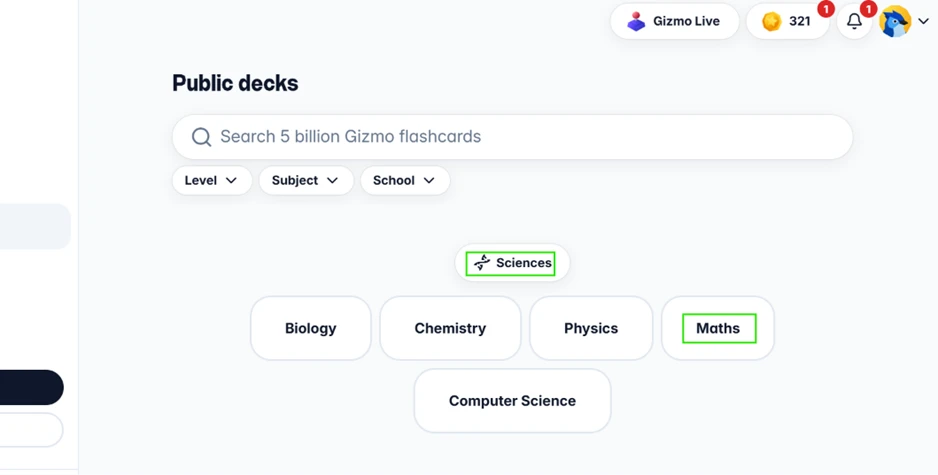
Gizmo promotes a search across 5 billion flashcards in its Public decks area. I opened the category menu and found Maths filed under Sciences. Mathematics is not a science, and that misplacement is the sort of quiet error that multiplies across a catalogue this size.
| Dimension | Our test | User signal | Verdict | Composite |
|---|---|---|---|---|
| Revision Effectiveness Quality of study support | 7.5 | 7 | Good | |
| Ease of Use Learning curve and navigation | 7.5 | 8 | Good | |
| Reliability & Uptime Crashes, outages, consistency | 6 | 6 | Moderate | |
| Account & Billing Control Subscription and cancellation clarity | 5.5 | 5.5 | Weak | |
| Privacy & Access Requirements Phone and data requirements | 5 | 6 | Weak | |
| Feature Availability Access to expected functions | 7 | 7 | Good |
Toolscopia uses cookies to keep you signed in, remember your preferences, and understand how our reviews get read. Analytics are anonymous. See our privacy policy for the full detail.



Comments 0
Join the discussion and share your perspective.
Sign in to post a comment and reply to other readers.
No comments yet
Be the first to share your perspective on this tool.