
You paste a paragraph into Napkin AI and press generate. A clean diagram appears in seconds. For a while that feels like a cheat code. Then you try to push that visual into a full client deck, or wire it into Notion, or build a ten-slide story instead of one graphic, and the speed hits a wall.
That wall is usually why people go looking.
Napkin AI is sharp at one narrow job. It is not the only tool that does that job, and for several common needs it is not the strongest option. This guide walks through six alternatives tested against Napkin, grouped by the actual reason people switch. Every price here was taken straight from each tool's official pricing page in November 2026. None of the numbers are guessed.
First, what Napkin AI actually does
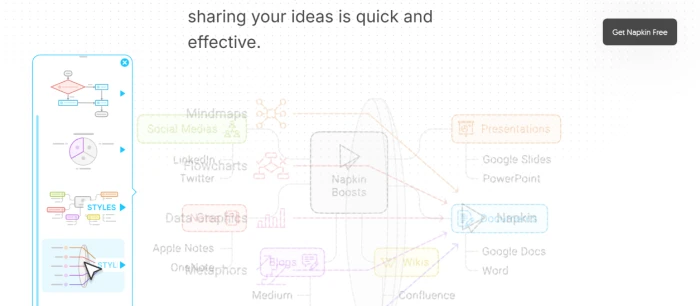
Napkin AI converts written text into visuals. You drop in text (or let its AI write it), highlight a passage, and Napkin suggests diagrams, flowcharts, mind maps and infographic-style graphics that match the logic of your words. The output sits on a canvas, ready to lift into a document.
The pricing is short. The Free plan is $0 and includes 500 AI credits per week with PNG and PDF export. Plus is $9 per person per month and raises that to 10,000 credits a month, adds unlimited PowerPoint and SVG export, and removes Napkin branding. Pro is $22 per person per month for 30,000 credits. Annual billing takes off 25 percent, and there is a contact-sales Enterprise tier.
For a single inline visual, that is hard to beat. The friction starts the moment your need grows past that.
What counts as a true Napkin alternative
Every tool here passes one test. You give it an idea and it gives you a visual back fast, without a design brief or a blank canvas staring at you. That is Napkin's whole appeal, so a replacement has to clear the same bar before anything else counts.
From there, each one earns its place by going further than Napkin in a single direction. One reads your source files for you. Another locks every visual to your brand. A third keeps the diagram alive as your product shifts. The sections ahead are ordered by those directions, running from the tool that does the most reading up front to the one that does the most polish at the end.
The six alternatives at a glance
Before the detail, here is the shortlist. We go deeper on each one directly after, in the same order.
| Tool | Best for | Free plan | Lowest paid plan | Standout vs Napkin |
|---|---|---|---|---|
| Mapify | Turning documents and videos into mind maps | Yes, 30 one-time credits | $5.99/mo (billed yearly) | Reads PDFs, YouTube and audio |
| Venngage | Business infographics and diagrams | Yes, 5 designs | $10/person/mo (annual) | Brand kits plus a dedicated AI diagram generator |
| Piktochart | Budget infographics and reports | Yes, 2 downloads | $10/member/mo (annual) | Lower entry price for teams |
| Whimsical | Flowcharts and product diagrams | Yes, 50 objects/mo | $10/editor/mo (annual) | Built for product and UX work |
| Taskade | Organizing thinking into mind maps and workflows | Yes | $6/mo (billed yearly) | AI agents and automations |
| Visme | Brand-polished visuals with data charts | Yes, 10 credits/mo | $12.25/person/mo (annual) | Strong data visualization and export range |
Now the journey, one job at a time.
If your raw material is a long document or video: Mapify
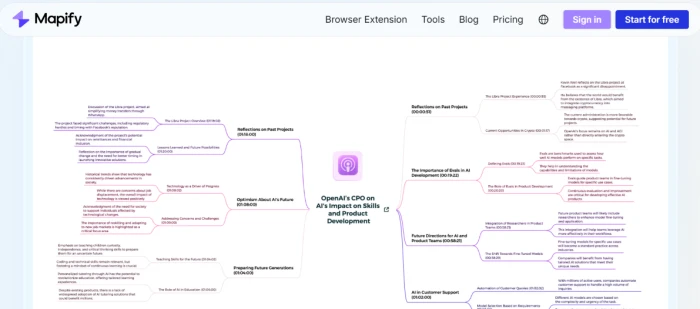
Napkin expects you to bring the text. Mapify flips that. You feed it a PDF, a Word file, a YouTube link or an audio clip, and it returns a structured mind map plus a summary. That makes it the natural pick when your starting point is a 40-page report rather than a tidy paragraph.
It handles document summaries and Deep Research, and it exports to PDF, Markdown, SVG and image files. A finished map can also flip into a quick slide view.
A common Mapify workflow looks like this: drop in a research paper or a one-hour webinar recording, get a map of the argument in under a minute, then export that map as the skeleton of your own write-up. Napkin cannot read the paper for you. It waits for you to type the summary first.
Pricing is where Mapify gets interesting for heavy readers. The Free plan is $0 with 30 one-time credits and a handful of document and YouTube conversions. Basic is $5.99 per month on yearly billing (regularly $9.99) for 1,000 credits a month. Pro is $11.99 per month on yearly billing (regularly $19.99) for 2,000 credits, plus audio and image summaries. The Unlimited plan is $17.99 per month on yearly billing (regularly $29.99). The yearly prices include a 40 percent discount.
Pick Mapify when the hard part is digesting source material, not drawing it. If instead you already have your points and want them to look like a designed infographic, the next tool is built for exactly that.
If you need business infographics and diagrams: Venngage
Venngage sits closest to Napkin's infographic side, with more design muscle. It pairs a large template library with a dedicated AI diagram generator, so you can go from a prompt to a branded infographic without starting on a blank page. For marketing and internal-comms teams, that template head start matters.
Brand kits, team sharing, password-protected links and PowerPoint export all arrive on the paid tiers, which is where Venngage pulls ahead of Napkin for client-facing work.
The Free plan is $0 and includes 80 daily AI credits with 5 designs, though sharing is public only. Premium is $19 per person per month billed monthly, dropping to $10 per person per month on annual billing, and lifts you to 160 daily credits with unlimited designs and private sharing. Business is $49 monthly, or $24 per person per month annually, adding PDF and PowerPoint export, brand kits, folders and priority support. Enterprise starts at $499 per month for a minimum of ten members.
Picture a quarterly report that has to carry the company logo, fonts and colors on every page. Napkin hands you the diagram. Venngage hands you the diagram already wearing your brand. For agencies juggling several clients, that saved styling time adds up across every deliverable.
Venngage rewards teams that value polish and brand consistency. If that polish is overkill and price is your main lever, Piktochart covers similar ground for less.
If budget decides it: Piktochart
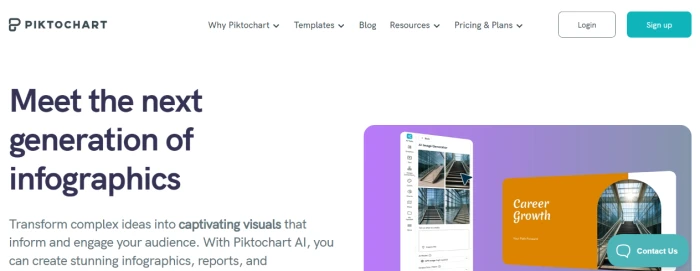
Piktochart aims at the same infographic and report territory as Venngage, with a gentler entry price for small teams. The editor is approachable, the template set leans toward reports and presentations, and the AI features cover text-to-infographic generation.
Here is how the money compares, since that is the reason to choose it over Venngage. The Free plan is $0 with 60 AI credits and 2 PNG downloads. Pro is $15 per month billed monthly, or $10 per member per month on annual billing ($120 a year), with 500 AI credits and unlimited PNG downloads. Business is $20 per month billed monthly, or $17 per member per month annually ($204 a year), which adds a Brand Kit and 1,000 AI credits, plus PDF and PowerPoint downloads. Enterprise is custom.
One more point in Piktochart's favor is the learning curve. A new team member can produce a presentable report on day one, which keeps the tool from becoming a bottleneck that only one trained designer knows how to drive.
Piktochart's pitch is value. A team of five on annual Pro pays $10 a head, below Venngage's entry and well under a full design suite. The trade-off is a smaller feature ceiling. If your visuals are less about infographics and more about process and flow, the next tool is a better home.
If you live in flowcharts and product diagrams: Whimsical
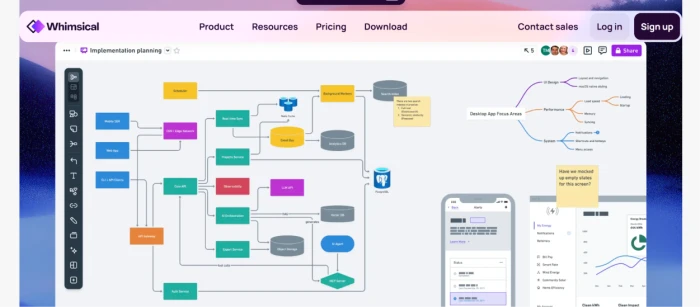
Whimsical is where product and engineering teams sketch how things work. It blends flowcharts, wireframes, mind maps and docs on one canvas, with AI that drafts a flowchart or mind map from a prompt. Napkin makes a pretty diagram. Whimsical makes a diagram you keep editing as the product changes.
The Free plan is $0 and covers up to 50 board objects and 50 doc blocks per month, with 10 AI credits per member and a watermark on exports. Pro removes the caps and the watermark at $10 per editor per month on the annual plan. Business is $20 per editor per month on annual billing and adds SAML single sign-on, private teams, longer version history and priority support. The pricing page shows annual rates; monthly figures are not published there, and extra AI credits can be bought on any plan.
The version history is the quiet advantage. A flow you drew in January can be reopened and reshaped in June as the feature evolves, with the earlier states still on record. Napkin visuals, by contrast, are snapshots you tend to regenerate from scratch each time the facts move.
Whimsical wins for living documentation, the diagrams that evolve with the work. It is less suited to one-off marketing graphics. If your goal is less about the drawing and more about getting messy thoughts into order, Taskade takes a different route.
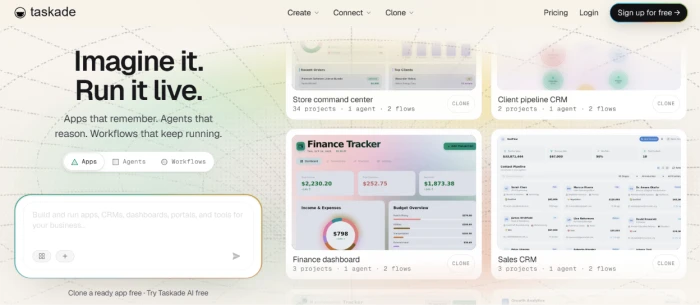
If you want AI to organize your thinking: Taskade
Taskade treats the visual as a byproduct of structure. You start with a prompt or a brain dump, and it builds a mind map or an outline you can act on, then layers AI agents and automations on top. It reaches further than Napkin, into task management and workflow, which suits people who want the diagram and the follow-through in one place.
Its pricing is the most generous on this list for the money. The Free plan is $0 with one AI agent and 10 automation runs a month. Starter is $6 per month billed yearly ($72 a year) for 10,000 AI credits a month and three users. Pro is $10 per month billed yearly ($120 a year) for 50,000 credits and unlimited AI agents. Business is $25 per month billed yearly ($300 a year) for 150,000 credits. A Max plan at $100 per month and a custom Enterprise tier sit above. Annual billing saves 50 percent.
The agents are the part Napkin has no answer for. You can point a Taskade agent at a mind map and have it expand a branch, draft the tasks beneath each node, research a point or rewrite the lot, so the map becomes the starting line for the work rather than the finish.
Choose Taskade when the mind map is a means to getting work done, not the final deliverable. When the deliverable has to look brand-perfect for an outside audience, the last tool is the specialist.
If brand-polished visuals matter most: Visme
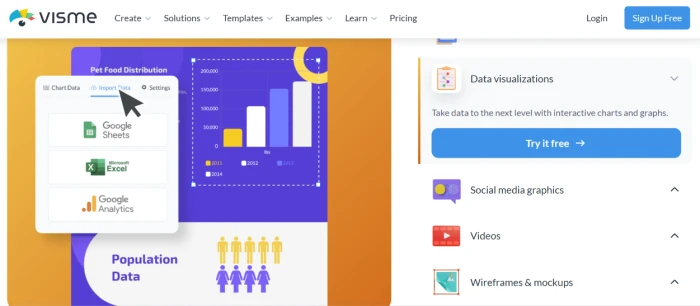
Visme is the heavyweight for marketing and brand teams. Beyond infographics it also builds presentations, documents, dashboards and data visualizations, with chart types and export options that run past what Napkin offers. If a visual is going in front of customers, Visme gives you the control to make it match your brand exactly.
The Basic plan is $0 with 10 AI credits a month and limited templates. Starter is $12.25 per person per month billed annually ($147 a year) for 200 AI credits, full template access and premium assets. Business is $24.75 per person per month billed annually ($297 a year) for 500 credits, and it unlocks PPTX, HTML5, video and GIF downloads along with a Brand Kit and analytics. Enterprise is custom for ten users or more.
The export range is the deciding factor for many teams. A single Visme project can leave as a PowerPoint file, an HTML5 page, a video or a GIF, which matters when the same content has to appear in a boardroom deck one week and on a landing page the next.
Visme asks the highest entry price of the six, and it earns it only if brand fidelity and data charts are central to your work. For a quick internal diagram, it is more tool than you need.
Napkin vs the six: the feature grid
The glance table above covers price and best fit. This one covers capability. It maps the seven tools against the features that actually separate them, so you can see at a glance what you gain and give up with each. Read Yes as fully supported, Limited as possible but not a strength, and No as not offered.
| Tool | Reads your files (PDF/video) | Flowcharts & diagrams | Infographics | Brand kit controls | Live collaboration | PowerPoint export | AI agents / automation |
|---|---|---|---|---|---|---|---|
| Napkin AI | No | Yes | Yes | Limited | Limited | Yes (paid) | No |
| Mapify | Yes | Limited | No | No | Limited | Limited | No |
| Venngage | No | Yes | Yes | Yes (paid) | Yes | Yes (Business) | No |
| Piktochart | No | Limited | Yes | Yes (Business) | Yes | Yes (Business) | No |
| Whimsical | No | Yes | No | No | Yes | No | No |
| Taskade | Limited | Limited | No | No | Yes | Limited | Yes |
| Visme | No | Yes | Yes | Yes (Business) | Yes | Yes (Business) | No |
Two things stand out. First, no single tool fills every column, which is why the right answer depends on your job rather than a leaderboard. The widest spreads belong to Venngage and Visme, with Napkin close behind, yet each still gives something up. Napkin trails on brand control and live collaboration. Visme costs the most to enter. Venngage cannot read your source files for you.
Second, the two cheapest options from the glance table win columns that the pricier infographic tools leave blank. Mapify is the only tool that reads your PDFs and videos. Taskade is the only one with AI agents and automation. Cheaper here does not mean weaker. It means pointed at a different job.
How to choose without overthinking it
Match the tool to your starting point and your audience.
- Starting from a long file or video, and the reading is the real work: Mapify.
- Making infographics for colleagues or clients, and brand matters: Venngage, or Piktochart if you want the same for less.
- Drawing how a product or process works, and the diagram will keep changing: Whimsical.
- Organizing scattered ideas into something you will act on: Taskade.
- Shipping customer-facing graphics with exact brand and rich charts: Visme.
Budget is the second filter. Four of the six start free with enough room to test a real project, so you can try before a cent leaves your account.
Final verdict
No single tool is the best AI like Napkin AI, because Napkin itself is a specialist. The honest answer depends on the job in front of you.
For the closest match to Napkin's core trick, text straight to a clean visual, Venngage is the pick, with a stronger template and brand system behind it. For the best value, Taskade and Mapify both undercut the field at roughly six dollars a month while doing more than draw. For product and engineering teams, Whimsical is the one that fits daily work. For customer-facing polish, Visme earns its higher price. And if cost is the only thing standing between you and infographics, Piktochart's ten-dollar-a-head annual Pro plan is the lightest lift.
One caution before you commit. Credit allowances differ wildly, from Napkin's weekly reset to Taskade's 10,000 a month, so read the limit on the plan you want and not just the headline price. A cheap plan that runs dry halfway through a project stops being cheap.
Start with the free tier of whichever one maps to your job above. A week of real use will tell you more than any comparison table, this one included.

Comments 0
Join the discussion and share your perspective.
Sign in to post a comment and reply to other readers.
No comments yet
Be the first to share your perspective on this article.