1
Text to Speech voices
Frequently praised for natural, expressive voices, though some report glitches and inconsistent realism.
AI speech and media generation suite focused on natural-sounding voices and video, used by developers, educators, and creators, but dogged by aggressive billing, credit burn, and inconsistent customer support experiences.
Independent review — we test tools ourselves and analyze public user reviews. How we test.
Voice quality and language coverage can be excellent, and some teams report smooth app integration and genuinely helpful human support. However, reviews surface serious issues around billing practices, aggressive credit consumption, and frequent reliance on AI-only support that leaves complex cases unresolved. Security and account integrity concerns also appear in multiple hacked account reports. This platform suits technically capable teams who can closely monitor billing, guard account security, and tolerate workflow tuning, but it is a poor fit for anyone who needs straightforward pricing and dependable human support.
ElevenLabs is an AI audio company that turns written text into spoken voice, and it has grown well past that single job. It launched in 2022 around a text-to-speech model that drew attention for sounding human rather than robotic, and by 2026 it reached an $11 billion valuation following a $500 million raise in February.
The platform splits into two sides. ElevenCreative handles voice generation, voice cloning, speech-to-text through its Scribe model, dubbing into 70-plus languages, sound effects, music, and a newer image and video surface. ElevenAgents runs real-time conversational voice bots that businesses connect to phone lines and support flows.
Billing works on credits rather than a word count, where roughly one credit equals two characters, which catches out anyone expecting a simple character cap. The current voices run on the Eleven v4 model, with faster Flash and Turbo options when latency matters more than polish. Every generation also carries an inaudible watermark that ElevenLabs can detect, a provenance step most competitors skip.
Frequently praised for natural, expressive voices, though some report glitches and inconsistent realism.
Praised for multilingual cloning by some, but others report accent drift and unusable clones.
Generates videos but criticized for poor adherence to prompts and extremely high credit consumption.
University and startup users appreciate grants and tailored guidance for teaching and early products.
Salon receptionist and similar agents reported as effective once configured carefully.
Widely criticized as expensive, confusing, and punishing when experimenting or canceling plans.
AI triage answers basic questions but often blocks escalation and frustrates complex cases.
Often described as vast and easy to use, especially for Korean and Polish in educational contexts.
Developers like API reliability and latency, though documentation on some features feels thin.
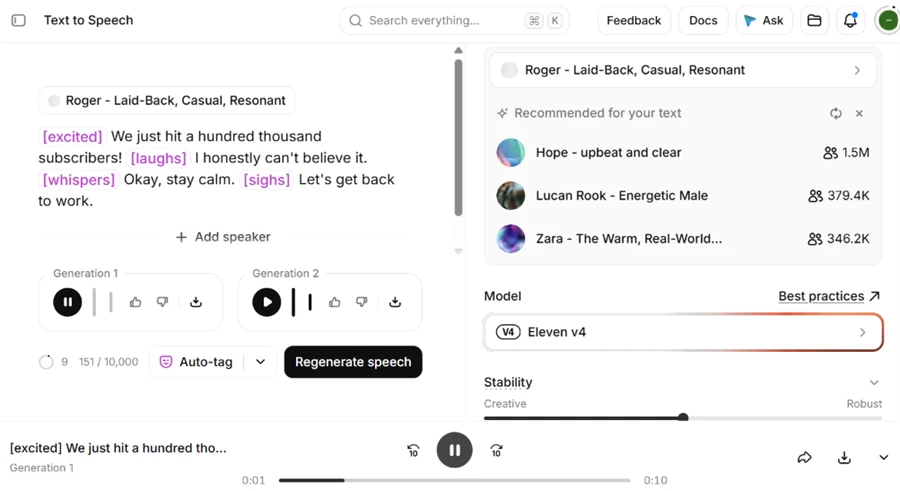
ElevenLabs is known for emotional delivery, so that is where I started. I used the Eleven v4 model and gave it a short script with inline emotion tags, then let it produce two takes.
Prompt used: [excited] We just hit a hundred thousand subscribers! [laughs] I honestly can’t believe it. [whispers] Okay, stay calm. [sighs] Let’s get back to work.
The laugh came through as an actual laugh and the voice dropped to a real whisper on cue. One take cost about 150 credits and sounded close to a person reading with intent.
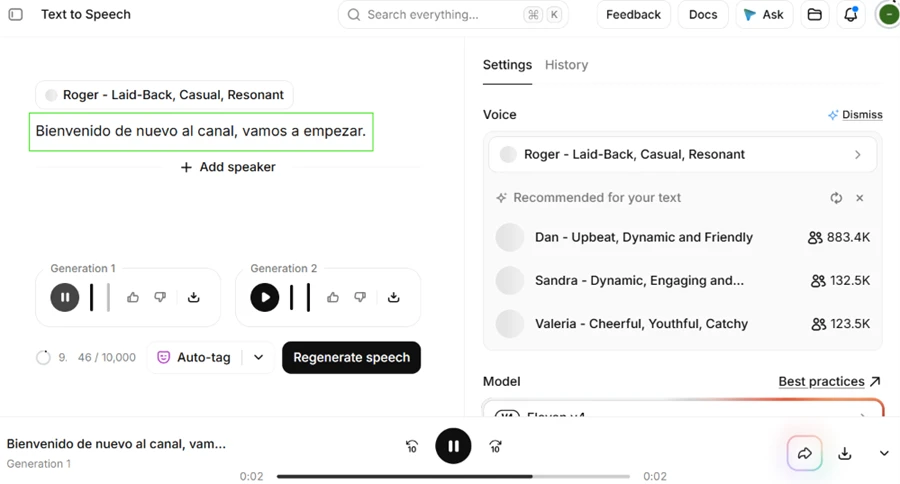
I kept the Roger voice and switched the script to Spanish to see whether the identity survived the change.
Prompt used: Bienvenido de nuevo al canal, vamos a empezar.
The accent and pacing came out clean and the voice stayed recognizably the same person. For anyone publishing in two languages off one voice, this held up well.
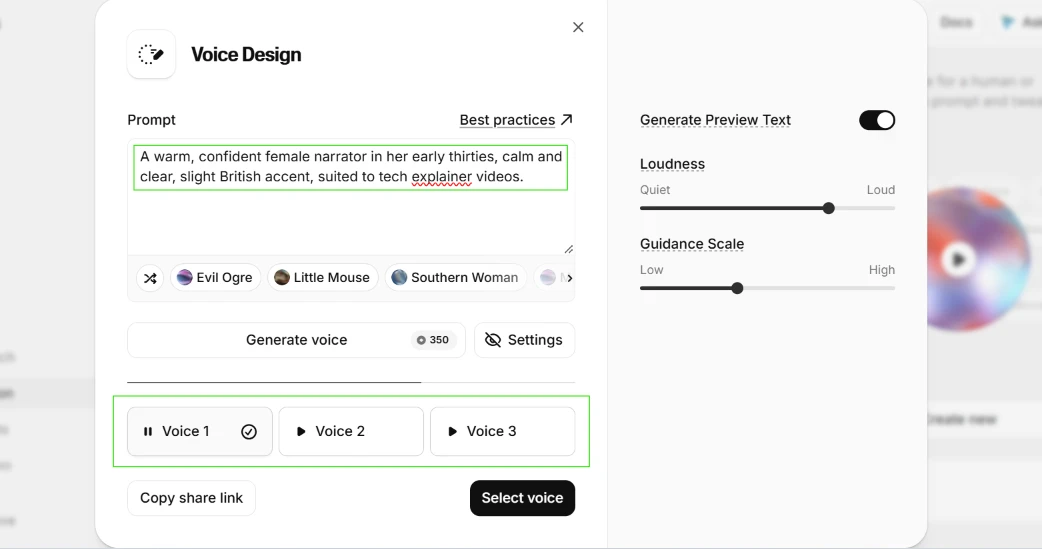
The free plan includes three voice slots, and Voice Design builds one from a written description with no recording needed.
Prompt used: A warm, confident female narrator in her early thirties, calm and clear, slight British accent, suited to tech explainer videos.
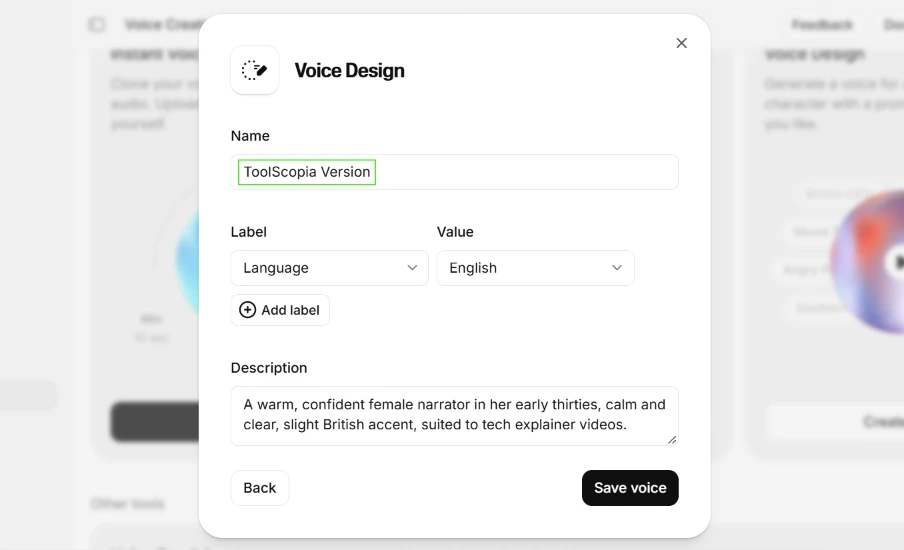
That single line returned three separate previews. I picked the first, saved it as ToolScopia Version, and it landed in my voice list ready to use.
 |  |
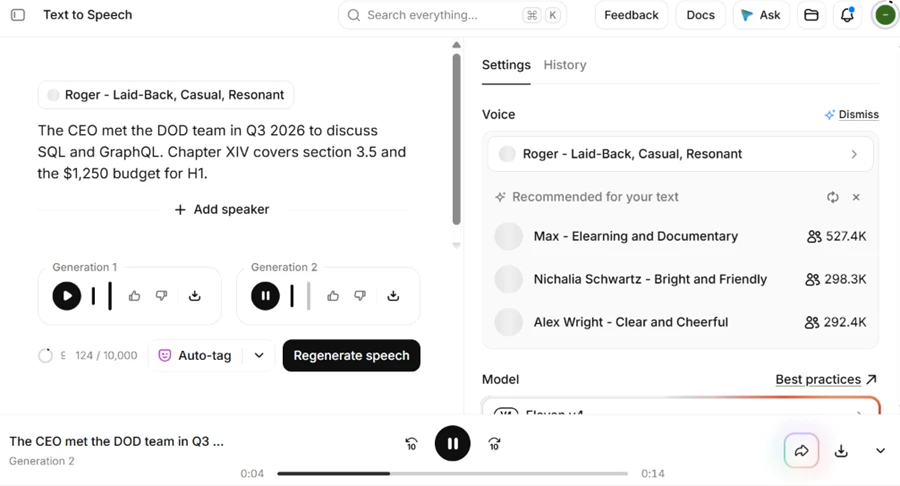
Older versions tend to trip over abbreviations and numbers, so I wrote a sentence loaded with them.
Prompt used: The CEO met the DOD team in Q3 2026 to discuss SQL and GraphQL. Chapter XIV covers section 3.5 and the $1,250 budget for H1.
Eleven v4 read every part of it correctly. The acronyms, the roman numeral XIV, the section numbers and the dollar amount all came out the way a person would say them. I expected one slip and got none.
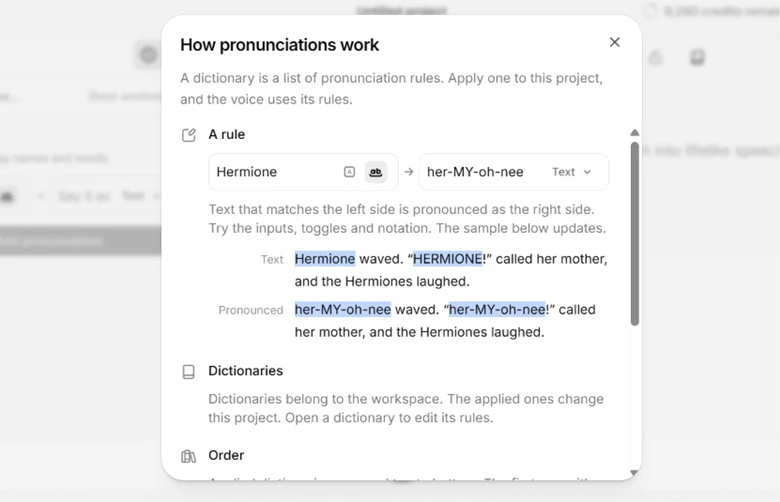
When a word does come out wrong, the correction lives in Studio as a pronunciation dictionary. You map one word at a time from its spelling to the sound you want.
It works. There is no bulk import on the free plan, so a script full of unusual names means typing each rule out separately.
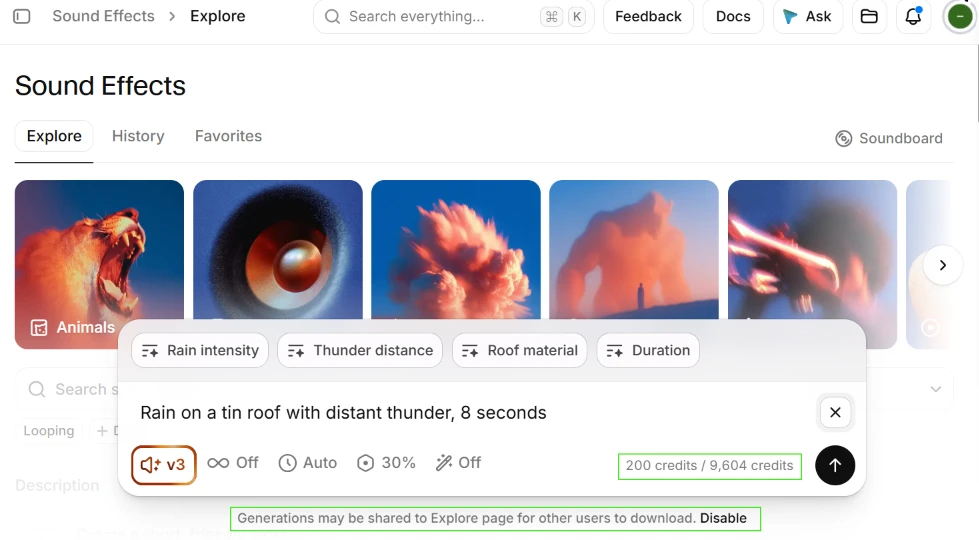
Sound effects are included on free, so I asked for a clip with several elements and set the length to auto while naming the duration inside the prompt.
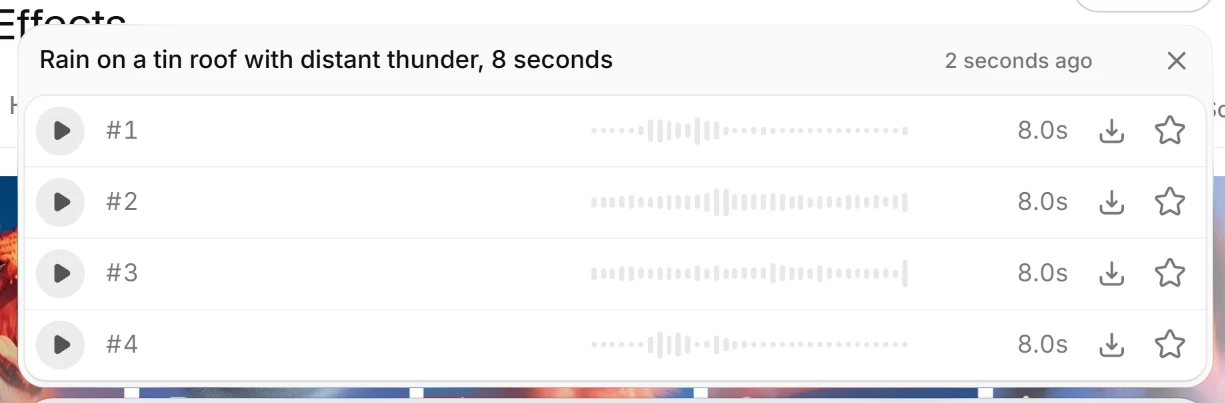
Prompt used: Rain on a tin roof with distant thunder, 8 seconds.
It nailed the length. All four clips came back at 8.0 seconds. The content missed. Clips one and two were plain rain. Clip three had the tin-roof texture but no thunder. Clip four had thunder and lost the tin roof. Not one of the four combined everything I asked for.
One thing sits under the prompt box worth calling out. Generations default to being shared on the public Explore page, and you have to click Disable to keep them to yourself.
 |  |
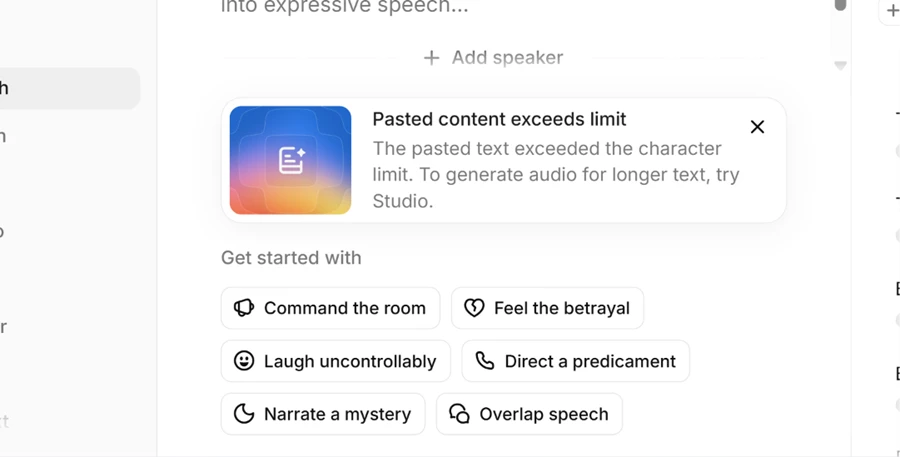
I pasted a long block into the text box to find the ceiling. Instead of a counter, I got a vague notice.
The message says the text exceeds the limit and points me to Studio, without saying what the limit actually is. A new user is left guessing how much is too much.
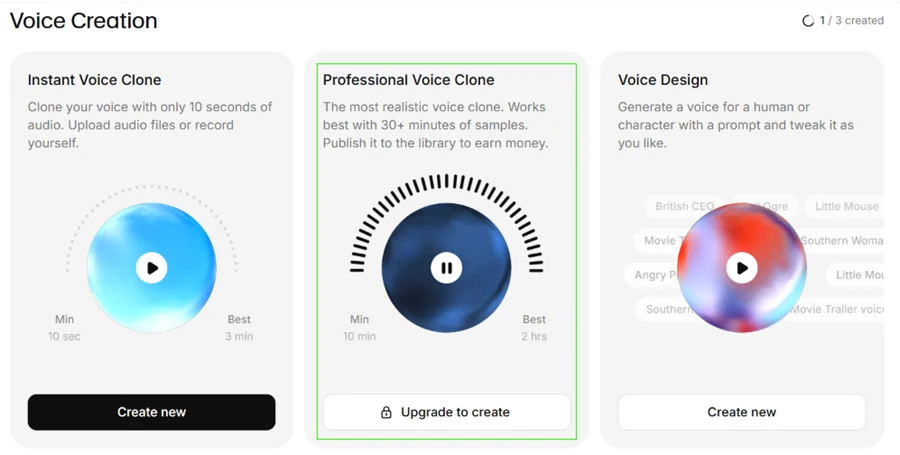
Cloning splits in two. Instant Voice Clone from ten seconds of audio is open on free, while Professional Voice Clone sits behind an upgrade.
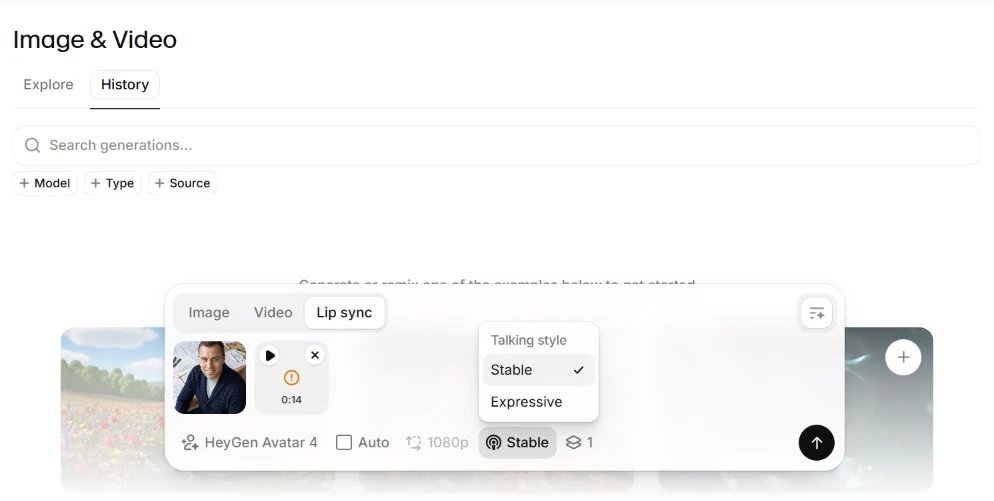
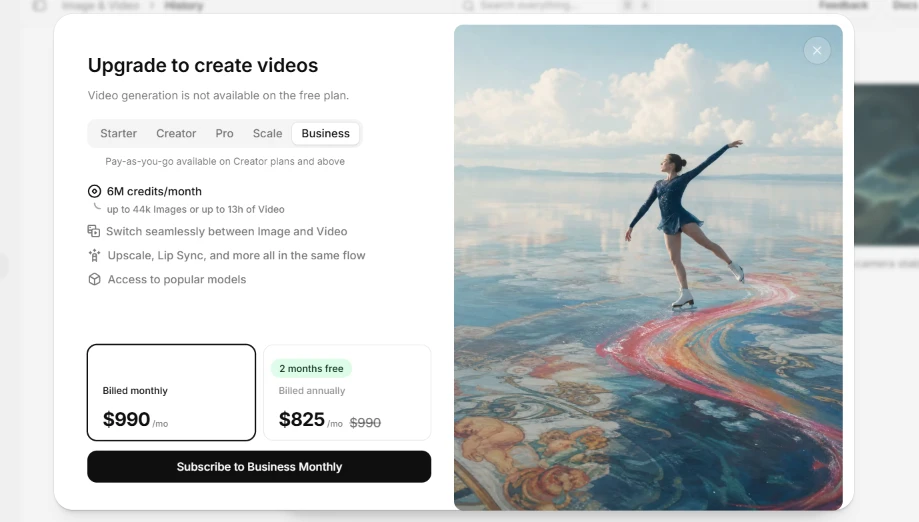
Video is a firmer wall. There is an Image and Video section with avatars and lip sync, but generating video on free is blocked outright. The upgrade panel also opens on the Business tier at $990 a month, which reads steeper than the real entry point since pay-as-you-go starts lower.
 |  |
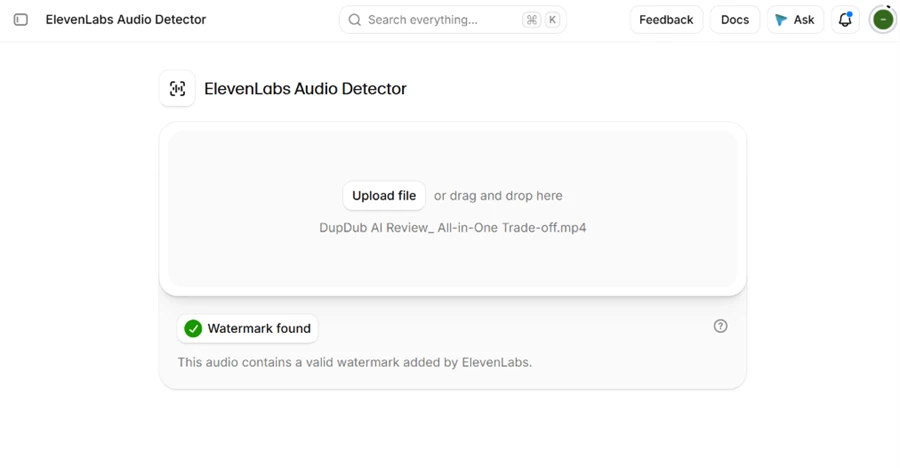
ElevenLabs runs a public audio detector, so I ran one of my files through it. It confirmed a valid ElevenLabs watermark in the audio.
That reads two ways. It is honest provenance, and it also means free output is traceable back to the platform, which matters once you remember the free license bars commercial use.
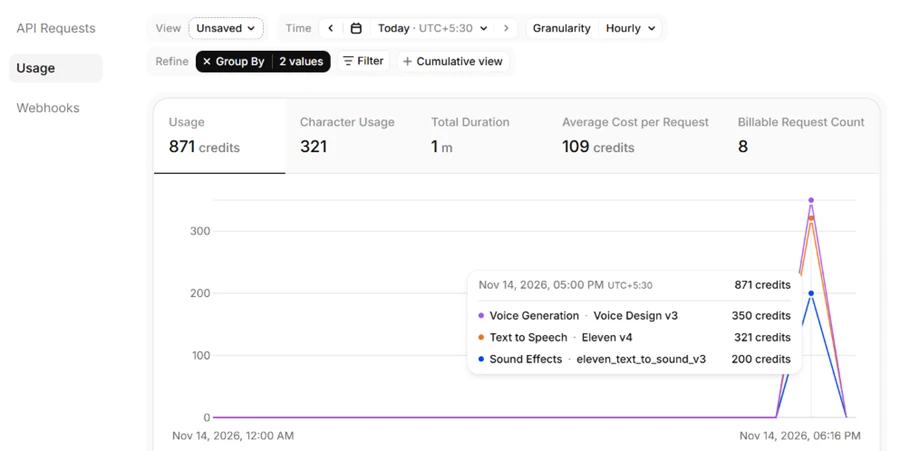
After a morning of this testing I opened the usage dashboard. Eight billable requests had burned 871 of my 10,000 monthly credits.
The split is telling. A single Voice Design run took 350 credits. The text-to-speech tests added 321 and the sound effects another 200. At that pace the free month covers one short session, and nothing carries over.
| Dimension | Our test | User signal | Verdict | Composite |
|---|---|---|---|---|
| Voice Quality Realism and consistency | 9 | 9 | Excellent | |
| Video Generation Fidelity and usefulness | 9 | 9 | Excellent | |
| Ease of Use Onboarding and workflows | 9 | 8 | Excellent | |
| Billing Fairness Pricing and credit policies | 9 | 9 | Excellent | |
| Customer Support Responsiveness and resolution | 8 | 8 | Good | |
| Security Trust Account and payment protection | 8 | 9 | Excellent | |
| Developer Experience API reliability and docs | 6 | 6 | Moderate |
Toolscopia uses cookies to keep you signed in, remember your preferences, and understand how our reviews get read. Analytics are anonymous. See our privacy policy for the full detail.



Comments 0
Join the discussion and share your perspective.
Sign in to post a comment and reply to other readers.
No comments yet
Be the first to share your perspective on this tool.