1
Cross-Language Search
Reads and retrieves sources across 30+ languages for a single query.
Felo is a free multilingual AI search engine from Tokyo that pulls answers across languages, cites every source, and converts results into mind maps and shareable documents for faster everyday research.
Independent review — we test tools ourselves and analyze public user reviews. How we test.
Felo earns its place as a capable free research tool with one clear strength. It reads the whole web, not only the English part. For quick multilingual lookups and early-stage research, it holds up well and feels fast in daily use. It stops short of being a primary engine for deep or high-stakes work, where its reasoning runs thinner than larger rivals and its answers reward a careful second read. Treat it as a sharp supporting tool rather than a single source of truth, and the free plan returns real value for everyday questions.
Felo is an AI-powered answer engine built by a Tokyo team, designed around one idea that most Western search tools overlook. The useful answer to your question might be written in another language. Instead of ranking blue links, Felo reads live web pages, synthesizes a direct response, and attaches numbered citations so you can trace each claim back to its origin.
Around that core sits a small studio of creation tools. A single answer can be reshaped into a mind map, a document, a web page, or a generated image, which turns a research query into something closer to a finished artifact. The product runs in the browser with no installation, and most of it opens without an account.
Felo is a young and still-small player next to the giants of AI search, holding a fraction of their traffic and name recognition. It positions itself as a multilingual research companion for students, writers, marketers, and anyone who works across more than one language, rather than a wholesale replacement for a mainstream search engine.
Reads and retrieves sources across 30+ languages for a single query.
Every response carries numbered citations back to its origin.
Converts any answer into a branching visual in one click.
Generates original visuals from a text prompt on the free plan.
Saves answers to PDF, Word, Markdown or TXT, plus Notion and Drive.
Lets you drop sources and rebuild the answer from the rest.
Runs core search in the browser without an account.
I ran every test below on a brand new Felo account with 500 free credits and no payment added. The goal was simple. Find out what the free plan actually gives you before anyone upgrades to Pro.
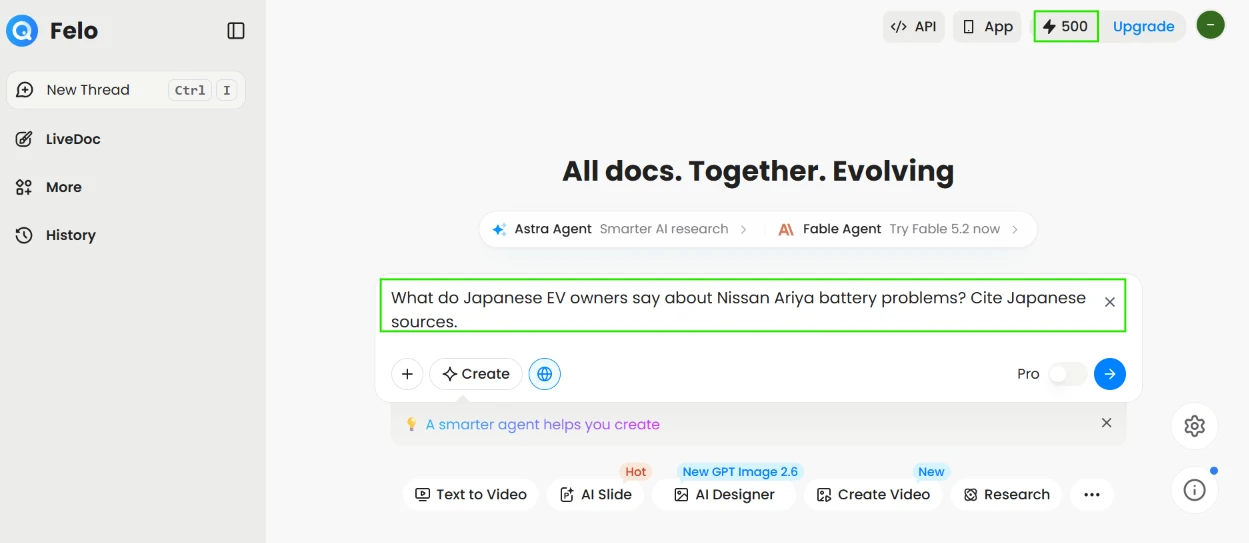
I opened with a query built to pull answers out of non-English pages. I typed:
What do Japanese EV owners say about Nissan Ariya battery problems? Cite Japanese sources.
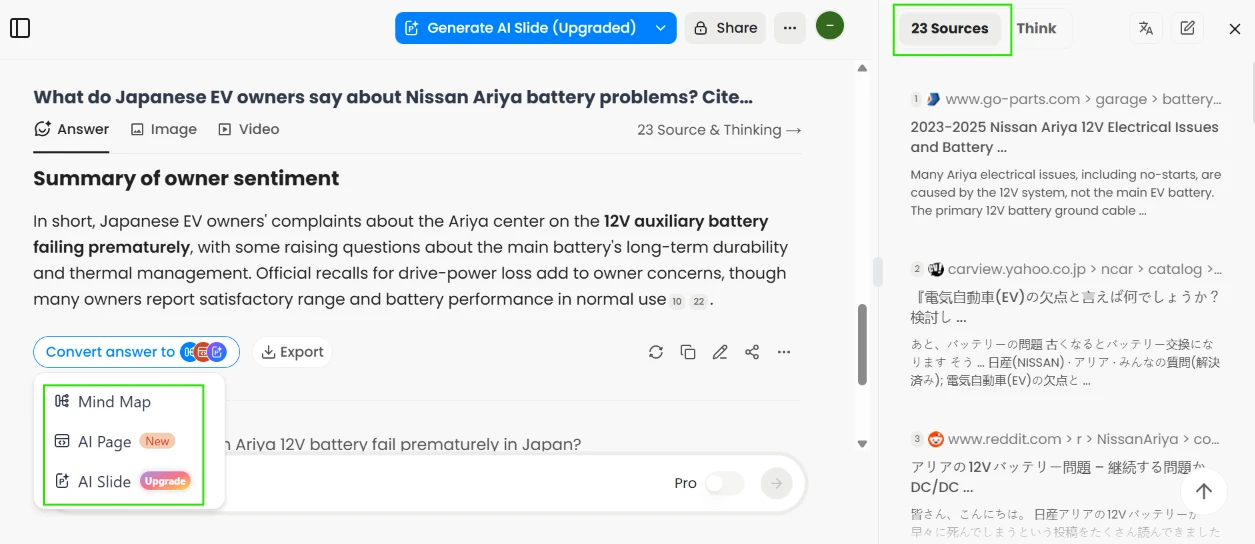
Felo answered in English and returned 23 sources, with several coming straight from Japanese domains like carview.yahoo.co.jp alongside Japanese-language Reddit threads. The summary pinned the main complaint on the 12V auxiliary battery failing early, which matched the Japanese pages it cited. This is the test where Felo pulls ahead of English-first search tools.
 |  |
Once the answer loaded I opened the export menu. Felo saved the result straight to Notion or Google Drive, and downloaded it as PDF, Word, Markdown or TXT. It also keeps a copy in Felo’s own Docs.
The control I valued more sits on the right side. I unchecked the sources I did not trust and pressed Delete and rewrite answer, and Felo rebuilt the response using only the sources I kept. Few free search tools hand you that.
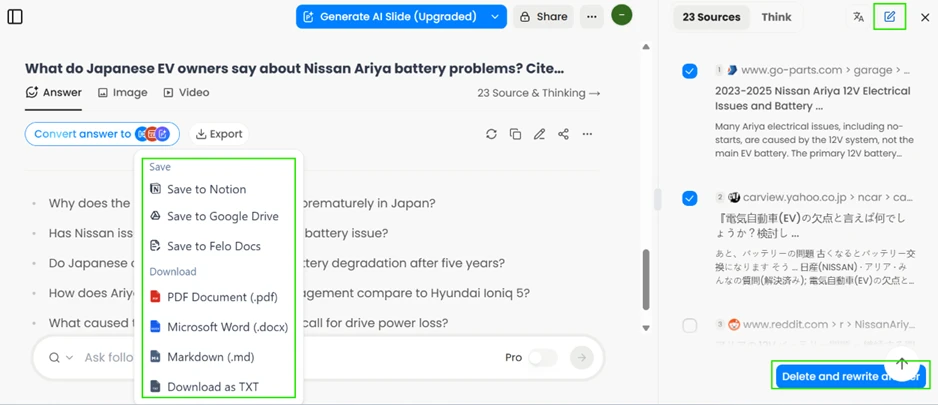
Export destinations on the left, and the source checkboxes with Delete and rewrite answer on the right.
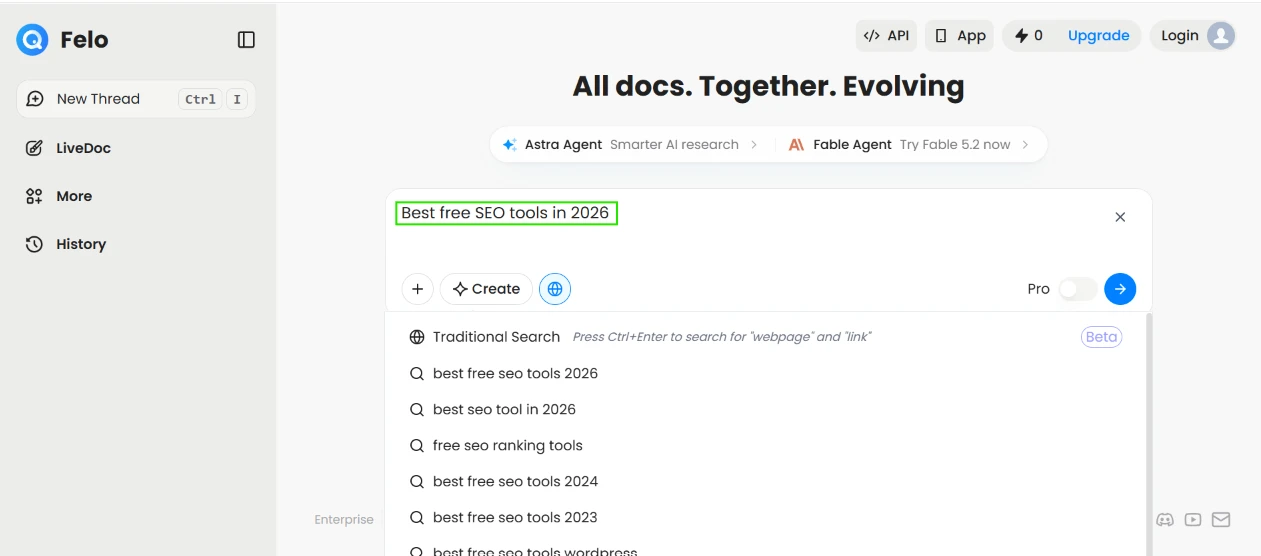
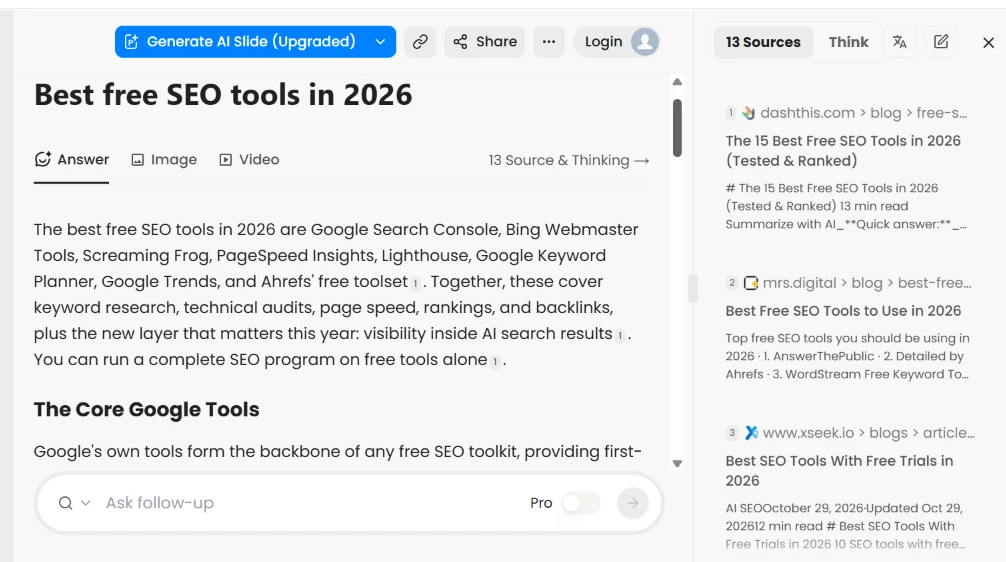
To test the no-account claim I opened Felo in a fresh window, stayed logged out, and searched:
Best free SEO tools in 2026.
Live suggestions appeared as I typed, and the full answer loaded with 13 sources while the Login button still sat in the top corner. No signup wall, no email gate.
 |  |
Felo converts any answer into a visual in one click, so I pushed it with a technical prompt:
Explain how email authentication works: SPF, DKIM, DMARC.
I clicked Mind Map. Felo drew a branching diagram that split the topic into one card per check, each carrying a plain question underneath such as "Is this IP allowed?" for SPF. It offered several layout styles and let me export the map as a PNG, with SVG and Markdown also available. For study notes or internal documentation, that export range is useful.
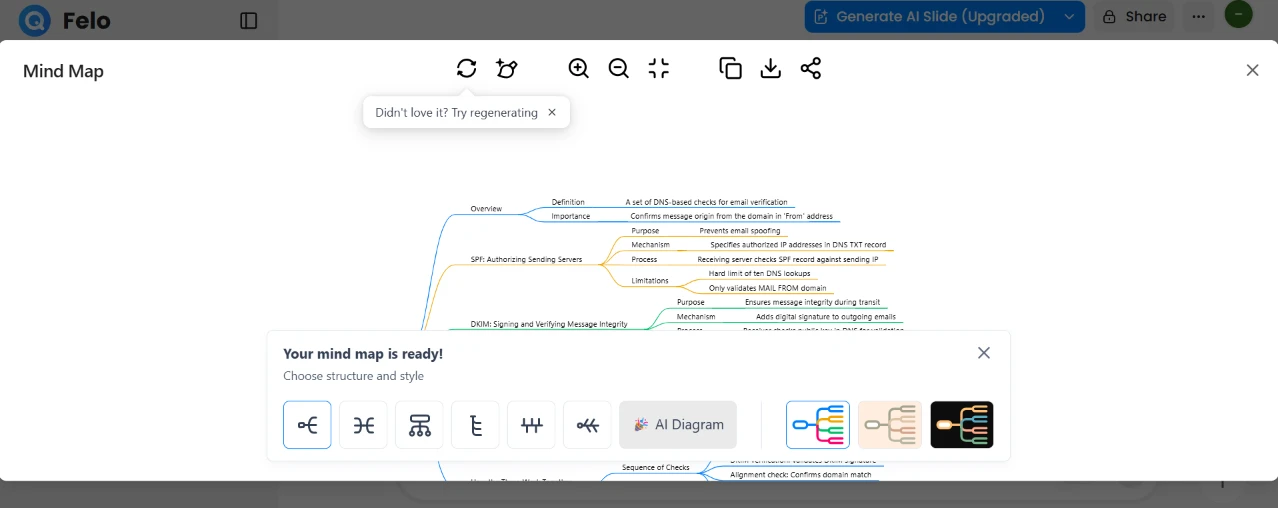 | 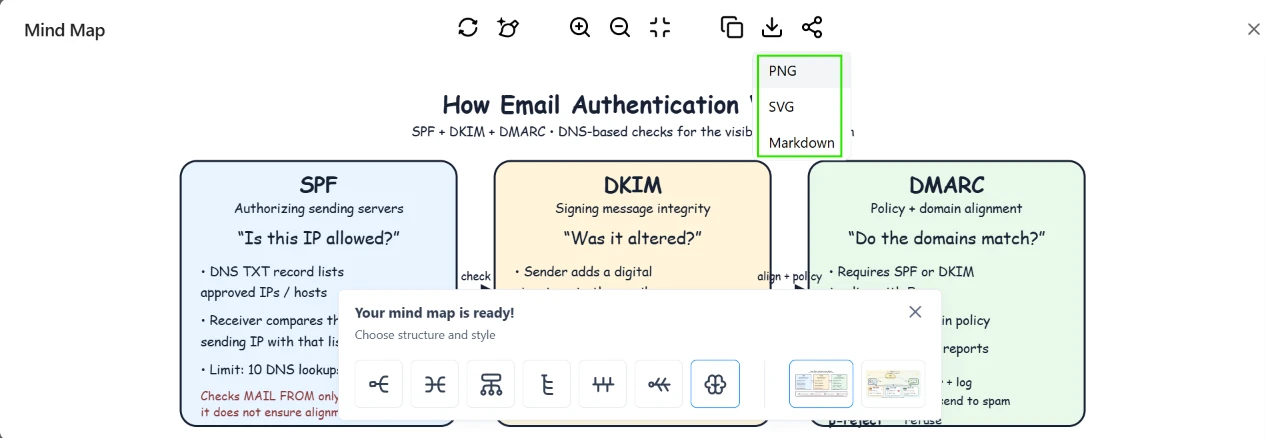 |
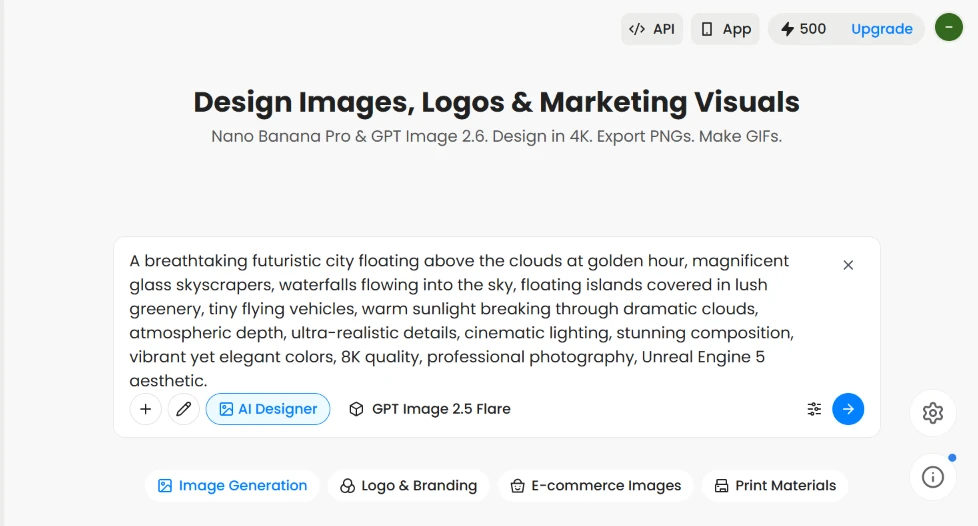
Image generation also runs on free credits. I switched to the image tool and entered a long prompt:
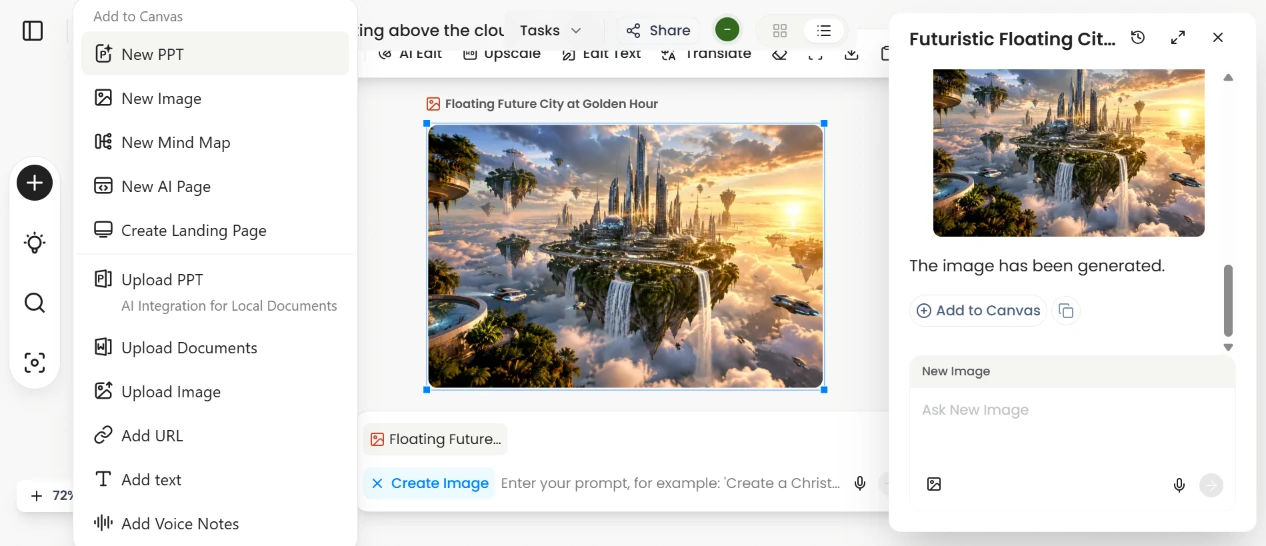
A breathtaking futuristic city floating above the clouds at golden hour, magnificent glass skyscrapers, waterfalls flowing into the sky, floating islands covered in lush greenery, tiny flying vehicles, warm sunlight breaking through dramatic clouds, atmospheric depth, ultra-realistic details, cinematic lighting, stunning composition, vibrant yet elegant colors, 8K quality, professional photography, Unreal Engine 5 aesthetic.
Felo rendered a futuristic floating city at golden hour and dropped it onto a canvas where I could upscale it or add it to a slide. I downloaded the final image at full resolution. Nothing was stamped across the corner, which most free tiers cannot claim.
 |  |

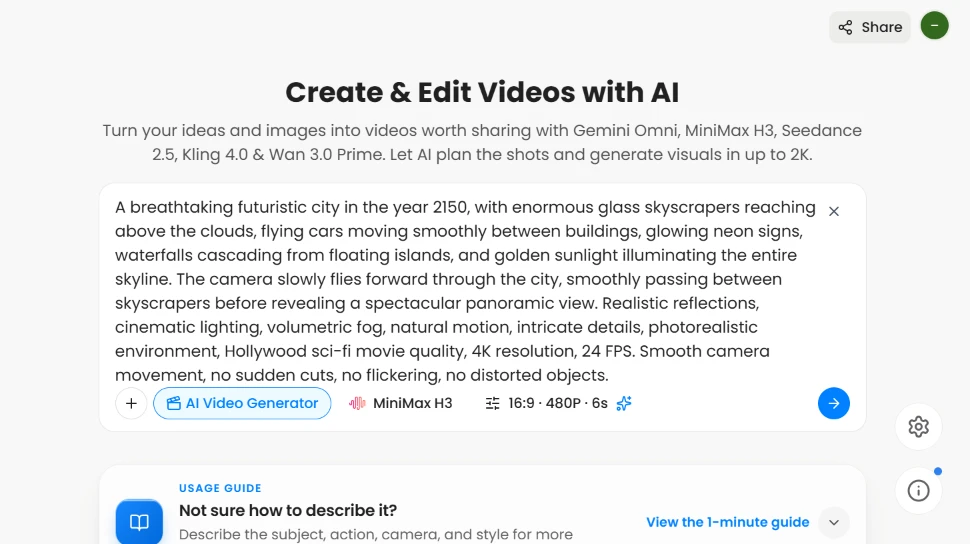
Video is where the line fell. I opened the video tool, left the default MiniMax H3 model at 16:9 and 480P, 6 seconds long, and entered:
A breathtaking futuristic city in the year 2150, with enormous glass skyscrapers reaching above the clouds, flying cars moving smoothly between buildings, glowing neon signs, waterfalls cascading from floating islands, and golden sunlight illuminating the entire skyline. The camera slowly flies forward through the city, smoothly passing between skyscrapers before revealing a spectacular panoramic view. Realistic reflections, cinematic lighting, volumetric fog, natural motion, intricate details, photorealistic environment, Hollywood sci-fi movie quality, 4K resolution, 24 FPS. Smooth camera movement, no sudden cuts, no flickering, no distorted objects.
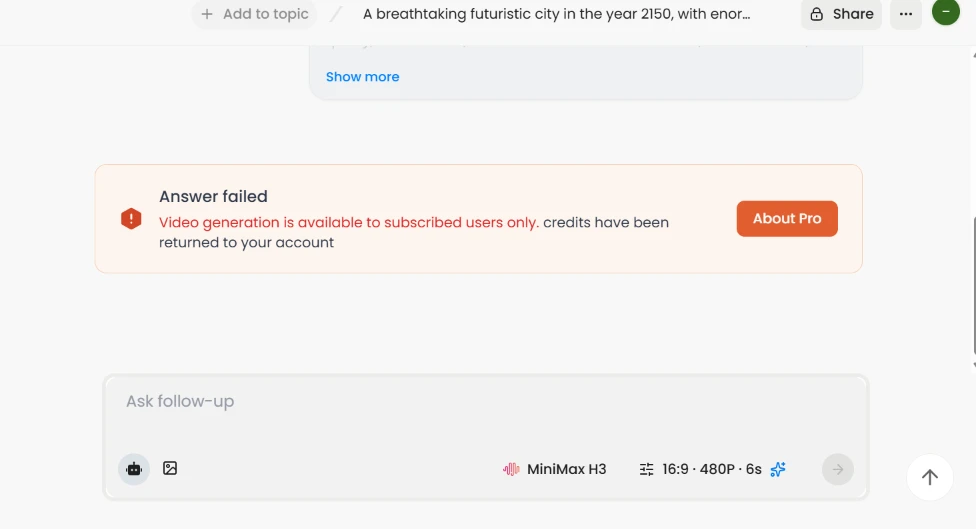
Felo took the prompt, then returned a blunt message: Video generation is available to subscribed users only. The credits it had reserved went back to my account. If video is your reason for trying Felo, the paywall arrives on the first attempt.
 |  |
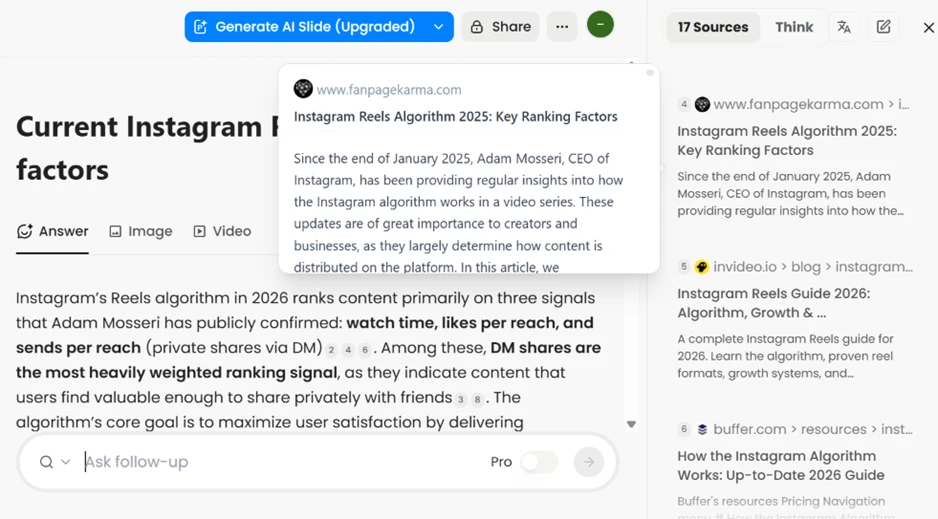
Felo cites everything, and the citations still need a second look. I searched for the current Instagram Reels ranking factors. The answer described the 2026 algorithm with confidence, but the citation sitting behind the claim was an article titled Instagram Reels Algorithm 2025, opening on a line dated to January 2025. Year-old information was being presented as current. The sources are visible, which helps, though the dates do not always match how current the summary sounds.
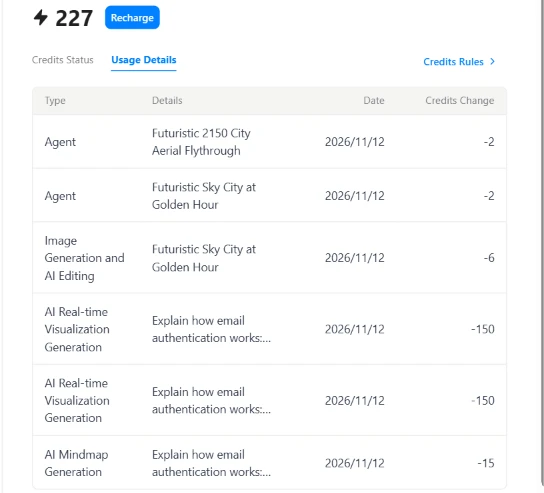
The 500 credits look generous until you watch them move. After one short session my balance read 227.
The usage log explained it. A single AI Real-time Visualization cost 150 credits, and I ran two, so one topic consumed 300 on its own. Image generation cost 6 and the mind map 15. The lighter agent tasks took 2 apiece. Standard searches stay free, but the richer outputs are priced steeply enough that two visualizations can clear half a month’s allowance in minutes.
| Dimension | Our test | User signal | Verdict | Composite |
|---|---|---|---|---|
| Answer Accuracy How factually reliable the responses are | 7 | 7 | Good | |
| Speed How quickly answers and outputs load | 8 | 8 | Good | |
| Ease of Use How simple it is for a first-timer | 9 | 8 | Excellent | |
| Multilingual Ability Quality of cross-language retrieval | 9 | 9 | Excellent | |
| Free Plan Value How much you get without paying | 8 | 7 | Good | |
| Research Depth Thoroughness on complex questions | 6 | 6 | Moderate |
Toolscopia uses cookies to keep you signed in, remember your preferences, and understand how our reviews get read. Analytics are anonymous. See our privacy policy for the full detail.



Comments 0
Join the discussion and share your perspective.
Sign in to post a comment and reply to other readers.
No comments yet
Be the first to share your perspective on this tool.