1
AI literature review agent
Highly praised for accelerating systematic reviews but criticized for heavy, sometimes unpredictable credit usage.
SciSpace is an AI research assistant for students and researchers, great for speeding up literature searches and understanding papers, but credit usage, billing clarity, and subscription policies require careful attention.
Independent review — we test tools ourselves and analyze public user reviews. How we test.
SciSpace delivers strong value for literature searches, paper comprehension, and systematic reviews, with consistently praised, fast, and generous customer support. Many reviewers say it saves substantial time and makes academic work feel more manageable. However, several users report confusing credit consumption, harsh refund windows, and frustration with automatic renewals or annual plan handling. It suits researchers who will actively use advanced features and can monitor credits and billing details closely. For light or infrequent use, or for those sensitive to opaque subscription terms, it may feel expensive and risky.
SciSpace is an AI research platform built around a corpus of more than 280 million academic papers. It started life in 2016 as Typeset.io, a journal formatting tool, and has since grown into a workspace that sits between a search engine and a reading assistant.
The core idea is interrogation over reading. Instead of opening a dense paper and working through it line by line, you ask questions against it and get answers tied back to specific passages. Upload a PDF and its Copilot answers targeted questions about methods, results, or a single equation you highlight.
Its search layer pulls from its own index alongside sources like Google Scholar, arXiv, and PubMed, then returns papers with relevance scoring rather than a plain list. For literature work, it can assemble structured comparison tables across multiple papers, extracting findings into columns you define.
SciSpace also runs task-specific agents for jobs such as systematic reviews, plus writing and paraphrasing tools. The audience is clear: students and researchers who spend more time decoding literature than they would like.
Highly praised for accelerating systematic reviews but criticized for heavy, sometimes unpredictable credit usage.
Commended for breaking down dense articles and methods into understandable summaries for academic work.
Users value chatting with PDFs to extract key insights and clarify sections quickly during research.
Appreciated for organizing literature matrices and categorizing research, reducing overwhelm in large projects.
Frequently criticized for fast depletion, lack of rollover, and unclear per task costs.
Viewed as helpful when discounted, but several users report confusing annual terms and auto renewals.
Widely praised as fast, kind, and generous, often granting refunds or extra credits when issues arise.
Students highlight time savings, easier literature reviews, and support for academic writing tasks.
My first query went into the main search box:
“What are the main approaches to sequence transduction without recurrence?”
I wanted a real literature question, not a one-line definition, to see how the platform would handle it.
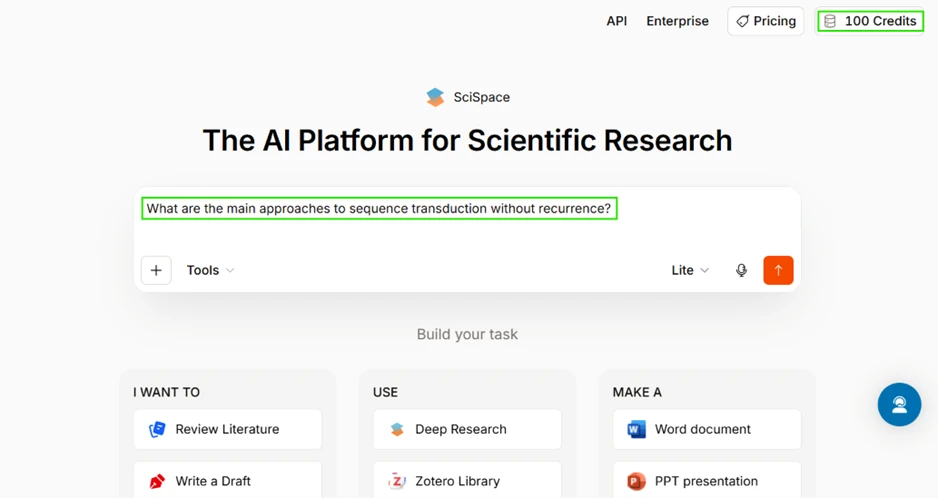
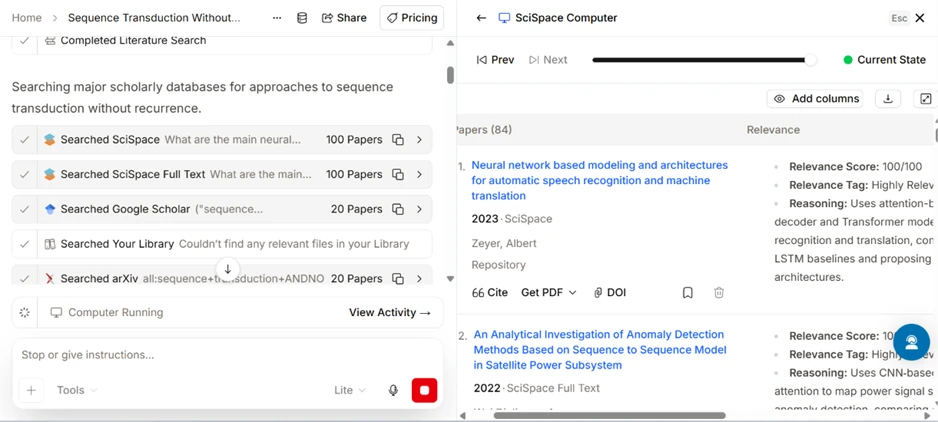
Rather than pulling from a single index, SciSpace searched its own corpus, its full-text layer, Google Scholar, and arXiv in one pass. It also checked my personal library, which was empty, so nothing returned from there. The run gathered 84 papers into a results table.
The scoring is what caught my attention. Every paper carried a relevance score out of 100, a relevance tag, and a short reasoning note on why it matched my question. The top result sat at 100/100 with a one-line justification about attention-based encoder-decoder models. For anyone who checks their sources, that reasoning column removes a step.
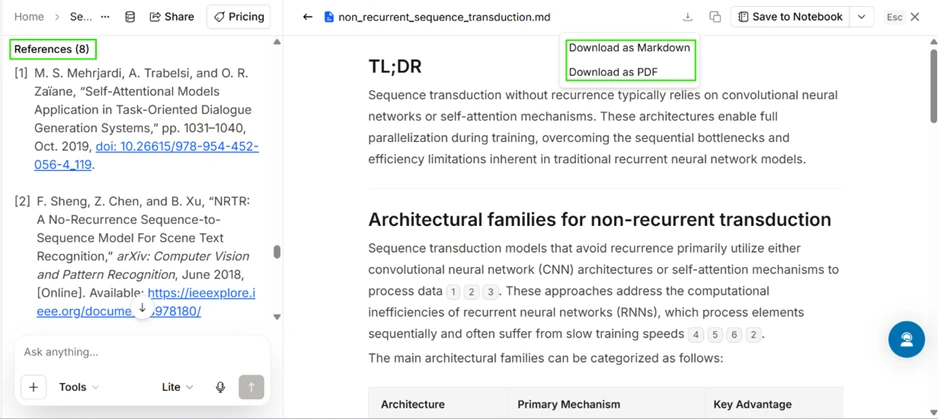
SciSpace then wrote a structured report titled non_recurrent_sequence_transduction. It opened with a TL;DR, moved into a section on architectural families for non-recurrent transduction, and set out a comparison table pairing each architecture with its main mechanism and its key advantage. The body text carried inline numbered citations, and the report closed with 8 references complete with DOIs.
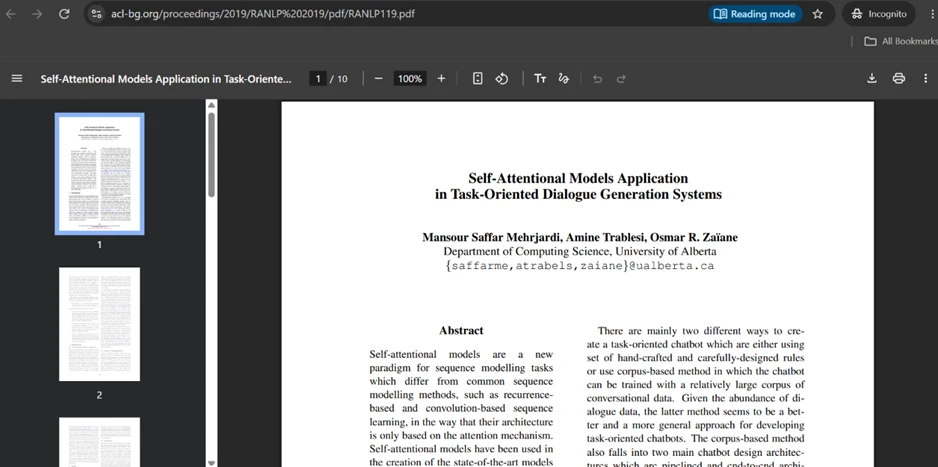
I did not take those citations on trust. I clicked reference [1], and it opened the actual paper, “Self-Attentional Models Application in Task-Oriented Dialogue Generation Systems,” hosted on acl-bg.org with the original URL sitting in the address bar. The citation was genuine, not a fabricated entry.
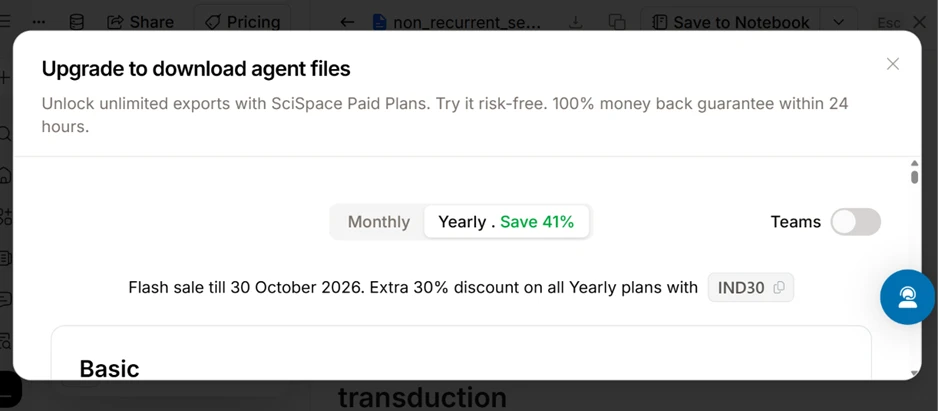
Reading the report costs nothing. Keeping it does. The instant I clicked to download, whether as Markdown or as PDF, SciSpace blocked me with an “Upgrade to download agent files” box and pushed its paid plans. On the free tier I can generate a full report and read it on screen, but I cannot carry a copy away.
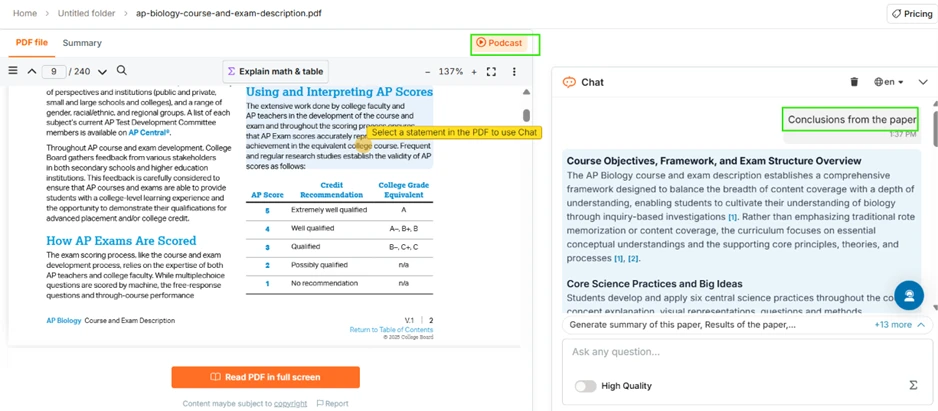
Next I uploaded a 240-page PDF, the AP Biology Course and Exam Description, and used the chat panel on the right. I typed “Conclusions from the paper” and SciSpace returned a sectioned summary with each claim tagged by inline citations such as [1] and [2] that point back into the document. A highlight option lets me select any statement inside the PDF and drop it straight into the chat, and an “Explain math & table” button handles dense pages.
One feature here is locked. The Podcast option, which turns a paper into audio, sits behind the upgrade wall and does not work on the free plan.
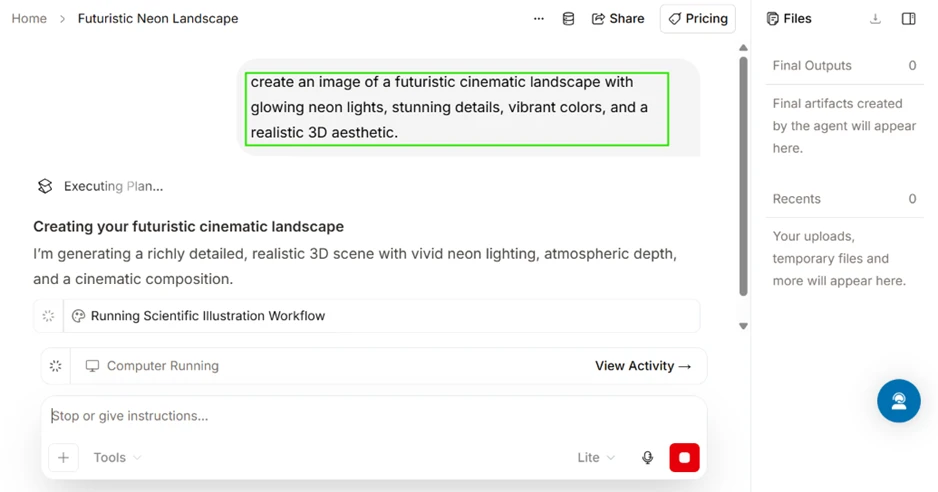
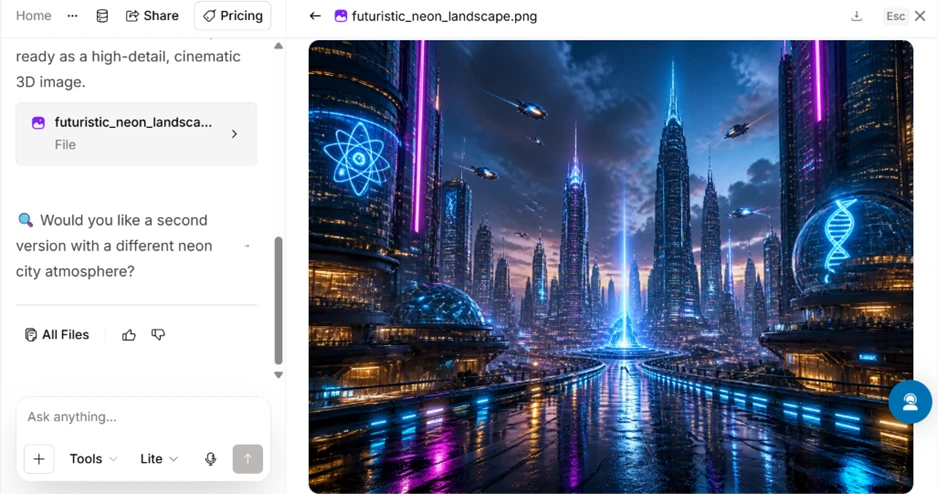
SciSpace also generates images. I gave it the prompt “create an image of a futuristic cinematic landscape with glowing neon lights, stunning details, vibrant colors, and a realistic 3D aesthetic,” and it produced a detailed neon cityscape, then offered a second variation.
The finished image displayed in full inside the app. The same pattern held as with the report: I could look at it, not download it on the free plan.
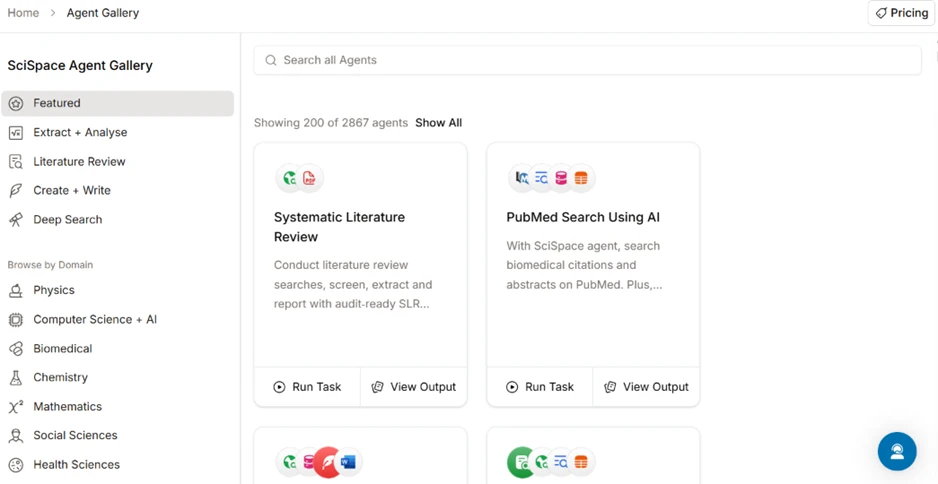
The Agent Gallery lists 2,867 agents grouped by task and by field, with task categories such as Literature Review and Deep Search, plus domain filters covering physics, chemistry, biomedical, and more. Featured agents include a Systematic Literature Review workflow and a PubMed search agent. Browsing them is free, while running them and exporting their output falls under the same credit and paywall rules as everything else.
My usage page tells the honest story. After three tasks I still held 92 of my 100 credits, resetting on 30 November. The history listed the cost per task: 3 credits for the dropout-and-BLEU query and 2 for the image. The sequence-transduction report also took 3.
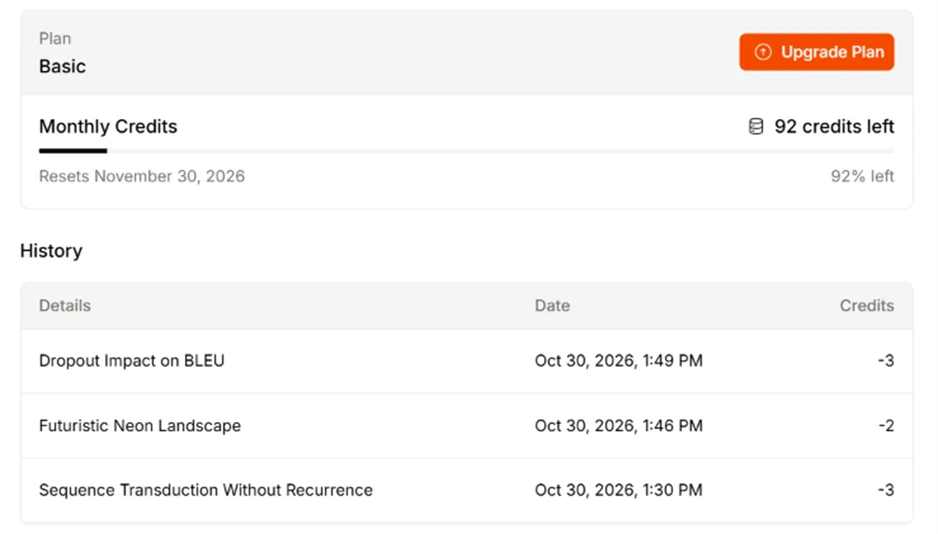
So the common claim that the free credits vanish within a day did not hold up for me. At 2 to 3 credits per task, 100 monthly credits cover a solid amount of searching and reading. The free plan’s real constraint sits elsewhere. It lets me work on screen and read full outputs, yet it locks every download and a handful of features like Podcast behind a paid upgrade.
| Dimension | Our test | User signal | Verdict | Composite |
|---|---|---|---|---|
| Research Acceleration Speed of finding relevant literature | 9 | 9.2 | Excellent | |
| Reading and Summarization Quality of explanations and summaries | 8.5 | 8.8 | Excellent | |
| Credit System Fairness Predictability of credit consumption | 4.5 | 3.8 | Weak | |
| Billing Transparency Clarity of pricing and renewals | 5 | 4.2 | Weak | |
| Customer Support Speed and quality of support help | 9.3 | 9.6 | Excellent | |
| Overall Ease of Use Learning curve and daily usability | 8 | 8.4 | Good |
Toolscopia uses cookies to keep you signed in, remember your preferences, and understand how our reviews get read. Analytics are anonymous. See our privacy policy for the full detail.



Comments 0
Join the discussion and share your perspective.
Sign in to post a comment and reply to other readers.
No comments yet
Be the first to share your perspective on this tool.