1
YouTube video summaries
The core promise: a summary from a pasted link.
SkipIt AI is a web tool that promises to summarize YouTube videos and let you chat with them. In our testing it accepted only YouTube links and failed to produce a single summary.
Independent review — we test tools ourselves and analyze public user reviews. How we test.
SkipIt AI lands at a combined 4.8 out of 10, a middling score that reflects a tool we could not get working. We pasted three different YouTube links and each returned the same error instead of a summary, with no transcript or chat ever appearing. What keeps the score off the floor is the rest of the experience: the interface is clean, the pricing is shown upfront, and the concept, a fast YouTube summary with a follow-up chat, is a good one. The tool takes YouTube URLs only, so the PDF and article support listed on some third-party sites is not part of its own interface. The error may be a temporary outage worth a retry, but on our test there was no summary to judge, and two paid plans still ask $7.99 to $12.99 a month.
SkipIt AI is a browser-based tool that aims to summarize YouTube videos and answer questions about them through a chat. Its own site frames it purely as a YouTube companion, with the tagline "Paste in a YouTube URL to get started."
The interface is a single input field for a YouTube link, a New Chat button, and a billing link. There is no option to upload a PDF, a document, or an article, so the broader input support that some external review listings mention does not appear in the product itself.
The service is positioned for students, researchers, and anyone who wants the gist of a long video without watching it. On paper it offers summaries of videos up to twelve hours, unlimited chats, a prompt library, and saved chat history.
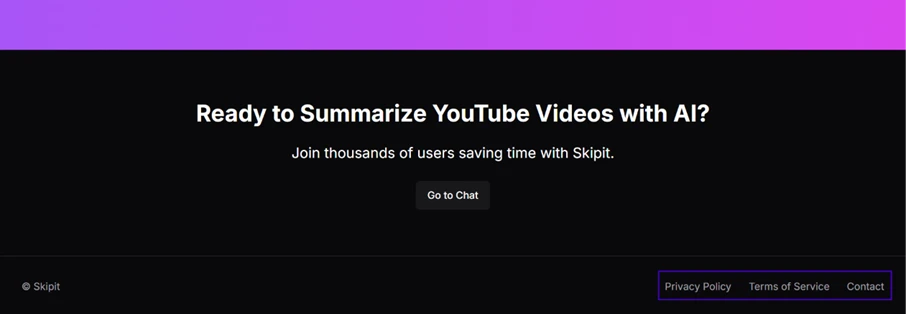
Pricing is subscription-based, shown openly as two paid plans. The operator is identified only as "Skipit" in the footer, with no company name, address, or team listed, alongside Privacy, Terms, and Contact links.
The core promise: a summary from a pasted link.
Ask questions about the content in a Q&A.
Advertised for videos up to twelve hours.
No message cap on the paid plans.
Built-in prompts to guide the summary or chat.
Keeps past chats on paid plans.
One field and a Start button, nothing to learn.
SkipIt AI promises instant summaries of YouTube videos and a chat you can hold about them. We set out to test exactly that. What we found is short to tell, because the tool never produced a single summary. This writeup documents what actually happened.
The interface is as minimal as it gets. A sidebar with a New Chat button and a billing link, and in the center a single field: “Enter your YouTube URL.” There is no option to upload a PDF, paste an article, or add a document of any kind. On its own site SkipIt is a YouTube summarizer and nothing more.
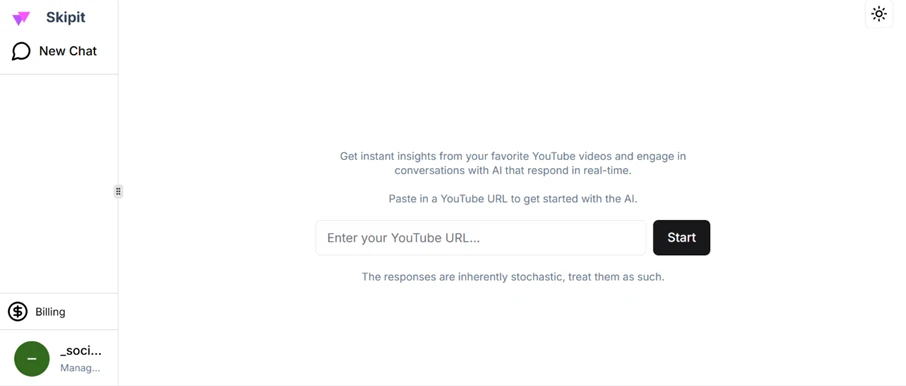
We pasted in a valid YouTube link and pressed Start. Instead of a summary, an error appeared: “An error occurred after 30 seconds of retries, aborting.” We tried three different videos. Every one failed the same way.
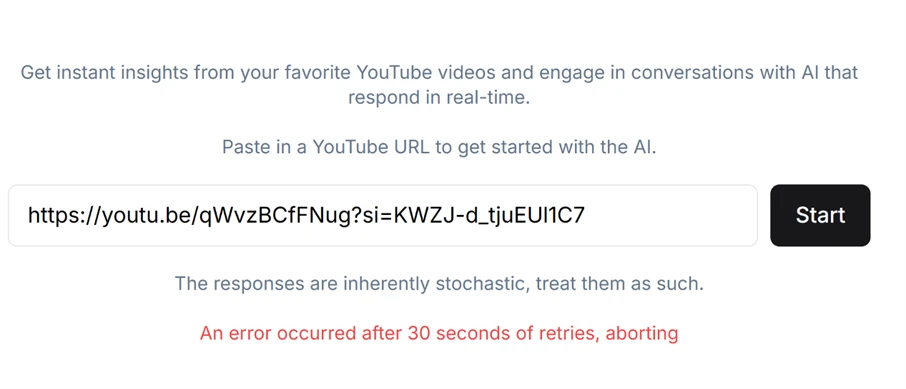
The wording is its own problem. The message claims it failed “after 30 seconds of retries,” but the error appeared the instant we clicked Start, with no wait and no visible attempt to process the video. Across three links, the tool never got far enough to show a summary, a transcript, or a chat. The one thing SkipIt exists to do, it did not do.
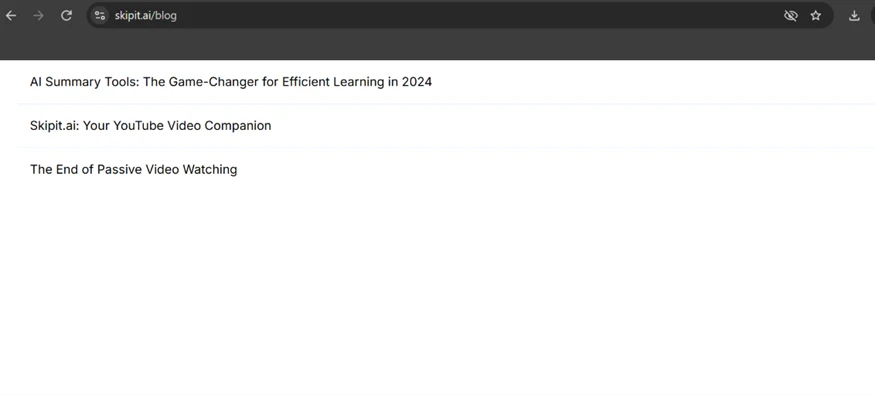
Looking past the tool, there is not much site here. The blog holds three posts, all of them about summarizing YouTube videos.
The footer is where a user would look for who runs this. It offers Privacy Policy, Terms of Service, and Contact links beside a bare “© Skipit.” No company name, no address, and no team are given anywhere we could find.
Here is the part that turns a bug into a caution. The pricing page lists two paid plans and asks for a subscription.
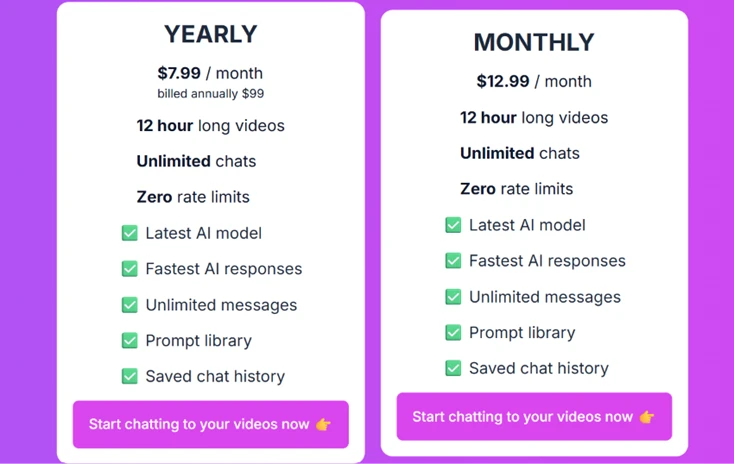
The yearly plan is $7.99 a month billed as $99, and the monthly plan is $12.99. Both promise 12-hour video summaries, unlimited chats, and a prompt library. We could not verify any of it, because the free experience we tested never completed a single summary. Paying $99 up front for a tool whose core function errored out on every attempt is a risk no reader should take on the current evidence.
| Dimension | Our test | User signal | Verdict | Composite |
|---|---|---|---|---|
| Core Function Whether it actually summarizes a video | 3 | 2 | Weak | |
| Reliability Whether it runs without errors | 3 | 3 | Weak | |
| Feature Scope Range of inputs and tools offered | 5 | 5 | Weak | |
| Ease of Use How simple the interface is | 8 | 7 | Good | |
| Value What the paid plans give for the cost | 4 | 5 | Weak | |
| Transparency Clarity of operator and company | 6 | 6 | Moderate |
Toolscopia uses cookies to keep you signed in, remember your preferences, and understand how our reviews get read. Analytics are anonymous. See our privacy policy for the full detail.



Comments 0
Join the discussion and share your perspective.
Sign in to post a comment and reply to other readers.
No comments yet
Be the first to share your perspective on this tool.