Picture the last real meeting you ran. Forty minutes of decisions, two promises made out loud, one good idea buried somewhere around minute 28. By the next morning, most of it has leaked out of your head.
That gap is the whole reason AI meeting note takers went mainstream. The tool sits in your call, writes down every word, and hands back a summary with the action items already pulled out. You get to watch the people instead of your keyboard.
Choice is the hard part now.
Dozens of tools fight for the same job, nearly all of them dangle a free plan, and the paid tiers tend to promise identical features. This guide separates the genuine picks from the lookalikes, splits them cleanly into free and paid, and flags one risk that most lists skip. That last item involves an active lawsuit, and it waits for you near the end.
Here is the short version for anyone who wants to skip ahead.
• Best free tool for individuals: Fathom
• Best bot-free pick for client calls: Granola
• Best for CRM and sales workflows: Fireflies.ai
• Most familiar all-rounder: Otter.ai
Each of those earned its place for a reason, which the rest of this piece lays out, along with the tier you actually need and where every tool can trip you up.
The picks at a glance
Before the detail, here is the full shortlist in one view. Read the free-plan column slowly, because the word "free" hides fine print that we open up later.
| Tool | Best for | Capture | Free plan (real limit) | Paid from (approx) |
|---|---|---|---|---|
| Otter.ai | Shared team notes | Bot | 300 min / month | ~$17 / user / mo |
| Fireflies.ai | CRM and sales | Bot | Unlimited transcription, limited storage | ~$18 / user / mo |
| Fathom | Free individual use | Bot or bot-free | Unlimited recordings, capped AI summaries | Free; teams ~$24 |
| Granola | Bot-free client calls | Bot-free (Mac) | Around 25 meetings | ~$14 / user / mo |
| tl;dv | Free video capture | Bot or bot-free | Unlimited recording, limited lifetime summaries | ~$18 / user / mo |
| Krisp | Noisy calls plus notes | Bot-free | 60 min / day | ~$12 / user / mo |
| Avoma | Sales coaching | Bot | Limited | ~$19 / user / mo |
| Fellow | Agendas and action items | Bot or bot-free | Limited | ~$7 / user / mo |
Prices and free limits were checked in October 2026 and move often. Confirm the current terms on each vendor's page before committing a team to one.
How I picked these, and what I ignored
No vendor paid to appear here, and no ranking was traded for a link. That line matters, because several popular roundups quietly park their own product at number one.
Each tool was weighed on the things that change your day: how clean the summary reads, whether a bot shows up in the call, how easily notes reach your other apps, how honest the free plan is, the price per seat, and how the company treats your recorded data. The ranking draws on published capabilities, current free-tier terms, documented integrations, and how working users describe the tools in reviews and forums.
One thing carried little weight on purpose: raw transcription accuracy. The leading tools all land around 90 to 95 percent on clear English audio, so that figure stopped deciding anything. The real gaps sit elsewhere, which is what the next section opens up.
Bot vs bot-free: the choice that shapes everything else
A bot-based tool sends a named participant into the meeting, something like "Otter.ai Notetaker," which everyone sees in the attendee list. A bot-free tool records straight from your device, so nothing joins the call, and that same method can often pick up an in-person conversation through your laptop mic.
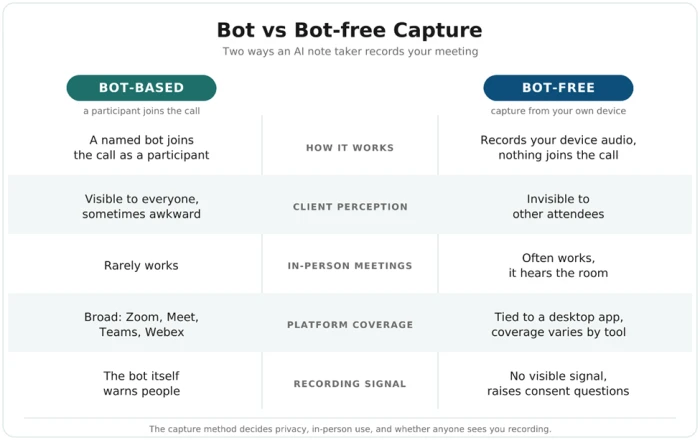
| Factor | Bot-based | Bot-free |
|---|---|---|
| How it works | A named bot joins the call | Captures your device audio, nothing joins |
| Client perception | Visible, sometimes awkward | Invisible to other attendees |
| In-person meetings | Rarely works | Often works, since it hears the room |
| Platform coverage | Broad (Zoom, Meet, Teams, Webex) | Tied to a desktop app, varies by tool |
| Recording signal | The bot itself warns people | No visible signal, which raises consent questions |
That last row is not a footnote. A tool that records with no visible signal is convenient for you and a legal problem in some places, a thread we pick up in the privacy section below.
For now, hold the split in mind. Otter and Fireflies are bot-first, Granola and Krisp are bot-free by design, and Fathom now offers both.
The best AI meeting note takers, reviewed
Eight tools made the cut. Each entry names who it suits, how it captures, and the catch, because every one of them carries a catch.
Otter.ai: the familiar default
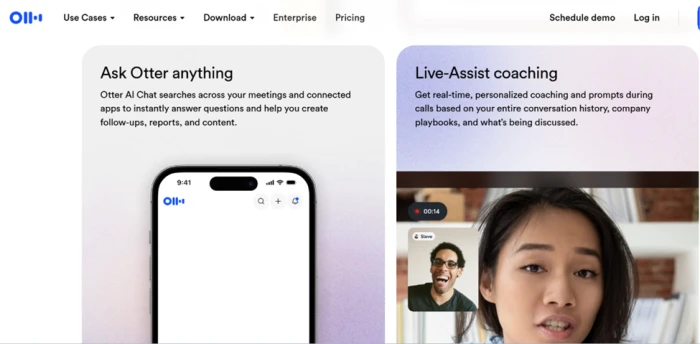
Otter helped create this category and still owns the most recognizable name. Its strength is shared transcription: a team can search every past meeting and ask Otter's chat about any moment in it. The free plan gives you 300 minutes a month, which fits a light user.
The weak spot is the bot. In a client call, a visible "Otter.ai Notetaker" invites the question "why is a robot here?" Accuracy also slips on heavy accents or noisy lines.
Pick it when your team wants one searchable home for internal meetings.
Pricing: Free plan at 300 minutes a month. Paid plans start near 17 dollars per user each month, with a business tier around 30 dollars per user for admin controls and more usage.
Key features: Live transcription you can read as the call runs, a shared workspace that searches across every past meeting, AI summaries with action items, and Otter AI Chat for asking questions about what was said.
• Pros: Generous free minutes, strong team search, and the most recognised name for anyone who wants a familiar tool.
• Cons: A visible bot can feel awkward in client calls, and accuracy dips on strong accents or weak audio.
Watch out for: Its name sits in the current privacy litigation, so read its consent settings before using it on sensitive calls.
Fireflies.ai: built for CRM and sales
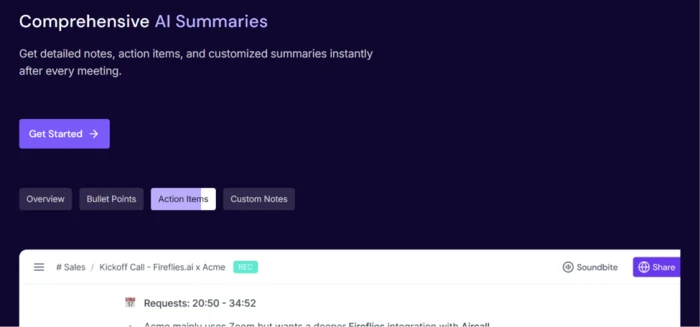
Fireflies earns its spot on integrations. It pushes meeting notes into Salesforce, HubSpot, Slack, Notion, and dozens of other tools, so a sales rep never copies notes by hand. Topic detection flags recurring themes across calls, which helps a manager spot patterns without rereading every transcript.
The free tier transcribes without a minute cap but limits how much it stores, and the interface turns busy once every feature is switched on.
Pick it when meeting data has to land in your CRM on its own.
Pricing: Free plan with unlimited transcription but limited storage. Paid plans begin around 18 dollars per user each month, rising for larger storage and admin features.
Key features: A library of over 50 integrations that push notes into Salesforce, HubSpot, Slack and Notion, plus topic detection and a searchable archive of every call.
• Pros: The deepest integration set here, so meeting data reaches your other tools without manual copying.
• Cons: The free tier caps storage, and the interface turns cluttered once many features are switched on.
Watch out for: Like Otter, it faces privacy claims over how recordings are captured, so confirm consent before each call.
Fathom: the strongest free tier
Fathom shook the market with a free plan that does what rivals charge for. Individual users get unlimited recordings and transcripts, with a monthly cap on AI summaries. The output reads cleanly, setup takes minutes, and the highlight-clip feature earns its keep for sharing one key moment.
The limits are platform ones. Fathom grew up Zoom-first, so its reach onto other platforms and its bot-free mode are newer and less proven.
Pick it when you are one person who wants strong notes at no cost.
Pricing: Free for individuals, with unlimited recordings and transcripts and a monthly cap on AI summaries. Team plans start around 24 dollars per user each month.
Key features: Unlimited recording on the free plan, clean AI summaries, one-click highlight clips during the call, and CRM links on paid tiers.
• Pros: The most generous free plan in this list, with a quick setup and tidy output.
• Cons: It grew up Zoom-first, so coverage on other platforms and the bot-free mode are newer and less proven.
Watch out for: Heavy multi-platform users may hit gaps that the Zoom experience does not show.
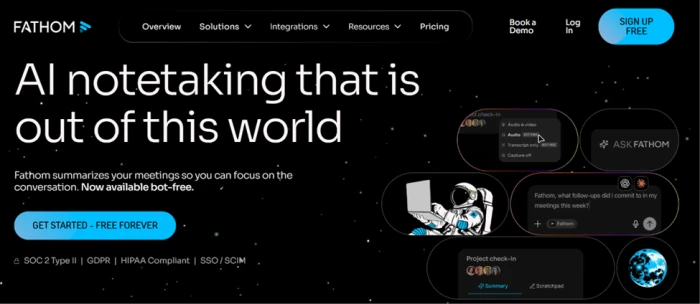
Granola: bot-free notes for sensitive calls
Granola became the 2026 favorite among consultants and founders. It captures audio locally on a Mac, writes structured notes instead of a wall of transcript, and never drops a bot into the room.
It stays Mac-first, which shuts out Windows users, and its speaker labeling trails the bot-based tools.
Pick it for client and executive conversations where a visible recorder would change how people talk.
Pricing: A limited free tier of around 25 meetings. Paid plans start near 14 dollars per user each month.
Key features: Local audio capture on a Mac with no bot in the call, structured notes built around headings rather than a raw transcript, and meeting templates for different call types.
• Pros: The most privacy-respecting capture here, with clean structured output and nothing visible in the room.
• Cons: Mac-first, so Windows users are left out, and speaker labelling is weaker than the bot tools.
Watch out for: Because it hears your device, in-person use works, but confirm it suits your machine setup first.
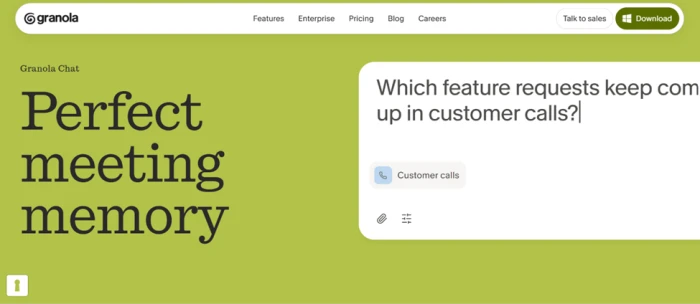
tl;dv: free video and team recording
tl;dv leans into free video capture plus transcripts across the big platforms, and it offers a bot and a bot-free desktop mode. Compliance-minded teams like its certifications.
Its free plan caps how many AI summaries you ever get, and pricing climbs sharply at the business tier.
Pick it when your team wants recorded video, not only text.
Pricing: Free plan with unlimited recording and a limited lifetime count of AI summaries. Paid plans start around 18 dollars per user each month and climb at the business tier.
Key features: Free video capture plus transcripts across the big platforms, a choice of bot or bot-free desktop recording, and compliance certifications for regulated teams.
• Pros: Rare free video recording, flexible capture modes, and a strong compliance story.
• Cons: The free summary allowance runs out over the life of the account, and business pricing jumps sharply.
Watch out for: Price the business tier early if your team is more than a few seats.
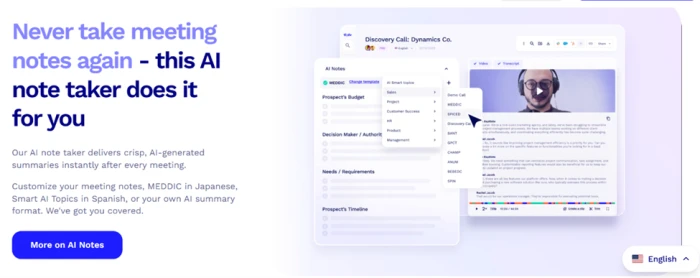
Krisp: clean audio plus notes
Krisp built its name on noise cancellation, then stacked transcription and summaries on top. It strips background noise, works on your device, and needs no separate bot. The free plan allows 60 minutes a day.
Notes are the junior feature here, so summaries run lighter than Otter's or Fireflies', and integrations stay thin.
Pick it when your calls are noisy and clean audio counts as much as the notes.
Pricing: Free plan at 60 minutes a day. Paid plans start around 12 dollars per user each month.
Key features: Best-in-class noise cancellation, on-device processing with no separate bot, plus transcription, summaries and simple call analytics.
• Pros: Clean audio that lifts transcription quality, and a light footprint with no bot to manage.
• Cons: Notes are the junior feature, so summaries run lighter than Otter or Fireflies, and integrations stay thin.
Watch out for: Treat it as audio-first. If deep meeting intelligence is the goal, pair it with a dedicated note taker.
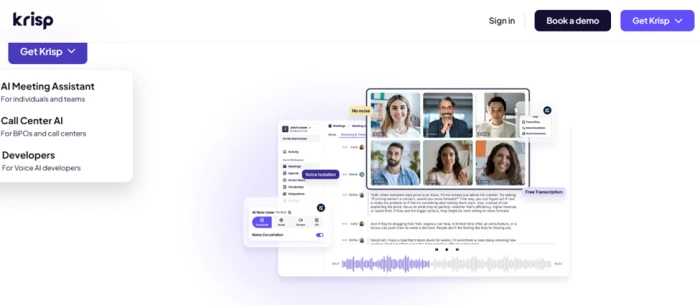
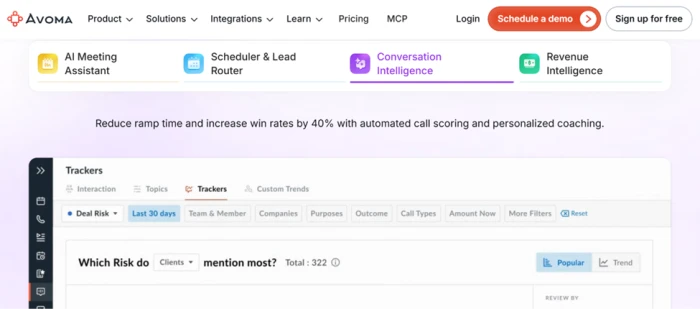
Avoma: conversation intelligence for revenue teams
Avoma reaches past note taking into sales coaching, with talk-time ratios and topic tracking tied to each deal. For a revenue team that reviews calls to sharpen them, that depth pays back.
It takes more setup than a lightweight note taker, and the price reflects the sales focus.
Pick it when coaching and pipeline insight matter more than quick personal notes.
Pricing: Paid plans start around 19 dollars per user each month, with higher tiers for full conversation intelligence. A limited free tier is available.
Key features: Talk-time ratios and topic tracking tied to each deal, call scoring for coaching, and CRM links built for revenue teams.
• Pros: Real sales-coaching depth that a plain note taker cannot match.
• Cons: Heavier to set up than a lightweight tool, and the price reflects the sales focus.
Watch out for: Overkill for a solo user who only needs tidy personal notes.
Fellow: agendas and action items in one place
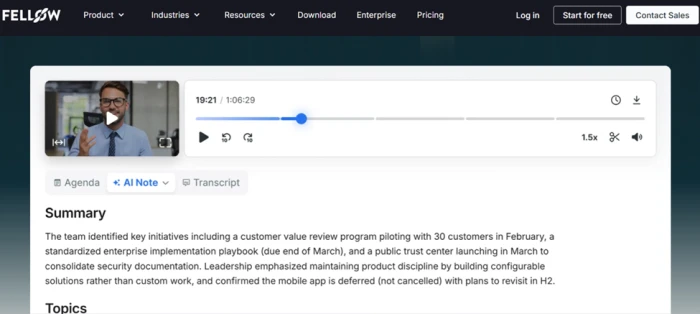
Fellow folds note taking into meeting management, with shared agendas before the call, notes during, and assigned action items after. Managers running recurring one-on-ones like that structure, and its paid plans sit among the cheapest here.
Transcription depth trails the specialists, and it works best only when a whole team adopts it.
Pick it when you want the agenda and the follow-ups living in the same place as the notes.
Pricing: Free plan with limits. Paid plans start around 7 dollars per user each month, among the cheapest here.
Key features: Shared agendas before the call, live notes during, assigned action items after, and both bot and bot-free recording modes.
• Pros: The lowest paid entry price, and agendas plus follow-ups living alongside the notes.
• Cons: Transcription depth trails the specialists, and it pays off only when a whole team adopts it.
Watch out for: If one person adopts it alone, most of its value stays locked.
Free plans, side by side
The glance table above listed each free plan in a single line. They deserve a closer read, because "free" ranges from genuinely useful to barely a trial.
| Tool | Free plan limit | Card needed? | AI summary on free? |
|---|---|---|---|
| Fathom | Unlimited recordings, capped AI summaries per month | No | Yes, capped |
| Otter | 300 minutes per month | No | Yes |
| tl;dv | Unlimited recording, limited lifetime summaries | No | Yes, capped |
| Granola | Around 25 meetings, then paid | No | Yes |
| Krisp | 60 minutes per day | No | Yes |
| Fireflies | Unlimited transcription, limited storage | No | Yes |
The catch is rarely the recording. It is the storage and the summary count. A plan can record forever yet wipe your history after a few hundred minutes, or hand you a small batch of AI summaries before asking for a card. For a steady workload, price the paid tier of your favorite from the glance table, not the free one.
Do the platforms you already pay for include one?
Before paying for anything new, check what you already own. The big video platforms built their own note takers, and for some users that settles it.
Zoom AI Companion
Zoom bundles AI Companion with most paid Zoom plans at no extra charge. It writes meeting summaries and catches you up when you join late. For a team that lives inside Zoom and only needs internal recaps, it covers the basics.
Microsoft Teams and Copilot
Teams offers AI recap features, with the richer summaries tied to a Copilot license. So the answer to "does Teams have an AI note taker" is yes, though the better version sits behind a paid Copilot add-on.
Google Meet's take-notes feature
Google Meet can generate notes through its "take notes for me" option, powered by Gemini on higher Workspace tiers. If your organization already pays for that tier, a separate tool may be unnecessary.
The honest read: platform-native tools handle internal recaps well and keep your data inside one vendor. They fall short on cross-platform work and on the bot-free, CRM-connected handling the standalone picks above deliver.
Picks for specific situations
A few needs sit outside the general ranking.
• In-person meetings and lectures: a bot-free tool that hears the room beats any bot, so Granola or a dedicated recorder device fits better than Otter here.
• Regulated work in healthcare or law: look past the feature list to data handling and the consent rules covered next, because the cheapest option is rarely the safe one.
• One freelancer against a full team: a solo user is well served by Fathom's free tier, while a company rollout leans toward Fireflies or Otter for shared search.
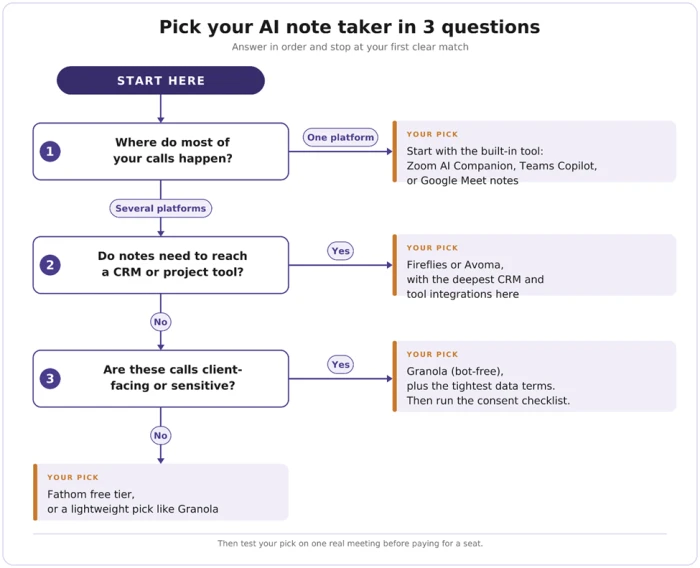
How to choose, in three questions
The whole guide narrows to a short decision. Answer these in order.
1. Which platform hosts most of your calls? If you live in one, test its built-in tool first. If you hop between Zoom, Meet, Teams, and Webex, pick a cross-platform standalone.
2. Do your notes need to reach a CRM or project tool? If yes, Fireflies or Avoma. If no, a lighter tool like Fathom or Granola saves money.
3. Are these calls client-facing or sensitive? If yes, choose bot-free capture and the tightest data terms you can find, then follow the consent checklist above.
Run your top choice through one real meeting this week on its free tier. Check the summary against your own memory of the call, and within a day you will know whether it has earned a paid seat.
The Final Verdict
If you want one answer, start with Fathom. Its free tier does for nothing what most rivals keep behind a paid plan, and a solo user can run it for weeks before a paid tier ever comes up.
Two situations change that call.
Sit in a lot of client or executive rooms, and Granola is the better first move, since nothing visible joins the call and the conversation stays normal. Run a sales desk where every call has to land in the CRM on its own, and Fireflies earns the seat that Fathom cannot fill.
Otter still deserves a look if your team wants one shared, searchable home for internal meetings and does not mind a bot in the room.
One line holds across all four picks. Before any of them records a call, say so out loud and get everyone’s agreement, because the consent rules covered above decide whether that recording becomes an asset or a liability.

Comments 0
Join the discussion and share your perspective.
Sign in to post a comment and reply to other readers.
No comments yet
Be the first to share your perspective on this article.