A newspaper generator turns a blank page into a finished front page in minutes. You type a headline, drop in a photo, pick a layout, then download something that looks like it came off a printing press. The same category of tool covers class projects, birthday gifts, parody graphics for social feeds, and genuine community papers that get printed and mailed.
The catch is the word free. Several tools market themselves as free, then let you design on screen while they lock the download, stamp a watermark across your work, cap the number of pages, or reserve the best templates for paying users. This guide sorts seven free newspaper generators by what each one actually lets you walk away with, and matches every pick to the job it does best.
The 7 best free newspaper generators at a glance
Here is the full shortlist before the detail. Each pick earns its place for a different reason, so read the best for column as the fast route to the tool that fits your project.
| Tool | Best for | What the free plan gives you | Output |
|---|---|---|---|
| Canva | All-round front pages | Hundreds of templates, drag-and-drop editor, Magic Design | PDF, PNG, JPG |
| Adobe Express | A polished, print-ready look | Pro-grade templates, large font library, stock images | PDF, PNG, JPG |
| Fodey | A quick vintage clipping | Instant clipping, no signup required | JPG |
| Break Your Own News | Parody breaking-news images | Free headline and ticker graphic | Image |
| Dreamina | AI page from a prompt | Daily free credits, prompt to finished layout | High-res image |
| Flipsnack | A digital flipbook edition | Design access; many exports need a paid plan | Flipbook, PDF on paid tiers |
| MakeMyNewspaper | A real, printable paper | Free designer with correct newsprint sizing | Print-ready files |
What people make with these tools (and why demand holds up)
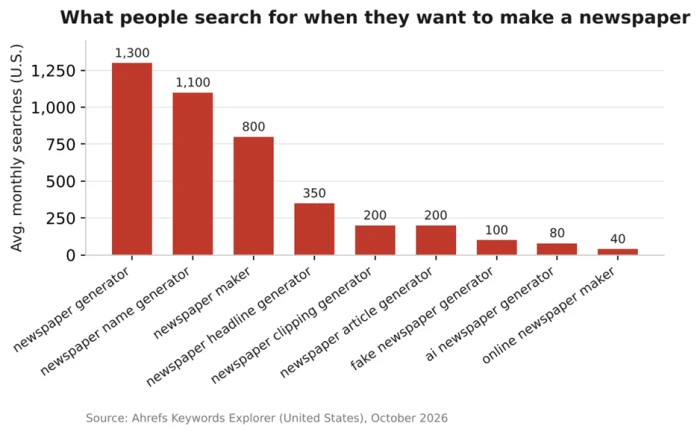
Search behaviour shows who reaches for a newspaper generator. The term newspaper generator alone draws about 1,300 searches a month in the United States, and the related newspaper maker adds another 800. Group the whole family of queries together and a clear set of jobs appears.
Behind those numbers sit five distinct audiences:
● Teachers and students build class papers, book reports, breakout clues, and history retellings as writing assignments.
● Gift and occasion makers create birthday front pages, retirement keepsakes, anniversary gifts, and wedding announcements.
● Meme and prank creators produce fake clippings and spoof headlines for a laugh.
● Self-publishers lay out community papers and school editions meant to be printed.
● Content creators and marketers make announcement graphics and social posts styled like news.
The pattern is lopsided. A handful of terms carry most of the volume, and the long tail of fake, clipping, old, and AI variants shows people arrive with a specific style already in mind. That is why a single tool rarely fits everyone, and why this list spans both real publishing and quick novelty work.
How we chose these seven
Dozens of sites claim to make newspapers. Most are template galleries wearing a different name. Four questions decided whether a tool made this list:
● Is there a genuinely usable free tier, not a trial that expires in a week?
● Can you export or share the result without a forced watermark?
● Does it produce something that reads as a newspaper rather than a generic flyer?
● Does it serve a clear job, so the shortlist covers both serious publishing and fast novelty pieces?
Pricing and plan limits change often. Each review below flags what to confirm before you invest time in a design.
The 7 best free newspaper generators, reviewed
1. Canva, the best all-round newspaper maker
Canva is where most people should start. Its free plan carries hundreds of newspaper and newsletter templates in classic and modern styles, a drag-and-drop editor, and Magic Design, a feature that drafts a layout from a short written description. You can change fonts, swap in your own photos, then rearrange the columns into a tidy grid without any design training.
Export stays clean on the free tier. You download a finished front page as a PDF for printing or a PNG for sharing. The main friction is choice. With so many templates, picking one can take longer than filling it in.
Best for: a polished front page you plan to share online or print at home.
Watch for: some premium templates and stock photos sit behind Canva Pro, so filter by the free option before you start. Browse the newspaper templates directly on Canva.
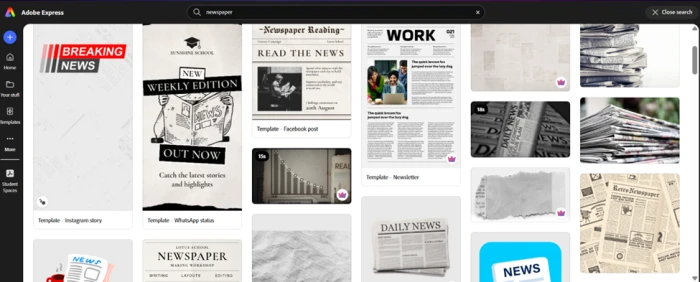
2. Adobe Express, the best for a print-ready look
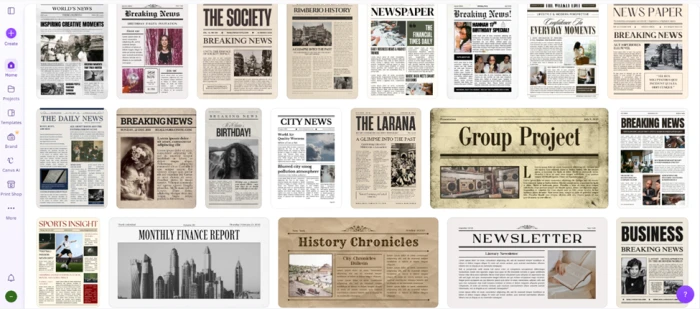
Adobe Express covers similar ground with a sharper editorial feel. The free plan includes professionally designed newspaper templates alongside a large font library and a bank of royalty-free images. Layouts keep their structure when you paste in long articles, which helps when you are building a full front page instead of a single clipping.
If you already use other Adobe apps, your saved fonts and brand assets carry across, which removes a setup step. The free tier handles most personal projects. A premium plan, priced around US$9.99 a month at the time of writing, adds branding controls plus a much larger pool of fonts and stock photos.
Best for: a refined newspaper that reads closer to a real publication.
Watch for: confirm your chosen template is in the free set. You can start from the newspaper templates on Adobe Express.
3. Fodey, the fastest vintage clipping
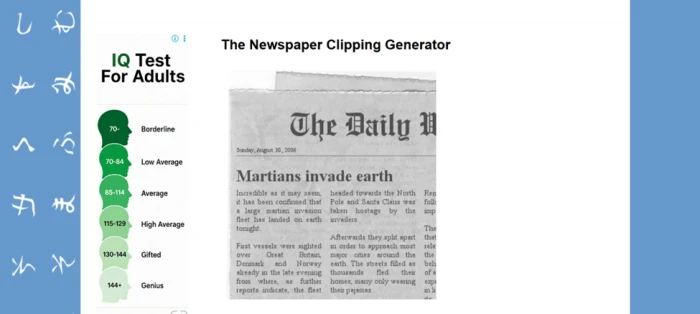
Fodey makes a believable old-style clipping in about thirty seconds. There is no account to create. You enter a newspaper name, a date, a headline, and the body of your story, and the site returns a black-and-white snippet that looks cut from a printed page. You save it as a JPG and you are finished.
It does one job and nothing else. You cannot build multiple pages or a full front spread, and the layout is fixed. For a keepsake clipping or a classroom writing prompt, that narrow focus is the appeal, not a weakness.
Best for: a single vintage clipping for a gift, a prop, a meme, or a quick class prompt.
Watch for: one advertisement sits on the page, and the output resolution is small, so it suits screens more than large prints.
4. Break Your Own News, the best for parody graphics
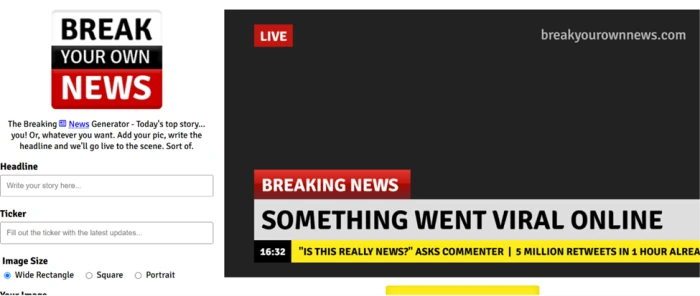
Break Your Own News produces the breaking news screenshot you have seen shared as a joke. You write a headline plus a scrolling ticker line, then upload a photo, and it returns a graphic that mimics a live television news banner. The result is built for humour, which is why it spreads well on social feeds.
Treat whatever you make as obvious parody. Pair a clearly invented headline with a visual that no one could mistake for a real broadcast, especially during elections or breaking real-world events when fake graphics cause genuine confusion.
Best for: a funny breaking-news image for social media.
Watch for: this is a novelty generator, so it will not help you build a full newspaper page.
5. Dreamina, the best AI newspaper generator
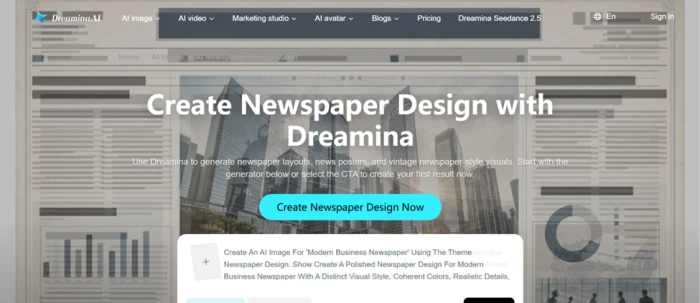
Dreamina, part of CapCut, builds a full newspaper page from a written prompt. You describe the style you want, from a weathered 19th-century gazette to a sleek modern tabloid, and it arranges the masthead, the headlines, the body columns, and the photos into a finished layout. It runs on daily free credits, and you can download the result in full resolution.
AI layouts save time, and they introduce a specific risk. Generated text often misspells words or warps small details, and the realistic look can tip into deception if you pass it off as a true front page. Read every headline before you publish, and keep AI-made clippings clearly fictional.
Best for: a custom, art-directed page when you would rather not start from a template.
Watch for: heavier use and some exports can require credits or a paid plan, and free output may carry a watermark, so verify current terms.
6. Flipsnack, the best for a digital edition
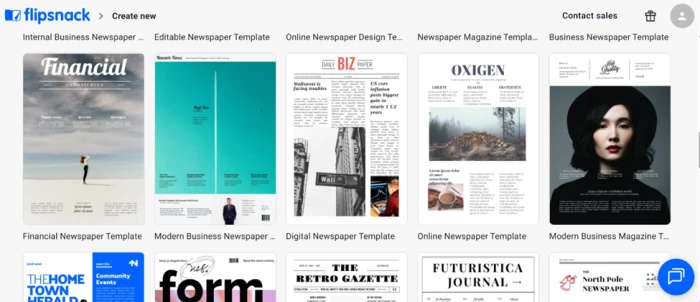
Flipsnack suits a newspaper meant to live online as a page-turning flipbook rather than a flat file. It offers newspaper templates and a reader that flips like a printed paper, which works well for school papers and community editions read on a screen.
Honesty matters most here. Flipsnack lets you browse templates and design on screen, but editing and downloading many of its newspaper templates requires a paid plan. Check what your specific template allows before you sink an hour into it. If your goal is a printed page, a free editor like Canva is a better opening move.
Best for: a digital newspaper you publish and share by link.
Watch for: gated downloads on the free tier, which you should confirm against your chosen template.
7. MakeMyNewspaper, the best for a real printed paper
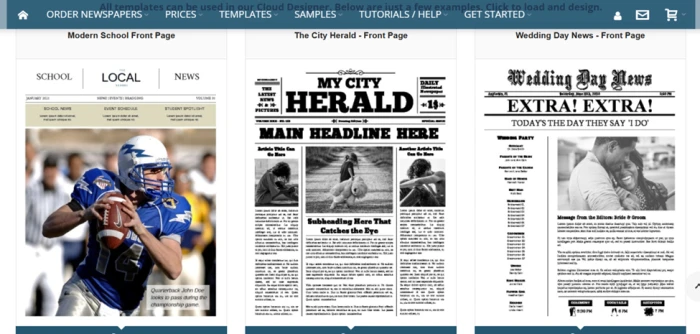
MakeMyNewspaper is built for people producing an actual newspaper rather than a graphic. It gives you a free online designer set to real newspaper page sizes, free templates you can edit, and a connected printing service if you want physical copies mailed to you.
Because it handles proper newsprint dimensions from the start, you avoid the resizing mess that follows when you design in a general tool and try to force the result onto a broadsheet later. That makes it the practical pick for a family paper, a reunion edition, a club newsletter, or a small local publication.
Best for: a genuine newspaper you intend to print and distribute.
Watch for: the designer and templates are free, while printing is a paid service priced by copies and page count, so check current rates.
Which newspaper generator should you use?
The right tool falls out of one question: what do you need to hold at the end?
● A printed copy in your hands: MakeMyNewspaper for correct sizing, or Canva if you will print a single page at home.
● A shareable online edition: Flipsnack for the flipbook feel, keeping its plan limits in mind.
● A quick keepsake or prop: Fodey for a vintage clipping, Break Your Own News for a TV-style parody.
● A designed front page with room to customise: Canva for speed, Adobe Express for a more editorial finish.
● A one-off custom look from a description: Dreamina, with a careful proofread.
How to make a newspaper online in five steps
The next step is turning a tool choice into a finished page. The process barely changes across the generators on this list.
1. Pick your format and tool. Decide if you want a quick clipping, a full front page, a flipbook, or a printed edition, then choose the matching tool from above.
2. Set the masthead. Add your paper’s name across the top, then a date line and an edition or issue number beneath it.
3. Write the headlines and lead story. Put the biggest headline first and keep body text in narrow columns. Write in a plain reporting voice rather than an essay style.
4. Add a photo and caption. Place one strong image near the top and caption it the way a real paper would, with a short factual line.
5. Export or print. Download a PDF or PNG for digital use, or send print-ready files to a service like MakeMyNewspaper for physical copies.
Free newspaper name, headline, and font generators
A newspaper needs more than a layout. The name across the top sets the tone. The headline sells the story, and the typeface signals whether this is a 1920s broadsheet or a modern daily. Separate free generators handle each piece, and plenty of people search for them on their own.
Newspaper name generators
A name generator spins out mastheads in seconds. The query newspaper name generator pulls around 1,100 monthly searches in the United States, close behind the main tool terms. Good results tend to follow a simple formula: a place or theme word, a frequency word like Daily or Weekly, then a news word such as Herald, Tribune, Gazette, or Register. Titles like The Riverside Daily or The Campus Chronicle show the pattern; they are illustrative, not real publications.
Newspaper headline generators
A strong headline is short and specific, written in an active voice. Headline generators and general AI chat tools can draft a dozen options at once, which helps when you are stuck on the lead story. Keep the winner under about ten words and lead with the most concrete detail, since that is what makes a front page feel real.
Newspaper fonts and masthead styling
Type does the heavy lifting on authenticity. Classic papers pair a blackletter masthead, the dense Old English style you picture on a vintage front page, with a plain serif body for the articles. Free newspaper font generators and font libraries supply both, and matching the typeface to the era is the quickest way to make a layout convincing.
Make it look like a real newspaper
A few habits separate a convincing paper from an obvious template fill-in:
● Use a serif body font and justify the columns so the text blocks line up like print.
● Keep columns narrow. Real papers run three to six columns across a page, not one wide block.
● Add a believable date line and issue number, since blank or default dates give the game away.
● For vintage pieces, choose an aged cream or grey tone rather than bright white.
● Proofread every word, especially on AI-generated pages where spelling slips are common.
One line stays firm. A fake front page made for fun is fine, while a fabricated story dressed as real news, or a layout that copies a real outlet’s name and branding, crosses into deception and possible legal trouble. Label parody clearly and invent your own masthead.
The right pick for your project
Pull the seven together and the choice lands cleanly on your use case:
● Best all-round free newspaper maker: Canva.
● Most print-ready, editorial finish: Adobe Express.
● Fastest vintage clipping: Fodey.
● Best parody graphic: Break Your Own News.
● Best AI-generated page: Dreamina.
● Best digital flipbook edition: Flipsnack.
● Best for a real printed newspaper: MakeMyNewspaper.
The honest filter is still the free plan. Several of these tools advertise free access, then gate the export or stamp a watermark across your work. Decide first what you need to walk away with, a shareable image, a print-ready PDF, a flipbook link, or a stack of mailed copies, and the list narrows to one or two names before you have designed a thing.

Comments 0
Join the discussion and share your perspective.
Sign in to post a comment and reply to other readers.
No comments yet
Be the first to share your perspective on this article.