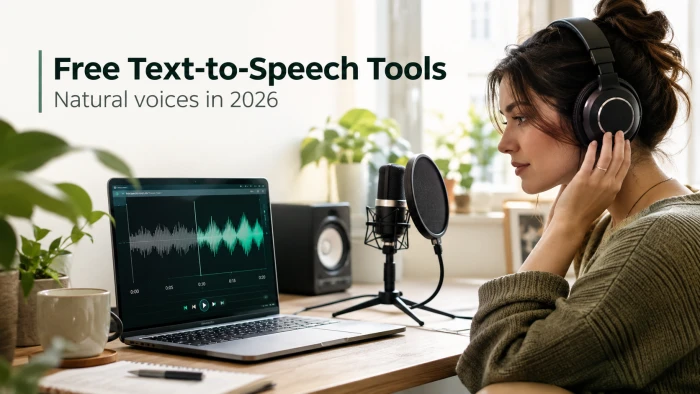
A field guide to free voices you can stand to listen to, plus the fine print that decides whether you can actually use them.
Play almost any free text-to-speech voice from five years ago and you can hear the seams. The pitch flattens out at the end of every sentence. A comma lands with the wrong pause. The voice says "read" when it means "red." You stop hearing words and start hearing a machine reading a list.
That era is ending.
A handful of free tools now produce voices that pass for a person on a first listen. They breathe. They slow down for a hard word and speed up through an easy one. The catch is that "free" hides four or five different meanings, and the gap between them is where most people get burned. This guide tests the voices that hold up, gives each one an honest strengths-and-limits breakdown, and ends with a single clear verdict on which to pick.
Why free voices sounded robotic for so long
To know why the good free tools suddenly got good, it helps to know what they replaced.
Older tools used concatenative synthesis. A voice actor recorded thousands of tiny sound fragments, and the software glued them together to form words. The seams you heard were real: two fragments recorded with slightly different intonation, stitched into the same sentence. The method could read any text, but it could not carry a feeling across a line.
The shift came from neural text-to-speech. Instead of gluing clips, a deep-learning model studies hours of recorded human speech and learns the pattern underneath it: how pitch rises into a question, where a speaker stresses a word, how long a pause runs before an important point. Then it generates the sound from scratch. Researchers rate this on a Mean Opinion Score, a simple one-to-five score of how natural a clip sounds to listeners, and neural voices sit far above the old concatenative ones.
Neural models have a ceiling. A voice can only be as expressive as the recordings it trained on, so a model fed flat, studio-clean audio sounds polished but a little lifeless. That ceiling is why the tools below do not all sound equally human, even though every one of them is neural. Keep it in mind as you read the reviews, because it explains the quality gaps you are about to see.
"Free" means four different things
Before comparing tools, one distinction saves a lot of wasted effort. The word free can describe any of these, and they are not the same:
● Free to listen. The tool reads text aloud to you right now. You cannot save a file.
● Free to generate. You can create an audio file and download it, within a monthly cap.
● Free to publish. You are allowed to put that audio in content you own, personal projects only.
● Free to monetize. You can use the audio in a video, podcast, or client job that earns money.
A tool can be generous on one of these and useless on the next. Microsoft Edge reads unlimited text for free but gives you nothing to download. ElevenLabs gives you a downloadable file that sounds superb, then forbids you from earning a cent with it on the free plan. Each review below states which of these four a tool gives you, and the final verdict turns on it.
The free tools worth your time
These are ordered by how human the voice sounds. Every number below was checked against each tool's own pricing or help pages in November 2026, since free terms change often. Confirm the current figures before you commit.
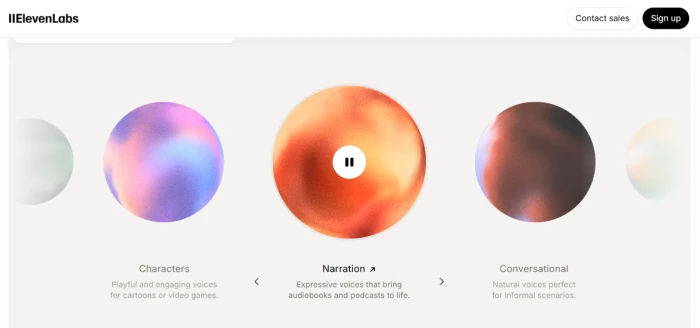
1. ElevenLabs, the most human voice you can get for free
If the only thing you care about is how real the voice sounds, this is the one. ElevenLabs voices pause, stress the right words, and shift tone the way a person does. Its most expressive model can even read bracketed cues in your text, so writing [whispers] or [laughs] changes the delivery.
The free plan gives 10,000 credits a month, which the pricing page puts at about ten minutes of speech. There is no credit card and no expiry. Then comes the catch that sinks most creators. ElevenLabs' own help center states the free plan does not permit commercial use, and that anything you publish from it must credit ElevenLabs by putting "elevenlabs.io" or "11.ai" in the title of the work. A monetized video or a paid client job breaks those terms. Credits do not roll over, and the first plan that unlocks commercial use is Starter at $6 a month.
Use it when voice quality decides everything and the work stays personal. Step up to a paid plan the moment money is involved.
| Strengths | Limitations |
|---|---|
| Most natural, expressive voice on this list | No commercial use on the free plan |
| Reads emotion cues like [laughs] or [whispers] | Must put "elevenlabs.io" in your title when you publish |
| No credit card, no account expiry | Only about 10 minutes of audio per month |
| 70-plus languages | Credits do not roll over |
2. Microsoft Edge Read Aloud, the unlimited reader hiding in your browser
This one surprises people, because it is already installed. Open any article, PDF, or document in the Edge browser, right-click, and choose Read Aloud. The neural voices (Aria, Guy, Jenny, and others) are clear, natural, and free with no cap and no sign-up.
The limit is the one from the previous section: you can listen all day, but you cannot save a file. That makes it perfect for one job and wrong for another. The good natural voices are cloud-powered, so they need an internet connection. Go offline and you drop back to older local voices that sound closer to the robotic era.
| Strengths | Limitations |
|---|---|
| Completely free and unlimited | No audio file to download |
| No sign-up, already built into Edge | Needs an internet connection for the best voices |
| Clear, natural neural voices | Works only inside the Edge browser |
| Reads web pages, PDFs, and documents | Not usable for voiceovers you need to export |
3. TTSMaker, the free tool that lets you publish and earn
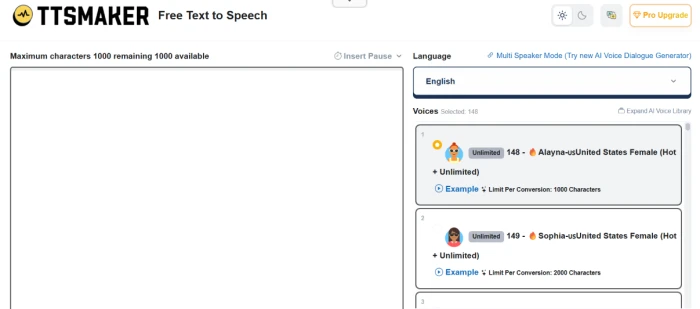
Here is the tool that solves the commercial problem the first two create. TTSMaker's own site says you may use the generated audio for any lawful purpose, including commercial use, at no cost and with no attribution required. None of the other mainstream free tools offer that on their free tier.
The free plan runs on a weekly budget of 20,000 characters, roughly 3,000 to 3,500 words, and it resets every week rather than monthly. You paste text, pick a language and voice, and download the file, with no login needed. Some voices do not count against the weekly budget at all.
The voices sit a step below ElevenLabs on pure realism. For a product explainer, a faceless YouTube channel, or an e-learning module where the message matters more than a flawless performance, the trade is worth it, because you can use the output to make money without paying.
| Strengths | Limitations |
|---|---|
| Full commercial use on the free plan | Voices less expressive than ElevenLabs |
| No attribution required | Weekly cap, not monthly |
| No login or account needed | Fewer editing controls |
| Download the audio file directly | Quality varies between voices |
4. Google Cloud Text-to-Speech, the heavy-duty option for builders
This is not a website you paste text into. It is an API, aimed at developers who want to generate speech in bulk or wire it into an app. The payoff is scale. Google's official pricing page lists a free monthly tier of 4 million characters for Standard and WaveNet voices, and 1 million characters each for the newer Neural2, Studio, and Chirp 3 HD voices, far beyond any consumer tool here.
Setting it up means a Google Cloud account and a little code or a connector, so for a non-technical user it is overkill. For anyone building a reading app, an accessibility feature, or a pipeline that narrates hundreds of articles, it is the most generous free tier on this list. Commercial terms depend on the specific voice tier, so read the current license before you ship.
| Strengths | Limitations |
|---|---|
| Millions of free characters per month | Requires coding or a connector to use |
| Large bank of neural voices and languages | Overkill for one-off voiceovers |
| Scales to large, automated jobs | Needs a Google Cloud account and billing setup |
| Backed by Google's infrastructure | Commercial terms vary by voice tier |
5. NaturalReader, the document reader
NaturalReader leans toward reading your own files aloud, PDFs, Word docs, and ebooks, rather than producing voiceovers for publishing. Its help center states that free users get the Premium neural voices for 20 minutes a day (about 20,000 characters), the top Plus voices for 5 minutes a day, and the basic Free voices without limit.
The free tier is listen-only, with no MP3 export, so treat it as a personal reading aid rather than a voiceover maker. For a review, that links straight back to the listen-versus-publish split from earlier. The cheapest paid plan, Premium, is $9.99 a month and adds unlimited premium listening and downloadable audio.
| Strengths | Limitations |
|---|---|
| Pleasant, polished neural voices | Best voices capped at 20 minutes a day |
| Reads PDFs, Word docs, and ebooks | No audio download on the free plan |
| Unlimited basic voices on free | Commercial use needs a paid plan |
| Strong accessibility focus | Top Plus voices limited to 5 minutes a day |
Side-by-side: limits, downloads, and the right to use it
This table is the fast way to match a tool to your actual need. The column that trips people up is the fourth one, so read that before you build anything around a free voice.
| Tool | Free limit | Download audio? | Commercial use on free plan? | Best for |
|---|---|---|---|---|
| ElevenLabs | 10,000 credits/mo (~10 min) | Yes | No. Attribution required | The most lifelike voice |
| Microsoft Edge Read Aloud | Unlimited | No (listen only) | N/A (no file) | Listening to articles, studying |
| TTSMaker | 20,000 characters/week | Yes | Yes, no credit needed | Creators who publish |
| Google Cloud TTS | 1M-4M characters/mo | Yes (via API) | Check terms | Developers, bulk jobs |
| NaturalReader | 20 min/day premium voices | No (listen only) | No (separate paid plan) | Reading documents aloud |
Free tiers change often. Confirm the current numbers on each tool's own pricing page before you commit to one.
The commercial-use trap that catches creators
This deserves its own section, because it is the single most expensive mistake people make with free voices, and almost no roundup spells it out.
The best-sounding free voice and the voice you are allowed to sell with are often different voices. A creator hears the ElevenLabs free demo, records a ten-minute narration, drops it into a monetized video, and has now published commercial content with no license and no credit line. The platform's terms were broken the moment the upload earned money.
Two simple rules keep you safe:
● If the project makes money, confirm the free plan grants commercial rights before you record. TTSMaker passes this test on its free tier. ElevenLabs free does not.
● If a tool demands attribution, decide whether a credit line in your title is acceptable. For many client jobs it is not.
When in doubt, the cheapest paid tier is usually a few dollars a month and removes the question entirely. That is a smaller cost than a demonetized video or a reused client asset you have to pull down.
Final verdict: which one to choose
With the voices tested and the fine print on the table, the choice comes down to one question: what will you do with the audio? Here is the straight call for each path.
For listening to text: Microsoft Edge Read Aloud. It is unlimited, already installed, and sounds natural. Nothing to download and nothing to pay. For reading articles, proofing your own writing by ear, or getting through a textbook, nothing else here beats free and unlimited.
For the most human voice on a personal project: ElevenLabs free. No tool on this list sounds more real. Stay inside the roughly ten minutes a month, keep the work non-commercial, and remember the attribution rule if you share it anywhere public.
For publishing or earning from the audio: TTSMaker. It is the one free pick that grants commercial rights with no attribution and lets you download the file. The voice is a notch below ElevenLabs, but it is the only option here you can legally monetize for free.
For building software or narrating at scale: Google Cloud Text-to-Speech. Millions of free characters a month, if you are comfortable with a developer setup. For one-off clips it is too much; for an app or a large pipeline it is the clear winner.
For reading your own documents: NaturalReader. A comfortable daily reader for PDFs and books, as long as the 20-minute premium cap and the listen-only limit fit how you work.
One habit separates a voice that sounds human in a demo from one that holds up across a full script. Before you commit, paste in a passage with a question, a number, an abbreviation, and a name, then listen for where it stumbles. Free demos are tuned to shine on a tidy marketing sentence; your real content is messier, and that is where these tools pull apart. Run that thirty-second test, match the tool to the job above, and check the commercial box before you record a single word. The voices are finally good enough to trust. The terms are the part you still have to read.
Comments 0
Join the discussion and share your perspective.
Sign in to post a comment and reply to other readers.
No comments yet
Be the first to share your perspective on this article.