1
Genius and Super Genius image modes
Higher tier models produce detailed images users like, though quotas are tight and hallucinations or text errors still appear.
Multi purpose AI platform combining image generation, video tools, and chat. Best suited to creatives and small teams who want affordable experimentation, but can tolerate quirks, hallucinations, and strict content or usage limits.
Independent review — we test tools ourselves and analyze public user reviews. How we test.
DeepAI delivers strong value for money, easy access to multiple models, and versatile tools for images, video, and text. Image quality in Genius and Super Genius modes is often impressive, and many reviewers rely on it for professional visuals and writing support. However, issues include hallucinated or incorrect results, limited higher tier image quotas, reliability problems, and occasional support or billing frustrations. It suits users who prioritize low cost experimentation over consistently premium quality. Best for creators and students who can iterate prompts and manually quality check outputs.
DeepAI launched in 2016 as one of the first browser-based text-to-image generators on the open web, back when making pictures from words meant wrestling with code. Kevin Baragona founded it on a plain idea: let anyone generate an image by typing a sentence, no download and no account. That founding logic still runs the product. Today the site bundles an image generator, an AI chatbot, a short-video maker, a music tool, and a photo editor into one page you can open and use in seconds.
What makes DeepAI worth a closer look is the shape of the company behind it. A team of roughly 11 people pulls in close to 10 million monthly visits, a ratio that explains the product's stripped-down, volume-first design. The free tier asks for no card and stamps no watermark on your images, and the platform makes no copyright claim on what you generate, so the output is yours to use. Paid access sits at $9.99 a month for stronger models and private generations. Read this review as a map of where that trade between price and polish pays off, and where it does not.
Higher tier models produce detailed images users like, though quotas are tight and hallucinations or text errors still appear.
Standard tier offers many generations but struggles with basic prompts and delivers noticeably poorer quality outputs.
Chat helps with research, proofreading, and brainstorming, yet sometimes ignores instructions and returns shallow or incorrect answers.
Photo repair, colorizing, and editing are praised, but faces, sharpening, and resolution can be inconsistent or low.
Video generation aids social posts, though some experience low realism, motion they requested removed, and expensive retries.
API is described as easy to integrate and reasonably priced, but stability problems sometimes require resubmissions.
Ability to change between LLM models in one interface is praised, though users want concurrent model collaboration.
Stored chat history and reusable projects help ongoing work, but document upload handling occasionally fails.
Safety filters are strict, sometimes flagging benign prompts and causing perceived unnecessary censorship or bans.
I opened DeepAI in a private browser window to see how much I could do without an account. The answer was most of it. The homepage drops you straight into a working prompt box, with tabs for chat, image, video, and music sitting above it. No signup gate, no email capture, nothing standing between me and my first generation.
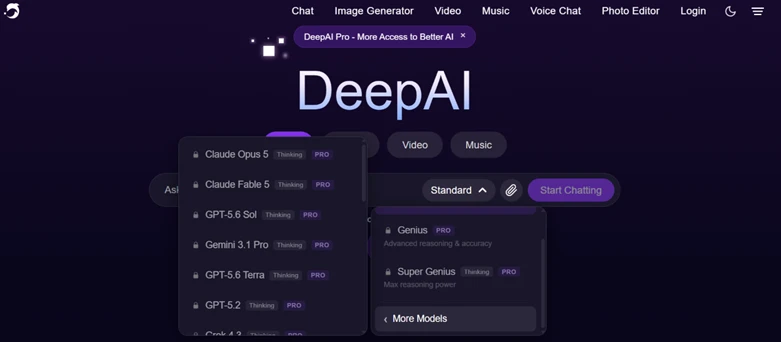
The catch appeared the moment I opened the model dropdown. The recognizable engines all sit behind a PRO lock, Claude Opus 5 and Gemini 3.1 Pro among them. Free users run on a weaker default model, and the names you would actually reach for cost money.
My first real test was a single subject. I typed “a red fox sitting in fresh snow, digital art, soft morning light,” set a 16:9 ratio, and hit create.
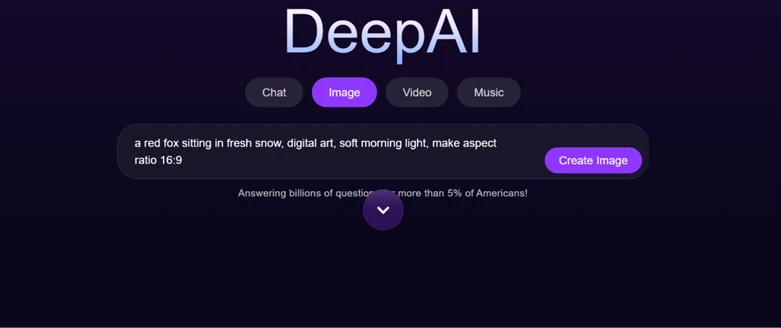
The image landed in under ten seconds.

It held up well. Fur texture looked natural, the snow read as snow, and the falling flakes added depth. The absence of a watermark matters if you plan to publish these anywhere.
Style range is another strength. The gallery advertises more than 100 stylized models, and the spread is broad, covering cute creatures, fantasy landscapes, anime portraits, and vintage pencil sketches.

For quick concepts and casual art, this is where DeepAI earns its keep.
Text inside an image was the first hard failure. I asked for a chalkboard menu reading “Coffee $3, Tea $2, Muffin $4” alongside a book cover titled “The Silent Forest.”
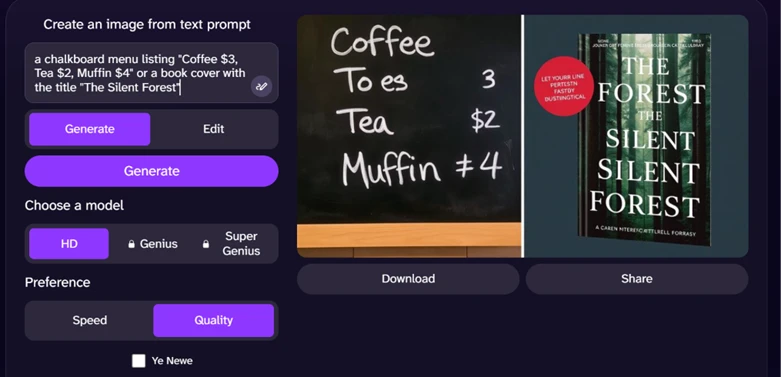
Both came back broken. The chalkboard rendered “Tea” as “To es” and mangled the prices into stray symbols. The book cover dissolved into repeated words and nonsense author credits. Past a few large letters, DeepAI cannot spell.
Crowded scenes were the next weak point. I prompted three children and two dogs playing with a red ball and a blue kite in a park, loading it with countable elements on purpose.
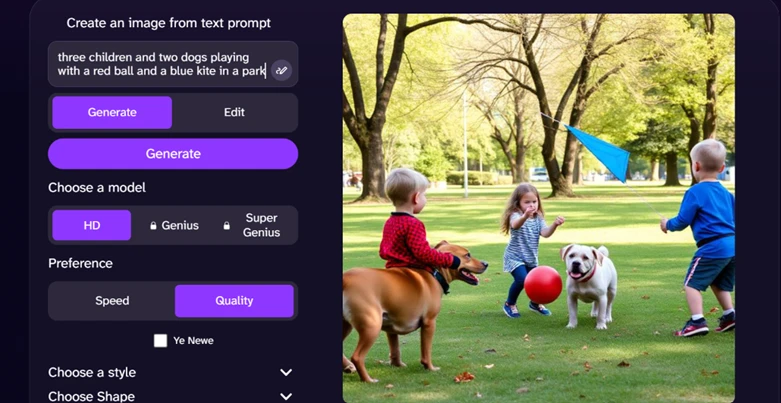
The setting came out fine. The park looked right, and the ball and kite rendered cleanly. The living subjects did not. One boy fused into the dog beside him, and the head count drifted away from what I asked for.
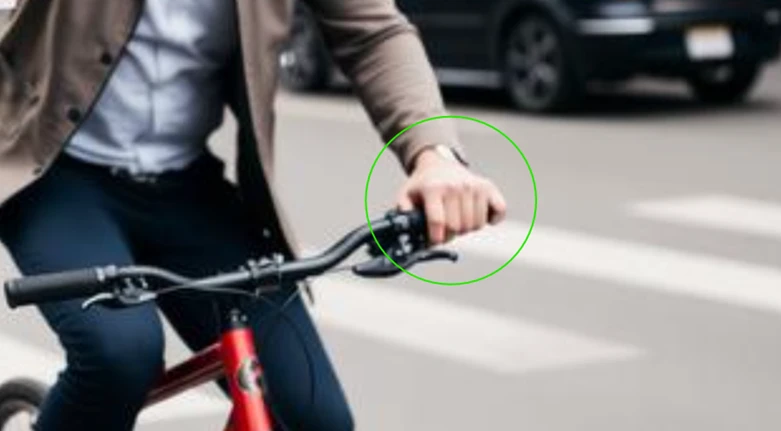
Then I checked the hands. A prompt for a woman passing a coffee cup to a man on a bicycle produced a street scene that reads as real at first glance.
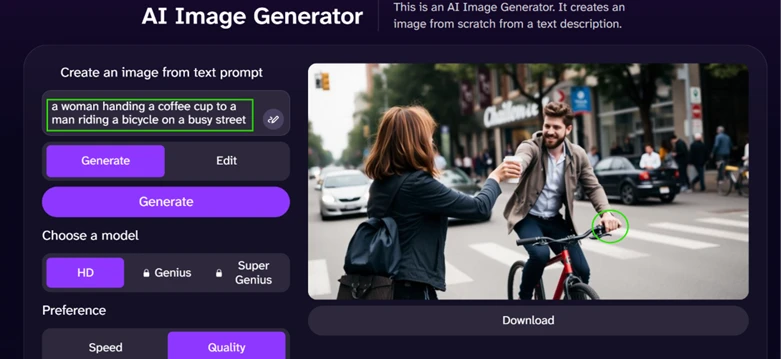
Look closer at the cyclist’s grip and the spell breaks. He holds the handlebar with five fingers plus a thumb, six digits on one hand.
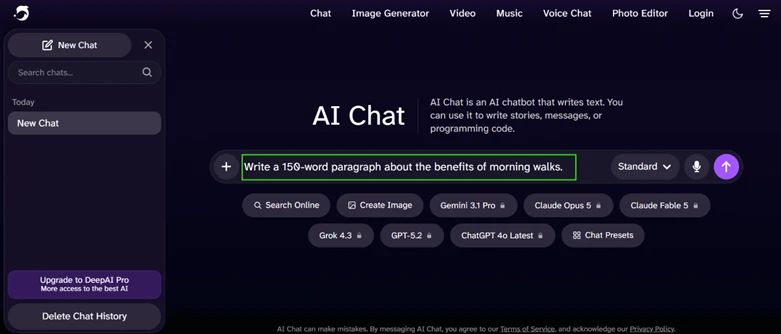
The chat writes quickly and reads smoothly. I asked for a 150-word paragraph on the benefits of morning walks.
The paragraph came back competent and on topic. It also came back with a passenger.
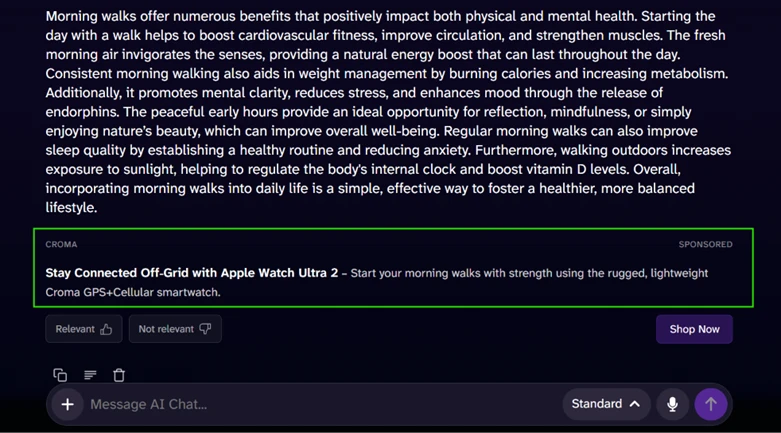
Directly beneath my answer sat a sponsored block selling an Apple Watch, “Shop Now” button included. The free chat tier folds shopping ads into its responses, which raises a fair question about how neutral the actual answers stay.
I dropped the paragraph into an AI detector to test the writing itself.
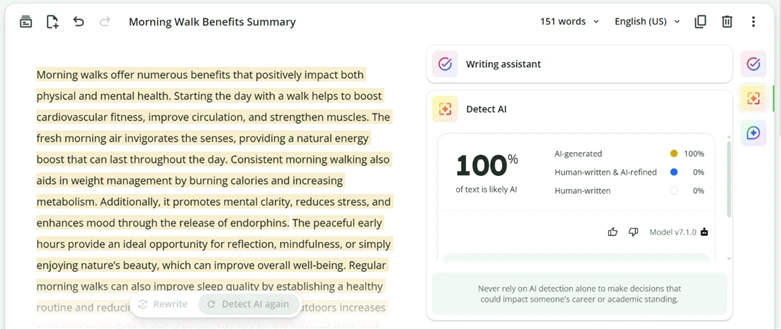
The score came back at 100% likely AI. For students or professionals hoping to pass this writing off as their own, speed does not fix that result.
Video is where the free ride stopped. I opened the video generator, typed a cinematic prompt, and ran straight into a wall.
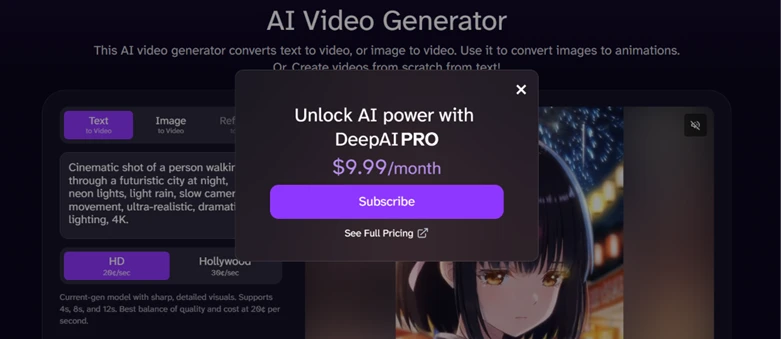
A subscribe panel dropped over the screen asking $9.99 a month for DeepAI Pro. Images and text let you experiment for free. Video wants your card before it will render a single frame.
| Dimension | Our test | User signal | Verdict | Composite |
|---|---|---|---|---|
| Image Quality Sharpness, fidelity, artifacts presence | 7.5 | 7.2 | Good | |
| Text and Chat Quality Instruction following, depth, hallucinations | 7 | 7.3 | Good | |
| Video Generation Realism, motion control, usefulness | 6 | 5.8 | Weak | |
| Ease of Use Learning curve, interface, workflows | 8 | 8.4 | Good | |
| Reliability and Stability Errors, downtime, consistency | 6.5 | 6.2 | Moderate | |
| Value for Money Pricing versus quality and limits | 7.8 | 7 | Good |
Toolscopia uses cookies to keep you signed in, remember your preferences, and understand how our reviews get read. Analytics are anonymous. See our privacy policy for the full detail.



Comments 0
Join the discussion and share your perspective.
Sign in to post a comment and reply to other readers.
No comments yet
Be the first to share your perspective on this tool.