1
AI avatar lipsync
Praised as good for static faces, but criticized when subjects move or speak dynamically.
AI video and avatar generator aimed at teams needing talking head or dubbed videos, but reviews report unstable rendering, confusing credit usage, weak multilingual support, and very limited value for the subscription cost.
Independent review — we test tools ourselves and analyze public user reviews. How we test.
HeyGen delivers reasonably convincing lipsync in simple, static talking head shots, which some reviewers found intuitive to use initially. Beyond that narrow use case, complaints dominate: unstable rendering, unusable long videos, poor multilingual voice cloning, and confusing credit consumption. Customer support is frequently described as slow, unresponsive, or dismissive, with refund requests ignored. Pricing feels high relative to reliability and feature limits. It suits experimental creators testing short, simple English clips, but is a risky choice for production workflows or non English content.
HeyGen is an AI video platform that turns a written script into a finished talking-head video: paste text, pick an avatar and voice, and it generates a presenter speaking with synced lips, gestures, and intonation, no camera or studio required. Its Avatar IV engine, launched in 2025, leads the category on realism with micro-expressions and emotion-aware delivery, and users can create a Digital Twin of themselves from a two-minute recording submitted through a consent process. The other headline feature is video translation with lip-sync across more than 175 languages, letting one recording become a global content library. Over 90,000 businesses use it, including OpenAI, HubSpot, and Ogilvy.
Pricing starts free with three watermarked videos monthly, then jumps to a $29 Creator plan, a $99 Pro tier, and Business plans from $149 with 4K and custom avatars. The friction is the credit system: premium Avatar IV video consumes 20 credits per minute, so Creator's 200 credits cover only about 10 minutes of top-tier output, and real production budgets often land well above sticker price. It excels at marketing videos, training content, and localization at scale, while cinematic storytelling with varied scenes remains outside its lane.
Praised as good for static faces, but criticized when subjects move or speak dynamically.
Strongly criticized because download errors consume credits and regenerations cost additional credits.
Frequently described as very expensive relative to mistakes, limits, and unclear credit consumption.
Criticized for repeated failures, multi day waits, and inability to render a 27 minute video.
Reported as dysfunctional for Portuguese, producing robotic accents and unusable cloned voices.
Called a mess, with edits degrading projects and unrequested slides appearing during adjustments.
Mostly criticized as unresponsive or dismissive, with one isolated mention of a helpful agent.
Used for employee onboarding, but reliability issues blocked delivery and undermined trust.
After initial minutes, lipsync and text quality reportedly degrade significantly.
HeyGen AI is mostly popular for its realistic AI avatars with excellent lip syncing, along with other features like voice cloning and script-to-video generation. In simple words, it lets you create talking-head videos without a camera, a microphone, or any editing skills. So I decided to test it myself and see if it actually lives up to the hype, and here is exactly how it went. You can try it here: https://app.heygen.com/
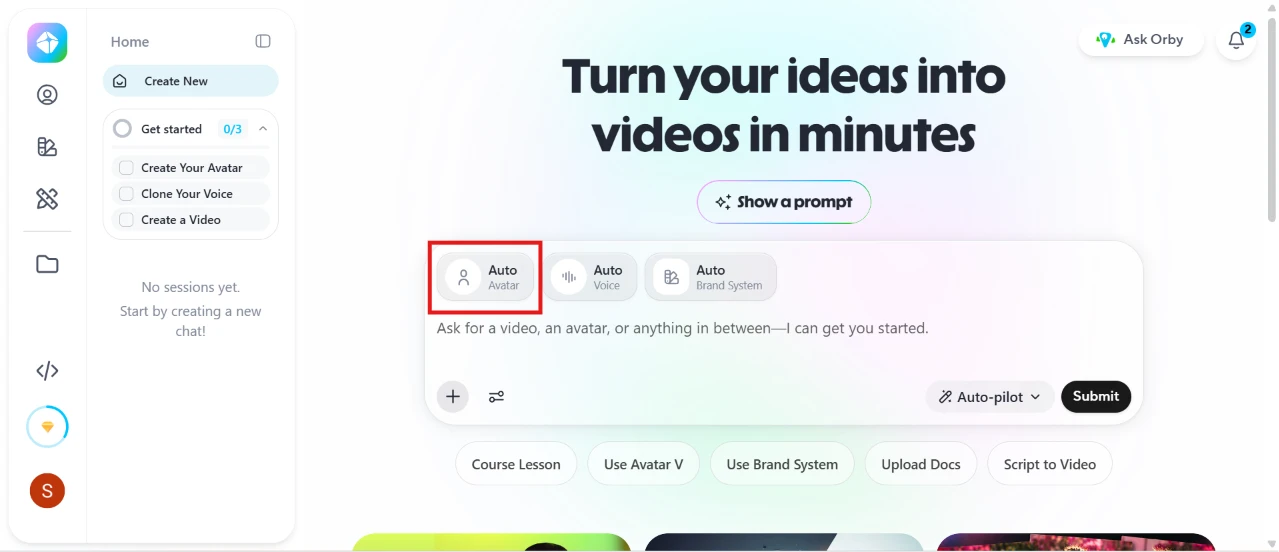
My testing started with creating an avatar on HeyGen AI. Right on the home page, you get a simple prompt box that says “Turn your ideas into videos in minutes”, along with options like Auto Avatar, Auto Voice, and Auto Brand System. The sidebar also gives you a small checklist to create your avatar, clone your voice, and make your first video. I went with the Auto Avatar option, and the interface felt clean and beginner friendly from the very first screen.
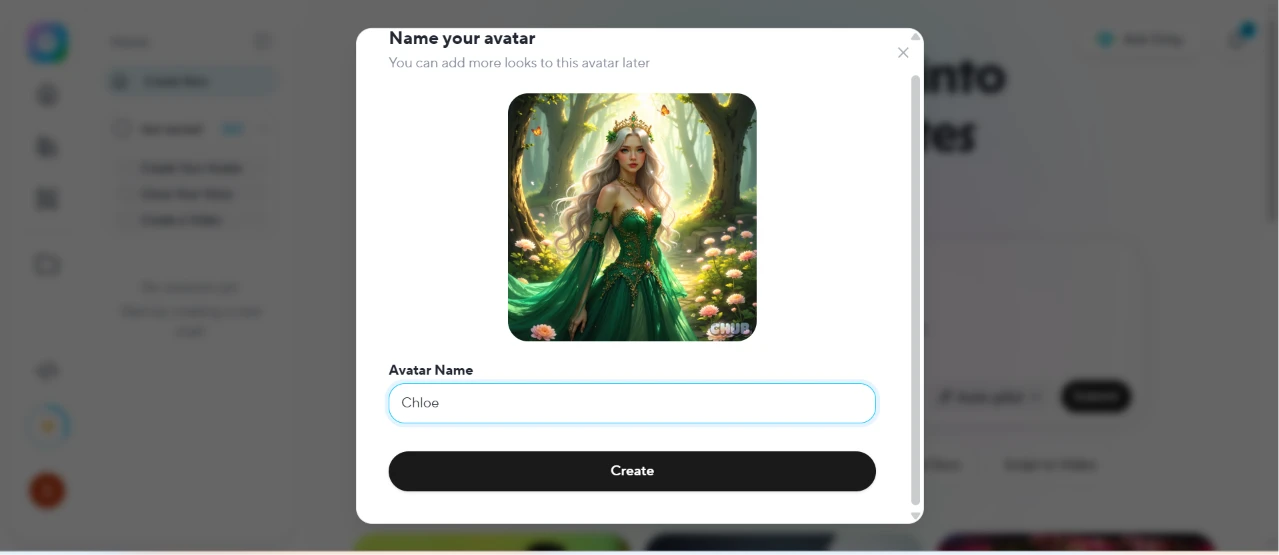
I selected a picture for the avatar and named it Chloe. The process was as simple as picking the image and typing a name, and HeyGen also mentions that you can add more looks to the same avatar later. One click on Create and the avatar was ready to use.
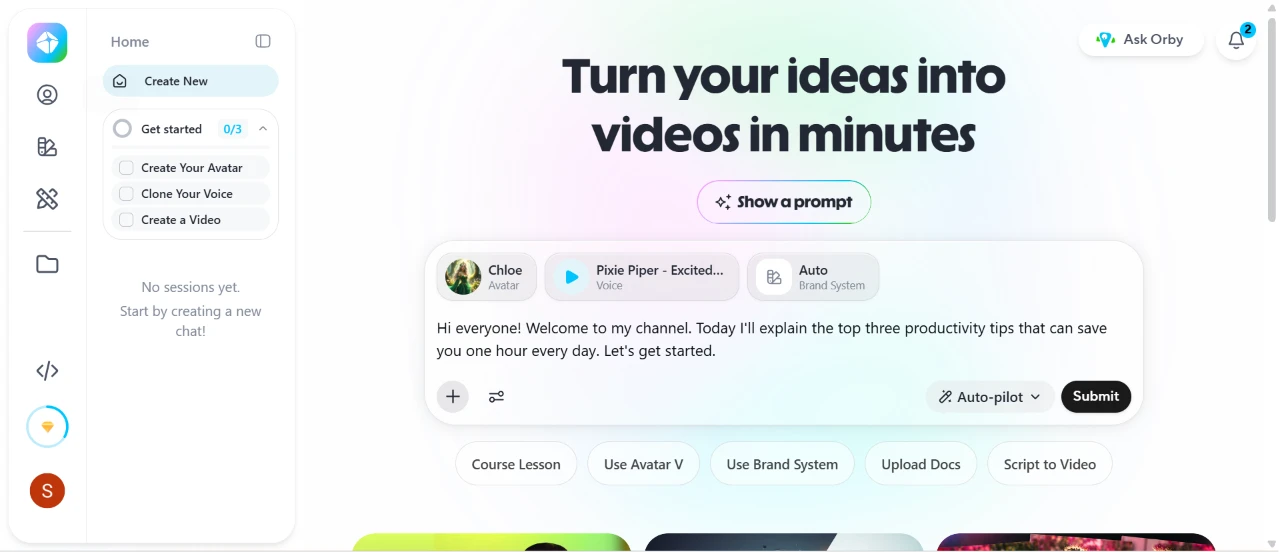
After making the avatar, HeyGen automatically picked a voice for it called Pixie Piper, which honestly matched the character quite well. It also gave this ready-made prompt: “Hi everyone! Welcome to my channel. Today I'll explain the top three productivity tips that can save you one hour every day. Let's get started.” I did not have to write or set up anything on my own, so I simply reviewed everything and clicked on Submit.
This is the generated video. It took about 5 minutes to be fully generated, and HeyGen kept me updated through its chat assistant while the video was being made. The avatar is completely identical to the photograph, and the lip syncing is amazing. You also get a timeline view below the video, along with options to give feedback, change the voice, or edit a copy in AI Studio if you want more control.
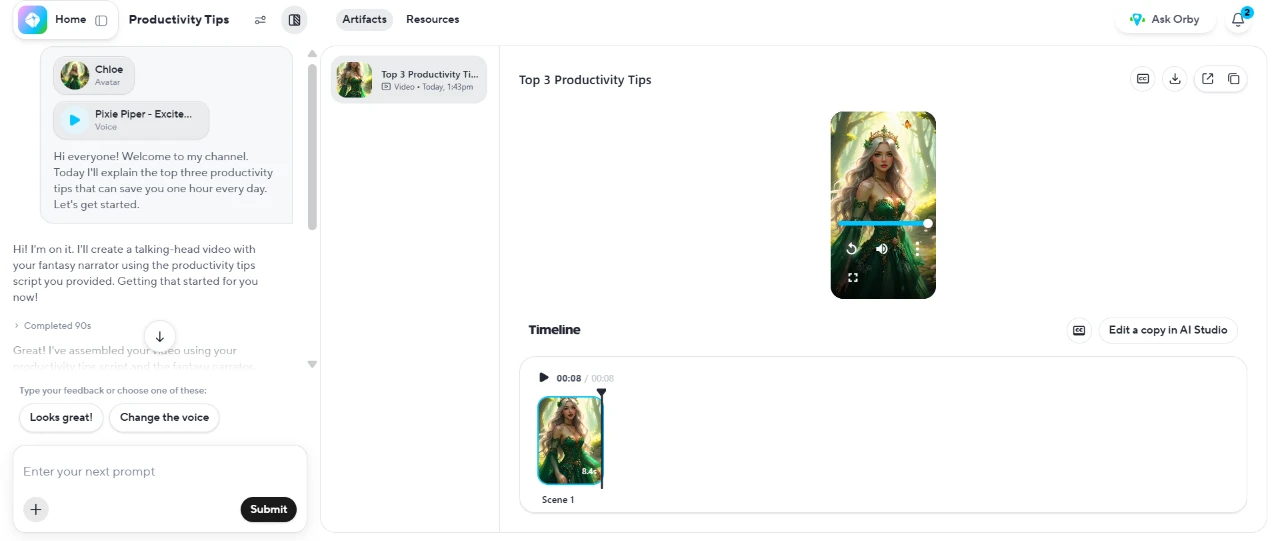
Here is the link to the generated video so you can check it out yourself: https://app.heygen.com/videos/top-3-productivity-tips-3c39b8176d05480e9f2a982d12b1fa94
For a quick first test, HeyGen delivered exactly what it is known for. The whole process, from picking a picture to a finished talking video, took only a few minutes with barely any effort, and at no point did I feel the need for a tutorial. For content creators, marketers, or anyone who wants talking videos without facing a camera, it is definitely worth trying. If realistic avatars and clean lip syncing are what you are after, HeyGen clearly knows what it is doing.
| Dimension | Our test | User signal | Verdict | Composite |
|---|---|---|---|---|
| Output Quality Visual and audio realism | 8.5 | 8.8 | Excellent | |
| Reliability Rendering success and stability | 7.9 | 8 | Good | |
| Ease of Use Learning curve and usability | 7.5 | 8.1 | Good | |
| Value for Money Perceived ROI and pricing | 9.5 | 8 | Excellent | |
| Multilingual Support Non English language effectiveness | 7.4 | 6.8 | Good | |
| Customer Support Responsiveness and resolution | 7.3 | 7 | Good | |
| Editing Experience Editor stability and control | 8.3 | 8.7 | Excellent |
Toolscopia uses cookies to keep you signed in, remember your preferences, and understand how our reviews get read. Analytics are anonymous. See our privacy policy for the full detail.



Comments 0
Join the discussion and share your perspective.
Sign in to post a comment and reply to other readers.
No comments yet
Be the first to share your perspective on this tool.