1
Script to video generation
Converts written scripts into animated videos, often criticized for changing storylines and adding unwanted scenes.
AI image and video generator aimed at creators wanting scripted animations from text, but reviews describe severe consistency issues, aggressive credit usage, and opaque billing that make reliable production work difficult and financially risky.
Independent review — we test tools ourselves and analyze public user reviews. How we test.
MagicLight AI can produce attractive images and occasional smooth videos, and some reviewers praise fast updates, rendering speed, and responsive chat-based tweaks. However, these positive experiences are heavily outweighed by reports of inconsistent characters, anatomical errors, unpredictable scene logic, and projects failing after large credit spends. Billing, subscription cancellation, and credit marketing are repeatedly described as confusing or misleading, with many users involving banks to stop charges. It suits experimental or non critical tests where budget and reliability are less important, but is a poor fit for professional storytelling, client work, or anyone needing predictable costs and support.
MagicLight AI is a story-to-video platform built for long-form content rather than the 5-second clips most AI generators produce. You feed it a script, story, or prompt, and it handles scripting, storyboards, animation, voiceovers, and lip-sync in one workflow, generating videos up to 50 minutes long. Its standout feature is character consistency, keeping the same face, clothing, and style across every scene.
That makes it a favorite for faceless YouTube channels, kids' story creators, educators, and marketers producing narrative content. A free trial includes 300 credits with no card required, paid plans start around $8 per month, and exports cap at 1080p with commercial rights included. The trade-offs are credit-hungry advanced features and stylized output that suits animation better than realism.
Converts written scripts into animated videos, often criticized for changing storylines and adding unwanted scenes.
Generates recurring characters, widely criticized for inconsistency, missing assets, and anatomical errors like extra fingers.
Uses credits for storylines, edits, and rendering, frequently described as expensive and rapidly consumed.
Chat style adjustments to outputs, praised by some reviewers for small directional tweaks without restarting.
Desktop version noted by a few users as smoother on longer scripts and larger projects.
Provides AI voices, criticized for single voice per scene, low variety, and occasional background noise.
Animates individual images, often criticized for per image credit charges and not creating full videos at once.
Ongoing feature updates noted positively, although many core reliability issues remain unresolved.
Advertised minute allowances, repeatedly reported as not matching real output before additional credits required.
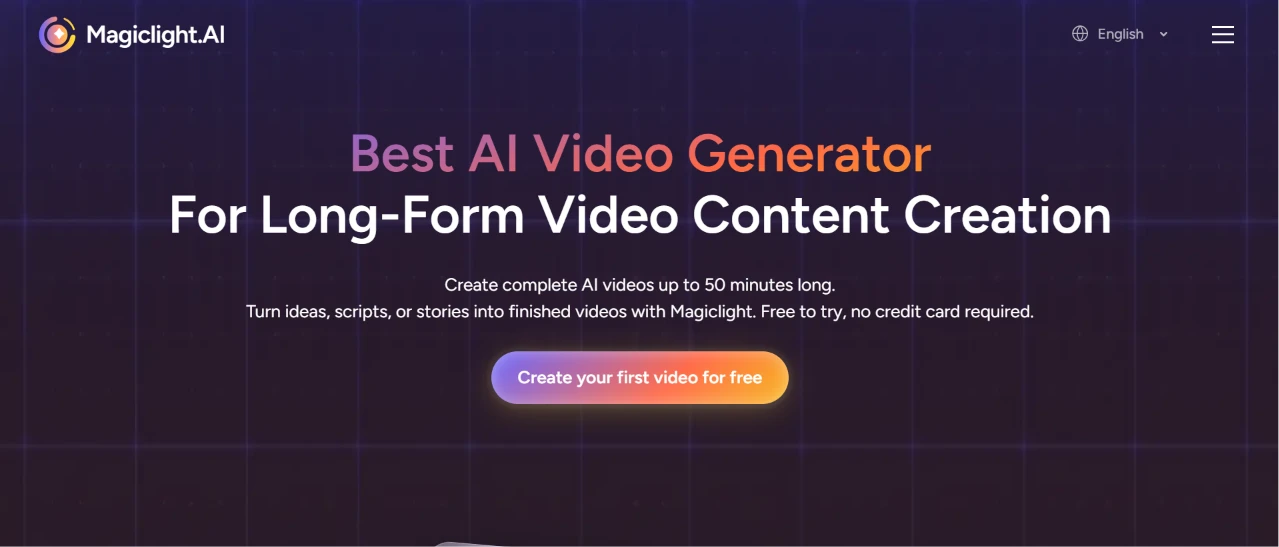
I started where any new user would, on the front page. The pitch was hard to miss: a headline calling it the best AI video generator for long-form content, sitting above a claim of complete videos up to 50 minutes long and a line saying it was free to try with no credit card required. One button sat under all of it, "Create your first video for free."
I clicked it. No signup wall stopped me from looking around first, which lowered the barrier to just trying the thing. I made a mental note of that 50-minute promise to see whether the rest of the flow would back it up.
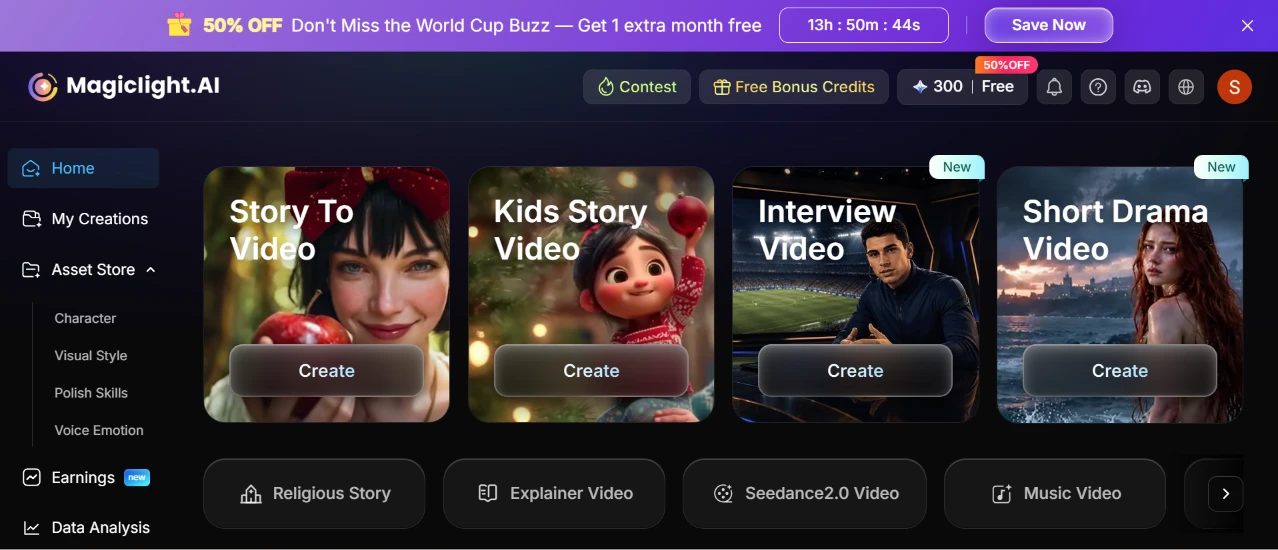
After signing in, the dashboard loaded as the home base. Four creation cards ran across the top: Story To Video, Kids Story Video, Interview Video, and Short Drama Video. A second row underneath held more options like Religious Story, Explainer Video, Seedance2.0 Video, and Music Video.
The first thing that caught my eye was not a tool at all. It was a countdown banner pinned across the top, a "50% OFF" offer tied to World Cup buzz, ticking down from around 13 hours. I had not asked for a sale, and a running clock at the top of my workspace nudged me toward upgrading whether I wanted to or not.
My credit balance sat in the corner at 300 free credits, which I liked being able to see at a glance. Two of the four main cards wore "New" badges. The layout made it obvious where to begin, so I picked Story to Video first.
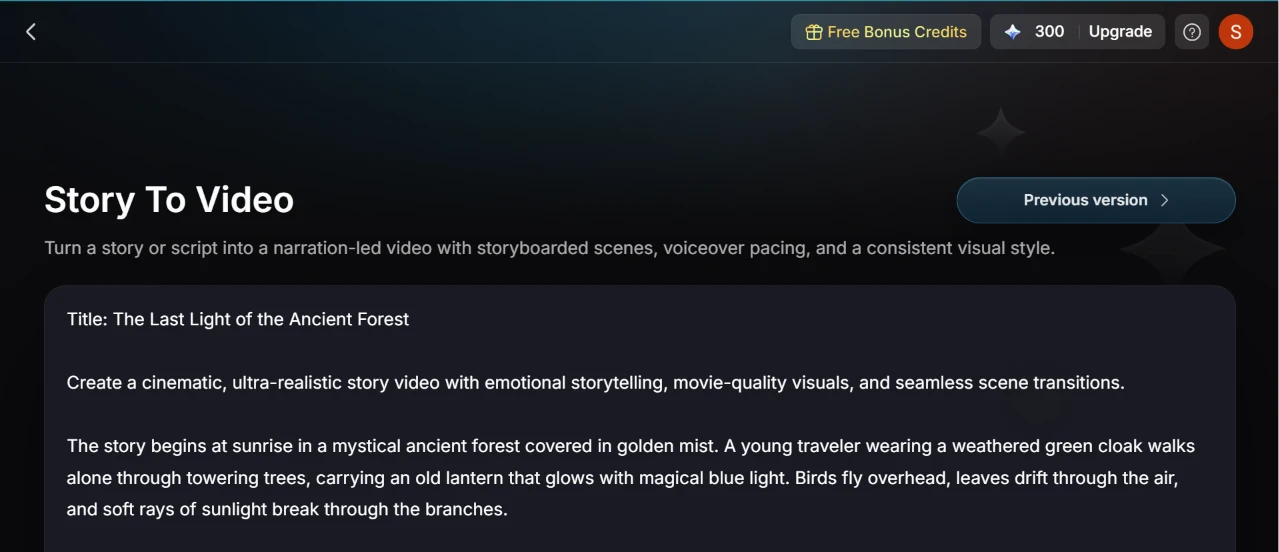
Story to Video opened to a single large text field. I pasted in a long cinematic prompt I had written, a fantasy piece about a lone traveler in a green cloak carrying a glowing lantern through an ancient forest, ending at a giant Tree of Life. It ran several paragraphs and packed in a full visual style plus a mood breakdown.
The field swallowed the whole thing without complaint. A "Previous version" link sat in the top right, which told me the page had been reworked at some point and I could fall back if I needed to.
One box for the entire story kept this step about as simple as it gets.
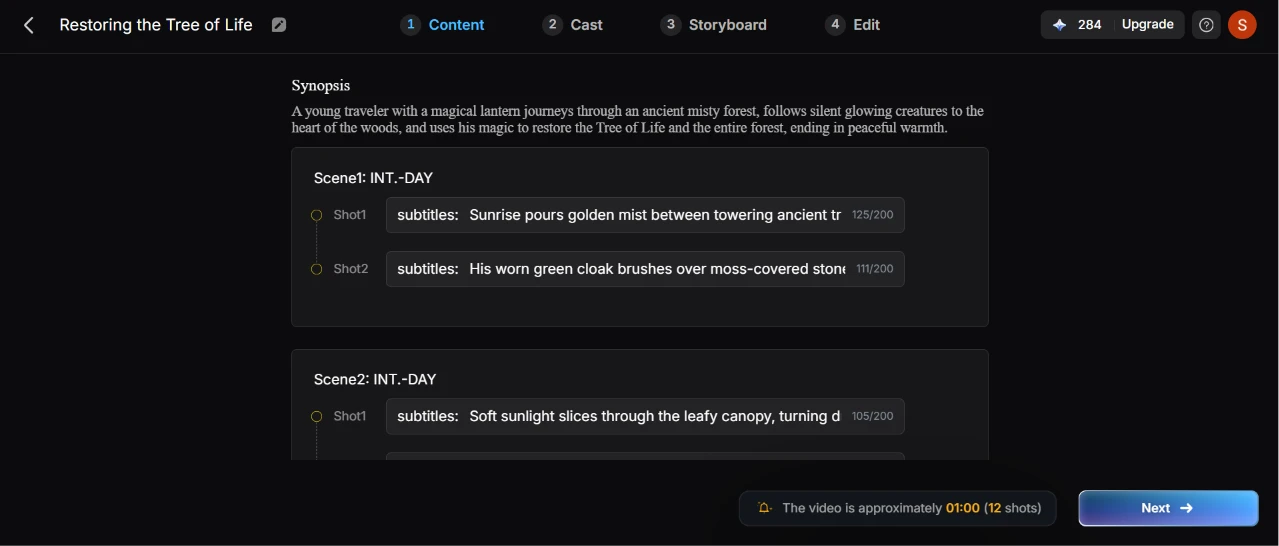
Moving to the Content tab, I could see the whole pipeline laid out as four steps across the top: Content, Cast, Storyboard, and Edit. This first step is where things got interesting. The tool had already taken my block of prose and split it into a structured breakdown on its own. Up top sat an auto-written synopsis of the traveler’s journey. Below that, my story was chopped into Scene 1 and Scene 2, each divided into numbered shots with an editable subtitle line.
Every subtitle carried a character counter capped at 200, so I could see exactly how much room each line had. A note at the bottom estimated the video at roughly one minute across 12 shots, which set my expectations before I spent anything on generation.
Then I noticed my credits. The balance now read 284, down from the 300 I started with. Something earlier in the flow had already quietly spent 16 credits, which I had not clocked happening.
Getting a shot-by-shot script back from a wall of pasted text was the surprise of this step.
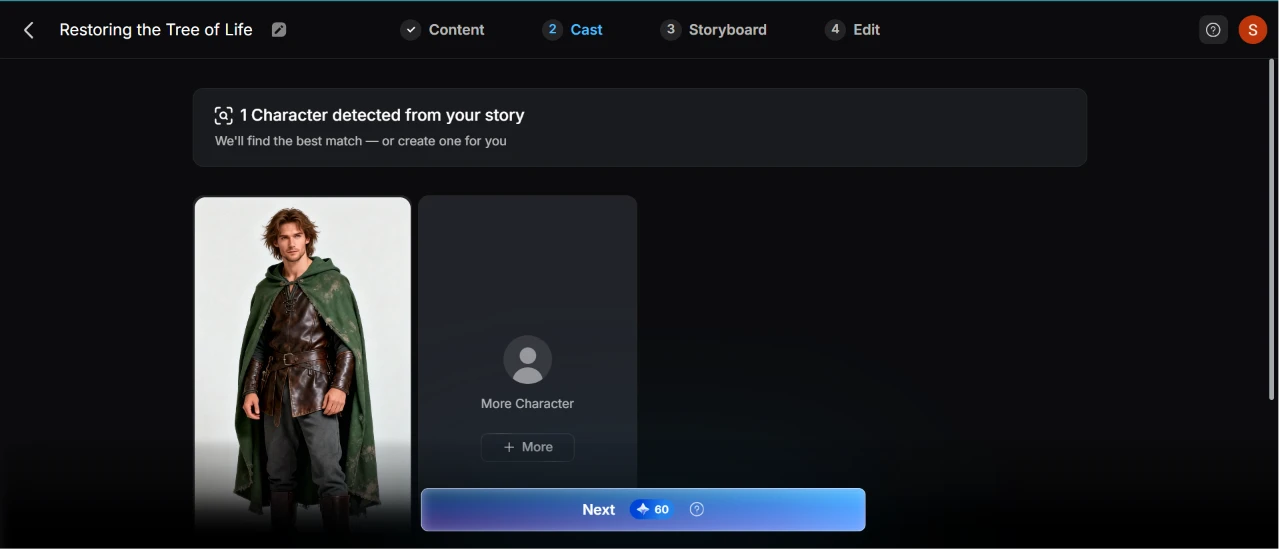
The Cast step read my script and flagged that it had found one character. It labeled the result plainly, "1 Character detected from your story," and offered to find the best match or build one for me.
It had already generated a version of my traveler, a young figure in a weathered green cloak, rendered as a portrait I could keep or swap. An option to add more characters sat next to it, though my story only needed the one.
The Next button showed a price of 60 credits, so the cost of moving forward was in plain sight before I committed. Having the character pulled out and matched to a face automatically took work off my plate.
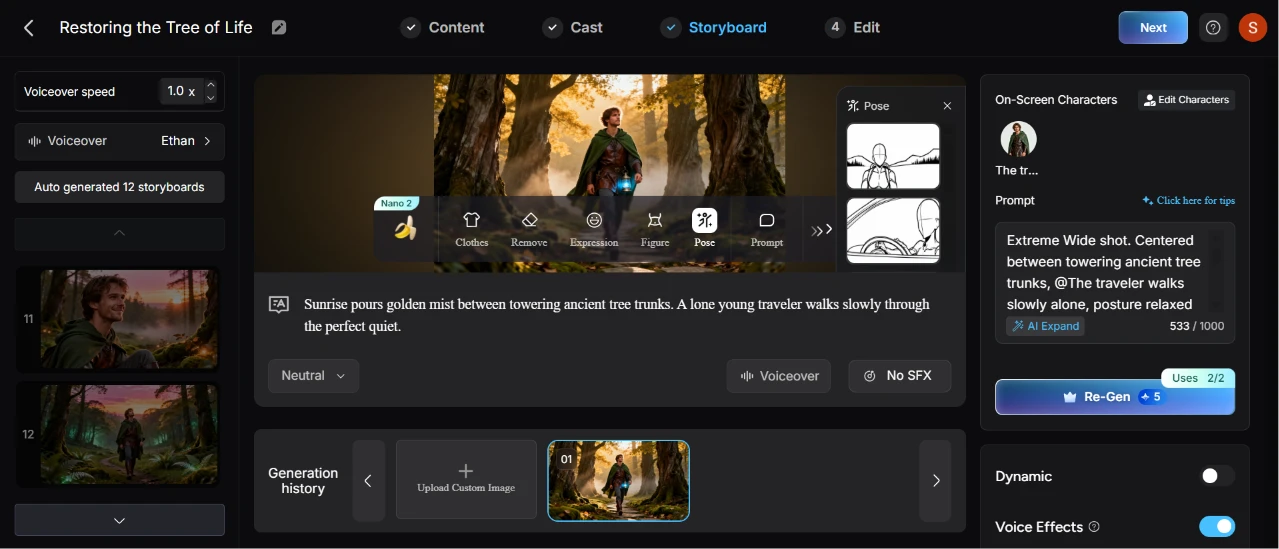
This screen was the densest of the whole test, and it took me a minute to get my bearings. My scene sat in a large frame in the center, the cloaked traveler standing among towering tree trunks. Running across it was a toolbar of editing options: Clothes, Remove, Expression, Figure, Pose, and Prompt.
Down the left edge were the auto-generated storyboards, twelve of them, each a thumbnail I could jump to. The right panel held the prompt for the selected shot, an extreme wide shot description sitting at 533 of 1000 characters, with an "AI Expand" button to flesh it out.
Two things stood out on the pricing side. A "Re-Gen" button let me regenerate a shot for 5 credits a go, and right above it a "Uses 2/2" counter meant I could only re-roll that shot twice before it locked. Experimenting here adds up in credits fast, and the cap put a ceiling on how much I could tweak.
I also set the voiceover to a voice named Ethan and left the voiceover speed at 1.0x. There were toggles for dynamic motion and voice effects, plus a switch for sound effects on each shot.
Once I had the scene the way I wanted it, I generated the video. The finished project landed here
For all the power packed into this editor, the density is the trade. Every control I could want was on one screen, which also meant decoding a row of small icons before I understood what each one did.
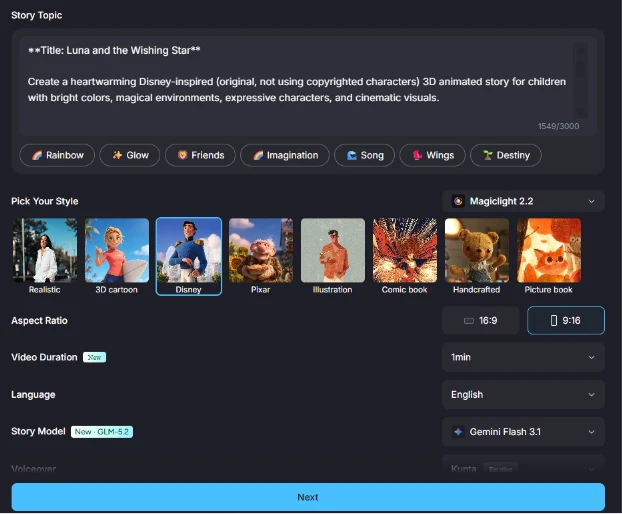
Next I tried the Kids Story Video mode with a gentler prompt, a little girl named Luna who meets a tiny dragon and restores a fallen star through kindness. My text filled the box to 1,549 of 3,000 characters, so this mode gave me roughly triple the prompt room of the story tool.
Under the prompt sat a strip of style presets shown as sample thumbnails: Realistic, 3D cartoon, Disney, Pixar, and several others. Picking from little preview images beat guessing what a style name would produce, so I chose the Disney-inspired look.
From there I set the rest through dropdowns: a 9:16 vertical aspect ratio, a one-minute duration, English, the story model, and a voiceover. A "New" badge sat on the duration option and a "New GLM-5.2" tag on the model, both hinting at recent additions.
I generated it, and the result opened here
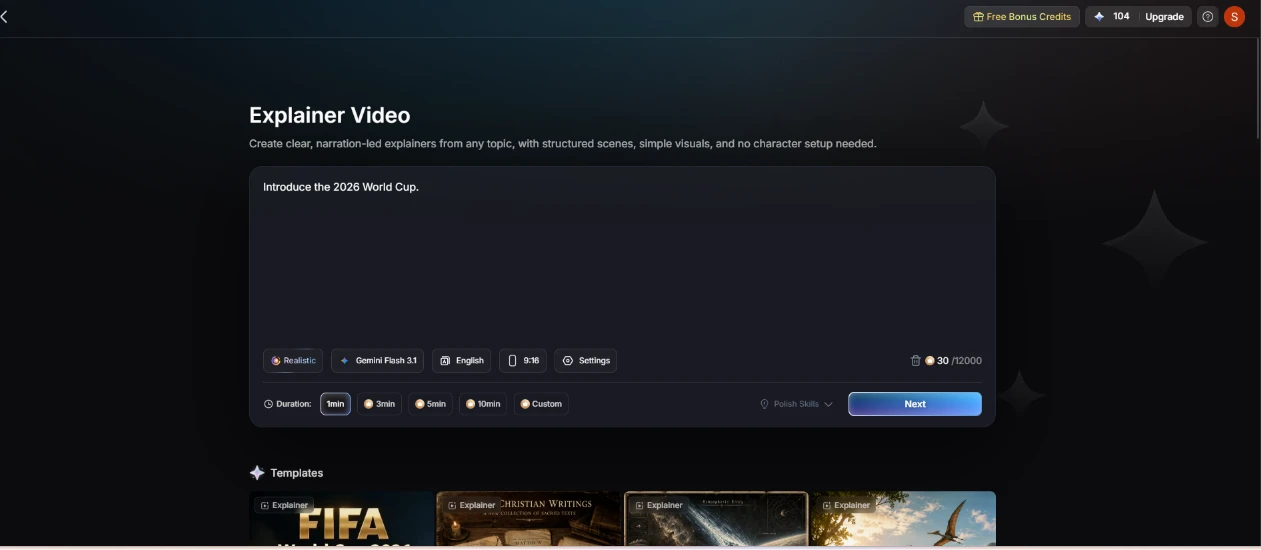
The Explainer Video mode asked for the least of me. I typed a single line, "Introduce the 2026 World Cup," and that was the whole prompt. No character step, no scene wrangling.
Duration ran from one minute up to ten, with a Custom option if none of the presets fit. The job was quoted at 30 credits right on the button, so I knew the cost of a quick explainer before running it. A row of ready-made templates sat below the input for anyone who wanted a starting point.
After a paragraph-long story prompt earlier, dropping in one sentence and being ready to go was a welcome change of pace. I ran it, and here is what came out
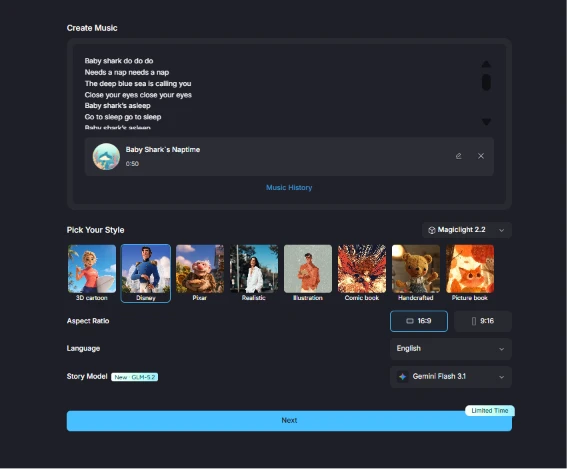
For the last test I gave Create Music a set of lullaby lyrics, a sleepy spin on Baby Shark. It generated a preview track right in the page, titled "Baby Shark’s Naptime" and clocking in at 50 seconds, before any video was made.
The style thumbnails and settings mirrored the Kids Story flow almost exactly, down to the aspect-ratio and model dropdowns. By this point the setup felt familiar, so I moved through it quickly. A "Limited Time" tag sat on the Next button.
I generated the final piece, and it opened here
| Dimension | Our test | User signal | Verdict | Composite |
|---|---|---|---|---|
| Output Quality Visual fidelity and scene coherence | 6.2 | 7.5 | Moderate | |
| Character Consistency Continuity across scenes and shots | 8 | 7.6 | Good | |
| Ease of Use Learning curve and interface clarity | 6.2 | 7.3 | Moderate | |
| Value for Money Credits, pricing, and delivered output | 8.5 | 7.8 | Good | |
| Reliability and Stability Glitches, queueing, and project survival | 5.8 | 5.1 | Weak | |
| Customer Support Responsiveness and helpfulness | 6.3 | 5.4 | Weak | |
| Billing Transparency Clarity of plans and cancellation | 6.4 | 6.1 | Moderate |
Toolscopia uses cookies to keep you signed in, remember your preferences, and understand how our reviews get read. Analytics are anonymous. See our privacy policy for the full detail.



Comments 0
Join the discussion and share your perspective.
Sign in to post a comment and reply to other readers.
No comments yet
Be the first to share your perspective on this tool.