1
Krea2 Turbo image model
Praised for fun, responsive generations, though occasionally sensitive and unpredictable about outputs.
Krea AI is an AI art and video generator and model aggregator used by artists, marketers, and designers who want fast, controllable visuals and enhancement tools, but must accept heavy credit metering, strict moderation, and uneven support.
Independent review — we test tools ourselves and analyze public user reviews. How we test.
Krea AI earns strong praise for image quality, controllability, and a versatile toolset that suits artists, agencies, and experimental creators. Reviewers highlight intuitive workflows, custom training, and helpful enhancement tools when they work. The flip side is frequent criticism of confusing credits, aggressive moderation, reliability issues, and poor communication around billing and promotions. It fits best for visual creators willing to learn its quirks, track credit usage closely, and tolerate service instability in exchange for strong creative capabilities.
Krea AI is a browser-based creative suite whose signature trick is real-time generation: sketch a shape or type a prompt and the image updates live on the canvas instead of making you submit and wait. Founded in 2022 and now serving over 30 million users, it pairs its own Krea 2 model, launched in 2026, with access to more than 60 third-party models including Flux, Veo, Kling, and Runway, all under one subscription.
Beyond images, it covers video generation, 3D assets, 4K upscaling, and custom model training on your own photos for brand-consistent output. A free tier offers 100 compute units daily, with paid plans from $9 per month adding commercial rights. The drawbacks are credit costs that punish heavy experimentation and thin customer support, but for designers who iterate visually, the live canvas remains genuinely different from anything else in the category.
Praised for fun, responsive generations, though occasionally sensitive and unpredictable about outputs.
Widely appreciated for enabling unique, personal styles unreachable with generic models.
Often commended for detail-preserving upscales, but sometimes criticized for weird filters or low quality.
Celebrated as a flexible Swiss Army knife for accessing many top AI models in one place.
Context features help steer generations precisely, earning positive remarks from advanced users.
Frequently criticized as confusing, expensive at high volumes, and prone to perceived overcharging.
Heavily criticized as overreaching and creativity-limiting, especially for certain visual topics.
Valued for refining manual sketches, giving stronger control than many competing tools.
Mentioned positively when active, but also called misleading when removed or malfunctioning.
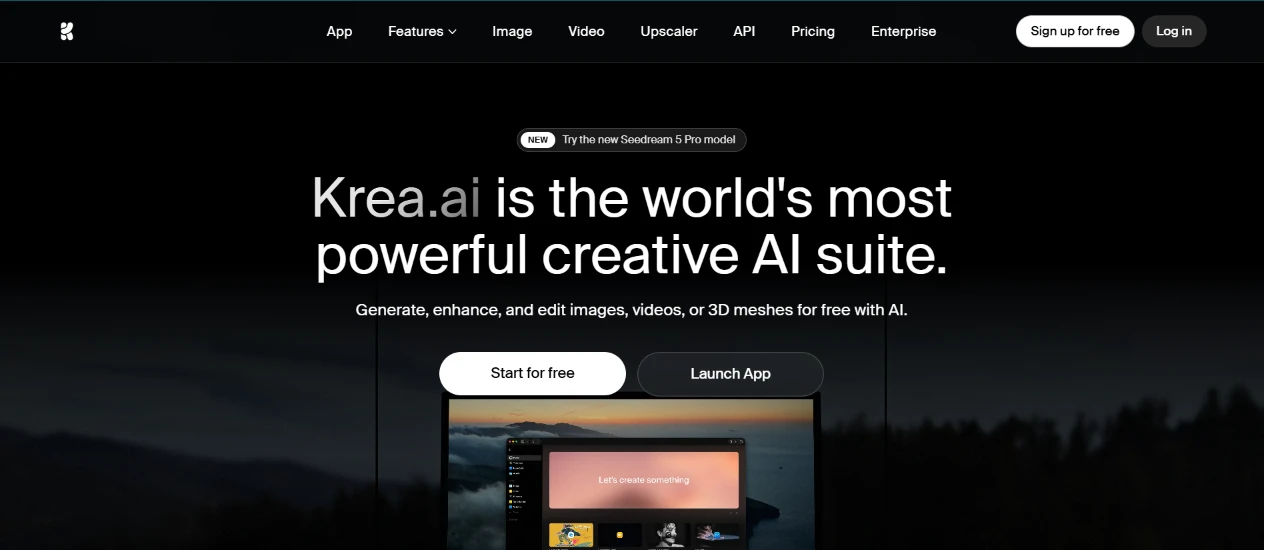
I opened Krea and the first thing in front of me was the homepage, with two buttons sitting side by side: "Start for free" and "Launch App." I went with launching the app so I could drop straight into the workspace.
The top nav laid out where everything lived, with the Image and Video tools easy to spot.
Nothing here slowed me down.
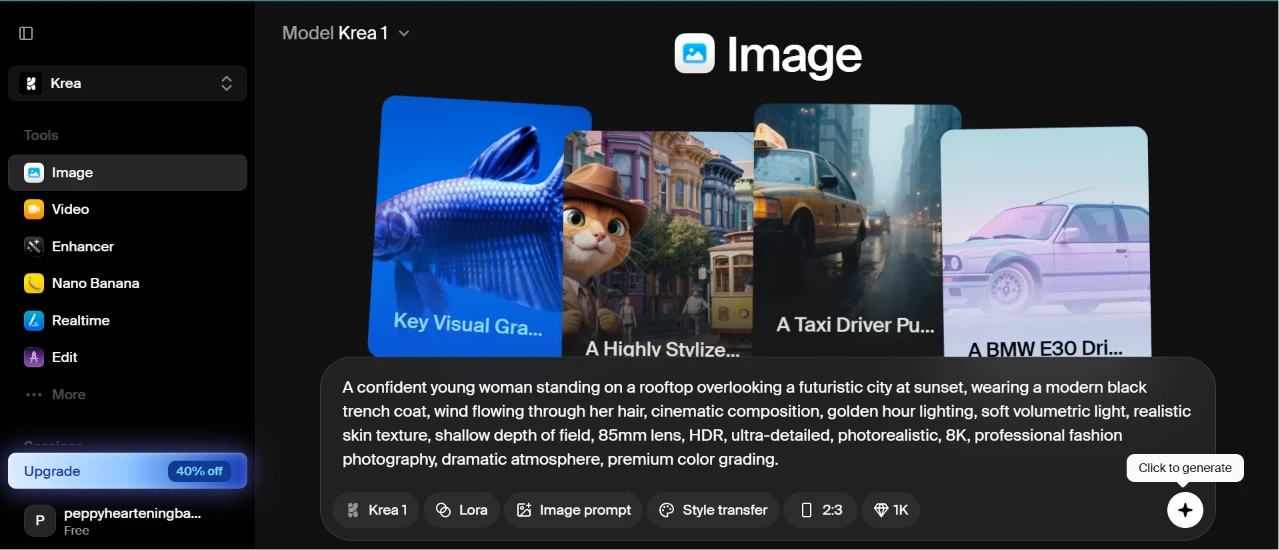
Inside the Image tool I chose the Krea 1 model from the dropdown at the top and set the aspect ratio to 2:3 using the toggle down by the prompt box. A strip of style thumbnails ran across the middle of the screen. Then I pasted in my prompt:
“A confident young woman standing on a rooftop overlooking a futuristic city at sunset, wearing a modern black trench coat, wind flowing through her hair, cinematic composition, golden hour lighting, soft volumetric light, realistic skin texture, shallow depth of field, 85mm lens, HDR, ultra-detailed, photorealistic, 8K, professional fashion photography, dramatic atmosphere, premium color grading.”
The field swallowed the whole thing without complaint, and the left sidebar kept every other tool a single click away while I worked.
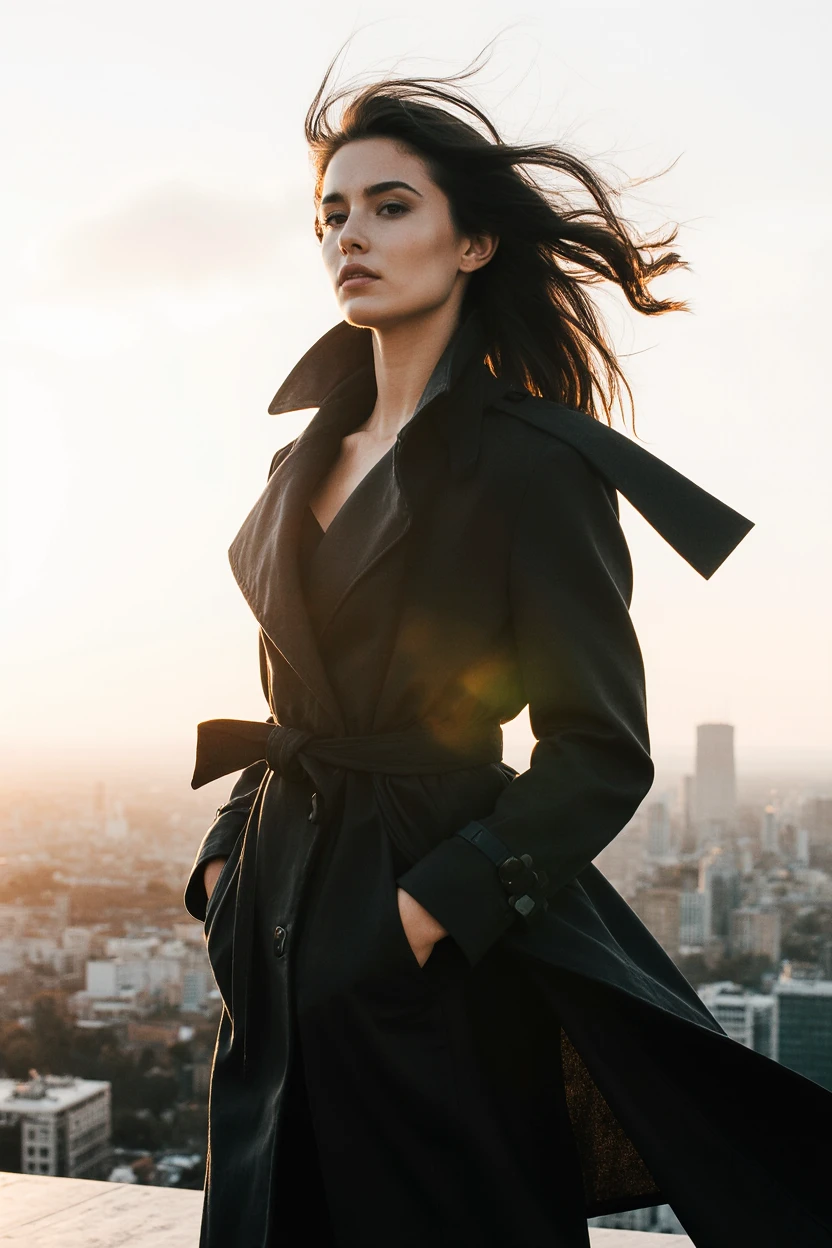
I hit generate and waited. The output landed close to what I had asked for. Backlit hair caught the sunset. The trench coat read as fabric rather than plastic, and the city fell out of focus behind her the way a shallow depth of field would.
This one surprised me. The skin texture held up when I zoomed in, and the light direction stayed consistent across her face and the coat. Her hands stayed tucked into the coat, which quietly sidestepped the finger problems I usually brace for. The wind in the hair looked like it belonged in the same frame as the light rather than pasted on top. I sat looking at it longer than I meant to.
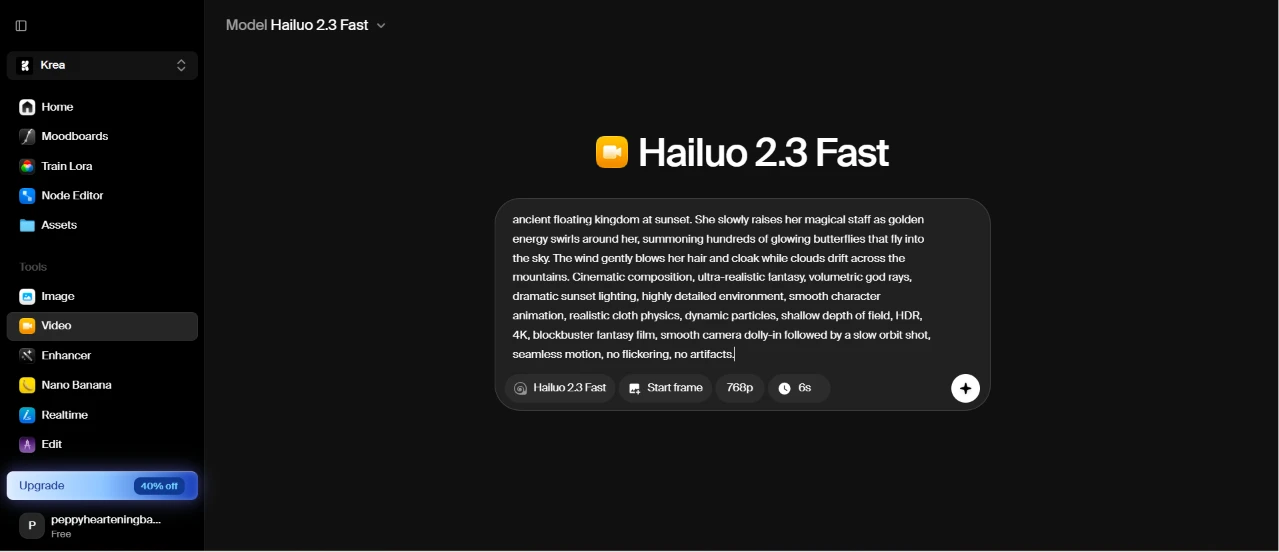
I switched over to the Video tool and picked Hailuo 2.3 Fast. The panel let me set a start frame, and showed the clip capped at 768p and 6 seconds. I typed in a fantasy scene:
“A young female mage wearing a glowing blue cloak stands on a cliff overlooking an ancient floating kingdom at sunset. She slowly raises her magical staff as golden energy swirls around her, summoning hundreds of glowing butterflies that fly into the sky. The wind gently blows her hair and cloak while clouds drift across the mountains. Cinematic composition, ultra-realistic fantasy, volumetric god rays, dramatic sunset lighting, highly detailed environment, smooth character animation, realistic cloth physics, dynamic particles, shallow depth of field, HDR, 4K, blockbuster fantasy film, smooth camera dolly-in followed by a slow orbit shot, seamless motion, no flickering, no artifacts.”
Click here to watch the result.
Getting the video as a separate asset felt like one more hop than the image tool asked for, where the picture just appeared under the prompt. Setting the resolution and length before generating, on the other hand, took no thinking at all.
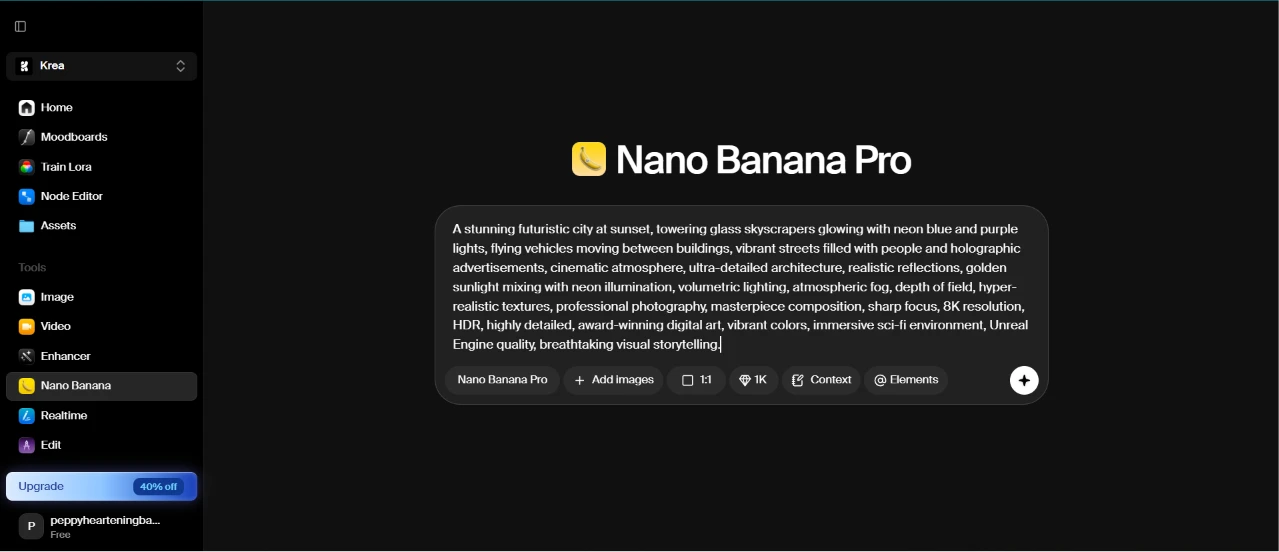
Next I opened Nano Banana Pro. The bar under the prompt carried options for adding image references and pulling in extra context, which told me this model wanted more guidance than the plain Image tool. I entered a dense city prompt:
“A stunning futuristic city at sunset, towering glass skyscrapers glowing with neon blue and purple lights, flying vehicles moving between buildings, vibrant streets filled with people and holographic advertisements, cinematic atmosphere, ultra-detailed architecture, realistic reflections, golden sunlight mixing with neon illumination, volumetric lighting, atmospheric fog, depth of field, hyper-realistic textures, professional photography, masterpiece composition, sharp focus, 8K resolution, HDR, highly detailed, award-winning digital art, vibrant colors, immersive sci-fi environment, Unreal Engine quality, breathtaking visual storytelling.”
Then I clicked generate, expecting a render.
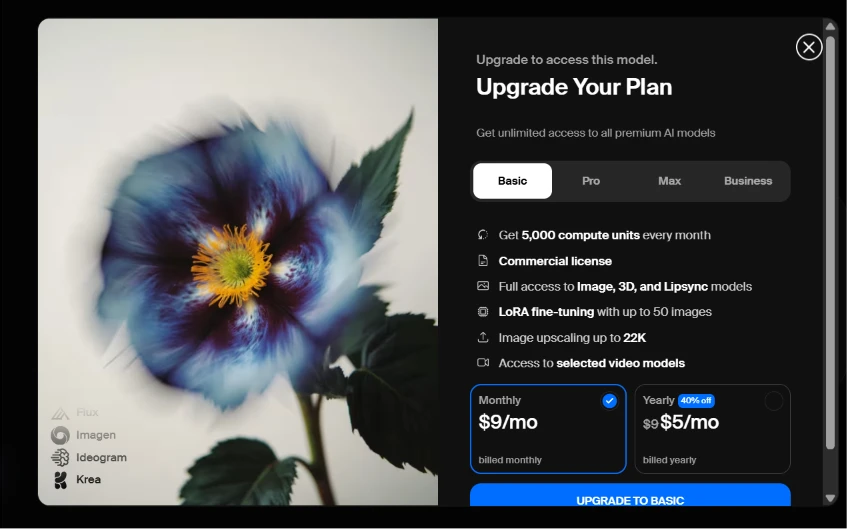
Instead of an image, a paywall slid in. "Upgrade to access this model" sat above four plan tiers, with Basic starting at $9 a month and listing 5,000 compute units alongside a commercial license.
This stopped me cold. I had already written out the entire prompt before the app told me the model was locked behind a paid plan. The plan card itself was clear enough about what Basic covers, so the information was fine. My problem was the timing. Surfacing the lock before I typed a word would have saved the effort, and finding out only at the generate step made the whole run feel wasted.
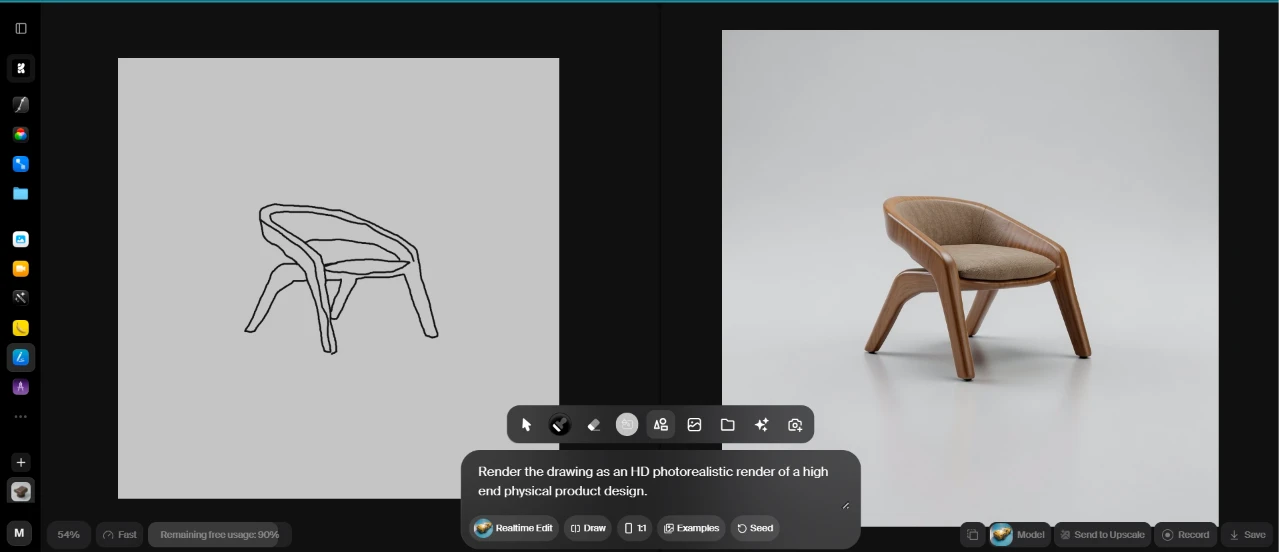
I moved into Realtime Edit and drew a rough chair outline on the left side of the canvas, then told it to render my sketch as a high end physical product shot.
On the right, my line drawing turned into a photorealistic wooden armchair with a soft upholstered seat, and it kept updating as I adjusted the drawing.
This was the moment the tool clicked for me. Watching a flat sketch resolve into a rendered object in near real time was the most impressive part of the whole session.
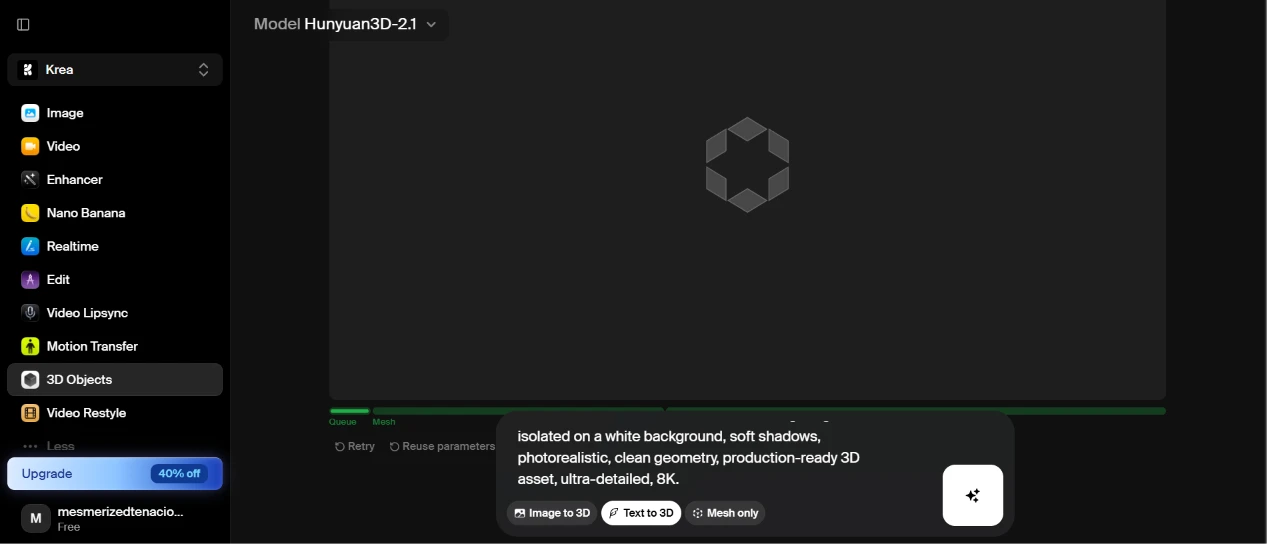
For the last test I opened the 3D Objects tool, which was running Hunyuan3D-2.1 and offered a Text to 3D option. I described a perfume bottle:
“A luxury crystal perfume bottle with a faceted diamond-inspired design, transparent glass body, polished gold cap, elegant engraved details, minimalist premium branding area, realistic glass refraction, reflective metallic surfaces, PBR materials, studio lighting, isolated on a white background, soft shadows, photorealistic, clean geometry, production-ready 3D asset, ultra-detailed, 8K.”
Typing a prompt and pointing it at a 3D mesh instead of a flat image was different from every tool I had touched up to then.
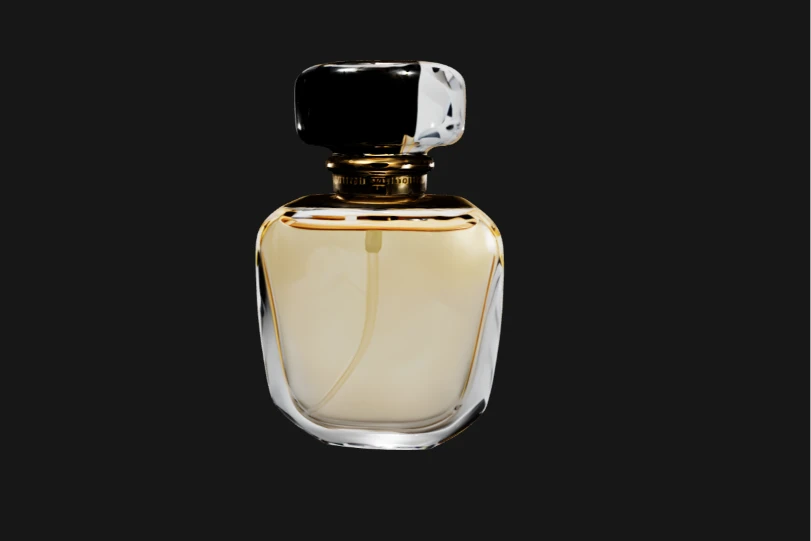
The bottle came back with a polished gold cap over a translucent amber body, and the glass refraction bent light through the material convincingly. It sat on a clean background, ready to drop into a scene.
The geometry looked tidy and the reflective cap caught the studio light the way I hoped it would. For a plain text prompt with no reference image feeding it, the model stayed closer to my description than I had bet on.
| Dimension | Our test | User signal | Verdict | Composite |
|---|---|---|---|---|
| Output Quality Sharpness, realism, controllability | 8 | 7.5 | Good | |
| Ease of Use UI clarity, learning curve | 6.7 | 5.7 | Moderate | |
| Reliability & Speed Uptime, latency, failures | 5.2 | 7.5 | Moderate | |
| Value for Money Perceived fairness of pricing | 6.6 | 3.9 | Weak | |
| Customer Support Responsiveness, resolution quality | 5.4 | 5.1 | Weak | |
| Policy & Transparency Moderation, billing clarity | 5.4 | 4.5 | Weak |
Toolscopia uses cookies to keep you signed in, remember your preferences, and understand how our reviews get read. Analytics are anonymous. See our privacy policy for the full detail.



Comments 0
Join the discussion and share your perspective.
Sign in to post a comment and reply to other readers.
No comments yet
Be the first to share your perspective on this tool.