1
AI photo editing
Users praise quick, good quality edits, though some tasks need extra touchups.
AI photo and video editing platform with extras like handwriting to text, watermark removal, and passport photos, aimed at everyday users wanting quick, good looking results without complex tools.
Independent review — we test tools ourselves and analyze public user reviews. How we test.
Liftapp.ai delivers quick, often impressive visual results and is repeatedly praised for simplicity, creative flexibility, and responsive support when things go right. Output quality is generally strong for everyday edits, with a few users noting imperfect recoloring or restoration. The biggest drawbacks are around billing transparency, trials auto converting to higher priced subscriptions, coin based usage limits, and several reports of non responsive or slow support on payment disputes. It suits users who value speed and ease over perfection and are comfortable managing subscriptions carefully. Those sensitive to opaque pricing or trial terms should proceed cautiously or consider alternatives.
Lift, marketed as LiftApp AI, is an all-in-one AI photo and video editor built by Funplaceapp Limited, a company registered in Cyprus. It runs in a browser and as apps on iOS and Android, so you can move between phone and desktop under one account. The product targets people who want finished results without opening Photoshop: you upload an image, choose a tool, and the AI does the work in a click or two. Its catalogue is wide, spanning background removal, old-photo restoration, AI headshots, colorizing, upscaling, hairstyle swaps, and short AI video clips.
What sets Lift apart from a plain editor is how it is packaged. Almost every output sits behind a Pro subscription, sold through a cheap trial that renews at a steeper monthly rate, and even paid plans meter your usage with a coin system. The homepage promises stunning images instantly yet never shows a price until you have already done the work. Knowing that before you sign up changes how you read the word free on every landing page.
Users praise quick, good quality edits, though some tasks need extra touchups.
Simple video generation that often matches expectations for small projects.
Repeatedly reported as working very well and reliable.
Valued for convenience, but one review mentions technical errors blocking use.
Appreciated for turning ideas and prompts into clear visuals quickly.
Watermark removal praised, background removal sometimes limited by daily caps.
Heavily criticized, lifetime buyers dislike needing extra coins for tools.
Frequent complaints about unclear trial wording and automatic renewals.
Highly rated for some users, others report unanswered refund requests.
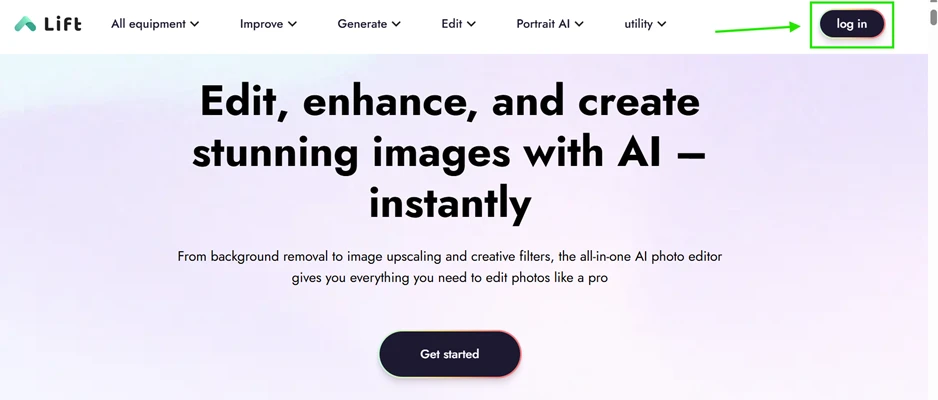
I started where any new user starts, on the Lift homepage. The pitch is confident: "Edit, enhance, and create stunning images with AI." A "Get started" button sits in the center, and "log in" waits up in the top right.
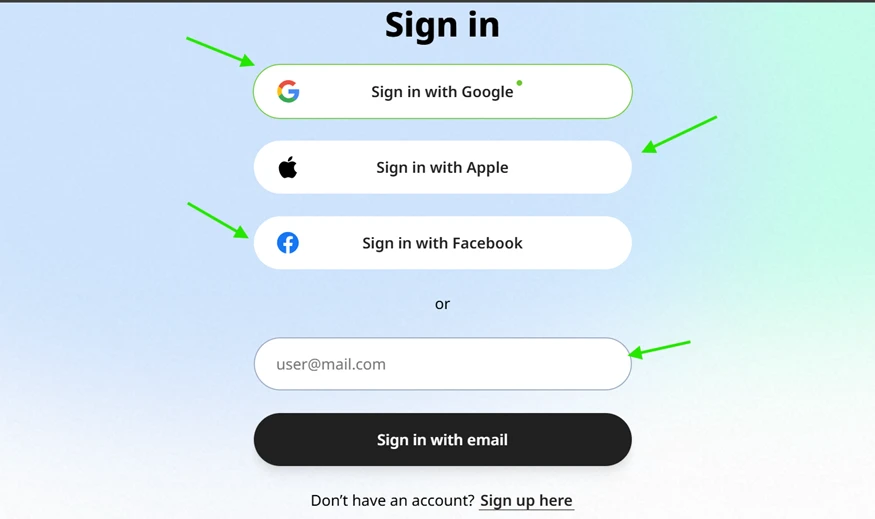
Signing in took seconds. Lift offers four routes: Google, Apple, Facebook, or a plain email address. I used Google and landed inside without filling out a single form. No friction here, and no complaints from me on this step.
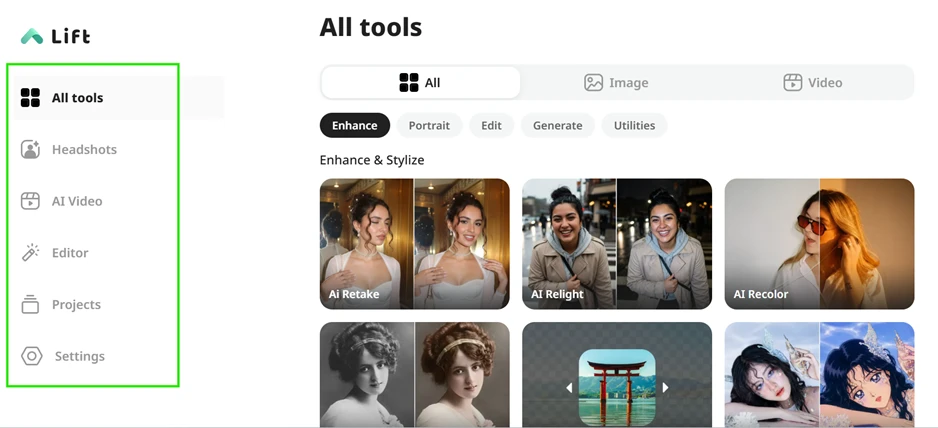
The dashboard made a solid first impression. A left rail holds Headshots, AI Video, Editor, Projects and Settings, while the main panel sorts tools into Enhance, Portrait, Edit, Generate and Utilities. Everything is easy to find and nothing felt cluttered.
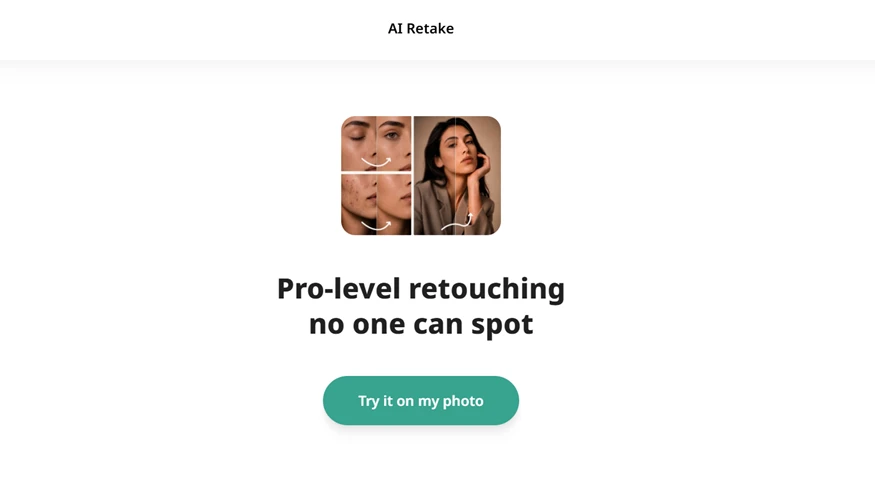
My first real test was AI Retake, sold as "Pro-level retouching no one can spot." A single green button asked me to try it on my photo, so I uploaded one and let it run.
This is where the experience turned. The second my edit finished, Lift dropped a wall in front of it. My file read "Ready to download" with a padlock beside it, and a plan selector took over the screen. My own result was sitting right there, and I could not see it without paying.
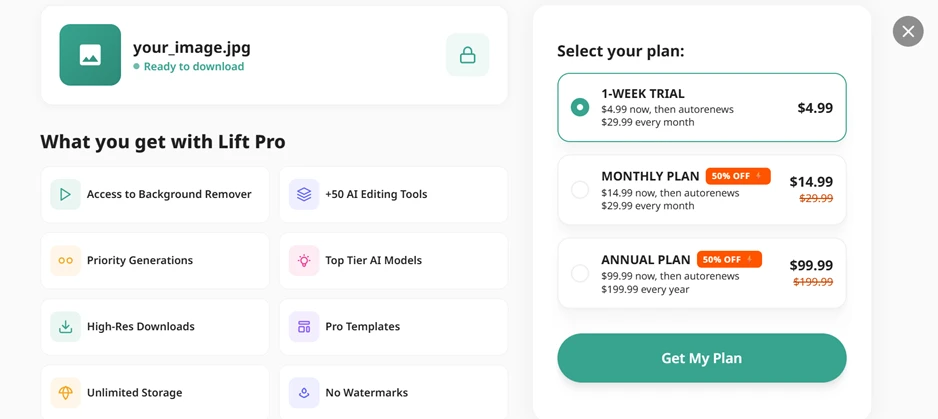
Here is the pricing the homepage never mentioned. The pre-selected option is a "1-Week Trial" at $4.99 now that auto-renews at $29.99 every month. The monthly and annual plans sit underneath. That small line under the trial is the part to read twice, since $4.99 quietly becoming $29.99 a month is the same setup behind the surprise-charge complaints filling Lift’s user reviews.
Not every tool dead-ended at a wall.
The built-in image editor was the one spot where I got a usable output for free. I ran a photo of a dog through the background remover, and the cutout came back clean. The fur edges stayed mostly intact, with no rough halo around the body. For a single click, that result would hold up on a product listing or a social post.
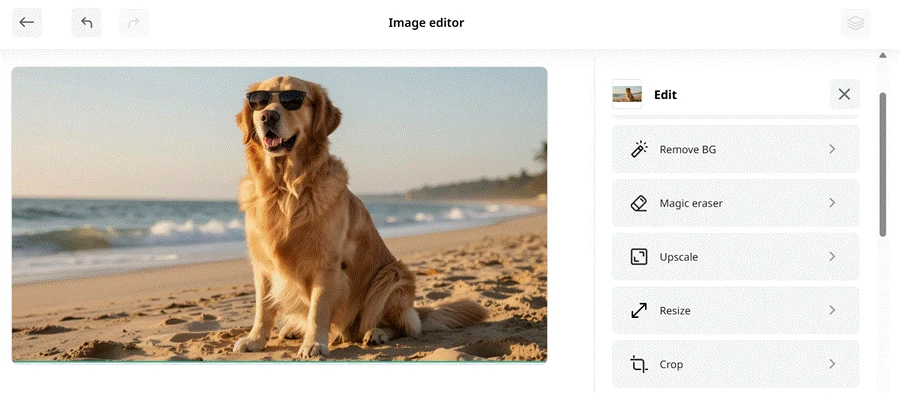

The editor is thin, though. It carries five functions in total: Remove BG, Magic eraser, Upscale, Resize and Crop. Lift advertises "50+ AI editing tools," but most of those sit outside this editor as separate one-click generators, each behind its own paywall. Five buttons against a "50+" promise is a gap worth flagging for anyone expecting a full editing suite.
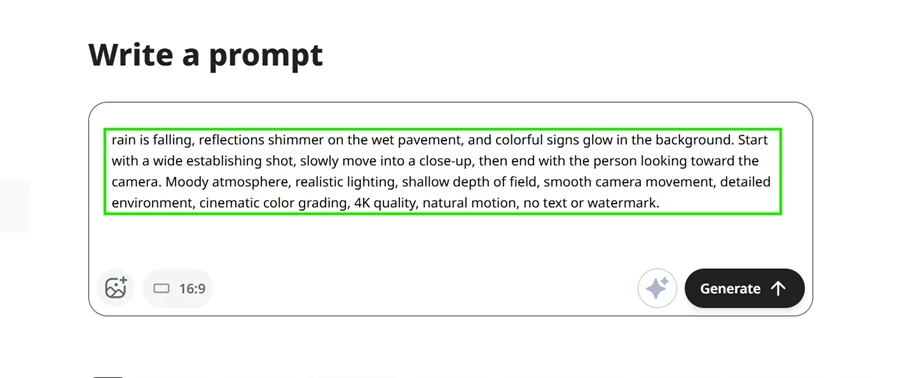
Last, I tried video generation. The prompt box is generous and swallowed a long, detailed brief without complaint. I described a full cinematic scene with rain on wet pavement, a slow-moving camera, shallow depth of field, and cinematic color grading, then hit Generate.
Same ending. "Unlock your results" slid up, the padlock reappeared, and the identical plan selector asked for a card before releasing the video.
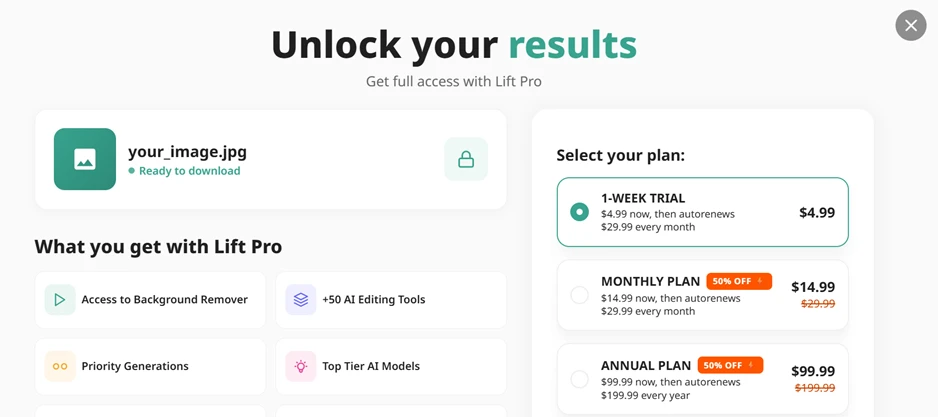
Across the session I opened five tools and hit a paywall on four of them. The single output I could actually see, that background cutout, was clean enough to make me curious about the paid features. Lift makes that curiosity expensive on purpose, asking for a card before it reveals almost anything, and showing the real price only once you are most invested in the result.
| Dimension | Our test | User signal | Verdict | Composite |
|---|---|---|---|---|
| Output Quality Visual accuracy and realism | 8 | 8.5 | Good | |
| Ease of Use Learning curve and navigation | 9 | 9.3 | Excellent | |
| Billing Transparency Clarity of pricing terms | 4 | 3.5 | Weak | |
| Customer Support Speed and effectiveness | 7 | 6.5 | Moderate | |
| Reliability Errors, limits, consistency | 7 | 7.2 | Good | |
| Value for Money Perceived fairness of cost | 5.5 | 5 | Weak |
Toolscopia uses cookies to keep you signed in, remember your preferences, and understand how our reviews get read. Analytics are anonymous. See our privacy policy for the full detail.



Comments 0
Join the discussion and share your perspective.
Sign in to post a comment and reply to other readers.
No comments yet
Be the first to share your perspective on this tool.