1
Image upscaler
Previously praised for quality, now criticized for degraded, basic output after recent changes.
Remaker AI is an online image editing and face swapping service that used to offer low cost upscaling. Recent changes, outages, crypto payments, and weak support now frustrate many budget conscious casual creators.
Independent review — we test tools ourselves and analyze public user reviews. How we test.
Remaker AI once attracted users with low cost upscaling, face swapping and some free daily processes. Recent reviews highlight site outages, broken generation, layout changes, and the removal of free tiers. Crypto and Telegram only payments erode trust, and support is frequently described as slow or nonexistent. Output quality is praised mainly in the past tense, suggesting decline. Currently it suits only experimental users who accept instability and unclear payment practices.
Remaker AI is a browser-based photo and video editing platform best known for its face swap tool, which handles single faces, group photos, and video clips with realistic lighting and skin tone matching. Built by Singapore-based Zingdeck, it bundles more than 20 AI tools under one roof, including a background remover, image upscaler, portrait and headshot generators, object removal, and batch processing for editing dozens of images at once.
Pricing runs on credits rather than subscriptions: signing up grants 30 free credits plus 5 more daily, and purchased packs never expire, with commercial use allowed on paid output. That flexibility suits e-commerce sellers, social media creators, and casual editors who need fast results without design skills. The caveats are credits that drain quickly on video features and recurring complaints about site downtime and slow support, so it fits occasional workloads better than deadline-critical production.
Previously praised for quality, now criticized for degraded, basic output after recent changes.
Once useful low cost editor, now described as ruined by layout and experience changes.
Recognized as a leading market product, though some users still find aspects unsatisfactory.
Earlier free options attracted users, but removal of free tier angers existing customers.
New payment requirement via crypto and Telegram seen as unprofessional and unusable.
Credits can remain stranded when site goes down, raising concerns about value protection.
Recent layout change widely criticized for worsening overall experience and usability.
Support described as slow or nonexistent, failing to resolve payment and reliability issues.
Lack of clear guidelines leaves some users unable to achieve meaningful results.
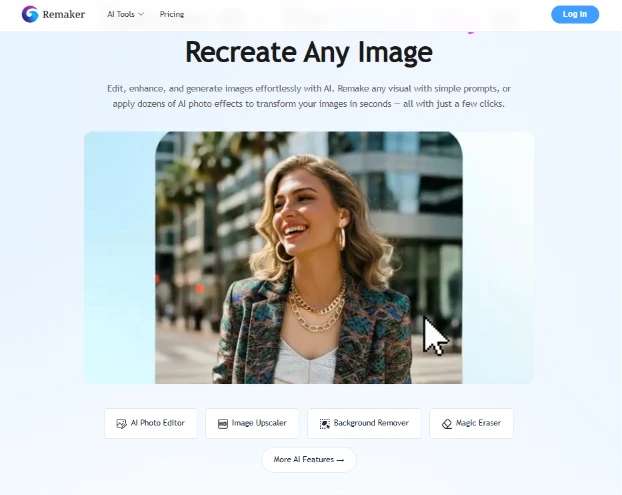
I started on the landing page, the one with the big "Recreate Any Image" headline. At this point I had not touched anything, I was just getting my bearings. Four shortcut buttons sat along the bottom: AI Photo Editor, Image Upscaler, Background Remover, and Magic Eraser. A "Log In" button waited in the top right, which told me I would need an account before doing anything real.
Clean page. Nothing here threw me off, and I moved on quickly to sign in.
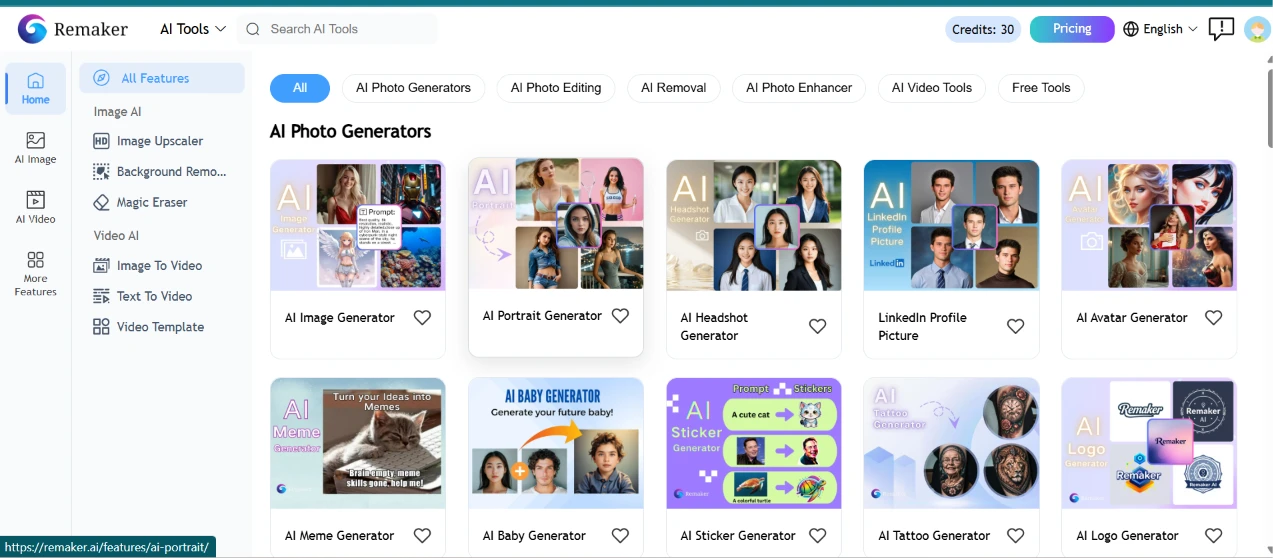
Once I logged in, the dashboard is where the size of this thing hit me. A left rail split everything into Image AI and Video AI, and the middle of the screen was a dense grid of generators sorted under tabs including AI Photo Generators, AI Photo Editing, AI Removal, and AI Photo Enhancer. Scanning the grid I could pick out an AI Image Generator, a Portrait Generator, a Headshot Generator, a LinkedIn Profile Picture maker, an Avatar Generator, a Meme Generator, a Baby Generator, a Sticker Generator, a Tattoo Generator, and a Logo Generator. Up in the corner my credit balance read 30, so I clocked that number before spending a thing.
My first reaction was that it is a lot to take in. So many tiles competing for attention that I gravitated straight to the "Search AI Tools" bar rather than scrolling the whole wall. The little heart icon on each tile for favoriting was a nice touch for coming back later.
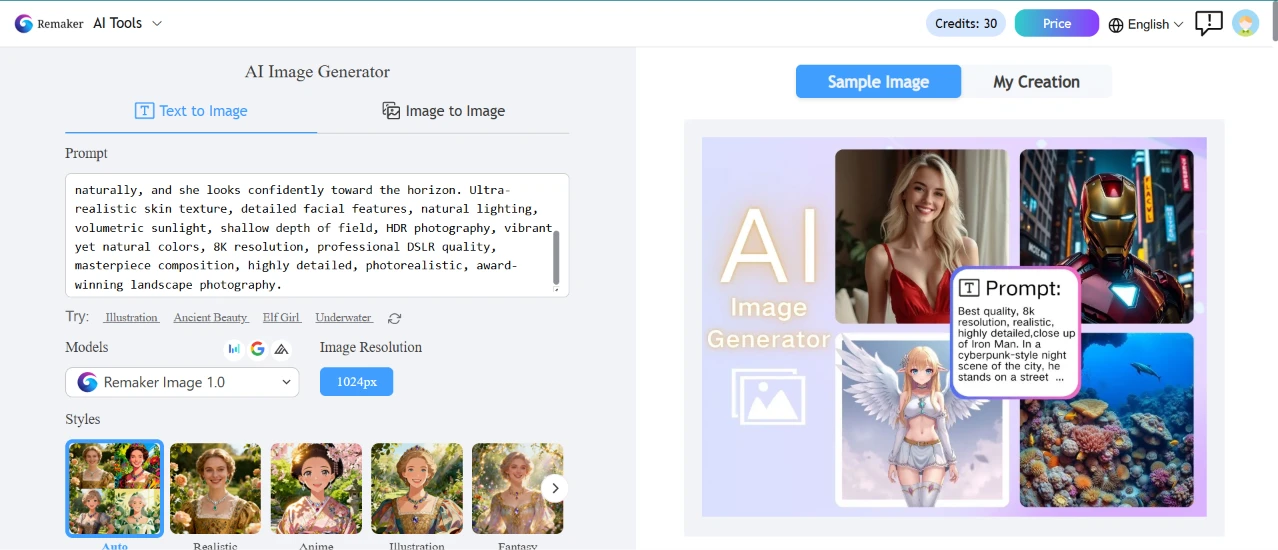
For my first real test I opened the AI Image Generator and stayed on the Text to Image tab. The prompt box took up most of the left panel. Above the styles, a model was already selected for me (Remaker Image 1.0) and the resolution sat at 1024px. Underneath ran a strip of style thumbnails: Auto, Realistic, Anime, Illustration, Fantasy. On the right sat a few sample images so I had a rough idea of the house look before committing.
I left the style on Auto and pasted in a deliberately overloaded prompt to see how much detail it would hold onto:
"A breathtaking cinematic portrait of a young woman standing on the edge of a crystal-clear mountain lake during golden hour, wearing a flowing emerald green dress that gently moves with the wind. Snow-capped peaks rise in the background beneath dramatic clouds illuminated by warm sunset light. The lake perfectly reflects the mountains and sky, creating a serene atmosphere. Her long hair flows naturally, and she looks confidently toward the horizon. Ultra-realistic skin texture, detailed facial features, natural lighting, volumetric sunlight, shallow depth of field, HDR photography, vibrant yet natural colors, 8K resolution, professional DSLR quality, masterpiece composition, highly detailed, photorealistic, award-winning landscape photography."
The box took the whole wall of text without complaining or cutting it off. Setup was quick and I hit generate.
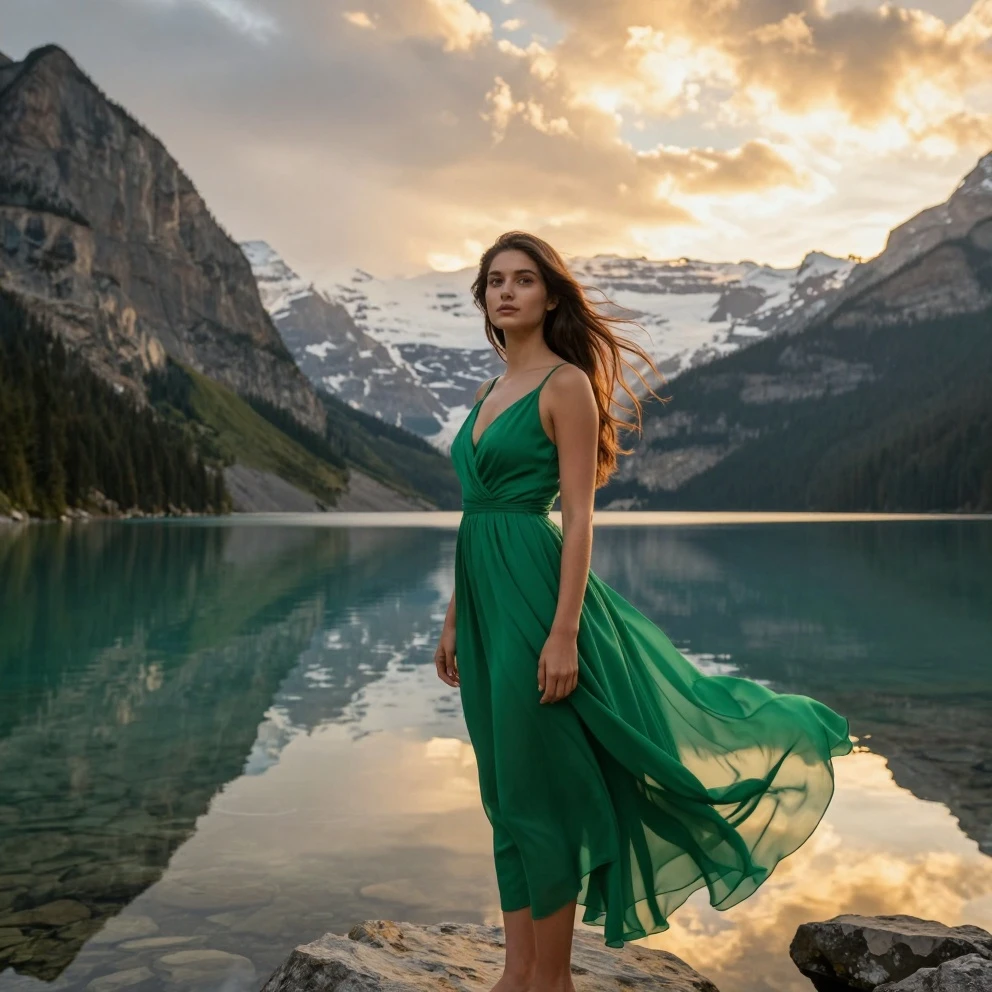
Here is what came back.
It tracked the prompt closely. The emerald dress was there, the lake threw back a clean mirror reflection, the golden light sat right on the snow-capped peaks, and even the windblown motion in the fabric made it into the frame. Skin and hair held up when I looked closely, without the melted, plasticky texture that a lot of generators fall into.
This was the point where the tool earned some trust from me. I had stacked something like fifteen separate descriptors into that prompt and it honored most of them instead of latching onto two and dropping the rest. If I am picking nits, the pose reads a little more staged than the candid, confident stance I described, but that is a minor complaint against how well the whole scene held together.
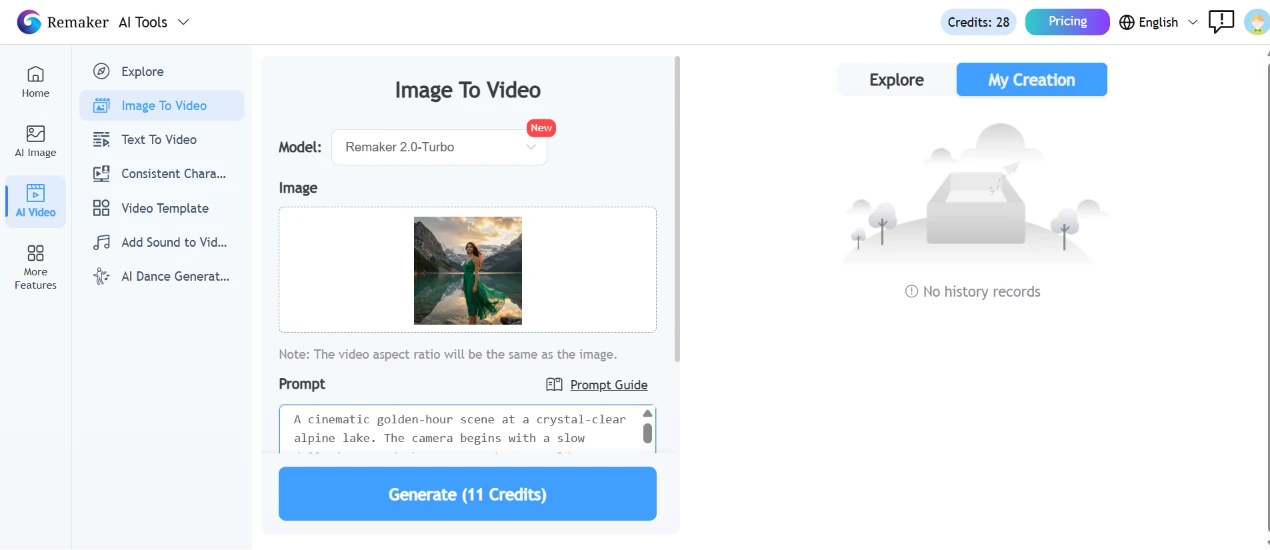
Next I wanted the still to move, so I went to Image To Video and uploaded the green-dress picture I had just generated. The model was Remaker 2.0-Turbo, tagged New. A note under the upload box told me the video would inherit the same aspect ratio as my image, useful to know before generating rather than after. I described the motion I wanted, a slow dolly-in that turns into an orbit:
"A cinematic golden-hour scene at a crystal-clear alpine lake. The camera begins with a slow dolly-in toward the woman as her emerald green chiffon dress gracefully flows in the gentle mountain breeze. Her long hair softly moves with the wind while she slowly turns her head toward the horizon, maintaining a calm, confident expression. The lake surface creates subtle ripples, reflecting the snow-capped mountains and dramatic sunset clouds. Warm golden sunlight breaks through the clouds, producing soft volumetric rays and dynamic lighting across the landscape. The surrounding pine trees sway gently, and a few birds glide across the distant sky. The camera continues with a smooth orbit around her, revealing the breathtaking mountain scenery while preserving realistic proportions and natural movement. Ultra-realistic cinematic photography, HDR lighting, shallow depth of field, soft lens flare, realistic cloth simulation, natural facial expressions, 8K quality, smooth professional camera motion, peaceful and elegant atmosphere."
The Generate button stated the price on its face: 11 credits. My balance had already slipped to 28.
The finished clip that Remaker AI gave me
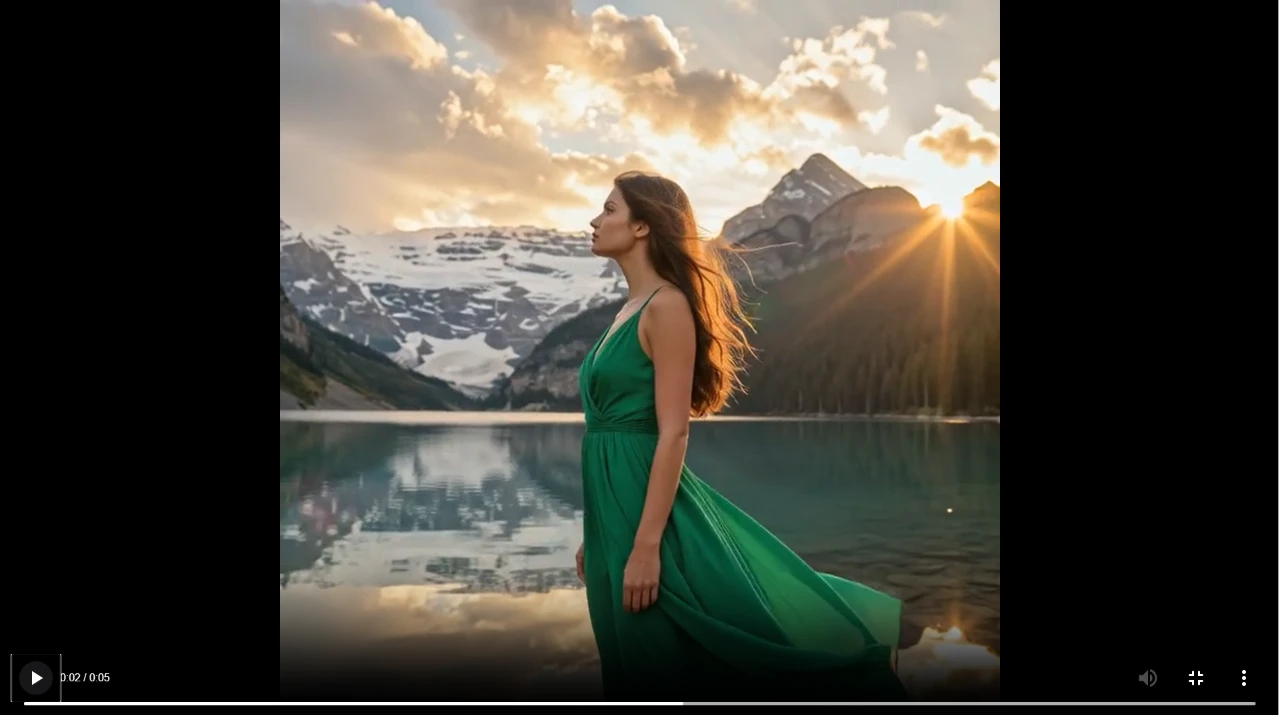
Putting the credit cost right on the button was a small thing I appreciated, because I always knew what a click would spend. What gave me pause was the "No history records" panel sitting empty on the right, paired with that bare-link delivery. It pushed me to download the file immediately instead of assuming it would be there when I came back.
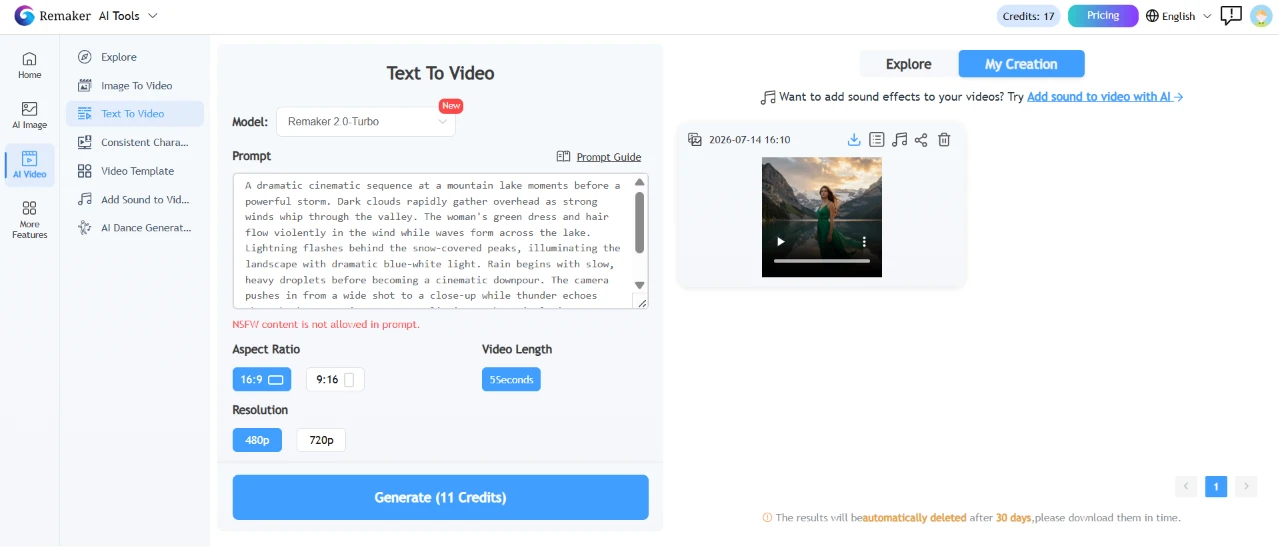
Then I tested generating a video from nothing but words, using Text To Video with no starting image. This screen handed me more controls than the image-to-video one. Aspect ratio came as a choice between 16:9 and 9:16. There was a separate field for video length, plus a resolution toggle between 480p and 720p. Same Remaker 2.0-Turbo engine, same 11-credit price. I gave it a stormier brief to see how it dealt with weather and motion:
“A dramatic cinematic sequence at a mountain lake moments before a powerful storm. Dark clouds rapidly gather overhead as strong winds whip through the valley. The woman's green dress and hair flow violently in the wind while waves form across the lake. Lightning flashes behind the snow-covered peaks, illuminating the landscape with dramatic blue-white light. Rain begins with slow, heavy droplets before becoming a cinematic downpour. The camera pushes in from a wide shot to a close-up while thunder echoes through the mountains. Hyper-realistic weather simulation, Hollywood disaster film atmosphere, dynamic lighting, 8K cinematic realism.”
T his the result that i got form Remaker AI
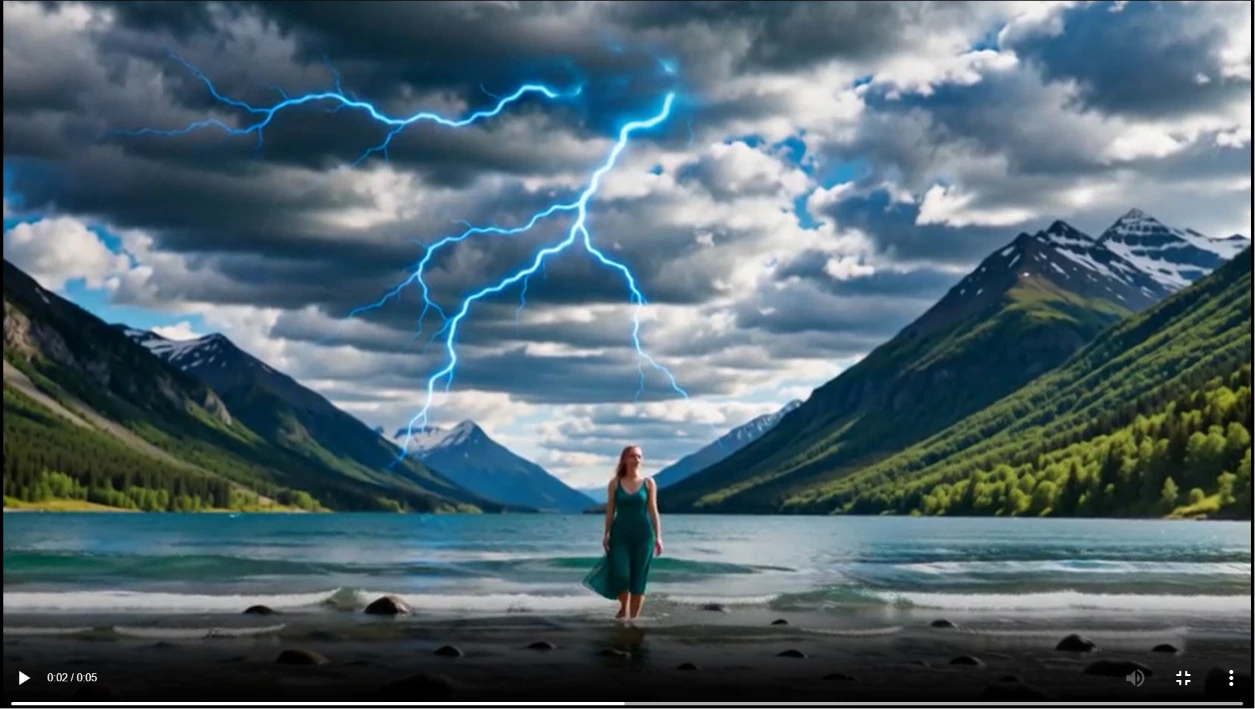
This time the right-hand panel did show my generated clip, with a small note that results get deleted automatically after 30 days. So the download-it-now instinct from the last step turned out to be the right one. My credits had dropped to 17.
The added format options here felt worth having, the 9:16 setting especially for anything meant to be viewed vertically. Watching the counter fall from 30 toward 17 across a handful of generations was a quick lesson in how fast a video-heavy session eats through the free credits.
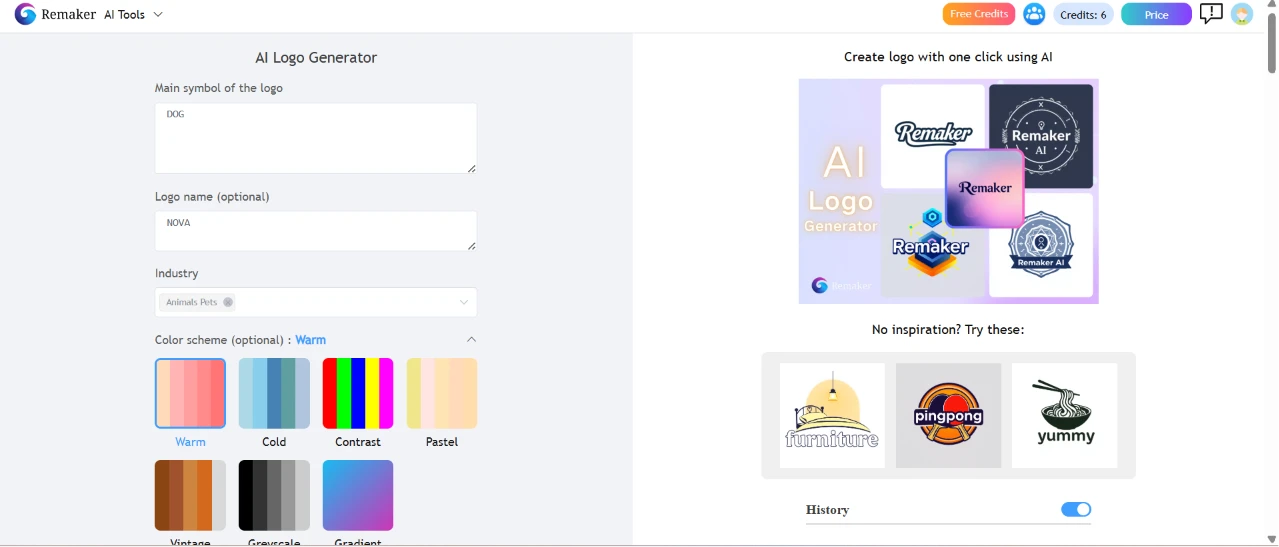
For the last test I changed lanes entirely and opened the AI Logo Generator. The form was refreshingly bare after all that video prompting. I typed Dog as the main symbol and NOVA as the logo name. I set the industry to Animals, Pets, then picked Warm from the color scheme row. Off to the right were sample logos and a "No inspiration? Try these" prompt for anyone stuck at the blank-form stage.
My input was basically the form fields themselves:
"Main symbol of the logo: Dog. Logo name: Nova. Industry: Animal, pet."
Fastest setup of the whole session. My credits were down to 6 by now, so I was relieved the logo tool asked for so little.
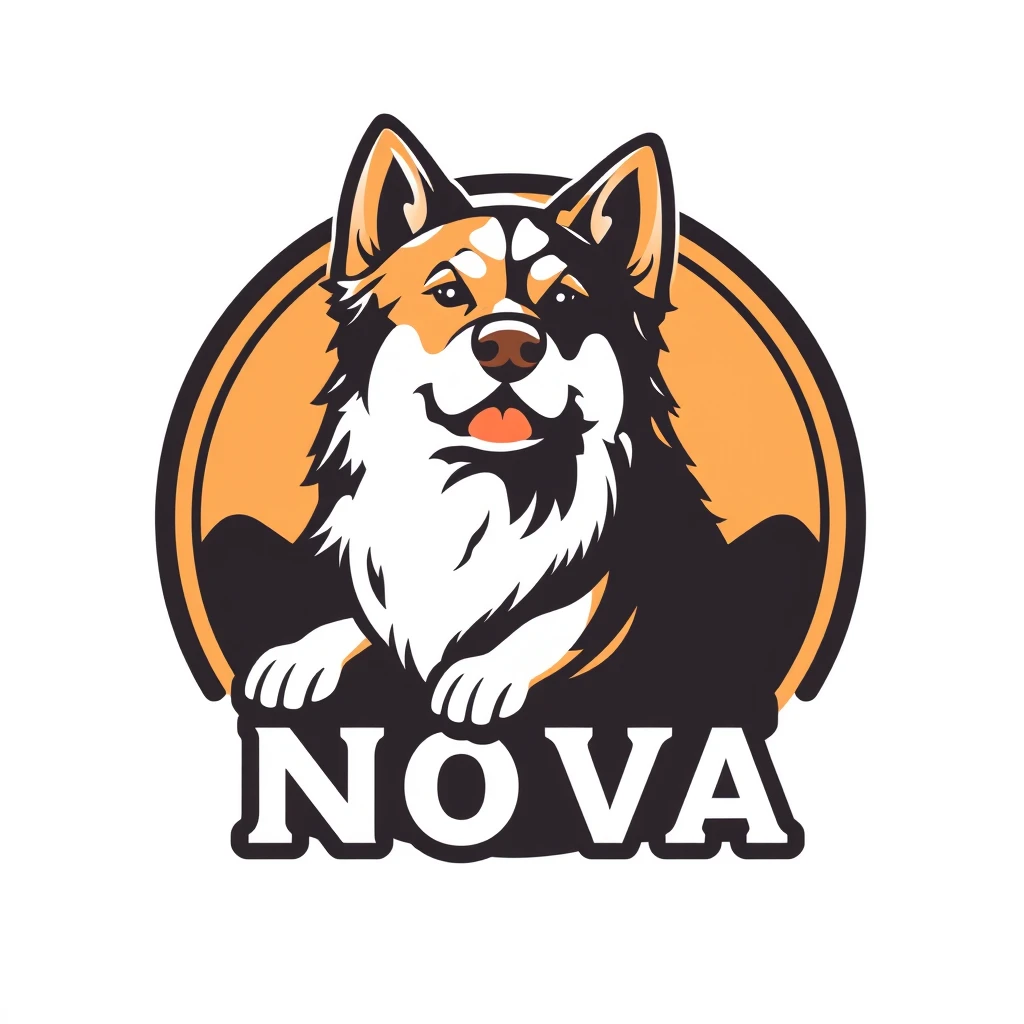
It handed me two directions to pick between. The first was a bold circular badge: a fluffy dog framed by an orange sun, with "NOVA" stamped across the bottom in a heavy outlined font.
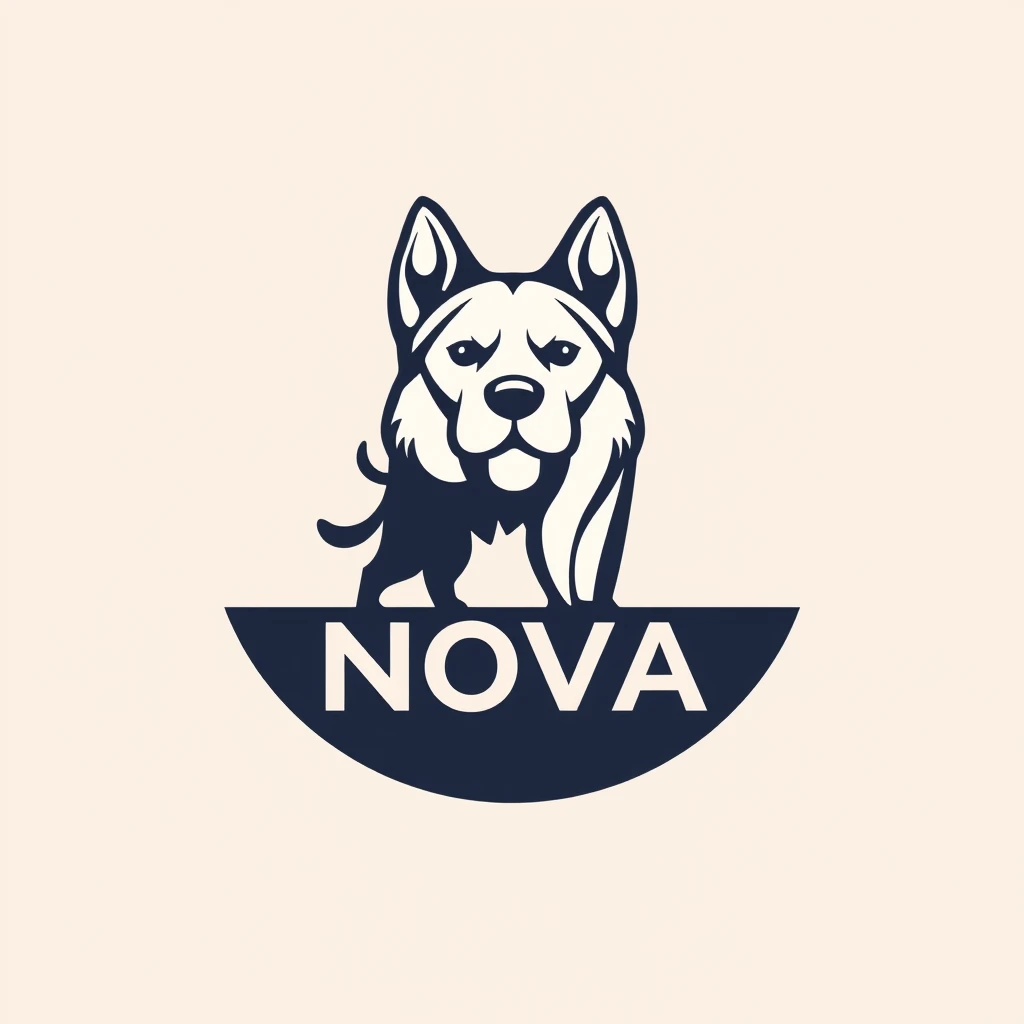
The second went the other way. A cleaner navy silhouette of a dog perched above a half-circle banner, "NOVA" set underneath on a soft cream background.
Both hit the essentials. The dog was present, the name was spelled right, the palette stayed in the warm-to-neutral range I had asked for, and each one read as an actual logo rather than a sketch. What caught me off guard was how different the two options were in character, one loud and mascot-heavy, the other minimal and modern, so I ended up with a real choice instead of two near-identical takes on the same idea. The lettering came out crisp in both, which is not something AI logo tools reliably get right.
| Dimension | Our test | User signal | Verdict | Composite |
|---|---|---|---|---|
| Output Quality Sharpness and accuracy of results | 8.5 | 8.1 | Good | |
| Reliability and Uptime Availability and technical stability | 7.3 | 7.6 | Good | |
| Ease of Use Interface clarity and workflows | 9 | 8.6 | Excellent | |
| Payment Experience Billing clarity and trustworthiness | 7.7 | 6.7 | Good | |
| Customer Support Speed and helpfulness of assistance | 5.5 | 5.1 | Weak | |
| Value for Money Perceived value versus cost | 5.9 | 7 | Moderate |
Toolscopia uses cookies to keep you signed in, remember your preferences, and understand how our reviews get read. Analytics are anonymous. See our privacy policy for the full detail.






Comments 0
Join the discussion and share your perspective.
Sign in to post a comment and reply to other readers.
No comments yet
Be the first to share your perspective on this tool.