1
Text-to-visual with no prompting
Paste text and pick from AI-generated options.
Napkin AI turns plain text into professional diagrams, flowcharts, and infographics with no prompting. Paste your content, pick from AI-generated visual options, customize freely, and export to PNG, PDF, PowerPoint, and more. The free plan is generous
Independent review — we test tools ourselves and analyze public user reviews. How we test.
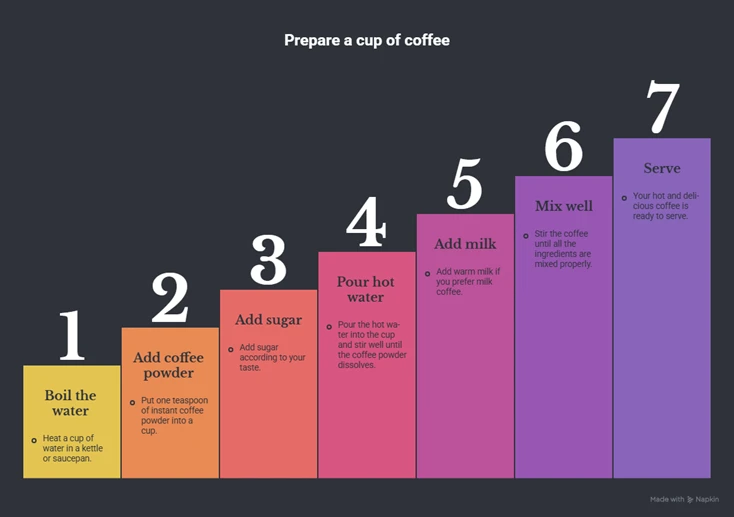
Napkin AI lands at a combined 8.4 out of 10, one of the most polished tools we have tested. You paste text and it offers a grid of professional visual options, with no prompt-writing required. A seven-step process turned into a clean numbered-staircase graphic that captured every step accurately, and the editing panel lets you change shape, color, opacity, and more on individual elements. Export is the standout: PNG, PDF, SVG, PowerPoint, and Google Slides, and the free PowerPoint export stays fully editable element by element. The limits are fair, a "Made with Napkin" watermark on free output, paid custom branding, higher-resolution export behind a wall, and a 500-credit weekly cap.
Napkin AI is a browser-based visual communication tool that converts written text into diagrams, flowcharts, mind maps, infographics, and data charts. It is built for people who have the words but not the design skills, so there is no blank canvas to draw on and no prompt to engineer.
The workflow is simple. You paste or import your text, Napkin accepts PPT, DOC, PDF, HTML, and MD files, select a passage, and it generates a set of visual options to choose from. Pick one and you can refine it: swap the layout, recolor elements, adjust shapes, patterns, opacity, and brightness, or edit the text in place.
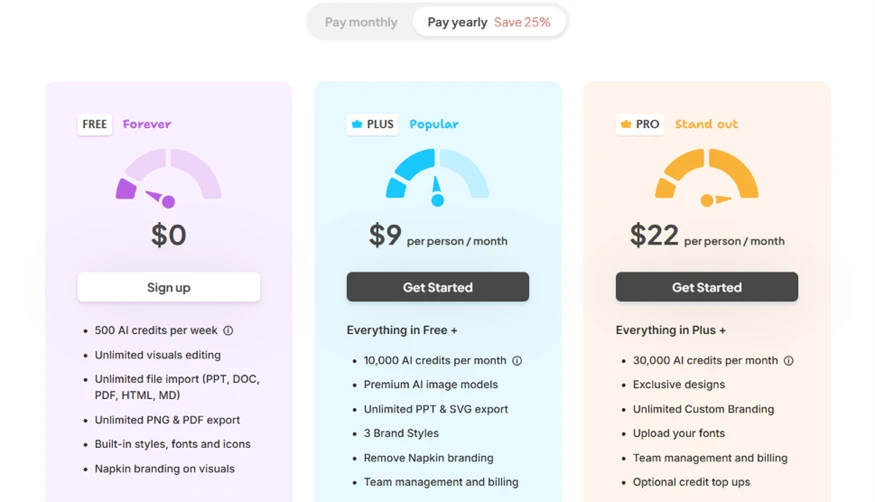
The free plan is unusually generous. It includes 500 AI credits a week, unlimited editing, unlimited file imports, and unlimited PNG and PDF export, along with built-in styles, fonts, and icons. Paid plans, Plus at $9 a month and Pro at $22, add more credits, premium image models, custom branding, and removal of Napkin's own watermark.
The site names no legal operating company, offering instead a contact form, a Trust Center, and standard policy pages.
Paste text and pick from AI-generated options.
Diagrams, flowcharts, mind maps, infographics, and data charts.
Several visual options per text block, plus a "similar visuals" button.
Shape, pattern, thickness, opacity, brightness, and color.
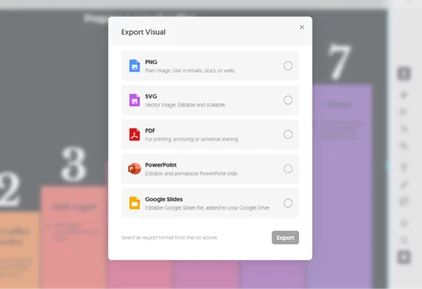
PNG, PDF, SVG, PowerPoint, and Google Slides.
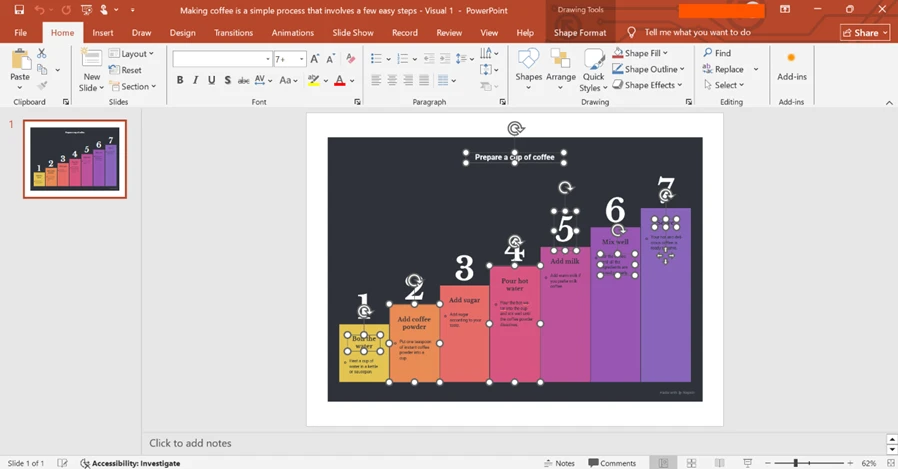
Exports keep every element editable in PPT, not a flat image.
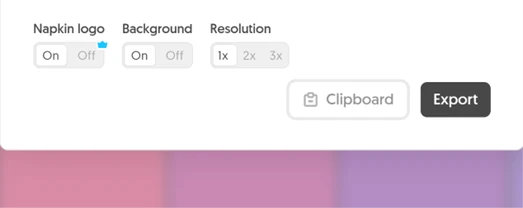
Turn the background off for overlays.
PPT, DOC, PDF, HTML, and MD.
Napkin AI promises a professional diagram from plain text, with no prompt-writing and no design work. We gave it a simple seven-step process, how to make a cup of coffee, and followed it all the way through: generating the visual, styling it, and exporting it to see what the free plan really delivers.
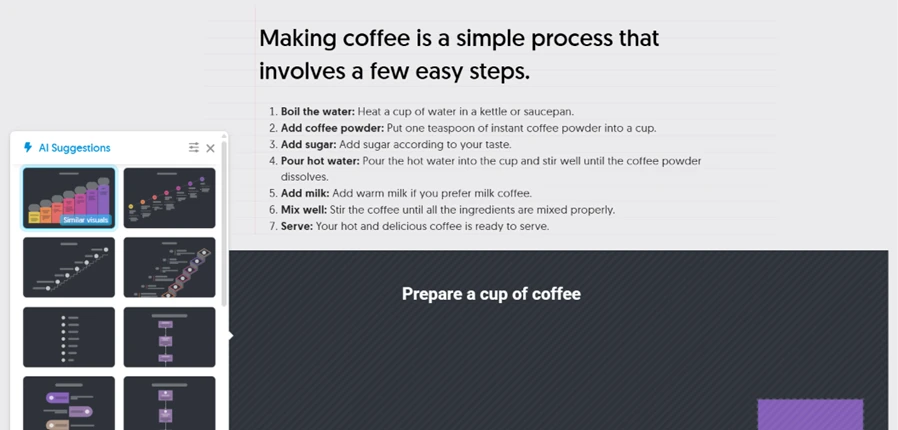
You paste your text, select it, and Napkin offers a grid of visual options rather than making you describe what you want.
We chose a numbered staircase. What stood out is accuracy: all seven steps appeared in order, each with its heading and the full sub-text, so the graphic actually conveys the process instead of just decorating it.
Picking a visual is only the start. The editor exposes real design controls, and each element can be styled on its own.
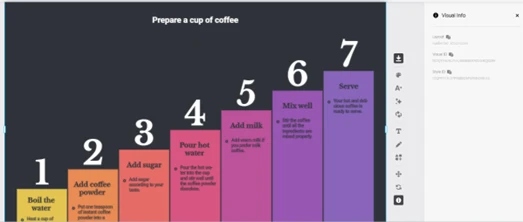 | 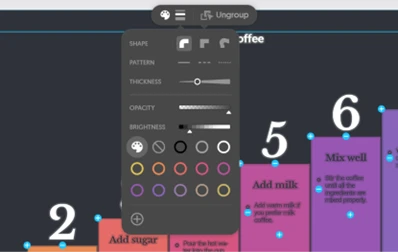 |
This is closer to a design tool than a one-click generator. You can recolor a single step, change its shape, soften its opacity, or swap the whole layout, without touching the underlying text.
Export is where Napkin punches above its weight. The dialog offers five formats, and the settings let you drop the background or change resolution.
 |  |
The standout is the PowerPoint export. The exported slide opened in PowerPoint with every number, box, and caption as a separate, editable object, not a flattened picture, so you can finish the visual inside your own deck.
The free plan is generous, but a few things are reserved for paid tiers. Applying your own brand styling triggers an upgrade prompt.
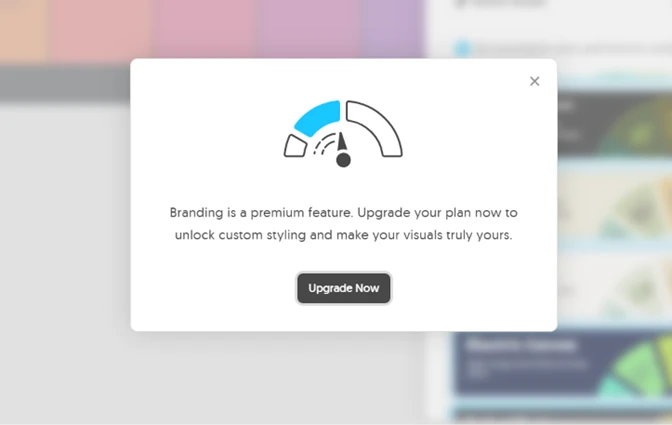
Alongside branding, free exports carry a small "Made with Napkin" watermark that only a paid plan removes, and higher-resolution export is paid too. The plans themselves are clearly laid out.
| Dimension | Our test | User signal | Verdict | Composite |
|---|---|---|---|---|
| Visual Quality How professional and clean the output is | 9 | 9 | Excellent | |
| Accuracy How well the visual matches the source text | 9 | 8 | Excellent | |
| Customization Control over layout, color, and elements | 9 | 9 | Excellent | |
| Export Flexibility Range and quality of export formats | 10 | 9 | Excellent | |
| Free-Tier Value What the free plan actually lets you do | 7 | 7 | Good | |
| Ease of Use How simple it is to go from text to visual | 7 | 8 | Good |
Toolscopia uses cookies to keep you signed in, remember your preferences, and understand how our reviews get read. Analytics are anonymous. See our privacy policy for the full detail.



Comments 0
Join the discussion and share your perspective.
Sign in to post a comment and reply to other readers.
No comments yet
Be the first to share your perspective on this tool.