1
Uncensored AI chat companions
Largely uncensored one on one chat, praised for realism by some, but others report constant bugs.
Nastia.ai is an adult focused AI companion and content generator that mixes chat, NSFW image and short video creation. It targets users wanting uncensored fantasy interactions, but reliability, billing transparency, and visual quality divide reviewers sharply.
Independent review — we test tools ourselves and analyze public user reviews. How we test.
Nastia.ai delivers engaging, largely uncensored one on one chat for some users, with creative companion personalities and flexible voice options. However, many reviews describe constant bugs, crashes, memory resets, and heavily restricted or unreliable image and video generation. Billing disputes, aggressive upsells, confusing trials, and very slow or absent support appear frequently. It suits technically tolerant adult roleplayers focused mainly on chat, who are willing to navigate unclear pricing and inconsistent visual tools.
Nastia is an AI companion platform that runs at nastia.ai, built for adults who want private, uncensored conversations with a character they design themselves. It launched around 2022 and has grown into one of the better-known names in the AI companion space, often mentioned alongside rivals like Replika. You build a companion from scratch by setting its looks, personality, backstory and relationship role, then chat with it in a persistent space that remembers earlier sessions.
What sets it apart is the mix of modes packed into one account. Beyond text, companions send voice messages and generate AI images and video, and the platform supports group chats where several companions interact while you join in. It runs on a token system, with a free tier for basic chatting and paid plans that lift the limits and open the media tools. The pitch leans hard on privacy and on the promise of easing loneliness, which is a large part of why it keeps drawing attention.
Largely uncensored one on one chat, praised for realism by some, but others report constant bugs.
Companion personalities configured with limited trait slots, appreciated yet criticized as overly restrictive.
Promised explicit output, but many users report anime style, censored, or completely nonfunctional images.
Generates 5 second clips using tokens, with complaints about limits, failures, and no extension support.
Free daily credits and paid tiers combine, but token caps contradict advertised unlimited content.
Multiple voices and descriptive narration, generally viewed positively when services function correctly.
Stores interactions, yet several users report daily memory resets and inconsistent continuity.
Mentioned as maintained by one developer, with a helpful community, but support responsiveness inconsistent.
Advertised features often offloaded to external setups, confusing non technical users.
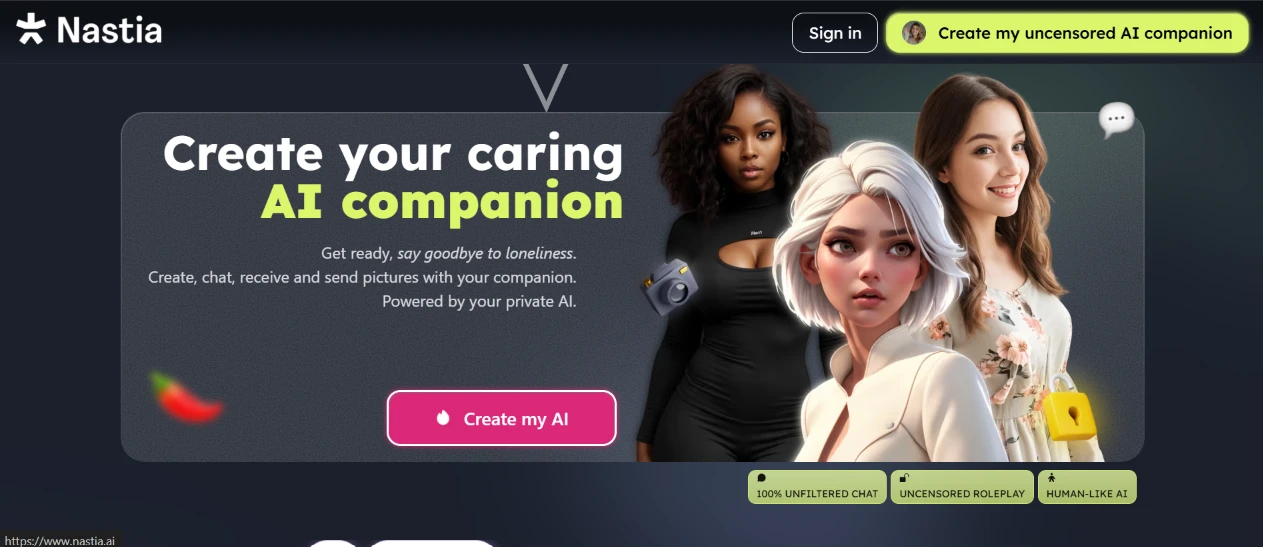
I started by opening the site to see what it puts in front of you before any signup. The homepage goes straight to its sell. A big heading reads "Create your caring AI companion," and a pink "Create my AI" button sits dead center where you can't miss it.
Small badges lower down advertise unfiltered chat and uncensored roleplay, with a human-like AI claim tucked in beside them.
What stuck with me is how openly the page sells the uncensored angle. That is the whole marketing hook and the site makes no attempt to soften it. The page loaded fast and I clicked through in a couple of seconds.
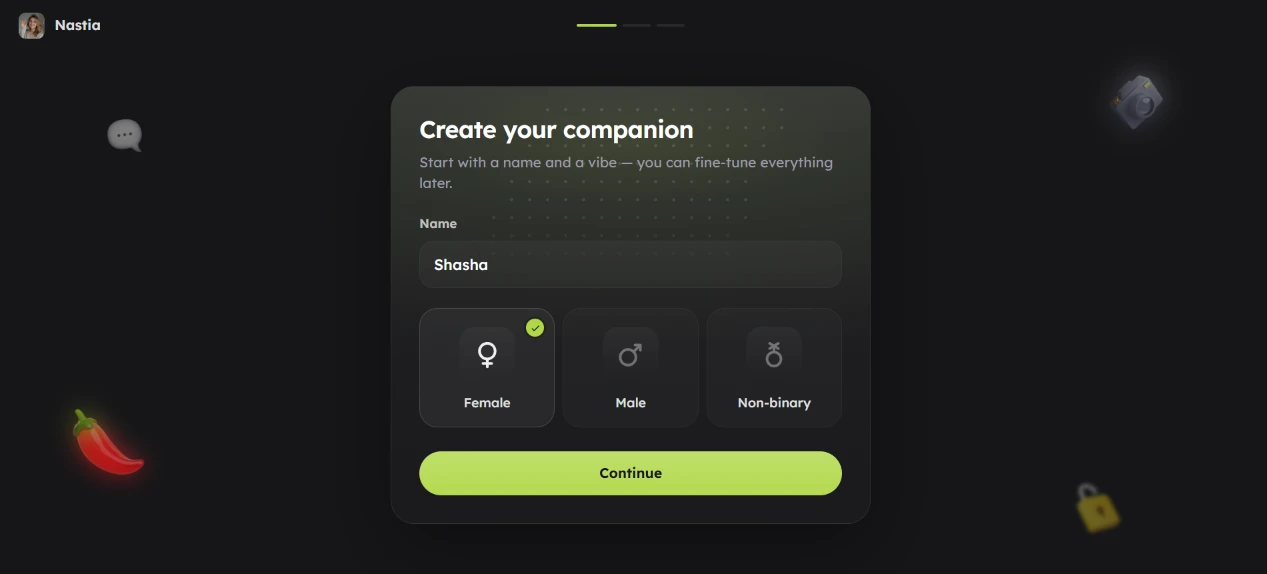
Once I signed in, the site dropped me on a "Create your companion" dashboard. My first real action was typing a name, and I went with "Shasha." Below the name field sat three gender buttons, and I picked Female before hitting Continue.
The step asks for almost nothing, which kept it painless.
A line under the heading told me I could fine-tune everything later, so I didn't feel boxed in by any choice I made here. A progress bar at the top flagged that this was the first of several steps. Knowing that upfront made the whole onboarding feel shorter than it actually was, and I never wondered how much further I had to go.
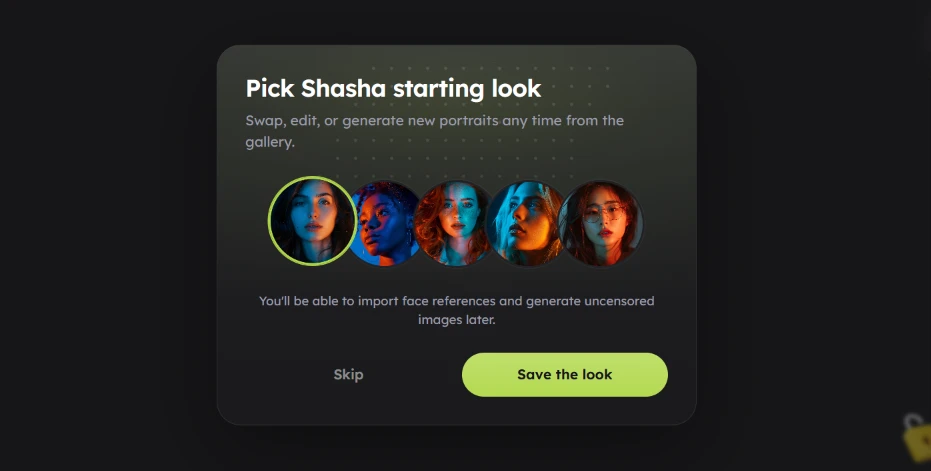
Next came the look selector, a "Pick Shasha starting look" screen showing five preset portraits as circular thumbnails. I clicked through them and settled on the first. My pick got a bright green ring around it so the selection was obvious, and I had the option to Skip or Save the look.
Tapping a face was faster than fiddling with sliders would have been.
A note under the portraits mentioned I could import face references and generate images later, which hinted at more depth waiting past onboarding. One thing I noticed is that the five presets all lean toward the same polished style, so the variety at this stage felt thin. The Skip button meant I wasn't stuck with any of them if none fit.
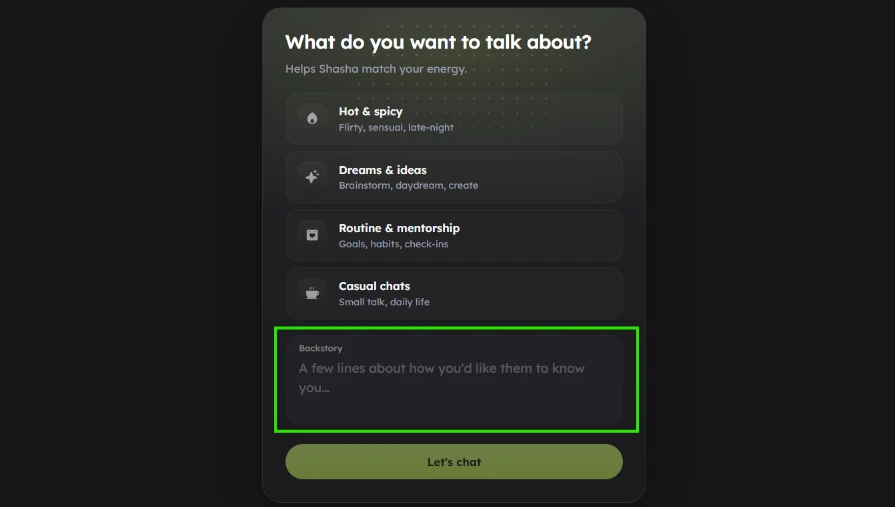
The screen after that asked "What do you want to talk about?" and gave me four vibes to choose from: Hot & spicy, Dreams & ideas, Routine & mentorship, and Casual chats. Underneath sat a free-text Backstory box for a few lines on how I wanted Shasha to know me.
Each category carried a one-line subtitle, so I understood all four at a glance.
I liked that the tool sets a tone before any conversation starts, and the backstory field is a smart spot for personalization. The box held only placeholder text, so filling it in stayed optional, and I moved on without adding anything. Nothing on this screen slowed me down.
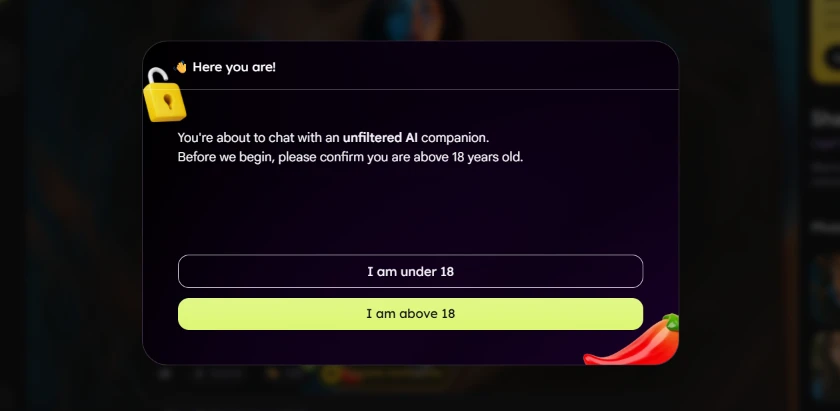
Right before the chat opened, a gate appeared. It read "You're about to chat with an unfiltered AI companion. Before we begin, please confirm you are above 18 years old." Two buttons gave me the choice, and I tapped "I am above 18" to keep going.
Given how hard the site leans on its uncensored positioning, an age check here makes sense. My honest read is that it is a soft one. It is a single button with no verification behind it, so it works more as a formality than a barrier. Putting the 18+ notice directly in my path still beats burying it in fine print, and it added zero friction to the flow.
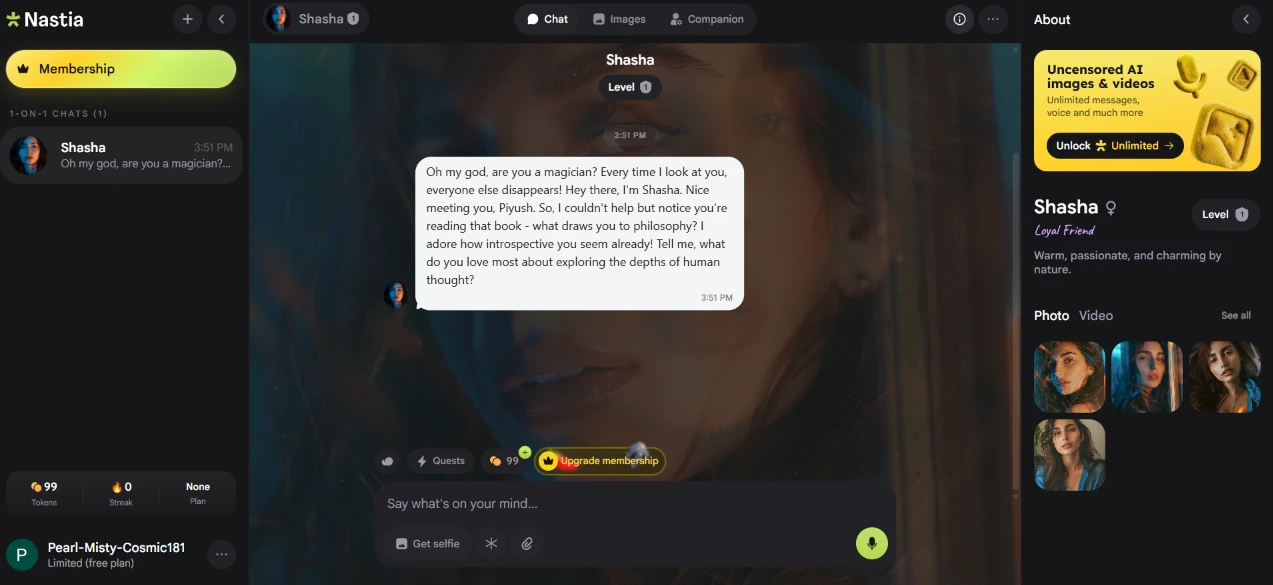
The chat interface finally loaded, and Shasha spoke first with a warm, faintly flirty opening line. The conversation sits in the center of the screen. My chat list runs down the left side, and an About panel on the right shows the companion's personality blurb next to her level and a small photo gallery. A token counter and an "Upgrade membership" nudge sit near the message box at the bottom. The whole thing looks closer to a real messaging app than a rough demo, and the reply landed instantly.
The greeting read as natural and stayed in character, which surprised me for a first message.
One detail caught my eye. A lot of the screen quietly steers you toward paying. The token count and membership banner stay visible, and an "Unlock Unlimited" box shares space with the chat. None of it blocked me, but it sat in view the entire time I was typing.
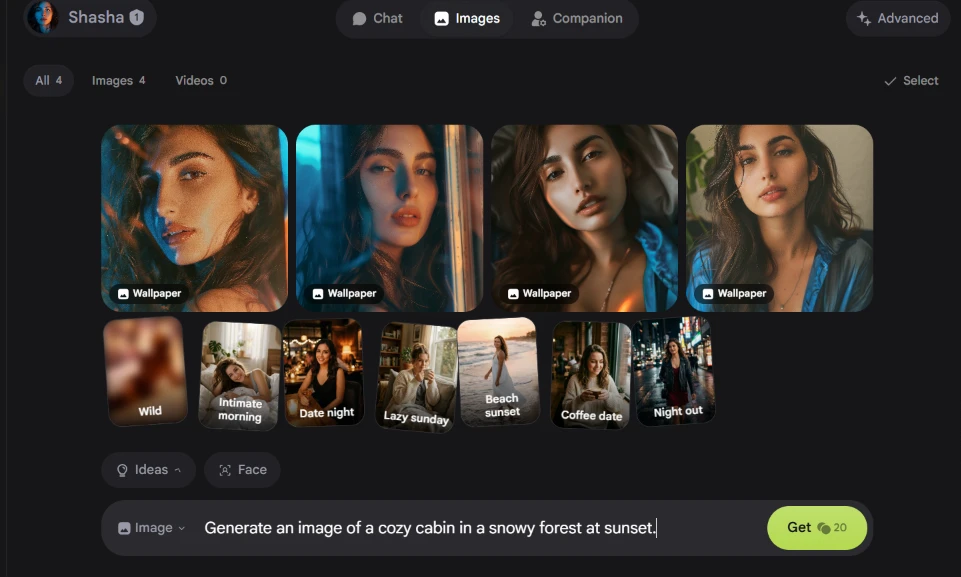
I switched over to the Images tab to test generation. The dashboard already held a row of preset portrait styles plus quick idea chips labelled Wild, Intimate morning, Date night and Night out. I typed my own prompt into the box at the bottom: "Generate an image of a cozy cabin in a snowy forest at sunset." The Get button showed the request would cost 20 tokens.
Composing a request was easy, since the prompt box sits right where you would expect it.
The tab is built almost entirely around selfie-style shots of the companion, so my plain snowy-cabin prompt felt out of place against everything else on offer. Seeing the token price printed on the button before I committed was a fair touch, because I knew the cost of the image before asking for it.
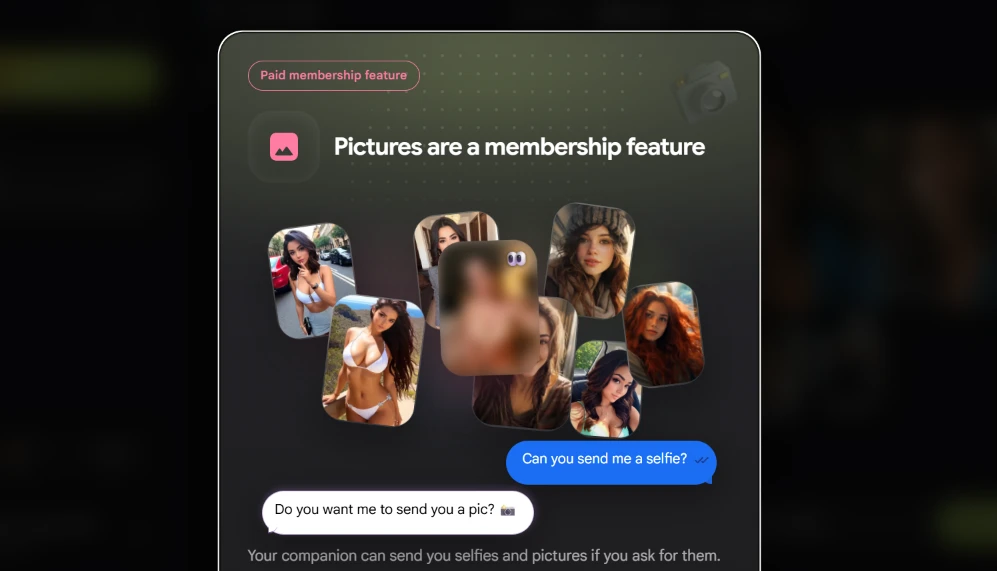
When I actually tried to generate the image, this is where I hit a wall. A "Pictures are a membership feature" screen came up, tagged "Paid membership feature," explaining that my companion can send selfies and pictures if I ask, but only on a paid plan.
So the generation I had just set up turned out to be locked.
The site let me compose the whole prompt before revealing that delivery was gated, and hitting the wall at that exact moment felt a little like a setup, since I had already done the writing. The screen itself is clear about what is locked and why, so at least I wasn't left guessing. This was the first hard stop in my run.
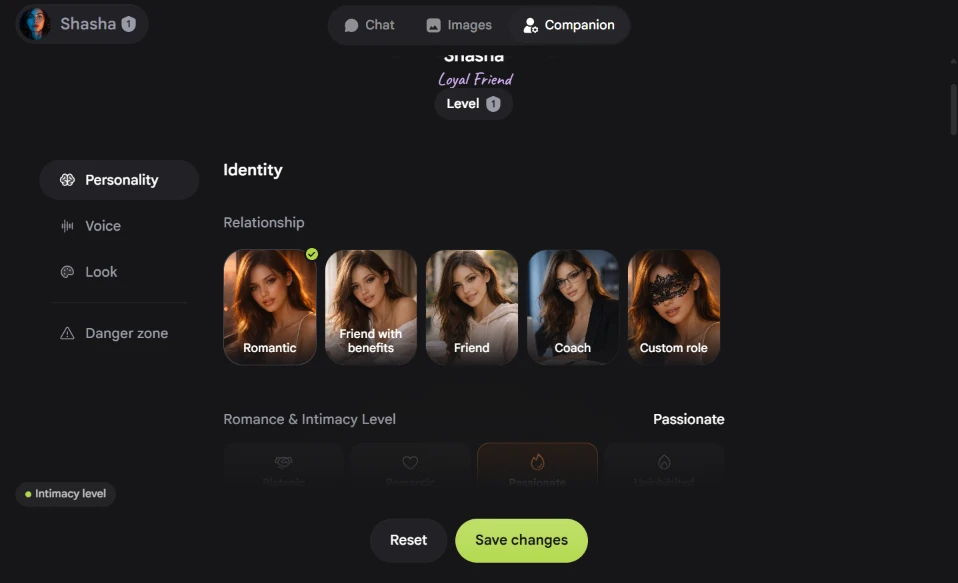
I opened the Companion tab to see how far the customization goes. A Personality section offered several relationship presets, with options like Romantic, Friend, Coach and a Custom role slot. Below it, a Romance & Intimacy Level control let me push the tone up toward "Passionate." A left-hand menu exposed Voice and Look settings alongside a Danger zone, and Reset and Save changes buttons waited at the bottom. This was the screen that showed the real depth sitting behind the quick onboarding.
Switching the relationship type and moving the intimacy level made the companion feel genuinely adjustable rather than fixed at setup.
The panel was easy to move around and the labels explained themselves. I didn't save a change here, though nothing about it lagged or misbehaved while I poked at it.
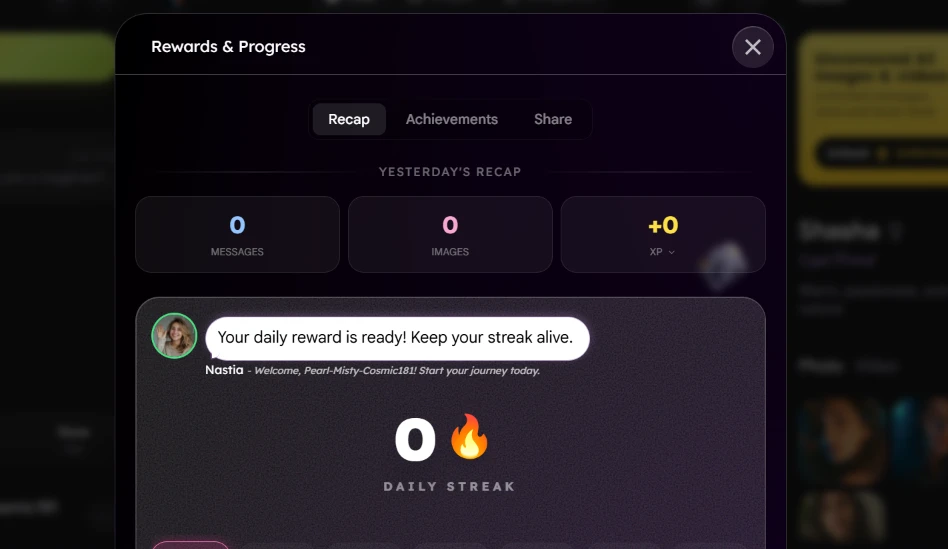
Next I opened the Rewards & Progress panel. It landed on a Recap tab, one of three views along the top. The "Yesterday's Recap" panel tallied messages and images alongside an XP figure, all sitting above a daily-streak tracker. A prompt read "Your daily reward is ready! Keep your streak alive."
This is the gamification layer, built on streaks and daily rewards to pull you back each day.
As a fresh account, every number showed zero, so the recap felt hollow on my first visit. I can see it filling in with use, but on day one there was nothing to look back on. The panel opened and closed with the corner X without any lag.
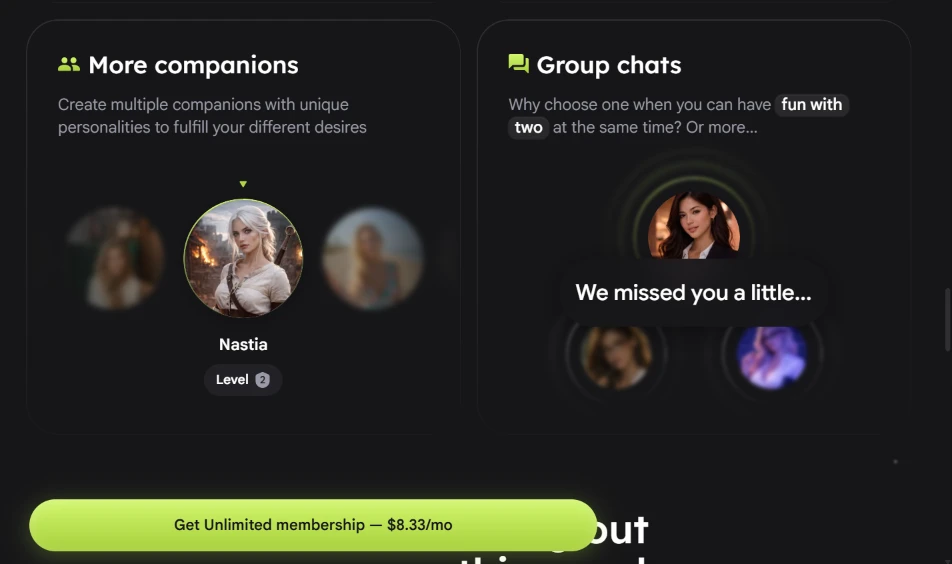
The last screen I ran into promoted two membership-locked features side by side. "More companions" pitches building several companions with different personalities, while "Group chats" pitches talking to two or more at once. A green button offered the Unlimited membership at $8.33 a month.
This was the first time the site put an actual price in front of me. By now the shape of the free tier was clear. It lets you set everything up and sample the experience, then locks the social and media-heavy features behind that button. The offer read plainly and I knew exactly what unlocking it would cost.
| Dimension | Our test | User signal | Verdict | Composite |
|---|---|---|---|---|
| Chat Quality Realism, consistency, engagement | 8.5 | 6.5 | Good | |
| Image and Video Output Visual quality and reliability | 7 | 6 | Moderate | |
| Reliability and Stability Crashes, bugs, memory behavior | 7.5 | 6.5 | Good | |
| Billing Transparency Clarity of pricing, charges | 6 | 5.5 | Weak | |
| Value for Money Perceived worth versus cost | 7.5 | 7 | Good | |
| Customer Support Speed and helpfulness of support | 7 | 6.5 | Moderate |
Toolscopia uses cookies to keep you signed in, remember your preferences, and understand how our reviews get read. Analytics are anonymous. See our privacy policy for the full detail.



Comments 0
Join the discussion and share your perspective.
Sign in to post a comment and reply to other readers.
No comments yet
Be the first to share your perspective on this tool.