1
AI image generation
Supports anime and professional photo styles; anime praised, human photos criticized as plastic and unnatural.
Free browser based AI playground for image generation and roleplay style chats, popular with hobbyists who want anime art, creative prompts, and multi character stories without paying for credits or subscriptions.
Independent review — we test tools ourselves and analyze public user reviews. How we test.
Perchance AI delivers surprisingly creative anime style images and playful chat experiences for a free tool, especially when prompts are tuned carefully. Reviewers highlight strong adherence to prompts and generous commercial usage terms. However, critical users report frequent prompt misreading, off topic story images, plastic looking human photos, and mobile chat glitches. One review raises serious safety concerns around vulnerable teens in unsupervised chats, which cannot be ignored. Overall, it suits experimental hobby creators who accept inconsistent quality and take responsibility for safe, supervised use.
Perchance started in 2017 as a tool for building random text generators, long before AI image models existed. People used it to spin up name pickers, RPG tables, loot generators, and writing prompts from simple templates. The AI tools came later, layered on top of that same generator system.
That history explains how the site behaves today. Perchance is a hub, not a single product. The homepage holds thousands of community-built generators, each living at its own URL, and anyone can copy one and rebuild it for their own use.
The AI features run on open models. The image generator uses Stable Diffusion based hosts, and the text and chat tools run on a Llama based model. None of it sits behind an account.
Money comes from ads instead of subscriptions, which is why there is no paywall, no credit system, no sign-up, and no watermark on what you download. The trade for that freedom is a platform shaped by its community rather than a polished corporate team.
Supports anime and professional photo styles; anime praised, human photos criticized as plastic and unnatural.
Can follow detailed prompts closely and sometimes proposes better creative alternatives, appreciated by several reviewers.
Generates images for stories, often off topic or unrelated to narrative, frustrating script focused users.
Enables multi character chats, but suffers from repetition, identity confusion, grammar mistakes, and message length issues.
Completely free with allowed commercial use reported, strongly praised despite technical flaws.
Guidance scale adjustment helps tune creativity; mid range values reported to give better, more accurate outputs.
Mobile chat suffers from disappearing text, intrusive keyboard behavior, and occasional inability to type at all.
AI outputs can be uncensored unless instructed, considered entertaining by some but risky for younger users.
I opened the AI Image Generator at perchance.org/ai-text-to-image-generator and started typing straight away. No sign-up prompt, no email wall, no credit meter sitting in the corner waiting to run dry. The top-right still showed a plain login link, which tells you everything after this ran on a free, logged-out session.
My first prompt was deliberately plain:
A cozy coffee shop interior, warm lighting, plants, cinematic
One thing stood out before I generated anything. A banner ad for an “AI girlfriend” service was parked directly under the tool. That is how Perchance funds the free access, and anyone checking the site for a work laptop or a younger audience should see it first.
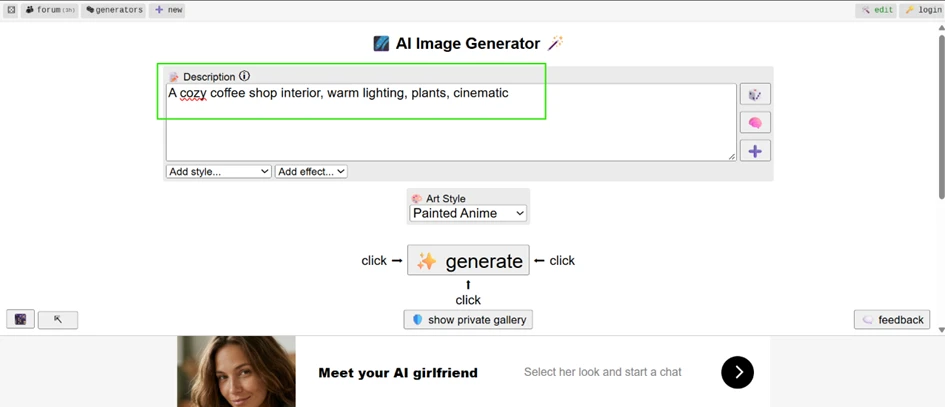
The output surprised me.
For a free model with zero setup, the two coffee shop images came back clean and close to what I described.
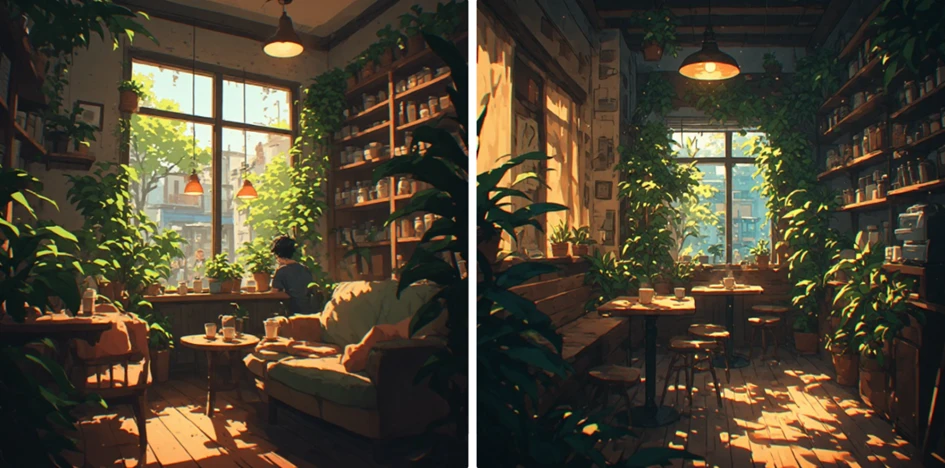
Both frames matched the brief, soft window light and plenty of greenery, with a painted anime finish that suited the mood. If your work sits in this lane of simple scenes and mood pieces, Perchance holds its own against tools that charge every month.
Perchance is bigger than one image tool. The homepage opens into a wall of community-built generators, each with its own view count and URL.
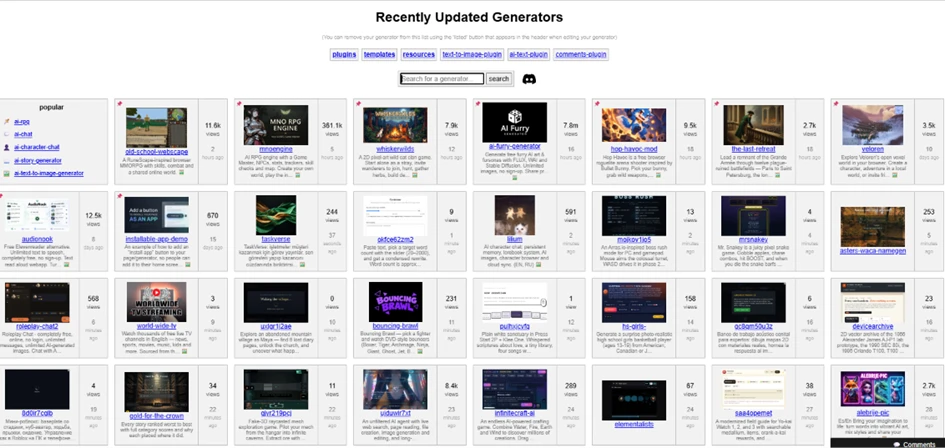
Some of these pull hundreds of thousands of views and run polished interfaces. Others sit on single-digit views and look abandoned. You get volume and variety, and you also inherit the job of sifting the useful ones out of the noise. No strong quality filter is doing that work for you.
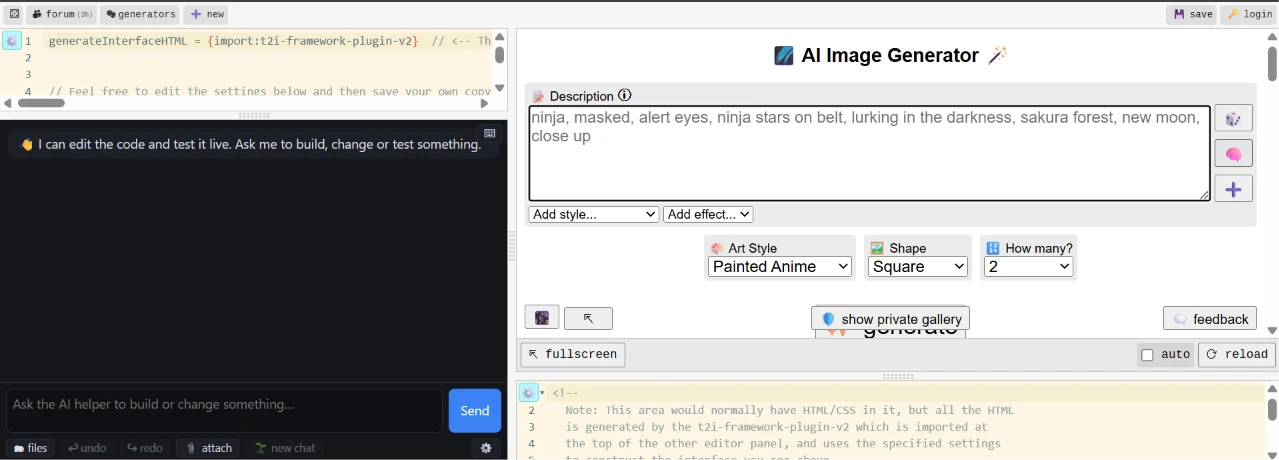
Every generator on the site can be opened and edited. I clicked into the editor and found a live code panel on the left, with an AI helper offering to build or change things on request. The interface runs on lines like {import:t2i-framework-plugin-v2}, so real customization means working with code rather than dragging boxes around. A non-coder can still change small settings. Anything ambitious carries a learning curve.
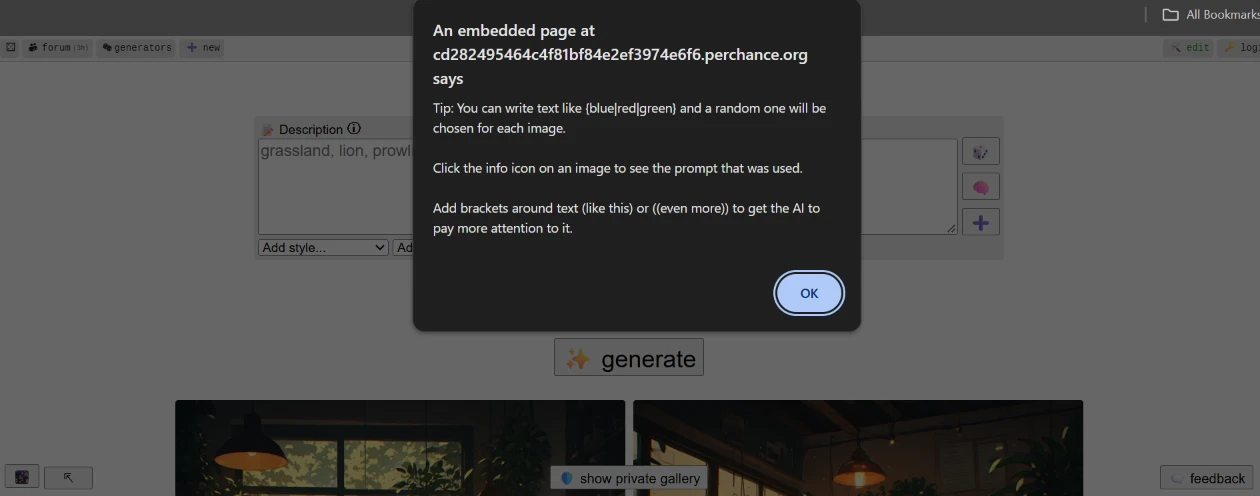
Perchance does leave hints where they help. The small info icon next to the Description box opens a popup with prompt tricks, like writing {blue|red|green} to randomize a word, or wrapping text in brackets to push the AI to weight it harder.
 |  |
Simple prompts are one thing.
I wanted to see what happened when the prompt asked for the two things these free models have always fumbled, readable text and correct hands.
My second prompt:
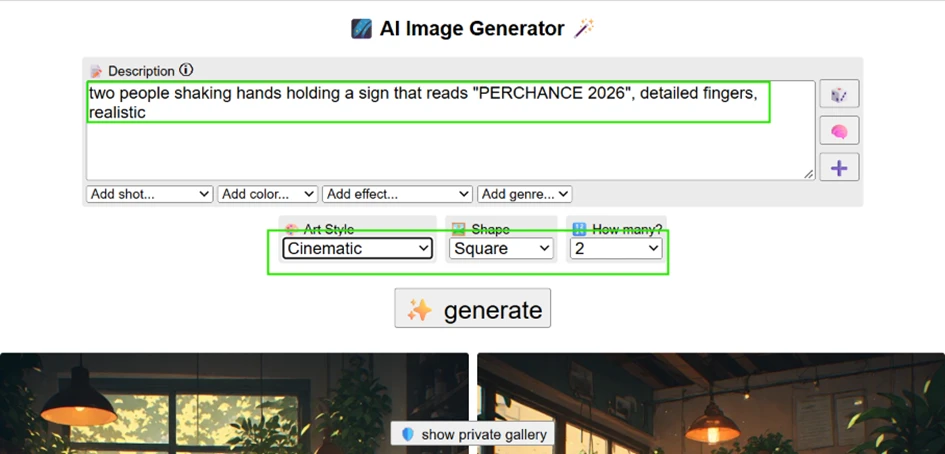
two people shaking hands holding a sign that reads "PERCHANCE 2026", detailed fingers, realistic
I set the style to Cinematic and the shape to Square, then asked for two images.
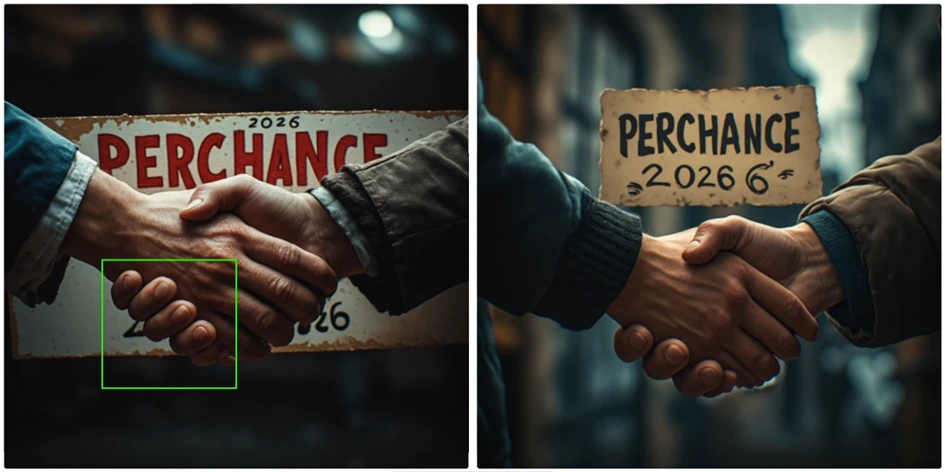
The problem shows up fast. The sign was meant to read PERCHANCE 2026. What came back was “PERCHANCE 2026 6”, the number doubled and warped. Look closer at the clasped hands in the left image and the anatomy falls apart, with one hand showing five fingers plus a thumb, six digits on a single hand.
These are not nitpicks for a review. Anyone using the output for a product mockup or printed material will hit these flaws early.
The most revealing test came last. Each generated image carries its own info icon, and clicking it shows the exact prompt sent to the model. This is where Perchance stops being the tool you typed into.
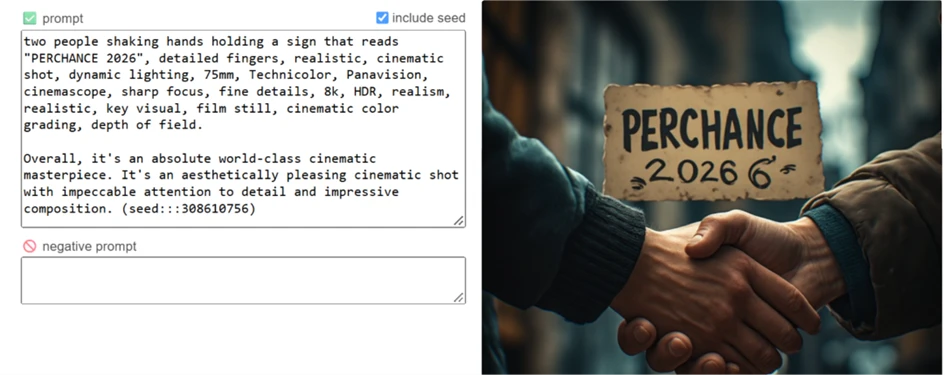
I typed one line. Perchance sent something far longer. It bolted on a stack of quality tags like 8k, HDR, Technicolor, sharp focus and depth of field, then signed off with a line of its own praise: “Overall, it’s an absolute world-class cinematic masterpiece.” That sentence was never mine. The panel also exposed the seed number, 308610756, which at least means a given result can be reproduced.
Here is why that matters for the quality verdict. Every one of those tags, detailed fingers included, was already active when the hands came out wrong. The earlier failure happened with 8k, realism and detailed fingers all switched on. A weak prompt cannot take the blame for that result.
For casual art and fast ideas, that trade works. For anything precise, the auto-prompt takes the wheel at the exact moment you want to steer.
| Dimension | Our test | User signal | Verdict | Composite |
|---|---|---|---|---|
| Image Quality Visual fidelity and realism | 6.5 | 6 | Moderate | |
| Prompt Adherence Accuracy to user instructions | 6 | 5.5 | Weak | |
| Chat Experience Roleplay coherence and behavior | 5 | 4.5 | Weak | |
| Ease of Use Interface and general usability | 6 | 6 | Moderate | |
| Value for Money Benefits relative to cost | 8.5 | 8 | Good | |
| Safety and Controls Safeguards and content limits | 3 | 3.5 | Weak |
Toolscopia uses cookies to keep you signed in, remember your preferences, and understand how our reviews get read. Analytics are anonymous. See our privacy policy for the full detail.


Comments 0
Join the discussion and share your perspective.
Sign in to post a comment and reply to other readers.
No comments yet
Be the first to share your perspective on this tool.