1
Script and article to video
Automatically converts text into videos, widely praised for speed and simplicity.
AI-assisted video creation platform geared toward non-editors who want to turn scripts, blogs, and ideas into monetizable, professional-looking videos quickly, with templates, stock assets, captions, and strong live customer support behind it.
Independent review — we test tools ourselves and analyze public user reviews. How we test.
Pictory.ai delivers fast, accessible script to video creation that many reviewers say rivals or beats other AI video tools on quality and speed. Ease of use, rich stock libraries, captions, and attentive human support stand out repeatedly. The weakest points are billing and cancellation friction, non refundable edge cases, occasional bugs, and AI visuals that can be off target or confusing in some workflows. Best suited to creators and educators who prioritize speed and usability over pixel perfect, fully custom edits and who are comfortable working within an AI assisted template system.
Pictory launched in 2019 with a specific bet. Most people sitting on a pile of written content have no time or skill to turn it into video, so the tool does the assembly for them. Its core value proposition is repurposing existing content into a short-form video format.
The part worth understanding before you sign up is where the visuals come from. Pictory does not create footage. It pulls fully licensed clips from massive stock libraries and matches them to your script. The backbone is a Storyblocks API integration the company built into its first product, and Getty Images sits in the mix too. That single design choice explains almost everything about how the tool behaves, from the clean licensing on your exports to the occasional clip that has nothing to do with your narration.
The workflow rarely changes. You feed in a script, an article URL, or a recording. The AI writes a storyboard, drops in matched clips, and adds captions plus a voiceover. You then edit by rewriting text rather than dragging a timeline.
Automatically converts text into videos, widely praised for speed and simplicity.
Adds captions for videos and Shorts, valued for time savings and accessibility.
Matches footage to scripts, praised for relevance but sometimes criticized as inaccurate.
Access to millions of images and clips, appreciated for variety, criticized by few as generic.
Includes humanlike voices and voice cloning, noted as enjoyable and useful.
Supports text to video, image to video, URL to video, and Shorts creation.
Offers AI avatars and professional layouts, praised but not yet consistent across lengths.
Provides API for workflows, helpful when supported but involved in a cancellation complaint.
Training sessions and webinars frequently applauded as informative and easy to follow.
I ran Pictory on a free 14-day trial with 50 credits to see what the workflow actually feels like from a first sign-in. The account name in the corner and the credit counter stayed visible the whole time, so I could watch exactly what each action cost me. My goal was simple. Push a piece of text through the tool and see how close the output lands to a finished video without paying for anything.
The home screen opens with a prompt box and a row of entry points below it. Text to video, URL to video, AI video editor, Summarize video, and Audio to video all sit within one click. I started by dropping a detailed prompt into the idea box, describing a cinematic ten-second shot of a futuristic city at sunset with flying cars and wet-pavement reflections.
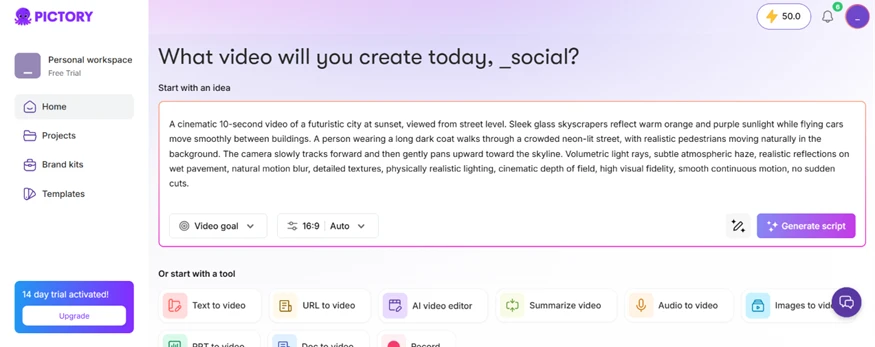
This is where the first expectation gap shows up. My prompt reads like something you would feed a generative engine, but Pictory does not generate footage from that description. It writes a script from the idea and then goes shopping for stock clips that loosely match the words. Knowing that in advance changes how you write your input.
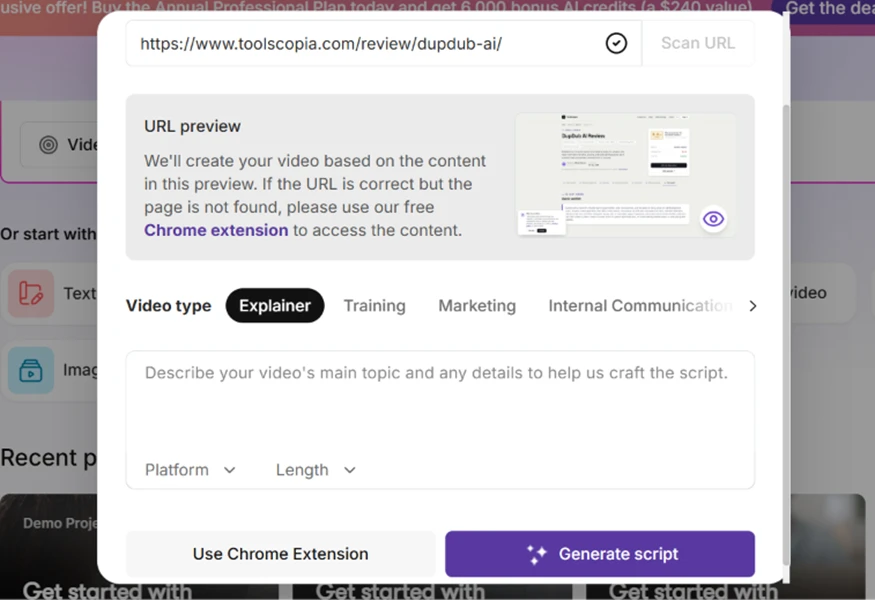
I also tested the URL to video path, which is the feature Pictory pushes hardest. You paste a link, it scrapes the page, and it shows a preview of the source before building anything. A set of video-type presets sits right under the preview so you can steer the tone toward Explainer, Training, or Marketing.
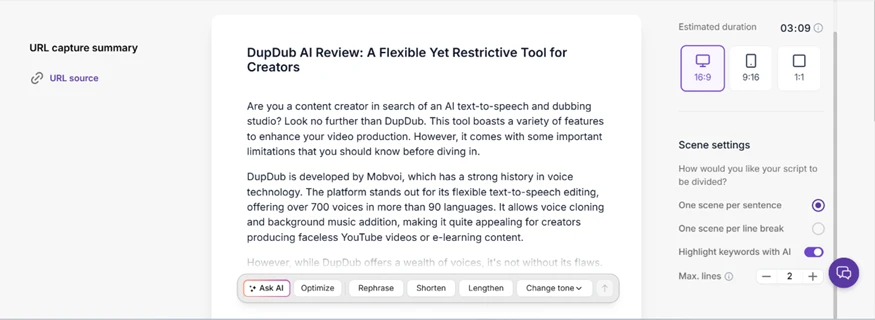
Once I confirmed the source, Pictory produced a full narration script broken into scenes, with an estimated duration of just over three minutes and aspect-ratio options for widescreen, vertical, and square. An inline toolbar under the text let me ask the AI to optimize, rephrase, shorten, or lengthen any passage. This part felt genuinely quick, and every line stayed editable.
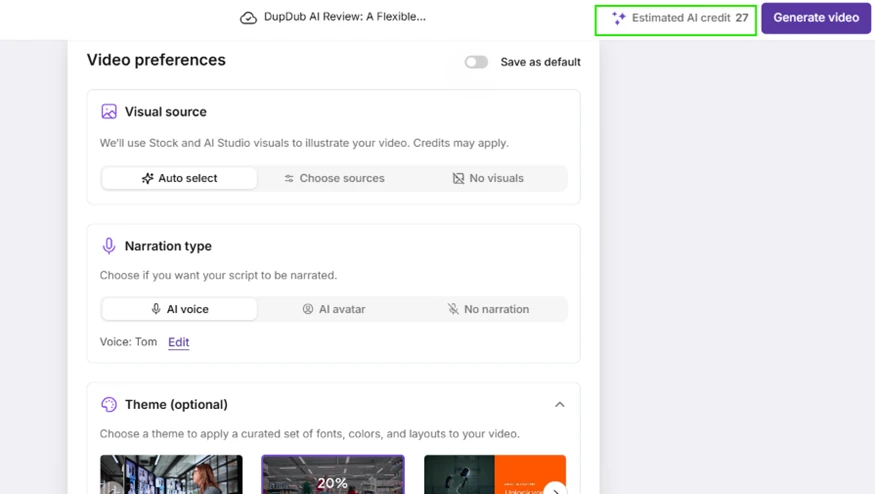
The next screen handled visuals and narration. I left everything on Auto select for the stock footage and picked a standard AI voice named Tom. The estimated credit cost for that particular build showed up in the top corner before I committed, which I appreciated as a bit of honesty about spend.
Here is the finding that reframed the whole review for me. Pictory is not building video. It is retrieving licensed stock clips from libraries and stitching them onto your script, then layering captions and a voice over the top.
The proof sits right in the editor. On one scene a Getty Images watermark and the stock clip ID number were stamped across the frame. That is a catalogued library asset, not something the AI dreamed up. The voiceover panel in the same view lays out the tiers plainly. Sixty standard voices, one hundred and eleven premium voices behind a five-minute quota, and voice cloning locked entirely behind the paid plan.
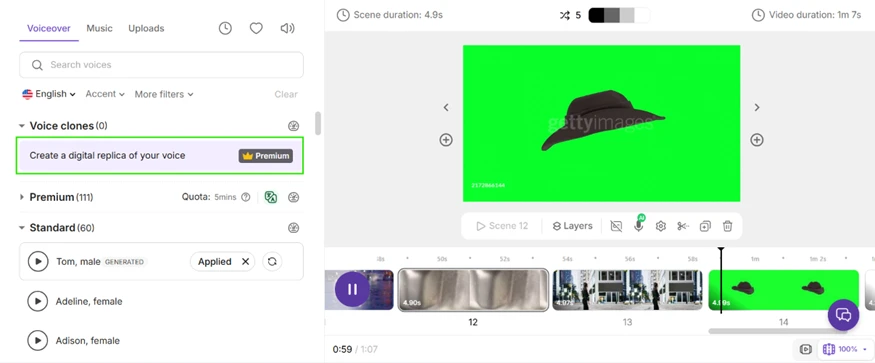
So the right mental model is an AI-assisted stock-video assembler. The AI writes and segments the script, matches clips, and generates the captions. The pictures themselves are pulled off a shelf. That is not a criticism by itself. It only becomes a problem when the matching goes wrong, which it does. Several scenes pulled images that had no clear connection to the sentence being narrated, and the tool also reused the source article's own images in spots where they added nothing.
Watermarks deserve their own note because Pictory handles them in two different ways and it is easy to conflate them. During editing a popup reassured me that the stock-visual watermarks I could see in preview would not appear in the downloaded file.
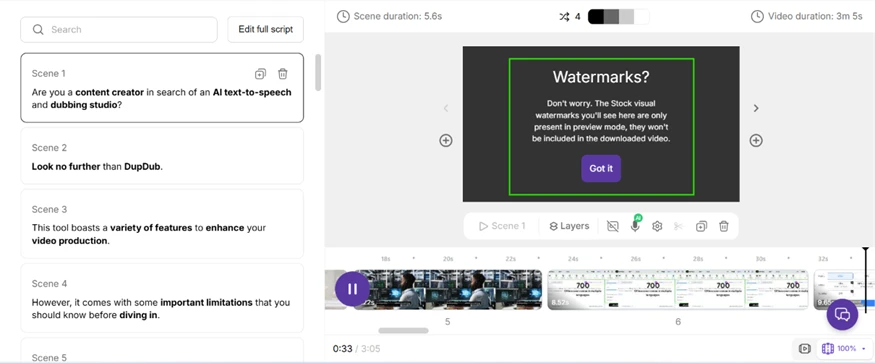
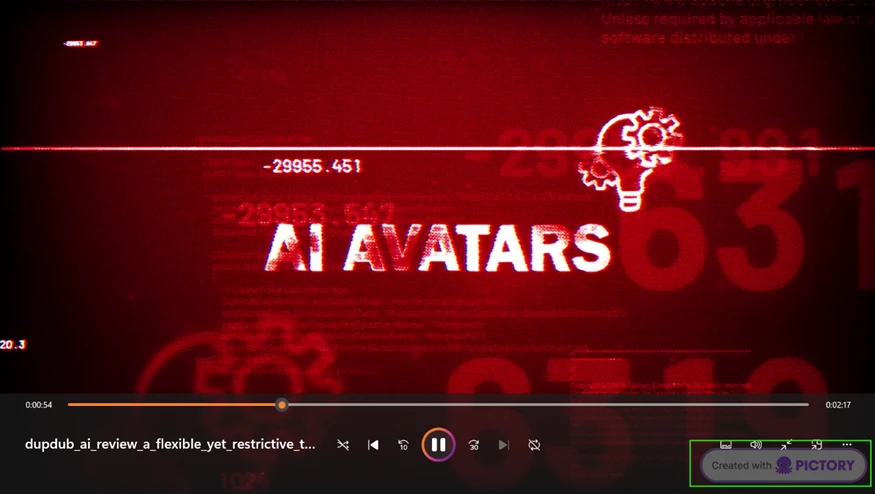
That promise held. The exported video had no Getty overlays on the stock scenes. What it did carry was a hard Created with Pictory brand watermark baked into the corner, and that one does not come off on the free plan. You need to pay to remove it.
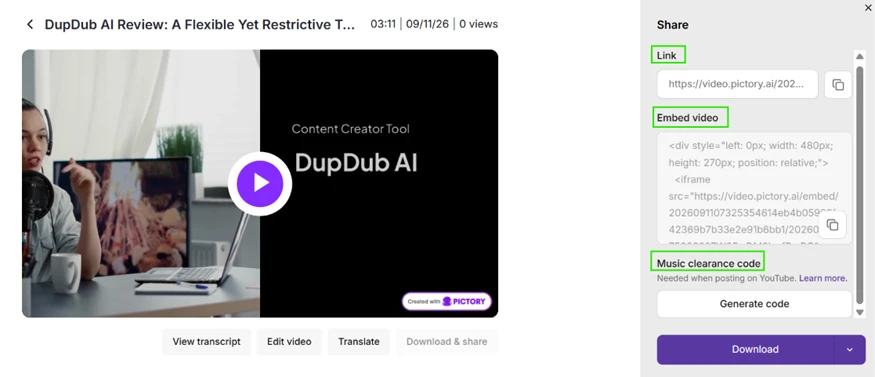
Exporting gave me a shareable link, an embed code, a music clearance code for YouTube, and a download button. The clearance code is a thoughtful touch for anyone publishing to a monetized channel in the United States, where music rights get flagged fast.
On cost, my experience was mixed in a useful way. The text-to-video build with auto stock and a standard voice cost me nothing. I finished it and still had all 50 credits. An earlier URL build, though, estimated 27 credits before I ran it. The pattern is clear enough. Basic stock assembly with a standard voice is effectively free inside the trial, while AI Studio visuals and premium narration draw the credits down fast. A new user should assume the 50-credit balance buys roughly one or two of the richer builds, not unlimited runs.
The output quality itself was better than I expected for a stitched-together result. Scenes were clean, captions synced, and the pacing was even. Even pacing cuts both ways. Every scene got a similar slice of screen time regardless of whether the line was a throwaway or the main point, so a bit of manual duration tuning is the price of a polished final cut.
| Dimension | Our test | User signal | Verdict | Composite |
|---|---|---|---|---|
| Ease of Use Learning curve and daily usability | 9.5 | 9.6 | Excellent | |
| Output Quality Visuals, audio, overall polish | 8.8 | 9 | Excellent | |
| AI Accuracy Relevance of AI-generated visuals | 7.5 | 7.8 | Good | |
| Reliability Stability, saved projects, glitches | 7 | 7.2 | Good | |
| Customer Support Speed and effectiveness of help | 9.2 | 9.7 | Excellent | |
| Billing and Policies Renewals, refunds, plan handling | 6.8 | 7 | Moderate |
Toolscopia uses cookies to keep you signed in, remember your preferences, and understand how our reviews get read. Analytics are anonymous. See our privacy policy for the full detail.



Comments 0
Join the discussion and share your perspective.
Sign in to post a comment and reply to other readers.
No comments yet
Be the first to share your perspective on this tool.