1
Layer based editor
Supports multiple layers and manual erasing; positively mentioned by users needing precise control.
Browser based photo and AI editor with layers, background removal, and basic tools. Feels fast and intuitive when it works, but heavy AI focus, paywalls, and billing practices frustrate many long term users.
Independent review — we test tools ourselves and analyze public user reviews. How we test.
Pixlr still delivers straightforward browser based editing, with layers, erasers, background removal and an interface that many long time users find intuitive. Customer support is frequently described as fast, attentive, and willing to restore missing features when pushed. However, reviews highlight aggressive auto renewal, a rigid no refund stance, unclear free trial handling, and heavy pushes toward AI features that many find unreliable or irrelevant. AI moderation filters and paywalls around mature content triggers are a recurring source of anger. Best suited to casual creators who value quick fixes, basic tools, and responsive support, and who are comfortable actively managing subscriptions and limits.
Pixlr AI is the generative layer that sits across Pixlr’s browser editors, including Pixlr E, Pixlr X, Express, and Designer. Rather than a standalone product, it is a set of machine-learning tools wired into the same canvas where manual editing happens.
The feature set covers one-click background removal, generative fill for adding or erasing objects, text-to-image generation, and layer extraction that splits a flat image into editable parts. Image generation runs on licensed third-party models such as the FLUX family, which Pixlr hosts rather than trains in-house.
What separates it from a basic filter app is the credit economy underneath. Each AI action carries a price in credits, and a heavier task like layer extraction costs far more than a simple generation. Credits reset monthly on paid plans and do not roll over.
Everything runs in the browser with no download, which keeps the AI reachable on any operating system. The trade-off is that the strongest tools sit behind that credit meter rather than inside the free editing core.
Supports multiple layers and manual erasing; positively mentioned by users needing precise control.
Background removal and batch workflows praised, though temporary removal frustrated professionals.
Features like generative fill and noise removal often criticized as inaccurate or context blind.
Content moderation frequently flagged harmless images and text, especially around perceived adult themes.
Three daily saves and ads viewed as restrictive, with some calling the free positioning misleading.
Annual auto renewals, no refund stance, and limited reminders widely reported as problematic.
Email based support often praised for speed and friendliness, despite strict adherence to policies.
AI credits for generation confused some users, with complaints about lost or unusable credits.
Recent interface changes and constant AI prompts criticized as cluttered and distracting.
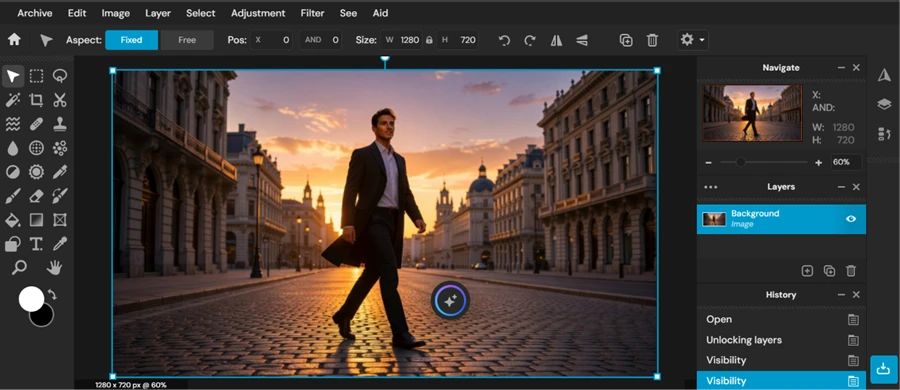
Pixlr E opened in the browser with a full layer stack, a history panel, and a toolbar that lines up closely with desktop editors. I loaded a street scene, unlocked the background layer, and worked across layers and visibility toggles without any install or sign-up wall for the editing itself.
For anyone who has used Photoshop, the muscle memory carries over.
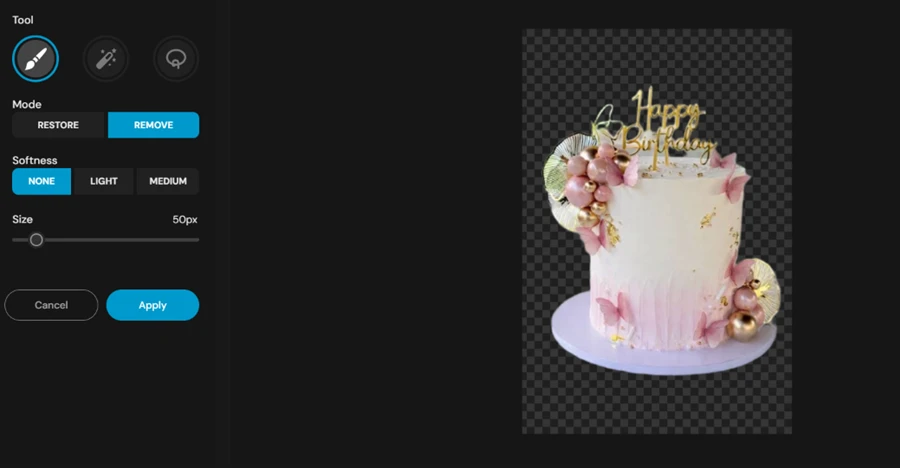
The background remover is the tool I expected to disappoint, and it held up. One pass on a birthday cake photo cut the subject cleanly onto a transparent canvas. What pushed it past the usual one-click cutout is the manual control sitting right next to it. A Restore and Remove brush, with softness settings and an adjustable size, let me repair the few spots the automatic pass missed around the cake decorations.
That combination matters for product shots and anything with fine edges, since the auto result rarely nails hair or thin details on the first try.
Pixlr builds a text-to-image generator straight into the suite, with model choices including FLUX.2 Klein 9B and a prompt box ready to go. I entered my test prompt and hit generate.
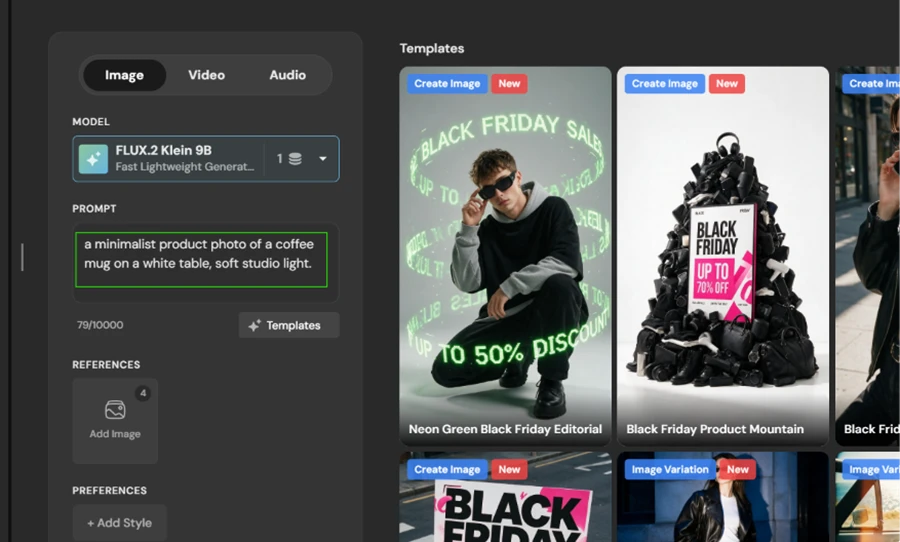
Prompt used: "a minimalist product photo of a coffee mug on a white table, soft studio light."
Then the free plan stopped me. The moment I ran it, Pixlr returned a "You're out of AI Credits" screen before producing a single image. This was my first AI action on the account, which means the free plan ships with zero generation credits. The generator is visible and fully built, but running it needs a paid tier.

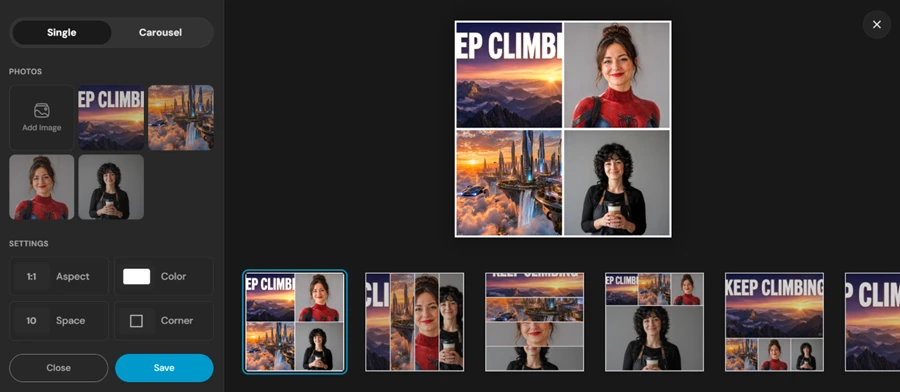
The collage tool was a smoother experience. I dropped in several images and Pixlr arranged them into a grid. Controls for aspect ratio and spacing sat on the left, with corner rounding and a set of layout presets to swap between. It produced a usable collage with no credit prompt, which places it firmly on the free side of the line.
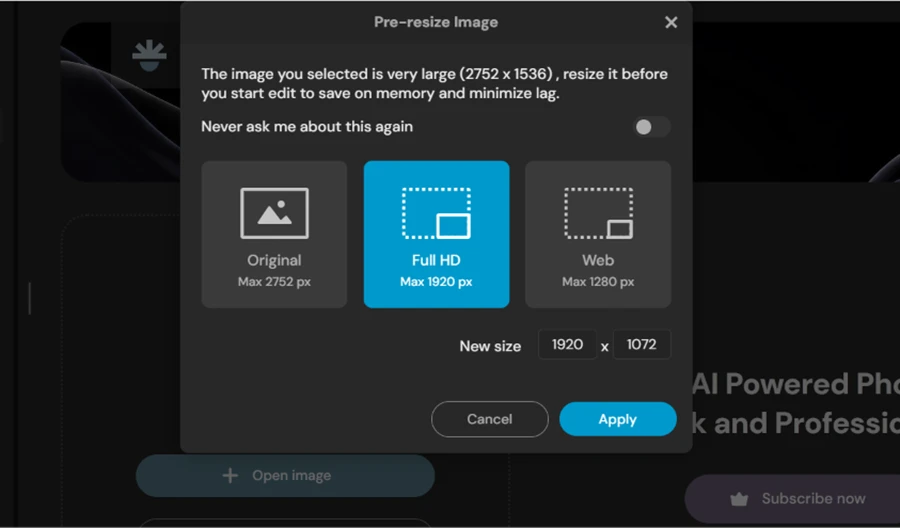
Express is the lighter editor, and testing started before I even opened it. Loading a 2752 by 1536 car photo triggered a pre-resize prompt pushing me to shrink the file to Full HD or Web dimensions first. It is framed as a performance saver, though it also quietly caps how large an image enters the free workspace.
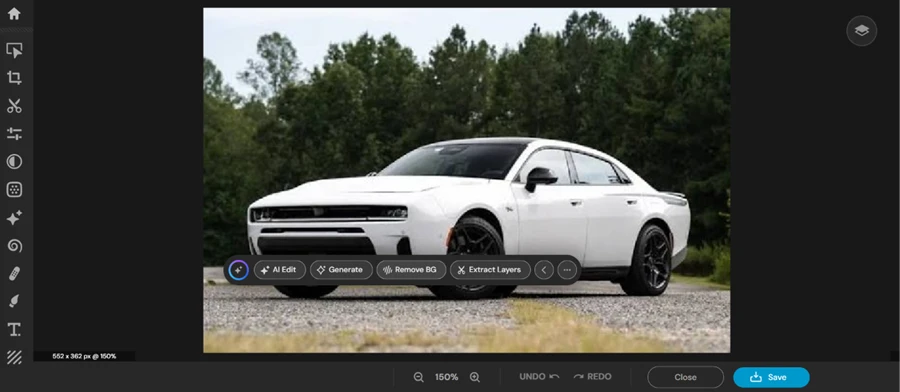
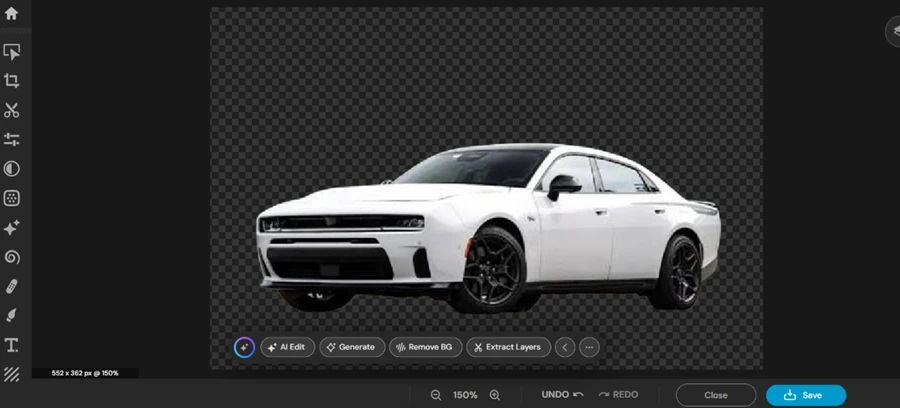
Inside Express, the interface strips back to a simple tool rail carrying AI Edit, Generate, Remove BG, and Extract Layers along the bottom. I ran Remove BG on the same car, and it isolated the vehicle onto a transparent background in one click, matching the quality I saw in the full editor.
Background removal is consistent across both editors, so beginners staying in Express lose nothing on that specific tool.
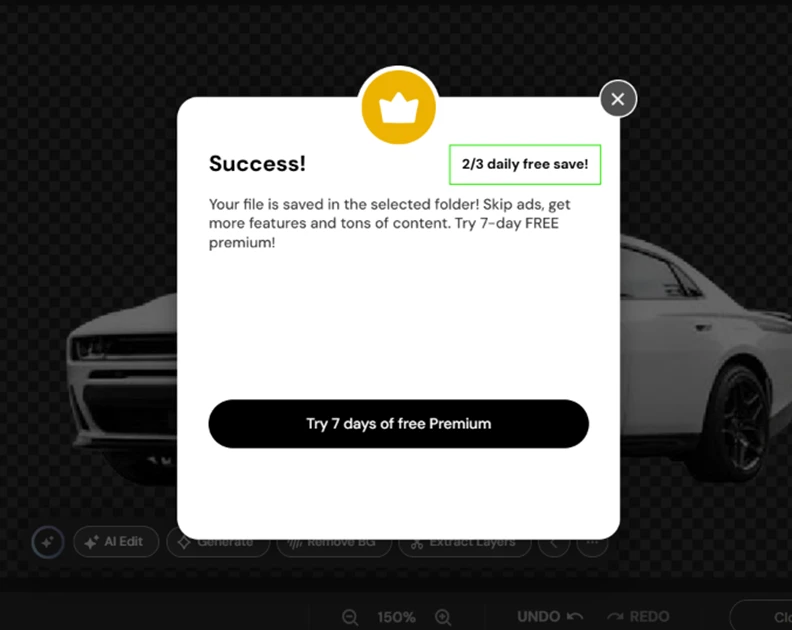
Saving is where the free plan drew its hardest line. My export went through, but the confirmation came with a "2/3 daily free save" counter and a prompt to try premium. The free plan allows three saves per day. For a quick one-off edit that is fine. For a batch of product images or a full day of work, three exports runs out fast, and the only exit is a subscription.
| Dimension | Our test | User signal | Verdict | Composite |
|---|---|---|---|---|
| Core Editing Tools Layers, cropping, erasing, basics | 8 | 9 | Excellent | |
| AI Features Generative and enhancement quality | 5 | 6 | Weak | |
| Ease of Use Learning curve and interface clarity | 8 | 7 | Good | |
| Billing Transparency Renewals, trials, and refunds | 6 | 5 | Weak | |
| Customer Support Speed and helpfulness | 8 | 8 | Good | |
| Ad and Paywall Experience Ads, limits, and upsells | 6 | 7 | Moderate | |
| Reliability and Stability Glitches, lag, and data loss | 9 | 8 | Excellent |
Toolscopia uses cookies to keep you signed in, remember your preferences, and understand how our reviews get read. Analytics are anonymous. See our privacy policy for the full detail.



Comments 0
Join the discussion and share your perspective.
Sign in to post a comment and reply to other readers.
No comments yet
Be the first to share your perspective on this tool.