1
Non linear zooming presentations
Praised for visually engaging flows that help audiences see structure and relationships.
Presentation software focused on non linear, zoom based visuals with AI assisted slide creation. Loved for dynamic layouts, heavily criticized for billing practices, refund rigidity, and unreliable AI features.
Independent review — we test tools ourselves and analyze public user reviews. How we test.
Prezi delivers engaging, non linear presentations that some students and educators find visually impressive and easy to assemble. However, reviews overwhelmingly highlight aggressive auto renewal, rigid no refund policies, and a confusing cancellation flow, especially around free trials. AI features are often described as buggy, intrusive, or irrelevant to the topic. Given the high annual pricing and strong distrust around billing, this tool suits only users who truly value its visual style and are comfortable managing strict subscription terms.
Prezi AI is a layer of AI features built on top of Prezi's zooming canvas, the spatial system the company has run since 2009 where content lives on one infinite surface instead of a stack of slides. The AI part is newer. It runs on OpenAI, and Prezi states that user inputs are not used to train third-party models.
You start one of two ways. Type a prompt, or upload a PowerPoint, PDF, or Word file that the AI reads and rebuilds into a deck. Before it commits, Prezi shows you an editable outline so you shape the structure first rather than fixing a finished draft.
Beyond generation, the 2026 version adds practical tools most reviews skip over. It writes custom images per slide, generates an interactive quiz from your existing deck, and includes a chat rewind that jumps the presentation back to an earlier point in the conversation when an edit goes wrong. Full creation now works on mobile, prompt only.
Praised for visually engaging flows that help audiences see structure and relationships.
Frequently criticized as unusable, irrelevant, glitchy, and exhausting quota limits quickly.
Generally liked for variety, though some users want more interactive and searchable templates.
Appreciated by educators for recording voice on slides for remote teaching.
Heavily criticized for surprise annual charges and inflexible no refund policy.
Flagged as a privacy concern since free projects can appear in search results.
Described as confusing, with difficult cancellation, hidden support, and persistent payment details.
Positively noted that presentations are available on phones for on the go presenting.
I signed up for a brand new free account to see what Prezi AI actually gives you before any payment. The account opened with 1,000 AI credits, which is plenty to test the full generation flow. My prompt was deliberately practical, the kind a small business owner in the US might type on a Monday morning.
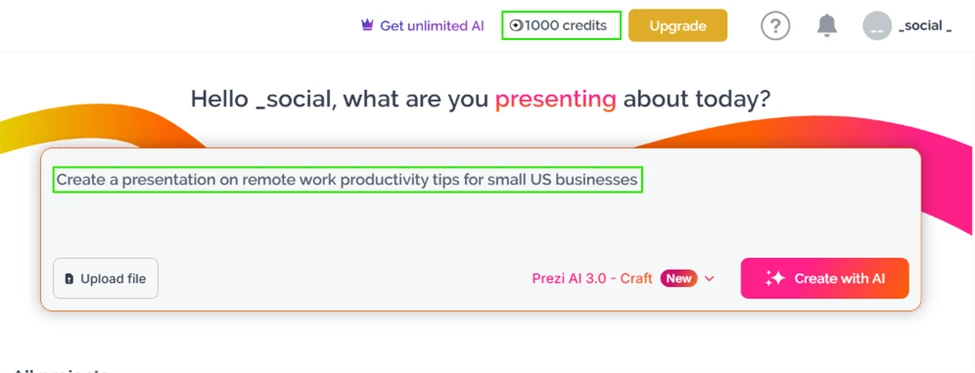
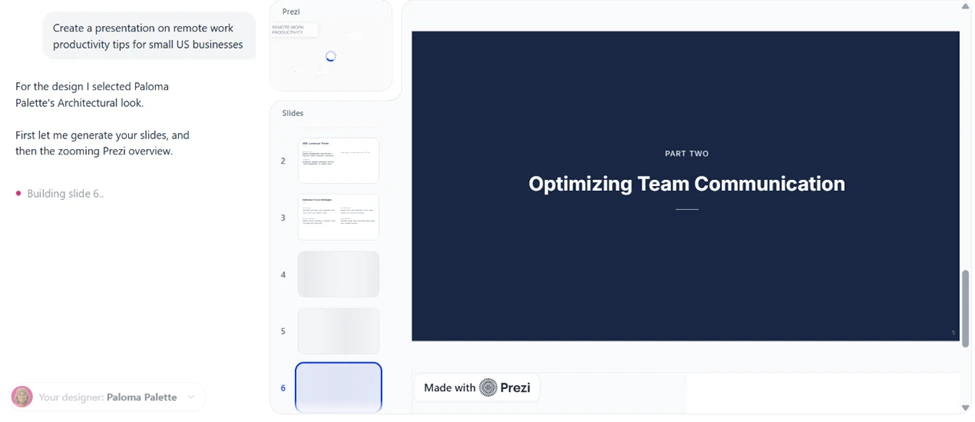
Within seconds the tool picked a design theme on its own (it called the look "Paloma Palette, Architectural") and started building slides one by one while I watched. The draft came together fast.
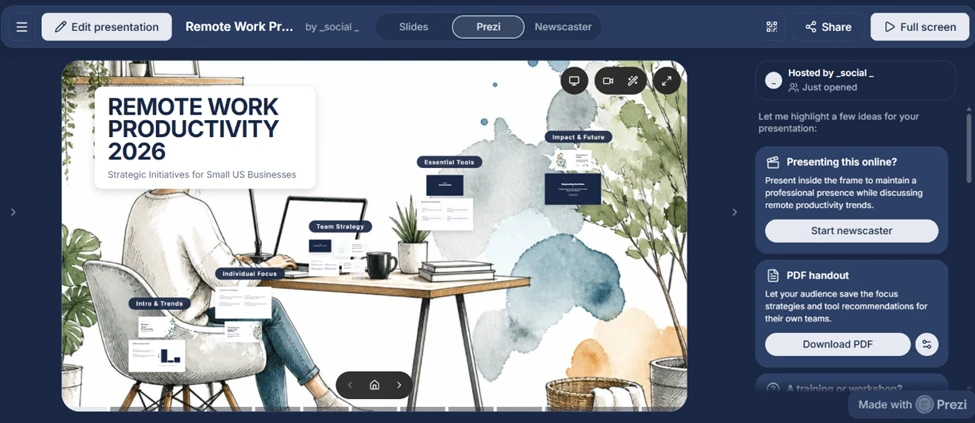
The zooming canvas still sets Prezi apart. Once the draft finished, the presentation opened on Prezi’s signature canvas with topics laid out spatially rather than as a flat slide stack. You can see the four topic clusters arranged around a single illustration, and the whole thing zooms between them when you present.
The same screen also surprised me with three separate ways to present the exact same content. There is a standard Slides mode, the Prezi zoom mode where the background stays fixed and the camera moves in 3D, and a Newscaster mode for recording yourself over the deck. That is more presentation flexibility than most AI deck tools hand you for free.
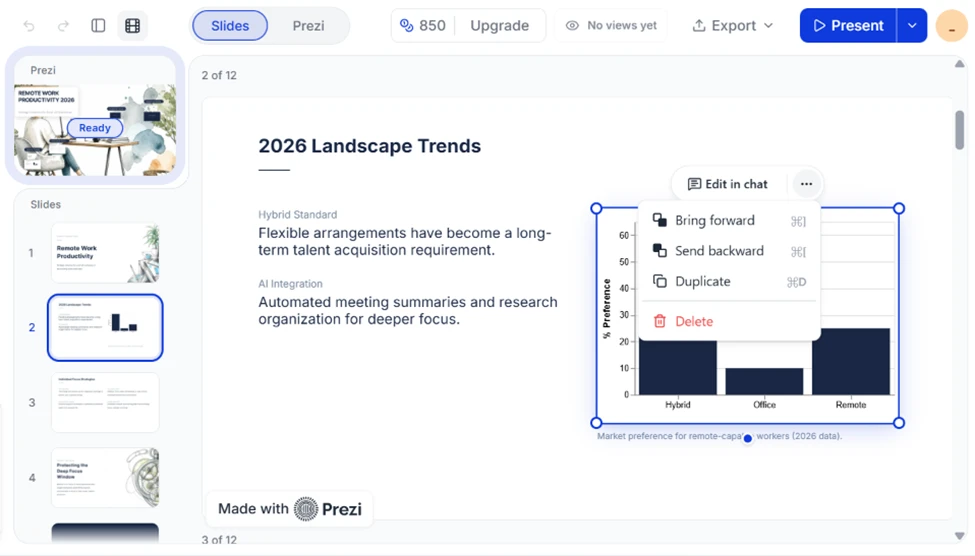
Nothing is locked. A worry with AI-generated decks is that you get a pretty result you cannot change. That is not the case here. Right-clicking any element the AI made (including its charts) brings up the full editing menu, so every piece of the draft is yours to move, duplicate, or delete.
The cracks show the moment you try to take your work out of Prezi or make it private.
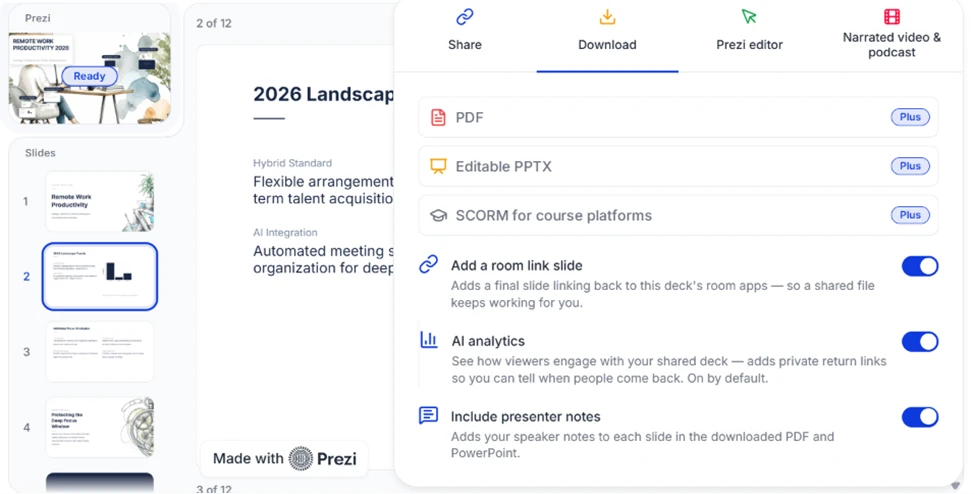
You cannot export anything on the free plan. Every download format sits behind the paid Plus tier. PDF, editable PPTX, and SCORM for course platforms all carry the same "Plus" badge, so the deck you just built is stuck inside Prezi unless you pay.
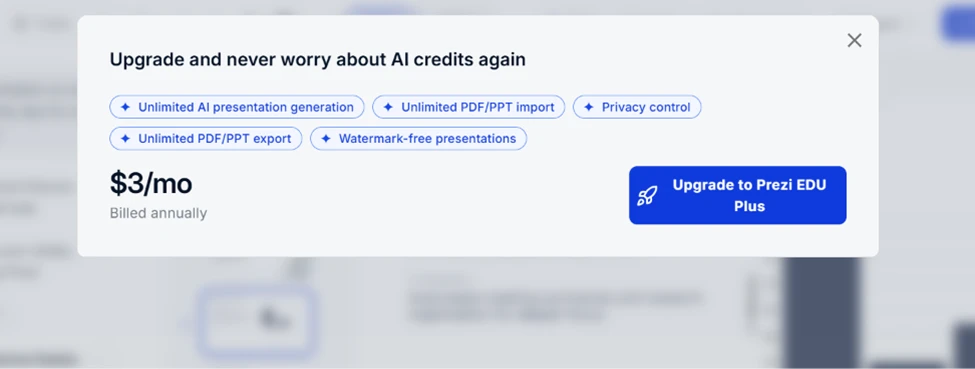
Trying to download triggers the upgrade wall, which spells out what free is missing: exports, imports, privacy, and watermark removal.
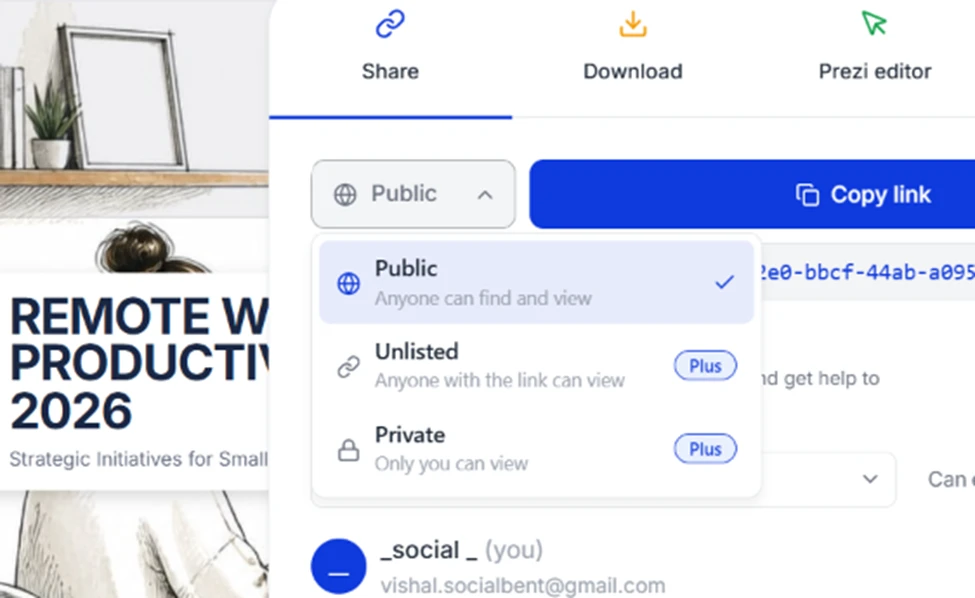
Your free deck is public to the entire internet. This one matters for anyone doing client or internal work. The sharing menu offers three visibility settings, but only "Public: anyone can find and view" is free. Both "Unlisted" (link-only) and "Private" (only you) require Plus. A free Prezi deck cannot be kept confidential.
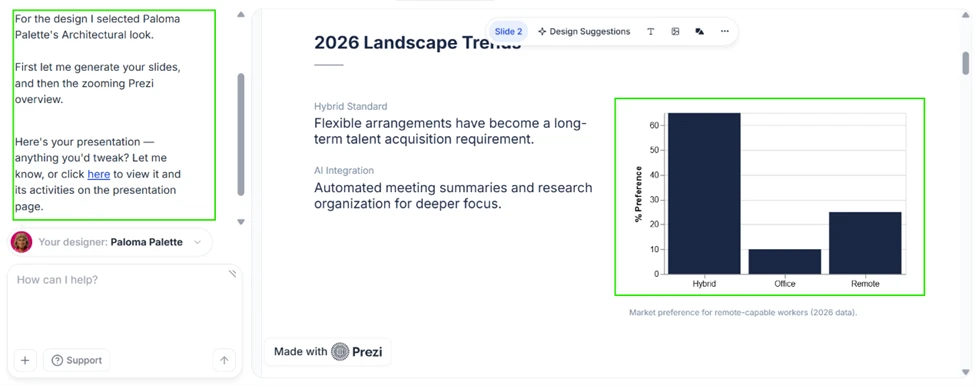
The AI invents data and presents it as fact. This was the most concerning find. One slide showed a clean bar chart labeled "Market preference for remote-capable workers (2026 data)" with confident percentages for Hybrid, Office, Remote, and Return-to-office splits. The problem is sourcing. The AI’s own chat reply on the left never says where any of it came from, and there is no citation, dataset, or survey behind the numbers anywhere on the slide.
A reader would assume those are real 2026 figures. They might be fabricated. A presenter who drops this straight into a meeting is putting unverified statistics in front of an audience under an official-looking label. Prezi AI builds a convincing draft, but a human still has to fact-check every number before it goes live.
| Dimension | Our test | User signal | Verdict | Composite |
|---|---|---|---|---|
| Presentation Quality Visual impact and structure | 8.5 | 8 | Good | |
| AI Functionality Usefulness of AI features | 5.5 | 5 | Weak | |
| Ease of Use Learning curve and usability | 7 | 6.5 | Moderate | |
| Billing Transparency Clarity of pricing and renewals | 4.3 | 3.5 | Weak | |
| Customer Support Helpfulness and flexibility | 5.5 | 5 | Weak | |
| Value for Money Price versus delivered utility | 7 | 6.5 | Moderate |
Toolscopia uses cookies to keep you signed in, remember your preferences, and understand how our reviews get read. Analytics are anonymous. See our privacy policy for the full detail.



Comments 0
Join the discussion and share your perspective.
Sign in to post a comment and reply to other readers.
No comments yet
Be the first to share your perspective on this tool.