1
AI Slides presentation builder
Generates polished decks quickly from prompts or documents, widely praised for design quality and time savings.
Genspark AI is an all-in-one AI workspace that combines chat, slides, images, video, code agents, and workflows. It suits professionals and students who need polished documents, presentations, and research output rather than raw chatbot replies.
Independent review — we test tools ourselves and analyze public user reviews. How we test.
Genspark delivers strong value for serious work, particularly slide decks, complex documents, and multi-step projects that need structure and polish. Reviewers praise its wide model choice, AI Slides quality, and consistently responsive human support. The main friction points are aggressive credit consumption, opaque usage analytics, expiring unused credits, and occasional speed or layout glitches. It suits users who work in bursts on high-impact decks, reports, code, or research and are willing to manage a credit-based system for that output quality.
Genspark is an AI workspace built by MainFunc, a Palo Alto company led by Eric Jing, who previously worked on Microsoft Bing. Its centrepiece is Super Agent, which reads a single prompt, decides which internal tools the job requires, then executes the steps without further instruction. The product covers slides, spreadsheets, documents, images, video, website building plus an agent that places real phone calls on your behalf. The detail most coverage skips is this: Genspark trains no frontier models of its own. It routes your request to GPT, Claude, Gemini or Grok, then orchestrates and merges what comes back. You are paying for the routing layer and the workflow wrapped around it.
That architecture explains the pricing model. The company launched as an AI search engine, pivoted to agents in April 2025, and reports crossing $250M ARR inside twelve months, though those figures come from Genspark rather than an audit. Because every task runs through someone else's model, cost is metered in credits instead of a flat seat price. The rate shifts depending on which model a task triggers, so two prompts of similar length can carry wildly different charges.
Generates polished decks quickly from prompts or documents, widely praised for design quality and time savings.
Handles multi step tasks like reports, strategies, and consultations, often compared favorably with several human associates.
Lets users switch between leading models per task, frequently praised by power users and developers.
Converts PDFs to Word or Excel, analyzes surveys, builds reports and bibliographies with verifiable sources.
Support architectural renders, marketing visuals, and training videos, though some users note occasional render failures.
Assist with static analysis, architecture planning, low code apps, and full websites, sometimes hitting long run credit limits.
Custom workflows power recurring tasks like media recommendations and project dashboards, often described as daily time savers.
Unlimited chats for lighter tasks combined with credits for heavy agents, praised yet criticized for opacity.
Consistently highlighted as fast, patient, generous with refunds and credits, and responsive in multiple languages.
I expected a starting balance. There was none. Genspark opens the account empty and puts a checklist in front of you, each item worth 20 credits, before anything substantial can run. One of those items is following the company on X.
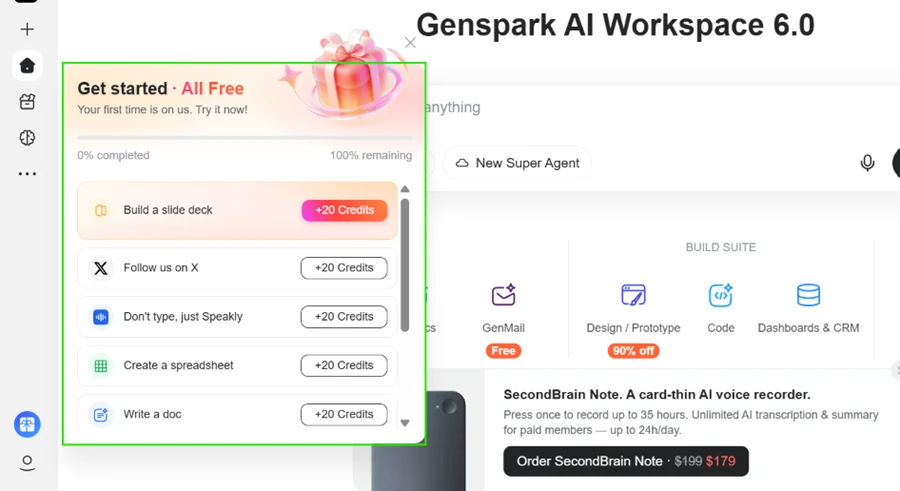
Your daily allowance depends on completing those actions first, which changes how you should read the phrase "free plan" on the pricing page.
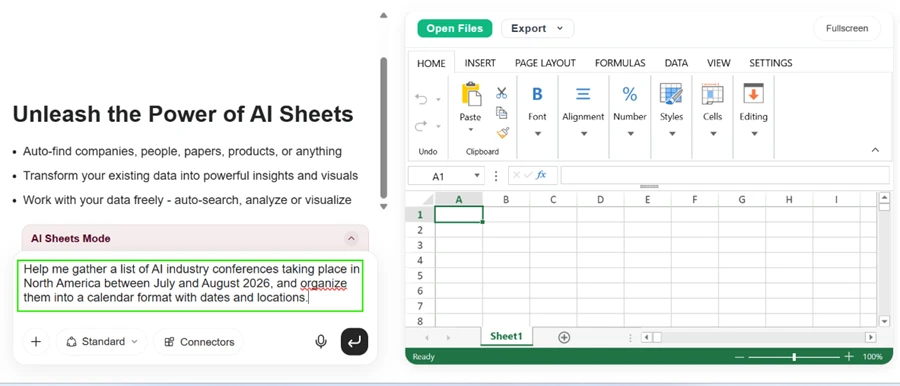
My first real test went to AI Sheets. The prompt asked for AI industry conferences taking place across North America between July and August 2026, organised into a calendar format carrying dates plus locations.
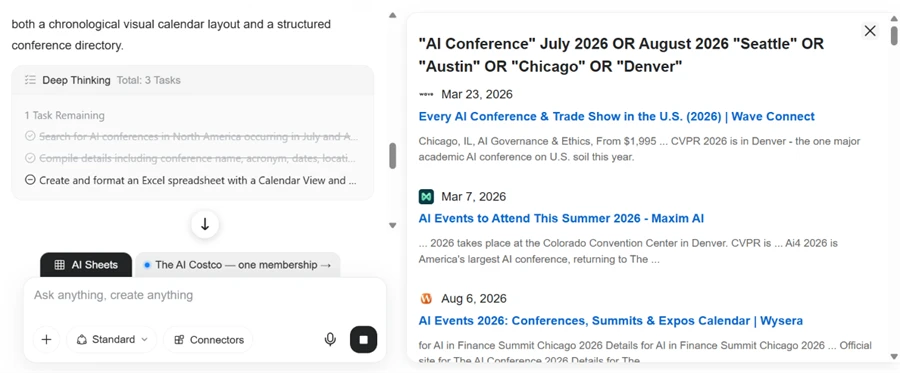
The execution panel is where Genspark pulls away from a standard chat window. It split the request into three tasks, then ran parallel searches across event directories while showing me each page it was reading. The sources stayed visible during the run rather than appearing as a citation list at the end.
The output arrived as a two-tab workbook. The directory tab carries columns for event name, acronym, start date, end date, duration, city, venue, category plus target audience, with a merged summary band counting 10 events across the date window. A second tab holds the calendar view. Formatting held up without manual repair.
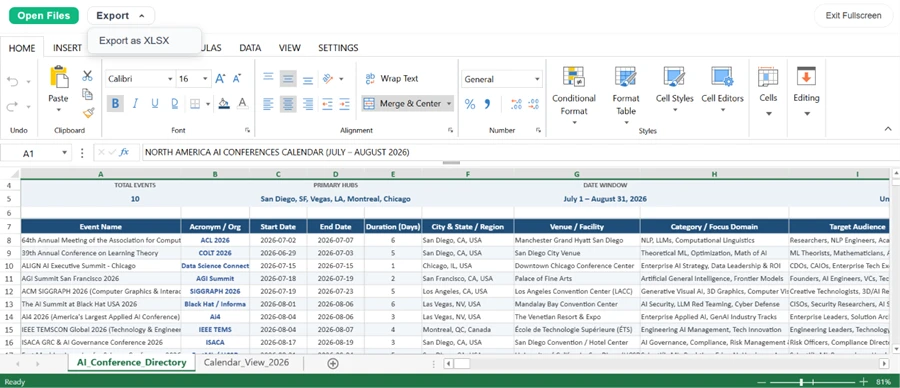
Total credit cost for that task: zero.
I pushed the slide generator harder. The brief asked for a 10-slide deck on United States EV charging infrastructure, with slide 4 forced to carry an 8-city comparison table at 5 columns, and slide 7 forced to carry 12 policy recommendations as bullets. Dense content is what usually breaks AI slide tools.
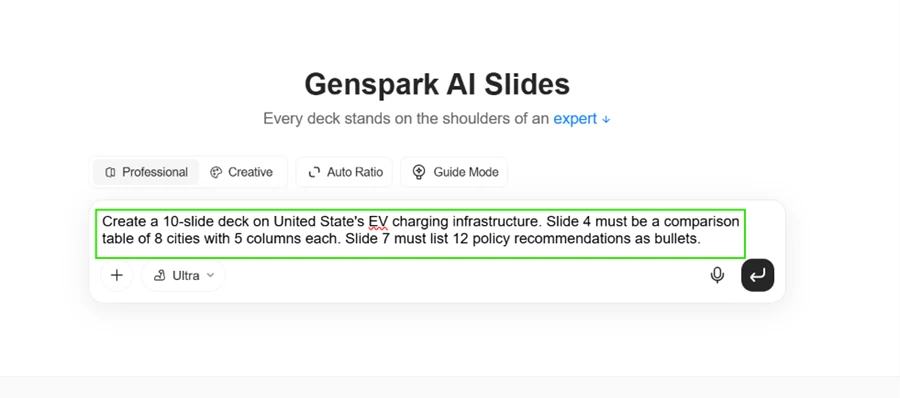
It held together. The agent read published work from ICCT, iSeeCars, ACT News plus several charging industry trackers, and the reasoning panel surfaced a genuine problem out loud: it needed one consistent dataset for the 8-city table, so it went back to crawl metro-level sources before continuing.
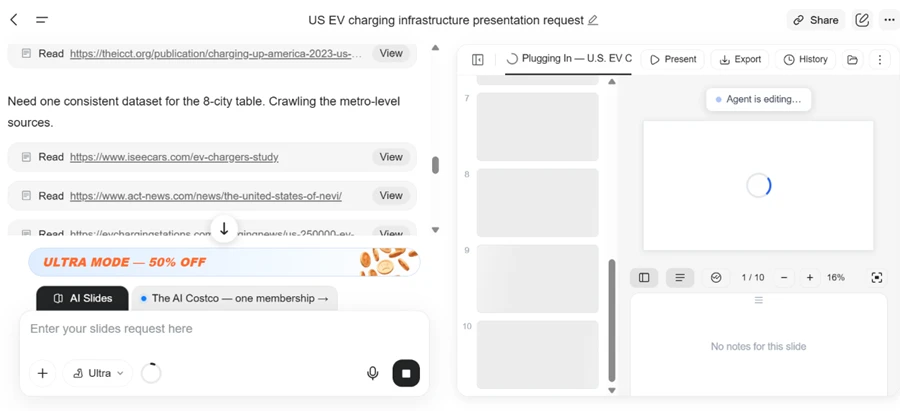
The finished deck uses a dark editorial treatment with pull statistics and a typographic hierarchy that holds at full screen. Layouts vary between slides rather than repeating one template, and every element is editable in place.
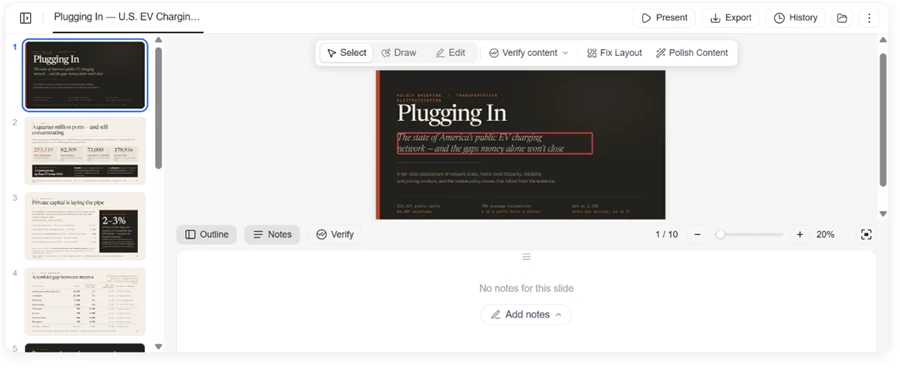
Two buttons in that toolbar deserve attention. One reads Fix Layout. The other reads Verify content. A vendor shipping a dedicated layout repair tool is telling you layouts break. A vendor shipping fact verification is telling you the output may be wrong. Both features are useful to have. Both are also admissions about what the generator produces on its own.
I clicked Export on the finished deck. All three formats are locked behind the Plus tier.
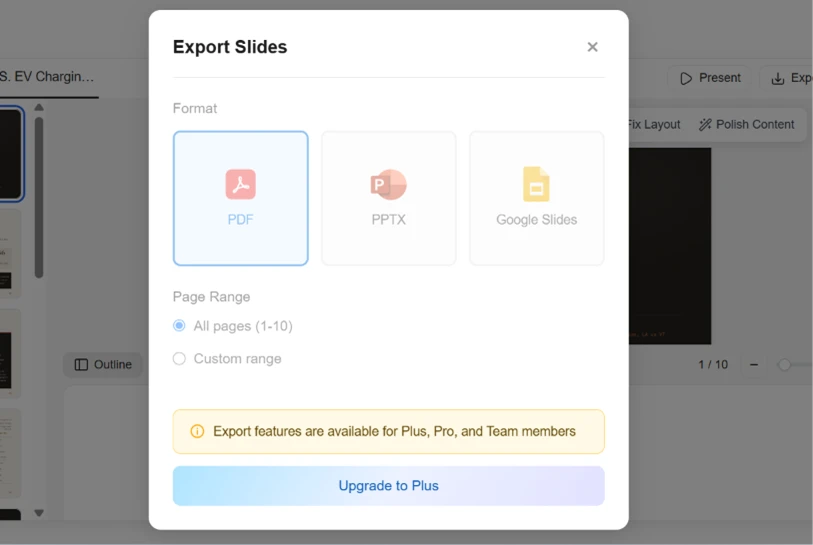
A free user can spend an entire day of credits producing a presentation and then find no way to take it off the platform.
With the deck done, I moved to image generation and entered a detailed photorealism prompt.
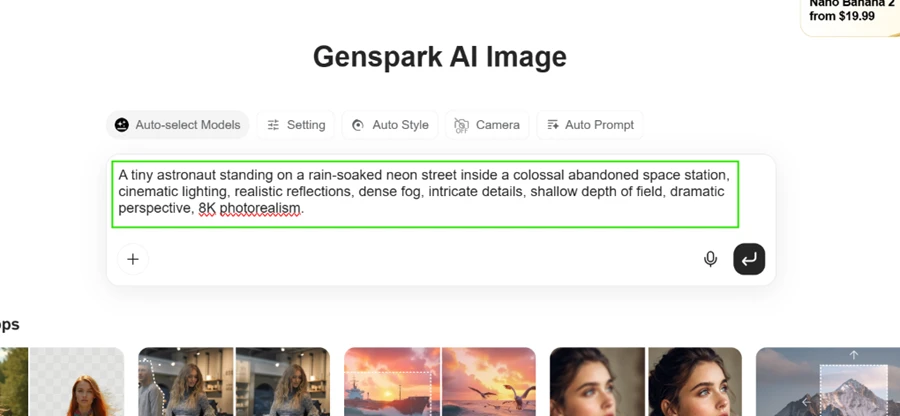
The request never ran.
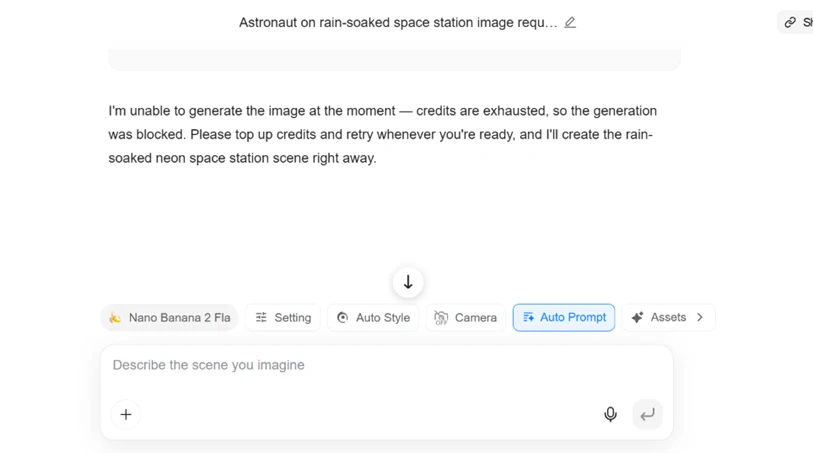
One point in Genspark's favour here. It refused the job before consuming anything rather than charging me for a failed attempt. The loudest complaint about this platform in public reviews is that it bills for work it does not deliver, and that did not happen in my session.
The credit usage history is the clearest piece of evidence I gathered.
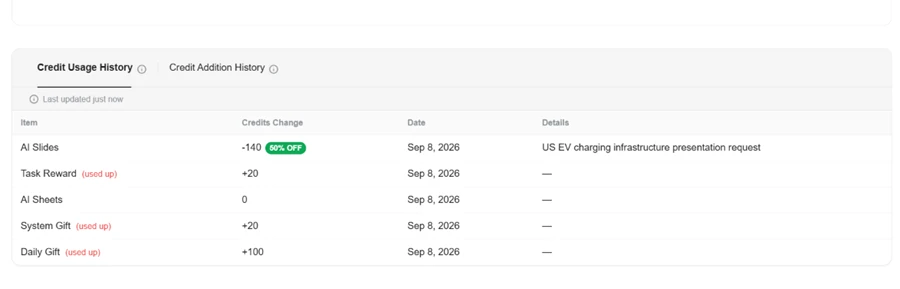
| Credit event | Change |
|---|---|
| Daily Gift | +100 |
| System Gift | +20 |
| Task Reward | +20 |
| AI Sheets task | 0 |
| AI Slides task (60% discount applied) | -140 |
| Closing balance | 0 |
One presentation consumed an entire day of free allowance, to the credit, while a discount was active. At list price that same deck runs closer to 350 credits, which is roughly two and a half days of free-tier earnings for a single output.
The discount figures do not match either. The banner inside the slide editor advertised Ultra Mode at 50% off. The ledger recorded the charge at 60% off.
The finding from my testing is not that Genspark burns credits quickly. It is that the burn rate swings wildly between products inside the same workspace. Sheets cost nothing and exported cleanly. Slides cost everything and stayed locked. A free user who sticks to spreadsheets and research gets a capable tool at no cost, while a free user who wants a deck gets one attempt per day and no file at the end of it.
| Dimension | Our test | User signal | Verdict | Composite |
|---|---|---|---|---|
| Output Quality Decks, docs, code, images | 9.5 | 9.4 | Excellent | |
| Ease of Use Interface, learning curve, control | 8.5 | 8.8 | Excellent | |
| Speed and Reliability Latency, failures, consistency | 7.8 | 8 | Good | |
| Value for Money Pricing fairness, plan structure | 7.2 | 7 | Good | |
| Credit Usage Transparency Analytics, rollover, predictability | 6.5 | 6 | Moderate | |
| Customer Support Speed, empathy, resolution quality | 9.6 | 9.7 | Excellent | |
| Developer Friendliness Agents, CLI, project workflows | 8.4 | 8.6 | Excellent |
Toolscopia uses cookies to keep you signed in, remember your preferences, and understand how our reviews get read. Analytics are anonymous. See our privacy policy for the full detail.









Comments 0
Join the discussion and share your perspective.
Sign in to post a comment and reply to other readers.
No comments yet
Be the first to share your perspective on this tool.