1
AI image generator
Generates images from prompts, often praised for fun and decent quality on basic requests.
Promptchan is an AI image and video generation site with chatbots, templates, and token based credits, aimed at casual creators who want quick, fun visual outputs and playful AI interactions.
Independent review — we test tools ourselves and analyze public user reviews. How we test.
Promptchan delivers entertaining AI image and video generation with simple workflows, generous free tokens, and decent output quality when prompts are short. However, several reviewers report frequent bugs, instability, and confusing behavior on longer or more specific prompts. Complaints also highlight aggressive monetization, paywalled features after membership ends, and weak or absent support. It suits casual users experimenting for fun more than serious creative or professional use.
Promptchan is an AI companion platform. It generates images and video of AI characters, and it lets you hold conversations with them by text or voice. The homepage sells it as AI girlfriend chat with video and images, no content filter.
The image side works like most diffusion tools. You write a prompt, add a negative prompt, then set style, pose, filter and emotion presets from four dropdowns. Generation runs on a gem currency rather than an unlimited quota, and free accounts open with a small balance.
The character layer is what separates it from a plain image generator. You build a character from an existing face, or open a chat with one of the public characters in the Explore feed, each of which arrives with a written scenario already attached. Conversations run on selectable models, and a scene from a chat can be pushed straight into image generation without rewriting it as a prompt.
Generates images from prompts, often praised for fun and decent quality on basic requests.
Lets users create videos, mentioned as easy and enjoyable when it works.
Chat interactions reported as glitchy, with delays and frequent errors noted by critics.
Offers templates and freeform prompts, appreciated by experienced users but confusing for beginners.
Free tokens and gems liked, although some users dislike costs and perceived double charging.
Interface often described as easy and fun, though some struggle to understand generation controls.
Contains several AI tools for images, video, and chat, valued by fans for variety.
Membership unlocks features, but heavy feature removal after expiry frustrates some reviewers.
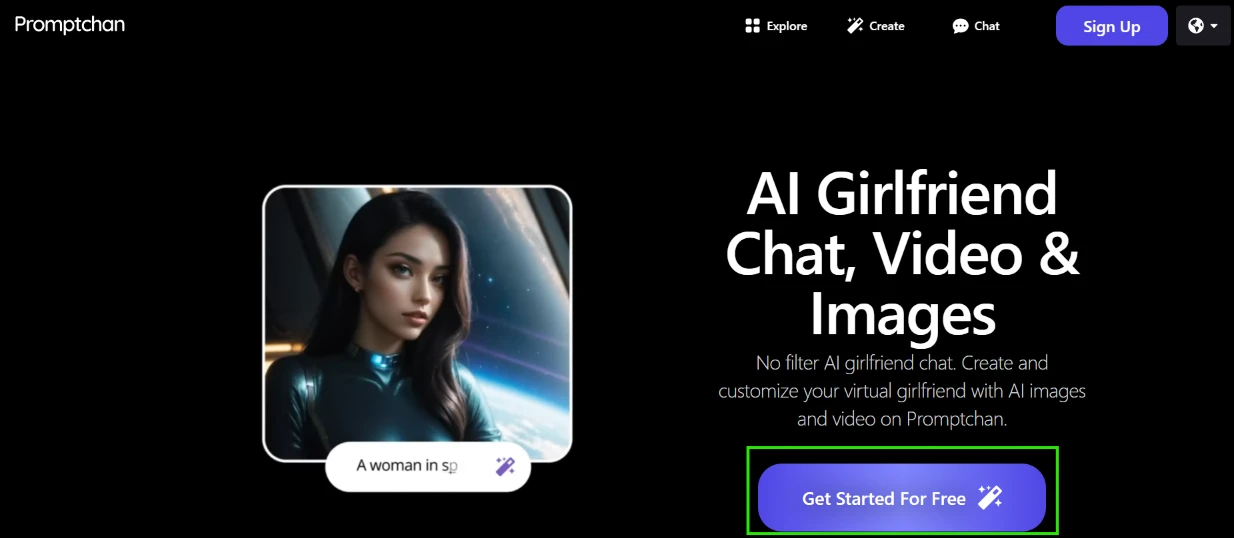
I opened the homepage with no account and no idea what the flow would look like. The whole page points at one button. "Get Started For Free" sits directly under the headline, and the Sign Up button in the corner takes you to the same place. No tour, no feature grid to scroll past, no email wall before I could see the product. That part was quick.
The hero preview was doing something smart. It showed a prompt box with "A woman in sp..." half typed into it, so the landing page was already demoing the exact thing I was about to go test. I knew what the product did before I read a word of copy.
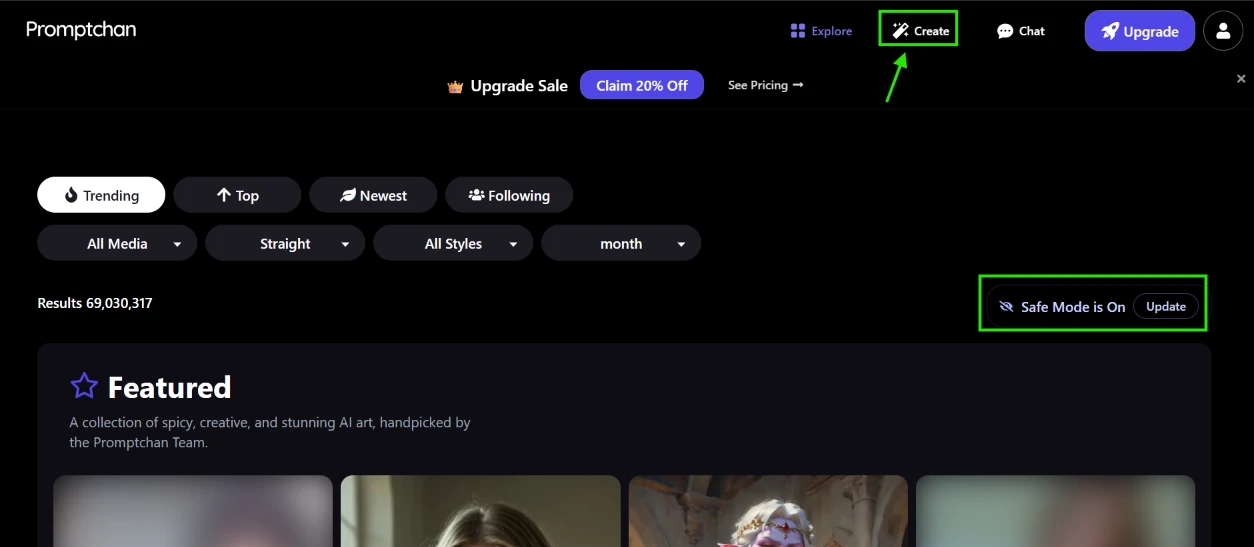
I signed up and landed on the dashboard with the Explore feed already loaded. The results counter read 69,030,317. Across the top I got sort tabs for Trending, Top, Newest and Following, then a row of dropdowns for media type, orientation, style and time range. Nothing to configure before browsing.
Two things pulled my attention straight away.
Safe Mode was on by default, shown at the right edge above the feed with a small "Update" link beside it. I liked the default. The label is the problem. "Update" does not tell me whether it flips the mode or opens a settings panel somewhere else, and it sits next to a pill that looks like it should be the control itself. For something that decides what appears on my screen, the state and the action deserve clearer wording than one word.
The other was the Upgrade Sale banner with "Claim 20% Off" parked above the feed before I had generated anything at all. It has an X, so it closes. It is still the first thing the product says to a brand new account.
I clicked Create in the top nav.
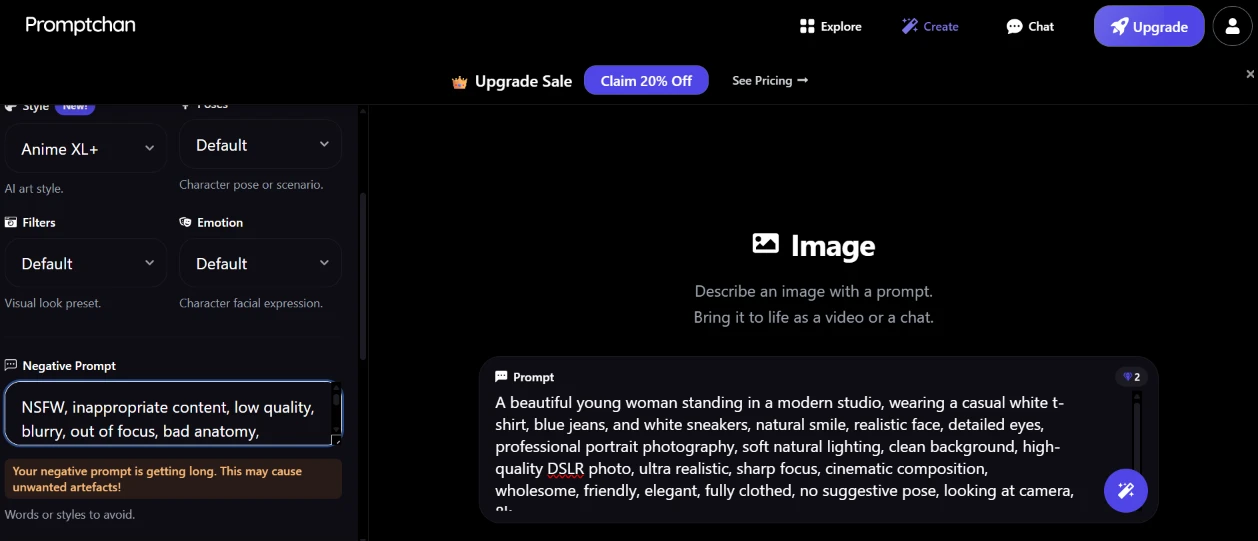
The Create screen splits into a settings column on the left and the prompt area on the right. I pasted in a portrait prompt: a young woman in a modern studio, casual white t-shirt and blue jeans, professional portrait photography, soft natural lighting, high quality DSLR photo, sharp focus, fully clothed, looking at camera. My negative prompt carried the usual quality guards with NSFW and inappropriate content at the front.
The first thing that happened was a warning. An orange notice appeared under the field: "Your negative prompt is getting long. This may cause unwanted artefacts!" My negative prompt is ordinary by Stable Diffusion standards. Getting flagged for a standard length negative is useful information, because it tells you this pipeline wants short input and you should plan your prompts around that rather than porting them over from somewhere else.
The bigger catch was sitting above the warning, and the interface never mentioned it. Style was set to Anime XL+ by default. I had just asked for a photorealistic DSLR portrait. The style preset and my prompt were pulling in opposite directions, and nothing on screen flagged the conflict. The other dropdowns were all on Default, which is fine, but an anime preset should not be the default state on a tool that also sells realistic output. If you skip that dropdown you will spend gems finding out about it.
The gem counter in the corner of the prompt box read 2. That was my budget, though nothing on the screen told me what a single generation costs.
I hit generate.
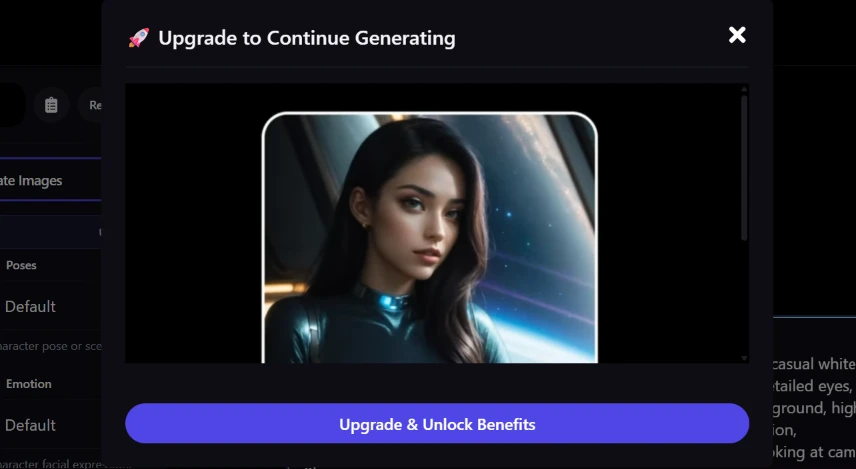
One image came back and then the modal dropped: "Upgrade to Continue Generating", with the result sitting behind it and a purple "Upgrade & Unlock Benefits" bar underneath. That was the end of free image generation for me.
The X in the corner closes it, so it is not a hard wall on the session. It is still an abrupt stop at the exact moment you want to iterate. Testing an image model means running the same prompt four or five times and comparing what changes. I got one attempt, on a style preset that fought my prompt, and then a sales pitch. The gem counter had been visible the whole time, but the exchange rate between gems and generations was never shown, so I had no way to pace myself.
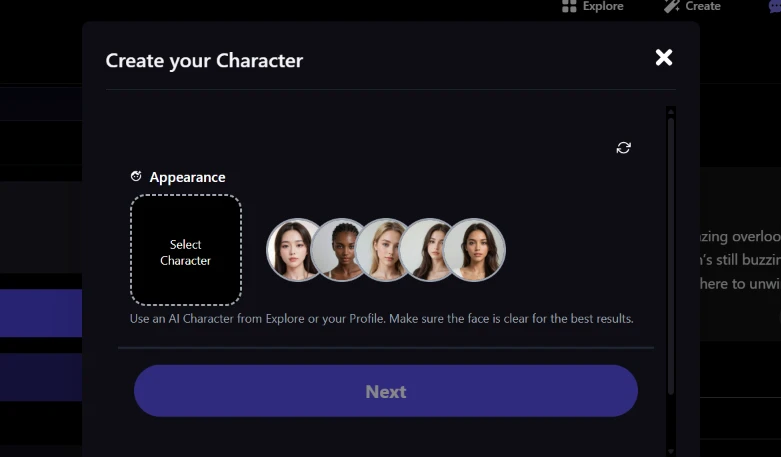
Character creation opens on Appearance. There is a dashed "Select Character" box on the left, five preset faces beside it, and helper text telling me to use an AI Character from Explore or my Profile and to make sure the face is clear for the best results. Next was greyed out until I picked one.
The scrollbar on the right edge told me there was more underneath, but the modal shows one section at a time and gives no step count or progress indicator. I had no idea whether I was one screen from finished or five. That is a small thing that changes how willing you are to start.
Pulling the face from an existing character rather than asking me to describe one in text is a sensible shortcut and it removes the hardest part of the job. It also means the character I build is anchored to somebody else’s output rather than my own description.
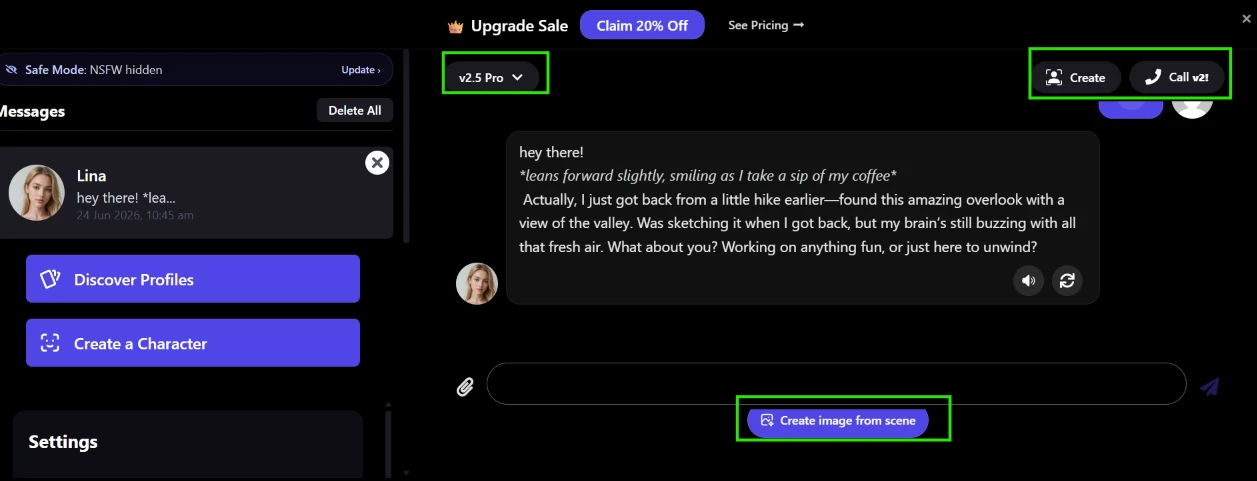
Lina landed in my Messages list and opened straight into a chat. Her first reply arrived fast and came in roleplay format, action text in italics between asterisks, then a question aimed back at me. She mentioned getting back from a hike and sketching an overlook she had found, so the persona had actual detail in it instead of a generic hello.
The header carries a model dropdown reading v2.5 Pro, a Create button and a Call v2 button. Being able to switch models from inside the conversation, rather than in a settings page two clicks away, is the kind of thing I expected to have to hunt for.
Under the composer sits "Create image from scene". That is the most interesting control on the page. It carries the chat context into generation, so I do not have to translate the scene I am already in back into prompt language. Every image tool I have tested makes you do that translation by hand.
Safe Mode shows again in the left rail, this time reading "Safe Mode: NSFW hidden" with the same Update link. Consistent placement, same vague label as the dashboard.
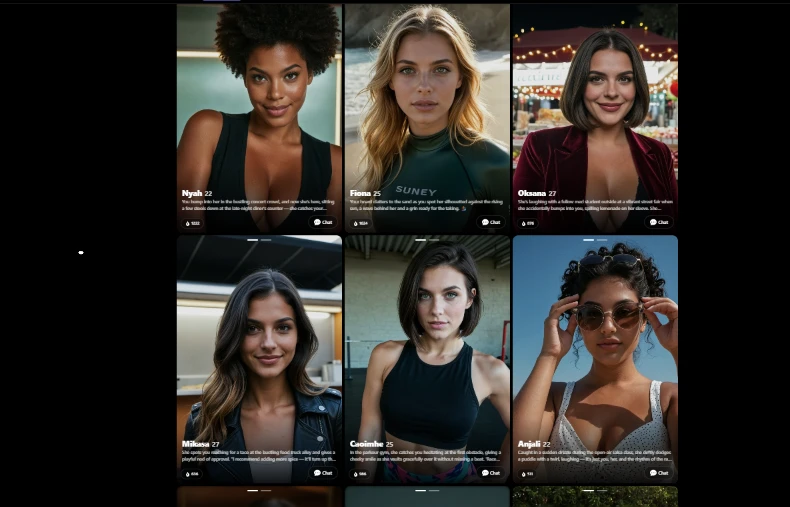
Chatting with an existing character skips the build entirely. Each card gives a name, an age, a one line scenario, a heat count and a Chat button. Every one of them arrives pre-loaded into a situation, so the blank page problem never comes up.
The grid scrolls on and the images are clearly what is being sold on this screen. The scenario text underneath is small enough that I had to lean in to read it, which seems backwards given that the scenario is the part that decides whether the chat is worth opening.
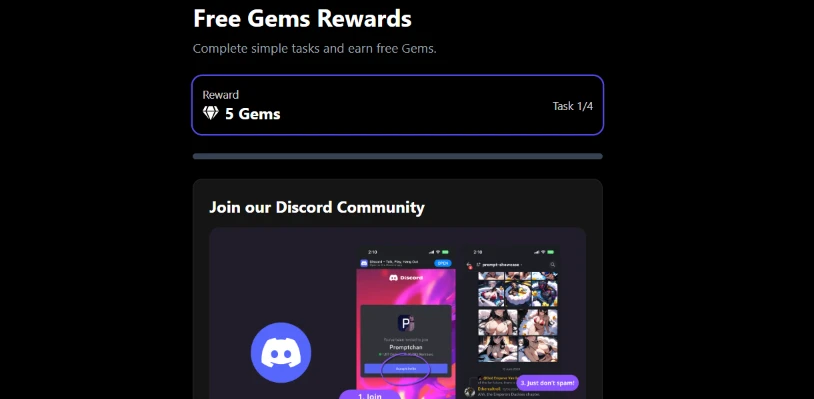
The Free Gems Rewards panel pays gems for completing tasks. Task 1 of 4 offers 5 Gems for joining their Discord, with a progress bar under it and screenshots of the server standing in as instructions.
My prompt box started at 2 gems and one generation put me into the paywall. Against that, 5 gems for a Discord join is a small top up, and there are four tasks total. This reads as a funnel into their community rather than a way to keep using the product without paying.
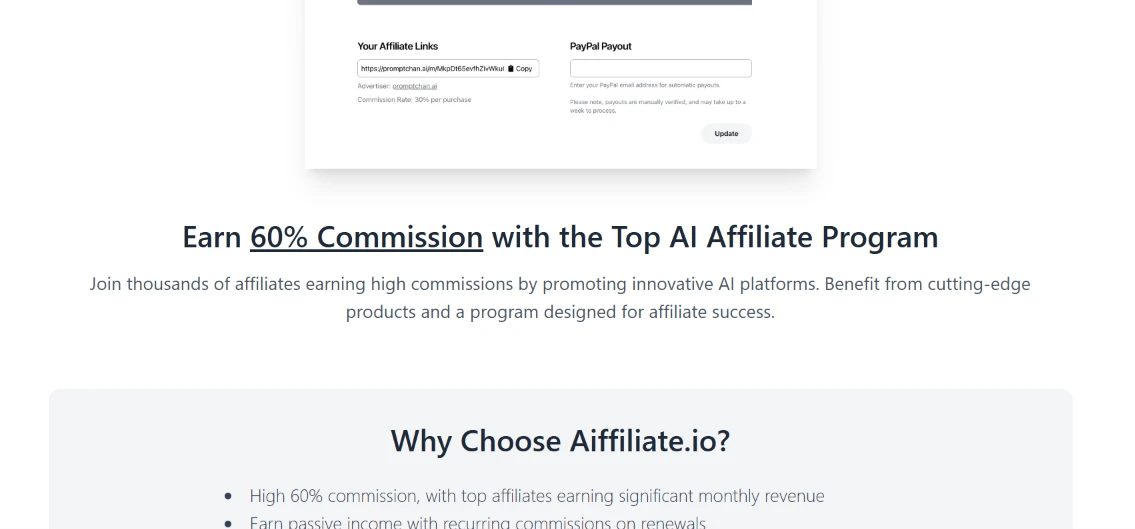
The affiliate program runs under a separate brand called Aiffiliate.io. The headline promises "Earn 60% Commission with the Top AI Affiliate Program", and the bullets underneath repeat the 60% figure alongside recurring commission on renewals.
Then I read the dashboard mockup they placed at the top of their own page. The affiliate links panel lists the advertiser as promptchan.ai and directly beneath it: "Commission Rate: 30% per purchase". The headline says 60. Their own product screenshot says 30. I did not have to dig for that. It was sitting above the fold on the page selling me the program.
| Dimension | Our test | User signal | Verdict | Composite |
|---|---|---|---|---|
| Output Quality Realism and relevance of generations | 7.5 | 8 | Good | |
| Ease of Use Learning curve and interface clarity | 7 | 8 | Good | |
| Reliability Stability, bugs, and uptime | 5 | 4.5 | Weak | |
| Value for Money Perceived fairness of pricing | 6 | 6.5 | Moderate | |
| Feature Depth Breadth and depth of tools | 7 | 7.5 | Good | |
| Customer Support Responsiveness and helpfulness | 3 | 2.5 | Weak |
Toolscopia uses cookies to keep you signed in, remember your preferences, and understand how our reviews get read. Analytics are anonymous. See our privacy policy for the full detail.


Comments 0
Join the discussion and share your perspective.
Sign in to post a comment and reply to other readers.
No comments yet
Be the first to share your perspective on this tool.