1
Presentation template library
Extensive themed templates praised for beauty, variety, and usefulness across lessons and professional presentations.
Slidesgo provides ready made presentation templates and an AI slide generator for students, teachers, and professionals, but inconsistent free limits, billing complaints, and unreliable cancellation overshadow otherwise attractive designs and simple exports.
Independent review — we test tools ourselves and analyze public user reviews. How we test.
Slidesgo delivers attractive, ready to use templates and quick downloads that many educators and students find genuinely helpful, especially on the free tier. However, reviews repeatedly describe billing disputes, ongoing charges after cancellation, and a confusing or failing unsubscribe flow. Some users also report unreliable AI features, blocked exports, and technical issues that disrupt schoolwork and assignments. It suits users who only need free templates and are comfortable avoiding subscriptions, but anyone considering paid plans should proceed cautiously and track payments closely.
Slidesgo is a presentation platform owned by Freepik, and its AI Presentation Maker is the text-to-slides engine built into it. It takes a plain-language topic, or an uploaded document such as a PDF or Word file, and drafts a full deck with written content and a matching design in under a minute.
Before writing anything, the tool asks for a theme and a slide length, and it can match the look to the subject on its own. The output stays editable. Every deck exports to PowerPoint or opens directly in Google Slides, and it ships with Freepik photography and Flaticon icons already placed in the design.
What separates it from a blank AI generator is the library underneath. The maker draws on 800+ designer-made AI templates and a wider catalogue of 30,000+ Slidesgo layouts, so each deck starts from real design work instead of boxes built from scratch.
It runs on a free plan with a monthly cap on generations, and a Premium tier lifts that limit and drops the attribution slide free decks must keep.
Extensive themed templates praised for beauty, variety, and usefulness across lessons and professional presentations.
Limited free downloads appreciated, though several users feel misled about premium eligibility under free plans.
AI creates visually appealing decks for some, but others experience blocked exports and lost manual edits.
Templates are easy to personalize, yet theme changes can unexpectedly overwrite entire presentations without reliable undo.
Subscription signup works, but cancellation options are described as hidden, broken, or completely inaccessible.
Support receives both praise for quick, kind responses and criticism for silence on billing and deletion requests.
Template search helps find ideas, although some users report irrelevant results and repeated searching.
Slide previews, icons, stickers, and alternative resources are valued for planning and decorating presentations.
I spent an afternoon putting Slidesgo's AI Presentation Maker through a real brief on the free plan, to see how much of a finished deck it can build before a designer has to step in. I kept the brief narrow and handed it a slide count to hit.
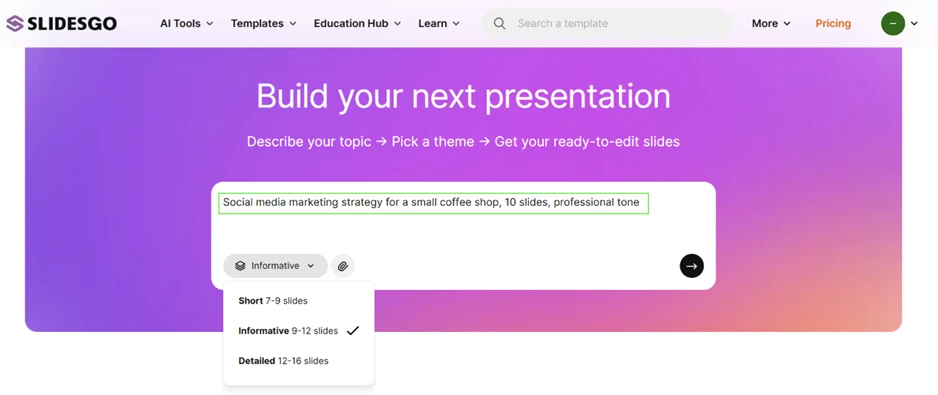
Here is the exact prompt I entered:
Social media marketing strategy for a small coffee shop, 10 slides, professional tone
I set the length to Informative, which Slidesgo marks as 9 to 12 slides, and left the tone on its default before hitting generate.
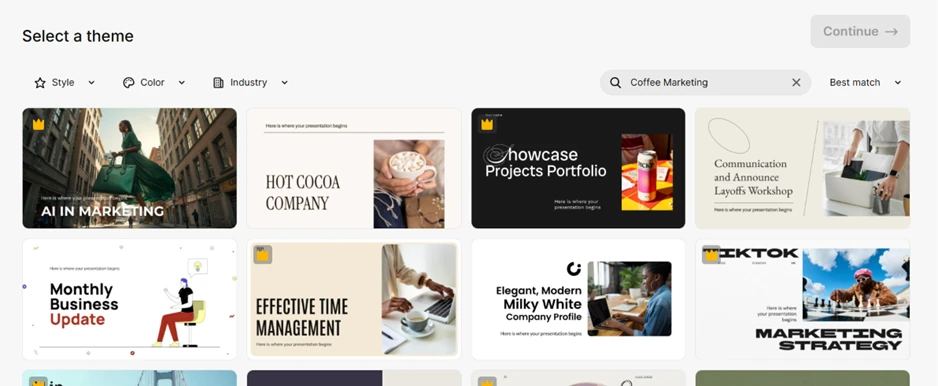
Slidesgo asks you to choose a theme before it writes anything, and it auto-filtered the gallery to my topic without me typing a second word. The coffee and marketing styles were already lined up, which cut a step out of the process.
The limit showed up straight away.
Most of the designs I would have reached for carried the Premium crown. The free options sat lower down in a thinner set, so the plan quietly nudges you toward a paid theme before the deck even exists.
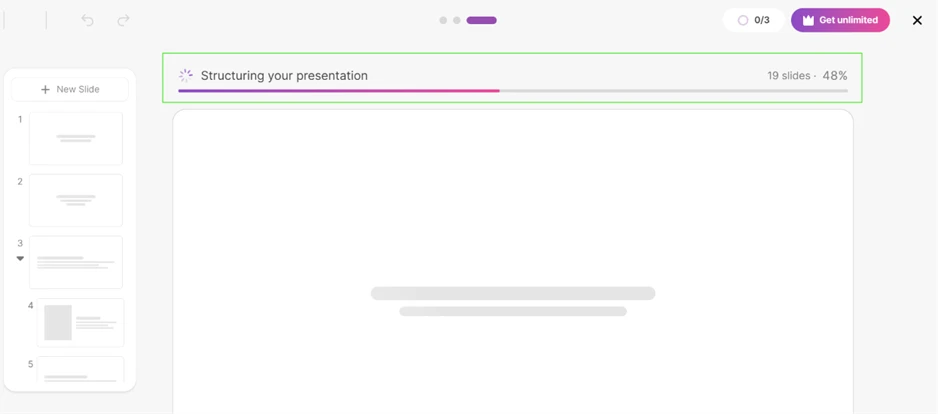
My prompt asked for 10 slides and the dropdown was set to the 9 to 12 range. The build screen announced 19 slides as it worked, and the finished deck still landed at 13, past the ceiling I had set.
The counter in the top corner spelled out the other limit. It sat at 0 of 3, the number of AI generations the free plan allows before the upgrade prompt takes over.
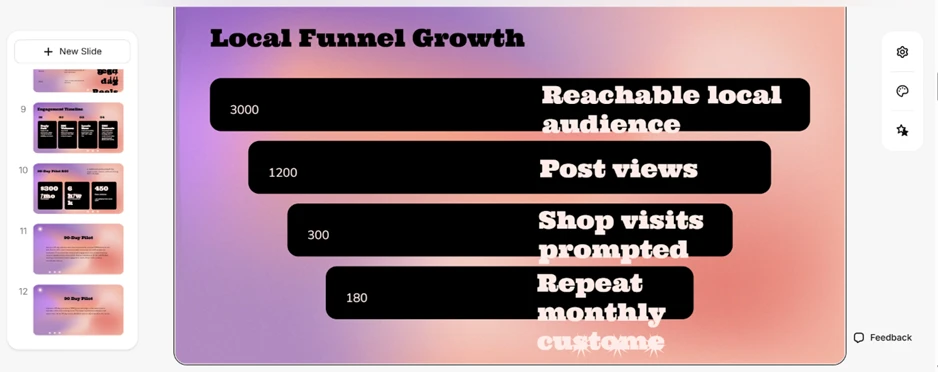
As thumbnails the slides looked tidy. At full size they came apart.
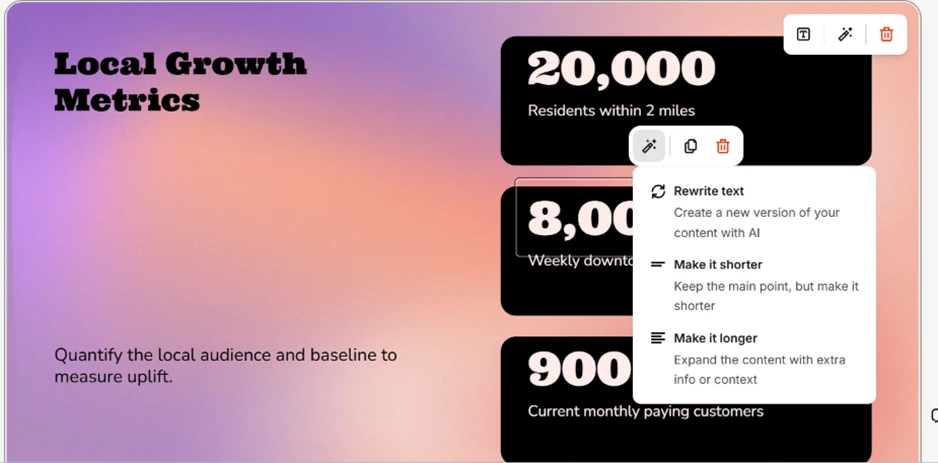
On the Local Funnel Growth slide the labels spill past the black bars and run into the numbers beside them, and the bottom row is clipped halfway through a word. This happened inside Slidesgo's own editor, with nothing exported yet, so the breakage is baked into what the AI produced rather than something a download introduced.
I tried to fix the broken slide and hit the ceiling of what the editor allows. The AI controls only touch the words. I could rewrite a block or change its length, and that was the extent of it. Moving a box or resizing it to stop the overflow was off the table.
The numbers were the bigger worry. My brief never mentioned a single statistic, yet the deck stated 20,000 residents within two miles and 900 current monthly paying customers as if they were established facts. They are fabrications. In a deck someone might actually present, figures that look like research but trace back to nothing are a real problem.
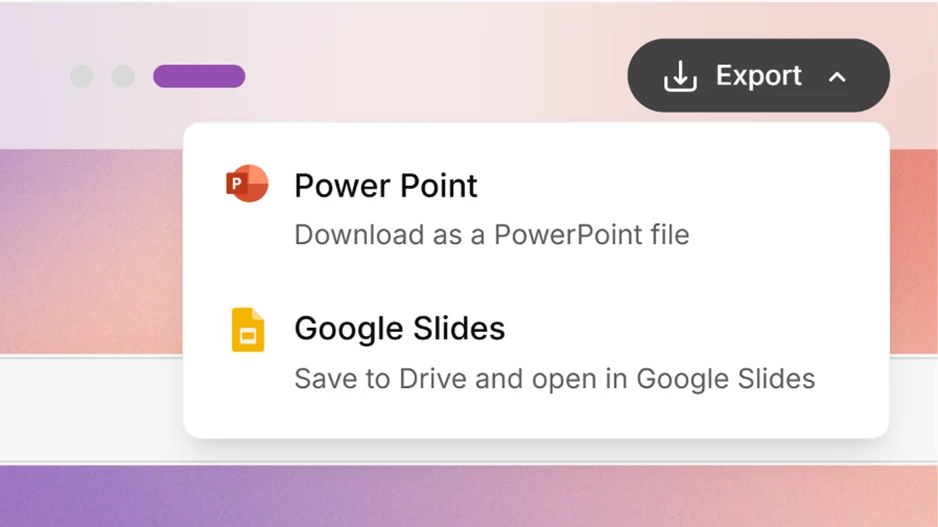
Getting the deck out is the smooth part. One click hands you a PowerPoint file or saves a copy straight to Google Slides, which matches how most people finish editing a presentation.
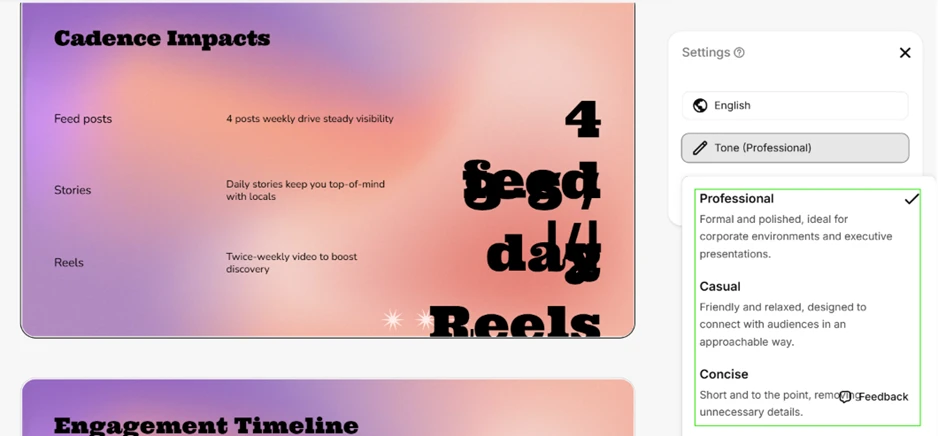
The settings panel lets you regenerate the deck in another voice. Professional was already applied, with Casual and Concise waiting as alternatives. I switched it to confirm the feature does what it claims, and the regeneration ran fine.
The layout trouble stayed put. The slide behind the panel shows the same overlapping headline I had already watched break earlier, so changing the tone does nothing for the structural mess underneath.
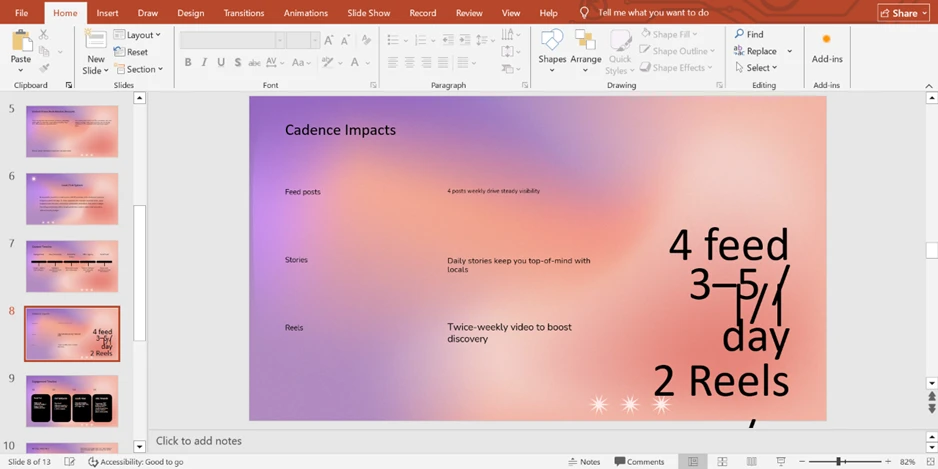
Downloading the deck made the design worse. In the PowerPoint file the display fonts had been swapped for defaults, and a heading that was only cramped in the preview fell apart completely. The line meant to read as a posting cadence lands as stacked, colliding text that no client would sign off on.
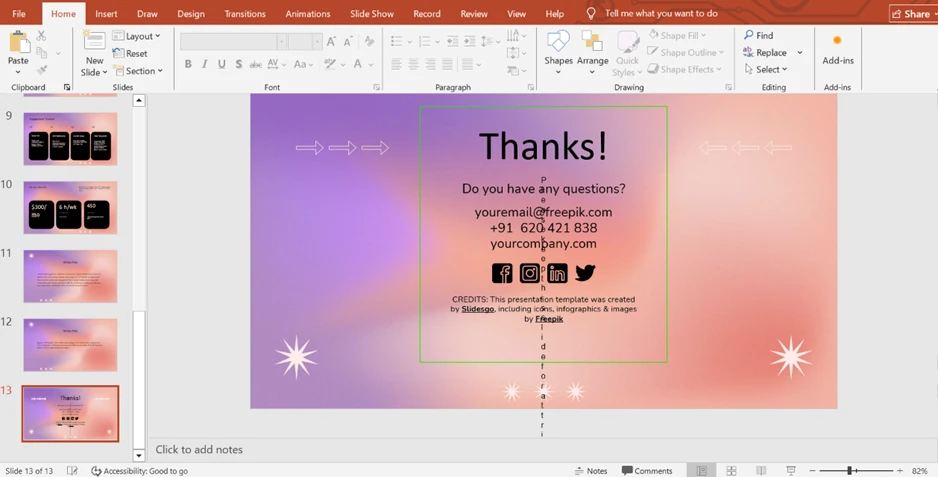
The final slide is one Slidesgo attaches itself, and the free plan requires you to leave it in place. It credits Slidesgo and Freepik, the price of using the tool for free. It also arrived broken, with text sliding down the right margin and a [email protected] placeholder still sitting in the contact block.
| Dimension | Our test | User signal | Verdict | Composite |
|---|---|---|---|---|
| Template Quality Design, structure, clarity | 9 | 8 | Excellent | |
| Ease of Use Navigation, editing, exporting | 7 | 7 | Good | |
| Value for Money Pricing fairness, free limits | 6 | 5 | Weak | |
| Customer Support Speed, helpfulness, resolution | 6 | 6 | Moderate | |
| Billing and Trust Charging, refunds, transparency | 4 | 3 | Weak | |
| AI Features Generation accuracy, reliability | 6 | 6 | Moderate |
Toolscopia uses cookies to keep you signed in, remember your preferences, and understand how our reviews get read. Analytics are anonymous. See our privacy policy for the full detail.



Comments 0
Join the discussion and share your perspective.
Sign in to post a comment and reply to other readers.
No comments yet
Be the first to share your perspective on this tool.