1
AI Talking Avatars
Generates talking head videos from images and scripts, widely praised for convenience and decent lip sync.
AI video generator focused on talking avatars, clothing swaps, and voice tools. Great for fast marketing clips, but pricing transparency, free tier limits, and subscription practices raise serious concerns for cautious or infrequent users.
Independent review — we test tools ourselves and analyze public user reviews. How we test.
Vidnoz AI delivers strong avatar quality, handy voice dubbing, and a straightforward interface for quick marketing style videos once access is fully paid. Several users praise cancellation ease and value, but many others report opaque billing, hard to cancel trials, and aggressive upsells around allegedly free tools. Free usage limits, reliability issues, and inconsistent support responses create real risk for trial users. Best suited to small teams that need avatar videos frequently, can tolerate subscription management friction, and are comfortable scrutinizing billing details.
Vidnoz AI is a browser-based video generator built around digital presenters. You type a script or hand it a topic, pick an avatar and a synthetic voice, and the platform renders a person who speaks your words on camera. No camera, no crew, no studio booking, no editing suite.
The library is the draw. Vidnoz offers 1600+ avatars and more than 3400 templates, with voice output across 140+ languages, so one idea can ship in several markets from a single dashboard. Around the core generator sit extra tools for talking photos and image-to-video work, which widen it into a small content suite rather than a single-purpose app.
Its real position in the market is price. Where enterprise rivals bill steeply per seat, Vidnoz runs a freemium model with paid tiers built to undercut them, aimed at solo creators and small teams who need output volume more than broadcast polish. The company has leaned on this angle since 2023, steadily adding avatar styles and language coverage to stay in the conversation with HeyGen and Synthesia.
Generates talking head videos from images and scripts, widely praised for convenience and decent lip sync.
Large set of ready avatars, appreciated for variety though filtering and selection could be improved.
Changes outfits in images, described as almost flawless in at least one enthusiastic review.
Face swap functionality considered top tier by some, though related service changes caused frustration.
Translates and clones voices into other languages; dubbing praised, cloning quality criticized by others.
Short video translation available with limited free minutes, viewed as handy for brief clips.
Creates professional style headshots, but some outputs looked unrealistic or unusable.
Previously credit based, now primarily subscription, upsetting infrequent users wanting occasional purchases.
Advertised free web tools often feel slow, capped, or incomplete, heavily criticized as misleading.
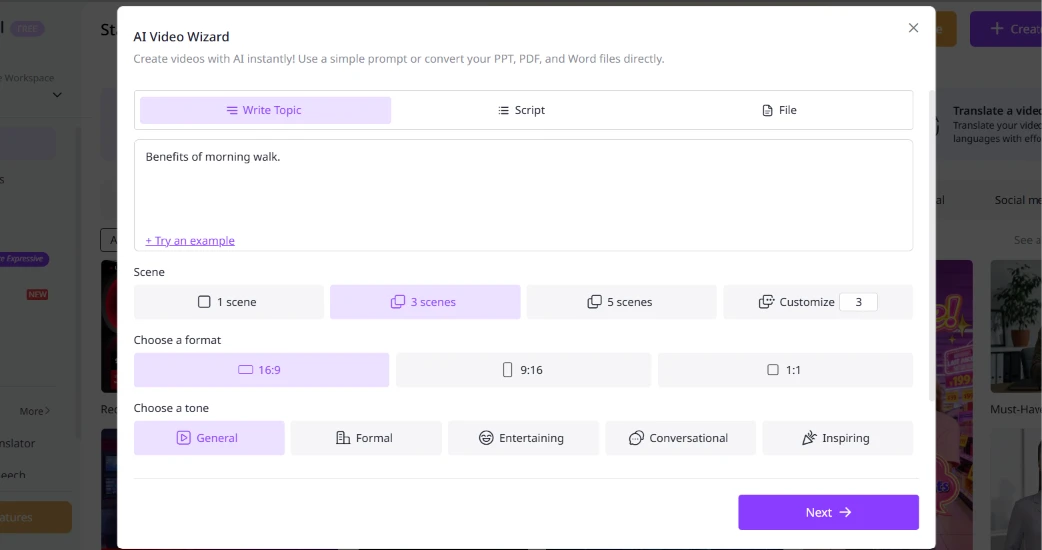
The AI Video Wizard took that one line and handled the rest. I chose 3 scenes, set the format to 16:9, picked a General tone, and clicked Next.
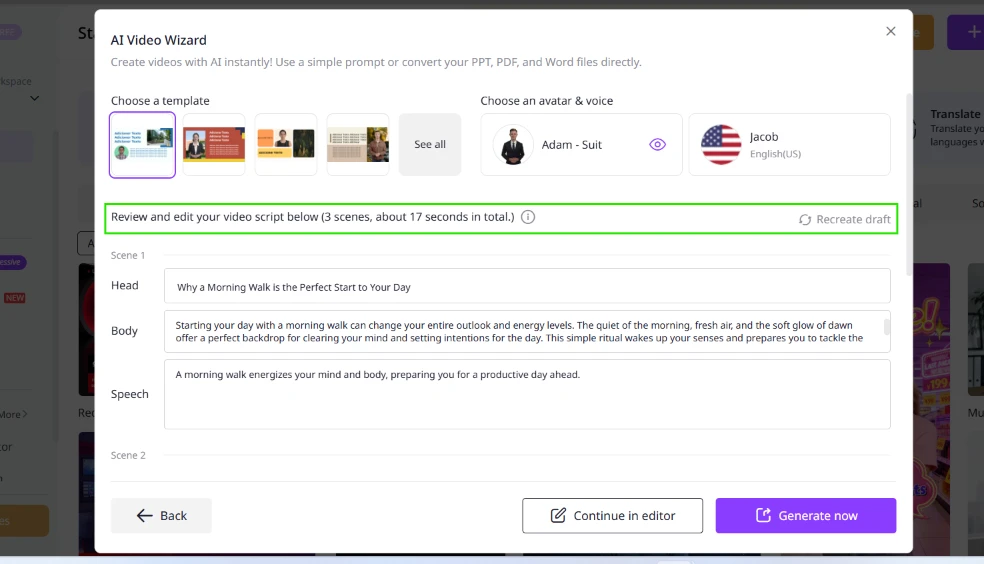
Within seconds it returned a script split across three scenes, about 17 seconds in total. Each scene arrived with a headline and body copy already written, plus a separate speech line for the voiceover. Scene 1 opened with “Why a Morning Walk is the Perfect Start to Your Day”, and the speech text read clean enough to publish after light edits.
One line of input produced a structured, multi-scene draft. That is the fastest start I have had from any free AI video tool.
 |  |
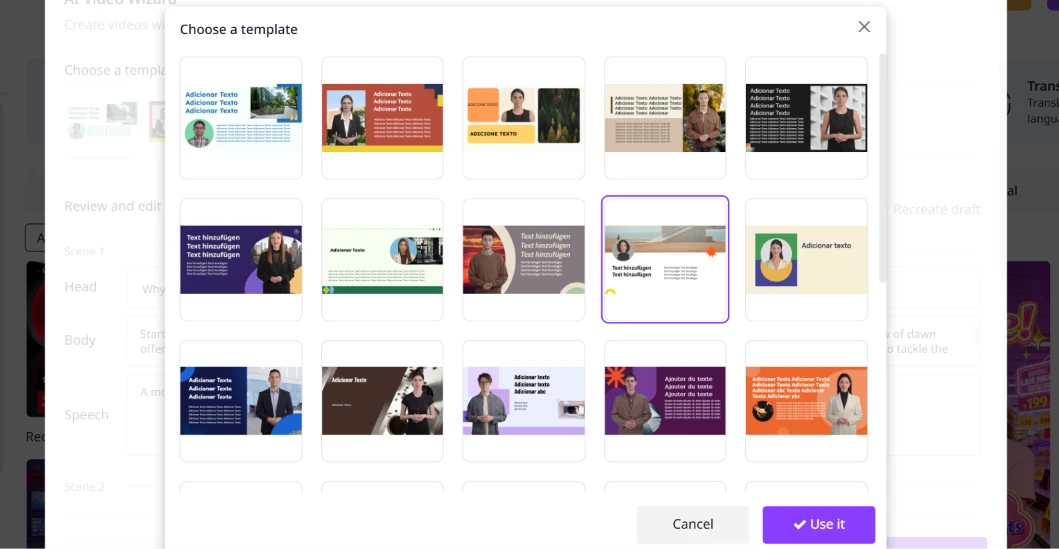
The template picker is where the scale shows. The grid filled with designs in several languages, Portuguese and German among them, which signals how wide the library runs.
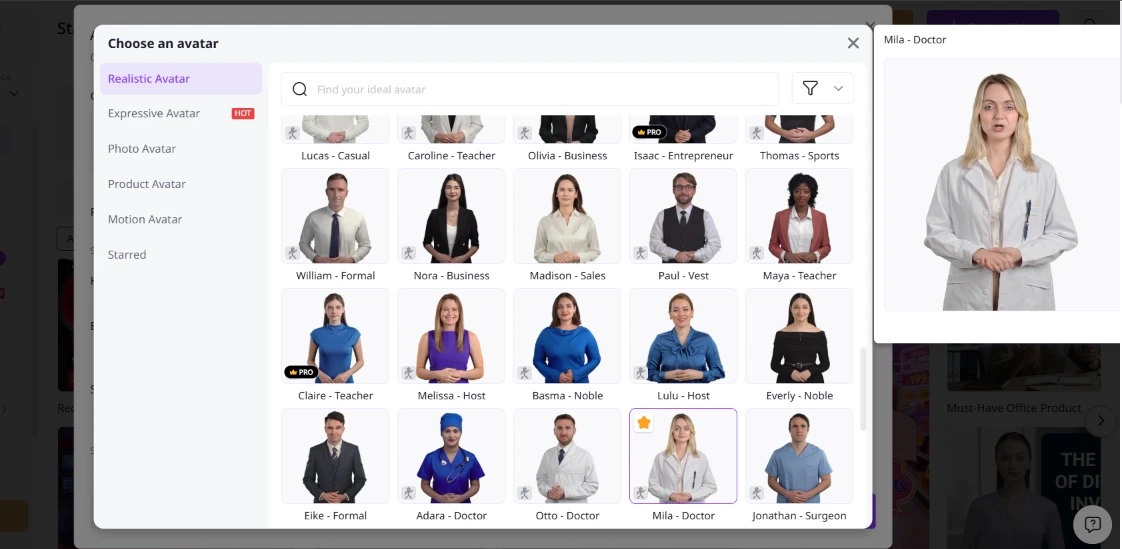
The avatar picker was just as deep, sorted into categories down the left side. I settled on Mila, a doctor avatar, for the morning-walk theme. Two things stood out. First, the free picker already mixes in locked options: avatars like Isaac and Claire carry a gold PRO badge, so part of what you browse cannot be used until you pay. Second, the realistic avatars look right in a still frame. Motion is the real test, and that comes later.
 |  |
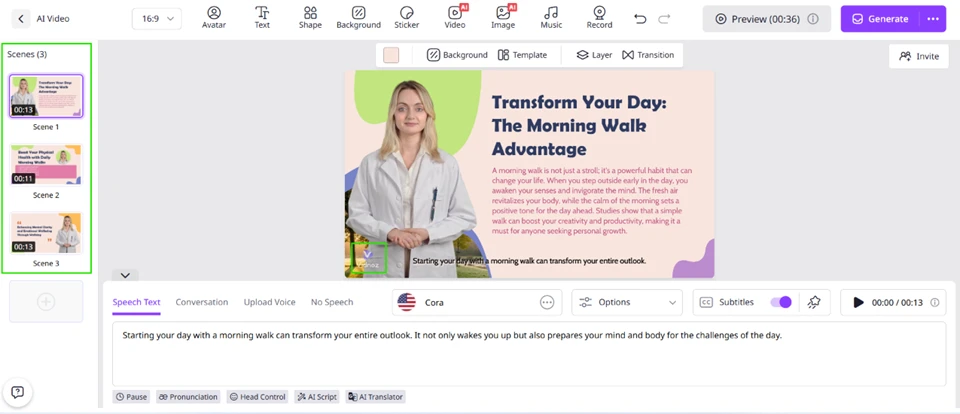
Continuing into the editor dropped me into a familiar layout, scenes stacked on the left and the canvas in the middle. The voice was set to Cora, with controls for subtitles, pronunciation, head movement, and an AI translator sitting under the script box.
Then the first real catch appeared. The avatar in the editor already carries a “Vidnoz” watermark stamped across it, visible before I export anything. On the free plan, that mark is baked into the working canvas.
I hit play to preview the scene. The preview ran, but a banner confirmed the limit: “Lip-sync will be rendered after video generation.” The free preview shows the layout and audio timing without the finished lip movement, which is the part most reviewers want to judge.
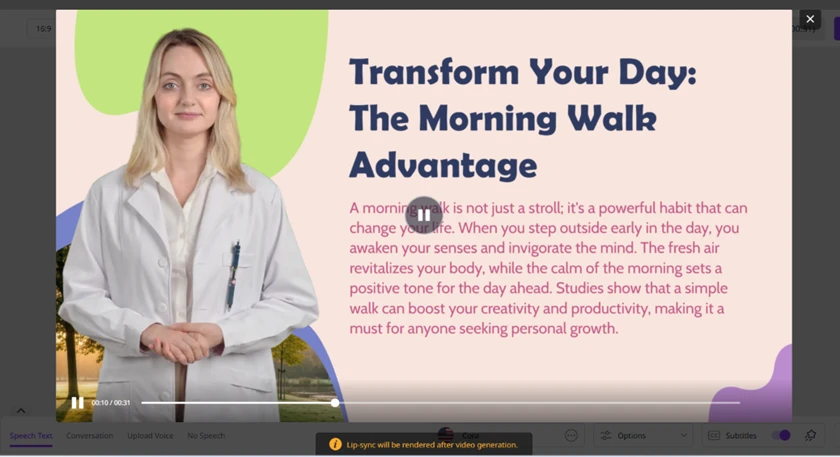
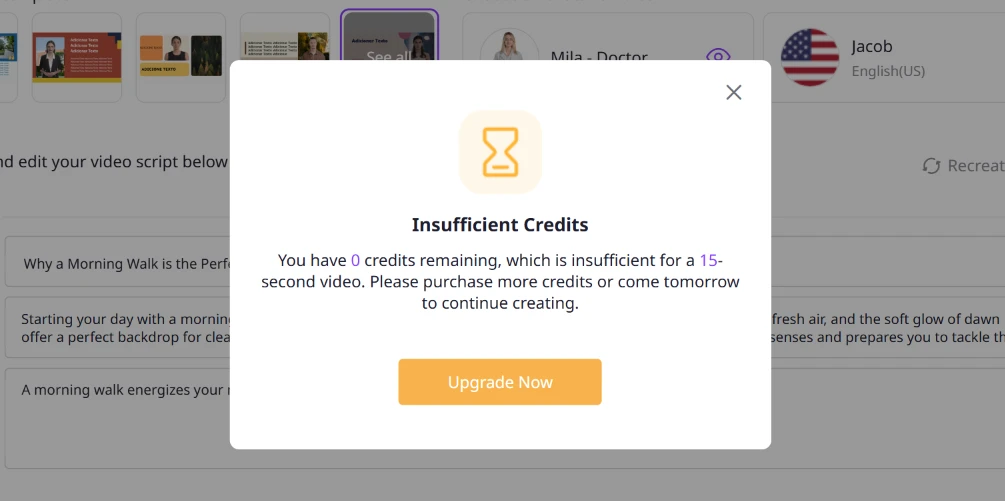
This is the finding that matters most. When I moved to generate the video, Vidnoz returned a blunt message: “You have 0 credits remaining, which is insufficient for a 15-second video.” A second wall followed when I tried previewing again: “You’ve hit the daily limit for free previews (0 times per day).”
Zero.
Not a small daily allowance that runs out after a few tries. The free plan grants no generation credits and no free previews per day, so the entire build process I just walked through ends at a paywall before a single finished video comes out.
 |  |
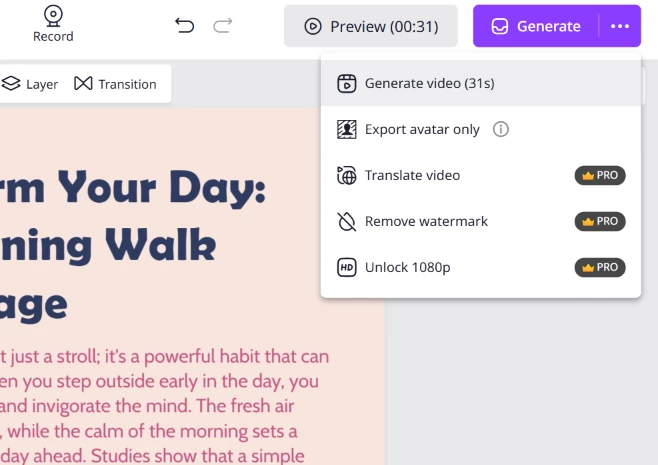
The Generate menu spells out what sits behind the paywall. Three actions wear a PRO badge. Watermark removal is paid. Video translation is paid. 1080p export is paid.
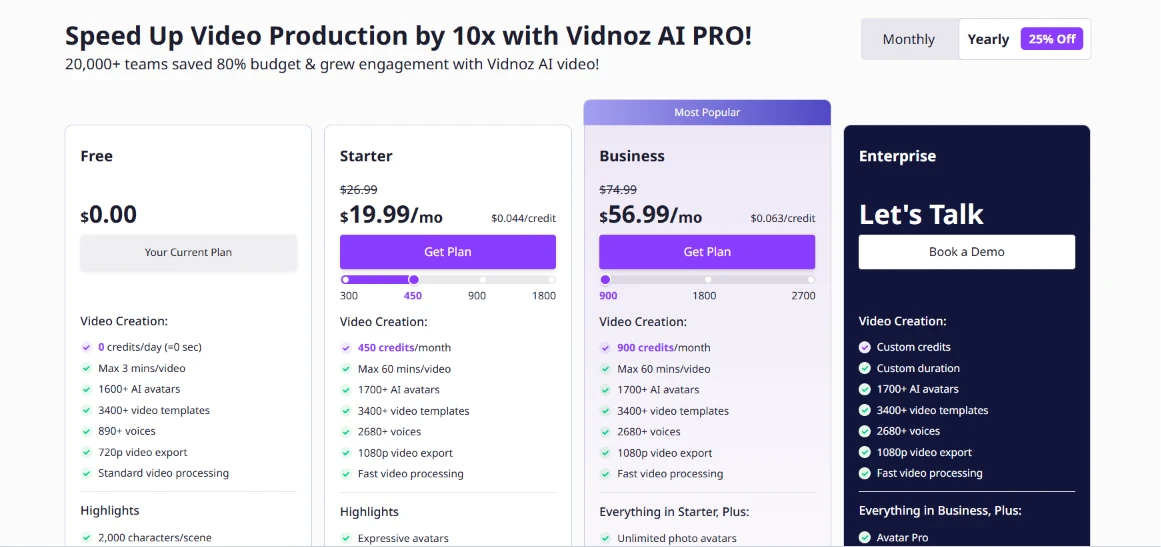
The pricing page states the free terms plainly: 0 credits per day (=0 sec), and a 720p, watermarked export. You still get to browse 1600+ avatars and 3400+ templates on that plan, which explains why the build process feels generous right up to the moment of export. Paid access starts at $19.99 per month for Starter on yearly billing, with Business at $56.99.
| Dimension | Our test | User signal | Verdict | Composite |
|---|---|---|---|---|
| Video Output Quality Realism, consistency, control | 7 | 7 | Good | |
| Ease of Use Learning curve and workflow | 8 | 7 | Good | |
| Pricing Transparency Clarity of costs and limits | 6 | 6 | Moderate | |
| Billing and Cancellation Trials, renewals, refunds | 6 | 5 | Weak | |
| Performance and Reliability Speed and site stability | 7 | 8 | Good | |
| Customer Support Responsiveness and resolution | 6 | 6 | Moderate | |
| Overall Value Benefit relative to price | 7 | 8 | Good |
Toolscopia uses cookies to keep you signed in, remember your preferences, and understand how our reviews get read. Analytics are anonymous. See our privacy policy for the full detail.



Comments 0
Join the discussion and share your perspective.
Sign in to post a comment and reply to other readers.
No comments yet
Be the first to share your perspective on this tool.