1
AI documentary and top 10 generation
Specializes in documentary and list videos, widely praised but criticized by some for limited format variety.
VidRush is an AI video creation platform focused on faceless YouTube content, especially documentaries and top 10 formats, ideal for creators wanting faster production and strong support more than granular timeline editing or broad format variety.
Independent review — we test tools ourselves and analyze public user reviews. How we test.
VidRush delivers high quality AI-generated videos quickly, with many creators crediting it for faster workflows, monetized channels, and viral results. Customer support is frequently praised as responsive, personable, and genuinely helpful. However, some users report irrelevant footage, technical glitches, limited editing freedom, high pricing, strict format focus, and frustrating refund or access experiences. It suits creators focused on documentary or list-style faceless channels who value speed and support over granular control and experimentation with many formats.
VidRush is an AI video platform built for one job: turning a topic or script into a finished long-form video aimed at YouTube. You hand it an idea, and it writes the script, generates narration, pulls matching footage, designs a thumbnail, and assembles the edit. A process that normally eats a full day drops to roughly an hour.
What sets it apart from the flood of AI clip generators is the focus on length. Most tools cap out at short social clips. VidRush is tuned for 10, 20, even 40-minute narration-driven videos, the format faceless documentary and “top 10” channels live on.
The company behind it is VidRush AI Studios LLP, based in London and founded in 2025, backed by a $1.2M pre-seed round. Under the hood it leans on third-party engines, with ElevenLabs supplying the voices.
The pitch is volume over polish. VidRush is designed to help creators publish a high quantity of “good enough” factual content fast, test what gains traction, then scale the winners. It is a production line for ideas, not a cinema tool.
Specializes in documentary and list videos, widely praised but criticized by some for limited format variety.
Transforms prompts or scripts into full videos in hours, repeatedly highlighted as a major time saver.
Allows importing custom scripts, praised for giving control over narration and avoiding unwanted CTAs.
Auto matches footage to script; many liked results, though a few noted irrelevant clips and prolonged images.
Delivers professional sounding voiceovers for most users, with rare complaints about distorted or robotic audio.
Support agents and community are repeatedly celebrated for fast, caring, and practical help.
Access managed via waitlist; one reviewer experienced communication delays before approval.
Billing team resolved overcharges and some refunds, but others found refunds difficult or slow.
Perceived as expensive by several reviewers, though many still felt value justified the cost.
I spent a working session inside VidRush, building a brand profile and taking a video up to the final generate screen. My aim was to see where the tool earns its pitch of fast long-form video and where it quietly pushes work back onto the creator. These are the screens I captured during that run, with what each one actually produced.
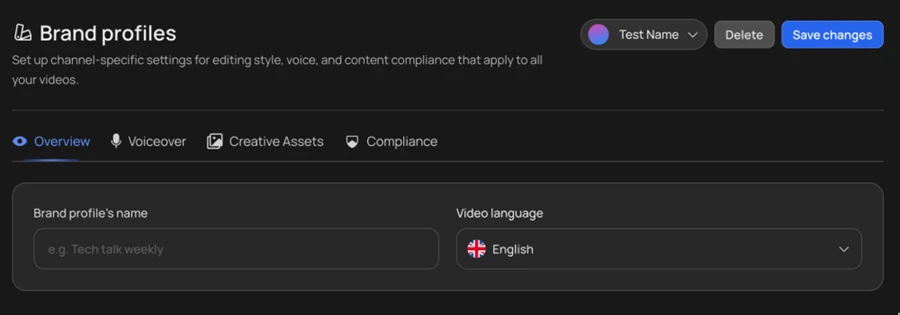
The first thing VidRush asks you to lock down is a channel-level profile. The profile holds your editing style and voice settings, and it carries across every video you make.
One detail stood out on the Overview tab. The default video language loaded as English with a UK flag rather than a US option, something a creator writing for an American audience will want to switch before the first render.
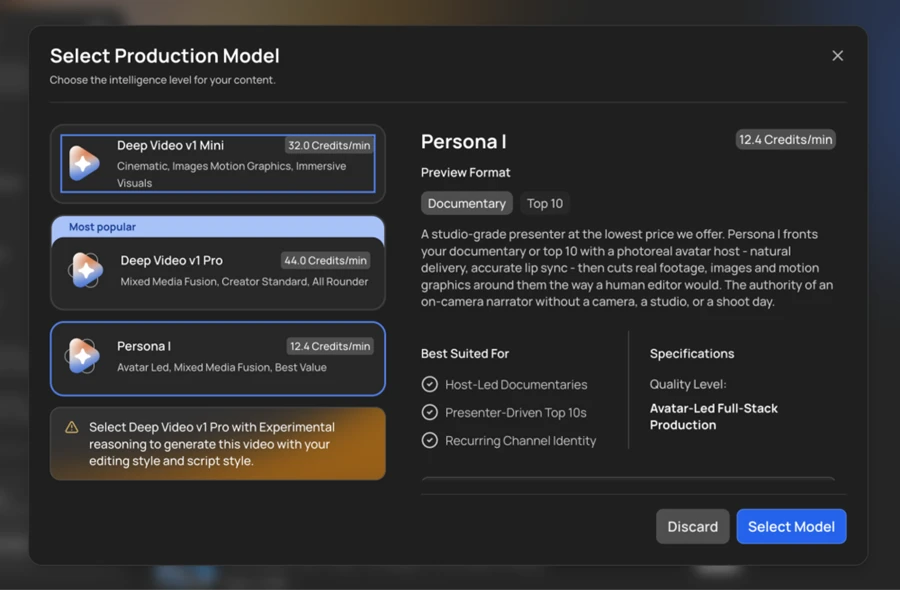
VidRush splits generation into three production models, and the pricing order surprised me. Deep Video v1 Mini runs at 32 credits per minute and Deep Video v1 Pro sits at 44. The avatar-led Persona I comes in cheapest at 12.4 credits per minute. On most tools the avatar presenter costs the most, so this inversion is worth flagging.
The screen also carries a quiet catch. The note at the bottom states that generating with your own editing style and script style requires Pro on Experimental reasoning, which is the higher-cost path.
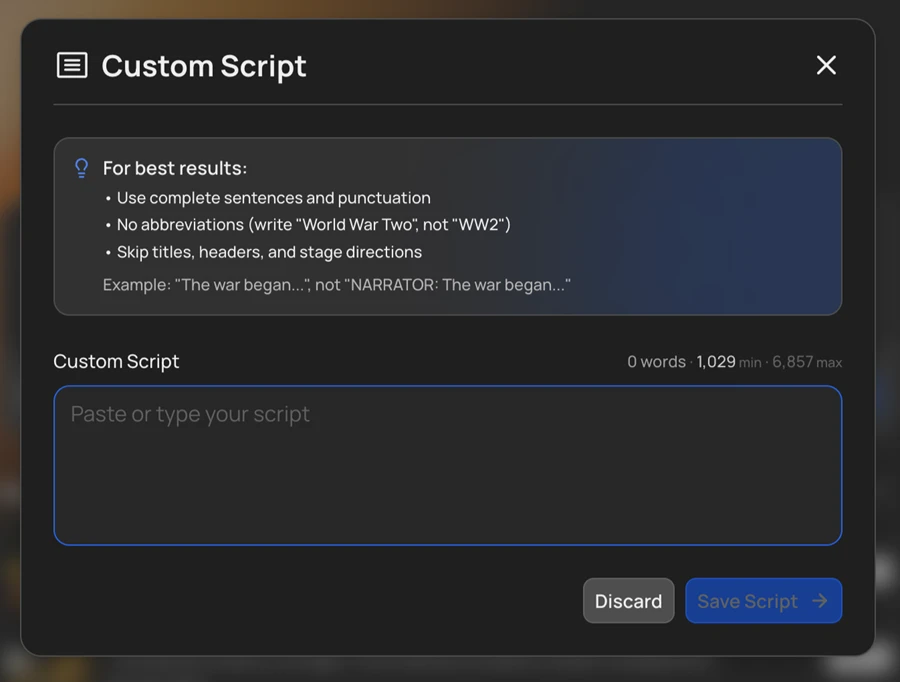
I tested the custom script option by pasting my own narration. The dialog is strict about format and tells you to write clean prose with no abbreviations or stage directions.
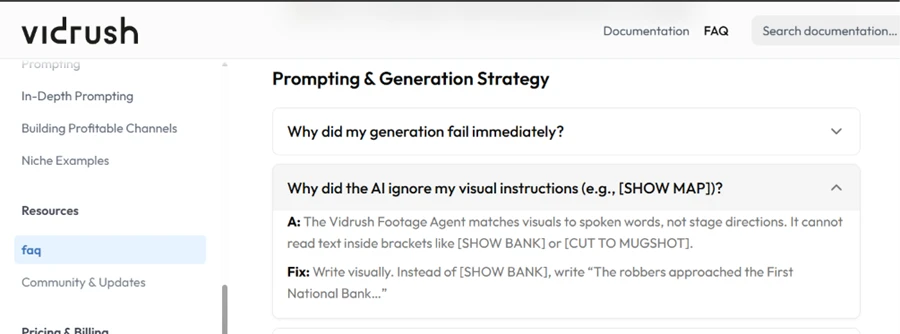
That instruction is not cosmetic. When I checked the FAQ, VidRush confirms that its Footage Agent reads spoken words only and cannot interpret bracketed cues like [SHOW MAP] or [CUT TO MUGSHOT]. A creator used to scripting shots has to rewrite every visual instruction as narration the AI can hear.
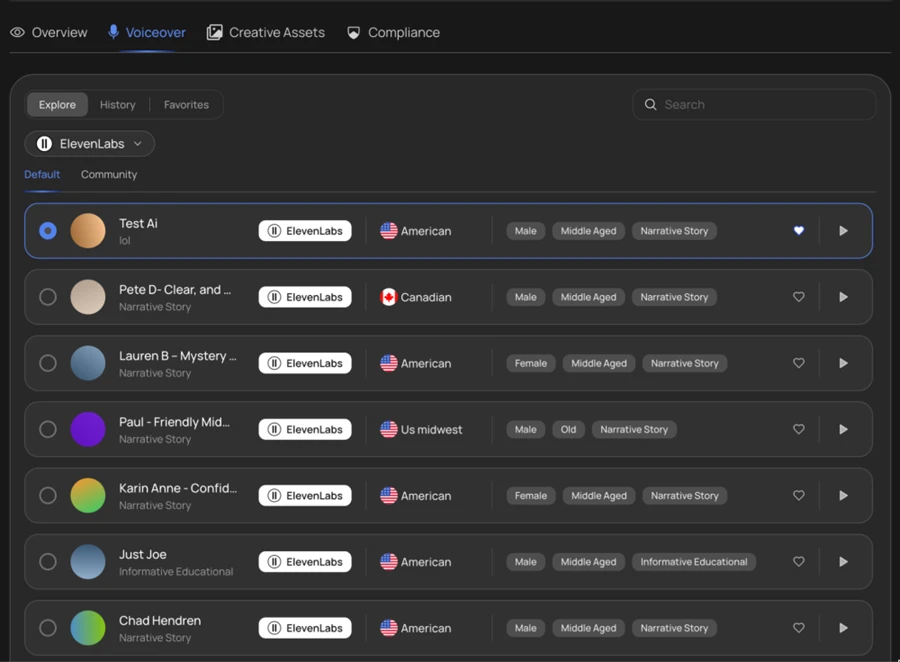
The voice library pulls from ElevenLabs, and for a US channel the roster runs deep. I filtered the list and found several American options tagged by gender and age, including a US Midwest accent. The dependency on a third-party provider is the trade-off to note here.
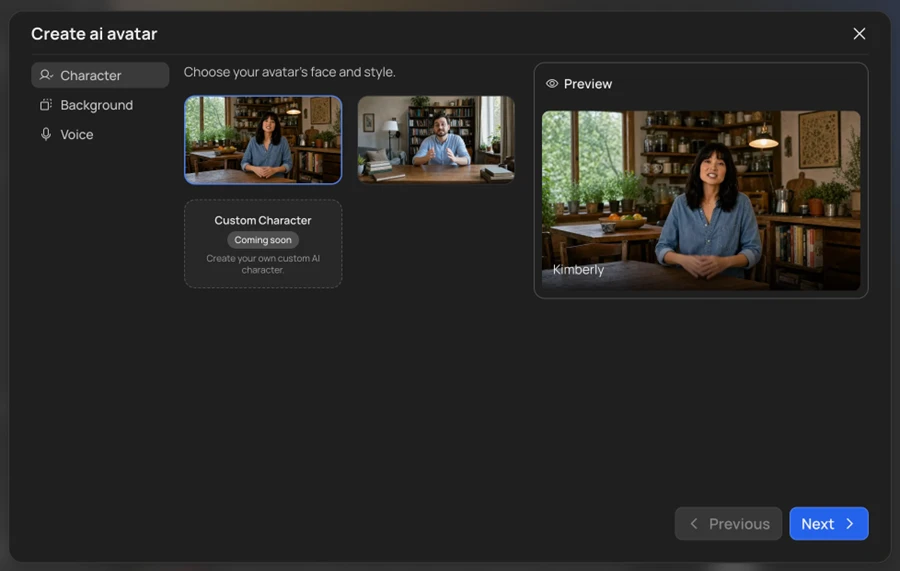
The avatar builder gave me preset presenters such as Kimberly with a choice of background. Custom characters are not live yet. The builder marks that option as coming soon, so a brand-unique host is off the table for the moment.
This was the screen that told me the most.
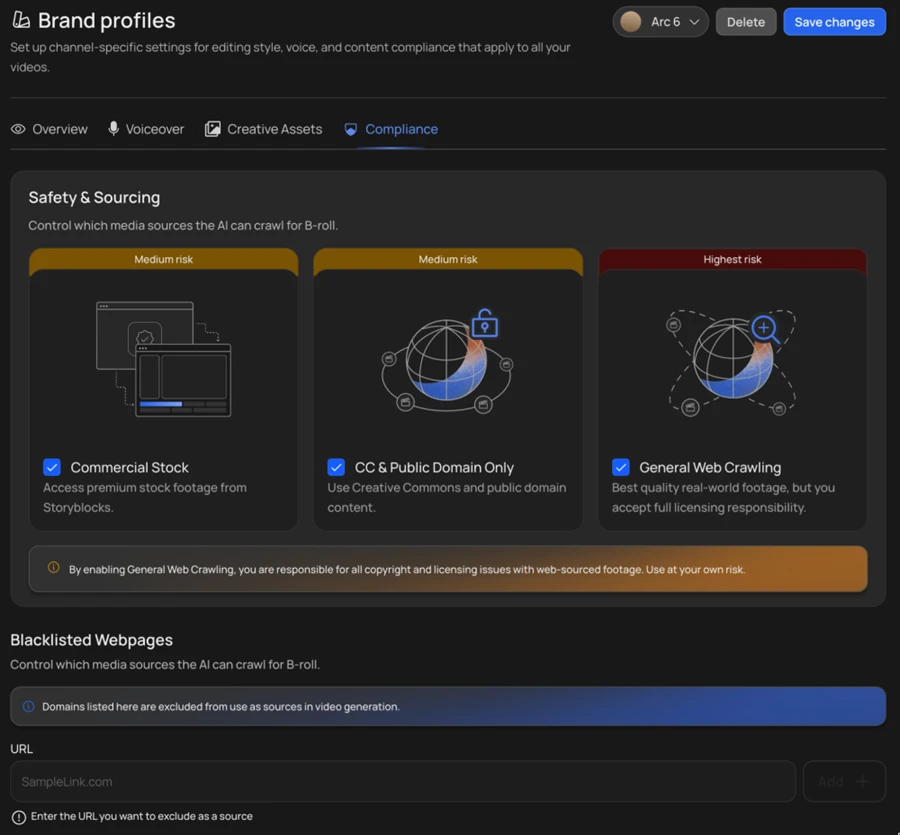
Under Compliance, VidRush lets you choose which media sources the AI can pull B-roll from, and it labels each by risk. Commercial stock from Storyblocks and Creative Commons content both carry a medium-risk tag. General web crawling is marked highest risk, with a banner stating that you accept full licensing responsibility for anything scraped from the open web. The transparency is welcome. The liability it hands you is real.
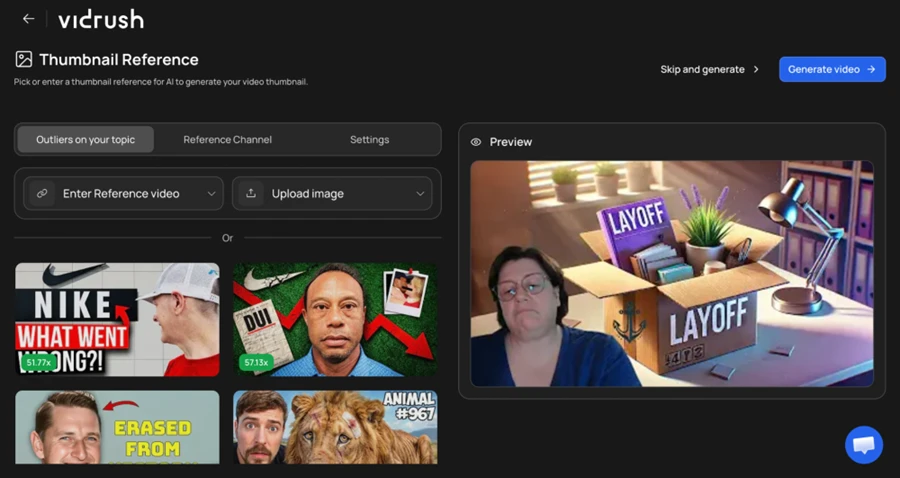
VidRush can auto-build a thumbnail and suggests outliers on your topic as references. The examples it served me leaned on real brand logos and recognisable faces, including a Nike mark and a Tiger Woods thumbnail. The preview it generated for my test topic looked clean, yet the reference pool raises likeness and trademark questions a US publisher should weigh before leaning on it.
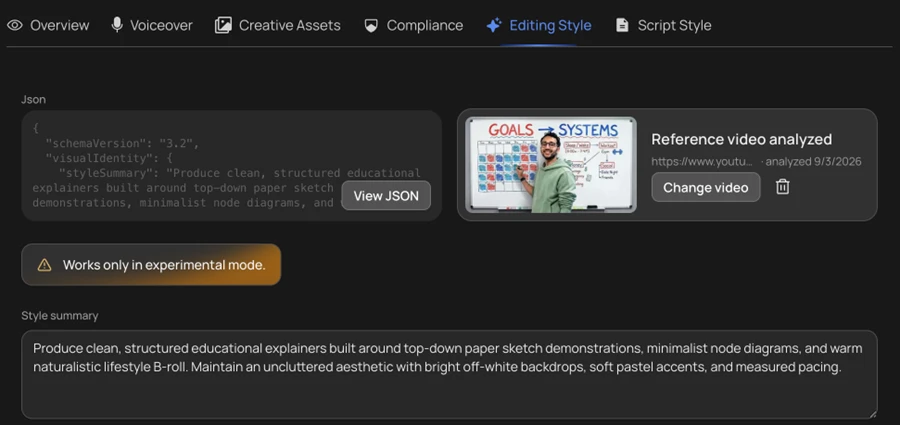
The last feature I tried reverse-engineers a reference channel's look. I fed it a YouTube link and VidRush returned a structured style summary describing the pacing and visual identity it detected. The result read accurately. The orange flag on the panel repeats the earlier catch, since this works only in experimental mode.
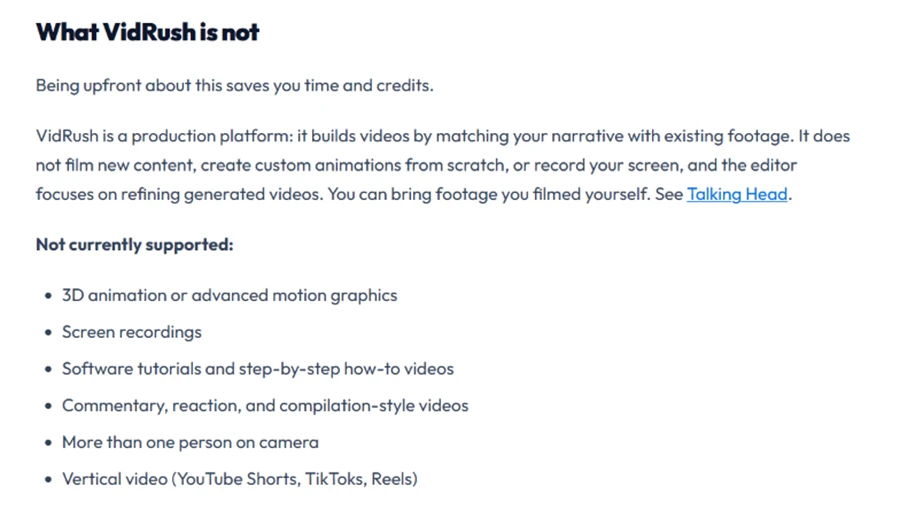
VidRush is upfront in its docs about what it will not do. The platform matches narration to existing footage and does not film new content or build custom animation. Screen recordings, software tutorials, multi-person camera setups and vertical video for Shorts or Reels all fall outside its range. For a faceless narration channel that is a fair boundary. For anyone eyeing short-form vertical, it rules the tool out before you start.
VidRush runs on credits, and there is no free trial to test the output before you pay.
Three monthly plans sit on the table. Starter opens at $99 a month and covers roughly 8 videos. Creator, the plan VidRush pushes as most popular, runs $239 for around 23 videos. Pro reaches $639 a month for about 68 videos. The effective rate falls as you scale, landing at $2.18 a minute on Starter against $1.56 on Pro. Yearly billing takes 20 percent off.
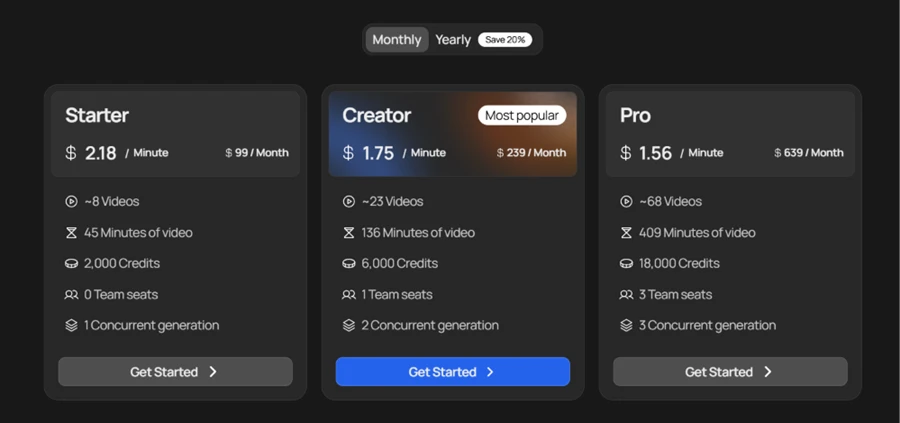
The numbers that matter for a working creator are the quieter ones. Starter ships zero team seats and a single concurrent generation, so collaboration and parallel rendering only begin on Creator. Credits expire at the end of each billing cycle rather than rolling over, which punishes an irregular upload schedule.
| Dimension | Our test | User signal | Verdict | Composite |
|---|---|---|---|---|
| Output Quality Visuals, audio, script coherence | 8.7 | 8.9 | Excellent | |
| Ease of Use Learning curve and usability | 8 | 8.3 | Good | |
| Editing Flexibility Control over final videos | 7.2 | 7 | Good | |
| Customer Support Speed and helpfulness | 9.1 | 9.4 | Excellent | |
| Reliability and Stability Crashes, buffering, performance | 7.5 | 7.2 | Good | |
| Value for Money Pricing versus benefits | 7.8 | 7 | Good |
Toolscopia uses cookies to keep you signed in, remember your preferences, and understand how our reviews get read. Analytics are anonymous. See our privacy policy for the full detail.



Comments 0
Join the discussion and share your perspective.
Sign in to post a comment and reply to other readers.
No comments yet
Be the first to share your perspective on this tool.