1
AI text detection
Core detector for AI generated content, widely praised yet criticized for false positives.
Winston AI is an AI content detection and writing analysis tool aimed at students, educators and writers who need clearer, less panicky checks before submitting work or reviewing assignments.
Independent review — we test tools ourselves and analyze public user reviews. How we test.
Winston AI earns strong praise for clarity, ease of use, and reassuring reports that highlight suspicious sections rather than just throwing a single score. Many reviewers find its detection reliable and helpful for assignments, daily writing work, and classroom use. However, several users report false positives on well written human text, occasional glitches, and frustration over claims of unlimited use and paid access to credits. Response times can be slow or inconsistent and a few users received no reply at all. Overall, it suits students, teachers, and everyday writers who want transparent AI detection and can tolerate occasional inaccuracies and support delays.
Winston AI is a cloud-based content detector aimed at educators, publishers, and SEO teams who need to check whether text or images came from a machine. You paste or upload content, and it returns a percentage score with a sentence-by-sentence map of the parts it suspects.
The company markets a 99.98% accuracy figure. Independent testing tells a more grounded story. Researchers at the University of Florida measured its detection accuracy on academic writing at 75.9%, while a competing tool, Originality.ai, scored 97.5% on the same dataset. That 22-point gap is the context to carry into any buying decision. Winston is capable, but it sits in the middle of the pack rather than at the top.
Where it pulls ahead of simpler detectors is range. One scan can cover AI text detection, plagiarism, OCR for scanned pages and handwriting, and image forensics for spotting generated visuals. It reads 14 languages and connects through a Chrome extension, a WordPress plugin, and a developer API.
Core detector for AI generated content, widely praised yet criticized for false positives.
Shows which parts might be AI, frequently praised for clarity and usefulness.
Explains why sections look AI, considered more transparent than many alternatives.
Additional fact checking feature, described as useful in daily work.
Provides readability and plagiarism indicators, valued by students for assignment checks.
Paid plans with credits, criticized for perceived fake unlimited and locked credits.
Email based help, experiences range from amazing support to no response.
Pause, cancel, renew options, mentioned positively for flexibility.
Generally stable and fast, with some reports of freezing and glitches.
We ran every test below on September 2026 using a free trial account with 2,000 credits. Winston updates its detection model weekly, so the exact percentages you see here can shift over time. What I wanted to know was simple: does the tool catch AI writing, does it leave genuine human writing alone, and how far does the paid wall sit from the free experience.
The account setup gives you the number that matters most before you scan anything. Text detection costs one credit per word, so my 2,000 credits translate to roughly 2,000 words of scanning across the whole trial. That budget disappears faster than you expect once you start testing images, which I will get to.
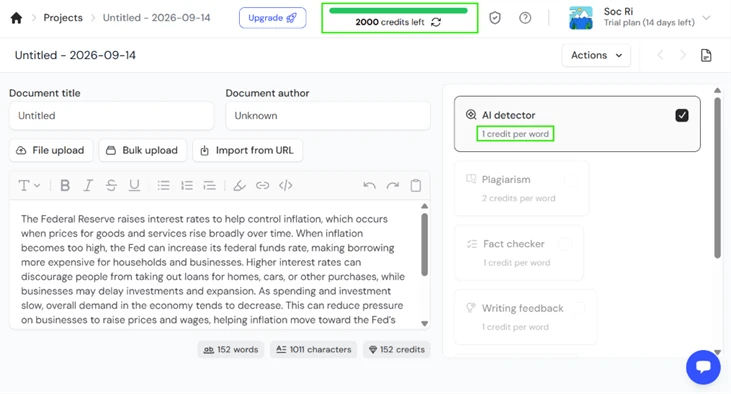
My first scan was a 152-word paragraph about why the Federal Reserve raises interest rates, generated straight from a chatbot with no edits. Winston flagged it at 0% human and told me it was highly confident the material came from an AI language model. The sentence map lit up in red across the full passage.
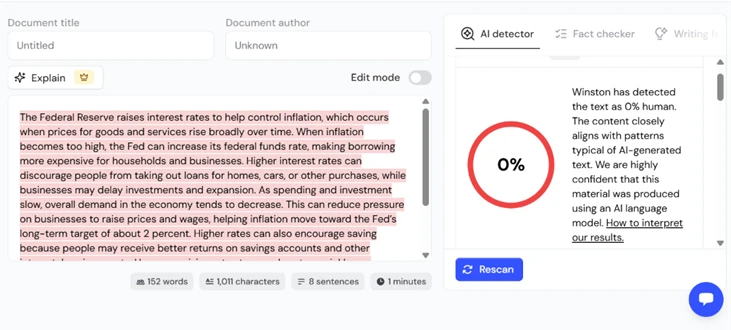
This is the result you want from a detector on obvious machine text, and it delivered without hesitation.
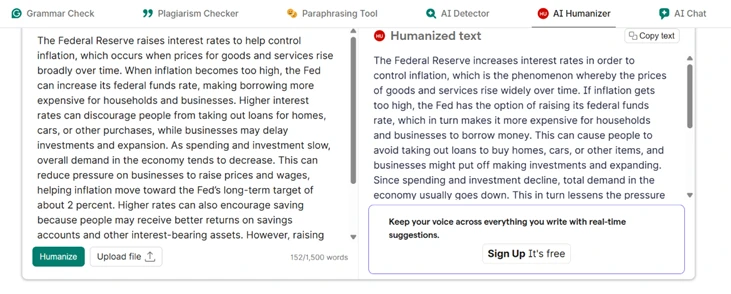
The common way people try to slip past a detector is to run AI text through a humanizer or paraphrasing tool. I took the exact Fed paragraph, pushed it through a separate AI humanizer, and got a reworded version that changed sentence structure and swapped vocabulary while keeping the meaning.
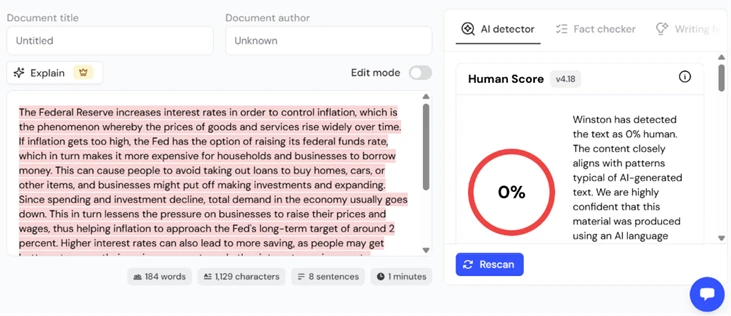
Then I pasted that rewritten text back into Winston. It still scored 0% human. The paraphrase did nothing. Winston caught the reworded version with the same confidence it showed on the original, which is a point in its favor that most reviews skip over.
Winston will not scan anything under 500 characters. I tried a single sentence, "The Fed raised rates again this week," and the tool blocked the scan with a length warning instead of returning a score.
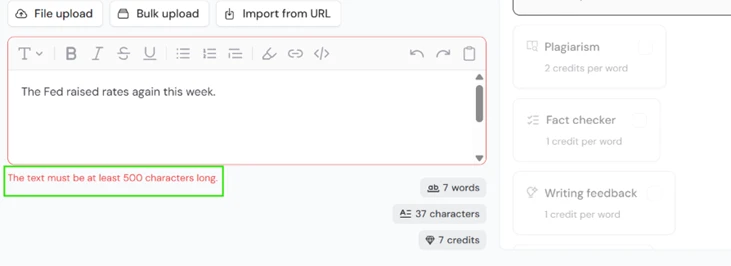
For anyone checking headlines, social posts, or short student answers, this limit is a real constraint worth knowing before you buy credits.
The image detector is where the trial budget takes a hit. Winston offers two modes. A Basic Scan runs quick AI detection for 200 credits. An Advanced Scan adds deep forensic analysis for 500 credits, which is a quarter of the entire free allowance on a single image.
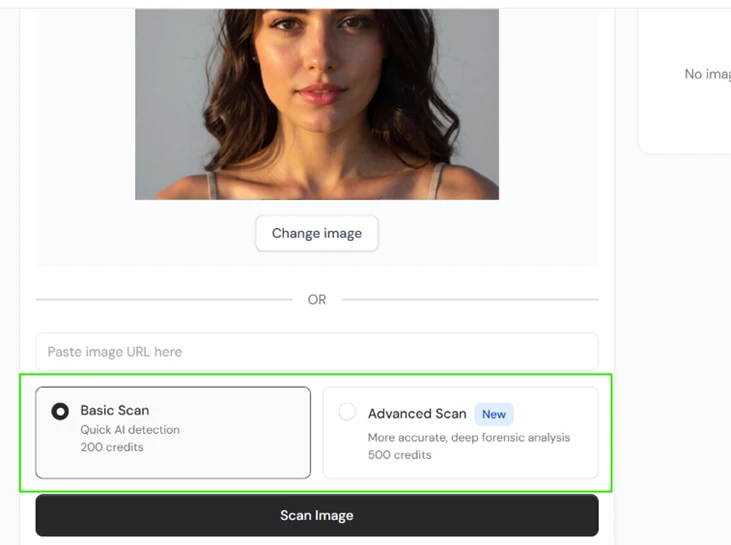
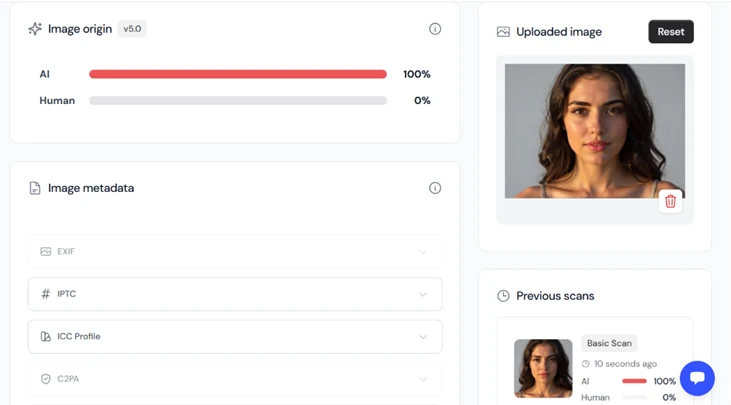
I uploaded an AI-generated portrait and ran it. The result came back at 100% AI, 0% human, alongside metadata panels for EXIF, IPTC, ICC Profile, and C2PA provenance data.
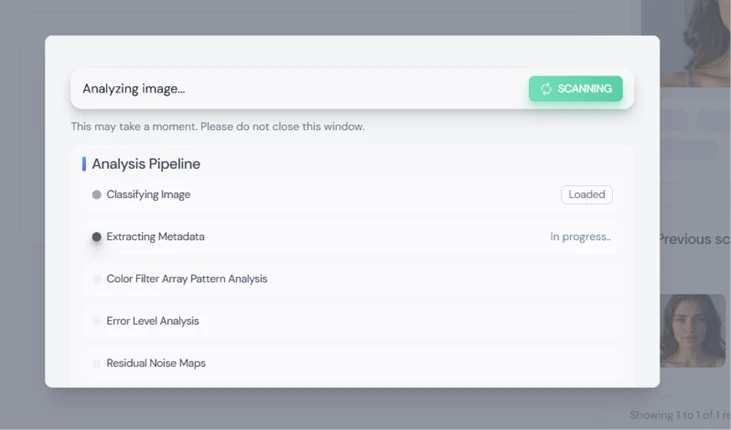
The Advanced Scan runs a visible pipeline as it works, stepping through image classification, metadata extraction, color filter array analysis, error level analysis, and residual noise mapping. Watching it move through each stage makes the forensic claim feel earned rather than decorative.
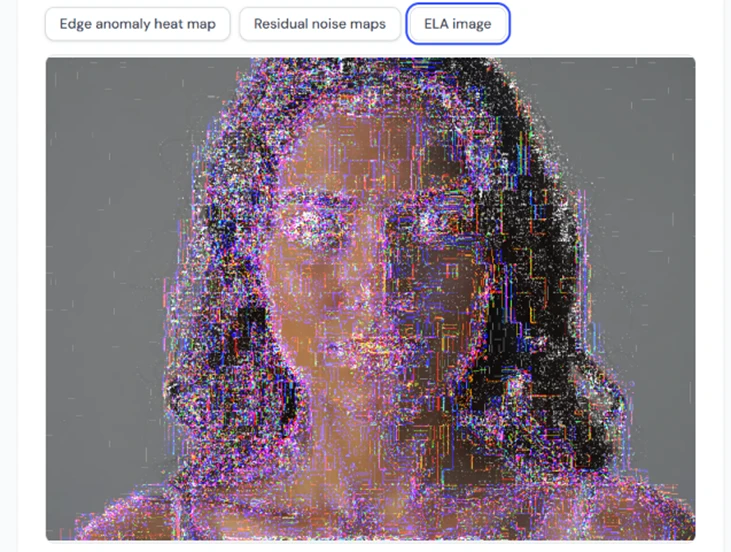
The written conclusion is the strongest part. Winston labeled the image AI-generated with high confidence and marked it manipulated, then explained its reasoning: the color filter array analysis found no demosaicing traces from a physical camera sensor, residual noise and edge analysis revealed synthetic patterns typical of diffusion models, and the file carried no camera EXIF provenance.
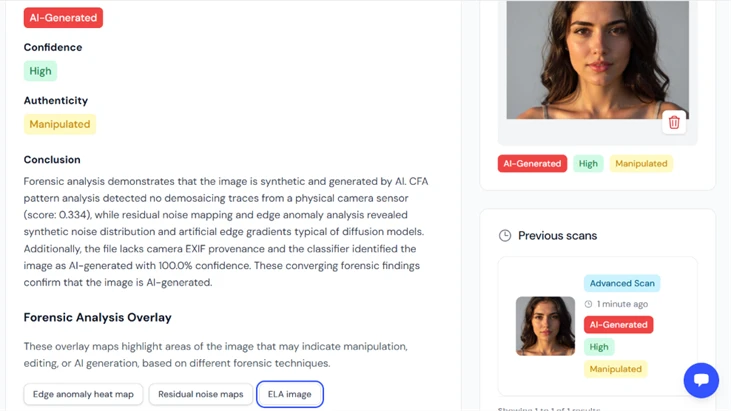
It also produces overlay maps. The ELA image below visualizes the areas the tool used to reach its verdict, which is the kind of evidence you can actually put in front of a skeptical editor.
A detector that flags everything as AI is useless, so I tested the other direction. I pasted a 276-word passage of genuine human text pulled from the official U.S. Supreme Court website. Winston scored it 97% human and said it was highly confident a person wrote it.
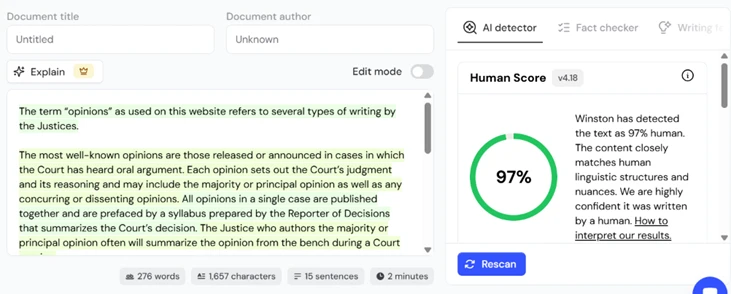
Across the human samples I tested, Winston did not produce a false positive. That is a limited sample and formal government prose is close to the easiest case for a detector, so I would not treat it as proof the tool never misfires. On the writing I fed it, though, it kept its hands off genuine human work while still nailing the machine text. The honest weakness I found was the 500-character floor, not a tendency to cry wolf.
| Dimension | Our test | User signal | Verdict | Composite |
|---|---|---|---|---|
| Detection Accuracy Correctly classifying human versus AI | 7.5 | 7.5 | Good | |
| Ease of Use Interface simplicity and learning curve | 9.2 | 9.5 | Excellent | |
| Transparency of Results Clarity of reports and explanations | 9 | 9.2 | Excellent | |
| Customer Support Speed and helpfulness of assistance | 7 | 7.2 | Good | |
| Reliability and Stability Glitches, freezing, and uptime | 7.3 | 7 | Good | |
| Pricing Fairness Perceived value and honest limits | 7 | 6.8 | Moderate |
Toolscopia uses cookies to keep you signed in, remember your preferences, and understand how our reviews get read. Analytics are anonymous. See our privacy policy for the full detail.


Comments 0
Join the discussion and share your perspective.
Sign in to post a comment and reply to other readers.
No comments yet
Be the first to share your perspective on this tool.