1
Inline answer generation
Provides direct answers within DuckDuckGo results, praised for basic questions, criticized for simplistic reasoning.
Duck.ai is DuckDuckGo’s built in AI assistant for quick answers and trip style planning. It suits casual question askers but frustrates power users who hit message limits, bias concerns, and shallow reasoning on complex or technical topics.
Independent review — we test tools ourselves and analyze public user reviews. How we test.
Duck.ai delivers straightforward answers for many everyday questions and sometimes outperforms other browser assistants on basic queries. However, reviews frequently describe shallow reasoning, factual shakiness, and ideological or tone bias on sensitive topics. Technical users report evasive behavior on engineering problems and intrusive safety framing, while some hit strict daily message limits after minimal use. It suits casual search replacement tasks, but demanding researchers, developers, or politically focused users are likely to be disappointed.
Duck.ai is DuckDuckGo’s chat interface that lets you talk to several third-party AI models through one private front door. Instead of building its own model, DuckDuckGo sits between you and providers like OpenAI, Anthropic, Mistral, Meta, and Google, stripping your identity before your prompt reaches them. The companies behind the models never see who you are, and your conversations are not used to train them.
The pitch is privacy without a trade-off in choice. You pick from a lineup of free models and switch between them mid-conversation, so a quick draft can run on a fast model while a trickier question goes to a stronger one. No account, no email, no history tied to your name.
You reach it at duck.ai, inside the DuckDuckGo browser, or by typing a bang command like !ai from the search bar. Recent chats stay on your own device rather than a company server.
Provides direct answers within DuckDuckGo results, praised for basic questions, criticized for simplistic reasoning.
Supports follow up clarifications; one user noted useful clarifying question before planning a trip.
Imposes strict usage caps; reviewers reported hitting limits after one short planning query.
Flags perceived mental health risks; one reviewer felt unfairly judged and pathologized.
Frames complex issues in aggregate terms; one reviewer perceived consistent bias and propaganda.
Attempts to answer programming questions, but advanced users reported misunderstandings and unhelpful tangents.
Seen as better than some browser assistants for straightforward answers, motivating at least one user to switch search engines.
Aligned behavior sometimes leads to moralizing responses and reluctance on specific engineering queries.
I opened duck.ai in a fresh browser and typed straight into the chat box. No login wall and no email prompt.
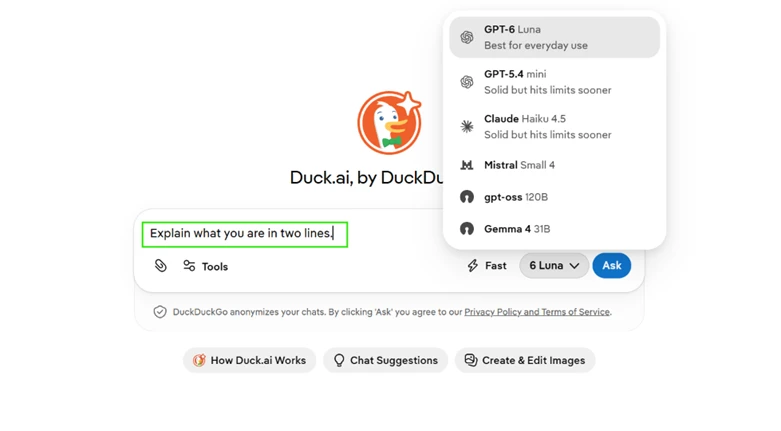
My prompt was "Explain what you are in two lines." The model picker at the top listed six free models I could switch between in one click: GPT-6 Luna, GPT-5.4 mini, Claude Haiku 4.5, Mistral Small 4, gpt-oss 120B, and Gemma 4 31B.
Under the box sat the note that DuckDuckGo anonymizes chats. One screen carried two things worth a reviewer’s attention: no sign-in required, and a free model spread sitting above that anonymization line.
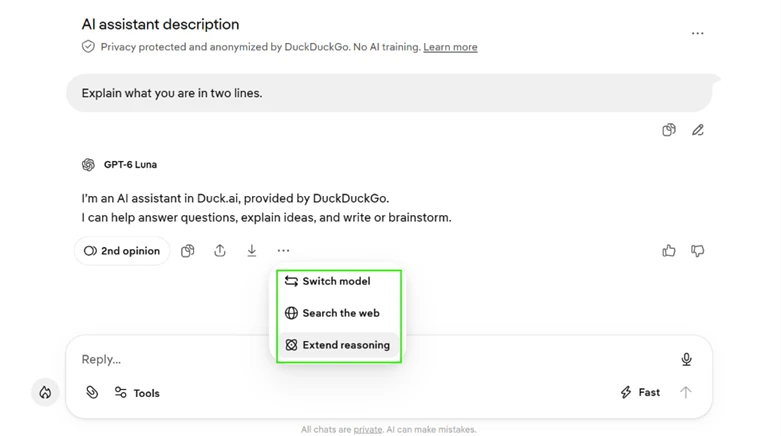
The reply came back in the two lines I asked for, credited to GPT-6 Luna.
The menu under the answer is where it got interesting. It held a web search toggle and an extend-reasoning control, along with a quick way to switch the model mid-thread.
This matters for an honest review. Web search and deeper reasoning both run on the free plan. They sit off by default and need a manual toggle per message, so anyone claiming Duck.ai cannot browse the web is reading an older version of the product.
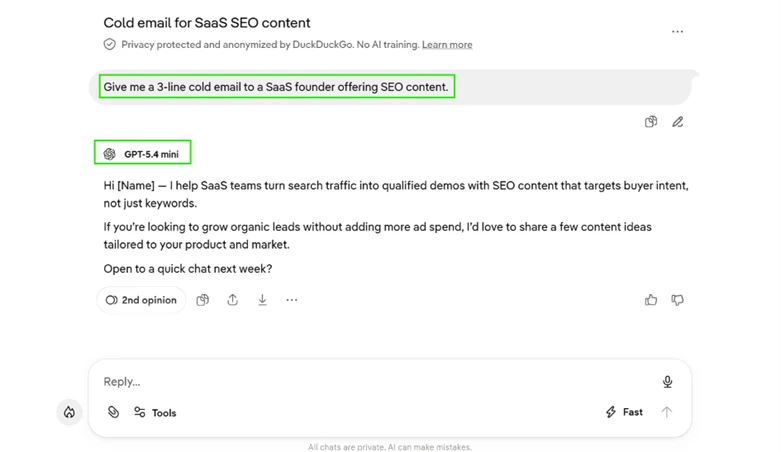
To test the value of having several models, I sent the identical prompt to two of them. The prompt was "Give me a 3-line cold email to a SaaS founder offering SEO content."
GPT-5.4 mini wrote a conversational opener around buyer intent and organic leads, then closed with a soft ask for a chat next week.
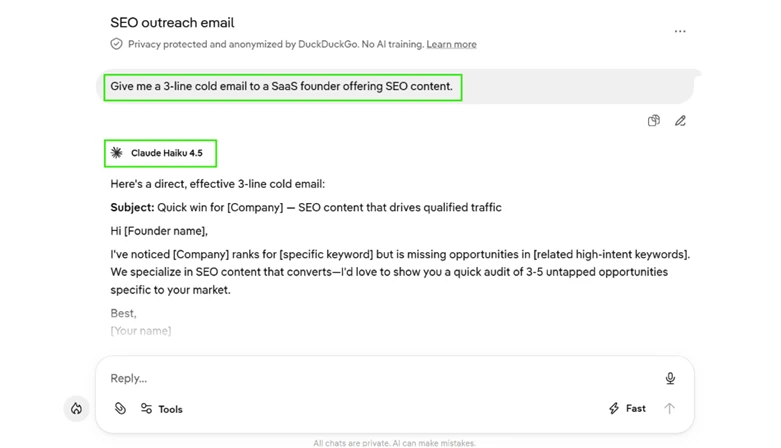
Claude Haiku 4.5 took a different shape. It added a subject line and used a bracketed template with placeholders for company and keyword, then pitched a quick audit of untapped opportunities.
One instruction, two clearly different drafts. That spread is the practical reason to keep more than one model within reach.
Duck.ai makes images on the free plan. I selected New Image and entered "A minimalist logo of a duck wearing headphones, flat vector style."
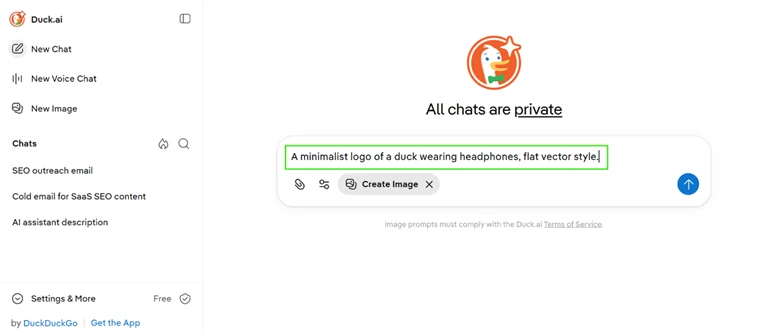
The result was a clean flat-vector duck with headphones on a plain background, good enough to use as a quick concept mark. Getting a usable image from one line of prompt, with no account attached, is a real plus for a free tool.

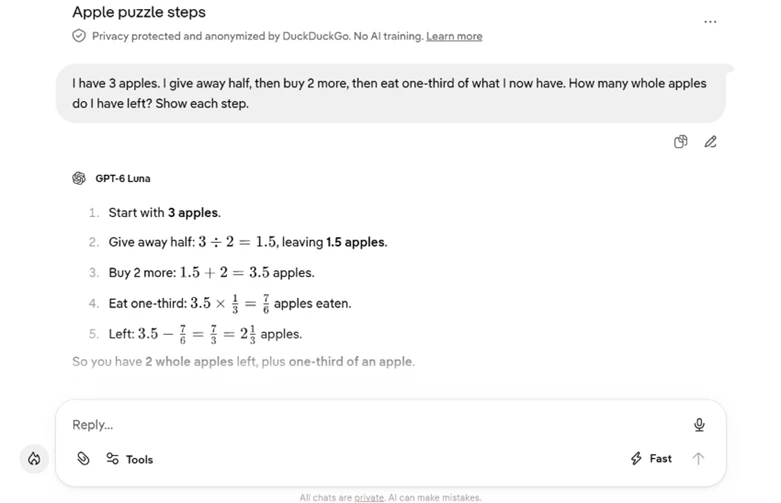
I wanted to see how the default model handled a word problem that often trips lighter models. My prompt was "I have 3 apples. I give away half, then buy 2 more, then eat one-third of what I now have. How many whole apples do I have left? Show each step."
GPT-6 Luna worked it through cleanly. Three apples, half given away leaves 1.5, two more makes 3.5, eating a third removes 7/6, which leaves 2⅓. It reached the correct answer of 2 whole apples plus a third, with every step on screen.
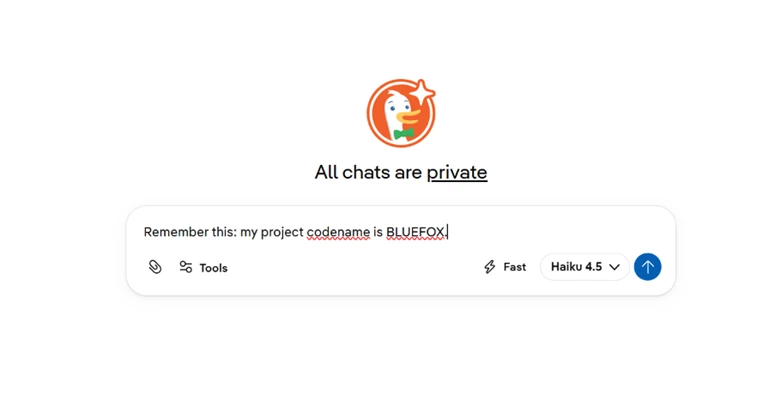
This is where the free experience showed its ceiling. In one chat I told it, "Remember this: my project codename is BLUEFOX."
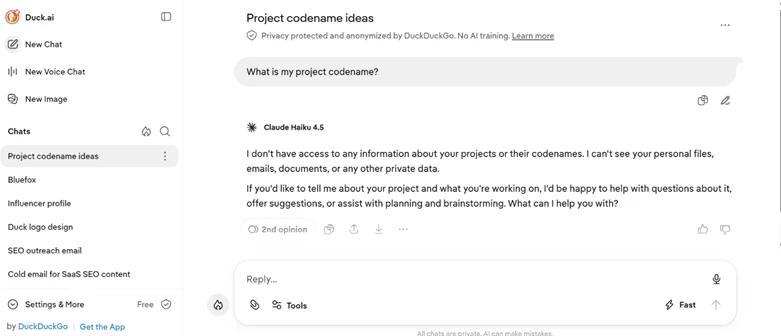
Then I opened a brand new chat and asked, "What is my project codename?" Claude Haiku 4.5 replied that it had no access to my projects or private data and could recall nothing. The codename was gone.
Every session starts blank. Duck.ai keeps your recent chats listed locally so you can reopen them, but the model carries nothing from one new chat into the next. For private, throwaway questions that suits the design. For ongoing work where you want context remembered, it is a clear gap.
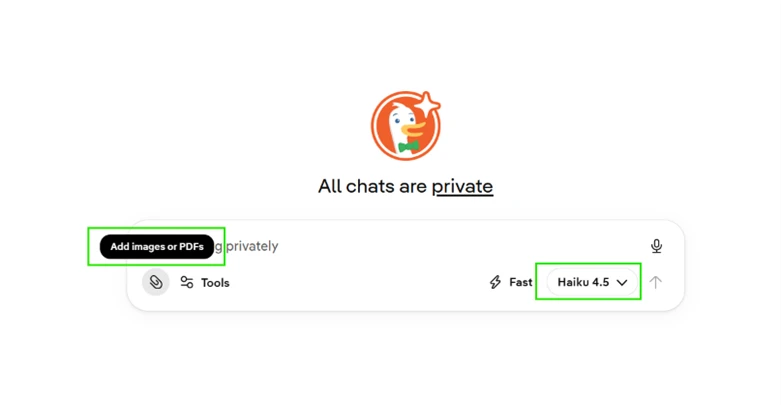
File support is not consistent across the lineup, and that is worth knowing before you count on it.
On Claude Haiku 4.5 the paperclip offered "Add images or PDFs."
I switched to Mistral and the paperclip vanished. The box only showed "Ask anything privately" with no attachment control at all.
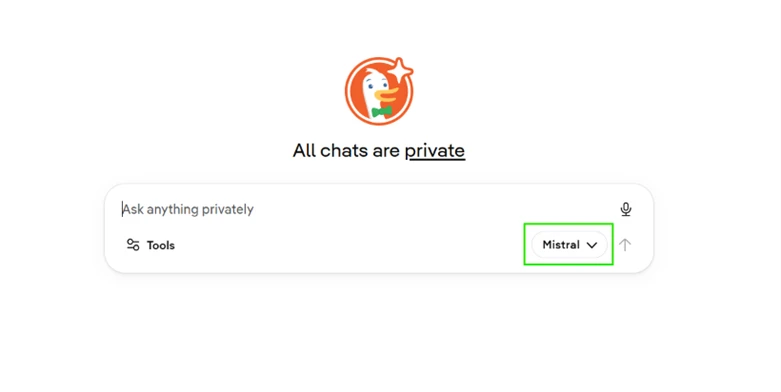
So uploads work, but they are tied to the model. Pick the wrong one and the option is not there. A first-time user could assume Duck.ai has no upload feature at all, purely because their current model hides it.
| Dimension | Our test | User signal | Verdict | Composite |
|---|---|---|---|---|
| Answer Accuracy Correctness on factual questions | 7 | 7 | Good | |
| Reasoning Depth Handling of complex reasoning | 7 | 6 | Moderate | |
| Ease of Use Interface and basic usability | 8 | 8 | Good | |
| Policy Neutrality Perceived bias and framing | 7 | 7 | Good | |
| Developer Support Usefulness for technical work | 5 | 6 | Weak | |
| Reliability Limits Message caps and availability | 7 | 7 | Good |
Toolscopia uses cookies to keep you signed in, remember your preferences, and understand how our reviews get read. Analytics are anonymous. See our privacy policy for the full detail.






Comments 0
Join the discussion and share your perspective.
Sign in to post a comment and reply to other readers.
No comments yet
Be the first to share your perspective on this tool.