1
Multi model AI access
Bundles GPT, Claude, Gemini, Llama and others, praised by a few for centralizing multiple models.
Aggregator app that bundles multiple commercial AI models, chatbots, transcription and media tools under one paid subscription, mainly appealing to AI power users but raising serious concerns around billing, refunds, reliability and support responsiveness.
Independent review — we test tools ourselves and analyze public user reviews. How we test.
Monica AI brings many popular AI models and utilities into one place, which some users find genuinely convenient and helpful. However, reviews are dominated by complaints about aggressive or unclear billing, unexpected annual charges, token limits despite “unlimited” claims, and very weak support and refund handling. Output quality is inconsistent, with several reviewers calling core AI and video features defective or misleading. Given the volume and severity of scam accusations, this service currently suits only highly technical users who fully understand the risks and monitor billing closely.
Monica is a browser-based AI assistant that bundles multiple large language models under one login instead of making you subscribe to each separately. Press Cmd/Ctrl+M on any webpage and a sidebar opens where you can route a question to the model that fits it, whether that is a Claude model for reasoning, a GPT model for drafting, or Gemini, Grok, and DeepSeek for everything in between.
The pitch for a US user is consolidation. One account covers chatting, summarizing articles or YouTube videos, rewriting text, translating pages, reading PDFs through ChatPDF, and generating images, all reachable without leaving the tab you are already in.
Monica runs two ways. The Chrome and Edge extension layers it over live web pages for on-the-spot summaries and quick actions, while the monica.im web app gives you a standalone workspace with dedicated Chat, Image, Video, and Tools sections. It is sold on a freemium model, with a free daily allowance of basic-model queries and paid tiers that open advanced models, heavier image work, and higher limits.
Bundles GPT, Claude, Gemini, Llama and others, praised by a few for centralizing multiple models.
Marketed as endless tokens but heavily criticized for strict hidden limits and early credit exhaustion.
Provides video transcription and summaries, but several users report this feature stops working after payment.
Intended for animations and videos, widely criticized for simple pans, blurs and deformed faces.
Multiple apps and extensions offered, described as confusing, fragmented and missing web features.
Allows adding custom tools, but users struggle to locate and use them because of unclear interface.
Some refunds are granted, yet many reviewers report denied or ignored refund requests.
Actively promoted, repeatedly called spam when sent through website contact forms.
I ran every test on a free Monica account, so this reflects what a US user sees before paying a cent. The home screen is where Monica makes its first argument. The left rail stacks Chat, Image, Video, Audio, and Discover, while the center column lists a model roster that reads like a greatest-hits lineup. Claude Haiku 5.5, Gemini 4 Argon, GPT-6.1 Sol, Grok 4.7, DeepSeek, and more sit stacked in a single window. A Tools panel underneath exposes Write, Grammar check, Translate, AI Detector, ChatPDF, and others, with the Image and Video generators parked on the right.
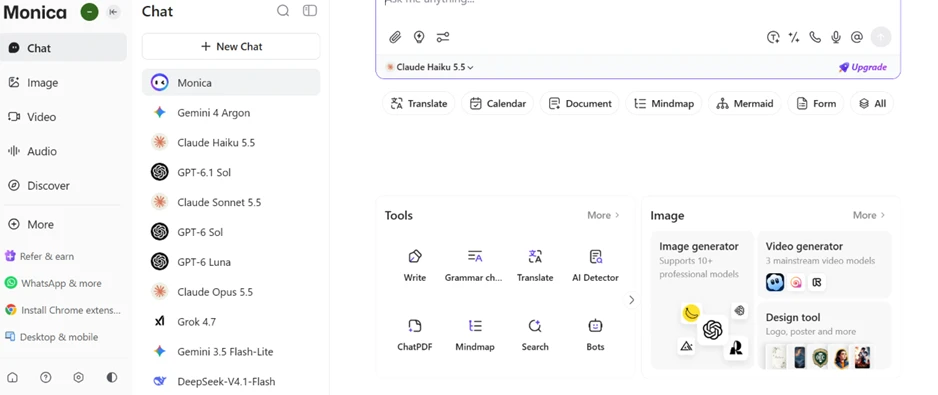
One account, many engines. For a reader weighing this against paying separately for a ChatGPT subscription and a Claude subscription, that consolidation is the selling point.
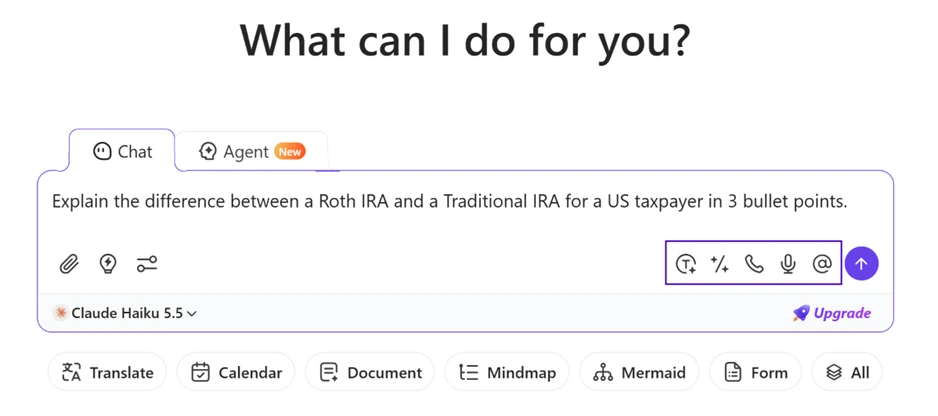
I started with a question plenty of American readers actually ask around tax season. My prompt: "Explain the difference between a Roth IRA and a Traditional IRA for a US taxpayer in 3 bullet points." Claude Haiku 5.5 was the active model, and the input bar carried the usual attach and voice buttons alongside quick actions.
The answer came back clean and correctly scoped to a US filer. Monica returned three labeled points, covering everything from tax treatment through the income limits that affect eligibility. It got the specifics right, naming after-tax Roth contributions, the 59½ withdrawal age, required minimum distributions at 73, and a 10% early-withdrawal penalty. It even referenced 2026 MAGI thresholds.
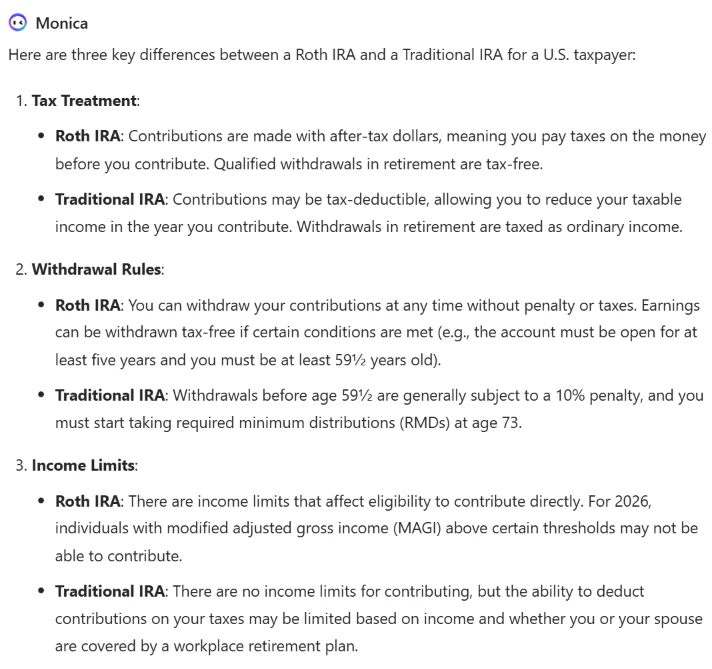
I did not independently verify every tax figure, and you should not present Monica numbers as checked fact in your own copy. The formatting quality is what I was grading, and the structure read well against what I asked for.
Then I used the feature that justifies the whole all-in-one pitch. Under the answer, Monica offers "Choose another model to answer" plus a "Compare All Models" button, so the identical question can go to GPT-5.5, Gemini 3.1 Pro, Claude Sonnet 4.6, or the full compare view without retyping anything.
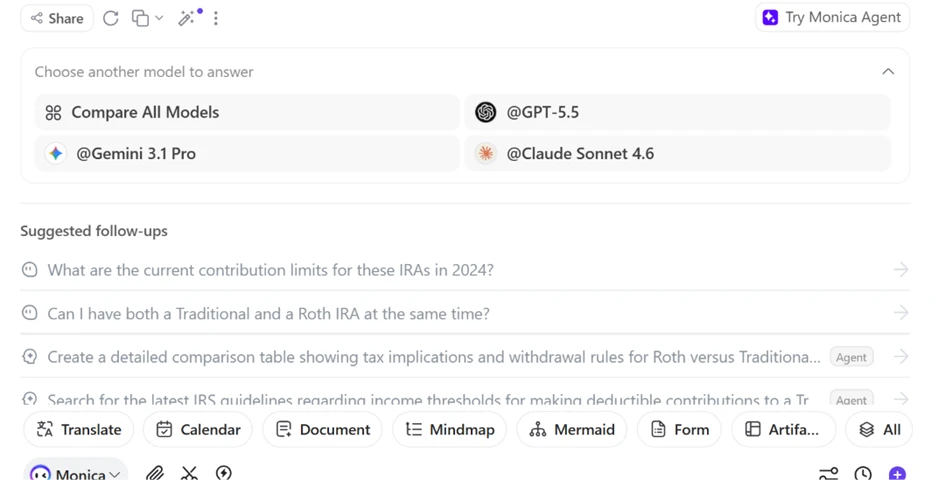
I pushed the same IRA prompt through a second model. This run landed on Qwen3.8 Flash, and the reply reorganized the same ground under its own headings, with a slightly different emphasis on required minimum distributions and contribution eligibility.
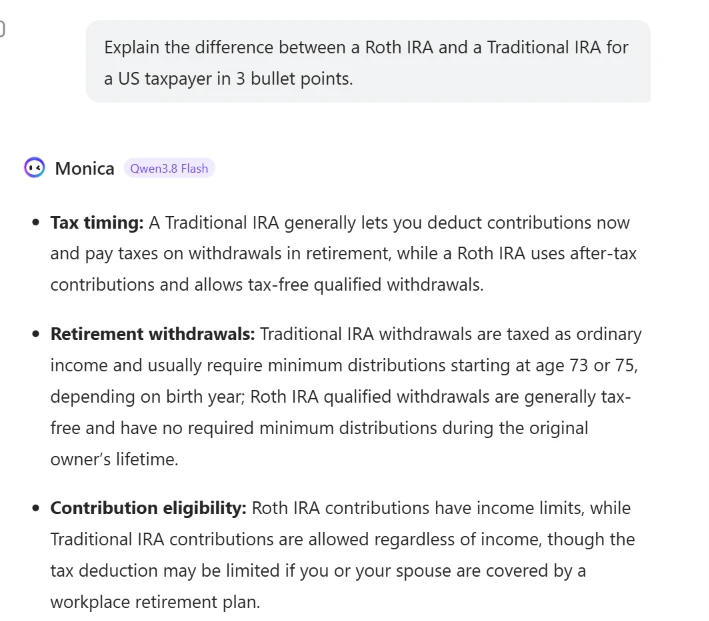
Running an A/B of two models on one question, inside one tab, was the most useful free-tier behavior I found.
Next I tested document handling. I dropped a 5.14 MB PDF, the AP Biology Course and Exam Description, into the chat and typed "Summarize key points."
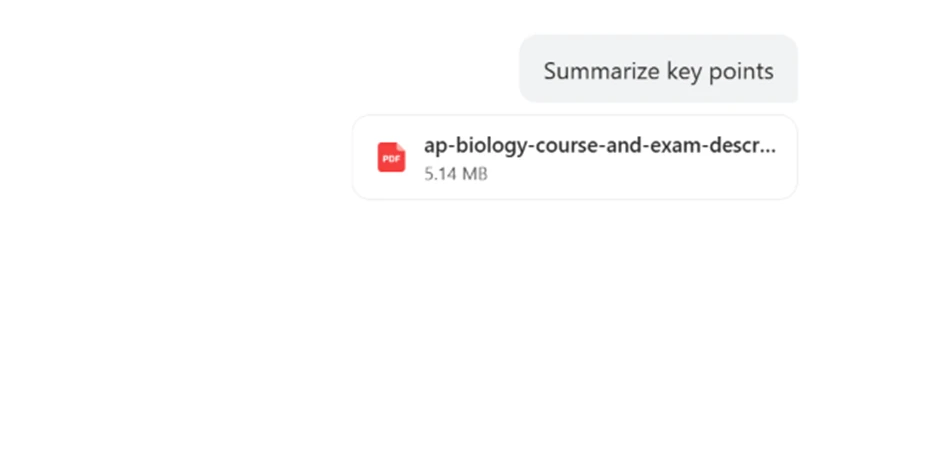
Monica processed the file and returned a structured digest with its own headings and tables. It pulled a "Course at a Glance" table and the six science practices, then laid out the four big ideas with their abbreviations, all lifted correctly from a dense official document.
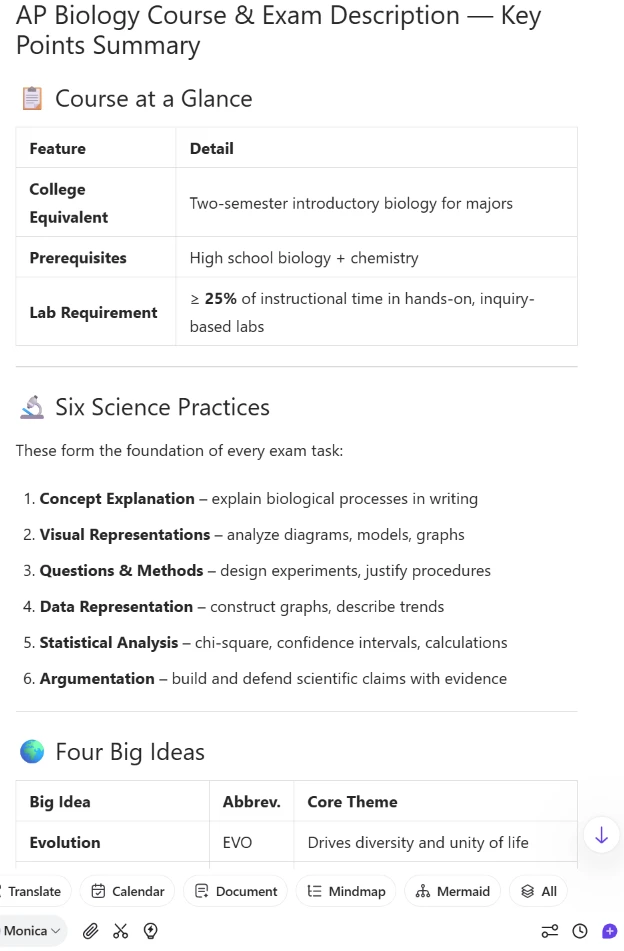
For a student or a content writer skimming long source material, this held up. The summary surfaced the structural bones of the document rather than a shapeless paragraph.
The image section is where the free limits get loud. The Image hub opens with a banner selling "Access 16+ AI Models for Images & Videos!" next to an Upgrade button, with tiles for Image generation, Video generation, Design tools, and an image editor.
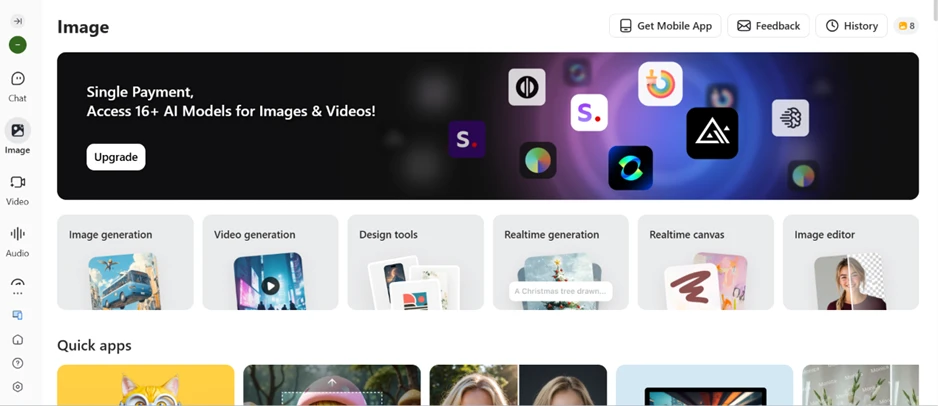
I set up a generation anyway. I chose a 3:2 aspect ratio with the style on Auto and Flux Schnell selected, then entered my prompt: "A cozy American diner on a rainy night, neon sign, cinematic."
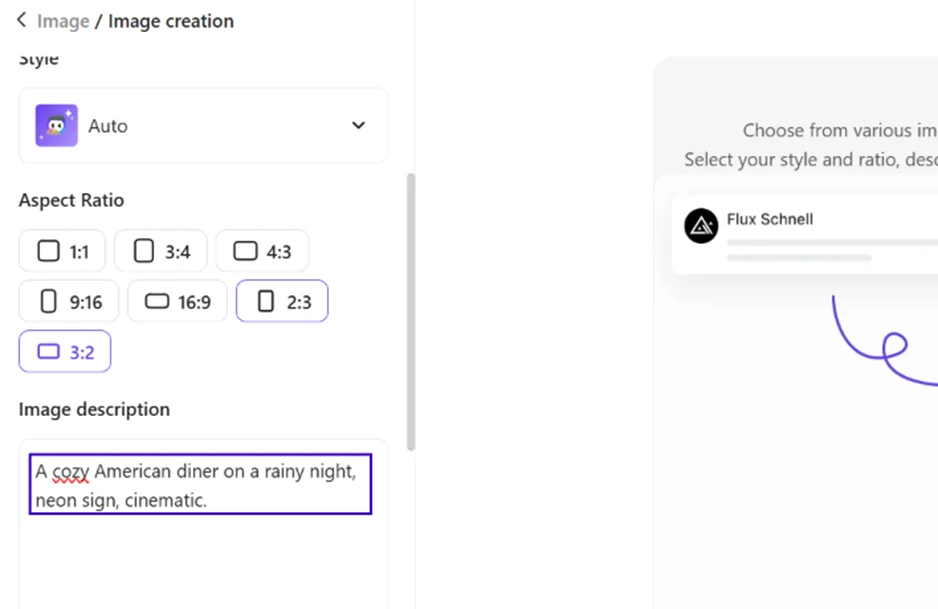
The moment I hit generate, Monica stopped me with a popup: "Download Monica Extension to Get More Image Generation." Rather than producing the image in the web app, it routed me toward installing the browser extension.
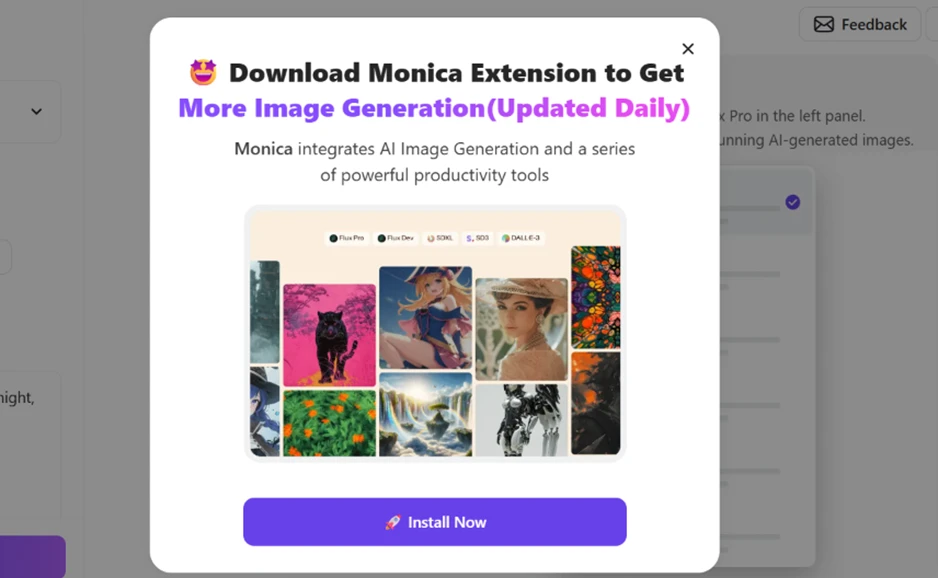
Free image generation exists as a limited trial, so plan around it rather than relying on it. The web flow nudges you to the extension before you get anywhere.
Monica bundles an AI content detector, which matters to a US audience worried about tools like Turnitin and GPTZero. I pasted a sample paragraph and ran the check. The verdict came back as "The output content seems to be AI-generated," with no clear probability percentage attached to that top-line call. Two of the three detectors, GPTZero and Copyleaks, sat behind lock icons with an "Upgrade to check" prompt. Only ZeroGPT ran on the free tier, and the content box caps you at 250 words per check against a 3000-word ceiling reserved for paid use.
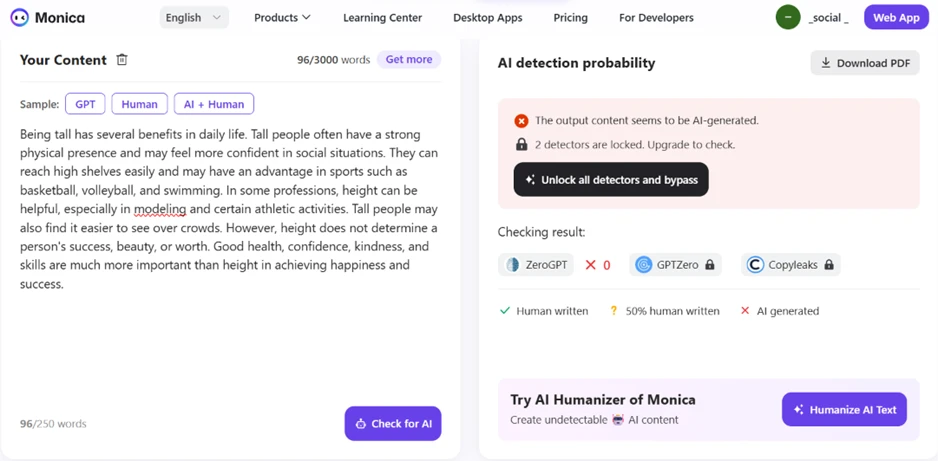
A vague result with two engines locked makes this a weak free tool next to a dedicated detector. It flags a suspicion. It will not settle one.
Monica’s own pricing page draws the line clearly. The Free plan sits at US$0 with 40 accesses to basic models daily (Claude Haiku 5.5 and Gemini 3.5 Flash-Lite among them) and a "Limited trial for image/video generation." Paid tiers run from US$4.1/month for Starter up to US$82.9/month for Ultra, with Max sitting in between at US$16.6, where the advanced models and unlimited access live.
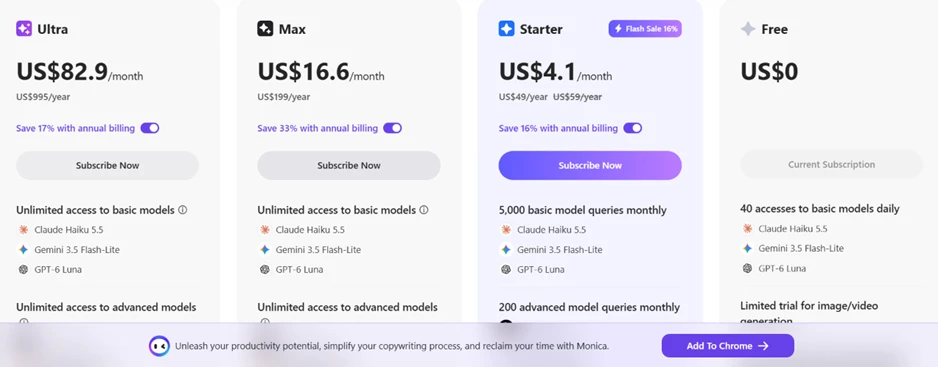
That 40-request daily cap on basic models is the ceiling most free users will feel first. Anyone running continuous writing or research sessions through Monica will hit it inside a working day, and the advanced models never come free at all.
| Dimension | Our test | User signal | Verdict | Composite |
|---|---|---|---|---|
| AI Output Quality Accuracy and usefulness of responses | 8.7 | 8.5 | Excellent | |
| Billing Transparency Clarity of pricing and renewals | 7 | 7 | Good | |
| Customer Support Speed and helpfulness of assistance | 7.8 | 7.5 | Good | |
| App Usability Ease of navigation and discovery | 9.2 | 9 | Excellent | |
| Feature Reliability Consistency of tools working as advertised | 8.5 | 8.5 | Excellent | |
| Value for Money Perceived worth versus subscription cost | 7.8 | 7.7 | Good |
Toolscopia uses cookies to keep you signed in, remember your preferences, and understand how our reviews get read. Analytics are anonymous. See our privacy policy for the full detail.






Comments 0
Join the discussion and share your perspective.
Sign in to post a comment and reply to other readers.
No comments yet
Be the first to share your perspective on this tool.