1
Web research and answer engine
Users liked early research performance, but many now report shallow, unreliable, and contradictory answers.
Perplexity AI started as a strong research assistant, but current paying users report declining answer quality, aggressive credit upsells, and almost nonexistent human support, making it hard to trust for serious ongoing work or subscriptions.
Independent review — we test tools ourselves and analyze public user reviews. How we test.
Perplexity AI can still return decent search style answers and quick citations, and some reviewers liked it in earlier stages or for simple lookups. However, the current crop of paying users describe steep quality decline, frequent instruction ignoring, and unreliable behavior on anything complex. Billing, credits, and refunds are recurring flashpoints, with many calling out dark patterns and a lack of transparent limits. Human support appears slow or absent, leaving problems unresolved. At this stage it fits only low stakes, casual research where accuracy and predictable costs are not critical.
Perplexity AI is an answer engine. You ask a question in plain English, and instead of handing you a page of blue links, it reads across live web sources and writes back a direct answer with numbered citations pointing to where each claim came from. That citation layer is the whole idea. It treats "show your sources" as the default rather than an afterthought, which is what separates it from a standard chatbot.
Under the hood it is a search interface sitting on top of large language models, so answers reflect the current web rather than a fixed training cutoff. The free plan covers everyday questions. Paid tiers (Pro at US$17 a month, Max at US$167) open up model selection, source connectors, and heavier research runs.
For an user, the practical pitch is speed with a paper trail. You get a synthesized answer in seconds, and the sources sit right beside it, so checking a figure before you trust it takes one click instead of a separate Google search.
Users liked early research performance, but many now report shallow, unreliable, and contradictory answers.
Frequently criticized for burning credits quickly, failing mid task, and being unusable without constant top ups.
Almost universally described as confusing, expensive, and full of hidden or poorly explained extra costs.
Reviewers report poor value, strict refund windows, downgraded limits, and difficulty cancelling plans.
Users complain about silent switches to weaker models and paid models not actually being used as selected.
Document consolidation and Drive integration often fail, omit content, or misrepresent completion status.
Support flows dominated by bots, with repetitive scripted replies and very limited human intervention.
Reports mention popups, banners, lag, login friction, and unclear indications of model or mode in use.
Several students note misapplied discounts, overcharges, and unresolved discrepancies in billed amounts.
My first test was a current-events question where a wrong answer would stand out: the US federal funds rate. Perplexity returned the target range of 3.75% to 4.00% and tied it to the September 16, 2026 FOMC meeting, with numbered citation pills sitting inside the sentences and a stack of source cards on the right.
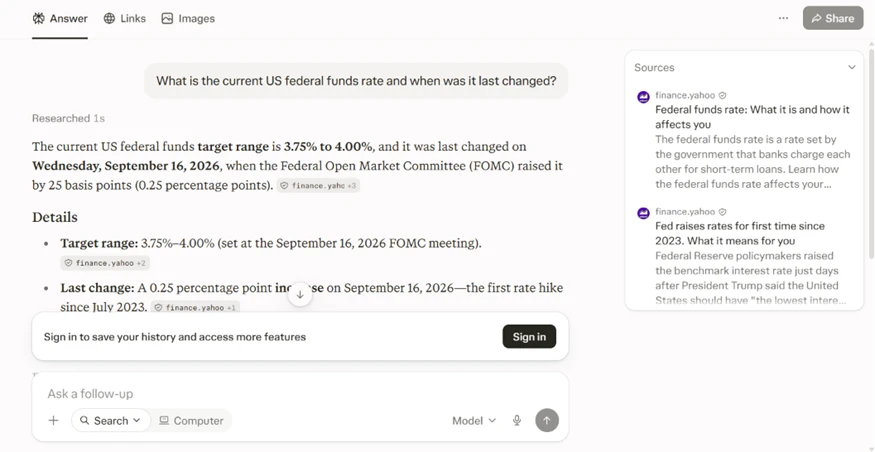
I clicked the top source, and it backed the figure.
This is the behavior Perplexity has built its name on, and the test confirmed it holds. The answer and its evidence sit in the same view, so verifying the claim took one click instead of a fresh search.
Under the answer, Perplexity offered five next questions. They covered upcoming FOMC dates, the effect on mortgage rates, a historical rate chart, and the factors behind the decision. The counter read ten sources.
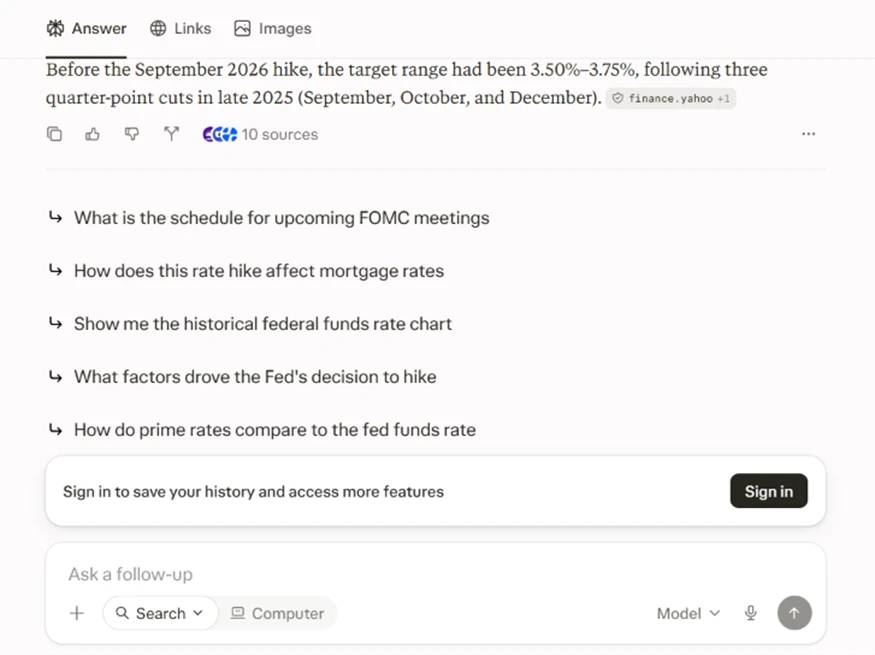
Two of those were questions I would have typed next anyway. For research that builds in layers, this turned one query into a guided thread without my having to invent the follow-up.
Shopping queries are where answer engines often fall back on thin affiliate blogs, so I asked for the best budget mattress for back pain. The sources that came back were reputable: RTINGS, the NYT’s Wirecutter, Mattress Nerd, and AARP.
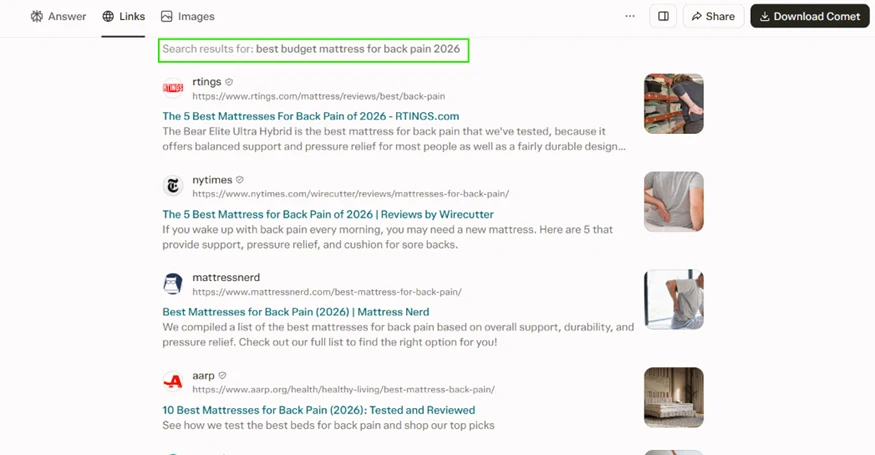
These are the same outlets I would check by hand. On a mainstream US buying question, Perplexity pulled from sites with real testing behind them instead of SEO filler, which raised my confidence for this kind of search.
Perplexity is a search tool at heart, so I kept my expectations low for image generation. I gave it this prompt: “A cinematic sunset over a futuristic city, glowing lights, dramatic sky, ultra-realistic, high detail, 4K.”
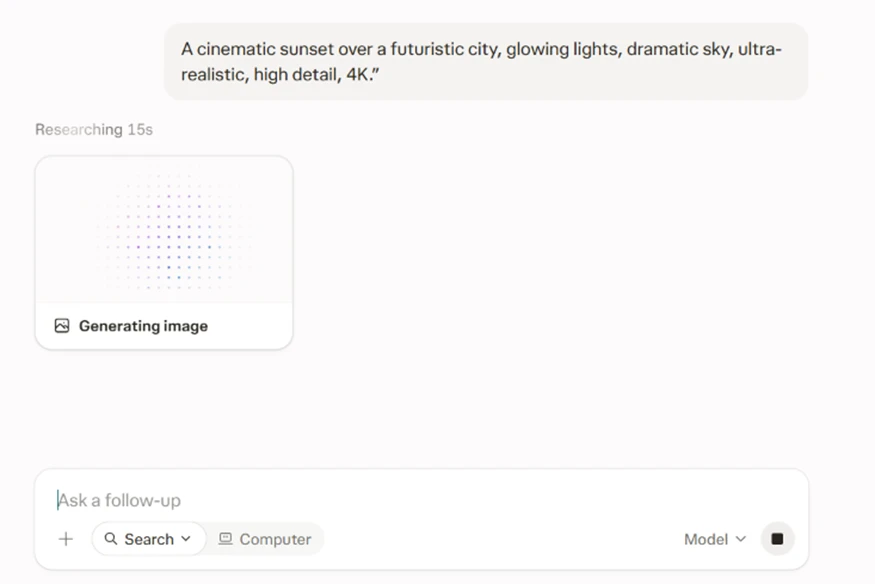
It worked for a few seconds. The frame below is what it produced.

The output holds up. The lighting reads as intentional and the skyline has real depth. I would not retire a dedicated image tool over it, though as a built-in extra inside a search product it clears the bar for a quick visual.
For one test I switched web search off to see how Perplexity behaves with no live results, then asked for the best ergonomic office chair under $300. It answered with full confidence, naming the Branch Ergonomic Chair, the Staples Hyken, the Sihoo M18/M57, the HON Ignition 2.0, and the Eurotech Vera. The trouble sat in the source panel. Every citation pointed to general ergonomics reference books such as “Back Pain Remedies For Dummies” and the “Handbook of Human Factors and Ergonomics,” none of which name those products or support the under-$300 claim.
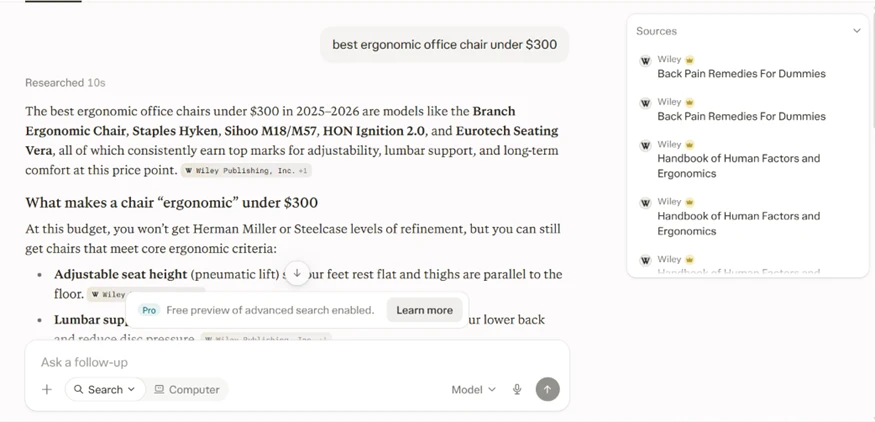
With nothing to pull from the live web, it still produced specific product picks and wrapped them in citations that do not back them. A reader skimming the answer would see the source tags and assume the picks were verified. They were not. The takeaway for anyone running their own test is plain: web search being on is doing far more work than it looks.
On a financial query, I asked for Tesla’s total revenue in Q2 2026. Perplexity gave $28.24 billion, up 26% year over year, and cited Tesla’s own investor-relations page alongside Yahoo Finance.
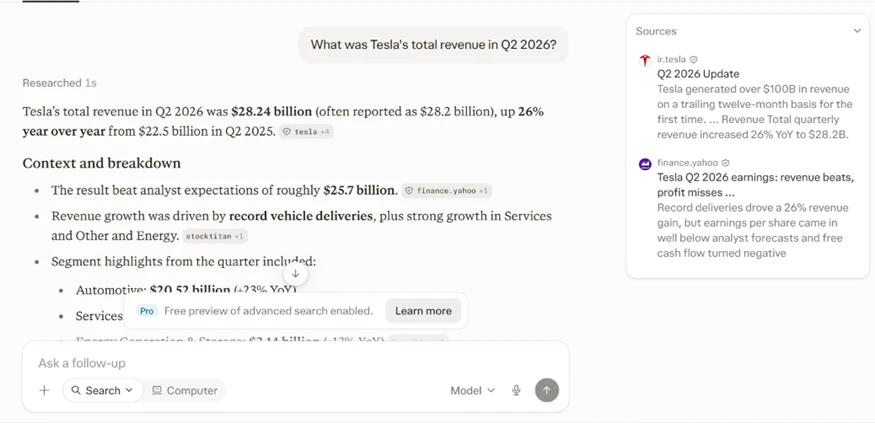
The number was right and the citation matched. The friction appeared when I clicked to confirm it at the primary source. The investor-relations file opened in a side panel that read “Unable to preview this PDF,” so I could not inspect the original filing without leaving the tool.
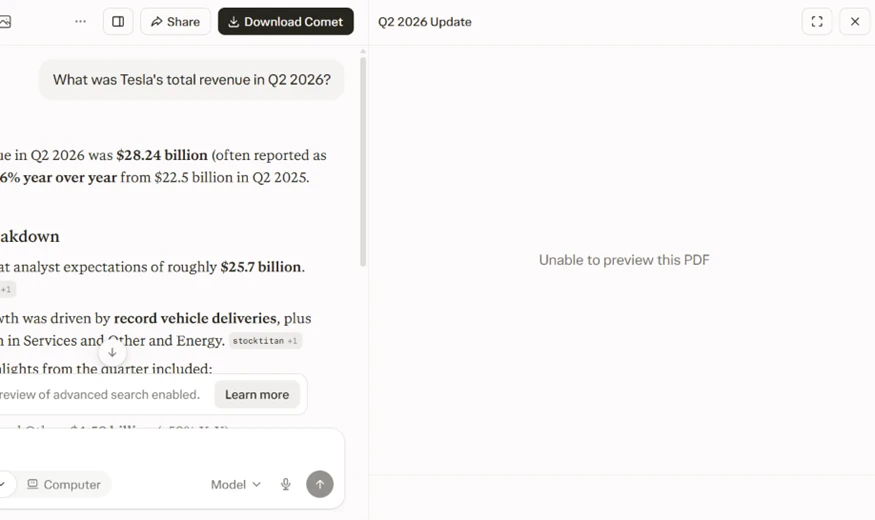
This is a smaller complaint than a mismatched citation. It still matters for real verification work, because a citation you cannot open is only half a citation.
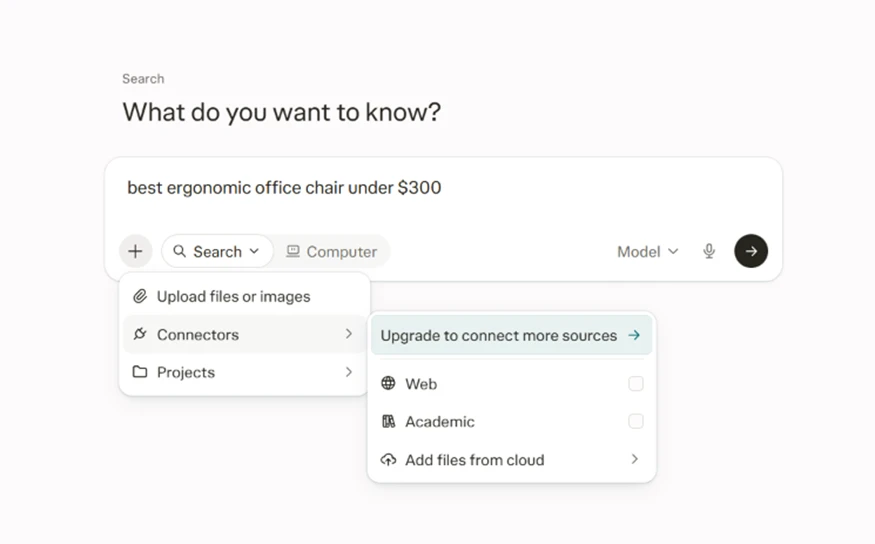
Two limits showed up fast. When I opened the Connectors menu to narrow my sources, the panel put an “Upgrade to connect more sources” banner over the options.
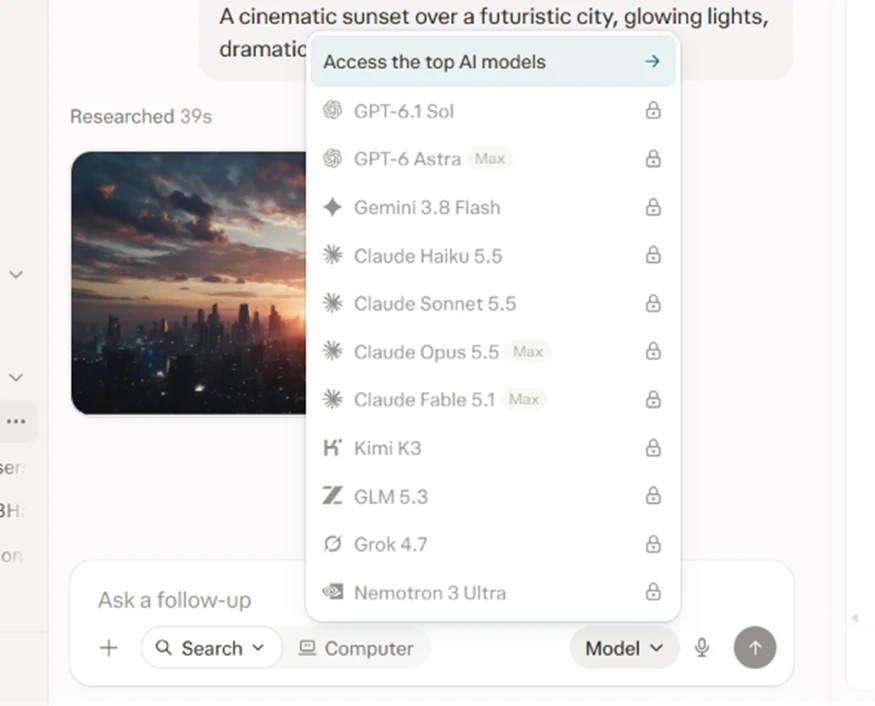
The model picker told the same story. I could see the whole lineup, including GPT-6.1, Claude Opus 5.5, Gemini 3.8, Grok 4.7 and others, yet every entry carried a lock icon. On the free plan you can read the menu. You cannot switch the model.
The pricing page explained the gate. Pro runs US$17 a month and Max runs US$167 a month, both at the annual-billing rate, and the paid tiers list model choice as one of the things you are paying to unlock.
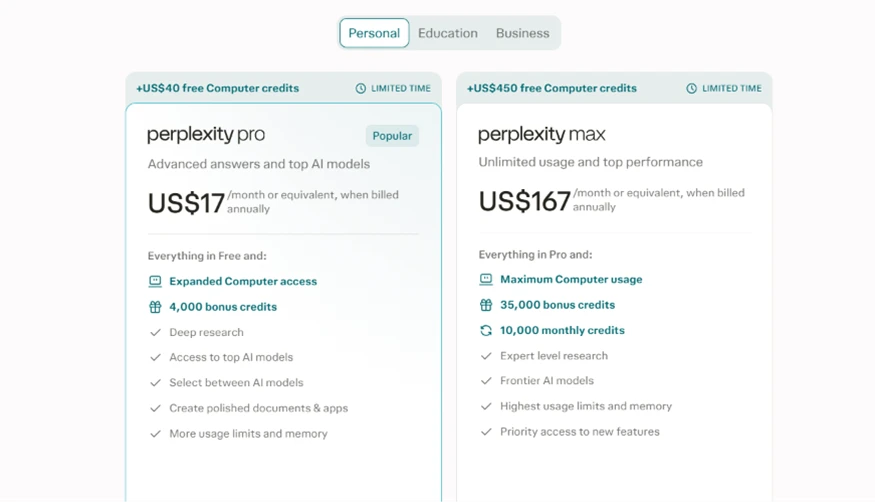
So the free plan is generous enough for cited search and layered follow-ups. The moment you want source filtering or a specific model, you hit the paywall.
| Dimension | Our test | User signal | Verdict | Composite |
|---|---|---|---|---|
| Answer Quality Accuracy, depth, and consistency | 8.8 | 8.5 | Excellent | |
| Ease of Use UI clarity and workflow stability | 8.5 | 8.2 | Good | |
| Value for Money Costs versus usable capability | 6 | 5.5 | Weak | |
| Billing Transparency Clarity of plans and credits | 6.3 | 6 | Moderate | |
| Customer Support Speed and effectiveness of help | 6 | 5.5 | Weak | |
| Reliability and Stability Uptime, bugs, and regressions | 8.5 | 8.2 | Good | |
| Trust and Practices Perceived fairness and honesty | 7.5 | 7.3 | Good |
Toolscopia uses cookies to keep you signed in, remember your preferences, and understand how our reviews get read. Analytics are anonymous. See our privacy policy for the full detail.



Comments 0
Join the discussion and share your perspective.
Sign in to post a comment and reply to other readers.
No comments yet
Be the first to share your perspective on this tool.