1
Royalty free music catalog
Praised for quality and variety, though some feel music is now harder to find.
Subscription platform for royalty free music, footage, sound effects, and AI tools. Strong catalog and fast support, but confusing credits, billing surprises, and AI quality gaps make it risky for casual or inattentive users.
Independent review — we test tools ourselves and analyze public user reviews. How we test.
Artlist combines a well liked stock catalog with modern AI video and image tools, plus unusually fast, generous support in many billing and cancellation cases. However, reviews repeatedly flag confusing credit pricing, non rolling AI credits, and big jumps in model costs that make budgeting difficult. Several users report misleading expectations around trials, refunds after minimal use, and search ads that resemble third party AI tools. AI generation quality is polarizing, ranging from excellent to unusable on the same platform. Best suited to hands on creators who read the credit terms closely, track renewals, and are comfortable iterating around model quirks.
Artlist AI is the generation layer inside Artlist, the asset platform built for video creators and editors. Rather than training one model of its own, Artlist gathers leading engines under a single account and a single credit balance. Image work runs on Nano Banana and GPT Image. Video runs on Seedance and Kling, with Veo also on the list, while Lyria covers music and ElevenLabs covers voice.
Those credits move across every tool, so one balance funds a generated clip, a voiceover, an AI song, or a 3D model. Alongside the generators sit an image editor and a Studio workspace for building projects.
What sets it apart from a standalone generator is the rights position. Outputs carry a commercial license, creators keep ownership of what they produce, and Artlist states it does not use those creations to train internal models.
It also plugs into real editing workflows through connections for Premiere Pro and Photoshop, plus an MCP integration and an Agent for prompt-driven tasks. The suite sits beside Artlist’s older catalog of music, footage, templates and LUTs.
Praised for quality and variety, though some feel music is now harder to find.
Valued by training creators and promo editors for dependable quality footage and SFX.
Seedance and Kling noted for strong results by some, but expensive and inconsistent.
Mixed feedback; some love Flux and 3D, others call outputs unusable.
Criticized for heavy credit usage and disappointing quality versus expectations.
Appreciated by advanced users who test Grok, Flux, Kling, and others in one place.
Lets brands store colors and references, but discovery and explanation confused some.
Praised for fitting smoothly into editing workflows with good results.
Loved by technical users who control top AI models programmatically.
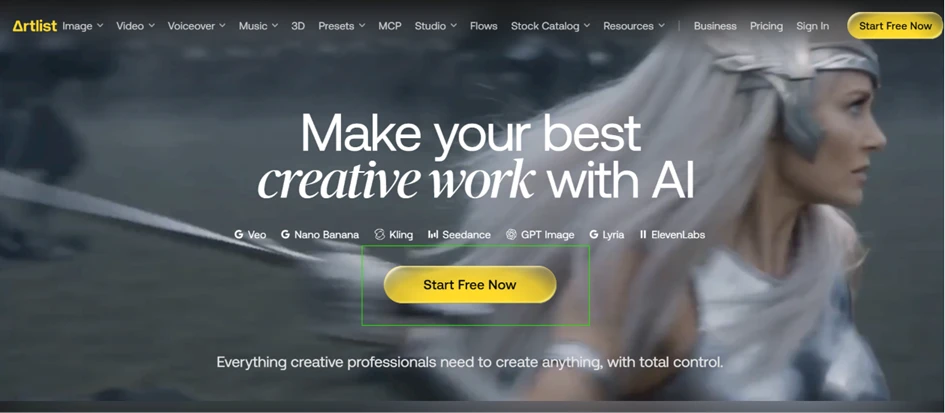
Artlist puts the free offer in the headline. The homepage reads Make your best creative work with AI, with a yellow Start Free Now button and a row of named models beneath it. We took that at face value and signed up to see how far a free account goes.
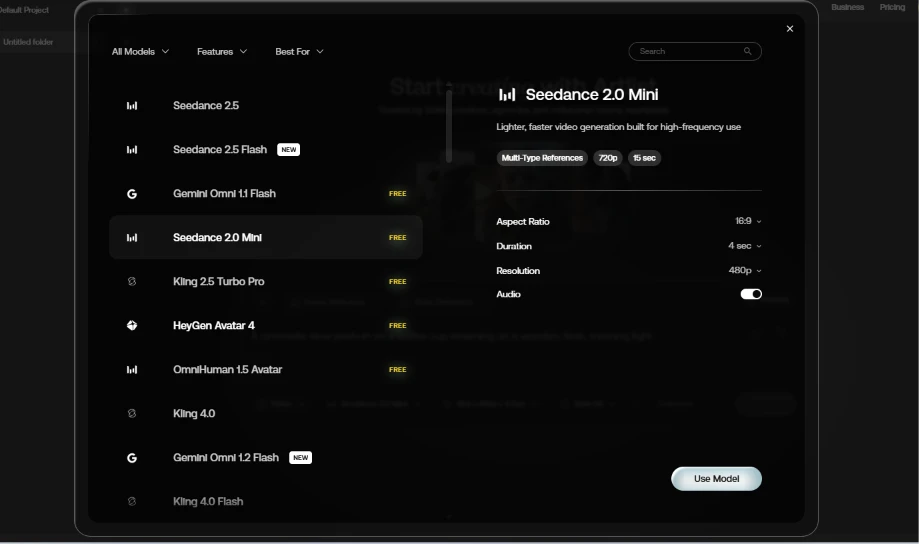
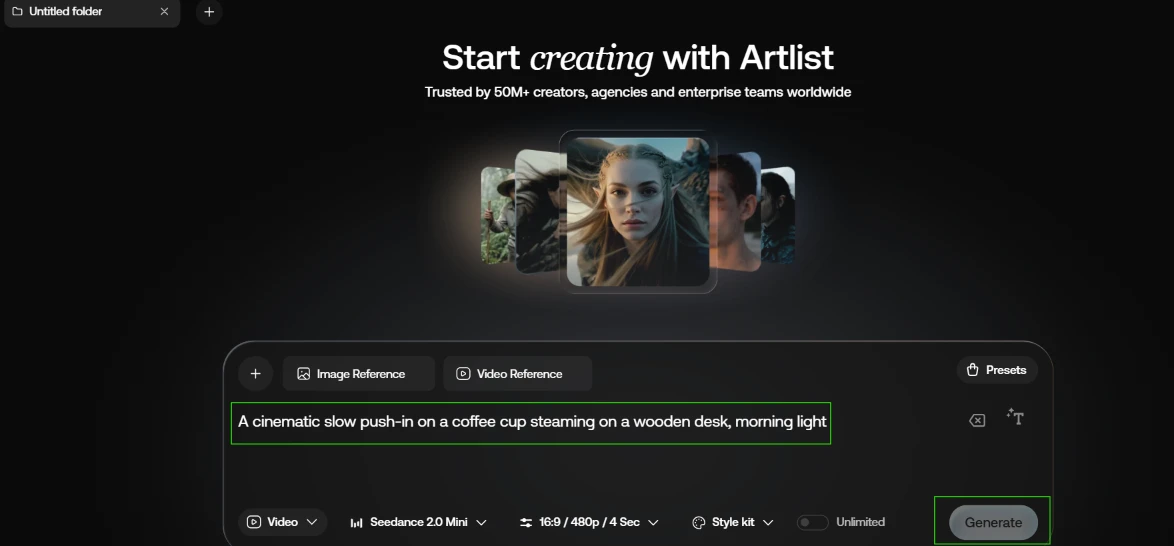
We started with video. The model picker lists several engines carrying a FREE tag, so we picked Seedance 2.0 Mini, described in the side panel as a lighter, faster option that reaches 720p and 15 seconds. We set it to 16:9 at 480p for a 4 second clip.
Prompt used: A cinematic slow push-in on a coffee cup steaming on a wooden desk, morning light
The prompt sat in the box and the free model was selected, yet the Generate button stayed greyed out. No error appeared and nothing on the screen explained the block.
Our first test produced zero output.
 |  |
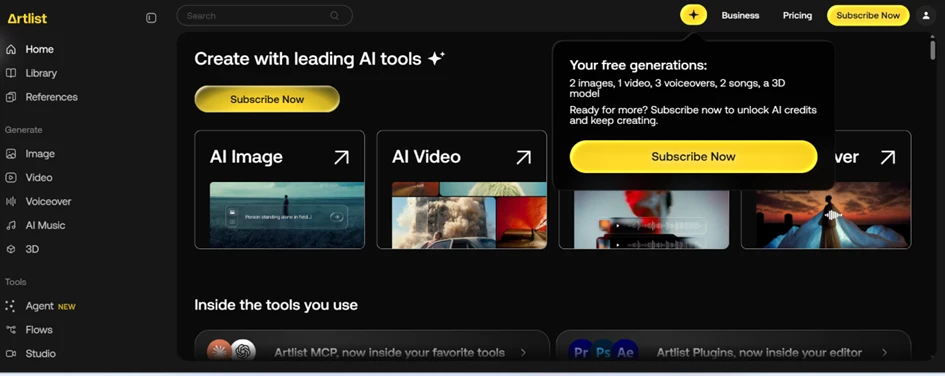
Back on the dashboard, a tooltip explained the dead button. It listed the entire free allowance for the account: 2 images, 1 video, 3 voiceovers, 2 songs and a single 3D model. The FREE tag on a model does not mean repeat use. That model draws from this one pool, and once the pool empties the button stops responding.
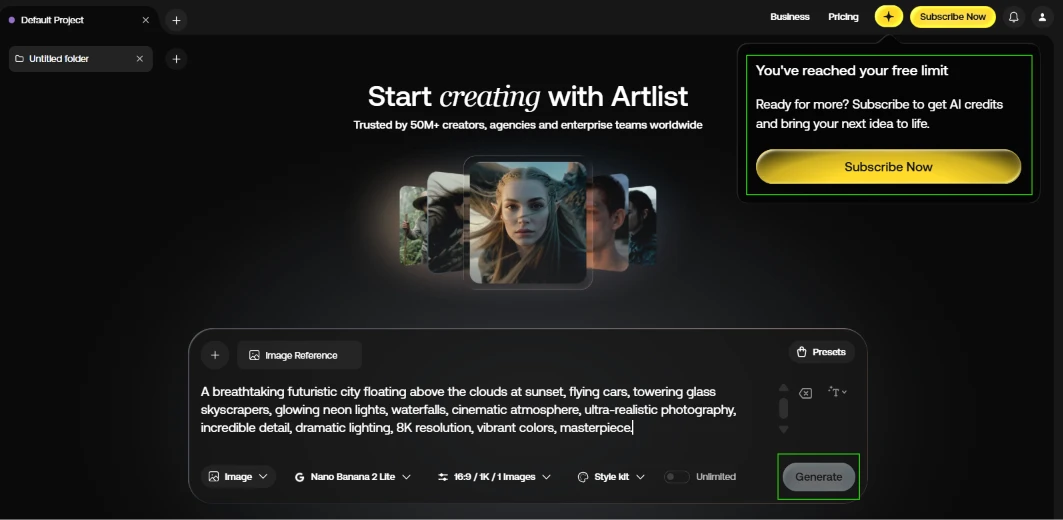
This is where the flow contradicts itself. We moved to the image generator and entered a longer prompt.
Prompt used: A breathtaking futuristic city floating above the clouds at sunset, flying cars, towering glass skyscrapers, glowing neon lights, waterfalls, cinematic atmosphere, ultra-realistic photography, incredible detail, dramatic lighting, 8K resolution, vibrant colors, masterpiece
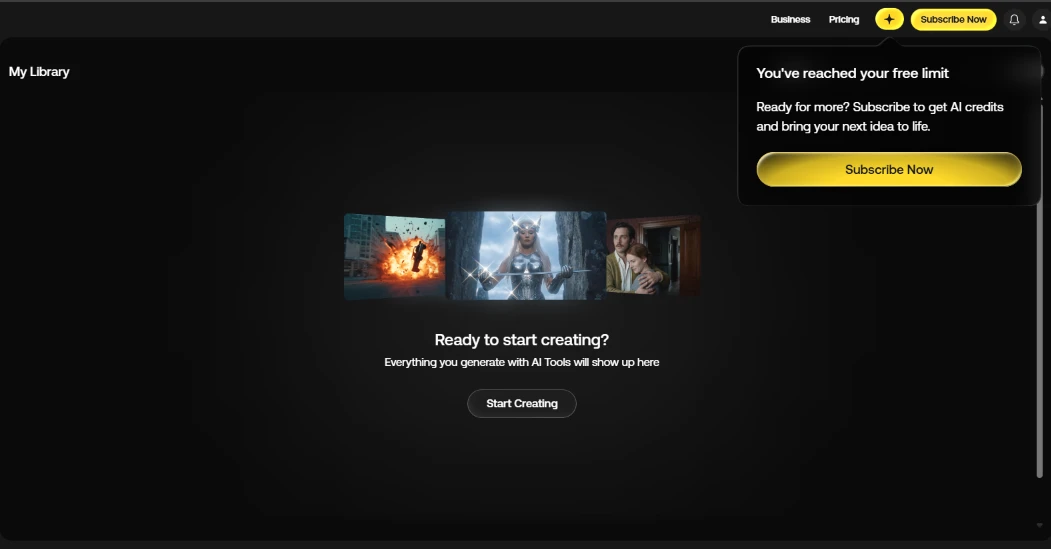
Instead of a render we got a popup reading You've reached your free limit. We opened the library to see what we had made. It was empty, under the line Everything you generate with AI Tools will show up here. Both states appeared together. Nothing saved, and nothing left to spend.
 |  |
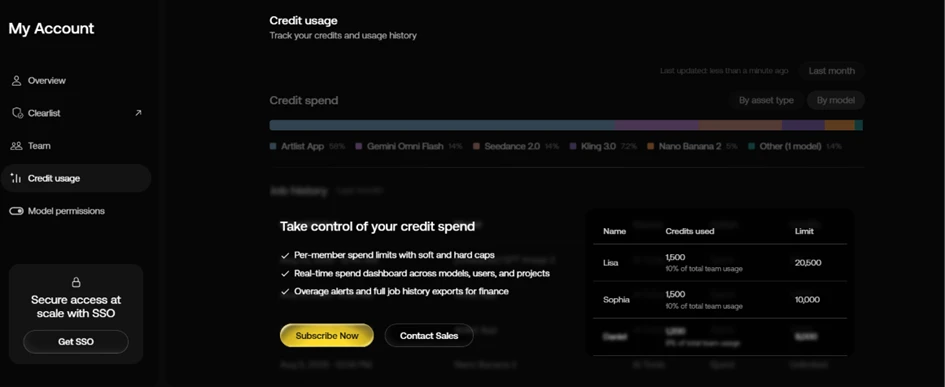
We opened the Credit Usage page to trace where the free generations went. It did not show our activity. The screen displayed sample team members with example credit totals next to a spend chart, plus a pair of buttons marked Subscribe Now and Contact Sales. A free account looking for its own limits gets a sales pitch instead.
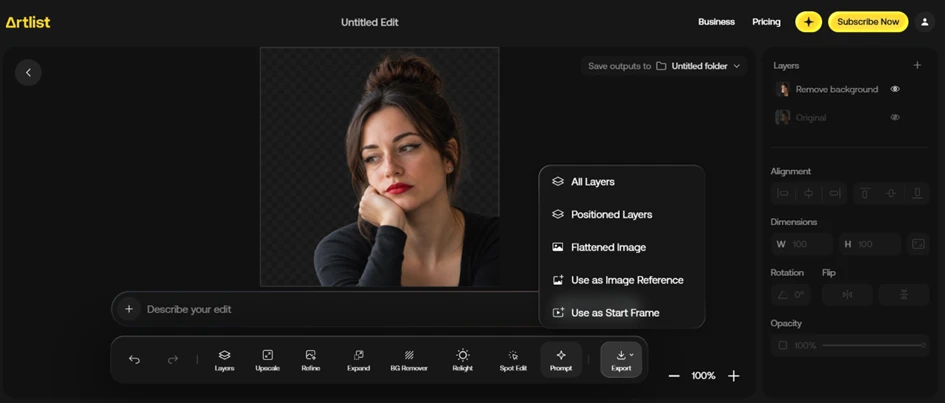
The image editor gave us the one clean result of the session. We loaded a portrait and ran the background remover.
It worked.
The subject came out on a transparent background with tidy edges around the hair and shoulders. Then we opened Export, and every option sat behind a Subscribe Now prompt in the corner. The edit was doable and viewable on screen, but saving it off the platform needed a paid plan.
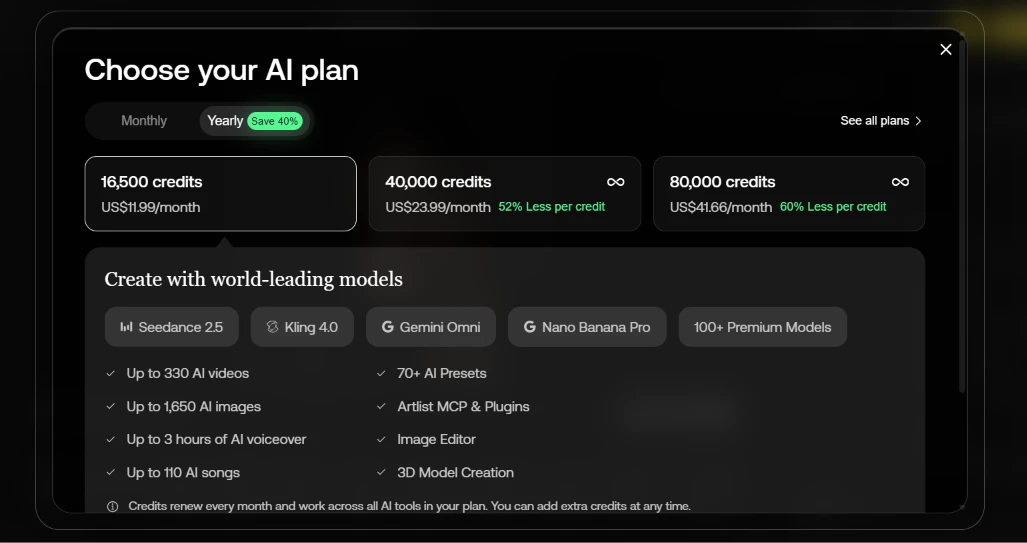
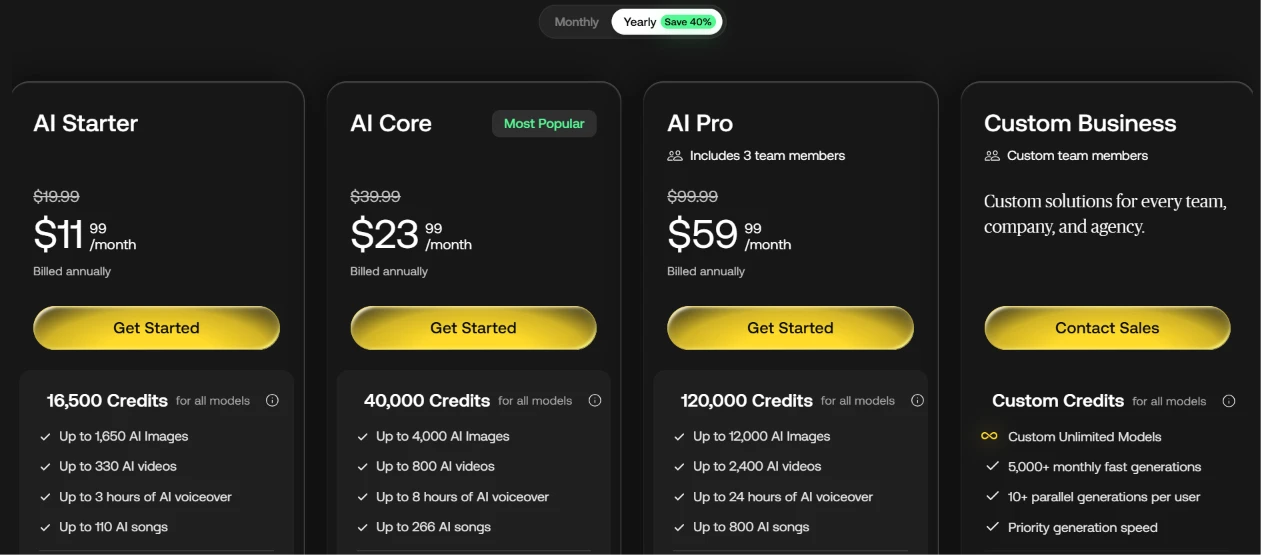
By this point the free account has shown its ceiling, so price becomes the real question. The plan modal and the pricing page both count in monthly credits shared across every AI tool. Billed annually, AI Starter runs $11.99 a month for 16,500 credits and AI Core runs $23.99 for 40,000. AI Pro sits at $59.99 for 120,000 credits with three team seats, above a Custom Business plan for larger teams.
One number did not line up. The in-app modal showed the third tier at 80,000 credits while the pricing page showed 120,000 for the same price, so the two screens disagree.
 |  |
| Dimension | Our test | User signal | Verdict | Composite |
|---|---|---|---|---|
| Content Quality Music, footage, and asset quality | 8 | 8.5 | Good | |
| AI Output Reliability Accuracy, speed, and consistency | 5 | 4.5 | Weak | |
| Customer Support Speed, clarity, and goodwill | 7.5 | 7.8 | Good | |
| Pricing Fairness Value, credits, and predictability | 4 | 3.5 | Weak | |
| Billing Transparency Renewals, trials, and notifications | 3.5 | 3 | Weak | |
| Ease of Use UI, navigation, integrations | 7 | 6.8 | Moderate | |
| Suitability For Professionals Reliability for client work | 5.5 | 5 | Weak |
Toolscopia uses cookies to keep you signed in, remember your preferences, and understand how our reviews get read. Analytics are anonymous. See our privacy policy for the full detail.






Comments 0
Join the discussion and share your perspective.
Sign in to post a comment and reply to other readers.
No comments yet
Be the first to share your perspective on this tool.