1
AI photo restoration
Can sometimes enhance old photos, but many users report artifacts, errors, and minimal actual improvement.
AI based photo and image editing service that sells credit packs and subscriptions. Attracts users for restoration and editing, but reviews highlight quality issues, billing disputes, and concerning data usage terms.
Independent review — we test tools ourselves and analyze public user reviews. How we test.
Bylo AI delivers occasional decent photo restorations and creative edits when inputs are already strong. However, reviewers report frequent technical failures, disappearing credits, and unreliable subscription cancellation with allegations of unauthorized rebilling. Communication from support appears inconsistent or absent, and physical goods arrive unbranded or not at all. Opaque data rights over uploaded images further damage trust. At present, it fits only highly cautious tinkerers willing to treat it as disposable experimentation rather than a reliable service.
Bylo AI is a browser-based image platform that bundles generation and photo editing into one interface. Rather than training its own model, it works as a front end for several well-known engines, including GPT Image 2, Google’s Nano Banana, Flux, Seedream and Z Image, and lets the user choose which one handles a given job.
The generation side covers text-to-image and image-to-image work, with controls for aspect ratio, output quantity, negative prompts and model choice. The editing side stacks single-purpose tools on top, such as an object remover, a background remover, an AI replace function and a set of face and character tools for hairstyles, avatars, headshots and stylized portraits in looks like Sims or Pixar.
Access runs on a credit system. Some tools open without an account, while a free signup unlocks a small daily credit balance, and paid plans raise the limits and lift restrictions.
Its positioning is straightforward. Bylo aims at creators and marketers who want one lightweight hub for fast image work instead of a heavy professional suite.
Can sometimes enhance old photos, but many users report artifacts, errors, and minimal actual improvement.
Offers creative edits like clothes changing, yet output quality and reliability receive frequent criticism.
Credits govern usage; reviewers complain about unexplained credit disappearance and charges on failed runs.
Recurring plans exist, with serious user reports of reactivated subscriptions and unauthorized follow up charges.
Physical product shipped in unbranded bottles that did not match website photos, undermining buyer trust.
Browser interface sometimes works, but several reviews describe the site as nonfunctional or error prone.
Terms grant broad rights over uploaded images, alarming privacy conscious users and parents of minors.
Support reachable only through messages, with many users reporting no replies or unsatisfactory resolutions.
Bylo AI opens with a confident claim. The homepage headline reads "All-In-One AI Image Generator & Photo Editor," and directly below it sits a purple button labelled "Generate Images for Free." I clicked that button to see how far the free path would carry me before anything got in the way.
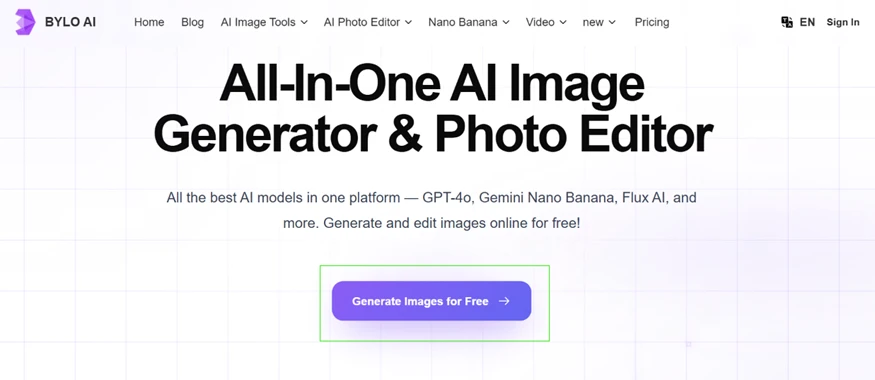
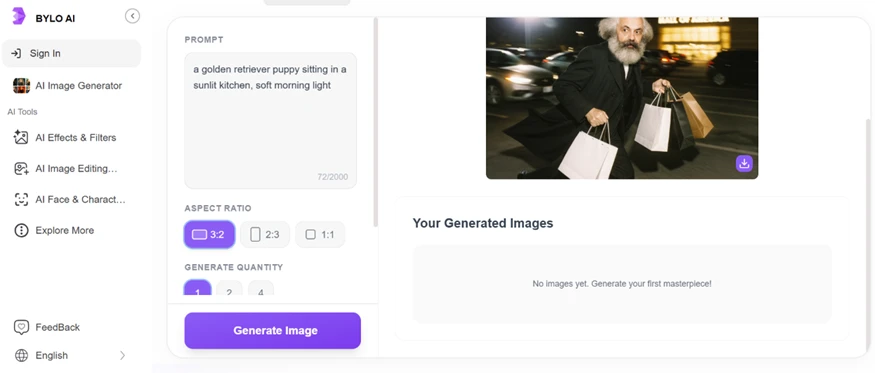
The button dropped me straight into the generator without a sign-up screen first, which felt promising. I typed a plain, neutral prompt so the test would stay fair and nobody could accuse me of cherry-picking something easy.
Prompt used: a golden retriever puppy sitting in a sunlit kitchen, soft morning light
I set the aspect ratio to 3:2 and kept the quantity at one image. The large picture sitting on the right at this stage is a sample preview supplied by Bylo, not my result. The panel beneath it still read "No images yet. Generate your first masterpiece."
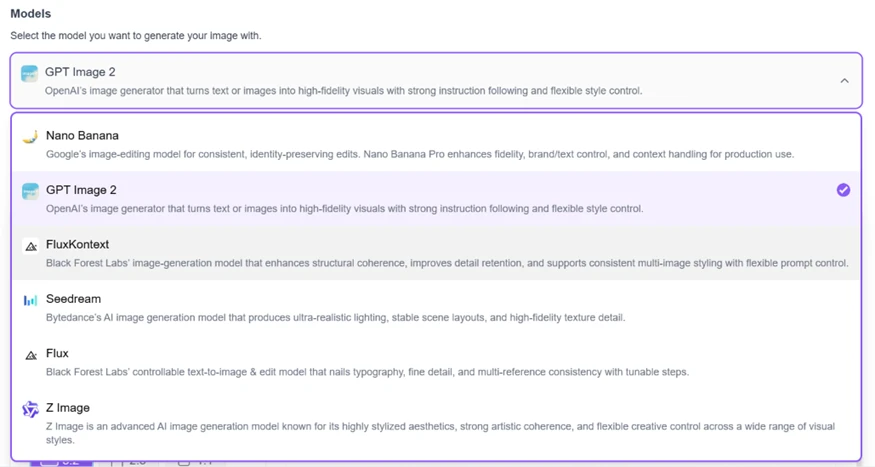
The model choice is genuinely one of Bylo’s selling points. The dropdown showed GPT Image 2 selected by default, with Nano Banana, FluxKontext, Seedream, Flux and Z Image sitting underneath it. On paper that is a serious lineup for a tool that calls itself free.
This is where the free promise started to crack. The second I pressed Generate, Bylo asked me to sign in. I created an account and logged in, expecting to finish what I had started.
After login, my dashboard showed 5 credits. The catch became obvious at the Generate button, which now carried a price tag of 5 credits for a single image. One generation. That is the whole free allowance.
Two toggles sat above the button as well. "No Watermark" and "Private" both wore a premium diamond icon, so they were locked behind payment. I left both switched off to keep my attempt as basic as the plan allowed.
Then I pressed Generate with the full 5 credits sitting in my account. No image came back. The interface kept nudging me toward the Upgrade button instead of returning a result.
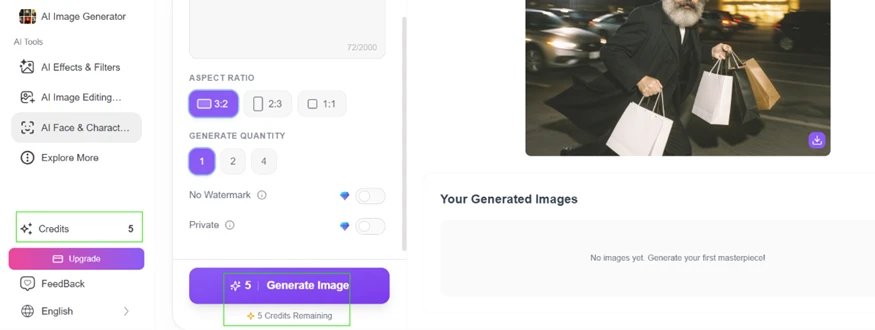
One failed attempt is not a fair verdict, so I switched to a second feature rather than judging the whole platform on the generator alone. I opened the AI hairstyle tool under AI Face & Character and uploaded a portrait to work with.
For the edit I set the target hairstyle to "long, wavy" and the hair colour to "red." The cost showed the same 5 credits, with "5 Credits Remaining" printed underneath the button.
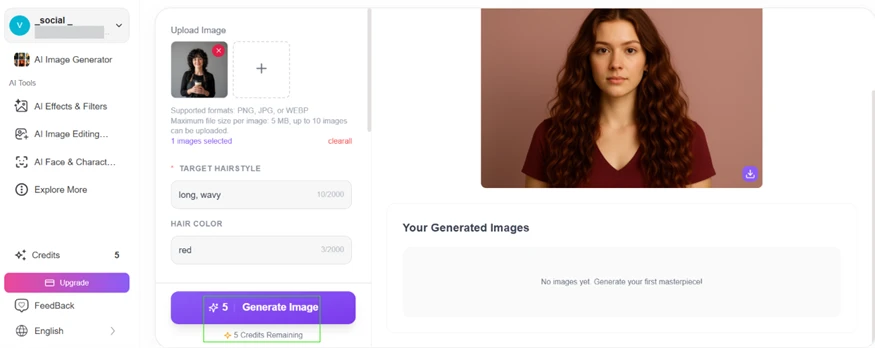
I ran it and watched the preview flip into a "Waiting" state. It held there for roughly a minute. I let it sit, half-hoping the longer processing meant a real render was finally on its way. It closed out the same way the generator had, with an upgrade prompt and no finished picture.
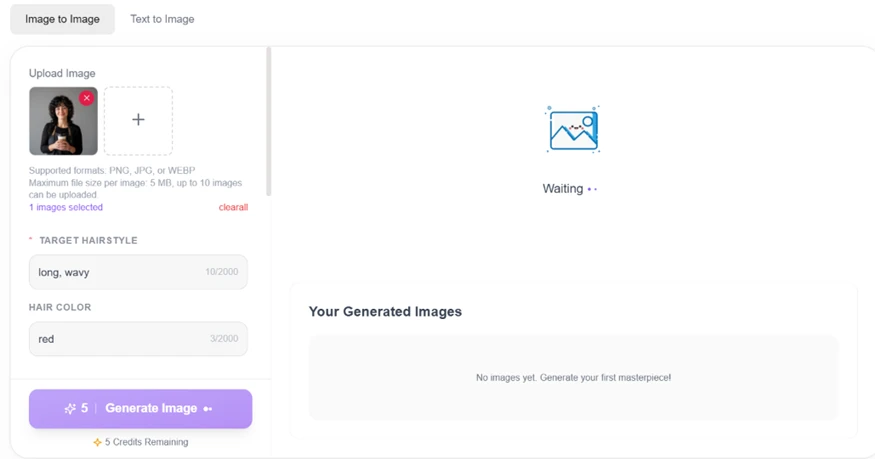
The marketing and the reality do not line up. Bylo advertises free image generation across its homepage, yet a fresh account is handed 5 credits while every generation I tried costs exactly 5 credits. That math leaves room for a single attempt, and across two separate tools that single attempt never handed me a usable image.
Free, in Bylo’s case, means free to browse and free to set up. It does not mean free to finish. Anyone who arrives through that "Generate Images for Free" button should expect to meet the upgrade wall before a single picture ever lands in their downloads.
| Dimension | Our test | User signal | Verdict | Composite |
|---|---|---|---|---|
| Image Quality Accuracy, artifacts, consistency | 6 | 6 | Moderate | |
| Reliability Uptime, errors, failed jobs | 4 | 4 | Weak | |
| Billing Transparency Charges, credits, cancellations | 2 | 4 | Weak | |
| Customer Support Response time, helpfulness, channels | 4 | 2 | Weak | |
| Data Privacy Consent, control, content rights | 4 | 4 | Weak | |
| Value for Money Results relative to cost | 4 | 4 | Weak |
Toolscopia uses cookies to keep you signed in, remember your preferences, and understand how our reviews get read. Analytics are anonymous. See our privacy policy for the full detail.






Comments 0
Join the discussion and share your perspective.
Sign in to post a comment and reply to other readers.
No comments yet
Be the first to share your perspective on this tool.