1
Dozens of image and video models
D1, SDXL, Flux, Nano Banana, Kling, Veo, and more under one menu.
Dezgo is an all-in-one AI image and video generator running dozens of models, from SDXL and Flux to Nano Banana, plus free image tools. The core image generation and background removal are free; premium models and video are paid.
Independent review — we test tools ourselves and analyze public user reviews. How we test.
Dezgo AI lands at a combined 7.8 out of 10, a genuinely capable generator whose free tier does real work. Free text-to-image, powered by Flux, produced a clean, photorealistic portrait, and the free background remover cut a subject out neatly with two output modes. It runs an enormous range of models and tools under one roof, and getting started needs only a passwordless email login. The limits are real: free requests sit in a queue with a paid "faster results" nudge, the background tool caps input at 768 pixels, the Shop print feature failed to load, and video plus the best models are locked behind a paid Power Mode. Strong free value, with clearly marked walls.
Dezgo is a browser-based AI image and video generator that bundles dozens of models and editing tools under one interface. Rather than a single generator, it is closer to a hub: a left-hand menu groups text-to-video, image-to-video, text-to-image, image-to-image, and a set of image tools, each listing the models available.
The image side spans older open models like SD1 and SDXL through to newer ones such as Flux and Nano Banana. The free tier covers the faster, older image models and the image tools, while the premium models and all video generation sit behind a paid "Power Mode." The image tools themselves include background removal, upscaling, inpainting, and text-based editing.
Access is light to start. You can generate on free models without paying, though requests are queued, and logging in uses an email magic link with no password to manage. Beyond the free models, usage runs on a prepaid balance that you top up, and premium or video runs fail if that balance is empty.
D1, SDXL, Flux, Nano Banana, Kling, Veo, and more under one menu.
Flux-powered generation at no cost on the free tier.
Background removal, upscaling, inpainting, and text-based editing.
A transparent cut-out or a black-and-white mask.
Multiple video engines, available in paid Power Mode.
A developer API for programmatic access.
Dezgo packs dozens of AI image and video models into one hub, with a free tier covering the faster image models and the editing tools. We put the free side through real jobs, a background removal, a text-to-image portrait, and an attempt at video, to see how much actually gets done without paying and where the walls go up.
We started with the free background remover. It accepts an image up to 768 by 768 pixels and offers two output modes, a transparent cut-out or a black-and-white mask.
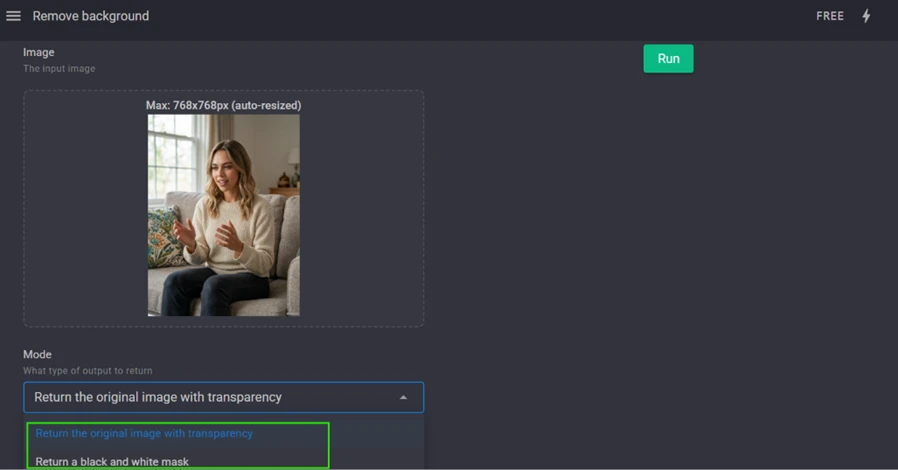
We uploaded a portrait and ran it. The tool removed the background cleanly, leaving the subject neatly cut out.
 |  |
Below the result sits a Shop option that offers to print the image onto products, a t-shirt, a mug, a bag. In practice it suggested the same products on every image, and opening the store link failed outright.
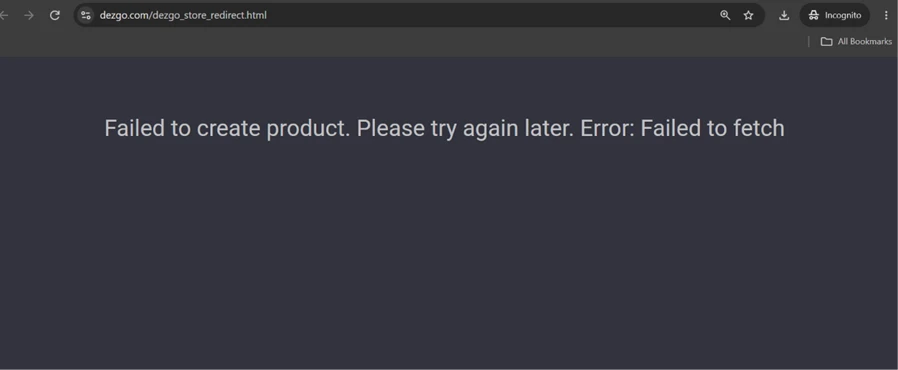
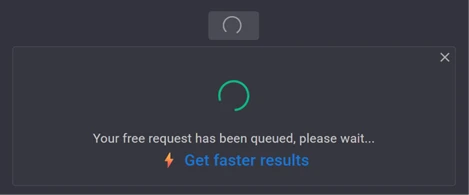
Next we ran the free Flux text-to-image generator, asking for a photorealistic portrait. The generator is free, but the free run is placed in a queue, with a paid prompt to skip the wait.
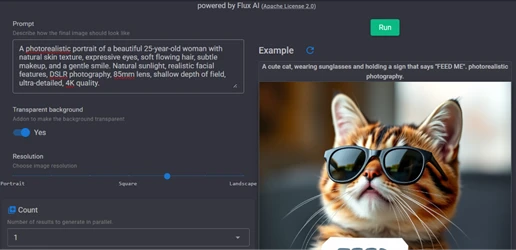 |  |
The result was worth the wait. The portrait came back photorealistic, with natural skin texture, convincing eyes, and soft, believable lighting, the kind of output that holds up at full size.

The video side is where the free tier ends. Text-to-video runs on hosted engines, but trying to generate stops you at a wall.
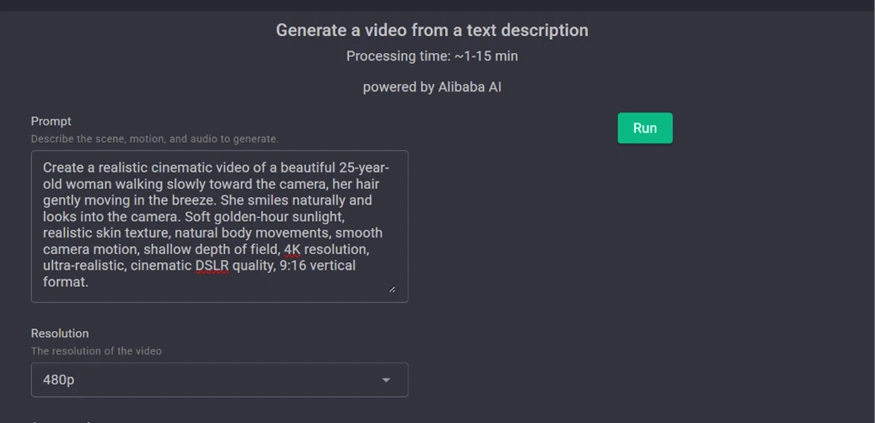
Running it asked for Power Mode, the paid tier, and Power Mode in turn required logging in first.
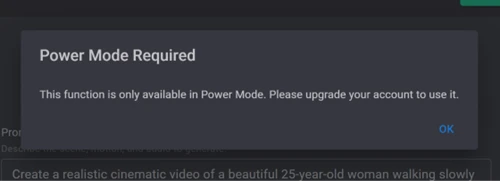 | 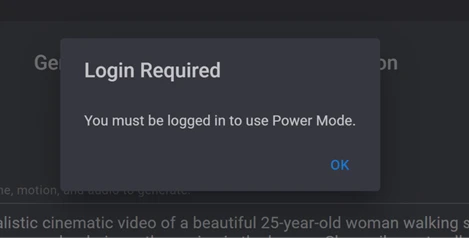 |
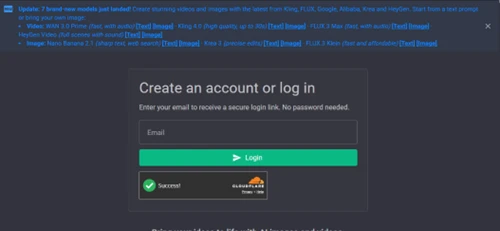
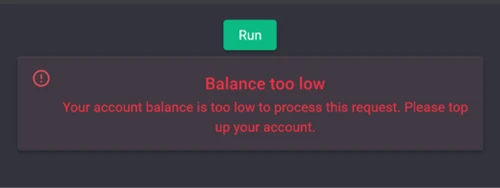
Login itself is simple: an email magic link with no password, though there is no Google or social sign-in option. After logging in and trying a premium run, the tool reported the account balance was too low, so the feature needs a prepaid top-up to use at all.
 |  |
| Dimension | Our test | User signal | Verdict | Composite |
|---|---|---|---|---|
| Image Quality How realistic and clean the output is | 9 | 9 | Excellent | |
| Model & Tool Range Breadth of models, tools, and modes | 9 | 8 | Excellent | |
| Background Removal How cleanly it cuts a subject out | 8 | 8 | Good | |
| Free-Tier Value What the free plan actually lets you do | 7 | 7 | Good | |
| Speed & Reliability Queue times and whether features work | 7 | 6 | Moderate | |
| Ease of Use How simple it is to go from prompt to result | 8 | 8 | Good |
Toolscopia uses cookies to keep you signed in, remember your preferences, and understand how our reviews get read. Analytics are anonymous. See our privacy policy for the full detail.






Comments 0
Join the discussion and share your perspective.
Sign in to post a comment and reply to other readers.
No comments yet
Be the first to share your perspective on this tool.