1
Image Motion
Native image animation praised for consistent, high quality motion when the service is available.
Subscription-based AI image and video generator aggregating native models and third-party engines. Attractive pricing and uncensored options, but plagued by unstable queues, opaque credits, and serious cancellation and billing complaints.
Independent review — we test tools ourselves and analyze public user reviews. How we test.
Digen AI offers low pricing, many models, and some genuinely strong visual output for users who get it working. A handful of reviewers praise its value, uncensored models, and project tools like Image Motion, Real Motion, and Digen Space. However, the overwhelming majority describe broken cancellation flows, ignored support tickets, unexpected renewals, and inconsistent credit deductions, which together create a serious trust problem. Video generation quality and reliability also degrade under queues, with frequent errors and unusable clips. This platform is only suitable for highly price-sensitive, technically confident creators who are willing to manage billing risk and monitor charges closely.
Digen is a video generation storefront with an engine of its own attached. The house model, Real Motion, handles the thing the platform is known for: feed it one still photograph and get back a clip where the subject moves and speaks. Around that sits a resale layer offering models Digen did not build, including MiniMax H3, FLUX 3 Video, Gemini Omni Flash and a spread of image models, all billed through a single internal wallet. You are buying a counter with several kitchens behind it rather than a subscription to any one of them.
That structure explains most of what the product gets right and wrong. Access is priced in Digen's own currencies instead of dollars per video, so the cost of any generation is set by whatever exchange rate the company chooses to run that month. The interface is built for people posting to social feeds rather than people working in editing suites, with a public community stream and no timeline anywhere in the workflow. Anyone who needs to trim a frame or splice two clips will finish in Digen and then open something else.
Native image animation praised for consistent, high quality motion when the service is available.
Core video generators, described as inconsistent quality and often blocked by full queues.
Access to Sora and Veo often limited by queues, reduced quotas, or outright failures.
Reworked credit currency, widely criticized as confusing and sometimes misaligned with documentation.
Aggressively priced Ultra and Ultra Max tiers, but many users find them practically unusable.
Project history and workflow tool positively noted for organizing generations.
Looser moderation compared with rivals, appreciated by some creators pushing edgy themes.
Hard per model limits and constant high queue errors heavily criticized as blocking work.
Inability to self cancel or remove cards is the single most complained about area.
I made a free account, and the first thing Digen did was hand me money. A popup confirmed 120 Meme credits deposited for the daily login, with a 24 hour countdown running before the next one.
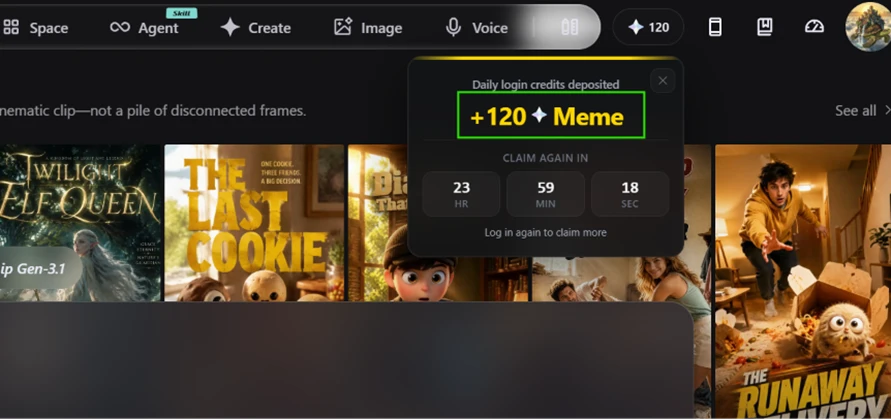
Two separate balances sit in the top bar. Meme and Pro Meme are not interchangeable, and nothing in the interface explains which models draw from which pool until you hit a wall.
I wrote one prompt and reused it across every video test so the comparisons would hold up:
A woman in a red raincoat walks toward the camera down a wet city street at night, neon signs reflecting in puddles, she stops and turns her head to look left.
Walking, a head turn, wet fabric and reflected light are four of the things AI video usually fumbles. The toolbar loaded with Real Motion 3.5 Turbo preselected, Standard quality, 5 seconds, 4:3 and 360P.
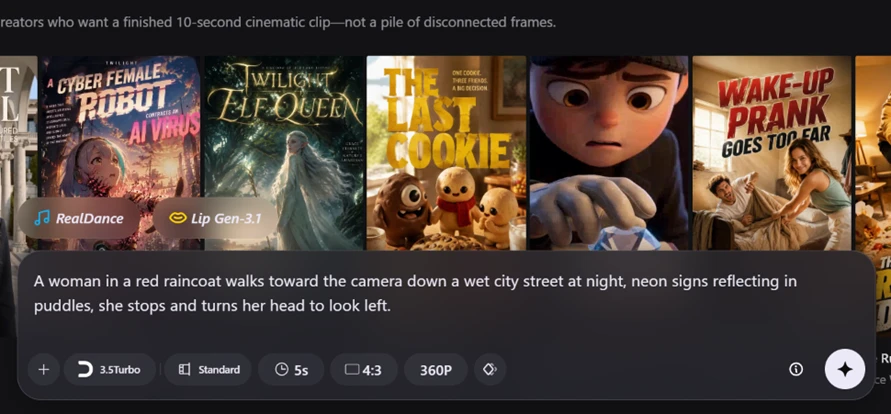
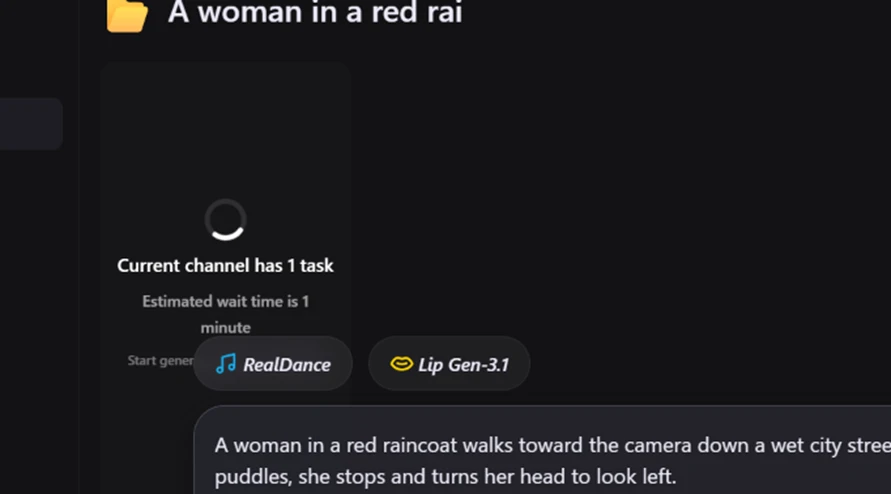
The queue reported one task ahead of mine and estimated a minute.
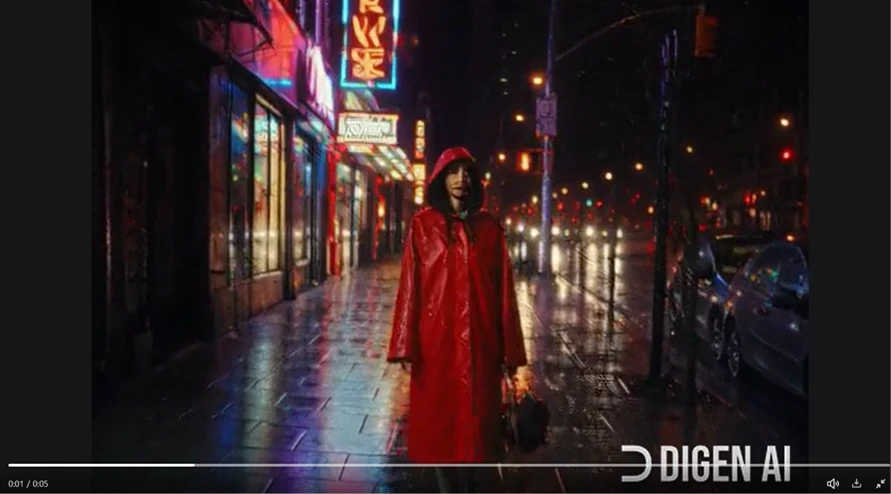
The clip came back at 5 seconds. Her stride carries reasonable weight, and the neon reflections on the wet pavement hold together better than I expected at this price. The face is mush. At 360P the detail collapses around the eyes and mouth, and the DIGEN AI watermark sits across the bottom of the frame for the full duration, large enough to be the second thing you notice.
For the talking head test I uploaded a stock portrait and wrote a 24 word script loaded with plosive sounds, since those are where lip sync fails most visibly.
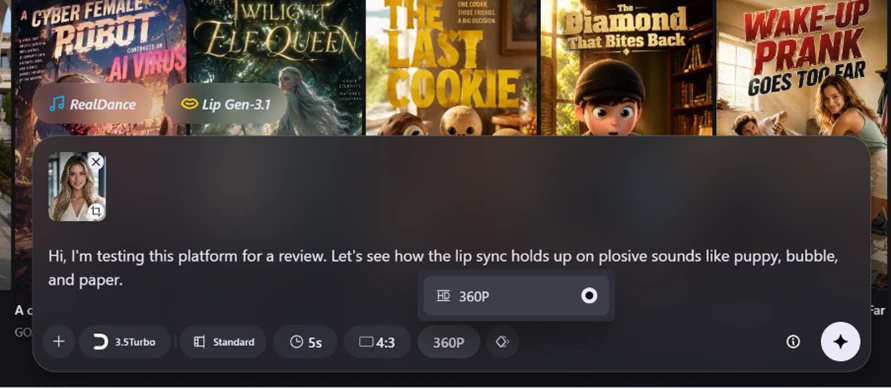
The resolution dropdown opened to one option. 360P, nothing else.
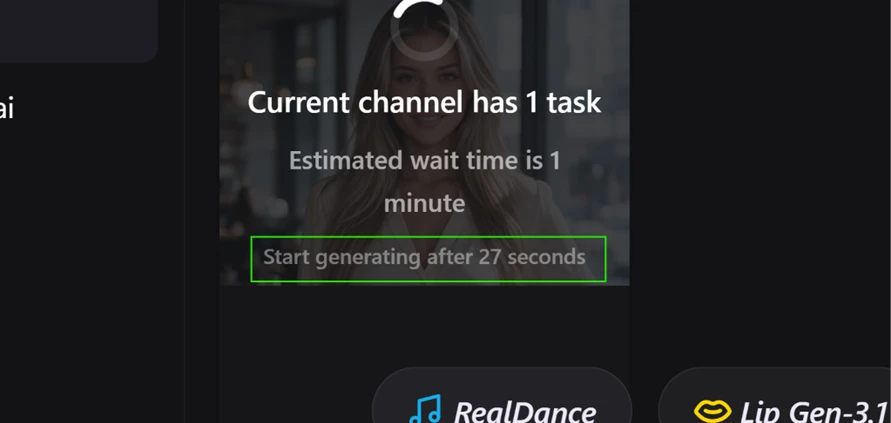
The output ran 5 seconds again, and that is where the real problem showed up. The clip only delivers the final three words of the script. Digen did not extend the duration to fit the audio and gave no warning that the script was too long for the clip length. It cut the line and generated whatever fit.

The mouth movement on those surviving words is accurate. That is the frustrating part. The lip sync engine works, and the product wrapped around it silently discarded most of what I typed.
I ran a detailed portrait prompt through Image Motion to see whether the quality problem was platform-wide.
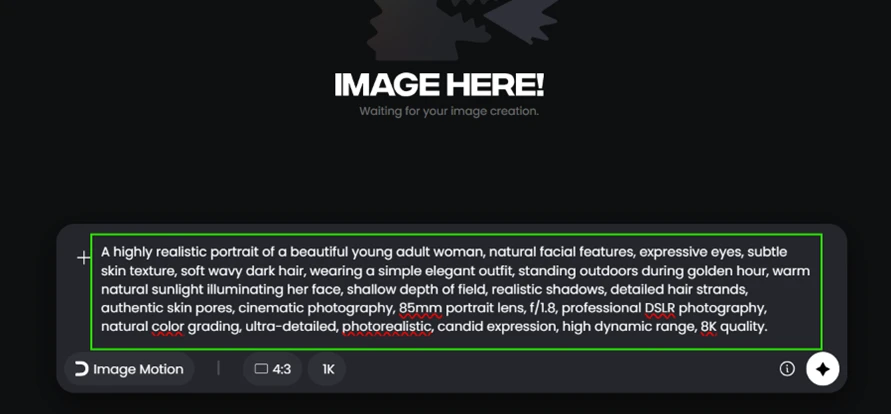
The result came back at a level the video engine never approached. Skin texture, individual hair strands, golden hour light falling across one side of the face, real depth of field behind her.

Same watermark, same account, same session. The distance between what Digen’s image model produces and what its default video model produces is wide enough that the two read as separate products sharing a login.
I assumed 360P was a free tier cap. It is not.
Opening the model picker showed Real Motion 2.6 tagged Free, and selecting it flipped the toolbar to 1080P.
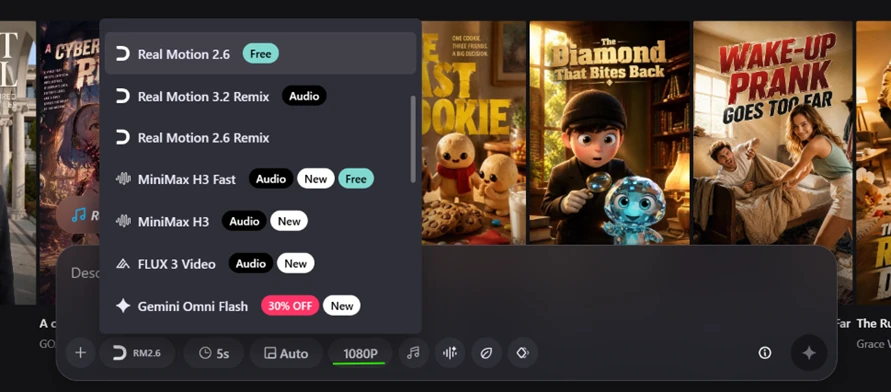
MiniMax H3 Fast also carries a Free tag. MiniMax H3, FLUX 3 Video, Gemini Omni Flash and the Real Motion Remix variants do not. The model Digen preselected for me was the one that produced the worst resolution available on my own account, which is a strange default to ship.
Clicking a locked model brings up the upgrade panel.
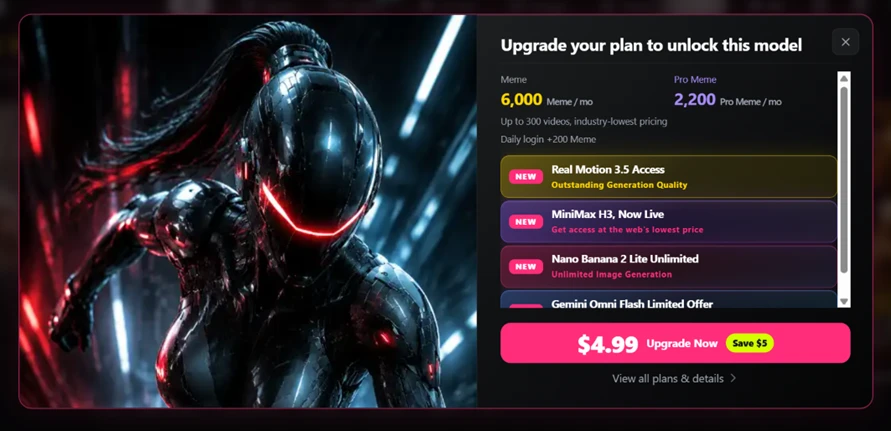
The price shown is $4.99 carrying a Save $5 badge, which reads as a promotional rate rather than list price, so treat that number carefully. The panel quotes 6,000 Meme and 2,200 Pro Meme per month, up to 300 videos, and a daily login bonus raised from 120 to 200. Real Motion 3.5 Access sits behind the paywall, alongside MiniMax H3, unlimited Nano Banana 2 Lite image generation and a discounted Gemini Omni Flash tier.
The usage history gives the clearest read on the economics.

Each Real Motion 3.5 Turbo generation cost 30 credits. The Image Motion run cost nothing at all. Against a 120 credit daily deposit, a free account gets four video generations per day at 360P, each one watermarked and capped at 5 seconds.
| Dimension | Our test | User signal | Verdict | Composite |
|---|---|---|---|---|
| Output Quality Visual fidelity and prompt match | 5 | 4 | Weak | |
| Reliability Uptime, queues, and task success | 2 | 1 | Weak | |
| Ease of Use Interface, navigation, and clarity | 3 | 2 | Weak | |
| Billing and Trust Cancellation, refunds, overcharging | 1 | 1 | Weak | |
| Customer Support Response speed and resolution | 2 | 1 | Weak | |
| Value for Money Price versus usable output | 3 | 2 | Weak |
Toolscopia uses cookies to keep you signed in, remember your preferences, and understand how our reviews get read. Analytics are anonymous. See our privacy policy for the full detail.






Comments 0
Join the discussion and share your perspective.
Sign in to post a comment and reply to other readers.
No comments yet
Be the first to share your perspective on this tool.