1
AI text humanizer
Core tool humanizes AI content, often praised for homework help but criticized for nonsense and meaning changes.
Grubby AI is a low-cost AI text humanizer aimed mainly at students who want homework and essays to bypass AI detectors, but reviews show sharply mixed quality, billing practices, and support reliability.
Independent review — we test tools ourselves and analyze public user reviews. How we test.
Grubby AI delivers clear wins for some students who report easier homework, time savings, and frequent success bypassing major AI detectors at a low monthly price. However, many others describe incoherent outputs that change meaning, unreliable detector evasion, and very limited language support. Recurring billing, refund refusals, and difficulty cancelling or removing cards are major friction points, alongside spotty and sometimes confrontational support. Best suited to budget conscious students willing to experiment on non critical work and manually clean up results, not for high stakes assignments or users needing predictable customer service.
Grubby AI is a web tool that rewrites AI-generated text so it reads as human to automated detectors. What separates it from an ordinary paraphraser is the mode selector. Before rewriting anything, you pick which detector you want to beat, and the output is tuned for that specific target. GPTZero and ZeroGPT sit in the free dropdown, while Turnitin is locked behind a paid tier and carries an explicit bypass guarantee. The tool is built for students submitting coursework, not for marketers polishing copy, and the interface makes no attempt to hide that.
The humanizer is the headline feature, but a signed-in account also unlocks AutoTyper, which types text into a Google Doc slowly enough to leave a believable edit history, along with a summarizer, Smart Notes, and a quiz generator. That spread points at one kind of user: someone turning in work against a deadline. Pricing runs across four tiers beginning at free. The free plan allows 300 words per month, not 300 per submission, which covers roughly one paragraph before the counter resets and pushes you toward a subscription far sooner than the marketing implies.
Core tool humanizes AI content, often praised for homework help but criticized for nonsense and meaning changes.
Reported to bypass GPTZero and Turnitin by many, yet others say it fails detectors or still scores highly as AI.
Price around $4.99 monthly seen as a bargain by many students compared with competing humanizers.
Free 400 to 500 word quota liked by some, others call limits tiny and restrictive for real assignments.
Different modes referenced, but several users say both versions distort meaning and remain detectable.
Multiple complaints about auto renewals, changed pricing, early expirations, and inability to remove cards.
Some reviewers praise helpful responses, many report unanswered emails, failed help forms, and dismissive replies.
Frequently used for essays and homework, with several users crediting it for passing English and other classes.
Advertised multilingual support disputed by users who see non English text translated instead of humanized.
I generated a 218-word paragraph on teenage mental health using ChatGPT and kept it as my control sample. Not a word of it was edited by hand. I ran that paragraph through Grubby’s humanizer twice, once while logged out and once from a free account, then pushed the output straight into a detector without cleaning it up first. After that I tested the summarizer on a PDF and the AutoTyper on a short sentence. Every screenshot below comes from a single session on 27 August 2026, on the free plan.
The logged-out editor counts your input against a 5,000 word allowance, which sets an expectation the free account does not honour. My paragraph processed without trouble. Three sentences of the rewrite appeared, then the remainder blurred out behind a Subscribe to Unlock panel.
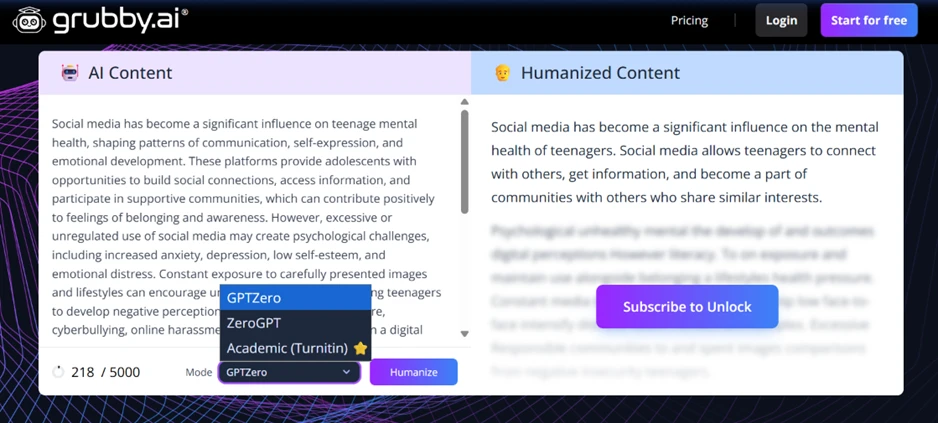
The mode selector was the more revealing part of that screen. Grubby asks you to pick a target detector before it rewrites anything, with Turnitin flagged as the premium choice. The tool is openly built around beating specific detection systems rather than improving writing.
Signed in, the editor opens with a banner promising that Grubby is the only humanizer guaranteed to bypass Turnitin’s AI detector. I set the mode to GPTZero, which put an Optimized for GPTZero badge in the corner. My 218-word input came back as 257 words.
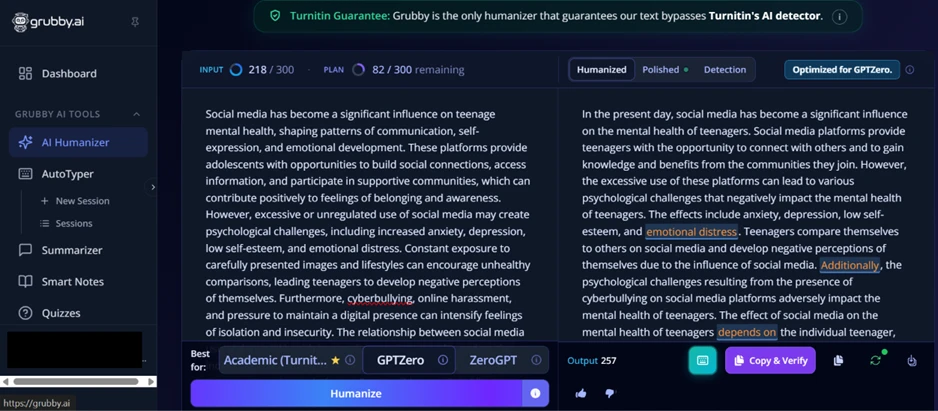
The rewrite reads worse than the input it replaced. The words teenagers and social media repeat in almost every sentence, and the 39 words Grubby added carry no new meaning. I then used the tool’s own Copy & Verify button, which hands the text over to a detector for checking.
GPTZero returned 100% AI and 0% human, with a note saying it was highly confident the text was machine generated. Every sentence in the passage came back highlighted.
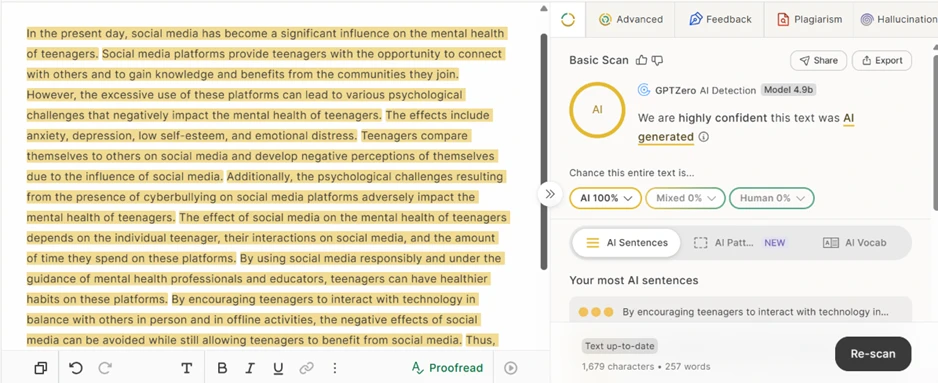
That result came from the mode Grubby built for that exact detector.
Published reviews of Grubby describe the free plan as capped at 300 words per submission. The dashboard tells a different story. The 300 words are a monthly allowance with a fixed reset date, and my one 218-word paragraph consumed 73% of it in a single click.
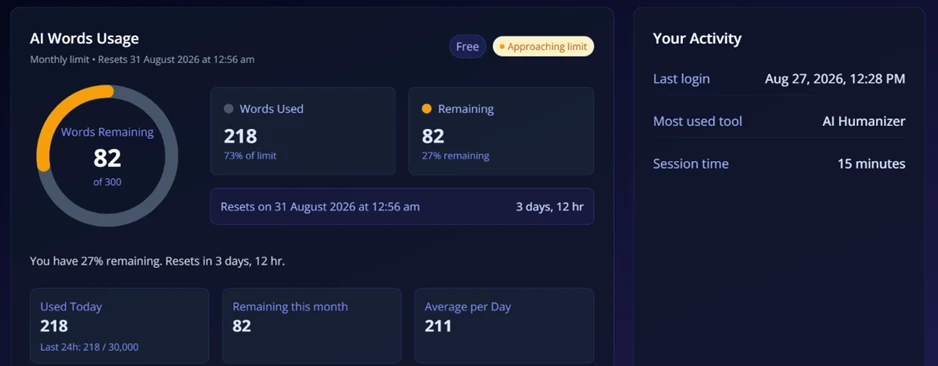
When I pasted a second sample to test consistency, the tool stopped before processing it.
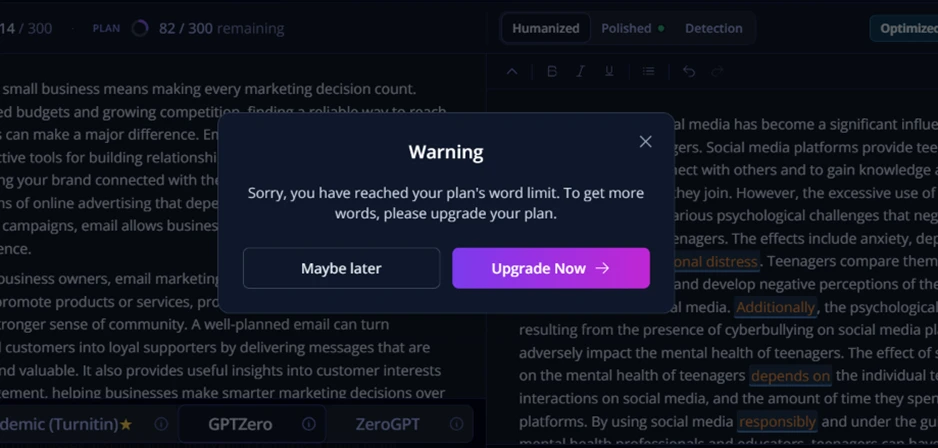
82 words will not cover a paragraph. A free user gets one short passage per month, which makes any serious evaluation of the tool impossible without paying.
I uploaded a PDF to the summarizer to see how the wider toolset held up. Text extraction worked cleanly and 2,943 words landed in the input pane.
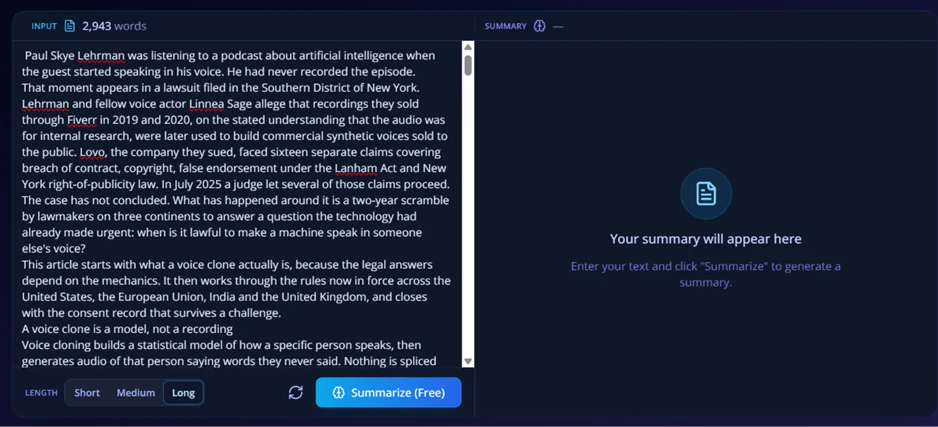
Clicking Summarize started a processing state with placeholder bars filling the output pane.
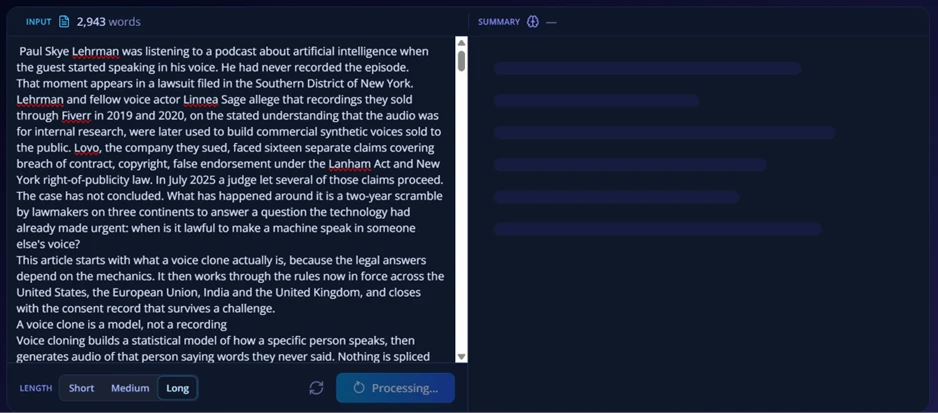
The pane then dropped back to its empty state with nothing generated. I repeated the attempt several times and got the same outcome each time.
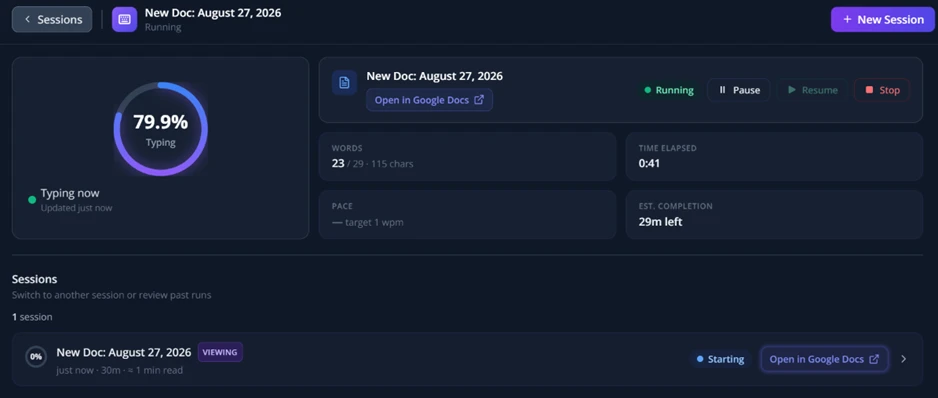
AutoTyper connects to Google Drive and types your text into a document at a slow, controlled pace. I linked my account, pasted a single sentence about solar panel efficiency, and selected the 30 minute duration.
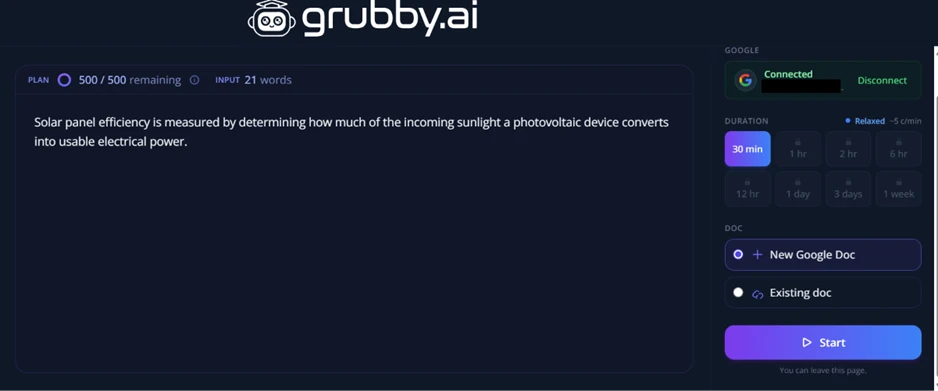
The session dashboard tracked progress live, showing 79.9% complete with 23 of 29 words placed and an estimated 29 minutes left.
The sentence arrived in the Google Doc exactly as I entered it.
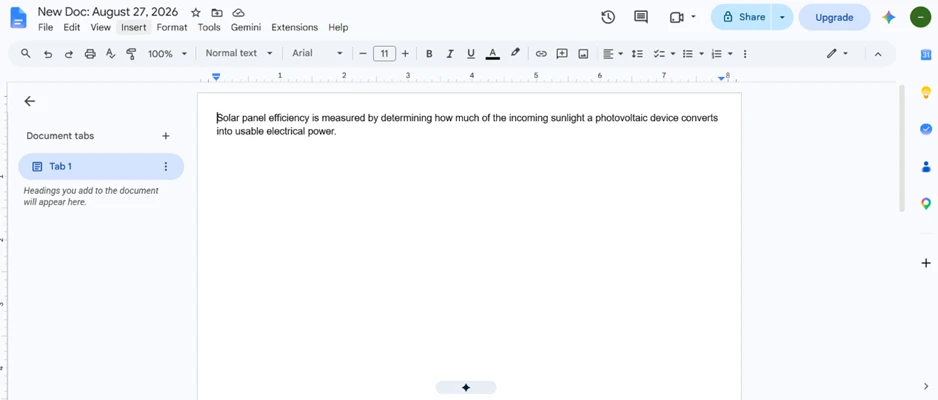
AutoTyper does precisely what it advertises. Its purpose is to build a believable edit history inside Google Docs so a submitted file does not look pasted in one block. Out of everything I tested, it was the only feature that finished the job it was given, and that job is defeating document forensics rather than producing better writing.
| Dimension | Our test | User signal | Verdict | Composite |
|---|---|---|---|---|
| Detector Evasion Bypassing academic AI detectors | 6.5 | 6 | Moderate | |
| Writing Quality Coherence and meaning retention | 5 | 4.5 | Weak | |
| Ease of Use Interface clarity and workflow | 6 | 5.5 | Weak | |
| Value for Money Results relative to pricing | 7 | 6.5 | Moderate | |
| Billing and Policies Fairness of charges and refunds | 3.5 | 3 | Weak | |
| Customer Support Responsiveness and tone | 4 | 3.5 | Weak | |
| Reliability and Access Uptime and regional accessibility | 5 | 4.5 | Weak |
Toolscopia uses cookies to keep you signed in, remember your preferences, and understand how our reviews get read. Analytics are anonymous. See our privacy policy for the full detail.






Comments 0
Join the discussion and share your perspective.
Sign in to post a comment and reply to other readers.
No comments yet
Be the first to share your perspective on this tool.