1
AI text humanizer
Highly praised for making AI content sound conversational and natural while often keeping original structure.
AI writing assistant focused on humanizing AI generated text and detecting AI usage. Best suited for students, everyday writers, and professionals wanting natural sounding drafts that pass common AI checkers without heavy setup.
Independent review — we test tools ourselves and analyze public user reviews. How we test.
Phrasly AI excels at turning obviously AI generated text into something that reads more natural, which students and casual writers particularly appreciate. Reviewers praise its ease of use, clear interface, and strong humanizer that often bypasses common AI detectors. However, several users report aggressive subscription billing practices and very limited free credits, and a few highlight inaccurate AI detection and problematic rewrites on nuanced creative work. It fits best for students and everyday writers who need quick polishing and humanization, and who are comfortable watching subscription terms closely.
Phrasly.AI launched in 2023 and now claims more than three million users. It runs two tools that pull in opposite directions. One scans text and scores how much of it reads as machine-written. The other rewrites machine-written text so it stops reading that way. The company's public messaging describes that second tool as a refinement layer that polishes AI drafts into natural prose, and says outright that it is not designed to trick detection software. The tile inside its own dashboard describes the same feature as a way to bypass GPTZero and Turnitin. Those two descriptions sit one click apart.
Underneath, Phrasly says its models were trained on more than 500,000 human-written articles. The product handles seven languages and exports to Word or Google Docs, and paid access starts near $13 a month on an annual plan. The detector at the other end of your submission decides the outcome. Phrasly's own verdict on your text carries no weight there, which is the gap my testing was built to measure.
Highly praised for making AI content sound conversational and natural while often keeping original structure.
Frequently mentioned, many find it helpful, though some report serious accuracy problems.
Interface described as clean, intuitive, and easy to learn, especially for students.
Paraphrasing considered better than many alternatives, improving tone, grammar, and flow.
Helps with assignments, essays, research papers, and technical writing while maintaining references.
Humanization and detection run quickly, supporting day to day writing workflows.
Free access appreciated but criticized for strict limits and push toward paid plans.
Some users praise helpful support, others report rigidity around refunds and cancellations.
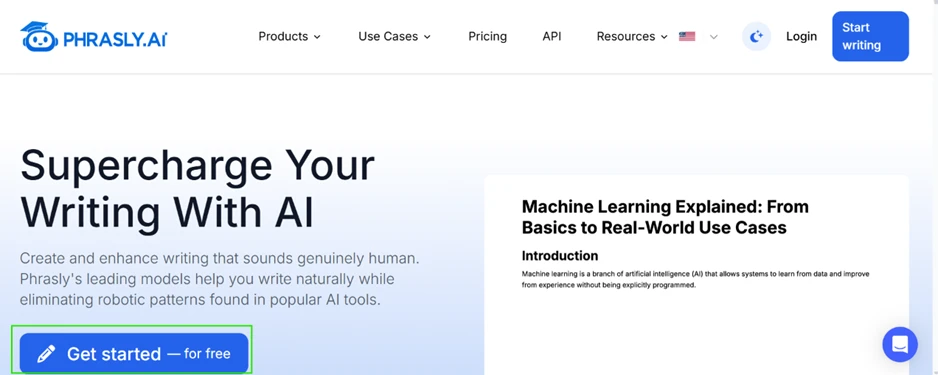
The homepage leads with a "Get started for free" button.
The free account gives 300 words. One humanization of my 100-word paragraph ate 108 of them, so 36 percent of the allowance went on a single click.
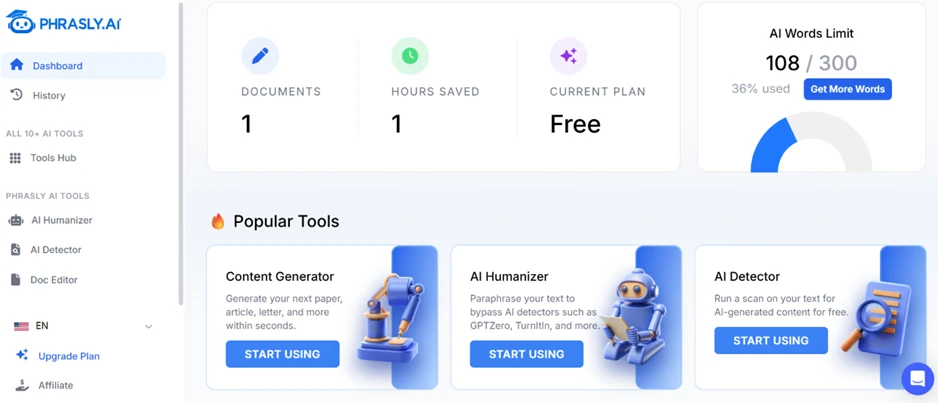
That number matters. Phrasly charged me for the length of its output, not the length of my input. My 100 words came back as 108 words, and the meter moved by 108. A rewrite that expands your text costs more allowance than the text you submitted.
The interface also disagrees with itself. The humanizer sidebar showed "Available words: 300" while the footer on the same screen read "100 / 800 Words." Neither label says whether the 300 resets each month or never resets at all. I could not find that answer anywhere inside the product.
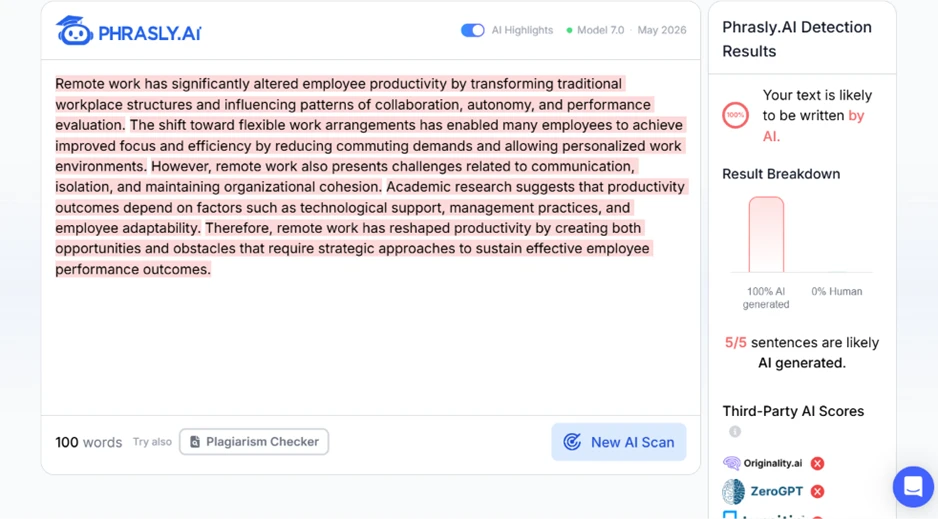
I pasted the untouched ChatGPT paragraph into Phrasly’s detector. It came back 100% AI with all five sentences flagged.
I pushed it further with a 309-word AI-written piece about exercise. Phrasly caught all 16 sentences.
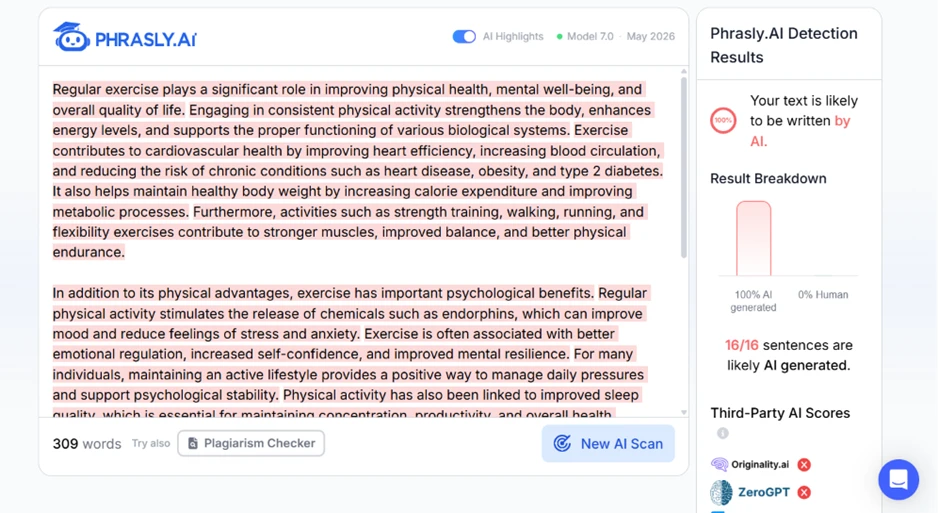
The detector accepts far more text than the humanizer will touch, and scanning costs nothing from the word allowance. Anyone who only wants to check their own writing before handing it in gets real value from this half of the product.
Here is the rewrite alongside my original.
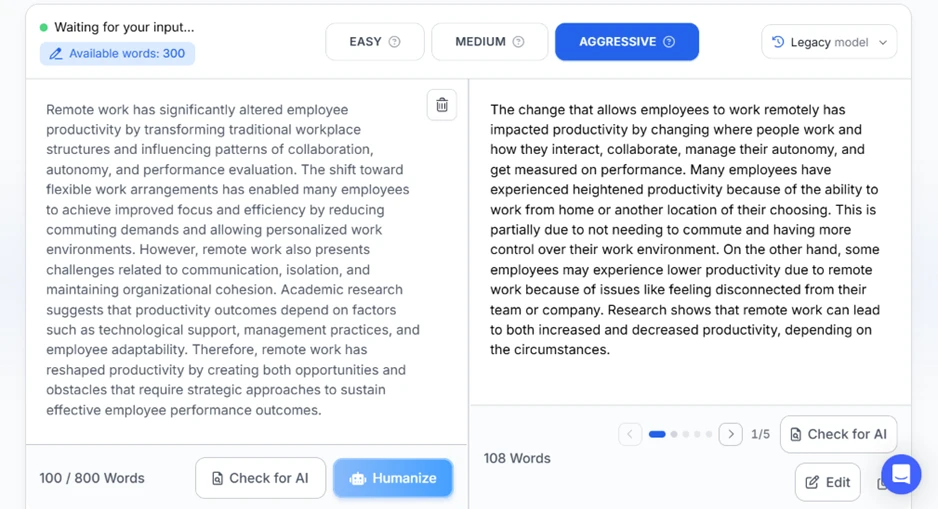
My original sentence read: "Academic research suggests that productivity outcomes depend on factors such as technological support, management practices, and employee adaptability." Phrasly returned: "Research shows that remote work can lead to both increased and decreased productivity, depending on the circumstances."
Named factors became a hedge. The sentence survived. The content did not.
The opening line took a similar hit. "Remote work has significantly altered employee productivity" turned into "The change that allows employees to work remotely has impacted productivity by changing where people work." Nine words spent avoiding the phrase "remote work," with "change" and "changing" landing in the same sentence. The output grew by eight words while carrying less information than the text I fed in.
After humanizing, Phrasly’s own detector scored the result as human with 0 of 5 sentences flagged. The results panel then showed green ticks beside Originality.ai, ZeroGPT, Turnitin, Copyleaks, and GPTZero.
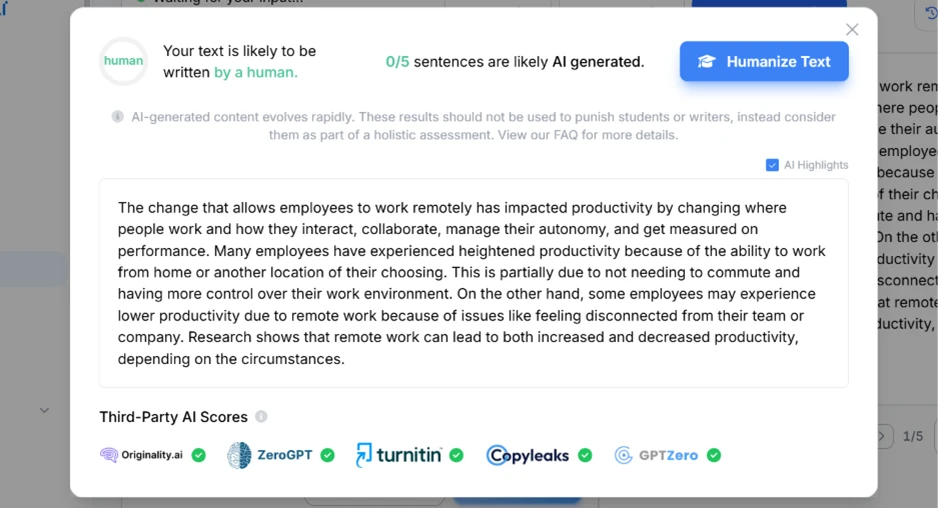
I copied that same humanized text straight into Originality.ai.
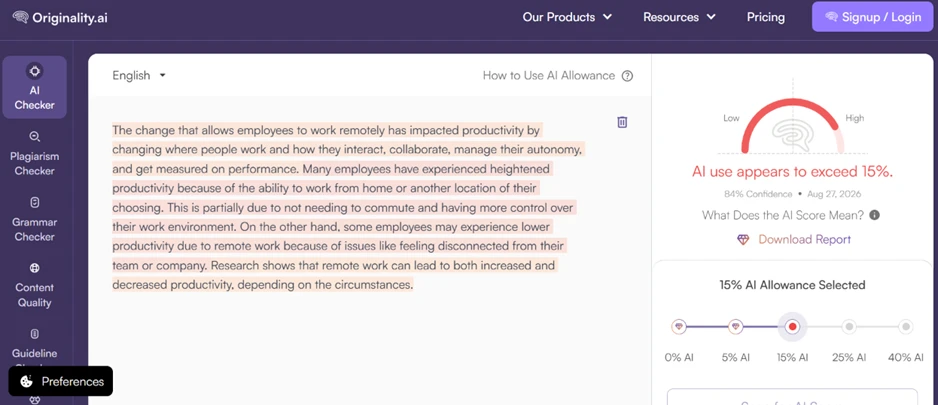
"AI use appears to exceed 15%," at 84% confidence, with the full passage highlighted. Phrasly had displayed a green tick for this exact detector minutes earlier.
The same passage scored 99% human at GPTZero, which reported high confidence that a person wrote it.
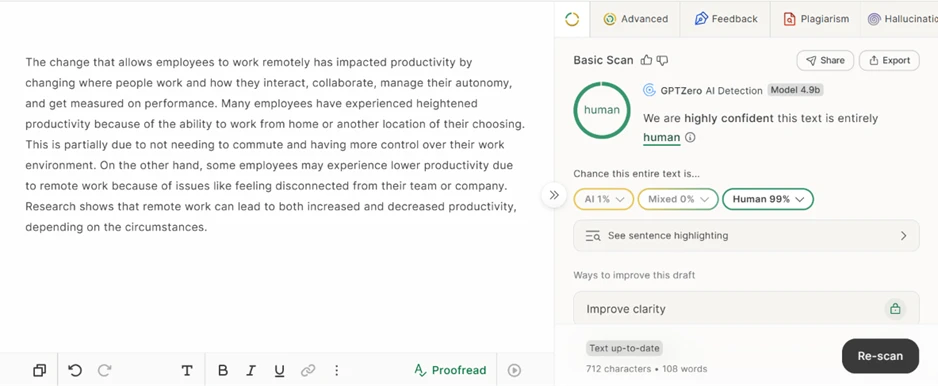
So the green ticks were not uniformly wrong. One detector backed Phrasly and one contradicted it, on identical text, inside the same ten minutes. A student submitting through Originality.ai and a student submitting through GPTZero would walk away with opposite outcomes from the same rewrite.
Phrasly bundles a document editor that runs on its own AI credits, separate from the humanizer allowance. I opened it and typed a deliberately thin prompt: "paper about global warming."
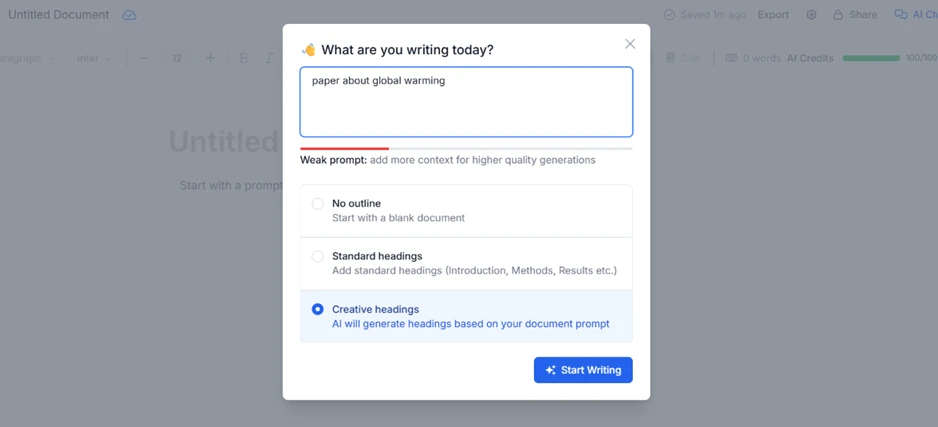
A red bar appeared under the box reading "Weak prompt: add more context for higher quality generations." I left it exactly as typed to see what a lazy request produces.
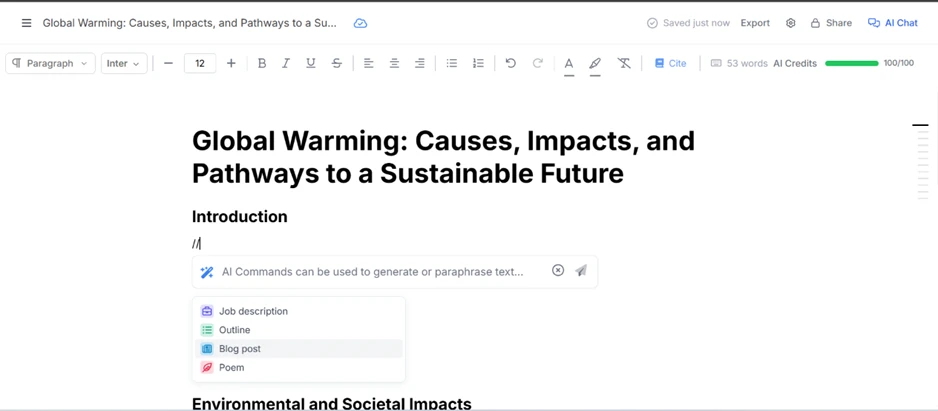
It built a title and a full heading structure in seconds, then offered inline AI commands under each section. My credit meter stayed at 100 out of 100, so the scaffolding itself is free. The credits go on the body text, which is the part you still have to direct sentence by sentence.
| Dimension | Our test | User signal | Verdict | Composite |
|---|---|---|---|---|
| Humanization Quality Naturalness and meaning preservation | 9 | 9.4 | Excellent | |
| AI Detection Accuracy Correctly flags AI versus human | 7 | 7.2 | Good | |
| Ease of Use Learning curve and interface clarity | 9.5 | 9.6 | Excellent | |
| Value for Money Perceived fairness of pricing | 7.2 | 7 | Good | |
| Reliability and Consistency Consistency across documents | 8.3 | 8.6 | Good | |
| Customer Experience Support and billing satisfaction | 6.5 | 6 | Moderate |
Toolscopia uses cookies to keep you signed in, remember your preferences, and understand how our reviews get read. Analytics are anonymous. See our privacy policy for the full detail.





Comments 0
Join the discussion and share your perspective.
Sign in to post a comment and reply to other readers.
No comments yet
Be the first to share your perspective on this tool.