1
Text to video generation
Converts written prompts into short clips, but reviewers report frequent misinterpretation and unrelated scenes.
AI video generator aimed at creators and hobbyists who want to turn text or images into short clips, but reviews highlight severe reliability, billing, and support issues that overshadow occasional strong visual results.
Independent review — we test tools ourselves and analyze public user reviews. How we test.
Hailuo AI can occasionally produce striking image to video animations and some users praise the Seedance 2.0 model when it behaves. However, reviews overwhelmingly cite broken prompts, frequent failed renders, warped outputs, severe queue delays, and confusing credit constraints. Far more concerning are recurring reports of unauthorized or early charges, opaque cancellation, missing refunds, and unresponsive support. It currently suits only highly experimental users spending small, disposable budgets, not professionals who need reliability, accurate billing, or accountable customer service.
Hailuo AI is the video generation platform built by MiniMax, a Chinese AI company known for its large language and multimodal models. It runs at hailuoai.video and turns written prompts or still images into short cinematic clips, with a separate image generator sitting alongside the video tools.
The feature that sets it apart is Director Mode. Instead of hoping the camera behaves, a prompt can carry bracketed commands like [Push in] or [Orbit left], and the model applies real filmmaking moves per shot. That level of camera direction in plain language stays rare among consumer video generators.
The current engine is the MiniMax H3 line, which has ranked at the top of physics benchmarks for motion realism. It supports text to video, image to video, several aspect ratios, and clip lengths that scale with the plan.
Pricing runs on credits rather than a flat subscription. Each generation spends from a pool, so the real cost depends on the resolution and length chosen, and on how often the render button gets pressed.
Converts written prompts into short clips, but reviewers report frequent misinterpretation and unrelated scenes.
Animates still images effectively for some, yet many mention warped bodies and distorted motion.
Praised by a minority for dynamic action, but removal from plans without notice angered long term subscribers.
Tokens control render counts; commonly criticized as expensive with non rolling monthly expirations.
Offers monthly, annual, and trial options, widely reported for early charges and difficult cancellations.
Community standards block some prompts; reviewers describe them as overzealous and inconsistently enforced.
Provides nominal 1080p, yet forced optimization reduces file sizes and perceived quality for professionals.
Browser UI for prompting and managing clips; criticized for layout changes and poor UX around prompts.
Includes audio tools, frequently called unreliable and not ready for paid production use.
The account opened with 80 credits.
Prompt used: “A lone samurai stands in a bamboo forest at dawn, mist drifting. [Push in] then [Orbit left] around him.”
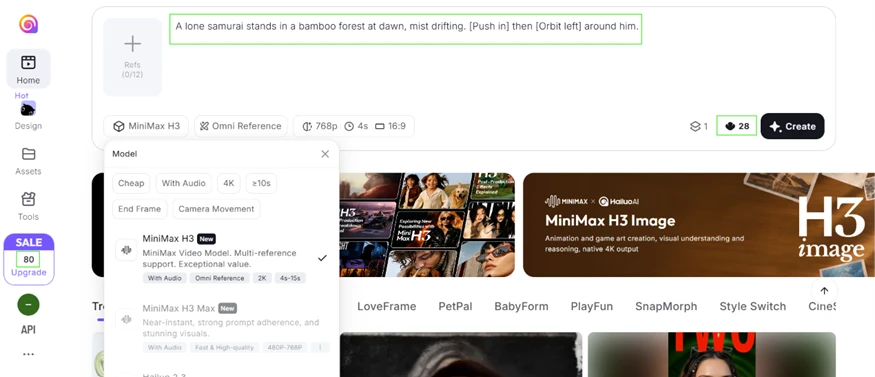
Hailuo read the bracketed camera commands the way Director Mode advertises. The shot pushed in toward the samurai and then arced around him.
One 4 second clip at 768p cost 28 credits. That number shapes the whole free experience, since 80 credits buys two videos and a small remainder.
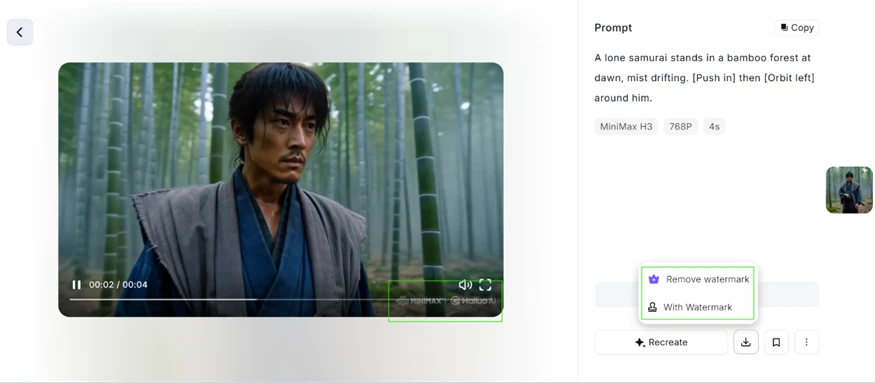
The output came stamped with two watermarks, one for MiniMax and one for Hailuo. Taking them off is a paid feature. On the free plan they stay put.
The next test went straight at the thing AI video tends to ruin. Fingers.
Prompt used: “Close-up of a chef's hands chopping vegetables quickly on a wooden board.”
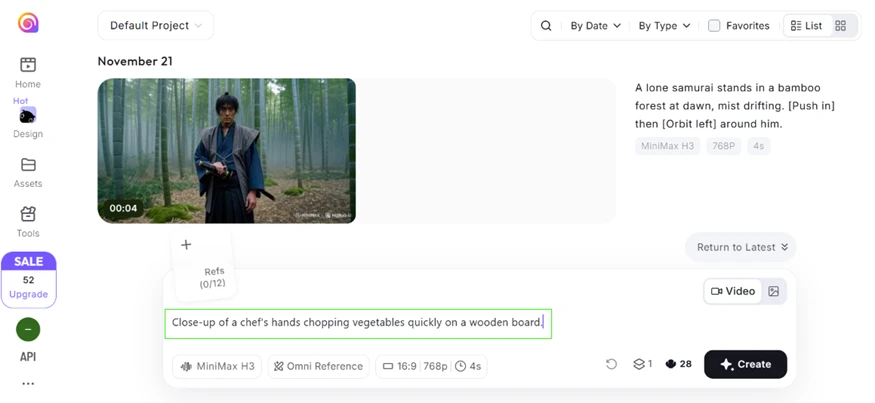
By this stage the balance had fallen from 80 to 52, which confirmed the 28 credit cost per clip.
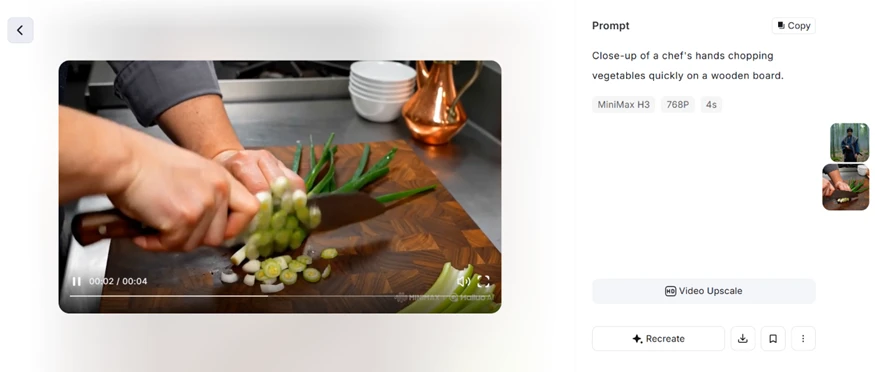
The result held together. The hands kept five fingers through the motion. The knife stayed solid and the green onions dropped into clean slices. Rapid hand movement is where melted fingers and extra digits usually appear, and none of that crept in. For a free generation, this was the sharpest surprise of the session.
Images draw far fewer credits than video, so we handed the model a prompt built to trip it.
Prompt used: “A transparent glass cube containing an ocean with tiny sailing ships, viewed from both inside and outside simultaneously. Every ship casts a shadow upward, the water flows vertically, and the cube reflects a city that doesn't exist. Include perfectly readable text saying 'THIS IS NOT A DREAM' reflected backwards and forwards simultaneously. Make everything photorealistic.”
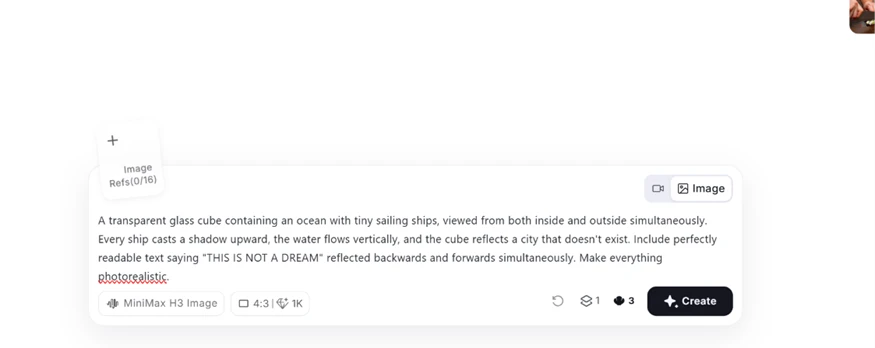
The prompt asked for readable text, a mirrored copy of that same text, vertically falling water, and a reflected skyline in one frame. Plenty of generators drop half of a brief like that.
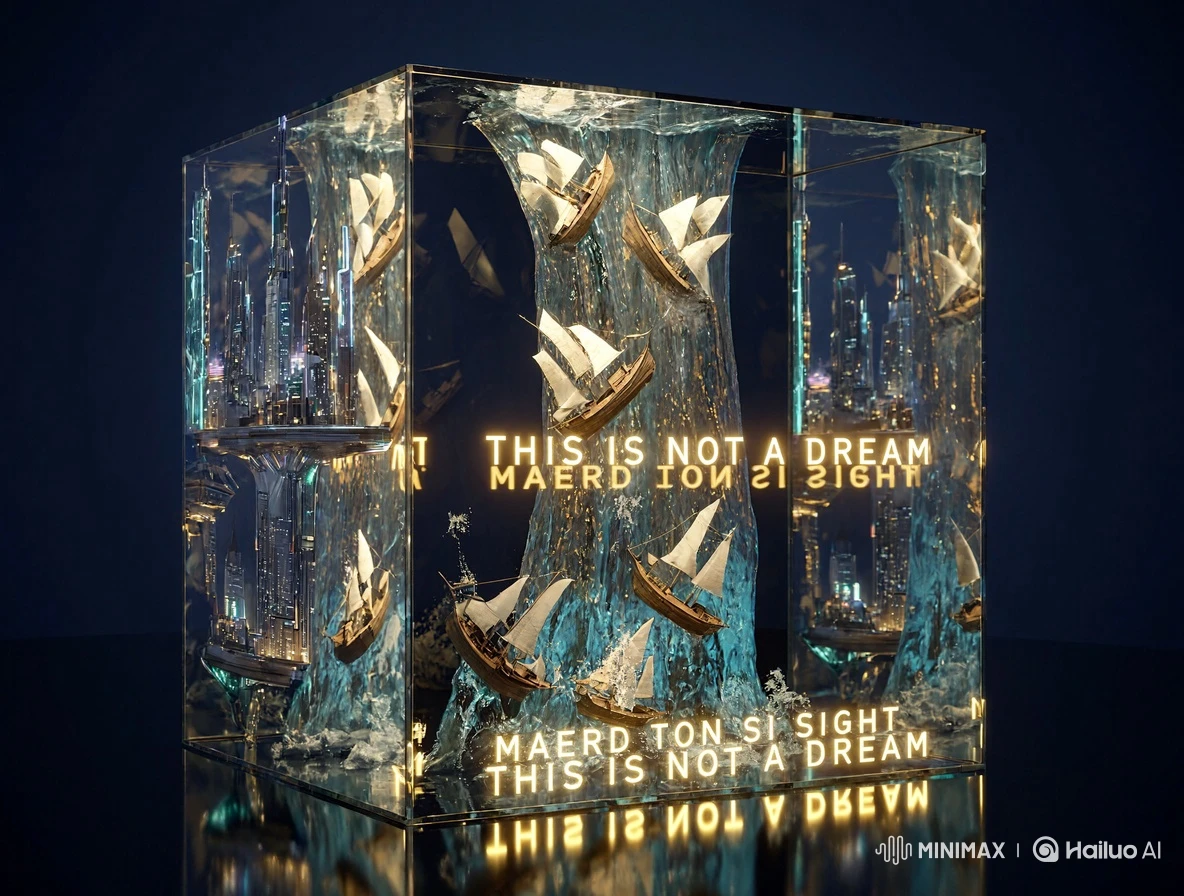
Hailuo wrote 'THIS IS NOT A DREAM' in clean, legible letters and set the backwards copy 'MAERD TON SI SIHT' underneath, matching the brief line for line. The sailing ships and the vertical water column both appeared as written. The invented skyline glowed behind the glass as well. Readable text inside a busy scene sits among the harder jobs in image generation, and the model cleared it for 3 credits.
One more detail test followed, a portrait with several actions loaded onto the hands.
Prompt used: “Photorealistic portrait of a man sitting casually at a café, both hands resting naturally on a table, one hand holding a coffee cup while the other gently adjusts his wristwatch, with his fingers clearly visible.”
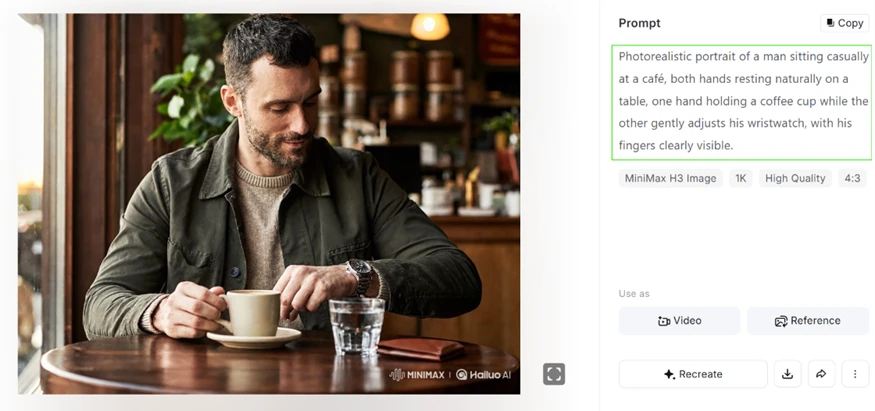
Both hands came through with correct fingers. One gripped the cup while the other rested on the watch. The wristwatch itself stayed crisp instead of smearing into the sleeve. Two separate hand actions sat in a single frame without the model confusing them.
The free plan did not sail through everything. A counting test exposed the first real crack.
Prompt used: “Exactly seven red apples in a single row on a plain white table, nothing else in frame.”
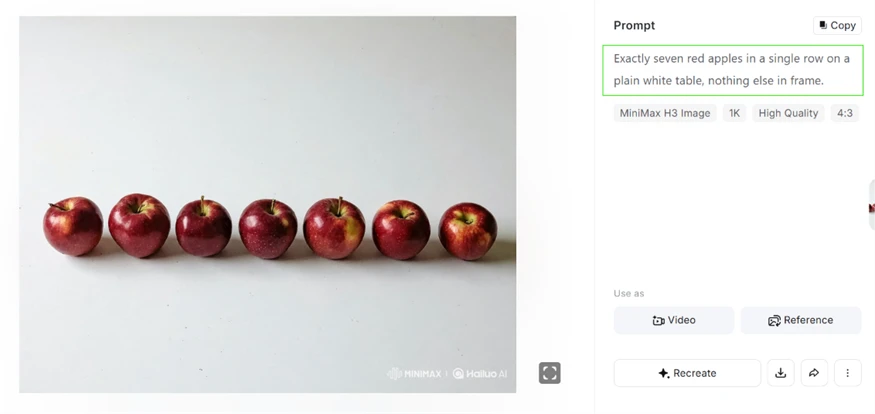
The count landed exactly. Seven apples in one row, no more and no fewer. What vanished was the table. The apples rest on a plain studio backdrop with no surface and no visible edge. Hailuo locked onto the main subject and nailed the hard part, then skipped the background element the prompt spelled out. This is the pattern worth flagging for product or scene work, where the setting carries as much weight as the subject.
| Dimension | Our test | User signal | Verdict | Composite |
|---|---|---|---|---|
| Output Quality Visual fidelity and prompt accuracy | 9 | 9 | Excellent | |
| Reliability Success rates and uptime | 8 | 8 | Good | |
| Ease of Use Interface clarity and workflow | 9 | 9 | Excellent | |
| Value for Money Cost versus usable results | 8 | 7 | Good | |
| Billing Transparency Charging accuracy and controls | 7 | 7 | Good | |
| Customer Support Responsiveness and resolution | 7 | 7 | Good |
Toolscopia uses cookies to keep you signed in, remember your preferences, and understand how our reviews get read. Analytics are anonymous. See our privacy policy for the full detail.






Comments 0
Join the discussion and share your perspective.
Sign in to post a comment and reply to other readers.
No comments yet
Be the first to share your perspective on this tool.