1
AI writing assistant
Generates essays and assignments, widely praised by students and teachers for speed and ease.
AI writing, paraphrasing, and humanizing suite aimed at students, educators, and agencies that want faster content production, but with serious concerns around billing transparency, refunds, and subscription control reported in many reviews.
Independent review — we test tools ourselves and analyze public user reviews. How we test.
HIX.AI delivers strong writing, paraphrasing, and AI bypass capabilities for many reviewers, especially those producing assignments, research, and educational content at scale. Others praise the interface, all‑in‑one toolset, and fast refund handling when issues are addressed. However, there are repeated reports of unauthorized or confusing charges, difficulty cancelling subscriptions, unreliable unlimited plans, and slow or non‑existent responses from support. Output quality is also inconsistent, with some users calling the humanizer excellent and others finding it unusable. It suits experienced content creators who watch billing closely and are ready to validate every output, but is risky for anyone needing dependable billing and enterprise‑grade support.
HIX AI is an all-in-one AI agent workspace built around a credit system, where a single balance powers chat, research, slides, images, video, and document work instead of charging separately for each. It positions itself less as a writing assistant and more as a command center that routes your prompt to whichever model fits the job.
The pull is model access. Rather than paying for ChatGPT, a separate image tool, and a video generator, HIX bundles a rotating library of current models behind one login, so you switch between them from a dropdown in the same prompt bar.
It sits in a crowded lane against Writesonic, Copy.ai, and Jasper, and its pitch is breadth over depth. You trade the polish of a specialist tool for the convenience of not juggling five subscriptions.
That breadth suits a specific user. If you produce varied content daily and value one workspace over best-in-class output, HIX is aimed at you. If you lean on one model and know it well, the bundle adds steps you may not need.
Generates essays and assignments, widely praised by students and teachers for speed and ease.
Helps rephrase text and avoid plagiarism, often rated highly but sometimes returns awkward sentences.
Humanizes AI text, with mixed feedback from perfect Turnitin drops to unreliable, detectable outputs.
Builds decks quickly, some call results masterpiece level, others report recent failures to generate.
Supports image to video and text to image, appreciated for social content but video prompts sometimes fail.
Offers tools like Deepseek and Copilot, valued by some, criticized as outdated and limited by others.
Provides higher tier plans with unlimited credits, frequently criticized for errors and blocked usage.
API usage exists but some teams report repeated workflow failures and unresolved technical issues.
Enables plan changes and occasional partial refunds, yet many users report opaque or delayed refunds.
I set out to test HIX AI the way any new user would, by signing up for the free plan and trying to actually use the workspace. The plan was simple. Run a few prompts through chat, research, and the writing tools, screenshot what worked, and screenshot what did not. What I ran into changed the shape of this review, because on the free tier almost nothing ran at all.
Everything below is what happened on my own accounts during the first week of November 2026. I am noting the date because HIX appears to be mid-rollout on its credit system, and the experience may shift.
The first thing I checked after signing up was my credit balance. The pricing page advertises 20 free credits, and the homepage invites you to claim your free credits and start creating. My verified account showed a flat 0.
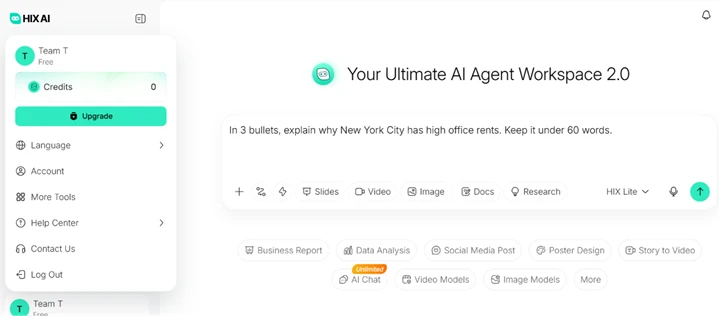
I assumed this was a one-off, so I created a second account on a different email address and verified it the same way. That account also landed on 0 credits. Two signups, two zero balances, no card entered on either. The 20-credit figure that most reviews quote appears to come from the pricing table rather than from what a real account receives.
With 0 credits, the Upgrade button in the sidebar stops being a suggestion and becomes the only path forward. Every credit-based feature sits behind it.
The workspace shows Research as a clickable toggle in the prompt bar, next to Slides, Video, Image, and Docs. It is not greyed out and carries no lock icon, so a new user reasonably assumes it is part of what they get. I selected the HIX Lite model, turned on Research, and entered a straightforward comparison task.
Prompt used: "Compare the current free-plan limits of HIX AI, Writesonic and Copy.ai. Include source links and today's date."
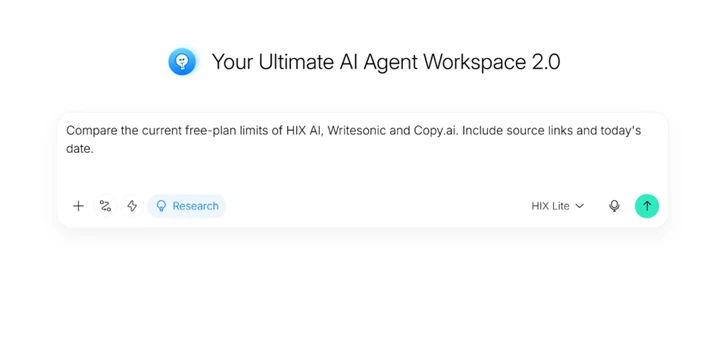
The output I got was not a research report. It was a credit-limit message pushing me to upgrade. So the feature advertises itself as reachable on free, accepts my prompt, and only reveals the paywall at the moment of execution. That gap between what the interface shows and what it will run is the part worth flagging.
Older HIX reviews describe a set of always-free standalone writing tools, so I expected the Summarizer and Paraphraser to work without credits. They do not anymore. I opened the Summarizer, attached a 4.9 MB biology course PDF, and asked for a summary.
Prompt used: "Summarize the content of the given pdf"
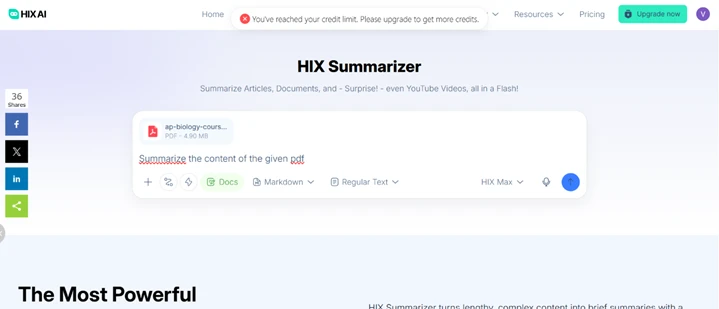
Notice the model selector reads HIX Max, which tells you these legacy tool pages have been folded into the same credit-metered workspace. The summarizer, the paraphraser, and the rest are no longer separate free utilities. They draw from the credit pool I did not have. On a 0-credit account, the PDF uploads, the tool accepts the job, and the result is another upgrade wall.
Since I could not run the features, I went to the pricing page to document what HIX promises against what it delivers.
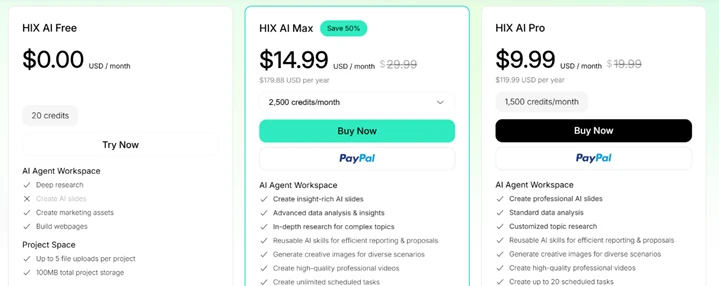
The Free column lists 20 credits, up to 5 file uploads per project, and 100 MB of total project storage. One item in that column carries an X rather than a checkmark: Create AI slides is excluded outright, so even a funded free account would not get slide generation.
Two naming choices on this page are worth a second look. HIX AI Max sits at $14.99 a month for 2,500 credits and is flagged as the Save 50% option. HIX AI Pro sits to its right at $9.99 a month for 1,500 credits. Max costs more than Pro, which inverts the usual convention where Pro is the higher tier. A buyer scanning quickly could easily pick the wrong plan.
One fair point in HIX's favour. The navigation never locked me out. I could open the Apps panel and see the full product range, including the AI Writer, the AI Article Writer, the desktop app, the Homework Helper, and the browser extension with a live Add to Chrome button.
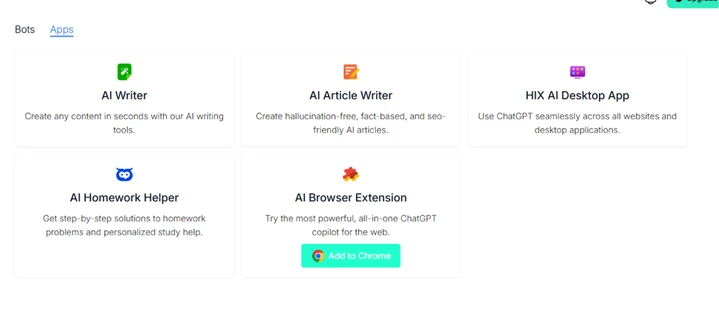
The AI Article Writer card makes a claim I would push back on. It promises hallucination-free, fact-based articles. No current AI writer is hallucination-free, and presenting that as a plain feature sets an expectation the tool cannot meet. I could not test the output on free credits, but the claim itself invites scrutiny.
The Scheduled view also opened without a paywall.
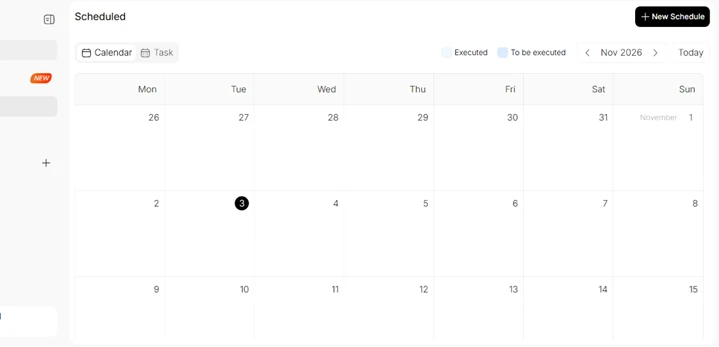
Being able to look around is genuinely useful for deciding whether the product fits before paying. The catch is that looking is as far as the free plan let me go.
| Dimension | Our test | User signal | Verdict | Composite |
|---|---|---|---|---|
| Output Quality Writing accuracy and readability | 6 | 6.5 | Moderate | |
| AI Bypass Reliability Detection evasion and coherence | 5 | 5.5 | Weak | |
| Ease of Use Interface clarity and workflow | 7 | 7.5 | Good | |
| Billing Transparency Pricing clarity and control | 3 | 2.5 | Weak | |
| Customer Support Speed and usefulness of help | 4.5 | 4 | Weak | |
| Reliability and Uptime Service stability under load | 4.5 | 4 | Weak | |
| Value for Money Benefit relative to pricing | 5 | 4.5 | Weak |
Toolscopia uses cookies to keep you signed in, remember your preferences, and understand how our reviews get read. Analytics are anonymous. See our privacy policy for the full detail.






Comments 0
Join the discussion and share your perspective.
Sign in to post a comment and reply to other readers.
No comments yet
Be the first to share your perspective on this tool.