1
Text to Image
Generate an image from a written prompt.
Image Creator AI is a browser-based AI image generator and photo toolkit that promises unlimited, no-signup creation across modern models, though in practice its free access ends almost at once behind a credit wall.
Independent review — we test tools ourselves and analyze public user reviews. How we test.
Image Creator AI makes a strong first impression. The interface is clean and loads quickly, and the model lineup looks current enough to raise expectations. That goodwill fades fast. Every tool we opened stopped us before delivering a single result, and the friendly onboarding turns into a run of blocking prompts that interrupt any real work. For someone who wants to glance at the interface or see what modern image models look like, it works as a tidy shop window. Anyone hoping to finish a task without opening their wallet will walk away frustrated and low on patience.
Image Creator AI, found at imgcreatorai.io, positions itself as an all-in-one creative hub for people who want AI visuals without the usual setup. It pulls together text-to-image generation alongside photo-editing and short-video tools under a single, sign-in-optional homepage, and it leans heavily on recognisable model names to signal that it sits at the current edge of the technology.
The branding is aimed squarely at casual and first-time users rather than studios or agencies. There is no dashboard to configure and no tutorial to sit through. You land on a prompt box and a Generate button, which tells you the intended audience is someone who expects a result in one or two clicks.
It belongs to a growing category of lightweight web front-ends that wrap a friendly interface around several underlying models. That category lives or dies on how generous the free experience actually is and how far the interface respects the user's time, which is where this review puts its focus.
Generate an image from a written prompt.
Upload a photo and reshape or blend it with a prompt.
Set framing between 1:1 and 16:9, up to 4K output.
Cut a subject out onto a transparent background.
Push a small image up to a higher resolution.
Repair and sharpen aged or damaged pictures.
Produce PNGs with no background baked in.
Turn a casual selfie into a formal headshot.
Animate a still image or generate short clips.
I approached imgcreatorai.io the way any first-time visitor would, with no account and nothing set up in advance. The homepage sets a clear expectation at the top of every page, so I decided to hold the tool to its own words and record what happened on each screen.
I opened the image creator, left the default Nano Banana 2 model selected, set the aspect ratio to 16:9 at 1K resolution, and typed a plain test prompt:
a golden retriever puppy sitting in a teacup, studio lighting
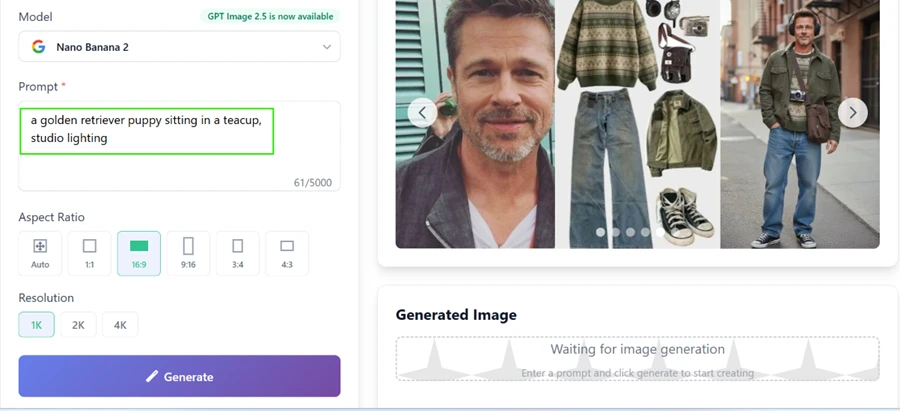
Clicking Generate did not produce a puppy or anything else. The screen returned a popup telling me my free tries were already finished and that I had to log in to get more.
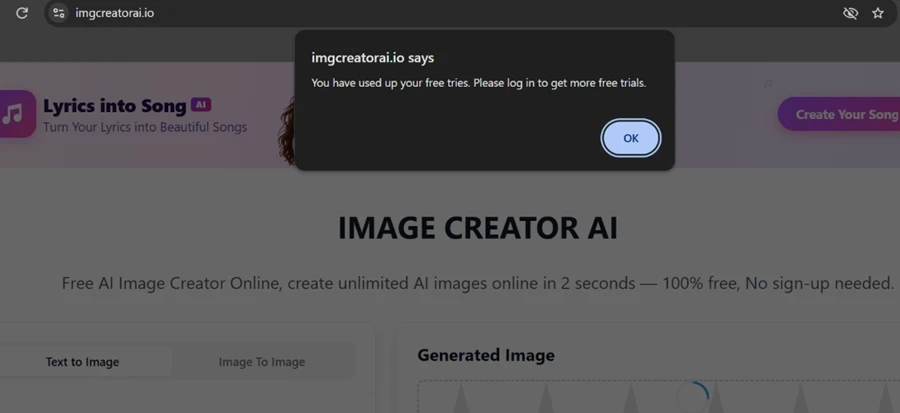
On a fresh visit, before a single image had been created, the counter was already empty. The promise of "No sign-up needed" became "please log in" at the very first click.
The login screen made a specific offer: sign in and get 4 free credits daily. I connected with Google to claim them.

After logging in, I checked the credit meter in the top navigation. It read 0. The 4 daily credits never arrived, while the headline directly below still advertised a free, no-sign-up experience.

I had now done the one thing the site asked of me, which was to create an account, and I received nothing in return.
I ran the same generation again, this time while logged in. The message changed. Rather than asking me to sign in, it now told me my free trial had ended and that I would need to purchase credits to keep creating. The balance still showed 0.
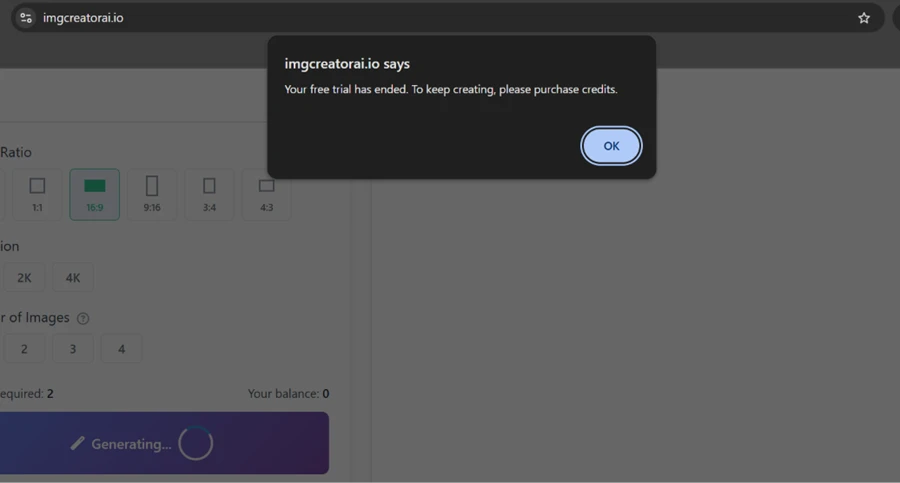
Two attempts, two different popups, zero images produced.
To check whether this behaviour was limited to the image generator, I moved over to the Background Remover. Its page carries the same badge as the homepage, promising an automatic transparent background in seconds with no sign-up required.
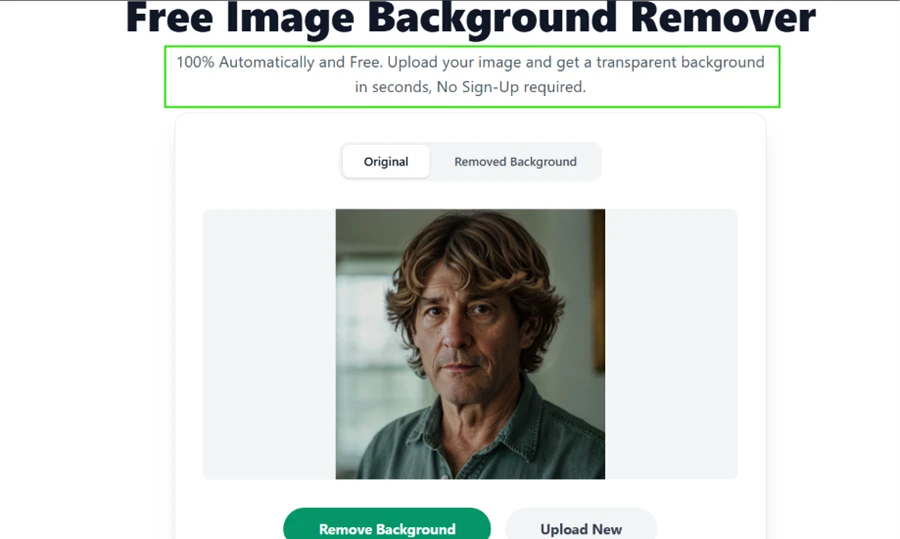
I uploaded a portrait and clicked Remove Background. The processing spinner appeared for a moment, then handed me a familiar outcome: not enough credits left, upgrade your plan now.
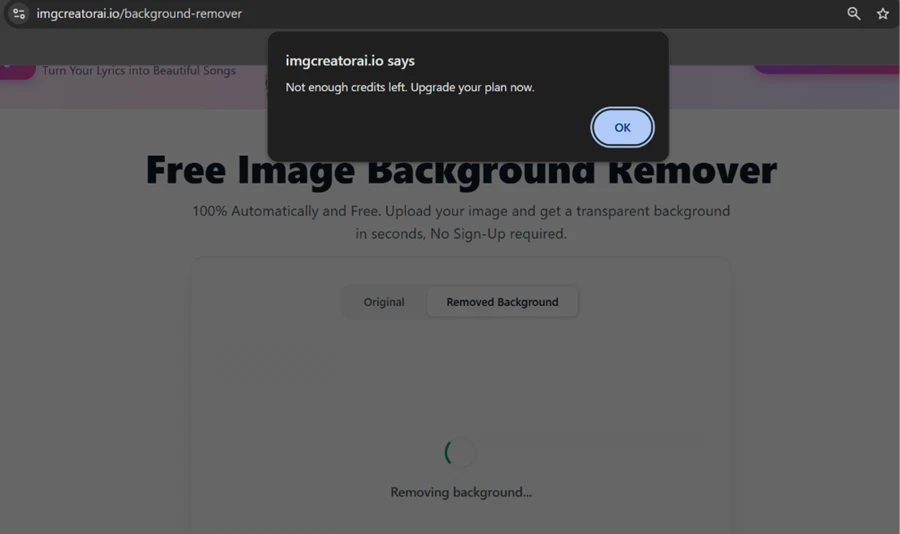
The free label sits at the top of the page while the paywall waits one click underneath it.
The pricing page explains why every tool behaved the same way. There is no free tier listed on it anywhere. The choices are a monthly subscription that starts at $6.66 for 100 credits, or one-time credit packs that start at $29 for 500 credits.
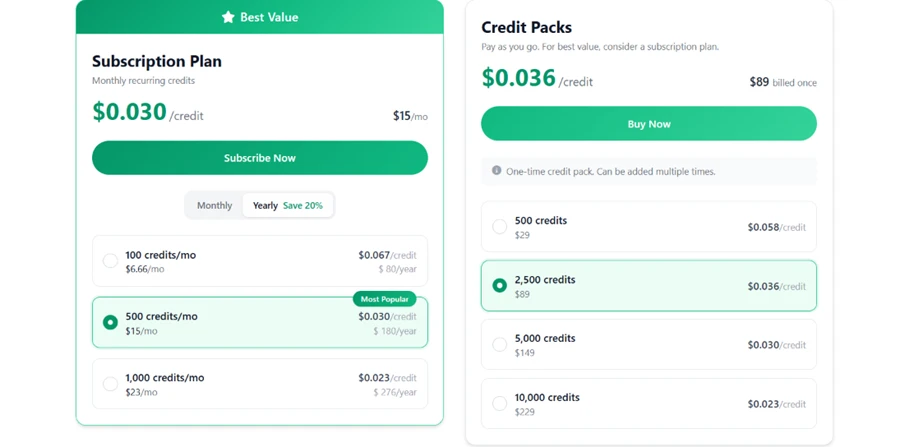
Across the generator and the background remover, the free plan produced zero usable output during my testing. The word "free" appears on the homepage and again in the login modal, with the same badge repeated on each individual tool page, yet the only route past any of them runs through a paid credit balance.
| Dimension | Our test | User signal | Verdict | Composite |
|---|---|---|---|---|
| Ease of Use How quickly a newcomer finds their way | 7 | 7 | Good | |
| Interface Design Visual polish and on-screen clarity | 8 | 7 | Good | |
| Speed & Load Time How fast pages and actions react | 7 | 6 | Moderate | |
| Free Access Value How much you get before paying | 2 | 2 | Weak | |
| Transparency How honest the on-page messaging reads | 2 | 3 | Weak | |
| Overall Experience The full start-to-finish impression | 4 | 3 | Weak |
Toolscopia uses cookies to keep you signed in, remember your preferences, and understand how our reviews get read. Analytics are anonymous. See our privacy policy for the full detail.






Comments 0
Join the discussion and share your perspective.
Sign in to post a comment and reply to other readers.
No comments yet
Be the first to share your perspective on this tool.