1
50+ image and video models
Flux, Veo, Kling, GPT Image, and more under one balance.
Lovino, formerly LensGo, is an AI image and video generator for creators and marketers. It runs 50+ models for product photos, ads, and short videos, with a free tier of three credits a day.
Independent review — we test tools ourselves and analyze public user reviews. How we test.
Lensgo AI lands at a combined 7.0 out of 10, a capable image generator with a stingy free tier. The output quality is the strong point: a product photo looked like a real studio shot, and a sign reading "SALE 50% OFF" came out correctly spelled and legible, which is where most image tools fail. It runs 50+ models and is backed by a named company, Foldox Limited, not an anonymous operator. The frustrations are around access. The "free first generation" quietly spends two of your three daily credits, free images carry a heavy watermark that costs money to remove, a Studio Ghibli request came back as a plain watercolor, and video is paid only. For paid users it looks strong; free users will hit the walls fast.
Lensgo, now known as Lovino, is a browser-based AI image and video generator aimed at creators, marketers, and small businesses. You describe what you want, or upload a photo, and it produces product shots, ads, social posts, and short videos.
Its reach is broad. More than 50 image and video models sit under one credit balance, alongside a UGC Studio for creator-style video ads, AI Characters for consistent avatars, a Motion Control tool, and an Iris agent that plans shots and writes prompts. Photo editing tools cover background removal, upscaling, and restoration.
The free plan gives three credits a day and fifteen a month, with a watermark on output. Paid tiers remove the watermark and add models, video, and higher resolution, running from Plus at $7.99 a month through Pro at $19.99 to Max at $44.99.
The service is operated by Foldox Limited, a company registered in Ireland, which gives it a named, accountable owner that many rivals in this space lack.
Flux, Veo, Kling, GPT Image, and more under one balance.
Renders signs and labels legibly and correctly.
Purpose-built for commercial shots.
Turns one product photo into a creator-style vertical video.
Consistent avatars across scenes for marketing.
Plans shots, writes prompts, and picks a model.
Background remover, upscaler, and restoration.
Lensgo, the image and video generator formerly known as LensGo, promises studio-quality results from a prompt or a photo. We put the image side through a few real jobs, a product shot, a sign with text on it, and a style transfer, judging each by eye. Everything ran on the free plan, which gives three credits a day.
Onboarding ends on a friendly note: a first generation “on us.” The fine print says otherwise.
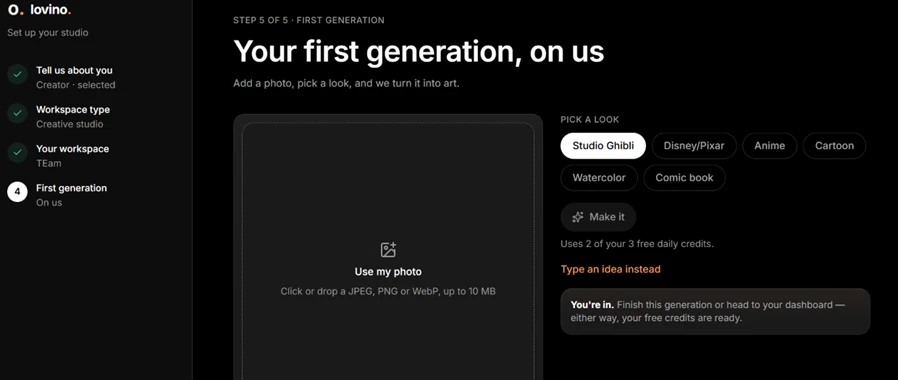
So the free first image is not really free. It spends two of the three credits you get for the whole day, which is a small bit of friendly-sounding misdirection right at the start.
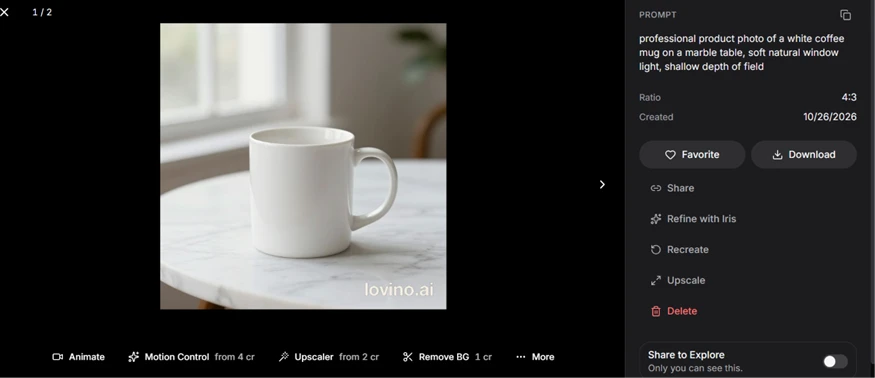
The core generator is where Lensgo earns its keep. We typed a plain product-photo prompt and asked for a white mug on marble.
The result looked like a real studio photograph: soft window light, a believable marble surface, and natural depth of field. It carried a visible lovino.ai watermark, but as an image it was genuinely usable.
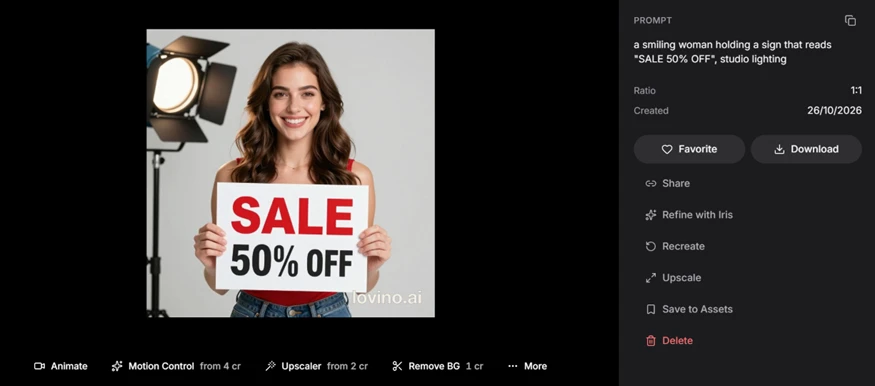
The harder test is text, where most image tools fall apart. We asked for a woman holding a sign reading “SALE 50% OFF.” Lensgo spelled it correctly and kept it legible, with the hands and face intact. Correct on-image text is a real strength, and it is the single most impressive thing we saw.
Then we tried a photo-to-style conversion, uploading a portrait and asking for a Studio Ghibli look.
 |  |
What came back was a competent realistic watercolor, not a Studio Ghibli image. The soft, flat, hand-drawn anime look that defines Ghibli is simply not there, and the output carries a large watermark across it. As a watercolor portrait it is fine; as the Ghibli style we asked for, it missed.
Free output is watermarked, and clearing it is a paid step.
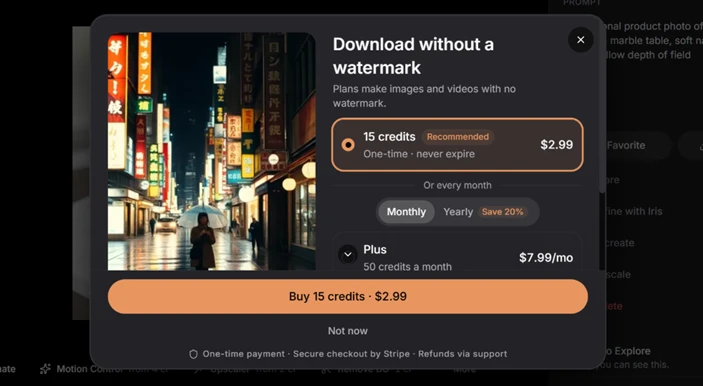
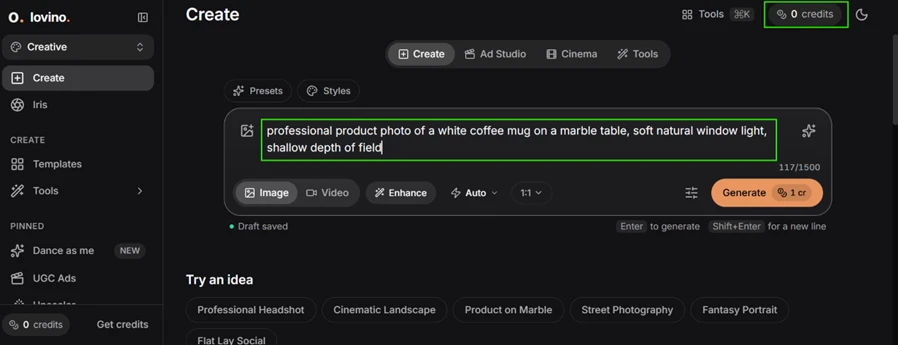
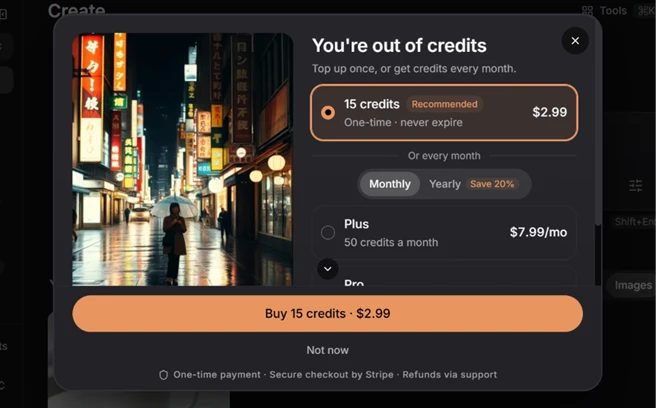
Credits also ran out fast, and the handling was inconsistent. At one point the tool generated an image while showing zero credits, then blocked the very next prompt as out of credits.
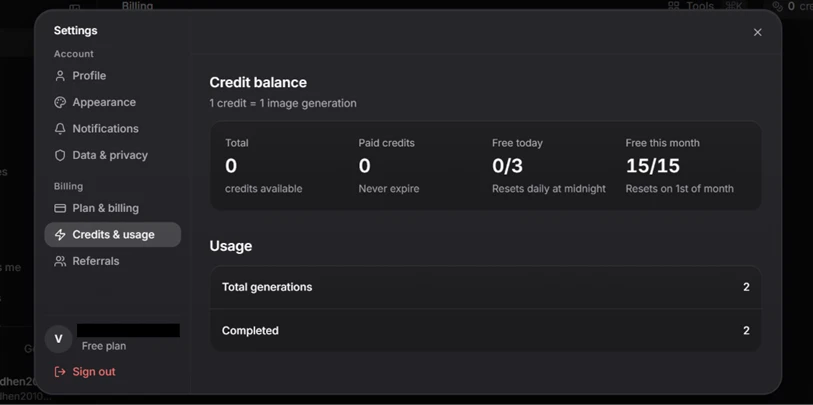
The usage page explains the budget: three free credits a day and fifteen a month, resetting on the first. For light testing that is tight, and we had to come back the next day to continue.
The video side is walled off entirely on the free plan.
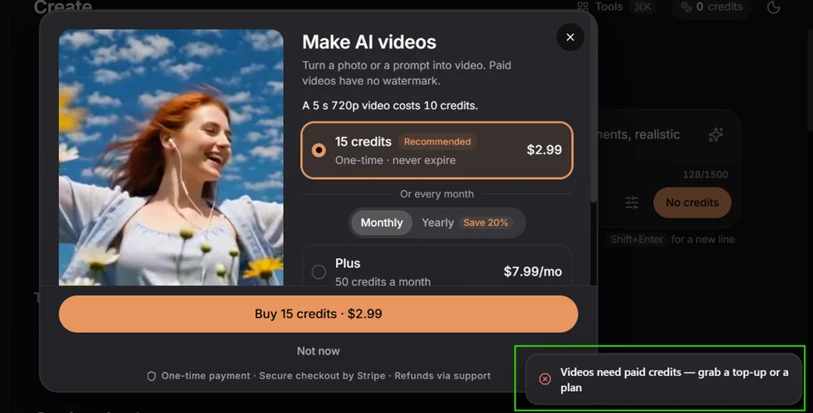
A five-second 720p clip costs ten credits, and the free plan plainly states that videos need paid credits. So the generator's headline video features are not something a free user can try at all.
Lensgo's plans are clearly laid out, and there is a real company behind the brand.
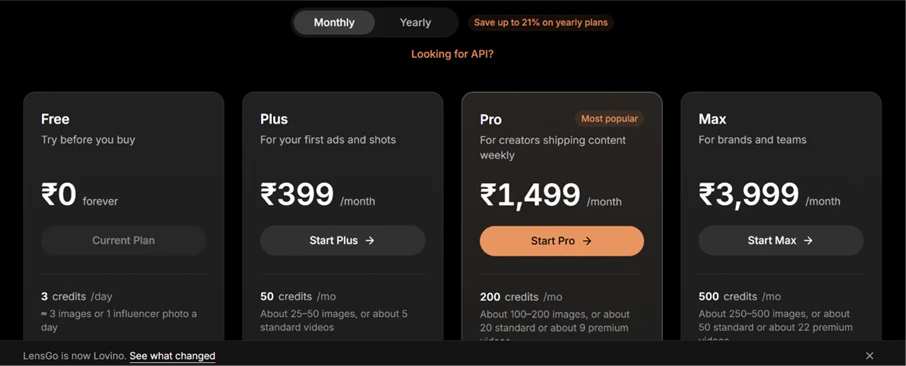
In US pricing the tiers run Free at zero, Plus at $7.99 a month, Pro at $19.99, and Max at $44.99, each with a monthly credit allowance; the screenshot above shows the same structure in local currency. The service is operated by Foldox Limited, a registered company, which is a point in its favor against the many anonymous tools in this space. The banner confirming “LensGo is now Lovino” also ties it to an established product rather than a brand-new unknown.
| Dimension | Our test | User signal | Verdict | Composite |
|---|---|---|---|---|
| Image Quality How realistic and clean the output is | 8 | 8 | Good | |
| Text & Detail Accuracy of on-image text and fine detail | 9 | 8 | Excellent | |
| Style Accuracy How well it matches a requested style | 6 | 6 | Moderate | |
| Feature Breadth Range of models, tools, and modes | 8 | 8 | Good | |
| Free-Tier Value What the free plan actually lets you do | 5 | 4 | Weak | |
| Ease of Use How simple it is to go from prompt to result | 7 | 7 | Good |
Toolscopia uses cookies to keep you signed in, remember your preferences, and understand how our reviews get read. Analytics are anonymous. See our privacy policy for the full detail.






Comments 0
Join the discussion and share your perspective.
Sign in to post a comment and reply to other readers.
No comments yet
Be the first to share your perspective on this tool.